Simple Regenerate Slug

Simple Regenerate Slug
Description
Simple Regenerate Slug automatically regenerates URL slugs from post titles for WordPress posts, pages, and custom post types. The plugin now includes a comprehensive admin settings panel where you can:
Key Features:
* Enable/Disable Control – Turn the plugin functionality on or off with a simple checkbox
* Custom Post Type Support – Select which post types should have automatic slug regeneration
* Bulk Processing – Update multiple posts at once using WordPress bulk edit
* Developer Friendly – Includes filter hooks for programmatic customization
* Clean Admin Interface – Easy-to-use settings page with clear documentation
How It Works:
The plugin automatically updates the URL slug whenever you update a post title. This works for:
– Published posts and pages
– Custom post types (when selected)
– Bulk edit operations
– Individual post updates
Usage Instructions:
1. Go to Settings Simple Regenerate Slug in your WordPress admin
2. Enable the plugin using the checkbox
3. Select the post types where you want automatic slug regeneration
4. Save settings and you’re done!
For bulk updates of existing posts:
1. Go to Posts (or Pages/Custom Post Types)
2. Select posts you want to update (recommend 50 at a time)
3. Choose ‘Bulk actions’ ‘Edit’ ‘Apply’
4. Click ‘Update’ without making changes
5. Slugs will be automatically regenerated from titles
Developer Features:
The plugin includes the simpleregenerateslug_post_types filter hook that allows developers to programmatically modify which post types are affected:
 ```php //
add_filter( 'simpleregenerateslug_post_types', function( $post_types ) {
    $post_types[] = 'custom_post_type';
    return $post_types;
} ); ```
Perfect for theme developers, custom post type plugins, and advanced WordPress customizations.
Support
Getting Help:
If you need assistance with Simple Regenerate Slug, please:
- Check the FAQ section above
- Review the plugin settings at Settings Simple Regenerate Slug
- Submit issues on our GitHub repository
Bug Reports:
If you believe you have found a security vulnerability or bug in Simple Regenerate Slug plugin, please let us know right away by submitting an issue on GitHub.
When reporting bugs, please include:
* Detailed description of the problem
* Steps to reproduce the issue
* Screenshot if possible
* Your website URL (if relevant)
* Current versions of WordPress and PHP
* List of active plugins that might conflict
Feature Requests:
We welcome suggestions for new features! Please submit feature requests through our GitHub repository.
Privacy Policy
Simple Regenerate Slug does not collect, store, or transmit any personal data. The plugin only modifies post slugs locally within your WordPress database. No data is sent to external servers.
Installation
Automatic Installation:
1. Log in to your WordPress admin panel and go to Plugins Add New
2. Type “Simple Regenerate Slug” in the search box and click search
3. Find Simple Regenerate Slug plugin and click “Install Now”
4. After installation, click “Activate Plugin”
5. Go to Settings Simple Regenerate Slug to configure the plugin
Manual Installation:
1. Download the plugin zip file
2. Upload it to your /wp-content/plugins/ directory
3. Activate the plugin through the ‘Plugins’ menu in WordPress
4. Configure the plugin at Settings Simple Regenerate Slug
Initial Setup:
1. Navigate to Settings Simple Regenerate Slug
2. Check “Enable automatic slug regeneration”
3. Select the post types you want to include
4. Click “Save Changes”
Screenshots
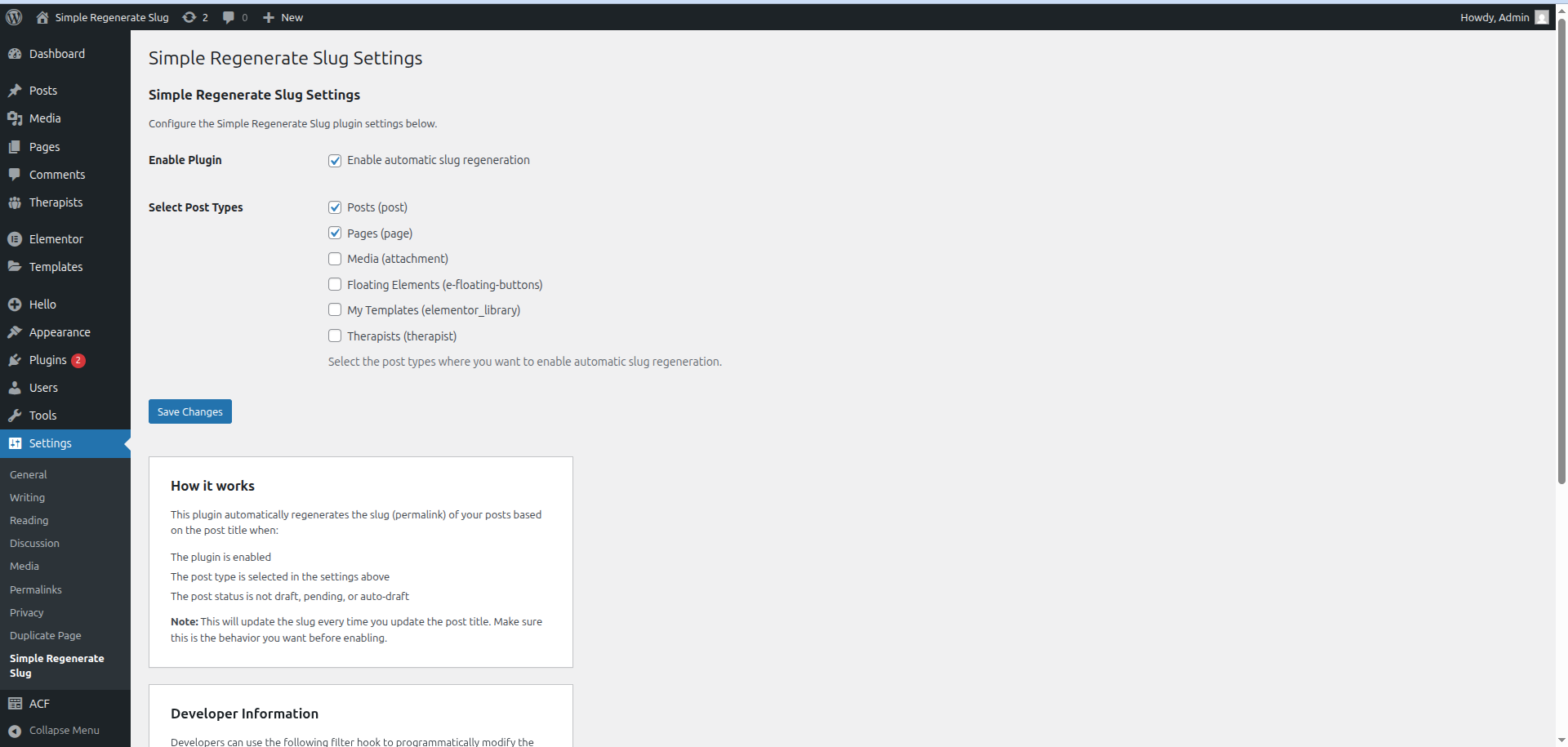
Plugin settings page showing enable/disable option and post type selection
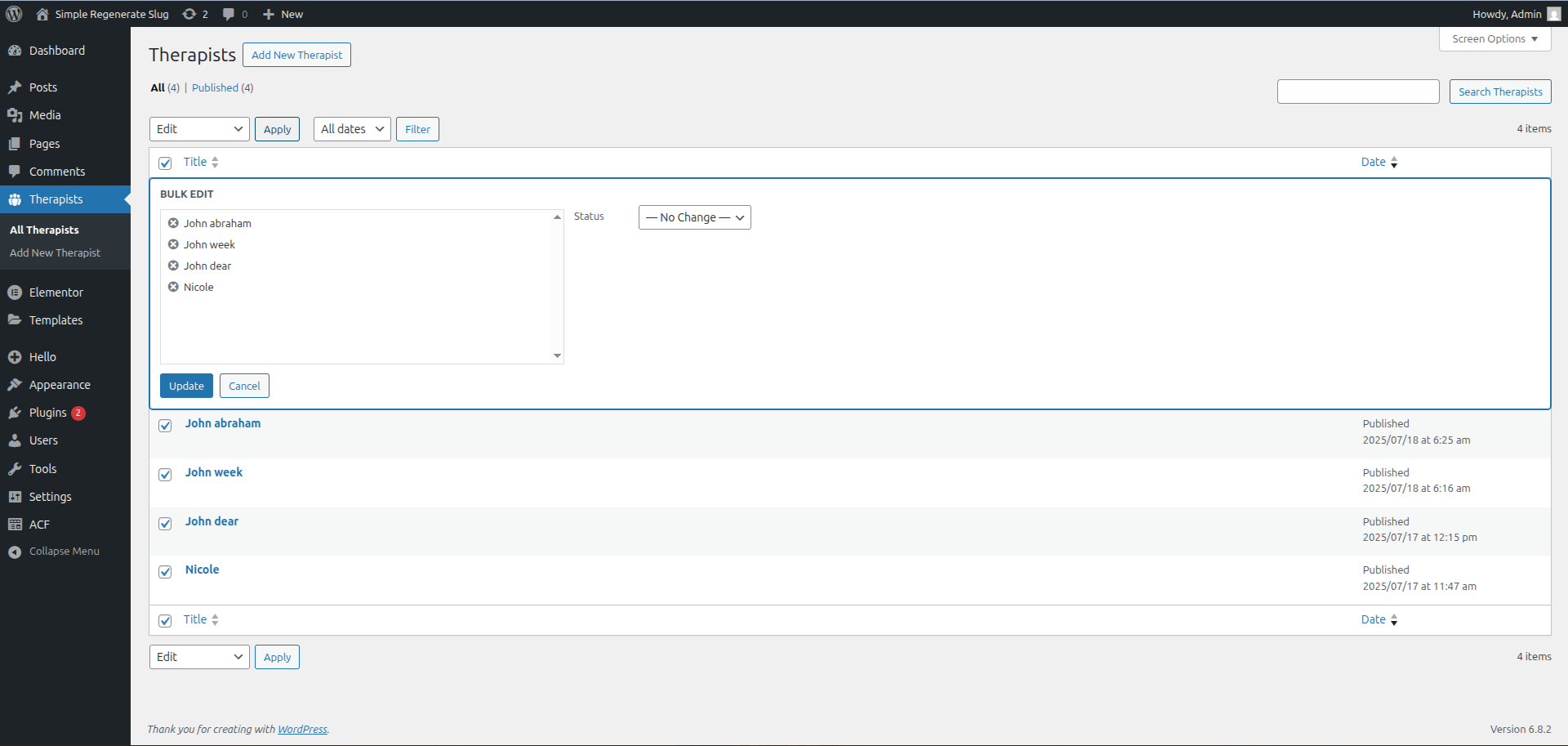
Bulk edit interface for updating multiple post slugs at once
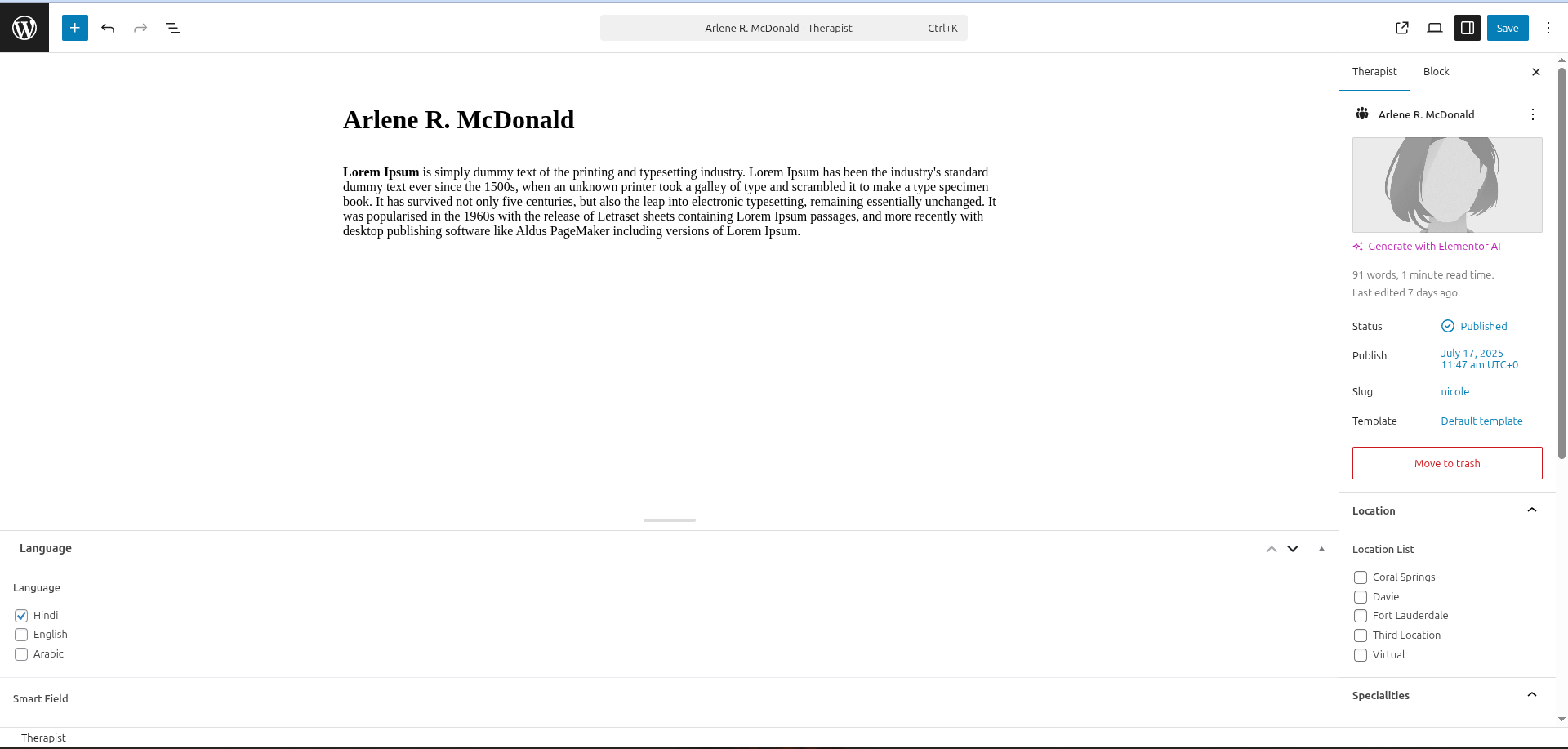
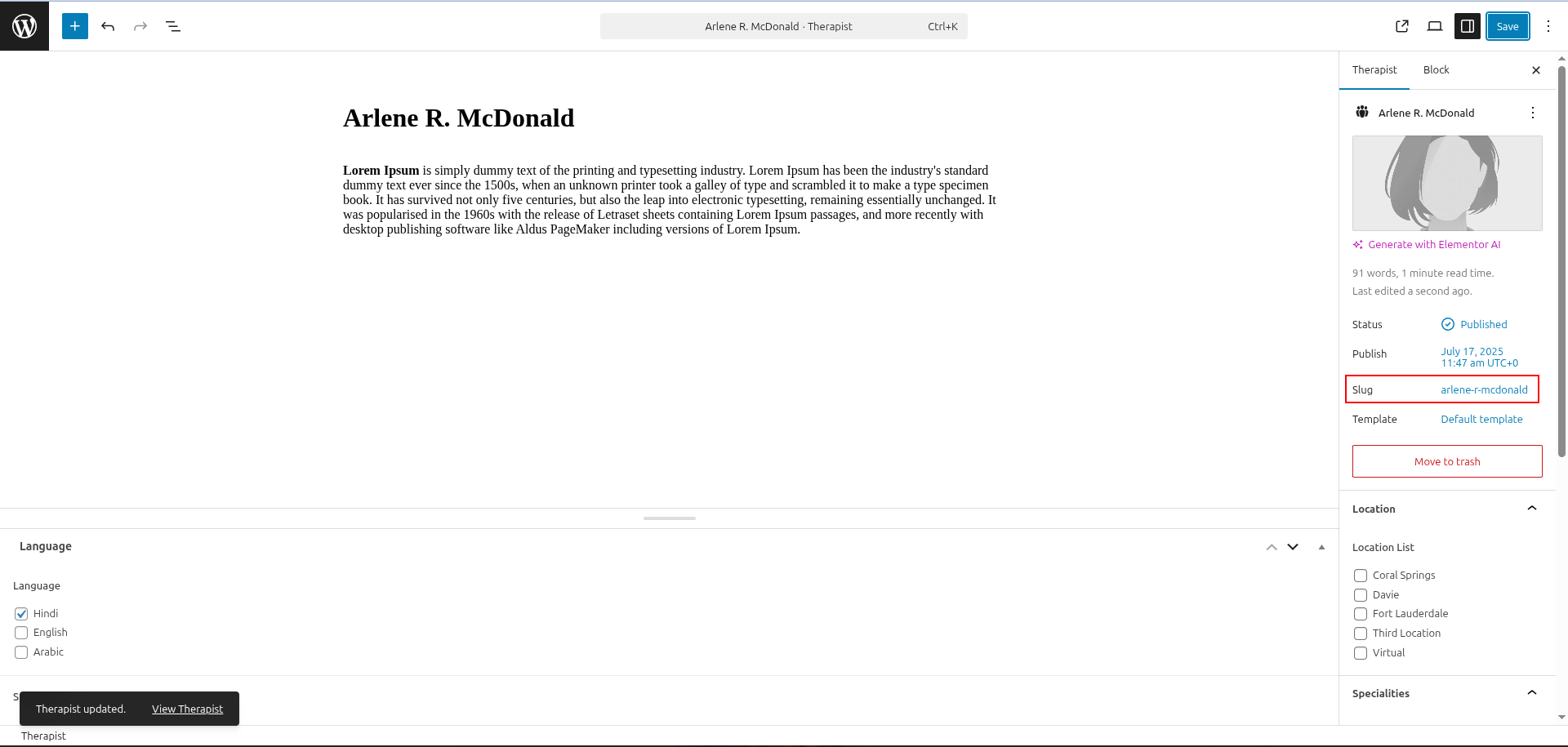
Individual post edit screen where slugs are automatically updated
Faq
After activating the plugin:
1. Go to Settings Simple Regenerate Slug in your WordPress admin
2. Enable the plugin with the checkbox
3. Select which post types should have automatic slug regeneration
4. Save your settings
The plugin works with all public post types including:
– Posts
– Pages
– Custom post types (WooCommerce products, portfolios, events, etc.)
– Any custom post type registered as public
Yes! You can update existing posts in two ways:
1. Edit individual posts – the slug updates when you save
2. Use bulk edit – select multiple posts, use bulk actions edit update
Yes, in the plugin settings you can select exactly which post types should have automatic slug regeneration. Uncheck any post types you want to exclude.
Yes! Use the simpleregenerateslug_post_types filter:
php

add_filter( 'simpleregenerateslug_post_types', function( $post_types ) {

    // Add custom post type

    $post_types[] = 'product';

    return $post_types;

} );
The plugin only regenerates slugs when you update posts. If you have established URLs with good SEO rankings, be cautious about bulk updating. Consider using redirects if you change URLs on published content.
Yes, the plugin works with multilingual sites and is translation-ready. The slug generation uses WordPress’s built-in sanitize_title() function which handles various character sets.
Reviews
Perfect
By 
Bulk edit posts and voilà
Works flowlessly
By 
Do a bulk edit and update the required post type. Slugs will be updated.
EXCELLENT!
By 
This app is super-simple to use. The only reason people have downvoted it is because there is no clear tutorial. Using the app is simple. Activate, then update posts or pages. For instance, if you want to update the URL slugs for posts, go to the standard WordPress Posts page, select some posts (not too many - I did 100 at a time by viewing 100 posts per page and selecting all posts) and click 'Bulk actions' > 'Edit' > 'Apply'. Then simply select update without needing to make any further changes. This will refresh the page and url slugs will be updated to match the post titles. Enjoy!
Great plugin
By 
This plugin is awesome! It helped me a lot. At first, I was confused because I couldn't find it after activating. But then I figured out it just does its thing quietly. You don't have to do anything. When you change your product titles, the slug changes by itself. It's like magic!
Amazing, works like a charm
By 
As Venaxis explained:
Select all posts/pages/products that you want to regenerate the slug for and bulk edit them.
Then just save and all of them regenerate based on their titles.
It works like a charm, highly recommended!
Doesnt work
By 
Simply doesnt work
By 
Works great!
By 
Good stuff!
By 
Good Plugin
By 
Changelog
2.0.0
- Added enable/disable functionality with admin settings page
- Added custom post type selection options
- Added developer filter hook
simpleregenerateslug_post_types - Improved admin interface with settings documentation
- Added plugin activation/deactivation hooks
- Enhanced security and code organization
- Added internationalization support (translation ready)
- Improved user experience with success messages
1.3.0
- Updated version compatibility
- Code improvements and optimizations
1.2.0
- Version update for WordPress compatibility
- Minor bug fixes
1.1.0
- Improved functionality and stability
- Updated for newer WordPress versions
1.0.0
- Initial release
- Basic slug regeneration functionality