SimpleShare: Auto-posting + Share Buttons for Social
SimpleShare: Auto-posting + Share Buttons for Social
Description
Auto-post to your social profiles + add share buttons to your posts.
Features
- Auto-post to Facebook, Instagram, LinkedIn, Pinterest, Reddit, and X when you publish
- Schedule manual posts to go out at a specific date and time
- Send custom messages to all connected accounts at any time
- Skip auto-posting per post, or exclude specific platforms or categories
- Add custom text before or after every auto-post, globally or per post
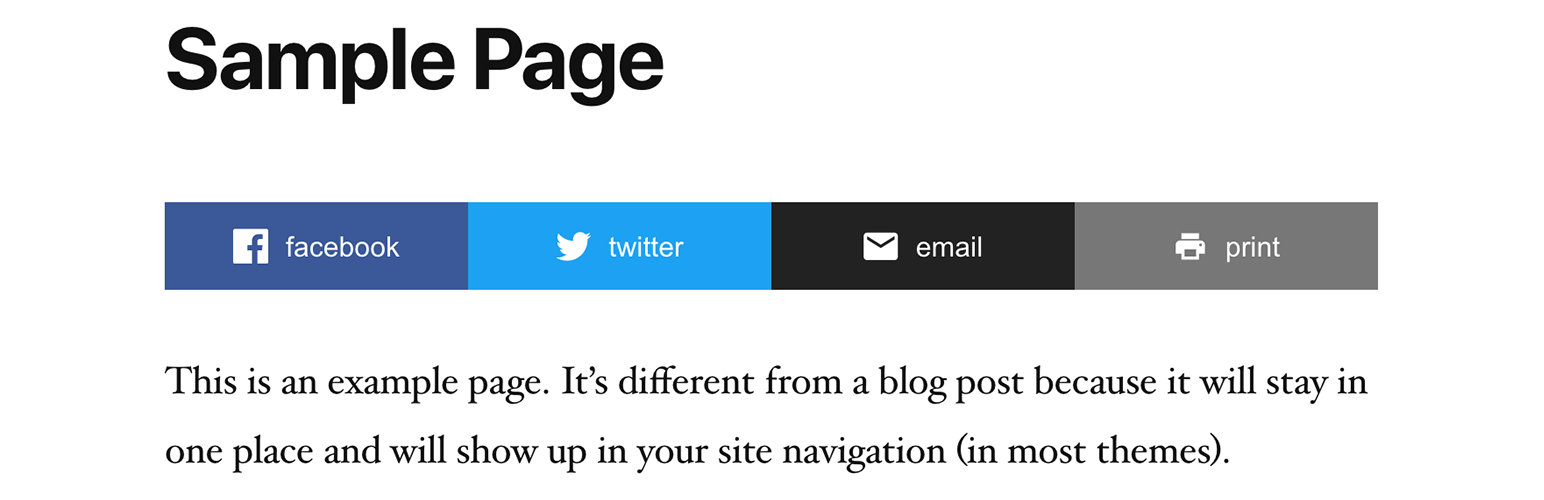
- Share buttons for Facebook, X, LinkedIn, Reddit, Threads, Bluesky, WhatsApp, Telegram, Email, Copy Link, and Print
- Place share buttons above, below, or both above and below post content
- Hide share button text or align buttons left, center, or right
Automatic Posting
Automatically posts your content to your social media accounts when you publish. Currently supports: Facebook, Instagram, LinkedIn, Pinterest, Reddit, and X.
Manual Posting
You can also post any custom message to all connected accounts at any time using “Send a Message” without needing to publish a post.
Share Buttons
Automatically added to posts and other selected post types. Use the [simpleshare] shortcode to place buttons anywhere, or in PHP: <?php echo do_shortcode( '[simpleshare]' ); ?>.
Installation
- Install and activate the plugin.
- Go to Settings > SimpleShare.
- On the “Posting” tab, enable the platforms you want to post to and follow the setup instructions for each one.
- On the “Buttons” tab, choose which post types to show buttons on and which buttons to display.
Faq
Each platform requires a developer app. The plugin guides you through setup with step-by-step instructions and handles all connections directly in your WordPress admin.
You can find more in-depth documentation here.
- Internal Feed: Posts are sent approximately 1 minute after publishing.
- External Feed: The default is every 10 minutes, but can be adjusted.
If you’ve followed the instructions, created the app, connected your website, and it’s still not working, start by checking the logs, then email me if you need help.
To override the default styles, target .simpleshare and .ssbtn in your theme or custom CSS. Platform color classes: .ssbtn.facebook, .ssbtn.x, .ssbtn.linkedin, .ssbtn.reddit, .ssbtn.threads, .ssbtn.bluesky, .ssbtn.whatsapp, .ssbtn.telegram, .ssbtn.email, .ssbtn.copy, .ssbtn.print.
Reviews
Changelog
2026.11
- Added more share buttons (Threads, Bluesky, WhatsApp, Telegram)
- Added more share buttons customization
- Improved accessibility
2026.10
- Fixed connection/posting for LinkedIn company pages
2026.9
- Improved skipped post handling
2026.8
- Fixed encoding issue
2026.7
- Fixed checkboxes for manual posts
2026.6
- Added documentation section
- Improved URL and image handling for manual posts
- Improved Fallback Image feature
2026.5
- Added option to skip auto-posting at the individual post level
- Added default pre/post content for auto posts
- Added Fallback Image option for auto posts
- Added scheduling option for manual posts
2026.4
- Added image support to LinkedIn
2026.3
- Improved manual posting
2026.2
- Improved image handling for Instagram
2026.1
- Added option to exclude categories
2026
- Auto-posting to Facebook, Instagram, LinkedIn, Pinterest, Reddit, and X
- RSS feed checking for external feed sources with configurable interval
- Send custom messages to all connected accounts
- Share buttons for Facebook, X, LinkedIn, Reddit, Email, Copy, and Print
- Per-post-type and per-position controls for share button placement
- Activity log with platform, status code, and response body