Simplest Analytics

Simplest Analytics
Description
Simplest Analytics tracks visits and unique users session based serverside without setting 3rd party cookies. It is also possible to track events and url paramaters. After
installing and activation the plugin it’s working without further configuration. If you want to set up custom tracking events or url parameters you can use the settings tab in
the WordPress backend.
Why use Simplest Analytics?
It is working. No function overload. Track visits, unique users and custom events like clicks.
What are the main features of the plugin?
- Track page visits and unique users
- Track traffic on sites
- Track where your traffic comes from
- Track where your woocommerce sales come from
- Track custom events when a user clicks an element
- Track the use of url parameters like your-site.com/?campaign=whatever
- Track video views (1sec, 25%, 50%, 75%, 100%)
Custom function you can use to track further events
You can use this function to track further events in php hooks like form submissions, apply coupons, add to cart, etc:
$data = [];
$data[‘track_type’] = “event”; // event or pageview
$data[‘event_action’] = “yourevent”; // name of the event
simple_analytics_track_data($data); // function that saves the event
How are the charts in the admin dashboard generated?
The charts are based on google-charts.js which only load in the admin backend. The data is stored in the database on the same server where your WordPress installation
is located.
Installation
- Upload the zip to the ‘/wp-content/plugins/’ directory and unzip
- Activate the plugin through the ‘Plugins’ menu in WordPress
OR go to ‘Plugins’ > ‘Add new’, and search for ‘simplest analytics’ to install through the WordPress dashboard.
Screenshots

analytics dashboard

website referrer and events

woocommerce sales
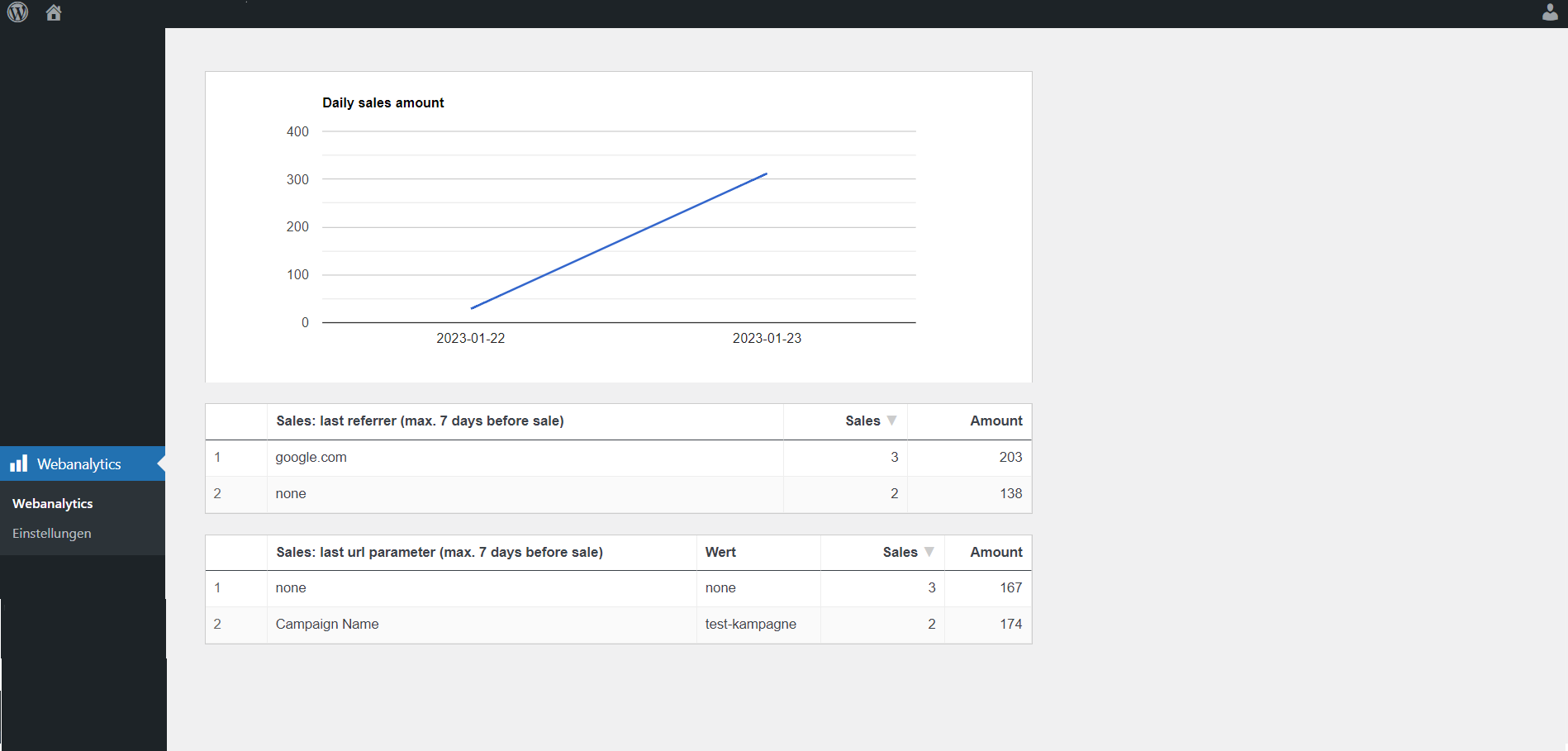
woocommerce referrer and events
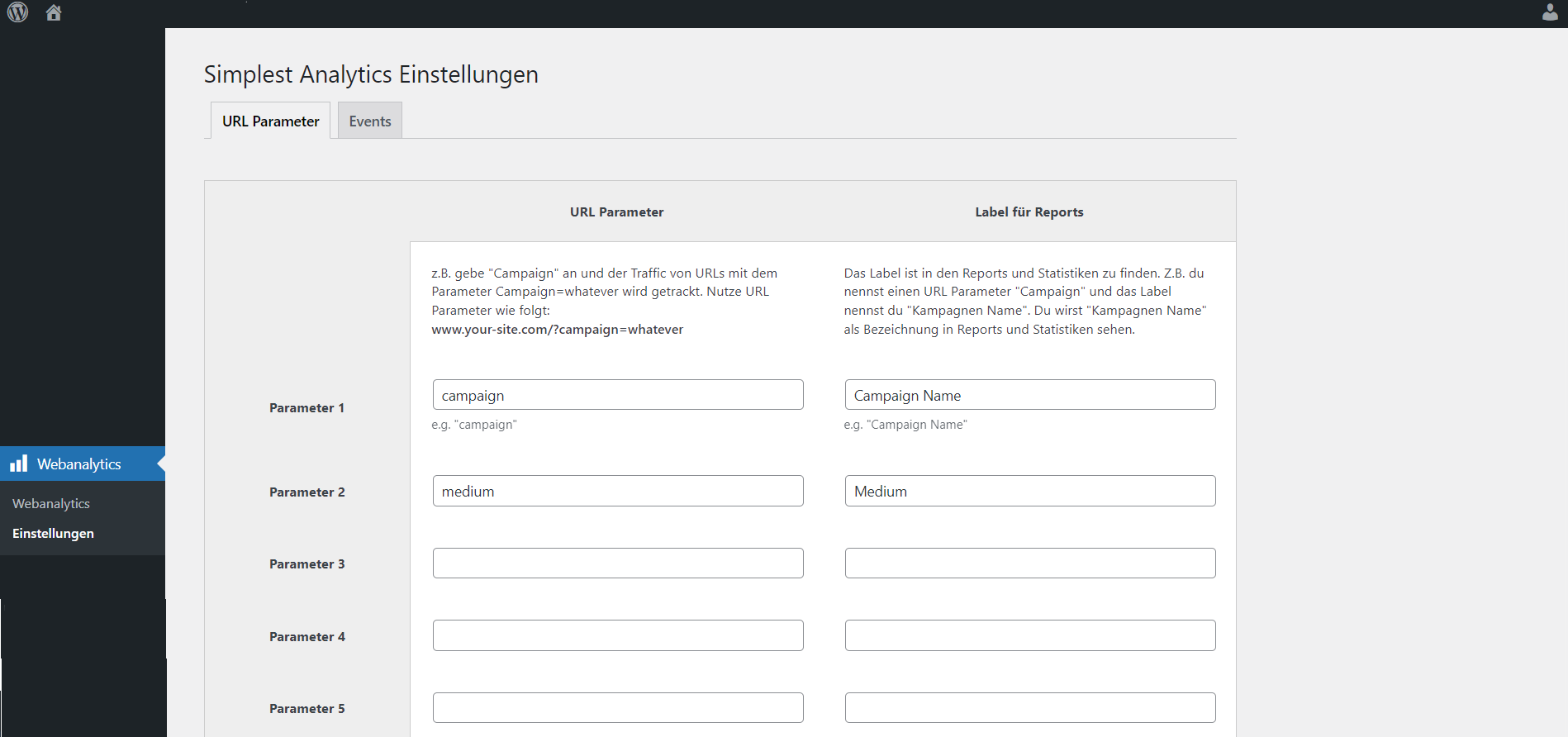
url parameter setting

event setting
Faq
No, it’s serverside tracking.
Yes, visits and unique visitors.
Yes, very easy to set up.
Please visit https://www.coden-lassen.de/referenzen/plugin-simplest-analytics
Please send a pull request https://github.com/stefan-klaes/simplest-analytics-wordpress-plugin
Reviews
Beautiful plugin
By 
This plugin is small, fast and beautiful. It helps to understand the key metrics of traffic. Where do visitors come from? Which pages are most popular and how much traffic do I have? Additionally, it's possible to track campaigns, which is also nice. So yes, I really like this plugin!
Amazing - reliable and lightweight - independent from Analytics
By 
Google Analytics can be an issue for many websites due to DSGVO and its requirements. So for long time, I was looking for an alternative analytics plugin which is reliable, lightweight and easy to use. Finally, I found Simplest Analytics and it works so well. It's just perfect! Thank you very much for coding this amazing plugin!!!
The only statistics program that finds hidden visitors
By 
I have tested dozens of statistics programs. None of them can find me when I go to the website with VPN and some other protections. This program had no problem with that.
Simple, Light, Customizable and Practical Statistic
By 
Simple and works
By 
Provides all the necessary data for smaller projects and it just works
Top Plugin
By 
Sehr praktisch und lightweight
Klein und Fein
By 
Ich mag das Plugin wirklich gerne. Klein und Aufgeräumt. Vielen Dank dafür!
Changelog
1.3.3 – 2025-03-27
- fixed typo
- allow to define access management for user roles that are allowed to use the webanalytics and settings part of the plugin
- improved translations
1.3.2 – 2024-09-03
- added possibility to define relevant cookie that needs to be set bevor tracking
1.3.1 – 2023-10-22
- removed max events and max parameters from 5 to unlimited
- improved german translation
1.3.0 – 2023-10-16
- added video tracking shortcode to track 1sec, 25%, 50%, 75%, 100% views
- fixed little dashboard ui bugs (today based on users timezone, tab switching)
1.2.0 – 2023-07-07
- added features to clear the database table easily
1.1.2 – 2023-02-07
- updated readme
- contrubite via github
1.1.1 – 2023-01-23
- new logo, banner and screenshots
- better german translation
1.1.0 – 2023-01-23
- more woocommerce sale tracking features
- updated readme
1.0.1 – 2023-01-18
- updated style of the line charts
- moved php functions inside of a class
1.0.0 – 2023-01-10
- First Release