SimpleTOC – Table of Contents Block
SimpleTOC – Table of Contents Block
Description
Add a Table of Contents block to your posts and pages. The TOC is a nested list of links to all heading found in the post or page. To use it, simply add a block and search for “SimpleTOC” or just “TOC”.
The maximum depth of the toc can be configured in in the blocks’ sidebar among many other options. There can hide the headline “Table of Contents” and add your own by using a normal heading block.
Spin up a new WordPress instance with the SimpleTOC plugin already installed.
User Feedback
“It is lightweight, stable, and fully compatible with WordPress Full Site Editing. A reliable solution that integrates seamlessly and performs exactly as expected.”
— @js100 on wordpress.org“Does the job perfectly, and adds no bloat.”
— @clicknathan on wordpress.org“Simple yet powerful. Great plugin that does exactly what you need.”
— @mixey on wordpress.org
Accessibility
This plugin is designed & developed for WCAG 2.2 level AA conformance. The plugin is tested with assistive technology and intended to be accessible, however some third party plugins or themes may affect the individual accessibility on a given website. If you find an accessibility issue, please let us know and we’ll try to address it promptly.
Features
- Designed for Gutenberg.
- Zero configuration: Add the SimpleTOC block to your post and that’s it.
- Minimal and valid HTML output.
- Utilizes the browser’s built-in details tag for a collapsible interface.
- No JavaScript or CSS by default. Optional features such as the accordion menu, smooth scrolling, or box style add minimal assets only when enabled.
- Optional box style for the TOC with a default gray background.
- Style SimpleTOC with Gutenberg’s native group styling options.
- Inherits the style of your theme.
- Smooth scrolling effect using CSS.
- Accessibility built-in by following web standards.
- Optional ARIA Label and navigation role attributes.
- Translated in multiple languages. Including German, Japanese, Chinese (Taiwan), Dutch, Brazilian Portuguese, French, Spanish and Latvia.
- Ideal for creating a Frequently Asked Questions section on your website.
Customization
- Administrators can utilize global settings to supersede the individual block settings.
- Add background and text color with Gutenberg groups.
- Native block support for wide and full width.
- Control the maximum depth of the headings.
- Choose between an ordered, bullet HTML list. Or indent the list.
- Enable a box style and choose a box color directly in the block sidebar.
- Select a heading level or turn it into a paragraph.
- Disable the h2 heading of the TOC block and add your own.
Compatibility
- GeneratePress and Rank Math support.
- Works with popular AMP plugins.
How to contribute
SimpleTOC is open-source and developed on GitHub Pages. If you find a bug or have an idea for a feature please feel free to contribute and create a pull request.
Credits
This plugin is forked from pdewouters and uses code from Easy-Table-of-Contents
Many thanks to Tom J Nowell and and Sally CJ who both helped me a lot with my questions over at wordpress.stackexchange.com
And many more thanks to all the developers on GitHub who helped me making SimpleTOC what it is today!
Thanks to Quintus Valerius Soranus for inventing the Table of Contents around 100 BC.
Installation
SimpleTOC can be found and installed via the Plugin menu within WordPress administration (Plugins -> Add New). Alternatively, it can be downloaded from WordPress.org and installed manually…
In Gutenberg, add a block and search for “SimpleTOC” or just “TOC”. Please save your content before you use the block.
Screenshots
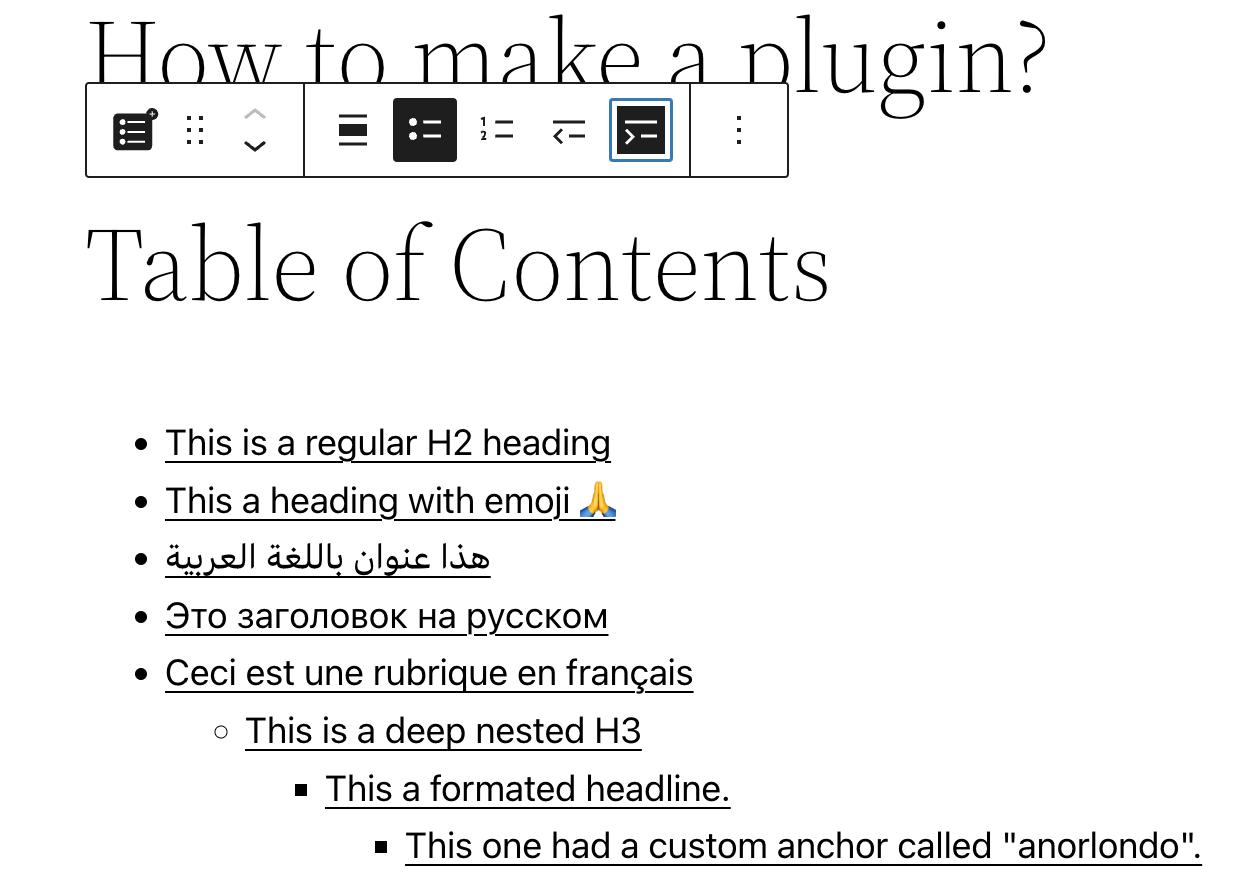
SimpleTOC block in Gutenberg editor.
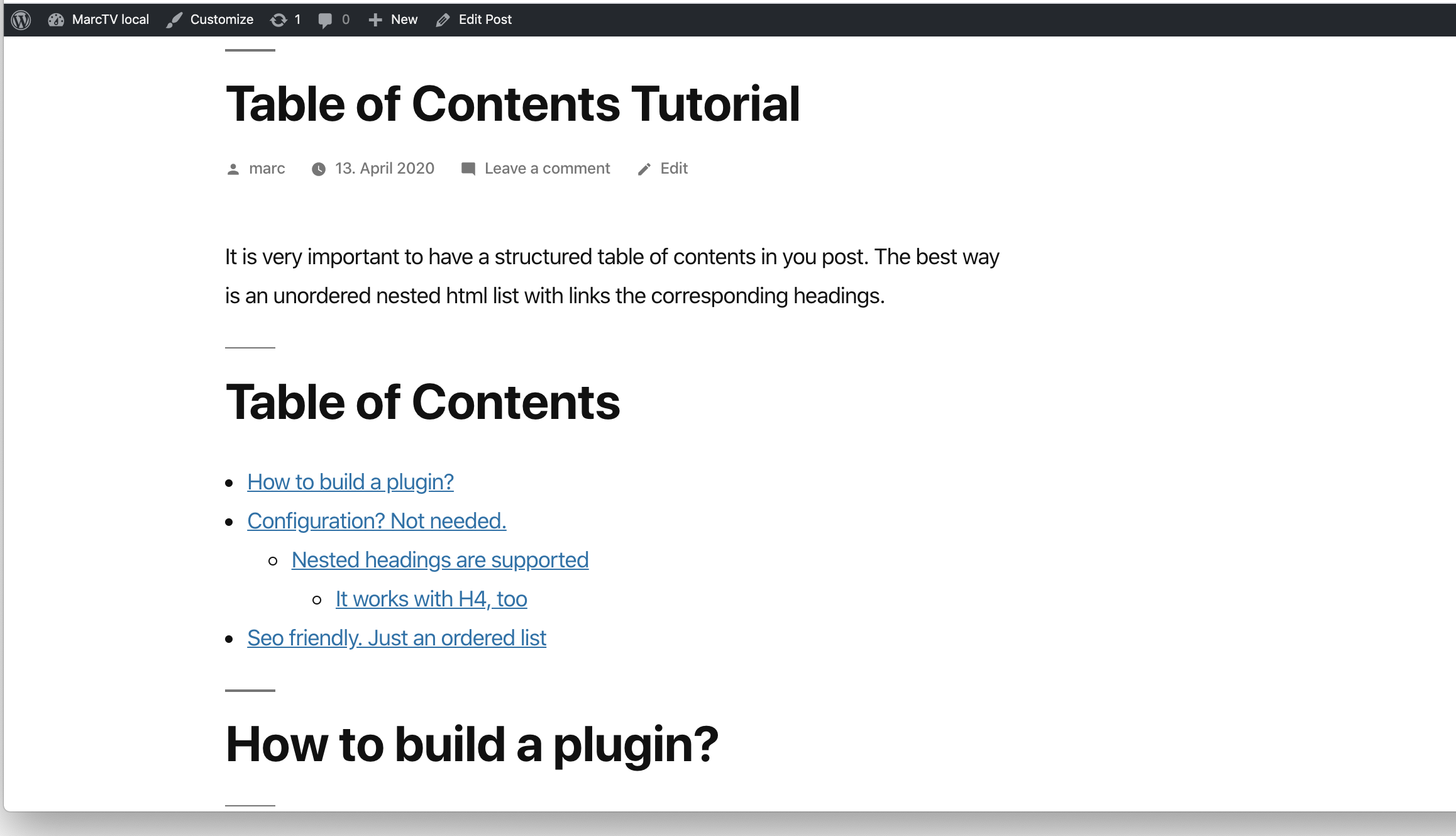
SimpleTOC in the post.
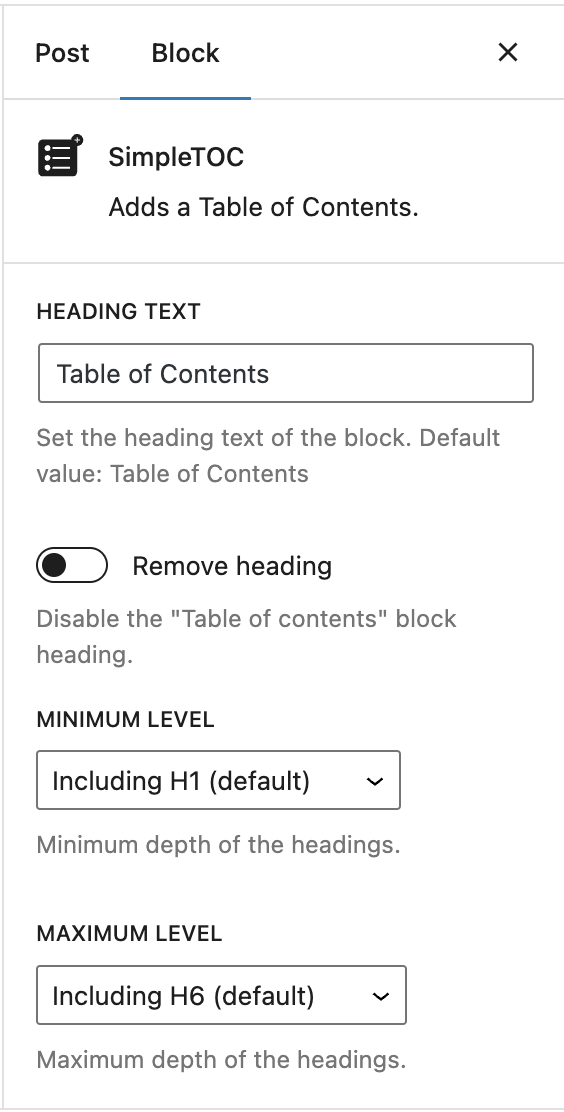
Simple but powerful. Customize each TOC as you like.
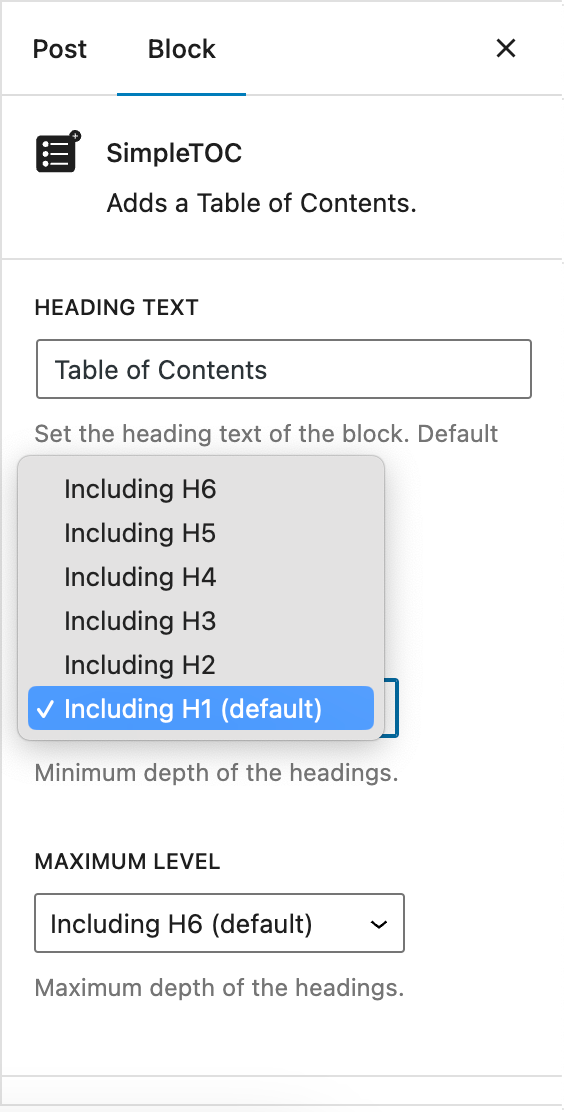
Control the maximum depth of the headings.
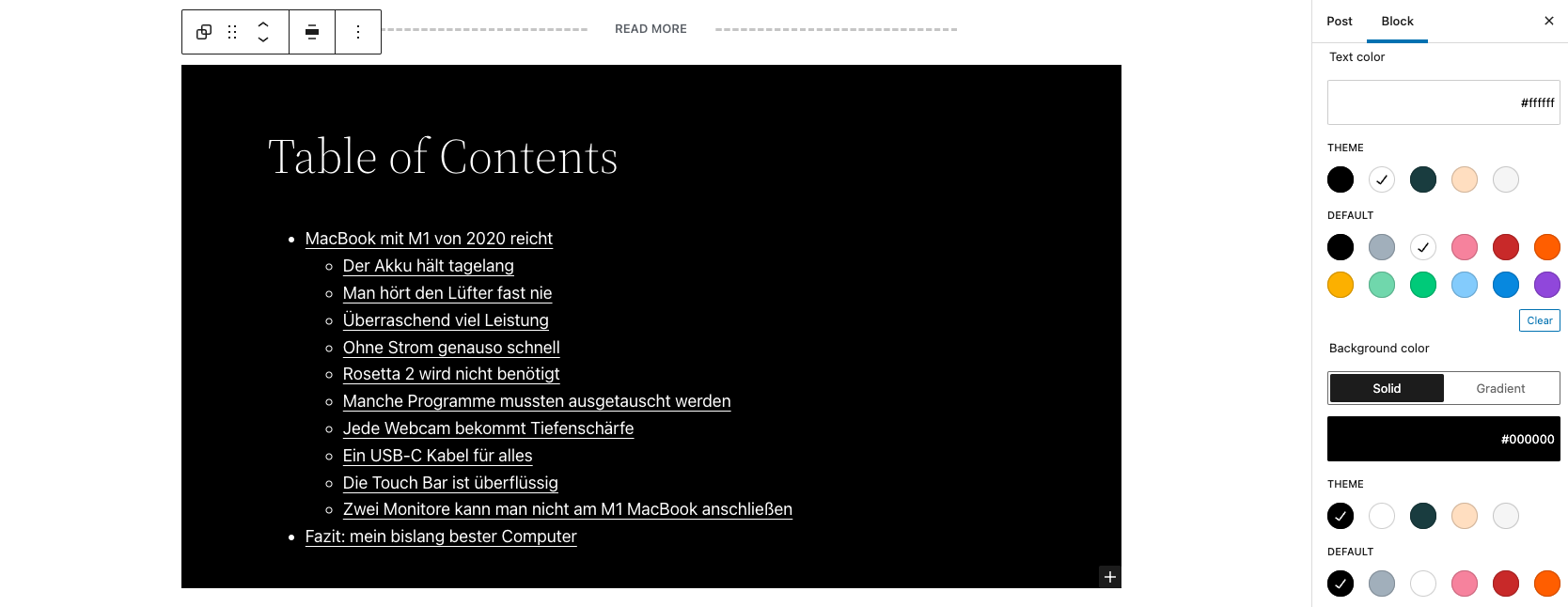
SimpleTOC styled with Gutenbergs native group styles.
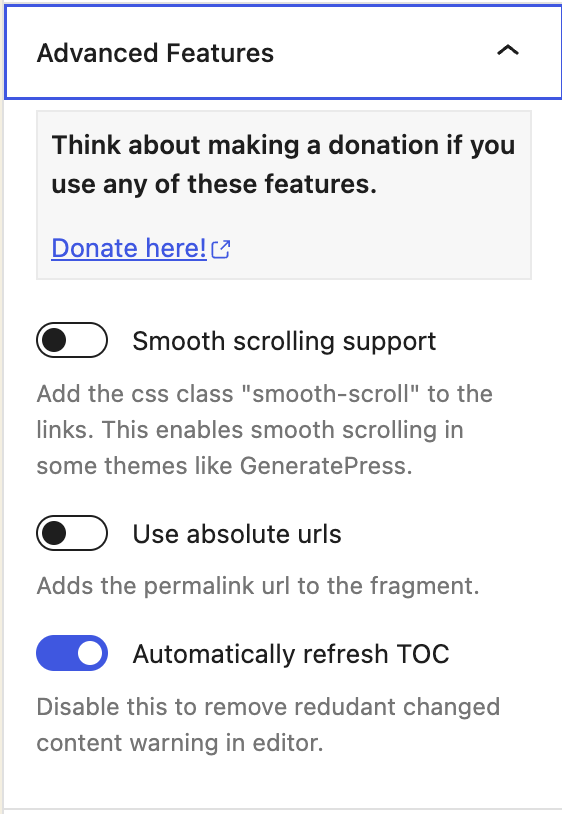
SimpleTOC Advanced Features
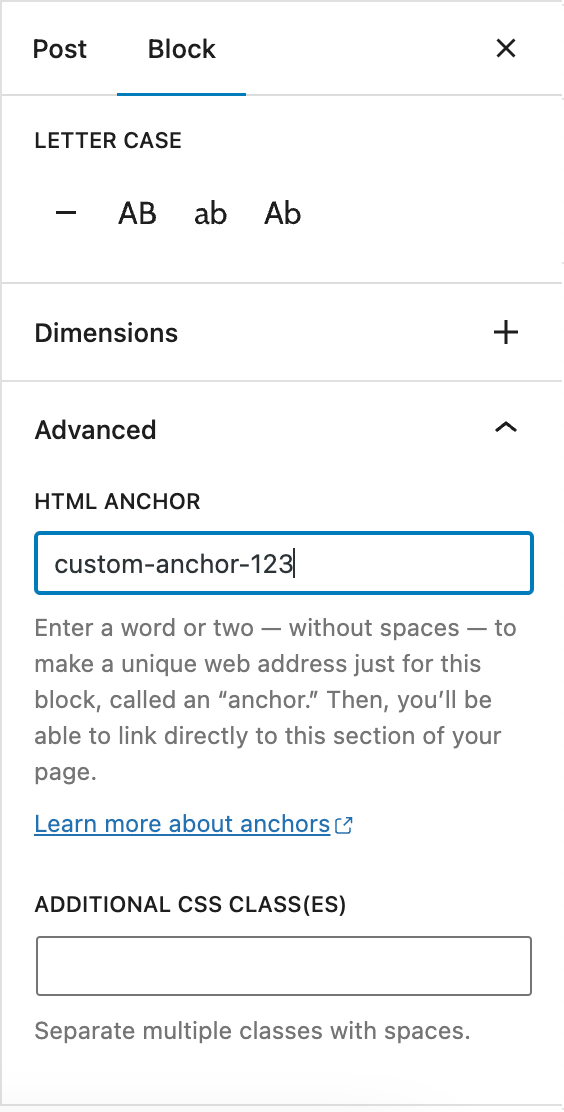
Gutenberg Heading block: Set a custom anchor
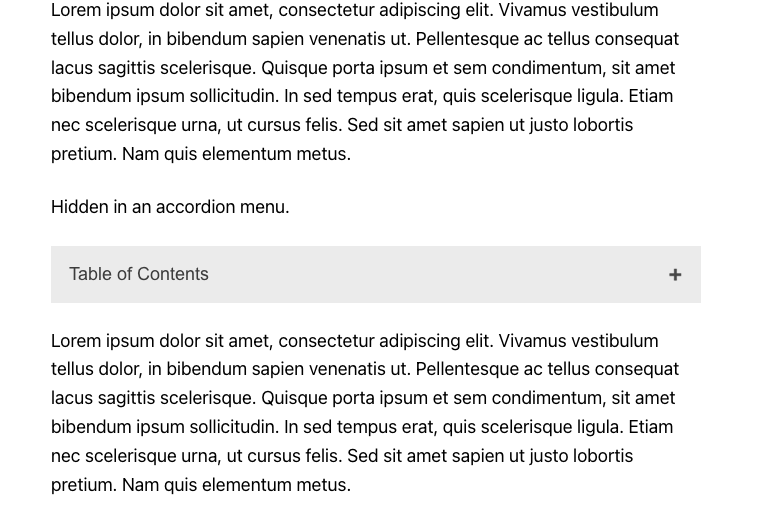
SimpleTOC hidden in the accordion menu.
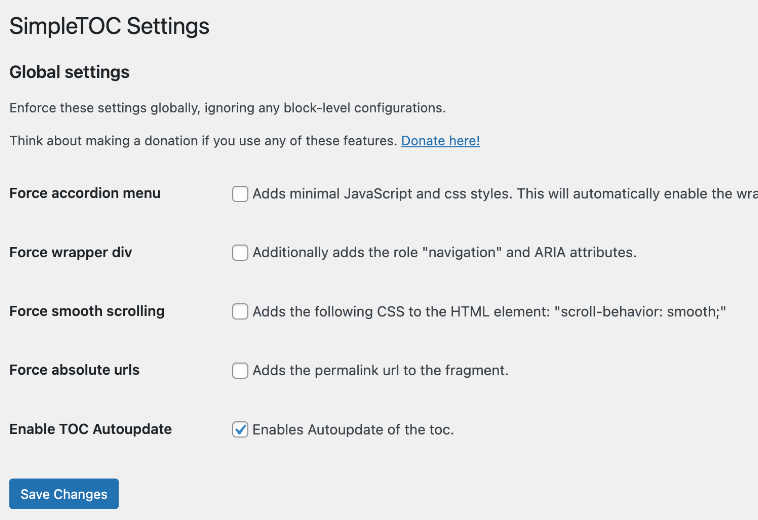
SimpleTOC global settings.
Faq
SimpleTOC allows you to configure global settings for your WordPress website. These settings can be enforced globally, overriding any block-level configurations that may exist. To access these settings, navigate to the SimpleTOC section of the WordPress Settings.
Select the block and select “group” in the context menu. Apply “background color”, “link color” and “text color” to this group. SimpleTOC will inherit these styles. You would like to use this styled SimpleTOC group next time you write a post? Convert it to a reusable block.
If you really want to hide a single heading from the table of contents, then add the CSS class “simpletoc-hidden” to a heading block. You can find this field in the same place as the HTML anchor field: In the Block > Advanced sidebar. But first, think about the reason you would like to hide a specific heading. Maybe you would like to remove all headings of a specific depth level. Then there is an option for that in the blocks options in Gutenberg. If you think this heading should not be part of the toc perhaps it is not needed in the post itself?
You can convert your configured SimpleTOC block into a reusable block in Gutenberg. It will keep its settings. This way, you can use your desired settings for each new post by adding the reusable block.
If you add a custom class to the SimpleTOC block in “Advanced” and then “Additional CSS Class(es)” a div with that class will be wrapped around the HTML output.
Use the ‘simpletoc_excluded_blocks’ filter. For example, this code will exclude heading blocks that are inside a column block.
Example:
add_filter( 'simpletoc_excluded_blocks', function ( array $blocks ) {
    $blocks[] = 'core/column';

    return $blocks;
} );
The heavy plus character I used can not be colored with css without hacks. But you can change the icon to something else and change the color of the new icon.
.simpletoc-collapsible::after {
    content: "✖";
    color: #e94c89;
}
I don’t see an easy solution at the moment. SimpleTOC is only a block that can be placed in your post. If there was a plugin that adds blocks to every post, then this would be the solution. I think this should be another separate plug-in to keep the code of SimpleTOC clean and … well, simple.
Reviews
Does what it says on the tin
By 
Does the job with no fuss.
I feel that the option to include a basic show/hide button (no animations or other bloat necessary) would add a great deal of polish for very little impact.
But, the plugin advertises itself as something that is minimalist, no CSS, no JS, and that is what it is. The links also follow the CSS rules from the site theme which is strangely not the case for other TOC plugins.
Well done this dev.
This one will stay in my sites
By 
Thank you Marc, your plugin just works as expected!
Good job!
By 
The plugin works exceptionally well. It is lightweight, stable, and fully compatible with WordPress Full Site Editing. A reliable solution that integrates seamlessly and performs exactly as expected.
Does the job perfectly, and adds no bloat
By 
Comparing this to the "Table Of Contents Block" by WPDeveloper, I prefer this one because:
- It just works automatically.
- It has less options, but just enough to do what you need.
- It adds nothing to the frontend to cause bloat. No CSS, no JS. At least not right out of the box. Additional settings can be enabled that will add these, but it's nice that we have the option!
This is an example of what a well-written plugin should be.
Klein und Fein
By 
Ich hatte den Button erst gar nicht gefunden / übersehen unter "Blöcke" -> "Design" -> "SimpleTOC".
Klein und fein, wirklich zu empfehlen...
Great plugin that works really well
By 
This is an excellent plugin that easily adds table of contents in your posts / pages and it provides links to the relevant headings.
Does exactly what I want and I would highly recommend it if you are looking for an easy to use tale of contents block plugin.
Thanks so much for sharing.
Genuinely Great Plugin
By 
Profile bio appears to be a newly established website that focuses on creating bios for various social media platforms such as Instagram, Facebook, and WhatsApp. The site aims to assist users in crafting concise and engaging personal or professional bios, which are essential for making a good first impression online
Genuinely Great Plugin
By 
I genuinely appreicate the the SimpleTOC plugin - I use it for my site and it fits in seamlessly. It is a great example of a perfect plugin. And I look forward to contributing to its code in a few months.
I have a really bad case of a wonderful domain I got from someone who used it badly and who got that domain semi-blacklisted so I get no SEO traffic at all and SimpleTOC has been one of the highpoints for my users that I get from LinkedIn that in the end result means they stay on average on the page three and a half minutes (3:30+, I think recently it was 3:13 if I excluded suspicious traffic). Some posts get average of five minutes plus.
People underestimate time on site and engagement in general but in particular how a small addition like a table of contents can add to the website and customer experience.
Reliable, it delivers!
By 
Have been using this block for quite a while now. It never failed to deliver.
Works in FSE templates
By 
Simple, easy to style, to the point and most importantly – works in FSE templates out of the box. No annoying nags in the WP Admin. Thanks!
Changelog
7.0.0
- Added: Box style option in the block sidebar with a color picker and default gray background.
- Added: Global setting to force the default gray box style for all SimpleTOC blocks.
- Added: Frontend box-style CSS registered through block metadata.
6.9.8
- Updated: Dependencies and house-keeping.
- Fix: corrected dependency declarations.
6.9.7
- Fixed: GeneratePress Dynamic Tags work again – hopefully. If not, please report here https://github.com/mtoensing/simpletoc/issues/79#issuecomment-3745650464 Thanks @jhanten
6.9.6
- Added: Coding standards cleanup with improved rules, cleaner code, safer output, and consistent naming. Thanks @ronalfy
- Added: Minimum PHP version requirement set to 7.3
6.9.4
- Added: Introduced proper PHP namespaces to avoid class and function name conflicts and improve overall code robustness. Thanks @ronalfy.
- Added: Improved sidebar sub-menu for the “Hide SimpleTOC” option
6.9.3
- Fix: Fix Multiple IDs in Table of Contents Thanks @ronalfy
- Added: Support for GenerateBlocks 2.1.0 Thanks @ronalfy
6.9.1
- Added: Support for the new V3 block api.
- Added: Tested compatibility with WordPress 6.9
6.7.3
- Added: Tested compatibility with WordPress 6.8
6.7.2
- Added: Support for GenerateBlocks 2.0. Thanks @blronaldhuereca
- Added: Included an accessibility statement in the plugin description. Thanks Gen Herres.