StoreCopy Store Migration

StoreCopy Store Migration
Description
Switching platforms usually starts with a chore: creating API keys, copying them into a migration tool, pasting URLs, then waiting to find out what it will cost. StoreCopy Store Migration does that part for you.
Click Connect and open StoreCopy in your WordPress admin. The plugin creates a dedicated WooCommerce REST API key and opens StoreCopy in a new tab. You arrive signed in, with your store already connected. Connect the store on the other side and StoreCopy starts the estimate by itself, so the next thing you see is the price.
What it moves
- Products, with variants, images, descriptions and prices
- Categories
- Customers
- Orders and their history
- Coupons and discounts
Where it moves it
Move from WooCommerce to Shopify, Wix, Squarespace, Magento (Adobe Commerce), PrestaShop, Shopware, Odoo, OpenCart, the headless platforms Medusa, Saleor and Vendure, or another WooCommerce store.
Or import into WooCommerce from any of them. Pick the direction on the plugin page.
How it works
- See what you have. The plugin page counts your products, variants, categories, customers, orders and coupons, so you know the size of the job before anything leaves your site.
- Connect in one click. The plugin creates a REST API key named “StoreCopy Migration” and hands it to StoreCopy over https. There are no keys or URLs to copy.
- Get the estimate automatically. As soon as the other store is connected, StoreCopy starts estimating. It usually takes 3 to 5 minutes.
- Try a demo first. Migrate up to 20 items of each type, check them on the destination store and roll the demo back if you want to run it again.
- Run the full migration when you are happy with the result.
Already started on storecopy.com and connected the other store there? Paste its pairing code into the plugin and the two stores are paired.
You stay in control
- Nothing is sent to StoreCopy until you click a button.
- The plugin adds exactly one item to your store: the “StoreCopy Migration” REST API key. You can see it under WooCommerce Settings Advanced REST API.
- Reconnect replaces the key. Disconnect, or deleting the plugin, tells StoreCopy and deletes the key.
- Works with WooCommerce High-Performance Order Storage (HPOS).
External services
This plugin connects your store to StoreCopy (https://storecopy.com), a third-party service that performs the migration. The plugin is only useful together with this service.
When you click “Connect and open StoreCopy”, the plugin sends to https://storecopy.com/api/install-woo:
- your site URL
- a new WooCommerce REST API key with read/write access
- the store name, admin email and store currency
- the WooCommerce and WordPress versions
- the number of products, variants, categories, customers, orders and coupons
StoreCopy then reads your products, categories, customers, orders, coupons and related data through that key. When this store is the destination of a migration, it also writes them.
When you click “Open StoreCopy” or “Disconnect”, or delete the plugin, it sends the pairing code to https://storecopy.com/api/woo-open or https://storecopy.com/api/woo-disconnect.
- Privacy policy: https://storecopy.com/privacy-policy.html
- Terms of service: https://storecopy.com/terms-services.html
Installation
- Install and activate WooCommerce.
- Install and activate StoreCopy Store Migration from Plugins Add New, or upload the
skemify-store-migrationfolder to/wp-content/plugins/. - Open StoreCopy Migration in the admin menu.
- Choose whether to move this store away or import into it, then click Connect and open StoreCopy.
- On storecopy.com, connect the other store. The estimate starts automatically.
Your site must use https:// and be reachable from the internet.
Screenshots
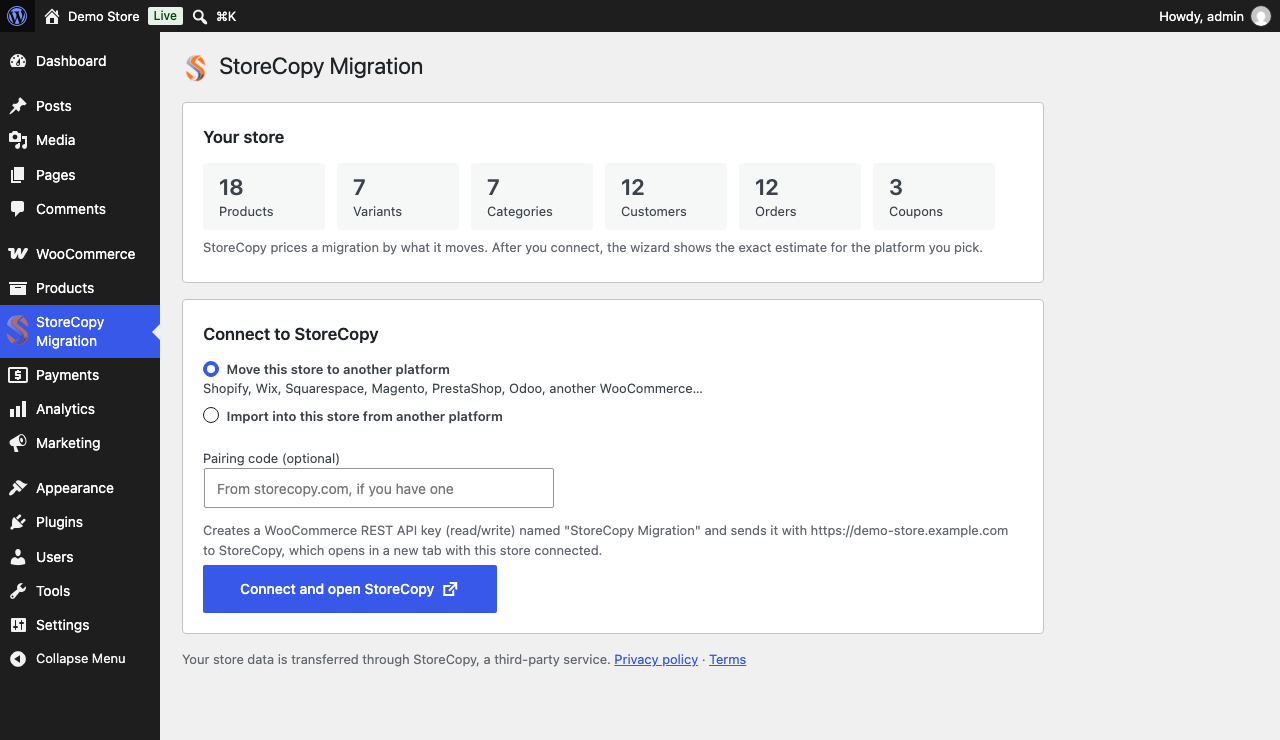
The plugin page counts what a migration would move, then connects your store to StoreCopy in one click. Choose whether to move this store away or import into it.
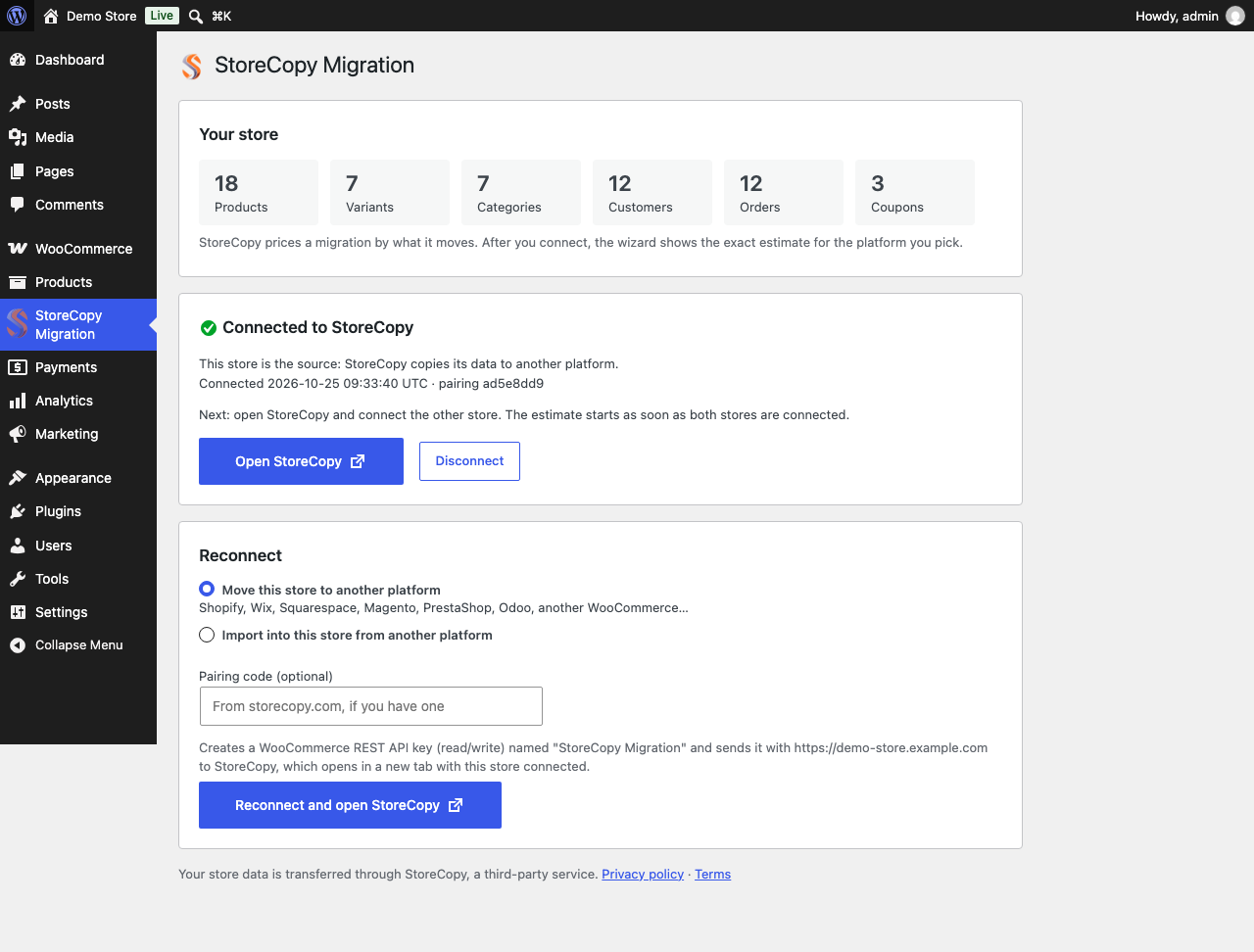
Connected: open StoreCopy signed in, or disconnect. The estimate starts as soon as the other store is connected.
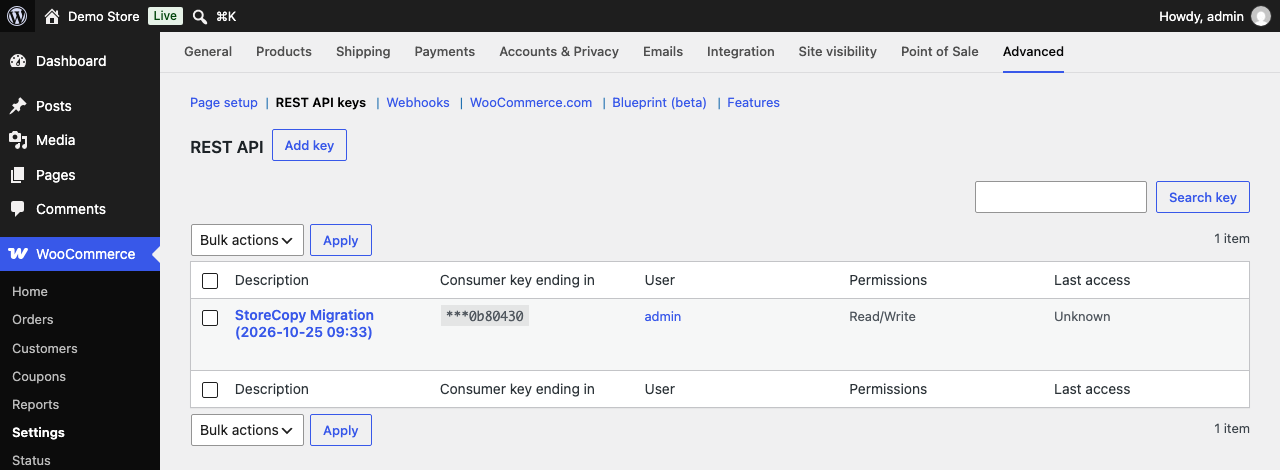
The only thing the plugin adds to your store: one "StoreCopy Migration" REST API key, listed under WooCommerce → Settings → Advanced → REST API.
Faq
WordPress 6.2 or later, PHP 7.4 or later, and a current version of WooCommerce. Tested with WordPress 7.1 and WooCommerce 11.2.
StoreCopy prices each migration by the number of items it moves. After you connect both stores, the wizard shows the exact estimate before you pay anything. The plugin itself is free.
Yes. The wizard offers a demo migration of up to 20 items of each type. You can check the result on the destination store and roll the demo back.
When WooCommerce is the source, StoreCopy only reads from it. When WooCommerce is the destination, StoreCopy creates the imported products, categories, customers, orders and coupons.
One WooCommerce REST API key named “StoreCopy Migration”. Reconnecting replaces it. Disconnecting or deleting the plugin removes it.
No. StoreCopy needs to reach your store over https from the internet. Local sites, and staging sites behind a login or firewall, cannot be connected.
Copy the pairing code from storecopy.com, paste it into the “Pairing code” field in the plugin and click Connect. The two stores are paired.
No. Connecting takes one click, and the rest happens in the StoreCopy wizard.
Reviews
Changelog
1.1.0
- New: one-click “Connect and open StoreCopy” creates a WooCommerce REST API key and opens storecopy.com signed in, with the store connected.
- New: the migration estimate starts automatically once both stores are connected.
- New: store summary (products, variants, categories, customers, orders, coupons) on the plugin page.
- New: migrate from or into this store, join a pairing with a code from storecopy.com, Open StoreCopy, Disconnect.
- Deleting the plugin now disconnects from StoreCopy and deletes the REST API key.
- Declares compatibility with WooCommerce High-Performance Order Storage.
1.0.0
- Initial release.