Sky Login Redirect

Sky Login Redirect
Description
Take complete control of your WordPress login experience! Sky Login Redirect is the most flexible and powerful login/logout redirect plugin for WordPress, trusted by thousands of sites worldwide.
🎯 Why Choose Sky Login Redirect?
Perfect for:
✓ Membership sites that need role-based redirects
✓ WooCommerce stores wanting seamless checkout flows
✓ Multi-author blogs with custom dashboards
✓ Client sites requiring branded login pages
✓ Any site wanting better user experience
🚀 Core Features (FREE)
Smart Redirects
* Redirect users to previous page they were viewing
* Set redirects by user role (Admin, Editor, Subscriber, etc.)
* Target specific users with custom redirects
* Global redirects for all users
* Separate login and logout redirect rules
* Automatic loop detection prevents infinite redirects
Login Page Customizer
* Custom logo upload
* Background color or image
* Form styling (colors, borders, padding)
* Button customization (colors, size, alignment)
* Live preview of changes
* No coding required!
WooCommerce Integration (Enhanced in v4.1)
* Preserves cart/checkout redirects automatically
* Smart My Account endpoint handling
* Prevents redirect loops on customer-logout
* Shop page fallback on logout
Performance & Security
* Built with modern PHP 8.1+ architecture
* AJAX-powered admin interface
* Rate limiting on AJAX endpoints
* Dual-layer caching for speed
* 40-60% faster than previous versions
⚡ Technical Excellence
- Modern codebase: Enums, readonly classes, strict types
- Enterprise-grade security: Rate limiting, output escaping, nonce verification
- Optimized performance: Object caching, transients, minimal database queries
- Developer-friendly: Debug logging, extensible architecture, clean code
Important: Version 4.1.0 requires PHP 8.1 or higher for modern features and enhanced security.
💎 Pro Features
Upgrade to Sky Login Redirect Pro for advanced functionality:
Advanced Redirects
* More granular redirect rules
* Easy Digital Downloads integration
* Advanced WooCommerce customization
* Conditional logic for redirects
Content Restriction
* Restrict pages/posts to logged-in users
* Role-based content access control
* Redirect non-authorized users
Shortcodes & Widgets
* [slr_login_form] – Embed login form anywhere
* [slr_login_link] – Custom login/logout links
* Automatic menu integration
* Modal login form with customizer
Enhanced Customization
* WooCommerce My Account page styling
* Custom CSS editor
* Additional UX/UI options
* Advanced form styling
Priority Support
* Direct developer access
* Faster response times
* Custom feature requests considered
Installation
- Install the plugin.
- Activate the plugin through the ‘Plugins’ menu in WordPress.
- Visit the ‘Login Redirect’ settings page to set your login and logout redirects or edit your login page’s styles.
Screenshots

Login and logout redirection rules for roles, specific users or all users. You can redirect to the previous page, to a custom page, or use the WordPress default.

The page customizer allows you to customize the logo and the page background (color or background image)
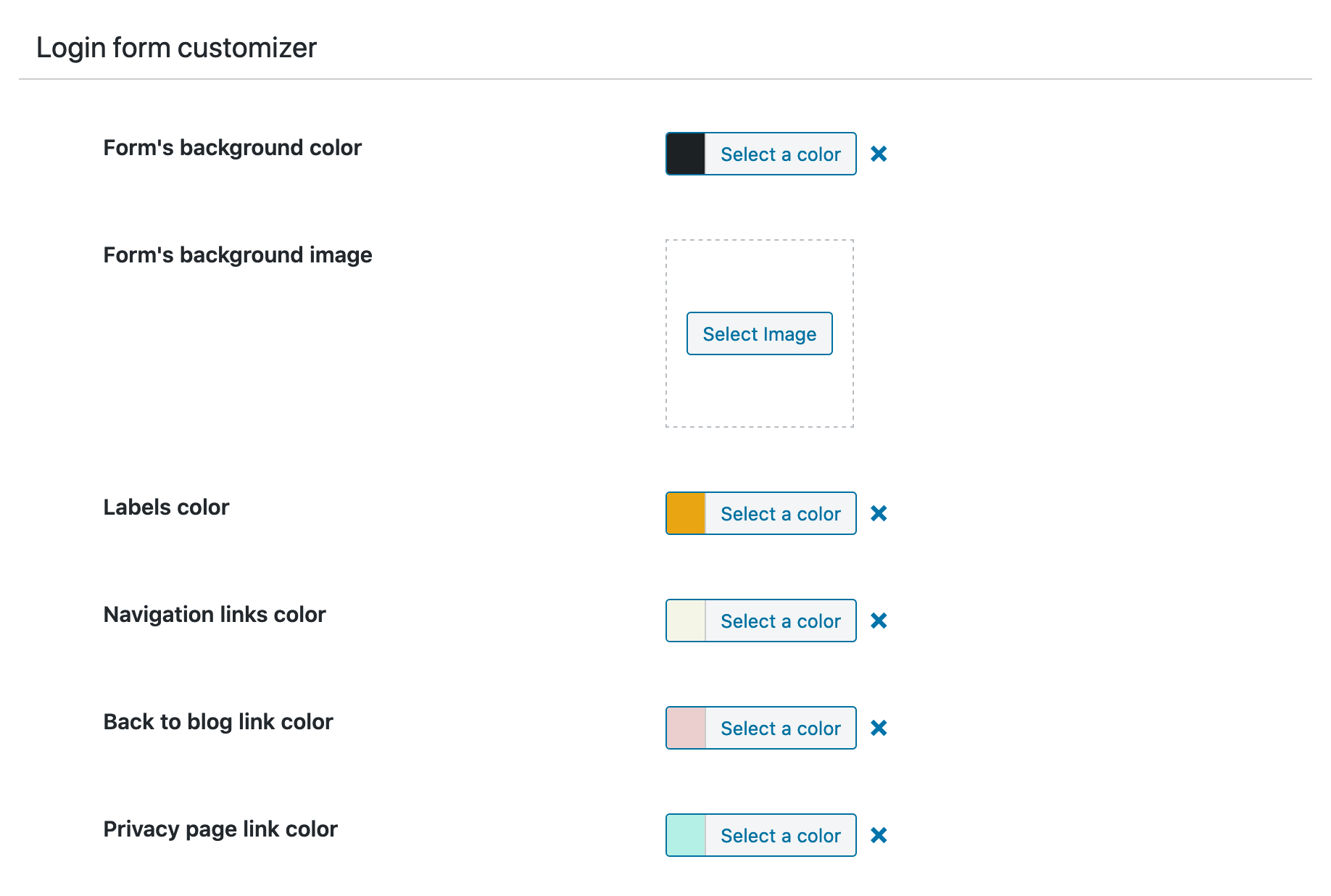
The form customizer allows you to customize the login form.

The submit button customizer allows you to customize the login submit button.
Faq
- Go to Settings Login Redirect in your WordPress admin
- Choose your redirect type (Previous Page, Custom Page, or WordPress Default)
- Select which users/roles the redirect applies to
- Save changes and test!
Yes! You can set unique redirects for each user role (Administrator, Editor, Author, Subscriber, etc.) and even target specific users by username.
Absolutely! Version 4.1.0 includes enhanced WooCommerce integration:
* Preserves cart/checkout redirects automatically
* Smart My Account endpoint handling
* Customizable logout redirects
* No conflicts with WooCommerce login flow
Yes! Sky Login Redirect is compatible with most membership plugins including MemberPress, Restrict Content Pro, Paid Memberships Pro, and others.
- Verify redirect rules are saved in Settings Login Redirect
- Clear your browser cache and cookies
- Re-save permalinks: Settings Permalinks Save Changes
- If using WooCommerce, re-save WooCommerce settings
- Check for plugin conflicts by temporarily disabling other plugins
Yes! Select “Previous Page” as your redirect option. The plugin intelligently tracks the last page visited and redirects users there after login.
Yes! The plugin includes a visual login page customizer where you can:
* Upload custom logos
* Change colors and backgrounds
* Style forms and buttons
* Match your brand perfectly
Version 4.1.0 brings major improvements:
* Modern PHP 8.1+ architecture for better performance
* Enhanced WooCommerce integration
* AJAX rate limiting for security
* Improved redirect loop detection
* Cleaner, more maintainable codebase
Yes! The plugin is fully translation-ready and includes a .pot file for translators.
Free support is available through the WordPress.org support forum. Pro users get priority email support.
Reviews
Does too much, and not very well
By 
Should just do the redirection on login, but has a bunch of hacky layout styling and other features that are both over the top and badly implemented. Breaks the layout of the login page and it seems like you can't disable them.
Warning message by Woo
By 
I get this message its not capmbatable with woo "HOPS" hence uninstalled
The only plugin that is working!
By 
Indispensable plugin
By 
No for pro user, noting for free
By 
Simple end effective login redirect and fast support
By 
Simple and it does what it is supposed to do
By 
This is how it should work.
By 
Perfect!
By 
What I was looking for!
By 
Does what it say
Changelog
4.2.9 – 2026-08-29
- New – Replaced static Plugins-tab banners with a dynamic catalog of Utopique plugins bundled with the release.
- Compatibility – Updated Carbon Fields to 3.6.11 and refreshed development dependencies to their latest compatible patch releases.
- Quality – Brought the PHP codebase into full compliance with the project coding standard while preserving established public APIs.
- Security – Pinned the CI PHP setup action, excluded local environment files from Git and release packages, and added documented security-scanner policy.
Older versions changes can be found in the changelog