Slideshow

Slideshow
Description
The Slideshow plugin gives you a shortcode called [slideshow], which pulls any image attachments for a post (or any post type) and formats them into a nicely-designed slideshow.
The Slideshow plugin was originally developed as a feature of the News theme (if you’re using that theme, please don’t install this plugin). Realizing that users sometimes switch themes, we wanted to give those users a way to continue using their slideshows with other themes. This also allows us to make the slideshow feature something that anyone can use, even if they’re not using one of our themes.
Installation
- Upload
slideshowto the/wp-content/plugins/directory. - Activate the plugin through the ‘Plugins’ menu in WordPress.
More detailed instructions are included in the plugin’s readme.html file.
Screenshots
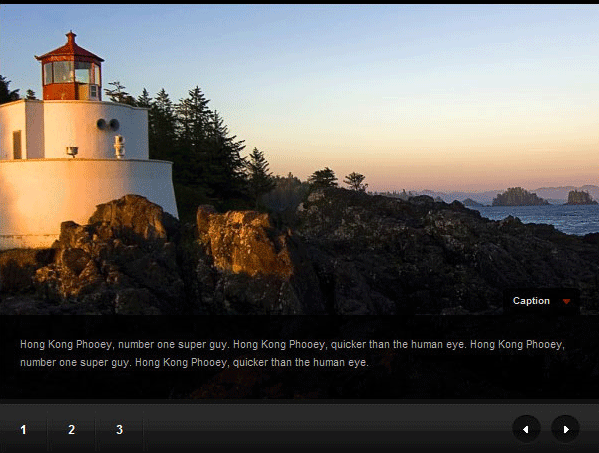
View of an example slideshow.
Faq
Installation Instructions
- Upload
slideshowto the/wp-content/plugins/directory. - Activate the plugin through the ‘Plugins’ menu in WordPress.
More detailed instructions are included in the plugin’s readme.html file.
Why was this plugin created?
To provide a simple shortcode for users to create elegant slideshows on their sites.
How do I use it?
You must first upload some images while creating a post. You then need to add the [slideshow] shortcode to the post editor. It works exactly like the WordPress shortcode.
To add captions, write some text in the “description” or “caption” field for the images.
Reviews
Changelog
Version 0.1
- Plugin launch. Everything’s new!