Slimify

Slimify
Description
Slimify compresses JPEG and PNG uploads on your server using pngquant, MozJPEG, jpegoptim, and Imagick. Optional WebP siblings are created when smaller than the final image.
- Local tooling only — no third-party API, accounts, or telemetry
- Compress on upload, restore from originals, and bulk-process the library
- Private originals storage under uploads with nginx/Apache deny patterns
- Works with common offload plugins via filters
Installation
- Upload the
slimifyfolder to/wp-content/plugins/ - Activate the plugin through the Plugins screen
- Open Settings Media Compressor to configure quality and WebP
Screenshots
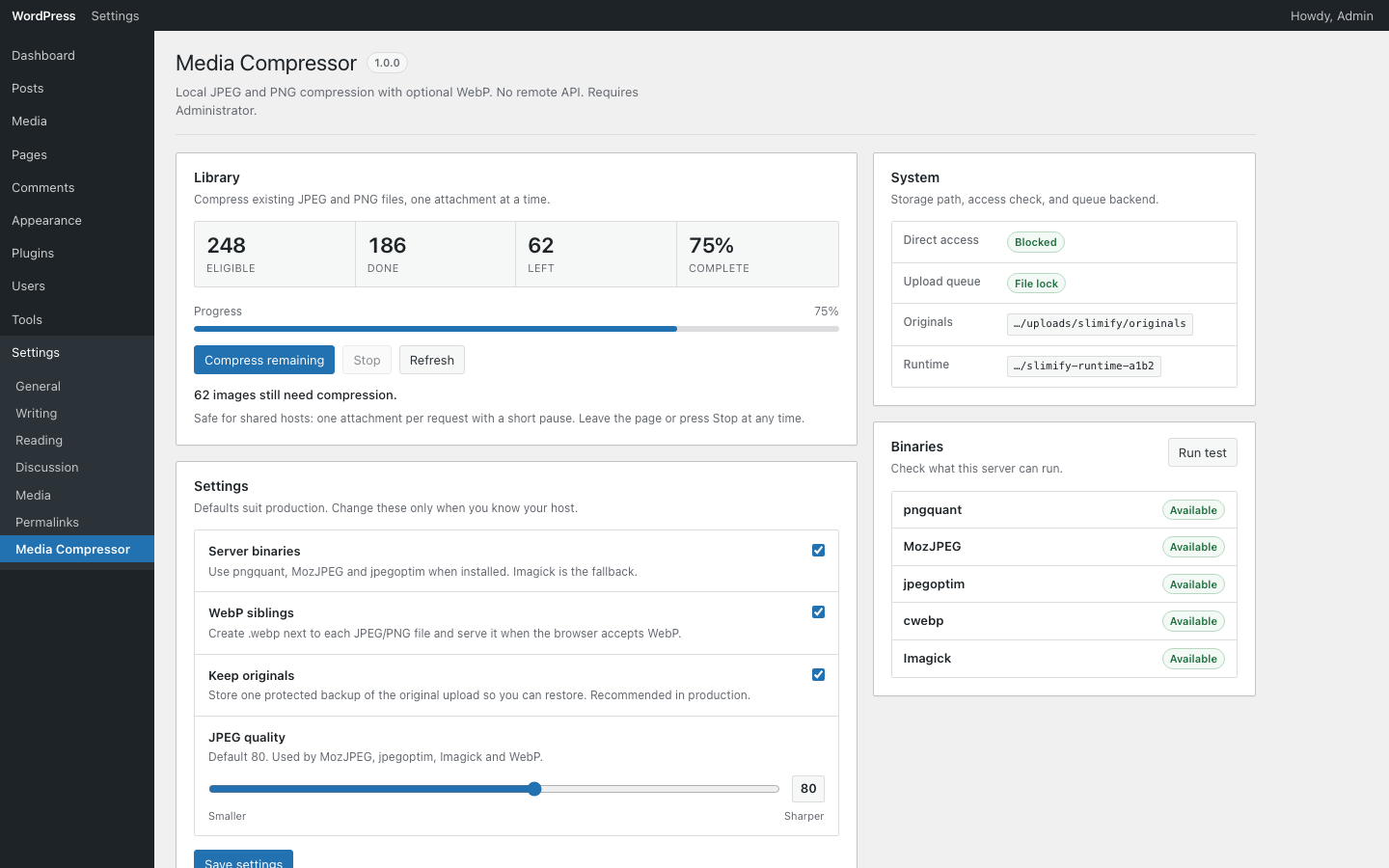
Settings → Media Compressor: library progress, JPEG quality, WebP siblings, and local binaries.
Faq
No. Compression runs on your server with local binaries or Imagick.
JPEG and PNG inputs. Optional WebP siblings can be generated when beneficial.
Reviews
Changelog
1.0.0
- Initial release