Smart Image Resize for WooCommerce
Smart Image Resize for WooCommerce
Description
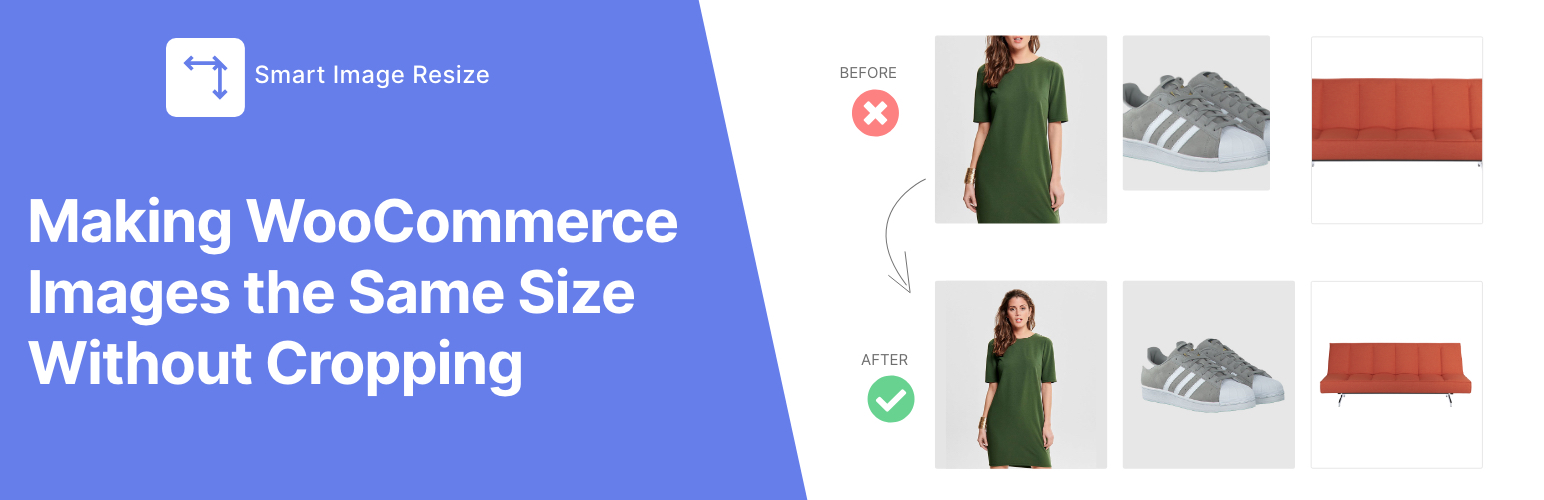
Smart Image Resize fixes inconsistent product image sizes across your WooCommerce store. Instead of cropping and cutting off parts of your product, it resizes images to uniform dimensions and fills the remaining space with a clean background.
The result: a professional, grid-aligned product catalog — without any manual image editing.
The Problem
WooCommerce stores with products from different suppliers, dropshipping feeds, or multiple vendors end up with a messy grid of mismatched image sizes. Some are tall, some are wide, some are tiny. It looks unprofessional and hurts conversions.
The Solution
Smart Image Resize automatically processes every product image you upload:
- Trims excess whitespace around the product
- Resizes it to fit your store’s image dimensions
- Adds a neutral background to fill remaining space (no cropping)
Your entire catalog looks uniform with zero manual work.
Free Features
- Automatically resize new product images on upload
- Bulk resize up to 150 existing product images
- Trim whitespace to keep products centered
- Disable upscaling for small images
Pro Features
- Unlimited images — no processing cap
- PNG JPG conversion — dramatically smaller file sizes
- WebP generation — next-gen format for faster loading
- Watermarking — protect your product photos with your logo
- Priority support — fast help via chat or email
Works With
- WooCommerce 3.0+
- Dokan, WCFM, and other multivendor plugins
- WooCommerce HPOS (High-Performance Order Storage)
- WP CLI (
wp media regenerate) - Jetpack, WP Smush, and other image optimization plugins
- All major themes (Flatsome, Avada, Astra, Phlox, etc.)
What Users Say
★★★★★
“I downloaded the free version and after 3 minutes I bought the PRO version. The plugin is EXCELLENT! We have 30,000 imported products with different photos.” — @prokurent
★★★★★
“I recommended this to a dev friend the day after I used it. Customers don’t care to crop their images on their own.” — @jpontinen
★★★★★
“The time saving benefits are enormous and the plugin support is A+.” — @chickwithbob
Installation
- Upload the
smart-image-resizefolder to/wp-content/plugins/ - Activate the plugin through the Plugins menu
- Go to WooCommerce > Smart Image Resize — it works immediately with smart defaults
Requirement: PHP fileinfo extension must be enabled (most hosts have this on by default).
Screenshots
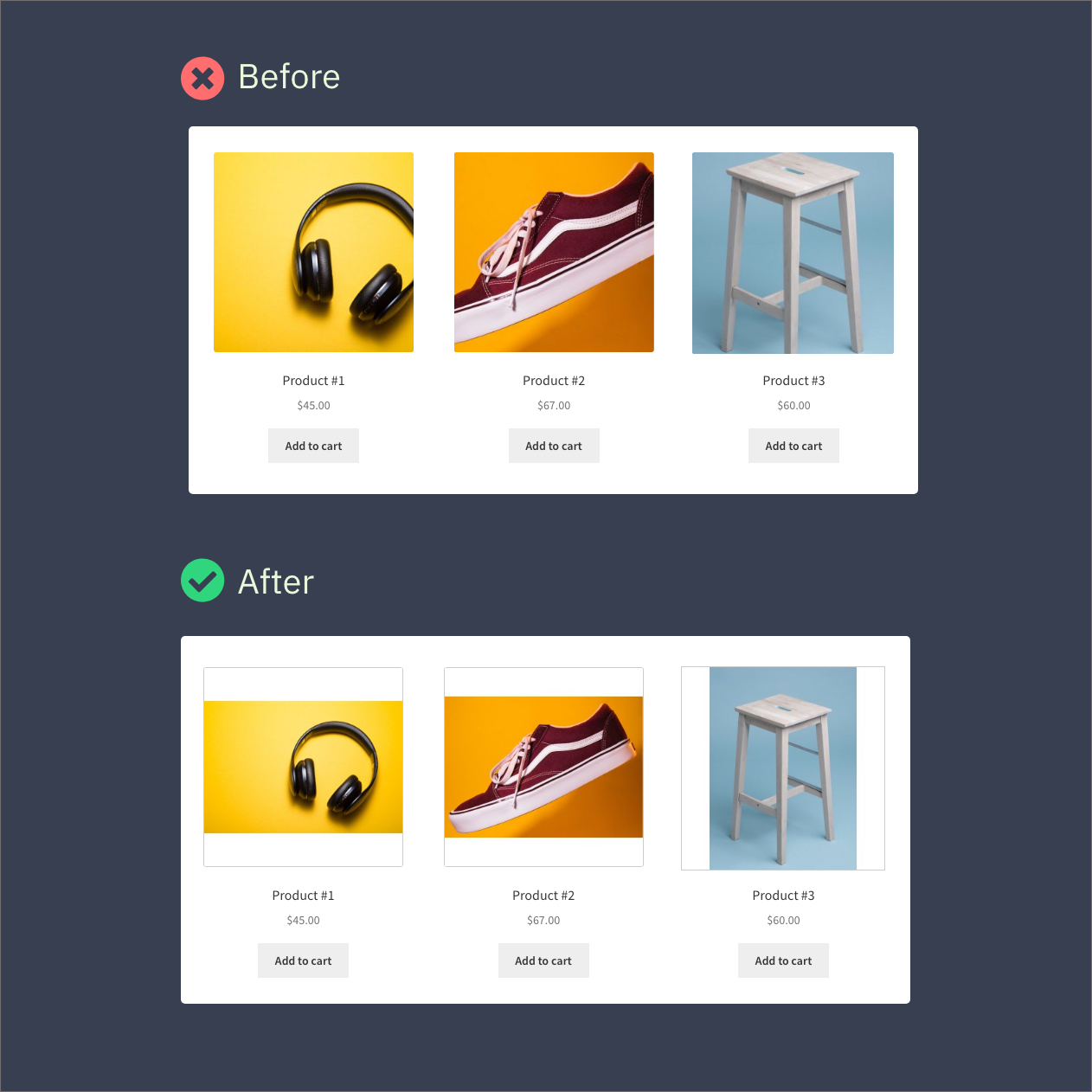
Before and after — uniform product images without cropping.
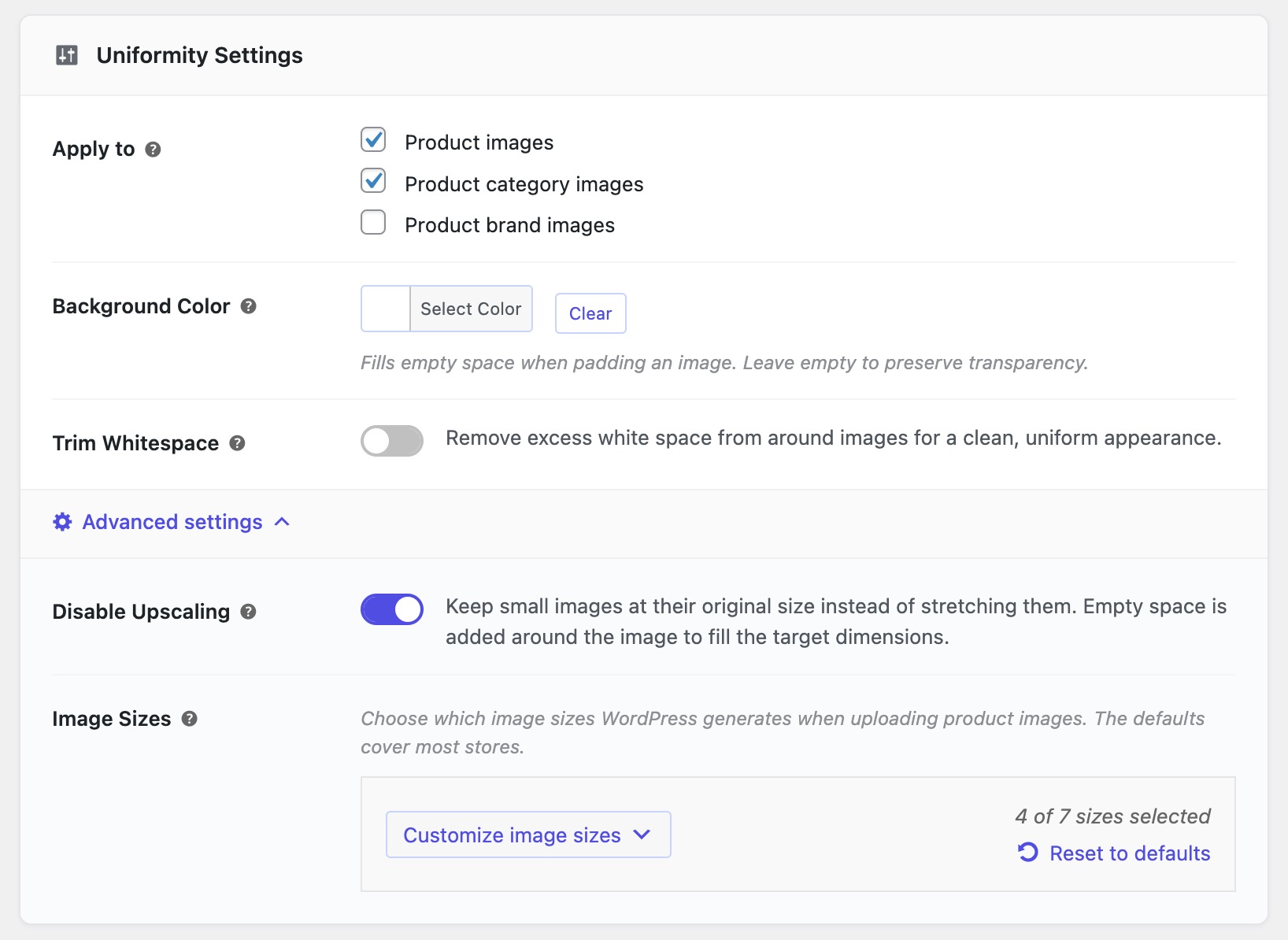
Settings page — simple, clean interface.
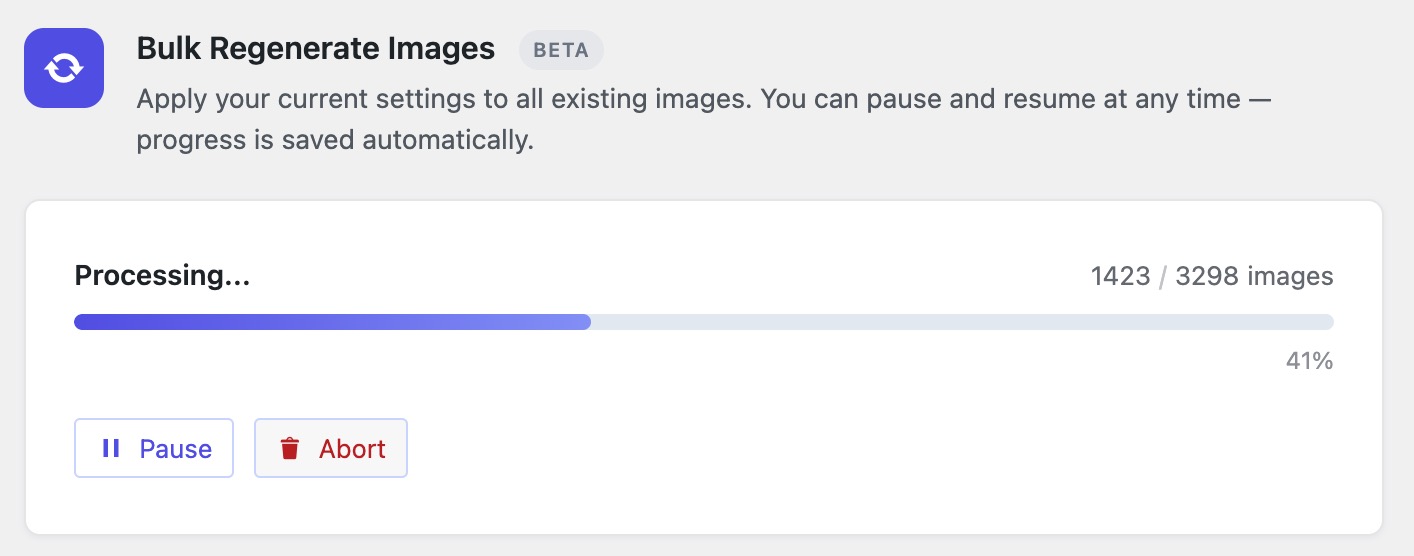
Bulk resize tool — process your entire catalog.
Faq
Yes. It works immediately after activation. New product images are automatically resized on upload. You can customize settings at WooCommerce > Smart Image Resize > Settings if needed.
No. The plugin never crops. It resizes the image to fit the target dimensions and adds a background color to fill any remaining space. Your entire product stays visible.
Go to WooCommerce > Smart Image Resize > Bulk Resize and click Start Processing. It will process your existing catalog automatically.
Two common causes:
- Compression too high — Lower the compression level in Settings > Optimization.
- Source image too small — Enable “Disable Upscaling” in Settings > Advanced to prevent stretching small images.
After changing settings, run the bulk resize tool again.
Two things to try:
- Clear your caches — browser cache, caching plugin, and CDN. Old thumbnails are cached and need to be purged.
- Enable “Resize Original Image” — Some themes display the full-size original image instead of thumbnails. Go to Settings > Advanced settings and turn on “Resize Original Image” so the original gets the same uniform treatment. Then run the bulk resize tool again.
Your server ran out of memory processing a large image. Refresh and click Start again — it resumes where it left off. If it keeps happening, ask your host to increase the PHP memory limit.
Yes. Go to the Help tab and use the bulk-restore tool to revert your images back to their originals.
No. Only product images are processed by default. You can enable category and brand images in settings.
Yes. See our documentation for how to enable this.
Yes. Works with Dokan, WCFM, and other multivendor setups. Vendor-uploaded images are processed automatically.
- Free: WordPress.org support forum
- Pro: Priority support
Reviews
Exactly what I needed
By 
Fastest 5 star review I've ever left. Woocommerce store with thousands of existing products and more added daily. We have to source our product images from various suppliers and manufacturers, all whom save their images in different formats and sizes. Some of which have a lot of unnecessary white space which affects all of our product thumbnails. So some products look smaller than others on archive galleries.
You can use the built in crop tool on woocommerce so they're all 1:1 but it will obviously crop some of your images which looks horrendous. This tool with a click of a button processed all our images, removed all the unnecessary white space and resized them so now every single product image appears the same size.
Preprocessing our images in photoshop would be an impossible task as we already have thousands of images and add more daily. This took 5 minutes to setup. Let the bulk gen run and walk away. Come back and it's finished. I upgraded to the pro version which was on sale. Lifetime license for the cost of a one year subscription. Now not only do all the products appear uniform but are displayed in webp which Imagify wouldn't do for thumbnails.
Smart Image Resize IS SMART!
By 
Smart Image Resize is very help and easy to use!
Only works halfway
By 
The plugin creates new images but does not change the original. Many of the current (premium) themes automatically change the uploaded images to .webp. Because these are so small, they use the original for zoom images, product thumbnails and lightbox. I manage 10+ webshops with different premium themes and see that the images created by the plugin are only used in the product gallery and product image. The thumbs, zoom, etc. are the unmodified original image. So if the original is also modified, the plugin works 100%, now it only works half.
Does the trick
By 
Easy to use, sorted out my image problems.
Seems to work good
By 
Since I have not used it much I can only give 4
Very helpful plugin
By 
Very helpful plugin
Great but needs UPSCALING
By 
I have the pro version and overall I like this plugin but it's missing some features that I feel are critical. I've had the pro version for a few years but now I'm looking elsewhere to find the features shown below. I will not be renewing if nothing has changed.
- Upscaling images so that you can meet the minimum sizes required by different platforms.
- Modified images should replace the original images to drastically save space.
- Set minimum sizes so that after trimming an image it's not smaller than the set size.
- Option to manually process images from the media screen.
- Include the image regeneration ability within the plugin instead of relying on another 3rd party plugin.
- It would be nice if you had accounts on your site for accessing subscription and license information.
Great plugin so stop reminding to review please
By 
Great plugin. But Stop reminding me to review the plugin.
support
By 
great support
Very useful tool!
By 
Very useful tool!
Changelog
1.17.1
- Security hardening.
1.17.0
- Added support for processing original/full-size images.
- Added bulk-restore capability to revert image changes.
- Refreshed admin UI for a cleaner experience.
1.16.0
- New: Built-in bulk resize tool (no third-party plugin needed).
- Improved: Redesigned admin interface.
1.15.1
- Various improvements and bugfixes.
- Compatibility with WooCommerce 10.6.
1.15.0
- Added support for product brand images.
- Various improvements and bugfixes.
1.13.1
- Compatibility with WooCommerce 10.3.
1.13.0
- Enhanced bulk resize page UX.
- Various improvements and bugfixes.
1.12.1
- Admin tweaks for better user experience.
1.12.0
- New filter
wp_sir_exclude_trim_sizesto exclude sizes from trimming. - Added AVIF format support.
- Fixed compatibility with Phlox theme.
- Various improvements and bugfixes.
1.10.2
- Various improvements and bugfixes.
1.10.0
- Added support for Phlox theme.
- Added option to prevent upscaling small images.
- Introduced dedicated Help tab.
- Improved compatibility with PHP 8.3.
- Various bugfixes and stability improvements.
1.8.1
- Compatibility with WooCommerce HPOS.
1.8.0
- New experimental “Cropping mode” setting.
1.7.7
- Improved theme and plugin compatibility.
- Fixed trim whitespace border size in GD.
- Compatibility with WooCommerce 6.9.
1.7.6
- Removed confusing “Use WordPress cropping” option.
- Fixed WebP files not deleted when feature disabled.
- Compatibility with WooCommerce 6.3.
1.7.5
- Background reprocessing of skipped images.
- Improved CMYK image handling.
- Performance and stability improvements.
1.6.0
- Per-size resize fit mode.
- Stability improvements.
1.5.0
- Filter processed images in Media Library.
- Improved whitespace trimming.
1.4.0
- Category image support.
- WooCommerce REST API support.
- Improved bulk-import processing.
- Performance improvements with Imagick.