Smart Local AI – Browser-Based Private AI Tools
Smart Local AI – Browser-Based Private AI Tools
Description
Smart Local AI brings machine learning directly to the browser. Every ML model runs on-device in the visitor’s or editor’s browser using Transformers.js and WebGPU/WASM. No data is ever sent to external servers, no cloud API keys are needed, and there are zero recurring costs.
Modules
RelevantFlow — Semantic Content Recommendations
Traditional related-posts plugins match by shared tags or categories. RelevantFlow uses a sentence-transformer model (all-MiniLM-L6-v2) to understand the meaning of your content and recommend posts that are genuinely related — even when they share no tags at all.
- Understands synonyms and concepts (e.g. “Salah” and “Islamic Prayer” match)
- Works with any content type — Posts, Pages, WooCommerce Products, or custom post types
- Displays a responsive card widget below your content
- Three layout templates: cards, list, and grid
- Custom placement via CSS selector or shortcode
[atlas_ai_relevantflow] - Theme customization with presets (Default, Light, Dark, Minimal) and custom colors
- Embedding index built in-browser by editors — zero server load
- Nightly cron flags new/updated content for re-indexing
PersonaFlow — Personalized Content Recommendations
PersonaFlow delivers personalized content recommendations based on visitor behavior — like Netflix for your WordPress site. It tracks 30 behavioral signals (scroll depth, reading time, click patterns, etc.) and computes a per-visitor taste vector to surface the most relevant content for each individual visitor.
- Personalized recommendations powered by real-time behavioral tracking
- 30 behavioral signals including scroll depth, reading time, and engagement patterns
- Per-visitor taste profile computed entirely in the browser — no server-side tracking
- WooCommerce integration for product recommendations
- Three layout templates: cards, list, and grid
- Custom placement via CSS selector or shortcode
[atlas_ai_personaflow] - Theme customization with presets and custom colors
- All tracking data stays on the visitor’s device — fully GDPR compliant
- Automatic taste decay ensures recommendations stay fresh and relevant
AltGenius — Automatic Alt Text Generation
Missing alt text hurts SEO rankings and violates ADA/WCAG accessibility guidelines. AltGenius generates descriptive alt text for every image in your media library — entirely in the browser.
- Two AI models: ViT-GPT2 (fast) and Florence-2 (detailed)
- Bulk Scan to audit and fix your entire media library at once
- Auto-generate on media upload
- Editor sidebar panel for per-image control with prefix/suffix
- No per-image fees, no cloud processing
Key Features
- Zero Cost — No API keys, no subscriptions, no per-request fees
- Privacy by Architecture — All ML inference runs in the browser; data never leaves the device
- GDPR Compliant — No external data transmission means no DPA required
- Shared Hosting Compatible — No server-side ML dependencies; works anywhere WordPress runs
- WebGPU + WASM — Hardware-accelerated inference with automatic fallback
- Modular — Enable only the modules you need; each can work standalone
- Cached Models — ML models are cached in IndexedDB after first download for instant reuse
- Themeable — Built-in theme presets and custom color options to match any WordPress theme
Upgrade to Pro
Get more powerful AI modules and premium features with Smart Local AI Pro.
Have questions or need support? Contact us.
How It Works
All AI processing runs in your browser. No server-side ML is required. On first use, models are downloaded from Hugging Face and cached in the browser’s IndexedDB — this one-time download may take 1–2 minutes depending on your connection. After that, models load instantly.
RelevantFlow (Related Posts)
- Go to Smart Local AI > Dashboard and enable the RelevantFlow module (or follow the setup wizard after activation)
- Select which content type to index from the Content Type selector on the Dashboard (defaults to Posts)
- Go to the RelevantFlow tab and click Build Index — this downloads the MiniLM model (~23 MB) and generates an embedding for each published item of the selected content type
- You need at least 2 published items of the selected content type for recommendations to appear
- Visit any item on the frontend — a “You Might Also Enjoy” section will appear below the content showing semantically related items
PersonaFlow (Personalized Recommendations)
- Go to Smart Local AI > Dashboard and enable the PersonaFlow module
- Go to the PersonaFlow tab to configure display settings (number of recommendations, layout template, appearance)
- Visit posts on the frontend — PersonaFlow will track reading behavior and build a taste profile
- After a few page views, personalized recommendations will appear below the content based on the visitor’s interests
- Use the shortcode
[atlas_ai_personaflow]to place recommendations anywhere in your theme
AltGenius (Image Alt Text)
- Go to Smart Local AI > Dashboard and enable the AltGenius module
- Upload an image via Media > Add New Media File — the model downloads on first use (~300 MB for ViT-GPT2) and alt text is generated automatically
- Or go to Smart Local AI > Bulk Alt Text and click Start Bulk Scan to generate alt text for all existing images missing it
- Or edit any post with images in the Block Editor — the AltGenius sidebar panel shows each image with a Generate Alt Text button
External Services
This plugin connects to the following external services. No user data or site content is transmitted to these services — only the ML model files are downloaded.
Hugging Face Model Hub
ML models are downloaded from the Hugging Face Model Hub (https://huggingface.co/) on first use and cached in the browser’s IndexedDB. The following models are used:
- RelevantFlow:
Xenova/all-MiniLM-L6-v2(~23 MB) — Sentence transformer for content embeddings - AltGenius (ViT-GPT2):
Xenova/vit-gpt2-image-captioning(~300 MB) — Image captioning model - AltGenius (Florence-2):
onnx-community/Florence-2-base-ft(~460 MB) — Advanced image captioning model
These models are open-source and licensed under Apache 2.0 or MIT. No user content, images, or site data is uploaded to Hugging Face — the connection is download-only.
Installation
From the WordPress Plugin Directory
- Go to Plugins > Add New in your WordPress admin
- Search for “Smart Local AI”
- Click Install Now, then Activate
Manual Installation
- Download the plugin zip file
- Go to Plugins > Add New > Upload Plugin
- Upload the zip file and click Install Now
- Activate the plugin
After Activation
After activation, you will be automatically redirected to the Smart Local AI dashboard where a guided setup wizard walks you through the initial configuration:
- Enable RelevantFlow — Turn on the AI recommendation engine
- Select Content Type — Choose which content type to index (Posts, Pages, Products, or any custom post type)
- Build Embedding Index — Index your content so the AI can find similarities between posts
- Enable PersonaFlow — Optionally enable personalized recommendations based on visitor behavior
- Preview Recommendations — Visit a published post to see AI recommendations in action
You can skip the wizard at any time and configure modules manually from the Dashboard. To re-run the wizard later, click the Run Setup Wizard button on the Dashboard.
To test AltGenius: Go to the AltGenius tab and choose your model (ViT-GPT2 is recommended). Then either upload a new image via Media > Add New Media File (alt text generates automatically), or go to Smart Local AI > Bulk Alt Text to scan existing images. The model downloads on first use (~300 MB) — please wait for it to complete.
Important: The first time you use each module, the AI model must download to your browser. This is a one-time download. Please allow 1–2 minutes for the download to complete. A progress indicator is shown during the download. After caching, subsequent uses load instantly.
Requirements
- WordPress 6.0 or higher
- PHP 7.4 or higher
- A modern browser with WebAssembly support (Chrome 80+, Firefox 78+, Safari 15+, Edge 80+)
- For best performance: a browser with WebGPU support (Chrome 113+, Edge 113+)
Screenshots
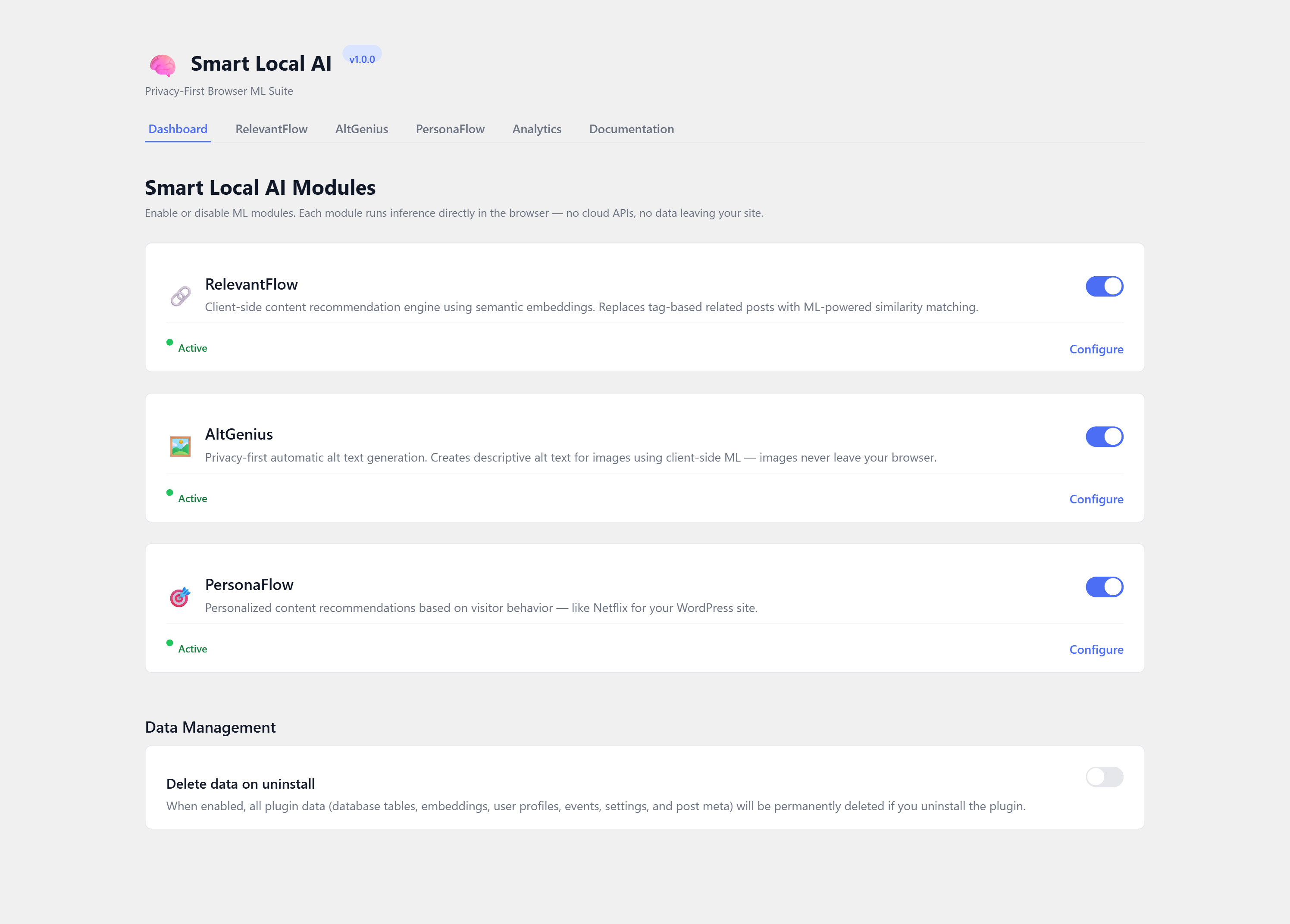
Smart Local AI Dashboard — Enable modules, select content type, and manage settings from a central dashboard with guided setup wizard
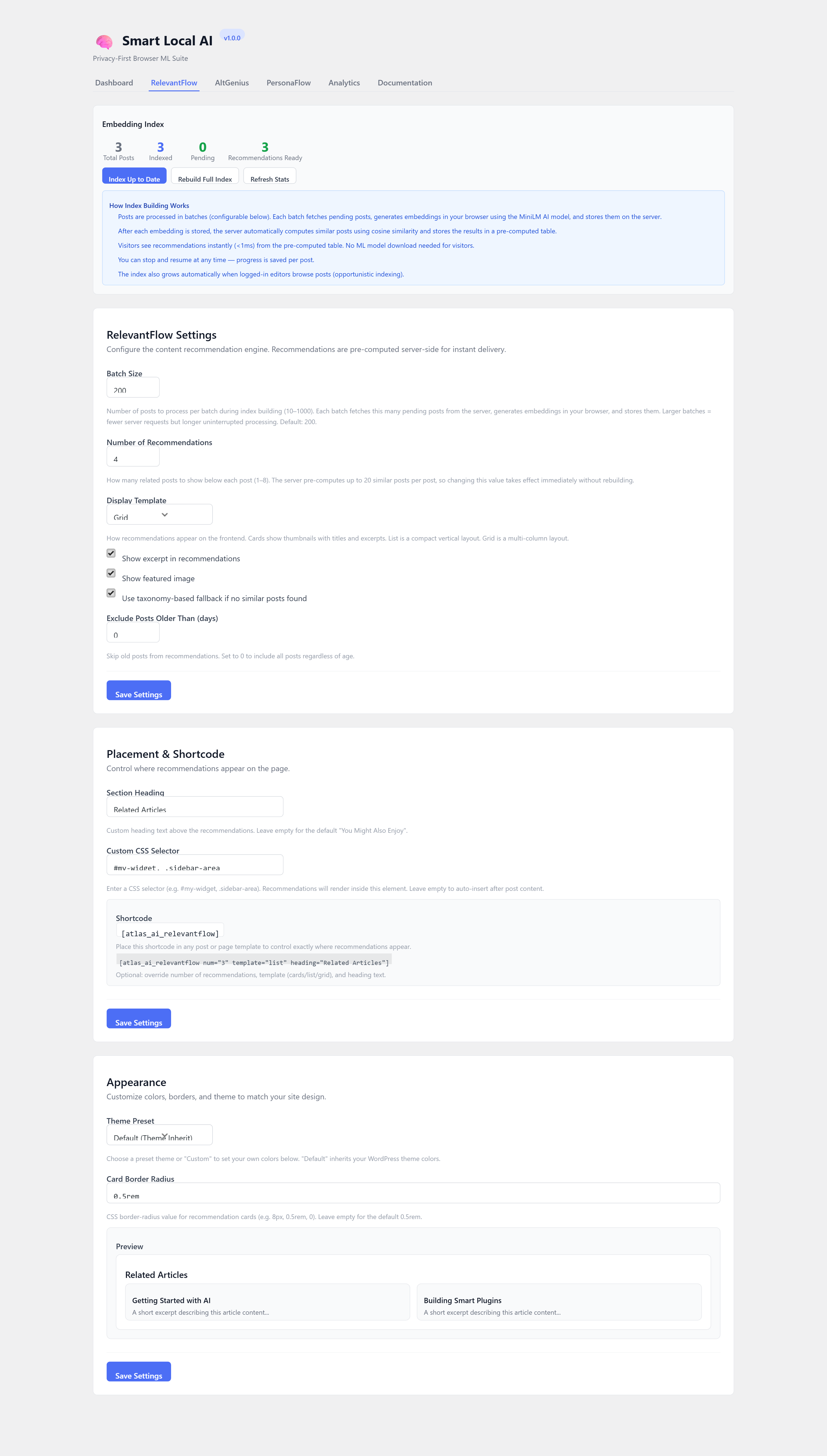
RelevantFlow Settings — Configure recommendation display, build embedding index, customize appearance

RelevantFlow Widget — Semantic content recommendations displayed below posts
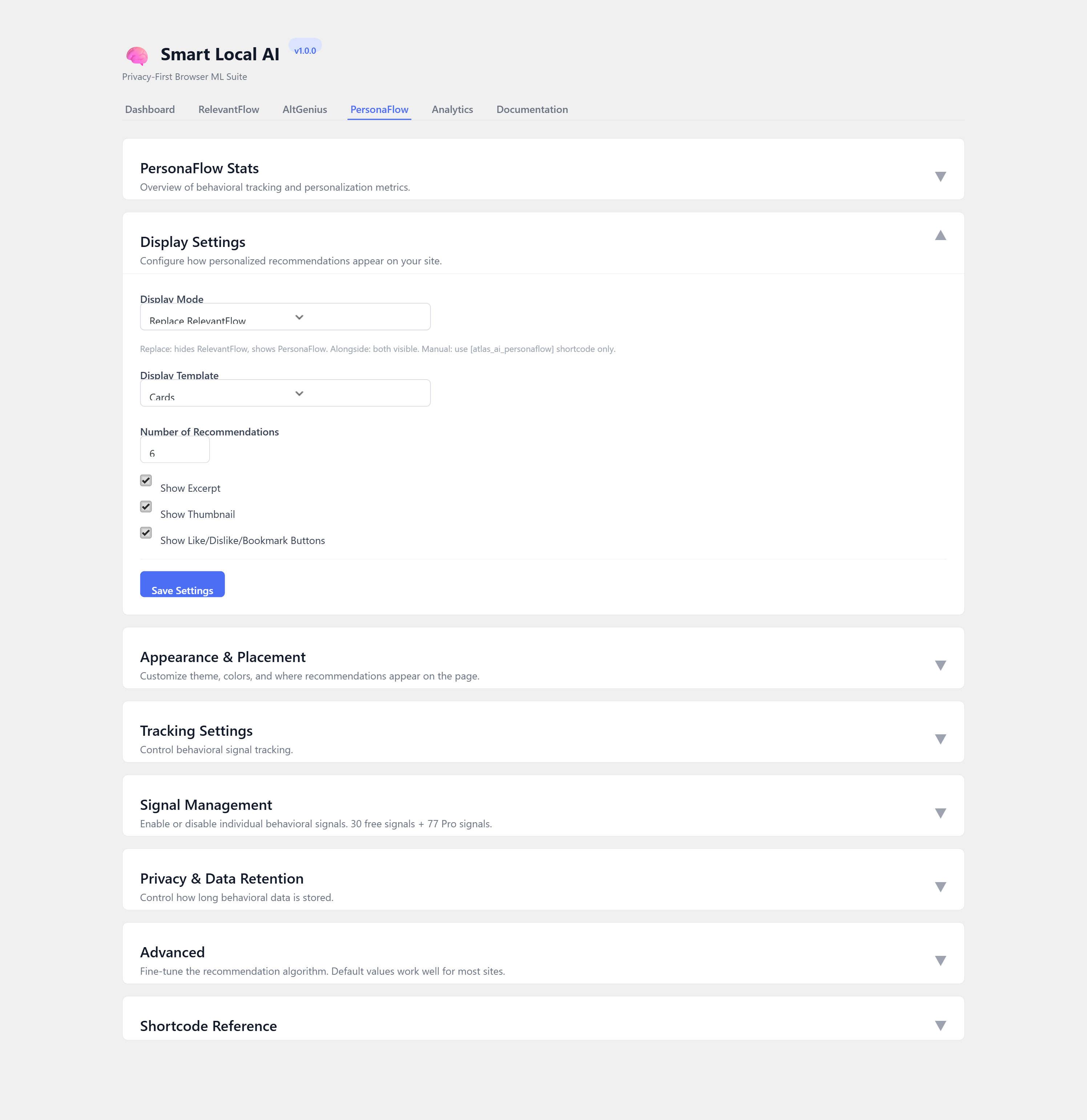
PersonaFlow Settings — Configure personalized recommendations and behavioral tracking
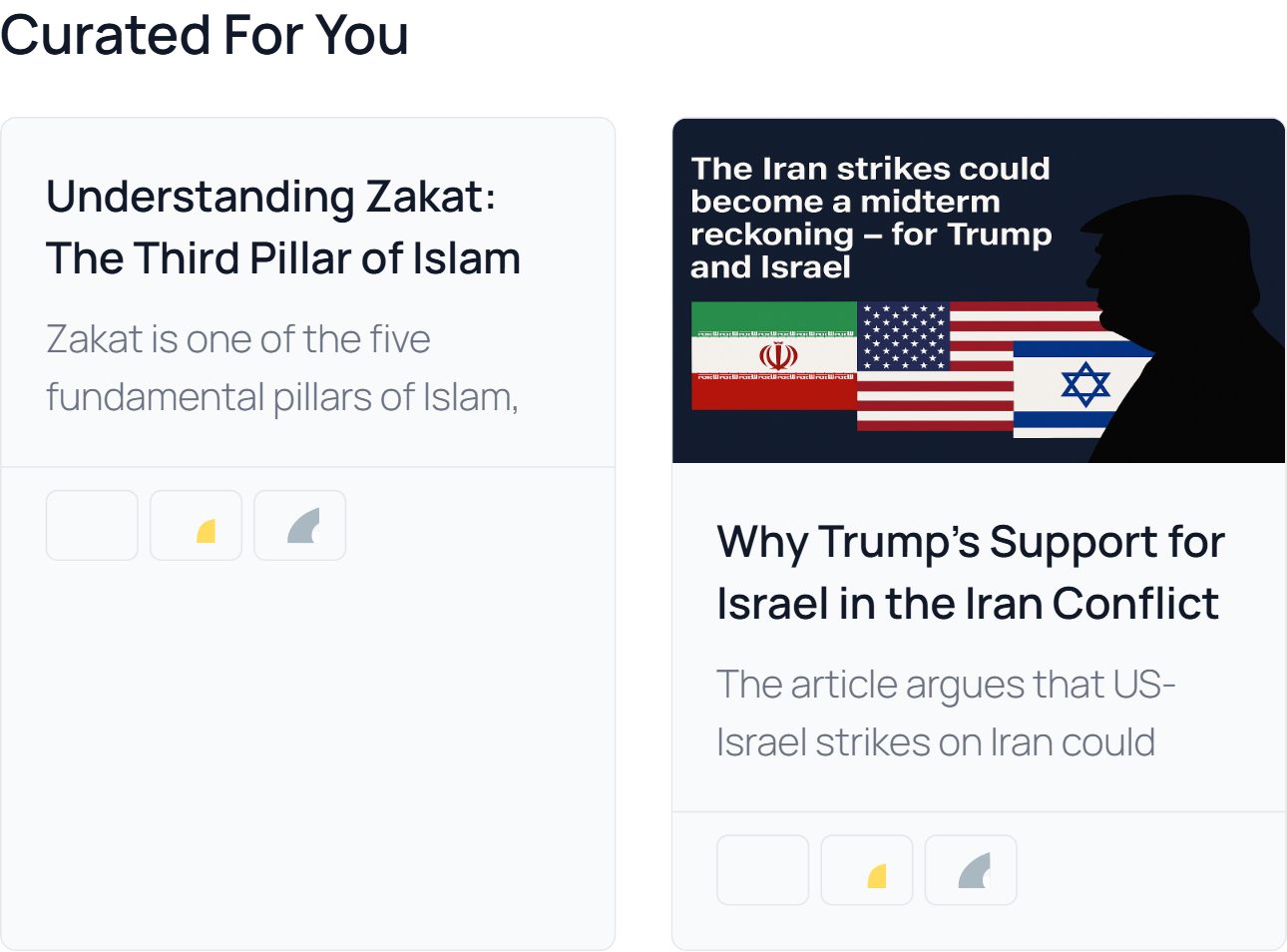
PersonaFlow Widget — Personalized content recommendations based on visitor behavior
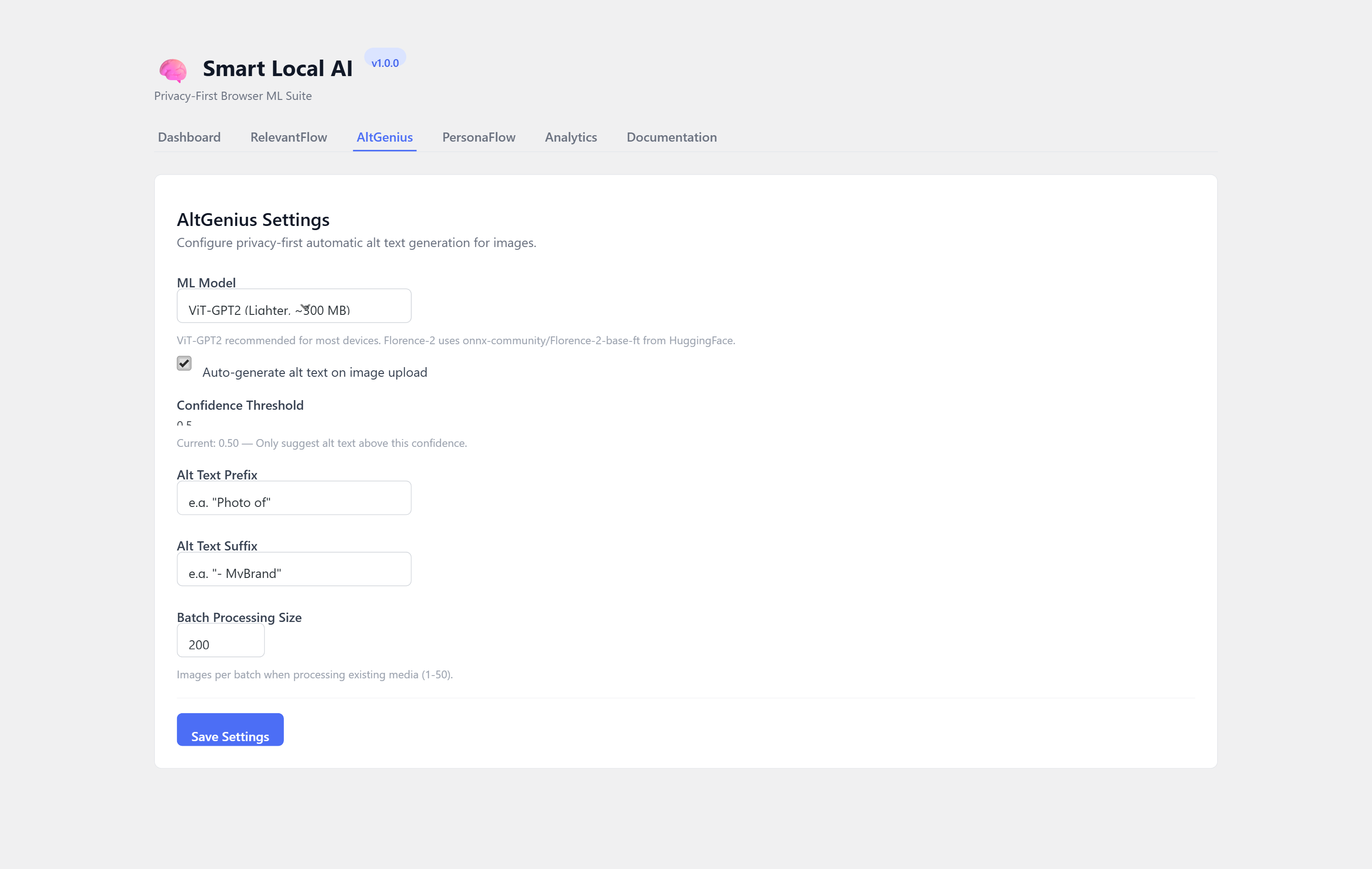
AltGenius Settings — Choose AI model, configure prefix/suffix for alt text
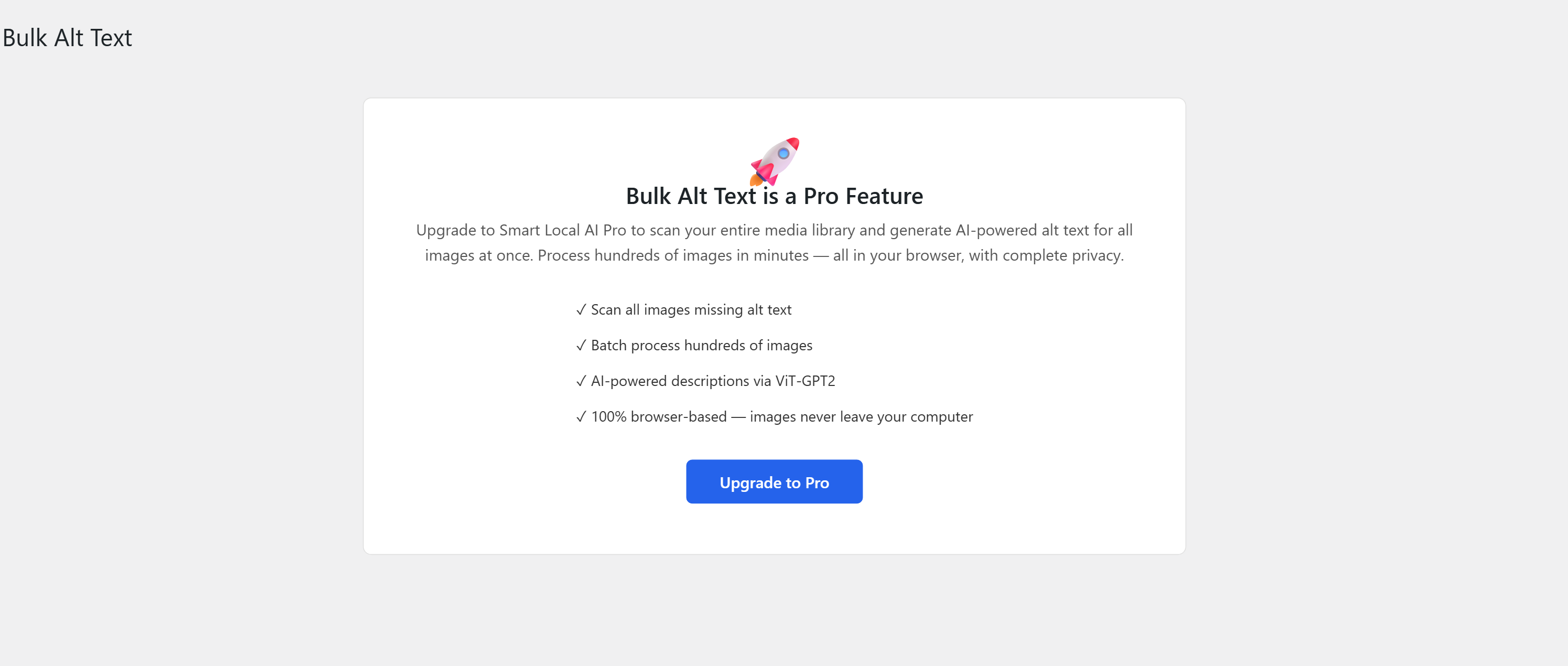
AltGenius Bulk Scan — Audit and fix alt text across your entire media library
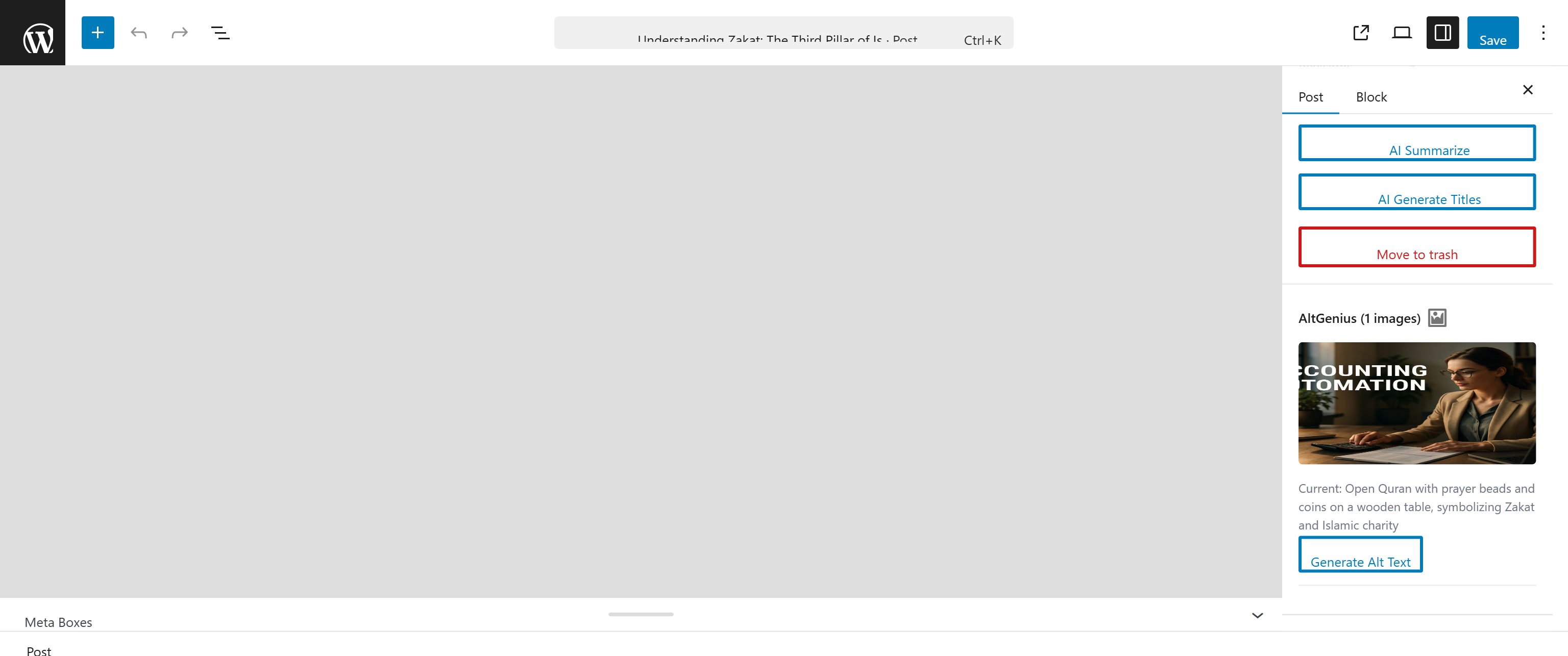
AltGenius Editor Panel — Per-image alt text generation in the block editor
Faq
No. All machine learning inference runs entirely in the visitor’s or editor’s browser. Your content and images never leave the device. The only external requests are the one-time model downloads from Hugging Face (see “External Services” below), which are cached in the browser’s IndexedDB for reuse.
No. Smart Local AI does not use any cloud APIs. There are no API keys to configure and no recurring costs.
No. ML processing happens in Web Workers, which run in a separate thread and do not block the main page. The recommendation widget loads asynchronously after the page content. Server-side performance is unaffected because all computation happens in the browser.
There is no hard limit. RelevantFlow stores lightweight embedding vectors (a few KB per post) in a custom database table. AltGenius processes images one at a time in the browser. Sites with thousands of posts and images work fine.
Yes. RelevantFlow supports any public post type — Posts, Pages, WooCommerce Products, or any custom post type registered on your site. Select your preferred content type from the Content Type selector on the Dashboard or during the setup wizard. The free version supports one content type at a time; Pro supports unlimited types.
The recommendation widget and alt text generator simply will not appear. Your site continues to function normally with no errors or broken layouts.
Yes. Since Smart Local AI runs in the browser, it works alongside any server-side caching plugin (WP Super Cache, W3 Total Cache, LiteSpeed Cache, etc.).
The architecture supports it, but currently modules are distributed as part of Smart Local AI. Standalone module plugins are planned for the future.
PersonaFlow tracks 30 behavioral signals (such as scroll depth, reading time, and click patterns) entirely in the visitor’s browser using localStorage. It computes a per-visitor taste vector and scores your published posts against it to surface the most relevant recommendations. No data is sent to any server — the entire process is client-side.
PersonaFlow stores behavioral data in the visitor’s browser localStorage — it does not use cookies and does not transmit any data to external servers. Since all data stays on the visitor’s device, it is fully GDPR compliant. However, we recommend mentioning localStorage usage in your privacy policy for full transparency.
Yes. Both RelevantFlow and PersonaFlow offer built-in theme presets (Default, Light, Dark, Minimal) and custom color options for background, card background, text, headings, accent color, and border color. You can also customize the border radius. All settings are available in the module settings page under the Appearance section.
Yes. You can use the shortcodes [atlas_ai_relevantflow] and [atlas_ai_personaflow] to place recommendations anywhere in your posts, pages, or theme templates. You can also set a custom CSS selector in the module settings to target a specific container on your page.
Yes. PersonaFlow includes built-in WooCommerce integration. It tracks product viewing behavior and can recommend products based on individual shopping patterns — all without any cloud-based tracking.
Yes! Smart Local AI Pro includes additional AI modules and premium features. Contact us if you have questions.
Reviews
Changelog
1.0.5
- New: Content type selection — choose which post type (Posts, Pages, Products, or any custom type) RelevantFlow indexes and recommends
- New: Setup wizard — guided 5-step onboarding walks you through enabling modules, selecting content type, building the index, and previewing recommendations
- New: Automatic redirect to the plugin dashboard after activation so you can start setup immediately
- New: Content Type selector card on the Dashboard for quick post type switching
- New: Upgrade & Support banner on the Dashboard with links to Pro and contact
- Improvement: RelevantFlow now fully supports custom post types across all queries (embeddings, stats, indexing, cron, similar posts, and frontend display)
- Improvement: Setup wizard includes post preview on the finish screen
- Improvement: PersonaFlow step in the wizard works as a toggle — enable or disable and proceed
- Improvement: Developer Tools description updated to reflect all data cleared on reset
- Fix: AltGenius Bulk Scan Pro upgrade link pointed to wrong URL
1.0.4
- Fix: Similar posts table fails to create on SQLite/WordPress Playground —
rankcolumn renamed tosort_rank(reserved keyword) - Fix: RelevantFlow similar posts table now lazily created on first use if activation fails
- Improvement: Full SQLite and MySQL compatibility for all database operations
- Improvement: Existing MySQL installs with old
rankcolumn automatically migrated on upgrade
1.0.3
- Fix: Admin dashboard crash on WordPress Playground — wp.apiFetch not loaded (missing wp-api-fetch dependency)
- Fix: AltGenius editor panel and media upload scripts missing WordPress script dependencies
- Improvement: All admin script enqueues now explicitly declare required WordPress globals alongside build-generated dependencies
1.0.2
- Fix: Admin UI failed to load on WordPress Playground and older WP versions (wp-element dependency missing)
- Fix: Plugin activation crash when AtlasAiDev library files were missing
- Fix: Fatal error from hardcoded text-to-audio constant in AtlasAiDev Insights library
- Improvement: WordPress Playground blueprint now creates demo content with 10 posts across 2 categories
- Improvement: Blueprint uses MU plugin approach for reliable demo setup
- Improvement: Opt-in telemetry now collects plugin-specific usage metrics (module enablement, settings, content counts)
1.0.0
- Initial release with RelevantFlow, PersonaFlow, and AltGenius modules