Product Variation Swatches for WooCommerce – Smart Swatches

Product Variation Swatches for WooCommerce – Smart Swatches
Description
Smart Swatches helps you add interactive Product Variation Swatches (colors, sizes, patterns) along with beautiful tooltip images. It also allows you to display the variation swatches on both your WooCommerce shop and product detail pages.
You can create visually super appealing and highly interactive product variation swatches that attract customers to explore. It helps customers find a product’s perfect size, color, pattern, and more faster.
🖥️ Live Demo | 📖 Documentation | 🛟 Support | 🏆 Upgrade To Pro!
👉 Why You Should Add Swatches
-
Organized Product Display – Without creating individual listings for each product variation, you can group them in a single, organized listing.
-
More Likely To Match Customers’ Choices – Multiple variation options such as different colors, sizes, and more on a shop or detail pages better match customers’ choices and reduce bounce rates.
-
Visually More Appealing and Interactive Store – Variation swatches include attractive product images, colors, patterns, buttons, and tooltips that significantly enhance your store’s visual appeal and interaction.
-
Better Shopping Experience – A variety of options on a product page, visually striking swatches, and swatch visibility across archive pages ensure quicker product finding and boost customer satisfaction.
-
Highly Sales Boosting – Organized product variations with attractive and interactive swatches engage customers, align with diverse preferences, and boost sales.
👉 Key Features of Smart Swatches
- Auto Convert Dropdowns to Button Swatches
- Add Color Swatches
- Create Image Swatches
- Add Button/label Swatches
- Attribute Shapes (Square, Rounded, & Circle)
- Text Tooltips for Swatches
- Set Tooltips for each Swatch individually
- Vertical and Horizontal Scrollbar Swatch Display Styles for shop pages
- Slider and Accordion Swatch Display Styles for shop pages
- Customize Swatches for Individual Product
- Disable Plugin Default Stylesheet
- Cross and Blur Disabled Attribute Styles
- Disable Out of Stock Attribute
- Clear Swatches on Reselect
- Top Tooltip Display Positions
- Slide Effects for Tooltips
- Set Swatch Border and Background Color
- Change Swatch Text Font Size, Color
- Show Selected Variation Label
- Variation Label Separator Option
- Enable/Disable Swatch on the Shop Page
- Use Product Page Styling to Shop Page
- Show/Hide Variation Label
Installation
This section describes how to install the plugin and get it working
AUTOMATIC INSTALLATION (EASIEST WAY)
To automatically install Smart Swatches, log in to your WordPress dashboard, navigate to the Plugins menu, and click Add New.
In the search field type “Smart Swatches” by ShapedPlugin. Once you have found it, you can install it by clicking “Install Now” and then “Activate”.
MANUAL INSTALLATION
Uploading in WordPress Dashboard
- Download smart-swatches.zip
- Navigate to the ‘Add New’ in the plugins dashboard
- Navigate to the ‘Upload’ area
- Select smart-swatches.zip from your computer
- Click ‘Install Now’
- Activate the plugin in the Plugin dashboard
Using FTP
- Download smart-swatches.zip
- Extract the smart-swatches directory to your computer
- Upload the smart-swatches directory to the /wp-content/plugins/ directory
- Activate the plugin in the Plugin dashboard
The WordPress codex contains instructions on how to install a WordPress plugin.
Screenshots
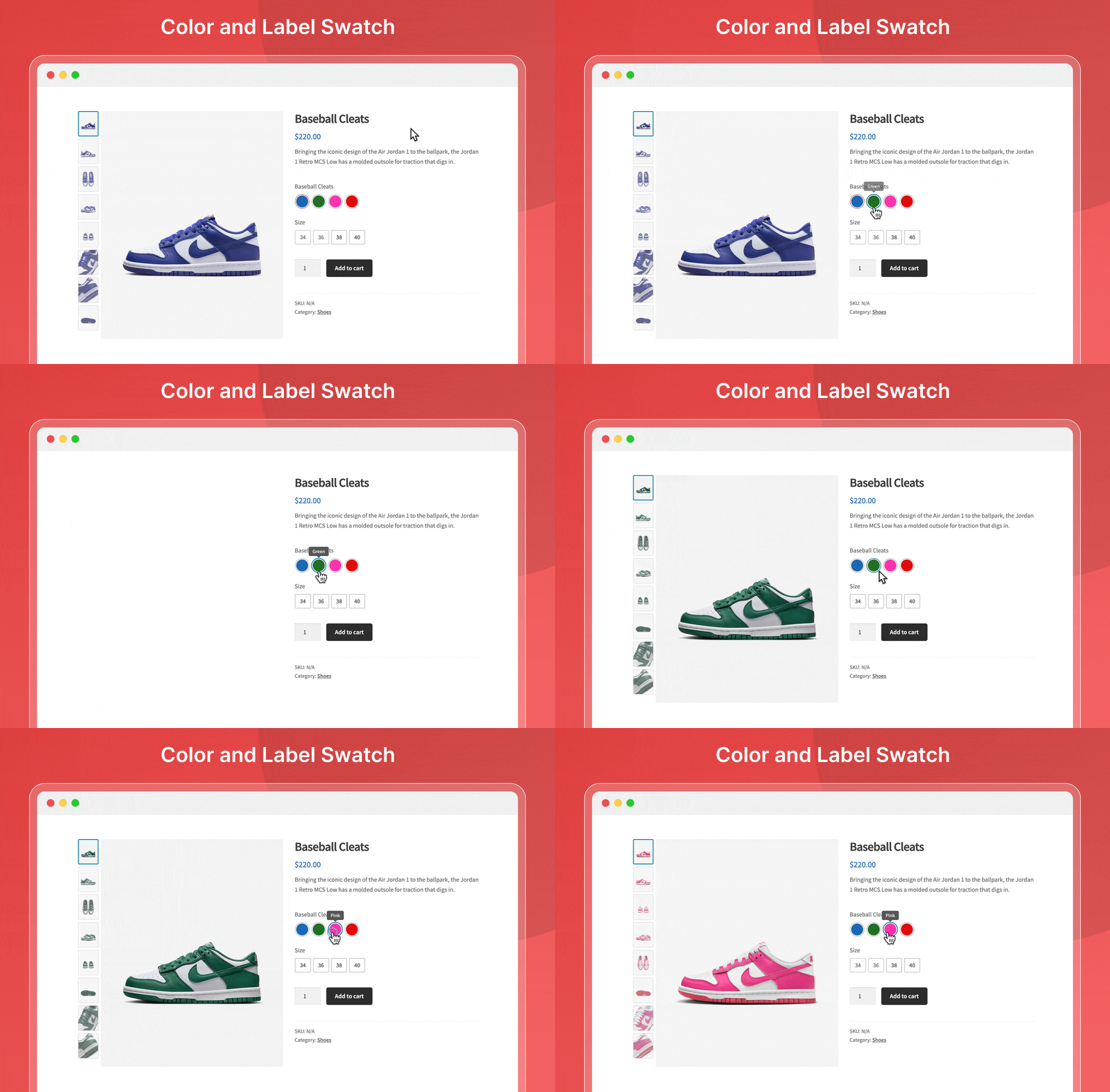
Color and Label Swatch

Image and label Swatch

Shop Page Swatch

Add Attribute

Configure Terms
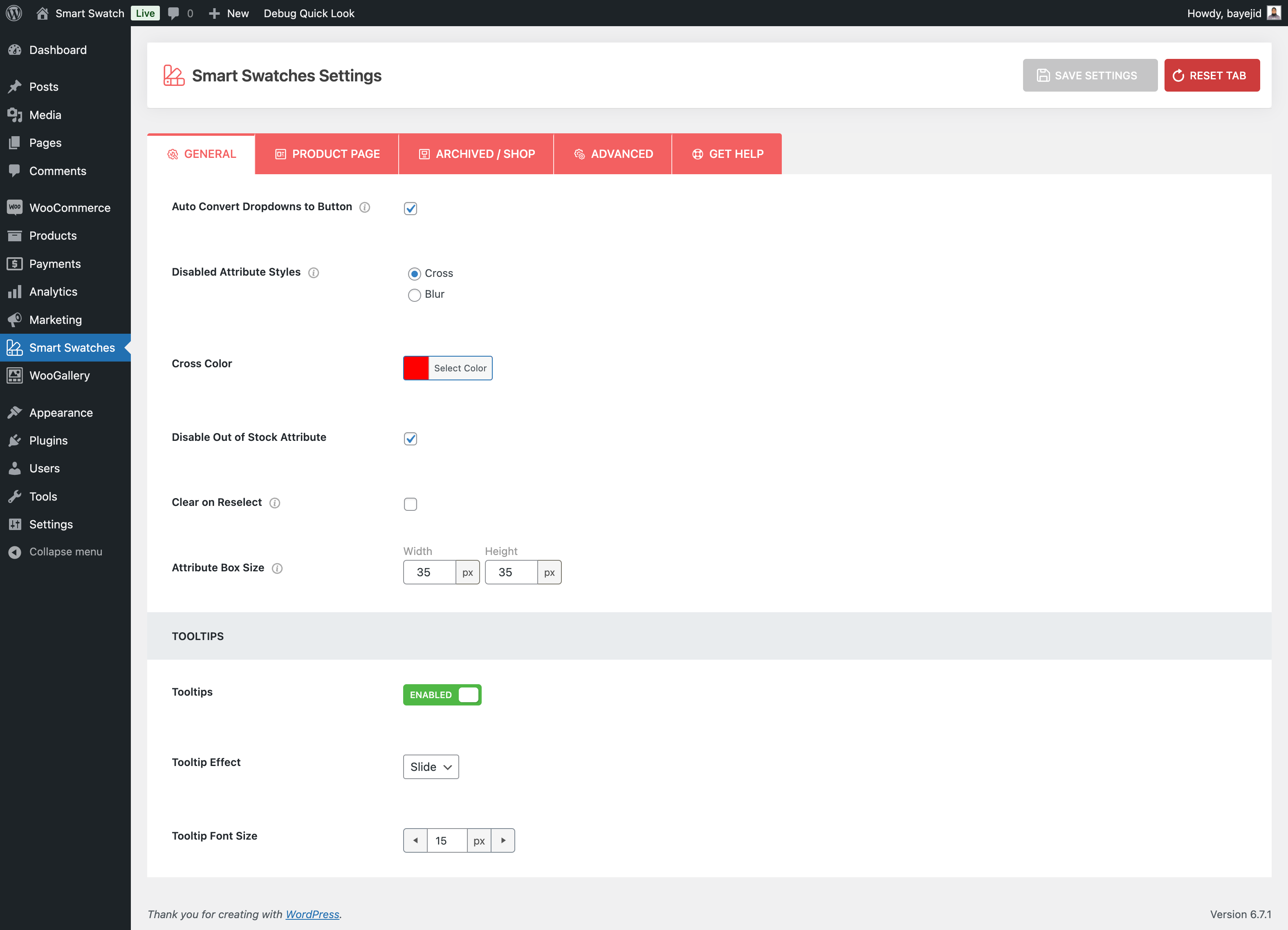
General

Product Page
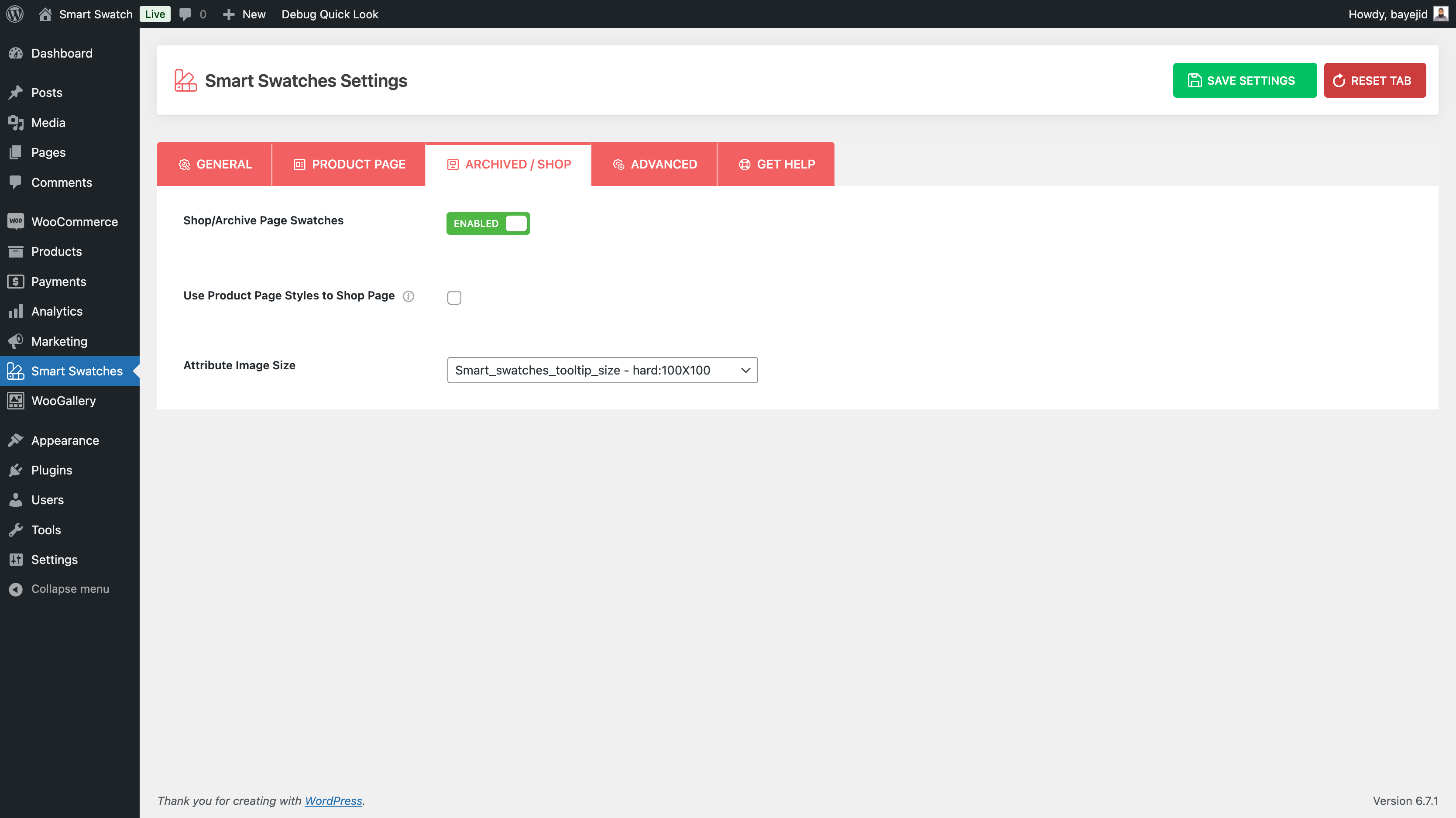
Archive/Shop Page
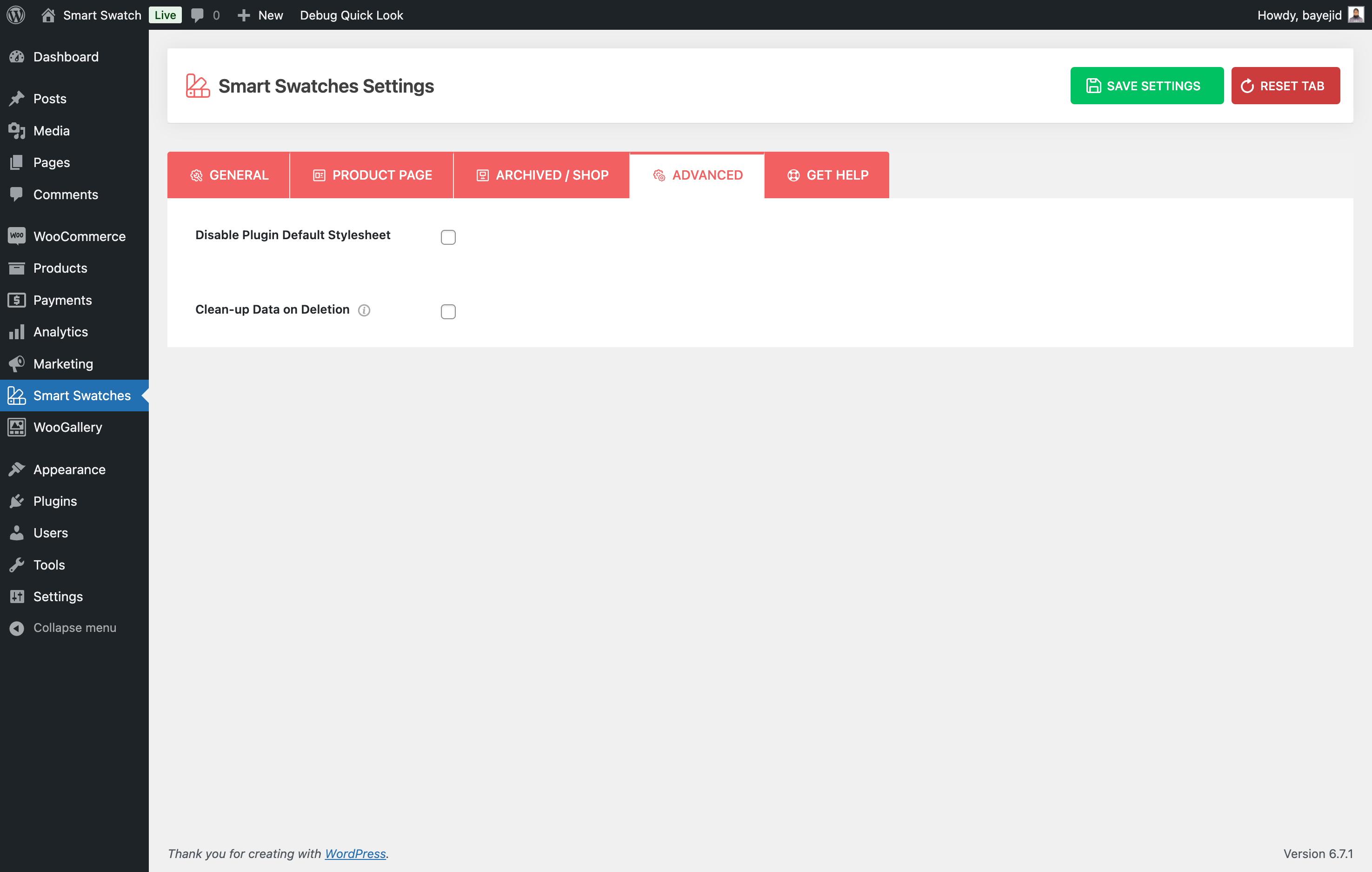
Advanced
Reviews
Best plugin
By 
It works perfectly for my websites. Thank you
Great plugin!
By 
It's OK!
Best Plugin
By 
I tried all the variations/swatches plugins, and all they do not work as expected except this plugin, This is the best plugin and also compatible with my Porto theme.
1 month open ticket 0 support
By 
This plugin (used with their slider plugin) is half-baked, full of errors with default wordpress theme, I have already contacted support but still waiting for a reply (with numerous follow ups ) a month now. I even paid for a pro version (lifetime).
Excellent plugin and service
By 
Got quick support with a custom CSS for my very special website configuration, great!
Best Plugin
By 
Best Plugin
Great Plugin
By 
Was looking to improve Woocommerce store with eye catching ways to display product variants. Smart Swatches helps you add interactive product variation swatches, colors, sizes, etc.
Highly recommended
By 
I purchased the WooCommerce - Smart Swatches plugin for my WooCommerce website, and I’m really impressed! This plugin offers more advanced and user-friendly features compared to other swatches plugins I’ve tried. It's extremely easy to use and was 100% compatible with my website right from the start.
I also reached out to their support team via online chat to request a few custom changes and some guidance. Their response and service were amazing! Every request I made was handled quickly and successfully. I’m truly happy with the excellent customer support I received.
Highly recommended plugin and service!
The after-sales service is extremely patient.
By 
The after-sales service is extremely patient. For several months, they have been answering the relevant JavaScript issues I encountered during use with great patience. It's truly excellent service.
Changelog
1.0.6 – Nov 25, 2025
- Tested: WordPress 6.9 compatibility.
- Tested: WooCommerce 10.3.5 compatibility.
1.0.5 – Sep 29, 2025
- Improved: Enhanced plugin security and data validation.
- Fix: Some WPCS-related warnings.
- Tested: WooCommerce 10.2.1 compatibility.
1.0.4 – May 29, 2025
- Fix: The Add Product page style issue along with the Avada theme.
- Fix: The Preselected default variation attributes did not get shown selected.
- Tested: WordPress 6.8.1 compatibility.
- Tested: WooCommerce 9.8.5 compatibility.
1.0.3 – Apr 15, 2025
- New: The language (.pot) file was added to make the plugin translation ready.
- Improved: The shop page variation swatches style improved for the Astra theme
- Fix: The translation-related warning was found with WP 6.8.
- Fix: The help page recommended plugins logo URL not found issue.
- Tested: WordPress 6.8 compatibility.
- Tested: WooCommerce 9.8.1 compatibility.
1.0.2 – Feb 28, 2025
- New: The plugin options tooltips are enhanced with video visuals.
- Improved: The swatch compatibility with the Betheme.
- Improved: The swatch compatibility with the Product Slider plugin.
- Fix: The tooltips font size option did not work.
- Tested: WordPress 6.7.2 compatibility.
- Tested: WooCommerce 9.7.0 compatibility.
1.0.1 – Jan 21, 2025
- New: The Attribute Box Size option.
- New: The Cross Color option for the disabled attribute style.
- New: The Tooltip Text option.
- New: The Attribute Shape option.
- Improved: The Image Uploader style of the product attributes.
- Improved: The Shop Tab of the plugin is renamed to the Shop/Archive Tab.
- Fix: The Variation Swatches section style issue along with the Avada theme.
- Fix: The Variation Swatches Position issue along with the Woostify theme.
- Fix: The Variation Swatches Position issue along with the OceanWP theme.
- Fix: The warning was found in the terminal when the plugin was activated via the WP CLI command.
- Fix: Some WPCS-related warnings.
- Tested: WordPress 6.7.1 compatibility.
- Tested: WooCommerce 9.6.0 compatibility.
1.0.0 – Nov 28, 2024
- First Release