Smooth Back To Top Button

Smooth Back To Top Button
Description
Smooth Back To Top Button is a premium-quality WordPress plugin designed to improve website navigation and user experience. It adds a stylish, customizable back-to-top button with a unique scroll progress indicator, helping your visitors navigate long pages with ease.
Effortlessly customize every aspect of your button to match your brand’s identity. From shapes and colors to responsive visibility, this plugin provides all the tools you need in one lightweight package.
Features
-
Modern & Elegant Design
A sleek back-to-top button that enhances your site’s aesthetics. -
Interactive Scroll Progress
Unique progress indicator that visually tracks scroll depth. -
Fully Customizable Shapes
Choose from Circle, Square, or Rounded Square to match your branding. -
Smart Responsive Controls
Effortlessly show or hide the button on Desktop, Tablet, and Mobile devices. -
Advanced Accessibility
Fully optimized for keyboard navigation and screen readers (Aria-label support). -
Live Color Customizer
Unlimited color options for the button, icons, borders, and progress bar. -
Smooth Animations
High-performance, butter-smooth scroll animations for a premium feel. -
Custom Positioning
Place your button on the left, right, or centered at the bottom of the screen. -
Icon Library:
Choose from a variety of modern font icons. -
Auto-Hide Functionality
Automatically hide the button when not needed for a cleaner look. -
Developer Friendly
Custom CSS support for advanced styling and overrides. -
Admin Dashboard Support
Option to enable the button within the WordPress admin area. -
Lightweight & Performance Focused
Minimal footprint with optimized scripts for blazing-fast load times. -
Theme & Browser Compatible
Works flawlessly with all modern WordPress themes and browsers. -
Translation Ready
Easily translate the plugin into any language.
Most useful WooCommerce plugins for your store
Installation
Automatic Install From WordPress Dashboard
- Login to your admin panel
- Navigate to Plugins -> Add New
- Search Smooth Back To Top Button
- Click install and activate respectively.
Manual Install From WordPress Dashboard
If your server is not connected to the Internet, then you can use this method-
- Download the plugin by clicking on the red button above. A ZIP file will be downloaded.
- Login to your site’s admin panel and navigate to Plugins -> Add New -> Upload.
- Click choose file, select the plugin file and click install
Install Using FTP
If you are unable to use any of the methods due to internet connectivity and file permission issues, then you can use this method-
- Download the plugin by clicking on the red button above.A ZIP file will be downloaded.
- Unzip the file.
- Launch your favorite FTP client. Such as FileZilla, FireFTP, CyberDuck etc. If you are a more advanced user, then you can use SSH too.
- Upload the folder to wp-content/plugins/
- Log in to your WordPress dashboard.
- Navigate to Plugins -> Installed
- Activate the plugin
Screenshots
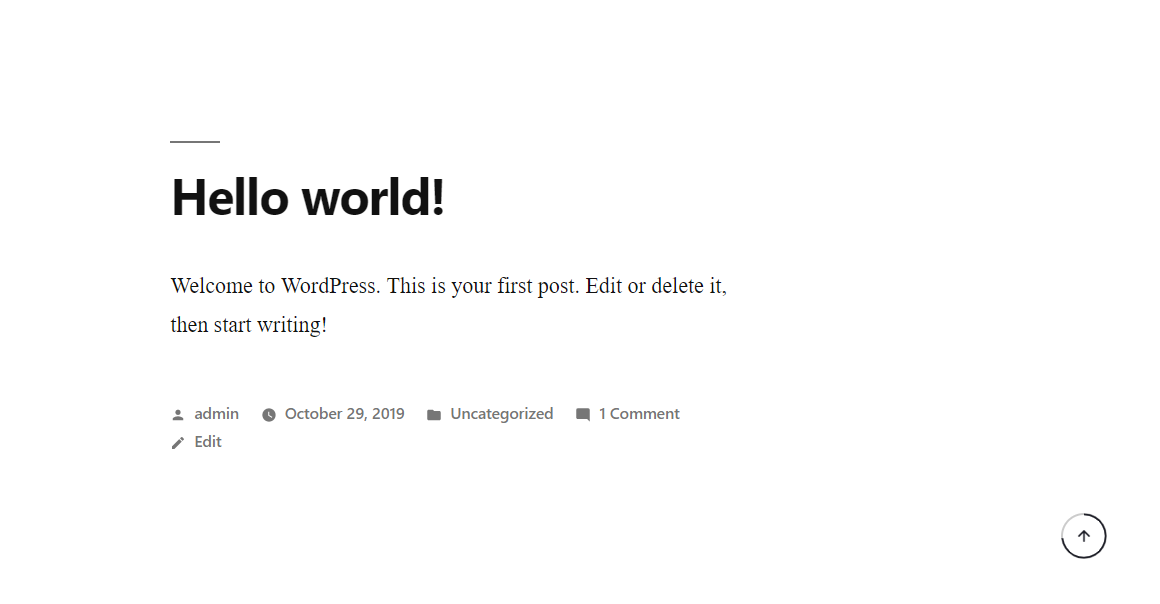
Smooth Back To Top Button demo.
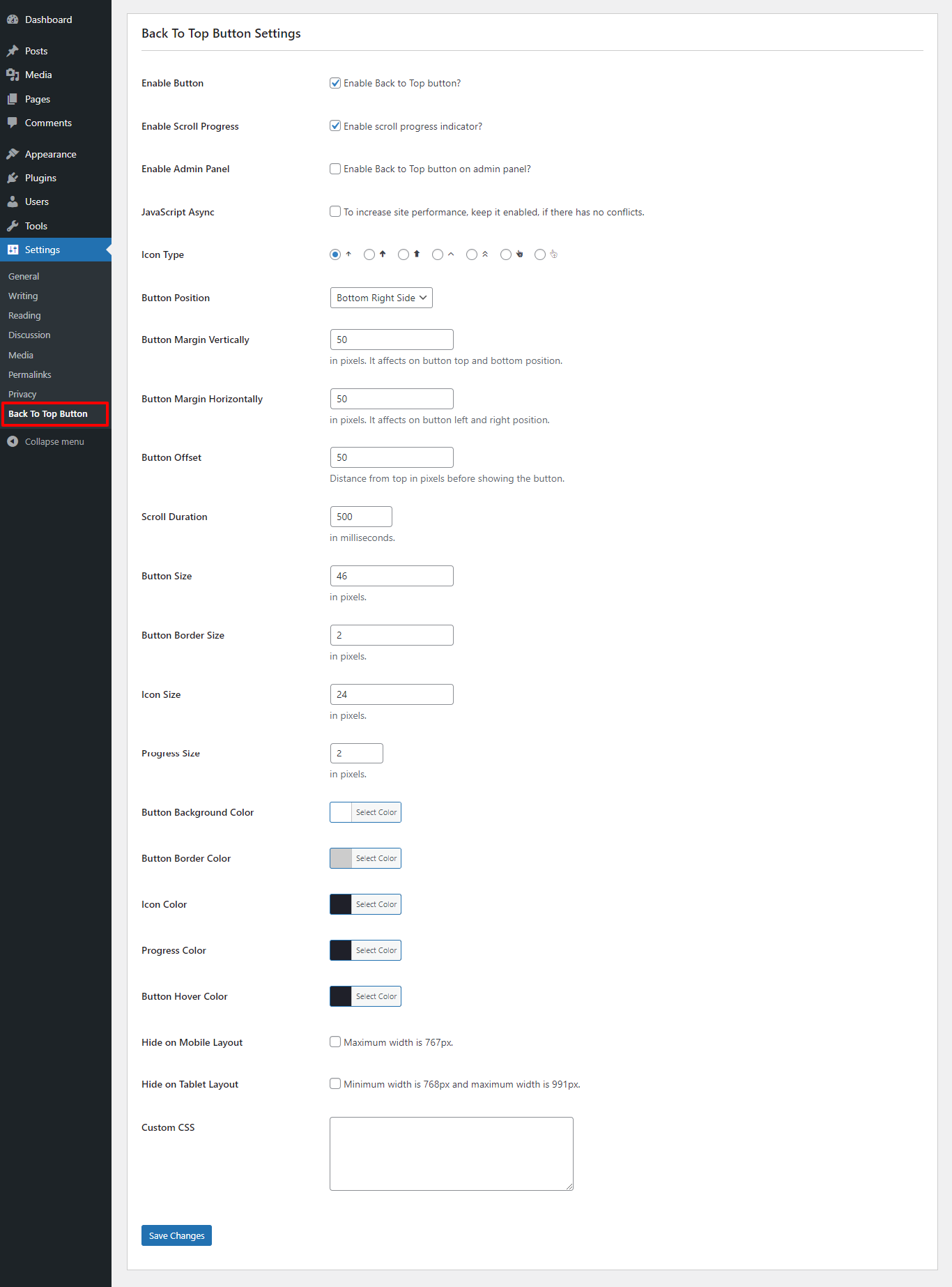
Smooth Back To Top Button settings page.
Reviews
Beautiful, easy to setup! Works great on v6.8.2!
By 
Beautiful! Simple, minimalist "scroll to top button" with a progress indicator that works great on v6.8.2!
Simple to use with no setup needed!
By 
It barely took me 2mins to get this thing up and running with my own website colours. Thanks!
Very nice
By 
Simple But Nice.
Love the progress indicator
By 
We love the scroll progress indicator that is incorporated into Smooth Back To Top Button by Tanvirul Haque. We stumbled across this lightweight Scroll-To-Top plugin on Hans-Gerd Gerhards website.
We have now implemented it on our hobby website. It works nicely with our block theme based site.
Perfect
By 
Works Perfect!!
Nailed it!
By 
This is shockingly nice. It activated and did its job within 10 seconds of me having the thought to look for a plugin like this. The options on the backend are a nice surprise for such a simple plugin. Nice work.
Bread and Butter
By 
I don't build a site without this plugin. It's part of the necessary quality of life plugins I keep on hand as a staple. Hasn't gone wrong either. Has enough customization to fit in with whatever site it's on. Love it.
Nicely done, great work
By 
It's really rare that you meet such a well-made plugin for free. For me one of the most beautiful works in wordpress plugins, belong to my favorite.
Thanks and best wishes to the developer from Bangladesh!
Slick & minimalist
By 
Very nice small plugin. Works great.
I like to use it with transparent colors. It works, but you clearly did not think of it: the field is too short and shows a red background, like an error. Try it for example with #ffffffAA.
Oh, and the link on the plugin settings page to rate your plugin does not work 😉
Superb!
By 
So cool. Thank you!
Changelog
1.3.0
- Add – WordPress 6.9+ compatibility.
- Add: Button Shape option (Circle, Square, Rounded Square).
- Add: Button hide on desktop devices option.
- Add: Button accessibility
- Update: Optimize scripts
- Fix: Type hints for get_settings function.
1.1.16
- Add – WordPress 6.8+ compatibility.
- Add – Button position center.
1.1.15
- Add – WordPress 6.7+ compatibility.
- Fix – Admin settings panel.
1.1.14
- Add – WordPress 6.5+ compatibility.
1.1.13
- Add – WordPress 6.4+ compatibility.
1.1.12
- Add – WordPress 6.3+ compatibility.
1.1.11
- Update – PHP version 7.4
- Fix – Admin error.
1.1.10
- Update – Admin setting.
1.1.9
- Add – WordPress 6.2 compatibility.
- Fix – Admin settings panel styles.
- Update – Readme
1.1.8
- Add – WordPress 6.1 compatibility.
1.1.7
- Fix – Font icon conflicting with other theme.