SmugMug Insert

SmugMug Insert
Description
The plugin insert a icon on insert/edit page. With a click on the icon you can see the smugmug users, that you’ve specified on the settings page. By browsing threw the public albums of the user you can easily add pictures within your posts and pages. The size of the thumbs and lightbox images can be configured.
The plugin insert just the url of image, the image itself remains phisicaly on the SmugMug servers. So when you change the album-name the url won’t match anymore!
Installation
- Upload
smugmug-insertto the/wp-content/plugins/directory - Activate the plugin through the ‘Plugins’ menu in WordPress
- Add users on settings page
- Set up other settings
Screenshots
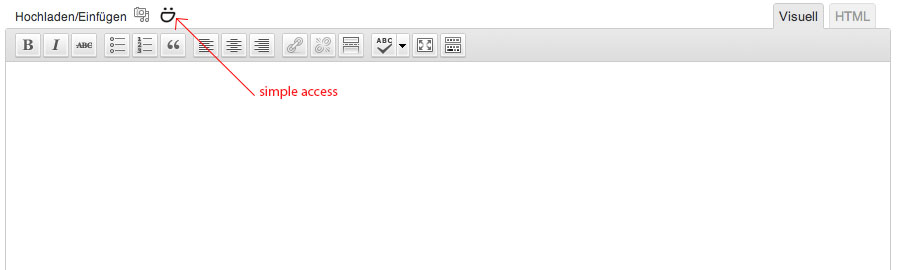
Smugmug icon on the edit/insert post page

Public Useralbum perspective

Image perspective and insert into page

Settings and userconfig
Faq
When i click on the SmugMug-Icon above the text-editor only a blank popup opens.
You’ve forgot the set a valid username in the SmugIns Setting-Page!
Reviews
Changelog
1.0
- First release 2012-09-03