SnapShots
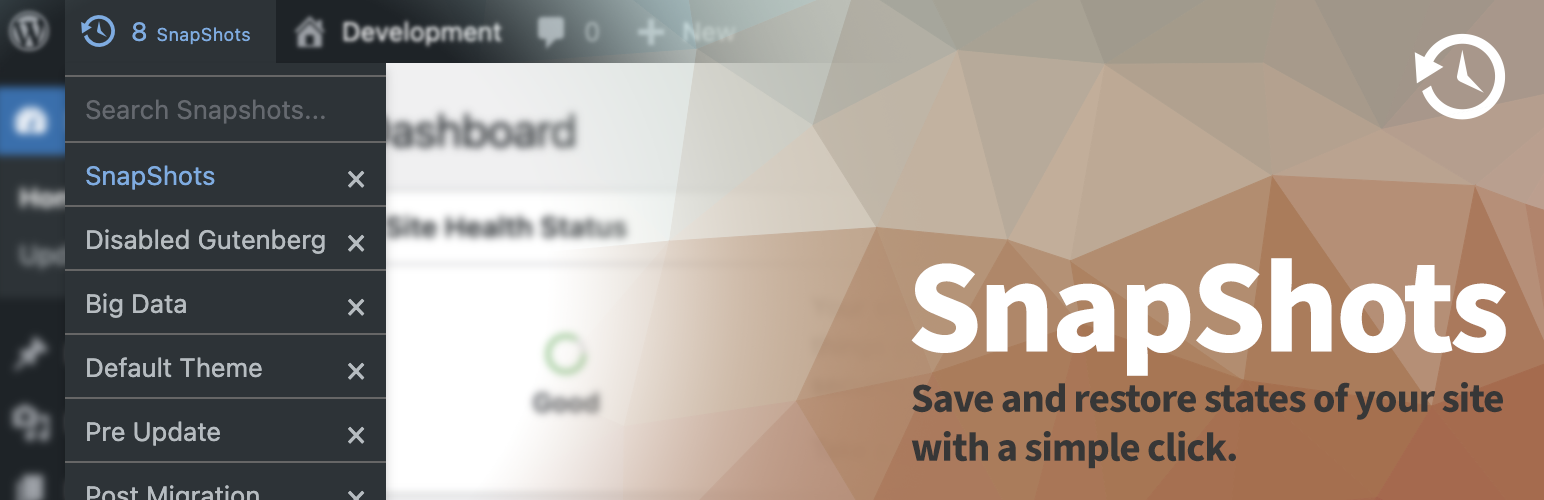
SnapShots
Description
SnapShots saves the current state of a WordPress development site so you can restore it in one click. Each snapshot can include the database and the uploads folder. Create, search, restore, and delete snapshots from the admin bar, from Tools Snapshots, or with WP-CLI.
Use it while you build and test on a local or development site. A restore replaces the current database and, when files were saved, the uploads directory. Plugins, themes, and WordPress core stay as they are. Snapshots are stored on the same server. This is not an off-site backup.
Create and restore a snapshot
- Name each snapshot from the admin bar. The prompt suggests the current snapshot name, or the site title when none is current.
- Search the admin bar list by name. Press Ctrl+S to open the menu and focus search. Press Enter to restore the first match.
- Store the current admin URL and return there after restore, including URL fragments.
- Stay logged in as the same user after a restore started from the admin screen.
- Keep a limited number of copies of the same name. Two copies are kept by default; older ones are removed.
- Confirm before a restore or delete.
Tools screen and settings
Tools Snapshots lists every snapshot with its name, created time, last used time, and saved location. Select several rows and delete them together.
Settings Snapshots controls where snapshots are saved, how many copies to keep, whether uploads and the return URL are included, which database tables to leave out, and whether the list is sorted by last used or by created date. The Plugins screen and the admin bar both link to that settings page.
A PHP constant in wp-config.php overrides the matching setting. Each option can also be changed with the snapshots_{option} filter, for example snapshots_max_shots.
What a snapshot includes
- A database export (
dump.sql) of the site tables, except tables you exclude. - The uploads directory as
data.zip, when Save Files is enabled. It is enabled by default. - A manifest with the name, created time, last used time, and the optional return URL.
On restore, tables that use this site’s database prefix and are not in the snapshot are dropped. If the home URL inside the snapshot differs from the current home URL, WP-CLI runs a search-replace to the current URL.
Zip files are written with PHP’s ZipArchive class, or with PclZip when ZipArchive is unavailable.
WP-CLI
SnapShots adds a wp snapshot command. From the shell:
wp snapshot backup "Before the experiment" --files
wp snapshot restore before-the-experiment
wp snapshot list
wp snapshot delete before-the-experiment

backup accepts `--files` to include uploads, `--location=<path>` to store a return URL such as `wp-admin/plugins.php`, and `--exclude_tables=<tables>` as a comma-separated list.

restore and `delete` accept the snapshot name, its slug, or a folder id such as `before-the-experiment_1587039434`. When you pass a name, the latest copy of that name is used.
Settings reference
These options are on Settings Snapshots. The matching constant in wp-config.php overrides the saved value.
- Snapshots folder (
SNAPSHOTS_FOLDER):wp-content/.snapshots - CLI allow root (
SNAPSHOTS_CLI_ALLOW_ROOT): false - Max shots (
SNAPSHOTS_MAX_SHOTS): 2 - PHP path (
SNAPSHOTS_PHP_PATH): empty, so the server PATH is used - Save files (
SNAPSHOTS_SAVE_FILES): true - Save location (
SNAPSHOTS_SAVE_LOCATION): true - Exclude tables (
SNAPSHOTS_EXCLUDE_TABLES): empty -
List order (
SNAPSHOTS_LIST_ORDER):last_used(orcreated)SNAPSHOTS_PHP_PATH is a directory. Do not include the
phpbinary in that path.SNAPSHOTS_CLI_PATH is also a directory, and it is not a field on the settings screen. Set it in
wp-config.phpto the folder that contains thewpbinary. Do not includewpitself.define( ‘SNAPSHOTS_CLI_PATH’, ‘/usr/local/bin’ );
define( ‘SNAPSHOTS_PHP_PATH’, ‘/usr/local/bin’ );
define( ‘SNAPSHOTS_FOLDER’, WP_CONTENT_DIR . ‘/.snapshots’ );
define( ‘SNAPSHOTS_MAX_SHOTS’, 2 );
define( ‘SNAPSHOTS_LIST_ORDER’, ‘last_used’ );add_filter( ‘snapshots_max_shots’, function ( $value ) {
return 5;
} );
Installation
- Install WP-CLI 2.2 or newer and make sure PHP can run external programs with
exec. - Upload the
snapshotsfolder to/wp-content/plugins/, or install the plugin from the Plugins screen. - Activate SnapShots. Activation stops with an error when
exec, PHP, or WP-CLI is missing. - In
wp-config.php, setSNAPSHOTS_CLI_PATHto the directory that contains thewpbinary. - In the admin bar, choose “Click here to create your first Snapshot!” and give it a name.
- Restore that snapshot from the admin bar or from Tools Snapshots, then confirm.
- A restore drops database tables with this site’s prefix that are not in the snapshot, and replaces the uploads folder when the snapshot includes files.
Screenshots
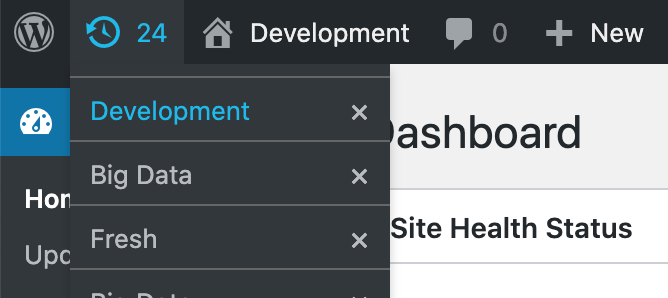
Minimal dropdown UI of SnapShots in the admin bar.
Faq
You need WP-CLI 2.2 or newer, a php binary the web server can run, and PHP exec. Only users with the manage_options capability can create, restore, or delete snapshots.
No. SnapShots runs wp snapshot for every save, restore, and delete. If WP-CLI is missing, activation shows an error and those actions cannot run.
The web server must be allowed to run exec, find php, and run the wp binary. Hosts that disable those functions, including many WordPress.com plans, cannot use this plugin.
It has been tested with Local. Local often connects to MySQL through a socket. If WP-CLI reports that it cannot talk to the database, set DB_HOST to localhost: plus the socket path for that site:
define( 'DB_HOST', 'localhost:/absolute/path/to/mysql/mysqld.sock' );
Use the socket path from your Local site.
The default folder is wp-content/.snapshots. Change it under Settings Snapshots or with the SNAPSHOTS_FOLDER constant. Files stay on this server. They are not uploaded to a remote service.
Snapshots contain a full database export, so SnapShots places .htaccess and index.php files in the folder to block web access on Apache. On nginx, make sure your configuration denies dot-directories (for example location ~ /\. { deny all; }), as it does not read .htaccess files.
It restores the database export and, when that snapshot included files, the uploads directory. It does not restore plugins, themes, or WordPress core. After the import, tables with this site’s prefix that are not in the snapshot are dropped.
It is a development tool for rolling a site back while you test. A restore overwrites data on the same server. Keep a separate off-site backup of anything you cannot afford to lose.
If the home URL stored in the snapshot differs from the current home URL, restore runs WP-CLI search-replace from the snapshot URL to the current one.
The plugin looks up php with which php. When that fails, set SNAPSHOTS_PHP_PATH to the directory that contains the binary. This command prints that directory:
dirname $(which php)
Do not include php itself in the constant:
define( 'SNAPSHOTS_PHP_PATH', '/usr/local/bin' );
SnapShots uses PHP exec to run WP-CLI. If the host disables exec, the plugin cannot run. There is no fallback that avoids the shell.
Install WP-CLI and make sure the web server can run wp. When wp lives outside the default search path, set the directory in wp-config.php:
define( 'SNAPSHOTS_CLI_PATH', '/usr/local/bin' );
The value is the directory, not the wp file. Set CLI Allow Root (or SNAPSHOTS_CLI_ALLOW_ROOT) only when those commands must run as root.
Two, unless you change Max Shots. Saving a new snapshot with the same name deletes older copies beyond that limit.
Constants in wp-config.php still override stored values after a restore. Values that exist only in the database are part of the database snapshot.
On Settings Snapshots, enter a comma-separated list in Exclude Tables, or define SNAPSHOTS_EXCLUDE_TABLES. From WP-CLI, pass --exclude_tables=table_one,table_two to wp snapshot backup.
Reviews
Excellent Idea and Plugin
By 
I use this plugin on all my sites. It takes snapshots of the database and allows me to revert to some version. 1.2, 1.3 and so on. Really good and it just "works". Definitely download this. Cheers.
Doesn't work on wordpress.com
By 
When activating this plugin I get an error saying the wp executable doesn't exist. Now, I don't have ssh access to my client's site, but wordpress.com says wp-cli is pre-installed. So either wordpress.com's documentation is incorrect, or this plugin uses a hardcoded path to the executable which doesn't match wordpress.com's installation directory
Very usefull plugin during site development phase
By 
This plugin is very usefull when you need to make small modifications during your site development phase. You can very quickly roll back to the previous version of your site.
I had some difficulties to get everything working but the developer was very helpfull and provided options on how to solve the problem.
Thanks a lot for such a useful plugin!
Changelog
3.0.0
- fixed: command injection through unescaped snapshot names and locations in the create, restore, and delete actions
- fixed: create, restore, and delete links now require a valid nonce, blocking cross-site request forgery
- fixed: the return location after creating a snapshot stays on this site without doubling subdirectory paths
- fixed: snapshot storage folders now contain
.htaccessandindex.phpfiles so database dumps are not downloadable from the web on Apache - fixed: install steps use the folder name
snapshots - fixed: missing PHP, WP-CLI, or exec shows a notice instead of a full-screen error
- added: Tools Snapshots to restore and delete snapshots, including more than one at a time
- added: Settings Snapshots for the folder, copy limit, uploads, return URL, excluded tables, and sort order
- added: settings links on the Plugins screen and in the admin bar
- changed: snapshots are sorted by last use, and the Tools list shows that time
2.8.2
- changed: no change to creating, restoring, or deleting snapshots
2.8.1
- fixed: a failed command shows which command failed
- added:
SNAPSHOTS_PHP_PATHwhen thephpbinary is not on PATH
2.8.0
- fixed: the page you return to after restore keeps its #fragment
- changed: the current snapshot name is stored in the database, not in the browser
- changed: tested with PHP 8.3
2.7.0
- fixed: errors from the
wpcommand are included in the output - added: Ctrl+S opens the snapshot menu, and typing focuses the search field
- changed: tested with WordPress 6.1
2.6.0
- fixed: snapshots whose names include numbers show in the list
- added: a search box in the admin bar menu
2.5.0
- changed: the name prompt suggests the snapshot you last restored
2.4
- changed: requires PHP 7.0 or newer
2.3
- changed: database export, import, and URL replacement run through WP-CLI
2.2
- added: uploads are zipped with PclZip when ZipArchive is missing
- added: restore updates the home URL when it does not match the snapshot
2.1
- changed: a long list scrolls in the admin bar, and the date is in the tooltip
2.0
- changed: each snapshot is stored in its own folder, so older flat files are not listed
- added: delete a snapshot from the admin bar or with
wp snapshot delete
1.0
- added: save and restore the database and uploads from the admin bar