Social Path

Social Path
Description
This mini plugin integrates automatically with Path Theme. Just activate this plugin and you can share your posts on Twitter, Google+ and Facebook.
Plugin adds these buttons after singular post.
If you want to use this plugin with another theme add this in your template file.
if ( function_exists( 'social_path_media' ) )
    social_path_media();
Installation
- Upload
social-pathto the/wp-content/plugins/directory. - Activate the plugin through the ‘Plugins’ menu in WordPress.
- That’s it, if you’re using Path theme.
Screenshots
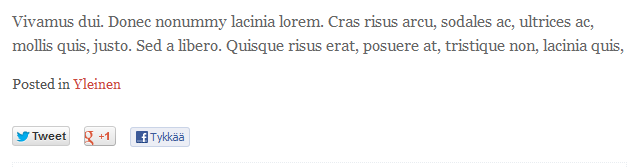
Social button after singular post
Faq
Why was this plugin created?
I needed this feature to be in a plugin because I changed theme a lot and I felt this was a plugin territory.
But there are many good social plugins already?
Yes but I wanted to keep it as simple as possible.
Where is options page?
There isn’t one. There is zero option in this plugin.
Reviews
Changelog
0.1.2
- Added filter and action hooks.
0.1.1
- Like button was in finnish. Now it should be your own language, fallback is en_US.
0.1
- Everything’s brand new.