Quiz, Poll & Survey Maker by Opinion Stage
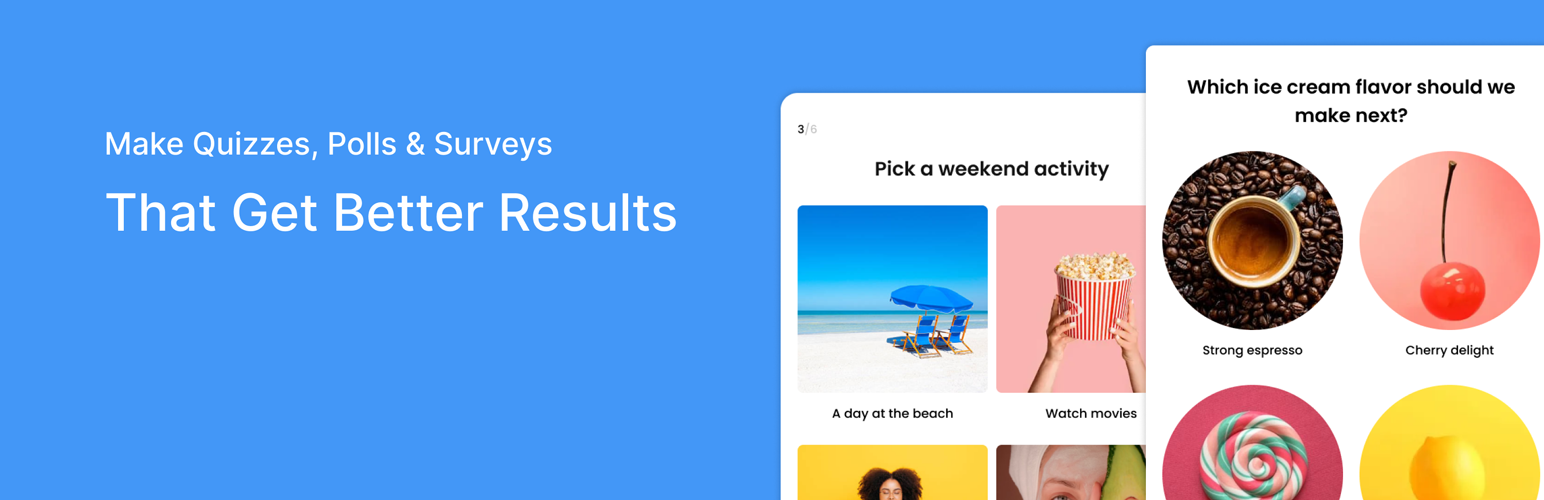
Quiz, Poll & Survey Maker by Opinion Stage
Description
🚀 The Quiz Maker Built for Marketers
Opinion Stage is a powerful AI-powered Quiz Maker, Poll Maker & Survey Maker designed to help marketers, agencies, and businesses boost engagement and generate leads.
- Increase website engagement
- Capture high-quality leads
- Grow email subscribers
- Segment audiences
- Drive conversions with interactive content
Create stunning quizzes, polls, and surveys in minutes and embed them anywhere on your WordPress site.
Flexible Creation Options
Create quizzes, polls, and surveys your way:
✔ Generate quizzes with AI in seconds
✔ Start from scratch with full customization
✔ Use professionally designed templates
✔ Import existing quizzes and surveys
✔ Duplicate and edit existing content
Browse the Opinion Stage template library to explore hundreds of ready-made quiz, poll, and survey examples:
https://www.opinionstage.com/templates
Whether you want to launch a marketing quiz fast or build a fully customized interactive experience, the Opinion Stage Quiz Maker gives you complete flexibility.
QUIZ MAKER – Turn Engagement into Leads
The Opinion Stage AI-powered Quiz Maker helps you create:
- Personality quizzes
- Trivia quizzes
- Scored quizzes
- Product recommendation quizzes
- Assessment quizzes
- Lead generation quizzes
- Branded marketing quizzes
Why use a quiz for marketing?
Quizzes convert visitors into leads at significantly higher rates than static forms because they are interactive and engaging.
With Opinion Stage you can:
✔ Add lead forms before or after results
✔ Gate quiz results behind email signup
✔ Segment users based on answers
✔ Send quiz leads to your email marketing tools
✔ Personalize outcomes dynamically
✔ Add call-to-action buttons to results
Perfect for:
- Agencies
- SaaS companies
- E-commerce stores
- Coaches & consultants
- Publishers
- Enterprise marketing teams
If you’re searching for a Quiz Maker for lead generation, this plugin is built for you.
POLL MAKER – Instant Engagement in Seconds
Looking for a fast way to increase interaction?
The Opinion Stage Poll Maker lets you:
- Create single or multiple question polls
- Run live voting
- Display real-time results
- Embed image polls
- Add polls to blog posts
- Increase time on page
Polls are perfect for:
- Blog engagement
- News websites
- Communities
- Social campaigns
- Audience feedback
Use polls as a lightweight entry point — then convert engaged visitors with quizzes.
SURVEY MAKER – Collect Insights That Matter
Need deeper feedback?
The Opinion Stage Survey Maker allows you to create:
- Customer satisfaction surveys
- NPS surveys
- Market research surveys
- Product feedback surveys
- Employee surveys
- Event surveys
Features include:
✔ Multiple question types
✔ Conditional logic
✔ Open-ended responses
✔ Anonymous or lead-based surveys
✔ Data export
✔ Detailed analytics
Turn feedback into actionable insights.
Built for Growth & Lead Capture
Unlike basic form builders, the Opinion Stage Quiz Maker focuses on:
Engagement Interaction Lead Generation Conversion
Lead Capture Features:
- Built-in lead forms
- Email integrations
- Zapier integration
- Webhooks
- CRM integrations
- Mailchimp, Klaviyo, ActiveCampaign, HubSpot, and more
- GDPR tools
Beautiful & Fully Customizable
- Mobile responsive
- Custom branding
- Custom fonts & colors
- CSS control
- White label (premium)
- Embed anywhere (Gutenberg, Elementor, shortcode)
Easy to Use
- Install the plugin
- Create a quiz, poll, or survey
- Customize design & lead form
- Embed using block or shortcode
- Start generating leads
No coding required.
Works With Your Marketing Stack
Integrations with hundreds of services, including:
- Mailchimp
- Klaviyo
- HubSpot
- ActiveCampaign
- Zapier
- Google Sheets
- Webhooks
- Facebook Pixel
- Google Analytics
Connect your quiz or survey to your automation workflows instantly.
Designed for High Conversions
- Add images & videos
- Add logic jumps
- Personalize results
- Add CTA buttons
- Redirect after completion
- Social sharing buttons
Increase:
- Time on site
- Email signups
- Product discovery
- Customer insights
Enterprise Ready
- Advanced analytics
- User segmentation
- High-volume traffic support
- Custom branding
- Dedicated support (premium)
Opinion Stage helps businesses turn interactive content into measurable marketing growth.
Use Cases
- Lead generation quiz for agencies
- Product recommendation quiz for eCommerce
- Personality quiz for viral growth
- Poll for blog engagement
- Customer feedback survey
- NPS survey
- Content marketing quiz
- Interactive landing pages
Free vs Premium
The free version lets you create engaging quizzes, polls & surveys and embed them on your site.
Upgrade to Premium to unlock:
- Higher usage limits (more responses per month)
- Advanced lead capture
- Email & CRM integrations
- Conditional logic
- Advanced analytics
- White labeling
- Custom domains
- Advanced customization options
- Priority support
Perfect for growing businesses, agencies, and high-traffic websites that need more capacity and advanced marketing capabilities.
Installation
- Upload the plugin to your /wp-content/plugins/ directory or install through WordPress.
- Activate the plugin.
- Create your first quiz, poll, or survey.
- Embed it anywhere on your site.
Screenshots
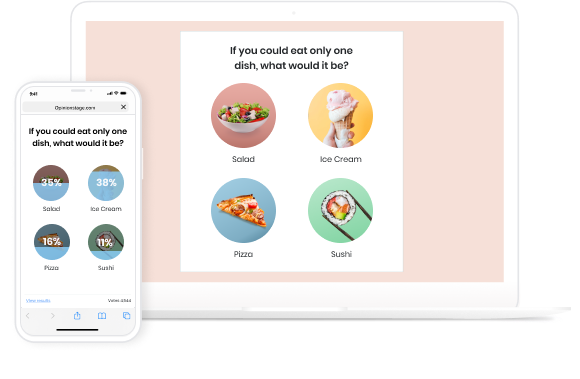
Poll example

Survey example
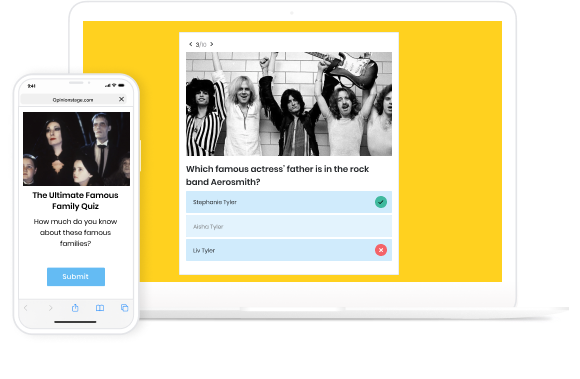
Trivia quiz example
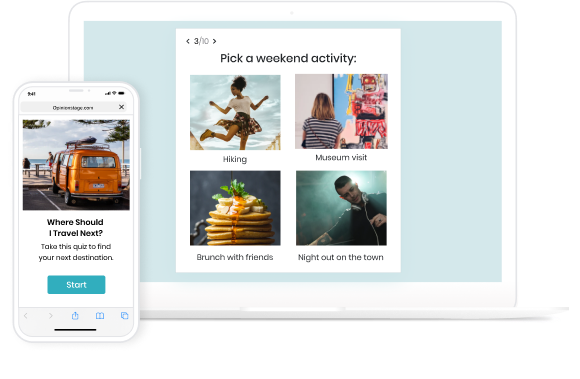
Personality quiz example
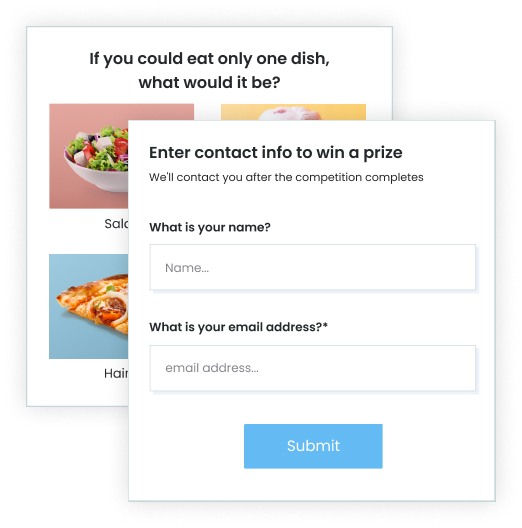
Gather leads with polls and quizzes example
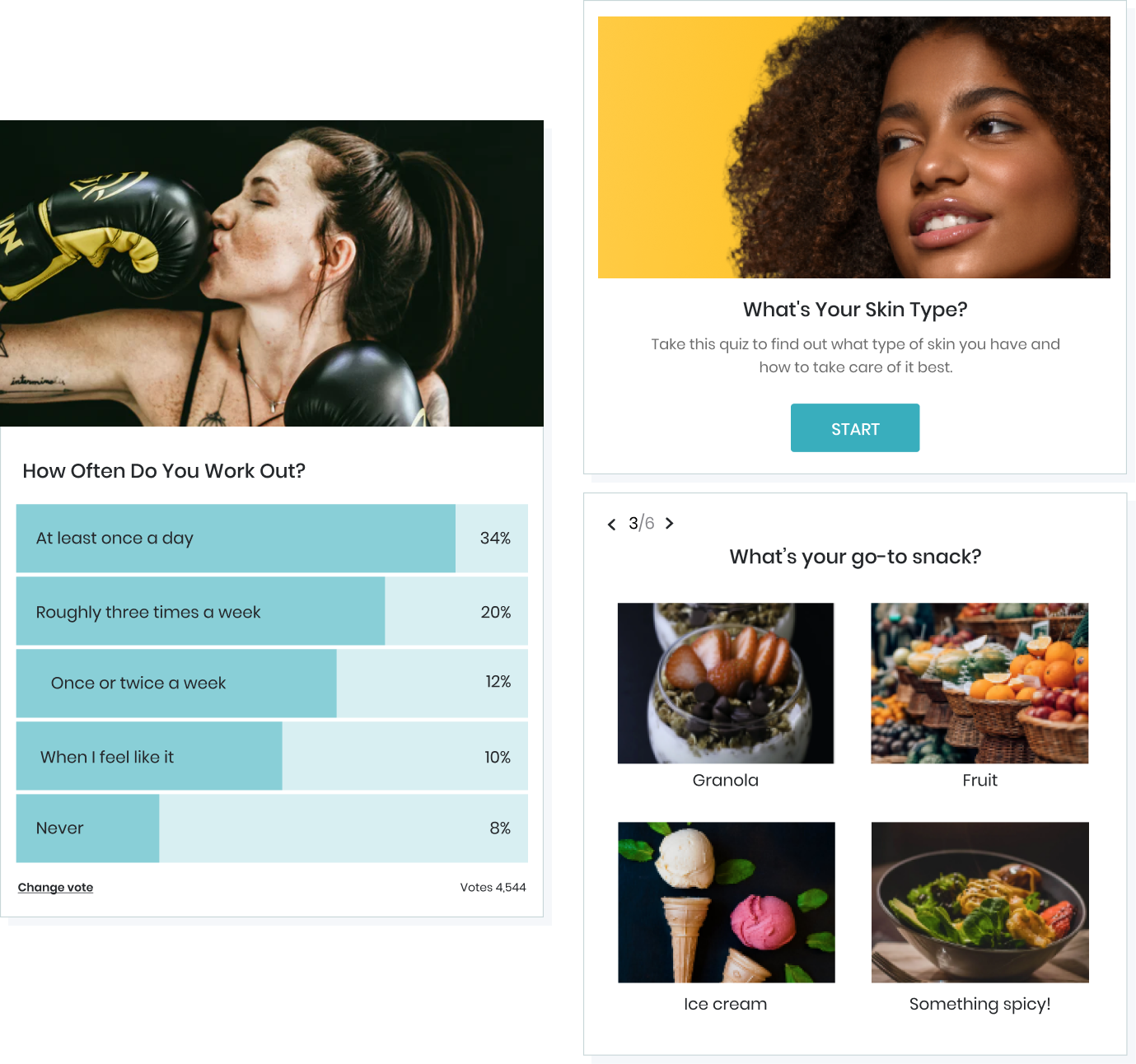
Quiz layouts

Templates example
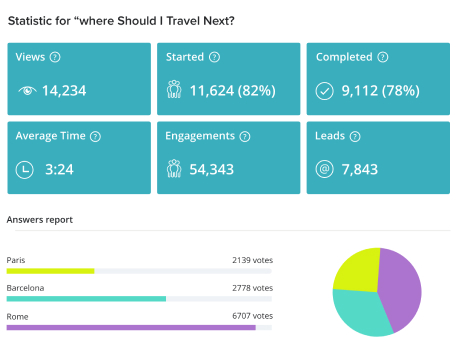
Quiz analytics example

Poll for boosting engagement example

Quiz cover example
Faq
Yes. You can create quizzes, polls, and surveys for free. Premium features are available for advanced marketing and lead generation.
Yes. You can generate quizzes using AI or build them manually from scratch.
Yes. You can import and edit existing quizzes and surveys.
Yes. You can add lead forms and connect them to your email marketing tools.
Yes. You can embed using blocks or shortcodes.
Yes. All quizzes, polls, and surveys are mobile optimized.
Reviews
Easy to Use, A Pleasure to Create
By 
I'm so pleased that I found Opinion Stage when I was trying to create a quiz for my blog. It was easy to use and made for a professional-looking quiz.
Minimum free resources
By 
Paid plugin, don't waste your time installing it.
AMAZING
By 
On Opinion Stage, you can do personality quizzes, trivia quizzes, and polls. My favourite, personally, are the personality quizzes. I love making them and then showing my creation to my friends!
Opinion stage is perfect! Don't hesitate to create an account! Create one now!
Only by paying
By 
It might even be okay, but only if you pay!
Perfect quiz / survey plugin!
By 
I recommend this plugin if you're plooking to add quizzes and surveys to your site. The AI generator is super quick and easy, and the final design looks great. I love that it's interactive so it fits great with my Elementor theme.
Rather disappointing
By 
The interface is great and easy to use however even the most basic functionality (like including a link in the result) is blocked behind a hefty monthly fee of $25.
For someone like me who runs a small business on his own and only needs this as an addition to the site (and not a main feature) this kind of pricing is out of the question.
Then again guess I'm not the target crowd of it.
p.s.
Only wanted to use it as a questionnaire to help people get customized recommendations.
responsive on all devices
By 
Solid performance in WordPress
By 
Great Poll Plugin
By 
Really easy !
By 
Changelog
19.12.4
- minor UI changes for new users
19.12.3
- internal code improvements
- remove help resources page
- add new options to widgets dropdown
19.12.2
- tested up to 6.9 WordPress
19.12.1
- internal code improvements
19.12.0
- add reload widgets button
- tested up to 6.8.3 WordPress
19.11.1
- internal code improvements
- tested up to 6.8.2 WordPress
19.11.0
- tested up to 6.8.1 WordPress
19.10.0
- internal code improvements
19.9.0
- internal code improvements
19.8.22
- internal code improvements
- tested up to 6.7.1 WordPress
19.8.21
- internal code improvements
- remove placements
- readme standard form widget
- tested up to 6.6 WordPress
19.8.20
- internal code improvements
- tested up to 6.4.3 WordPress
- readme update
19.8.19
- the “Standard form” block was deprecated
- minor text updates
- minor style changes
- internal code improvements
19.8.18
- internal code improvements
- tested up to 6.3.2 WordPress
19.8.17
- internal code improvements
- tested up to 6.3.1 WordPress
- design update
19.8.16
- tested up to 6.2 WordPress
- fix deprecated ‘block_categories’ filter
- internal code improvements
19.8.15
- tested up to 6.1.1 WordPress
19.8.14
- tested up to 6.0 WordPress
19.8.13
- tested up to 5.9.3 WordPress
- readme update
19.8.12
- internal code improvements
- tiny UI update
19.8.11
- new tutorials & help experience
- new getting started experience
- internal code improvements
19.8.10
- internal code improvements
19.8.9
- internal code improvements
19.8.8
- new getting started experience
- internal code improvements
- readme update
19.8.7
- internal code improvements
19.8.6
- UI update for not connected users
19.8.5
- readme update
19.8.4
- internal code improvements
- tested up to 5.8 WordPress
19.8.3
- new getting started experience
- content popup shows widget status and update date
- updated plugin name
- renamed Classic Form block to Standard Form
- internal code improvements
19.8.2
- fix: remove style that affects on other gutenberg blocks
19.8.1
- readme update
19.8.0
- UI update
19.7.9
- internal code improvements
- fix not loading widget popup on add post page
19.7.8
- internal code improvements
- My Items page UI update
- Removed Placements page
- Modified sidebar widget management UI
19.7.7
- internal code improvements
- tested up to 5.7 WordPress
19.7.6
- UI update
- internal code improvements
19.7.5
- fixed html render issue on create items page
19.7.4
- updated plugin name
- added poll on disabling plugin
- renamed Form block to Classic Form
- internal code improvements
19.7.3
- updated signup functional
- internal code improvements
19.7.2
- signup callback – higher priority added
19.7.1
- fix templates links
19.7.0
- deprecate set, slideshow & list
- content popup UI/UX fixes
- gutenberg UI/UX fixes
19.6.41
- remove excessive logging
19.6.40
- Gutenberg integration rework
- various internal code improvements
19.6.39
- fix WordPress 5.5 compatibility issues
19.6.38
- readme update
19.6.37
- UI update
- readme update
19.6.36
- tested up to 5.4 WordPress
19.6.35
- fix for missing php files
19.6.34
- misc UI fixes and improvements
- fix for RTL languages
19.6.33
- icon issue fix
- Gutenberg duplicate resources fix
- UI changes (images issue, and some other tweaks)
19.6.32
- fix gutenberg integration
19.6.31
- fix login issue
- add disconnect button to “getting started” screen
19.6.30
- fix sidebar on/off checkbox
19.6.29
- fix placements links
19.6.28
- fix message display
19.6.27
- remove external curl dependency
19.6.26
- security fixes
19.6.25
- security fixes
19.6.24
- readme update
19.6.23
- readme update
19.6.21
- Added support WordPress 5.2.x
- Removed support for PHP versions lower than 5.2
19.6.20
- bugfixes
19.6.19
- readme update
19.6.18
- bugfixes
19.6.17
- UI looks & feel revamp
19.6.16
- Support 5.1 and Readme updates
19.6.15
- Gutenberg fixes and improvements
19.6.14
- Gutenberg fix
19.6.13
- My Items page
- updated Content Popup
- Design update
19.6.12
- readme update
19.6.11
- readme update
- analytics setup
19.6.10
- navigation links update
19.6.9
- add support for new editor Gutenberg
19.6.8
- readme changes
- add admin loader
19.6.7
- new getting started experience
19.6.6
- WordPress 5.0 compatibility
- Readme update
19.6.5
- Assets loading fix
- Readme update
19.6.4
- Permission fix on sub pages
19.6.3
- Icon set fix
19.6.2
- Double page bug fix
- Plugin renamed
19.6.1
- Plugin rename: improved fix
19.6.0
- Plugin filename fix
- Backward Compatibility added
19.5.0
- New navigation added
- Fixed placements issue
19.4.2
- better AJAX handling
19.4.1
- fix deactivation issue
19.4.0
- stability fixes
- added deactivate screen
19.3.5
- more updates to readme.txt file
19.3.4
- rename plugin
- update to readme.txt file
- small text changes
19.3.3
- small text changes
19.3.2
- readme update
19.3.1
- readme update
19.3.0
- add Story support
19.2.7
- fix PHP installations older than 5.4
19.2.6
- fix links to content
19.2.5
- minor text updates
19.2.4
- tested up to 4.9 WordPress version
- Minor textual changes
19.2.3
- fix content popup video placing issue
19.2.2
- adds video intro
19.2.1
- adds ability to sign in from content popup
- various UI/UX issues fixes
19.2.0
- content popup UI/UX improvements
- login/logout UI/UX
19.1.0
- content popup UI/UX improvements
19.0.2
- Minor textual changes
19.0.1
- Minor logging changes
19.0.0
- New feature: post editor integration
18.2.1
- Minor changes
18.2.0
- Support for 4.8 WP version
18.1.0
- Minor styling fixes
- Widgets embedding refactor
18.0.5
- sidebar widget fix
18.0.4
- prevent internal font icon leak into site area
18.0.3
- Minor fixes
18.0.2
- Fix sidebar widget settings style
- Add SlideShow
- Fix ContactForm icon
- Fix video tutorials help link
18.0.1
- Fix menu page styling
18.0.0
- Add a slider content format
17.9.0
- Additional survey features based on client requests
17.8.0
- Improvements of quiz/survey reporting
- Various minor bug fixes
17.7.0
- Responses table improvements, language fixes, advanced editing in after vote notifications
17.6.0
- Various fixes & optimizations
17.5.0
- Display comment after user votes
- Additional advanced reports
17.4.0
- Add new charts to the poll, quiz & survey reports
17.3.0
- Display an explanation after voting in polls
- Fixed bug with IP blocking
17.2.0
- New drop-off report
- Async sending of leads
17.1.0
- Add CSS override to all content types
- Support GTM integrations
17.0.0
- Improved quiz/survey reporting capabilities
16.9.0
- Added support for pixel tracking
16.8.0
- Support for WordPress 4.7
16.7.0
- Improve support for high volume lead configurations
16.6.0
- Text changes and bug fixes
16.5.0
- Various minor fixes & optimizations
16.4.0
- Added ad refresh mechanism
16.3.0
- Added verification for the placements ids in the connection callback function
16.2.0
- Various minor improvements & bug fixes
16.1.0
- Added chatbot tool integration
16.0.0
- Updated help for new features
15.9.0
- Rebranded Quiz name to Outcome, removed the section entry
15.8.0
- Resolved an issue with the font
15.7.0
- Added support for creating Contact Form Builders, added to plugin name
15.6.0
- Added support for creating surveys, renamed plugin
15.5.0
- Support WP 4.5
15.4.0
- Added the option to add a content section
15.3.0
- Modified API path
15.2.0
- Various optimizations
15.1.0
- Security fix to limit accses to dashboard
15.0.0
- Various optimizations
14.9.0
- Added the option to embed using a fixed width
14.8.0
- Modified sidebar widget management UI
- Replaced dashboard top navigation links with more prominent ‘my content’ link
- Added ‘list’ to the plugin name
14.7.0
- Various small optimizations
14.6.0
- Various UI modifications – added top navigation links, dashboard UI is now more responsive.
14.5.0
- Renamed style to avoid css caching issues
14.4.0
- Complete ui revamp
- Removed obsolete polls insertion popup and tinymce integration
- Handling compatibility issues with other plugin
14.3.0
- Various Poll, Survey, Quiz, Slideshow, Form & Story Article improvements
14.2.0
- Not showing recommendations by default when embedding Trivia quiz and Personality quiz via the widget shortcode
14.1.0
- Added support for disabling FB comments, sharing buttons and recommendations for Trivia quiz and Personality quiz via the widget shortcode
14.0.0
- Improved polls & quizzes creation help file
- Various small issues
13.9.0
- Added creation links for trivia quiz, personality quiz and lists
- Added a link for content discovery
13.8.0
- Support creating a quiz draft
- Added quiz tips and quiz best practices
13.7.0
- Better name for widget following feedback
13.6.0
- Added personality quizzes
13.5.0
- Renamed plugin to better reflect the Contact Form Builder
13.4.0
- Added shortcodes for trivia and personality quizzes
13.3.0
- Various Trivia Quiz enhancements & fixes
- Support for iframe embeds
13.2.0
- Support for Basque & Vietnamese languages
- Trivia Quiz beta
13.1.0
- Added support for quick addition of any language
13.0.0
- Added text domain
12.9.0
- Poll discovery mechanism improvements
- Additional tracking capabilities
12.8.0
- Various bug fixes
12.7.0
- CSS modifications to better align with desired coding standards. Reverted css file name change.
- Minor text changes
- Not using PHP 4 Style Constructors any more
12.6.0
- Fixed broken links to dashboard
- Renamed css file
12.5.0
- Modified css structure
- Added an option to enable/disable sidebar widget directly via the widget box
12.4.0
- Added a control switch for the Sidebar placement
12.3.0
- Added Sidebar placement as a widget
12.2.0
- Added the option to connect the plugin to Opinion Stage account
- Added plug & play integration for fly-out placement
- Replaced the option of adding polls to all posts with plug & play article section placement
12.1.0
- Additional fix for supporting SSL
12.0.0
- Support for SSL when voting with social profiles
- revamp of content recommendation mechanism
11.9.0
- Poll Placement improvements
11.8.0
- Plugin minor changes
11.7.0
- Image cropping
11.6.0
- New poll recommendation design
11.5.0
- resolve conflicts
11.4.0
- Fixed compatibility issues
11.3.0
- First Trivia poll Poll, Survey, Quiz, Slideshow, Form & Story Article Version
11.2.0
- Various functionality & usability improvements
11.1.0
- Head-to-Head Poll – new revamped UI (first Poll, Survey, Quiz, Slideshow, Form & Story Article Version)
11.0.0
- New look & feel settings
10.9.0
- Allow disabling global poll section for specific posts
10.8.0
- Texts changes
10.7.0
- New options for adding polls or sets to all posts
10.6.0
- Poll sets and poll placements – improved interface
10.5.0
- Ad integrations (optional) – revamped interface
10.4.0
- Added UI support for social logins
10.3.0
- New UI for Multiple Choice Polls
10.2.0
- Various stability fixes
10.1.0
- Post vote actions
10.0.0
- Contact Form Builder improvements
9.9.0
- Various fixes
9.8.0
- Poll discovery first Poll, Survey, Quiz, Slideshow, Form & Story Article Version
9.7.0
- Placements first Poll, Survey, Quiz, Slideshow, Form & Story Article Version
9.6.0
- Various fixes
9.5.0
- Smart containers first Poll, Survey, Quiz, Slideshow, Form & Story Article Version
9.4.0
- Allow users to add their own answers
- Head2Head polls – mobile optimizations
9.3.0
- Support adding custom texts to the interface
- Solve minor UI issues
9.2.0
- Support displaying ads before showing the results
- Support reordering the sides of the poll
9.1.0
- Added the option to add Facebook comments to the polls
- Improvements to poll creation flow
9.0.0
- New poll head-to-head themes
- Poll UI optimizations
8.9.0
- Various additions and improvements to the poll style studio
- Support for wide pages
8.8.0
- Improved poll built-in UI styles
- New capabilities to poll style studio
8.7.0
- Improved poll reports
- Various minor improvements
8.6.0
- Poll perContact Form Builderance improvements for peek scenarios
- New banner type ad unit
8.5.0
- Improve process of adding polls to site
- Improve returning traffic tracking mechanism
8.4.0
- Add first of poll discovery feature
- Resolve issue with image addition
8.3.0
- Add the option to integrate advertisement into the polls for generating revenue
- Optimizations for poll display in mobile environments
8.2.0
- Enhancements on contact generation feature
- Mobile polls improvements
- Additions to default poll settings
8.1.0
- Poll discovery – first Poll, Survey, Quiz, Slideshow, Form & Story Article Version
- Poll sets improvements
- Poll perContact Form Builderance improvements
8.0.0
- Added an account report dashboard
7.9.0
- Resolved paypal integration issues
- Resolved facebook page integration issues
7.8.0
- Renamed plugin to better reflect the Contact Form Builder
7.7.0
- Fixed 2 poll display issues
7.6.0
- Added the ability to insert a shortcode of a set of polls
- Added a widget for a container and for a set of polls
7.5.0
- Created a widget for easily adding polls to site
7.4.0
- Poll Contact Form Builder optimizations
7.3.0
- Resolved 2 issues with polls on mobile
7.2.0
- Add external integration with 3rd parties via API/XML mechanism
7.1.0
- Support collecting emails from poll voters
7.0.0
- Fixed potential collisions with other plugins
6.9.0
- First of Poll Sets
- First of redirect after poll vote
- Fix related to languages in poll display
6.8.0
- Fix issue with Mobile voting
- Fix for iframe embed of poll
- Fix for uploading images from computer
6.7.0
- Added Czech language & fix for Polish
- Add poll images via URL
6.6.0
- Improve poll login screen in mobile
- Fixes for poll container
6.5.0
- Fix issues with voting on iphone/ipad (iOS7)
6.4.0
- New poll container
- Improvements to the poll optimization dashboard
6.3.0
- New graphs for the new reports page
- New languages – Romanian, Polish, Indonesian, Danish
6.2.0
- New Poll navigation bar
- New languages – Dutch, Albanian, Lithuanian
6.1.0
- New dashboard and site header
- Poll was translated to the following languages – Swedish, Turkish, Chinese, Japanese, Korean
6.0.0
- Added the option to login to Opinion Stage with a email/user-name and password combination
5.9.0
- Added geographic location filter to poll results dashboard
5.8.0
- Added time filter to poll results dashboard
- New design for on site poll page
- Various improvements & fixes on poll results dashboard
5.7.0
- Added the option to block repeat voting in polls by IP
5.6.0
- Improvements & fixes on poll studio
5.5.0
- Improvements & fixes on poll reporting statistics
- Improvements & fixes on poll core flows
5.4.0
- Added to the poll results screen the following poll stats: poll engagement stats, poll social stats & poll traffic stats
5.3.0
- Add a clone function that allows to easily create multiple polls from the same template
- Add the option to schedule when the poll will be closed
5.2.0
- Revamp of the poll social sharing settings
- revamp of add poll to website screen
5.1.0
- Add Facebook comments to polls added to Facebook pages
- Add the option to preview the poll in different widths
5.0.0
- Improvements to poll style studio
- Added option to configure head to head polls not to show results before voting
- Added the option to configure all types of polls not to show results to voters
- Extended width support of head to head polls to 250-740 pxls
4.7.1
- Additional social filters added to the poll interface & poll report
- Optimize poll sharing scenarios
4.7.0
- Improvements on poll sharing scenarios
4.6.0
- Add polls to Facebook pages in 2-clicks feature added
- Enhanced poll reporting that includes poll result filters
- Brightcove video now supported in the polls
4.5.5
- Added support for Google+ poll login
- Fixed a presentation issue with polls and https sites
- Fixed issue with poll display on Facebook pages
4.5.0
- Localize polls for Russian and French
- New design for poll social login dialogue
- Polls now auto-detect https environments
- Various minor fixes and improvements to poll functionality
4.4.0
- Polls are now localized for Portuguese
- Various minor bug fixes
4.3.0
- Multiple sided polls are supported for 150 widths and above
- Head-to-head polls are supported for 300 widths and above
- Poll style studio was improved to included many more poll style options
- New improved poll dashboard
- Poll showcase was improved to include more poll examples and detailed explanations
4.2.0
- Multi-sided polls support addition of multimedia (video and image)
- Both head-to-head and multi-sided polls – Multimedia support auto-fit for different width (e.g mobile environment)
4.1.0
- Multi-sided polls support addition of multimedia (video and image)
- Both head-to-head and multi-sided polls – Multimedia support auto-fit for different width (e.g mobile environment)
4.0.0
- UI improvements for the polls (filters, border etc)
3.1.0
- Poll creator can select number of allowed poll answers
- FB poll sharing flow optimizations
- Poll results can be shown from the Opinion-Stage poll dashboard
3.0.0
- New hybrid voting method added to the polls, allowing users to vote either via a social profile or completely anonymously
2.9.0
- Added support for anonymous poll voting
2.8.0
- Improved editing process of polls by adding a preview to the poll editing screen
- Additional layout customisations for polls – hide top bars, add bottom padding
- Polls can now be reset
2.7.0
- Additional poll languages support (German, Italian, Serbian)
- Additional poll customisations for the vote sharing process
2.6.0
- Additional customisations options to the poll: Define which poll filters to show, poll social sharing bar removal
- Hiding vote option can be enabled / disabled by poll creator
2.5.0
- Added support for multiple selection polls
2.4.0
- Better support for hiding user votes in the poll
- Improved embed options to support both dynamic and constant width for the polls
- Polls can now be closed from the Opinion-Stage dashboard
2.3.0
- Improved creation flow of polls
- Added basic report per poll in the Opinion Stage polls dashboard
- Added account report in Opinion-Stage poll dashboard
2.2.0
- Polls are now localized for Arabic
- Better support for sidebar polls (300px)
- Supporting longer side texts in polls
2.1.0
- Polls are now displayed properly in mobile environments
- Additional built-in poll themes
- When clicking on poll participants, the user is now redirected to their social network profile
- Polls are now localized for Spanish
- You can now set whether you would like to display the number of votes in the poll
- Support for election polls (e.g. poll results displayed in points, add a minimum cliff, etc)
2.0.0
- Support for multiple sided polls
- Added the option to configure the URL in which the poll will be hosted. This will allow to direct additional traffic from social network shares and emails back to the location where the poll is hosted
- Added the option to set the order in which the poll results are displayed. You can either set it so that the poll sides are located in the order they were configured or set them so that the side with the most votes is displayed on top
1.2.0
- Poll width can now be set, supported poll widths are 400-620 pxl
- Poll widget Contact Form Builder optimizations for high traffic polling deployments
- Support customized color themes for the polls
1.1.0
- Added an optional gender filter to the poll, so that poll results can be viewed by gender
- Added a central dashboard for managing all polls
- Added the option to display a detailed text description of the poll question to the poll widget
- Added the ability to configure which image is shared when sharing the poll or the poll vote on Facebook
1.0.1
- Improvements in the poll embed flow to ease insertion of polls
1.0.0
- First social poll version