Softminal Cart Reward Progress Bar
Softminal Cart Reward Progress Bar
Description
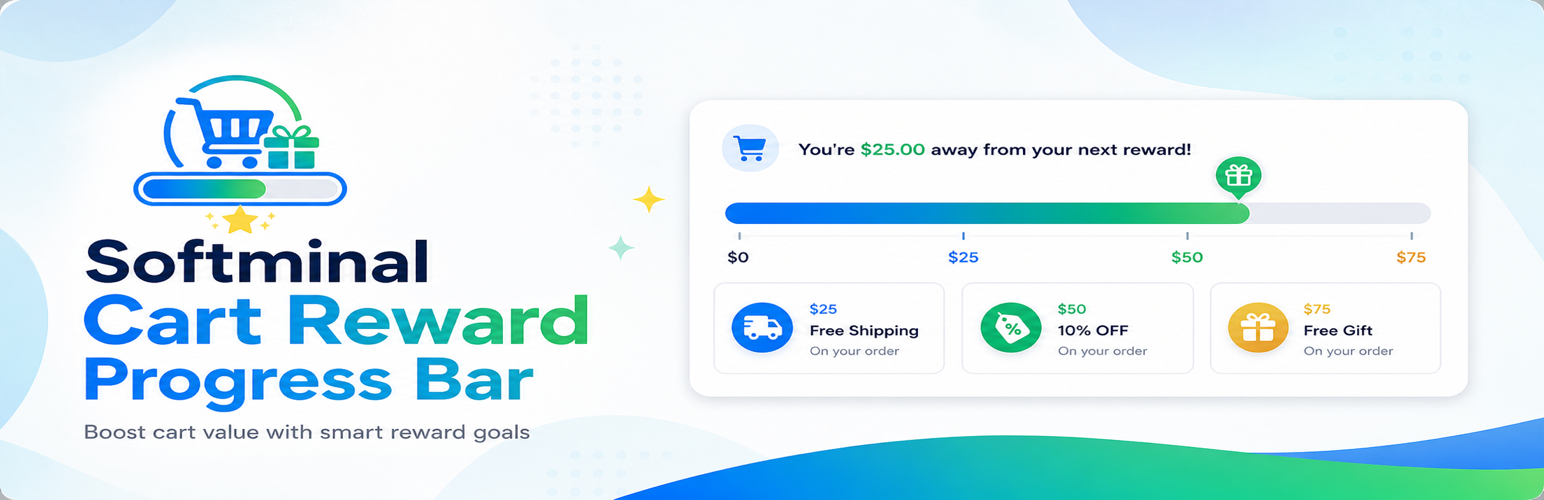
Softminal Cart Reward Progress Bar displays a dynamic, live-updating progress bar in your store that motivates customers to add more items to their cart in order to unlock rewards like free shipping, discounts, or free gifts.
It works seamlessly with WooCommerce, SureCart, and FluentCart — giving you the flexibility to use it across different eCommerce platforms on the same WordPress site.
When a shopper adds products to their cart, the bar updates in real time — no page reload required — showing how close they are to earning a reward. This creates a sense of urgency and encourages higher spending, directly increasing your average order value.
Reward Types
- Free Shipping — Show progress toward a free shipping threshold. Shipping cost is automatically zeroed when the goal is reached.
- Percentage Discount — Automatically apply a percentage discount to the cart when the spending goal is met.
- Free Gift — Automatically add a free product to the cart when the customer reaches the goal amount.
Display-Only Mode (Show the Bar Without Changing the Cart Total)
Prefer to use the bar purely as a marketing and motivation tool? Turn off Apply rewards to cart under Advanced Reward Application. The progress bar, milestone markers, and messages (for example, “Add $50 more for 10% off”) still display and update in real time, but the plugin will not apply any discount, free shipping, or free gift, and will never modify the WooCommerce order total.
This is ideal when your store already applies its own discounts (such as a payment-method discount) and you want to avoid stacking or double-discounting — the bar stays informational only.
Bar Styles
- Rounded — Pill-shaped bar with smooth edges.
- Flat — Clean, squared bar with no border radius.
- Striped — Animated diagonal stripes for a more dynamic look.
Celebration Animations
When a customer reaches the goal, the bar can celebrate with one of four animations:
- Pulse — A quick scale-up effect.
- Glow — A pulsing glow around the bar.
- Bounce — A playful bounce animation.
- Confetti — Colorful confetti sparkles appear around the bar.
Multi-Platform Support
- WooCommerce — Classic cart, block cart, block checkout, mini-cart, and HPOS compatible.
- SureCart — Native integration via Alpine.js event bridge.
- FluentCart — Native integration via wp.hooks event bridge.
The plugin auto-detects which eCommerce platform is active, or you can manually select one from the settings page.
Full Customization
- Bar and track colors, text colors, reached-state colors, empty-state colors.
- Gradient fills with configurable direction (horizontal, diagonal, vertical).
- Bar height, border radius, width, shadow, and border — all configurable.
- Font size, font family, font weight, and text alignment.
- Container padding, bar gap, and container background color.
- Per-state display modes: show bar + text, bar only, text only, or hidden.
- Per-state icons via emoji input or WordPress Media Library upload.
Messages & Placeholders
Customize the message shown at each stage using dynamic placeholders:
{remaining}— Amount still needed to reach the goal.{percent}— Percentage of goal reached (0–100).{reward}— The configured reward label.{goal}— The goal amount with currency symbol.{total}— Current cart subtotal with currency symbol.
Three separate message templates: empty cart, in-progress, and goal reached.
Dark Mode
Softminal Cart Reward Progress Bar respects prefers-color-scheme: dark automatically. You can also configure custom dark mode colors for the bar, track, and text.
RTL Support
Full right-to-left language support with auto-detection or manual override (LTR / RTL).
Currency Formatting
Configure the currency symbol position (before/after), decimal places (0–2), and thousand separator (comma, dot, space, or none) independently from your eCommerce platform.
Smart Cart Rules
Control exactly which cart items count toward the reward goal — so the bar never promises a reward the store doesn’t intend to give:
- Exclude sale items — Discounted products don’t count toward the goal.
- Only count specific categories — Restrict goal progress to selected product categories (by slug or ID).
- Exclude categories — Gift cards, deposits, bundles, or any category you choose never count.
- Exclude specific products — Blocklist individual product IDs.
- Free gifts added by the plugin itself never count toward the goal.
Category and product rules apply to WooCommerce stores.
Scheduling
Optionally restrict the progress bar to a specific date range — useful for seasonal promotions, flash sales, or holiday campaigns.
Accessibility
The progress bar is built with proper ARIA attributes (role="progressbar", aria-valuenow, aria-valuemin, aria-valuemax, aria-label) so it is fully usable by screen readers and assistive technologies. Animations respect prefers-reduced-motion.
Shortcode
Place the bar anywhere using the [cbpb_bar] shortcode. Works with the Block Editor (Gutenberg), Elementor, Divi, Bricks, and any other page builder that supports shortcodes.
Developer Friendly
- No custom database tables — all settings stored in
wp_options. - Clean uninstall — all
cbpb_*options are removed on plugin deletion. - CSS custom properties drive all styling — zero theme conflicts, no
!important. - Fully namespaced PHP (
CartBoostPB\) with PSR-4 autoloading. - REST API at
softminal-cart-reward-progress-bar/v1with capability-based permission checks. - The admin app’s uncompiled source (
resources/) and build tooling (package.json,vite.config.js,build.sh) are available in the public development repository: https://github.com/softminal/softminal-cart-boost-progress-bar - Extensible via filters:
cbpb_subtotal(adjust the subtotal that drives goal progress — e.g. for multi-currency conversion),cbpb_reward_tiers(modify reward tiers at runtime — e.g. convert tier amounts into the visitor’s currency), andcbpb_apply_rewards(control whether rewards are applied to the cart, for display-only mode).
100% Free
Every feature is included at no cost. There is no premium tier, no feature gating, and no upsells.
Installation
Automatic Installation
- Log in to your WordPress admin dashboard.
- Go to Plugins > Add New.
- Search for Softminal Cart Reward Progress Bar.
- Click Install Now and then Activate.
- Navigate to Softminal Rewards Bar in the admin sidebar to configure your settings.
Manual Installation
- Download the plugin ZIP file from WordPress.org.
- Log in to your WordPress admin dashboard.
- Go to Plugins > Add New > Upload Plugin.
- Choose the downloaded ZIP file and click Install Now.
- Click Activate after installation completes.
- Navigate to Softminal Rewards Bar in the admin sidebar to configure your settings.
Manual Installation via FTP
- Download and extract the plugin ZIP file.
- Upload the
softminal-cart-reward-progress-barfolder to/wp-content/plugins/on your server. - Log in to your WordPress admin dashboard and go to Plugins.
- Find Softminal Cart Reward Progress Bar in the list and click Activate.
- Navigate to Softminal Rewards Bar in the admin sidebar to configure your settings.
Screenshots

Live progress bar on the WooCommerce cart page — shows how close the shopper is to the next reward, with milestone markers for each tier.

Goal reached — the bar celebrates and confirms the unlocked reward.

Reward Tiers editor — stack multiple reward milestones (free shipping, discount, free gift), each with its own threshold, label, and marker color.

Appearance settings — bar style, colors, gradient, dimensions, and spacing, with a real-time live preview of the bar in every state.

Advanced settings — the "Apply rewards to cart" toggle turns the bar into a display-only progress indicator, plus Smart Cart Rules, currency formatting, and scheduling.

Messages settings — customize text, icons, and dynamic placeholders for the empty, in-progress, and reached states.
Faq
Yes. Softminal Cart Reward Progress Bar fully supports both the classic cart/checkout shortcodes and the newer block-based cart and checkout pages. The progress bar updates in real time in both setups.
Yes. You can change the bar color, background color, text color, and messages for each state (empty cart, in-progress, goal reached). Messages support dynamic placeholders such as {remaining}, {goal}, {percent}, {reward}, and {total}.
Softminal Cart Reward Progress Bar auto-detects which eCommerce plugin is active (WooCommerce, SureCart, or FluentCart) and uses the appropriate adapter. You can also manually select the platform in the settings.
No. Softminal Cart Reward Progress Bar is lightweight and loads minimal CSS and JS only on pages where the bar is displayed. The bar updates via AJAX or platform-native events without full page reloads. No custom database tables are created.
Yes. Softminal Cart Reward Progress Bar declares full compatibility with WooCommerce HPOS.
Use [cbpb_bar] in any post, page, or widget area. The bar will display the current cart progress toward the configured reward goal wherever the shortcode is placed.
Yes. Enable “Mini-Cart” in the Display Locations settings. The bar renders in a compact layout optimized for mini-cart widgets.
No. Softminal Cart Reward Progress Bar does not collect, store, or transmit any personal data. It reads cart totals from your eCommerce platform to calculate progress and stores plugin settings in the WordPress options table. No cookies are set and no external services are contacted.
Not necessarily. Softminal Cart Reward Progress Bar also works with SureCart and FluentCart. You need at least one of these three eCommerce plugins active.
Yes. Under Advanced Smart Cart Rules you can exclude sale items, restrict the goal to specific product categories, exclude categories entirely, or blocklist individual product IDs. The bar, messages, and reward unlocks all use the filtered subtotal, so shoppers only see progress for items that actually qualify. Category and product rules apply to WooCommerce stores.
Yes. Go to Advanced Reward Application and turn off Apply rewards to cart. The bar, milestone markers, and messages continue to display and update, but the plugin will not apply any discount, free shipping, or free gift, and it will not modify the cart or order total. Use this when you only want the visual progress bar, or when your store already applies its own discount (for example, a bank-transfer or payment-method discount) and you want to avoid stacking two discounts on the same order.
The bar always displays your platform’s active currency symbol. If you use a multi-currency plugin that converts cart prices, use the cbpb_reward_tiers filter to convert each tier’s goal amount into the visitor’s currency (or the cbpb_subtotal filter to normalize the subtotal). A small code snippet in your theme or a snippets plugin is all that’s needed.
Yes. Enable the scheduling option in the Advanced settings and set a start and end date. The bar will only appear within that date range.
No. Softminal Cart Reward Progress Bar is 100% free with all features included. There is no pro tier, no feature gating, and no upsells.
Reviews
Changelog
1.1.3 (01 September, 2026)
- New: “When multiple tiers unlock” setting (Advanced Reward Application) to control reward stacking. “Highest tier only” (the new default) applies just the top unlocked tier of each reward type, so a cart that passes several milestones no longer receives multiple discounts added together. Choose “Stack all unlocked tiers” to keep the previous cumulative behavior.
- Fix: Carts that qualified for more than one discount tier previously stacked every tier’s discount at once (e.g. 1% + 2% + 3%), reducing the order total more than intended. Only the highest unlocked discount now applies by default. Applies to WooCommerce stores using multiple discount tiers.
1.1.2 (31 August, 2026)
- Fix: The reward bar now updates live on block-based cart and mini-cart (block themes / WooCommerce Cart & Checkout blocks). Previously the bar only refreshed on a full page reload because these carts use the Store API and do not fire the legacy fragment events the bar relied on. The bar now subscribes to the WooCommerce Store API cart data and refreshes in place as items and quantities change.
- Fix: The bar could stay hidden when a performance plugin’s “Delay JavaScript” option deferred the script past page load. Added a reveal failsafe so the bar always becomes visible, and it now reveals correctly even when its script runs after the page has finished loading.
- Improvement: Classic shop/product AJAX add-to-cart now also refreshes the bar via the
added_to_cart/removed_from_cartevents.
1.1.1 (30 August, 2026)
- New: “Apply rewards to cart” setting (Advanced Reward Application) — turn it off to use the bar as a display-only marketing tool. The bar, markers, and messages still show, but no discount, free shipping, or free gift is applied and the cart/order total is never modified. Ideal for stores that already run their own discounts and want to avoid stacking. Defaults to on, so existing stores are unchanged.
- Developer: New
cbpb_apply_rewardsfilter to toggle reward application programmatically. - Fix: Notification toasts in the admin no longer show a stray list marker and now clear the admin bar with a smooth slide animation.
1.1.0 (02 July, 2026)
- New: Smart Cart Rules — control which cart items count toward the reward goal.
- New: “Only Count These Categories” and “Exclude Categories” rules (WooCommerce) — restrict goal progress by product category, using slugs or IDs.
- New: “Exclude Products” rule (WooCommerce) — blocklist individual product IDs from the goal calculation.
- Fix: The “Exclude Sale Items” setting is now enforced — previously it was saved but sale items still counted toward the goal.
- Improvement: Free gifts added by the plugin no longer count toward the goal subtotal.
- Developer: New
cbpb_subtotalfilter — adjust the subtotal that drives goal progress (multi-currency, custom eligibility) on all three platforms. - Developer: New
cbpb_reward_tiersfilter — modify reward tiers at runtime (e.g. convert tier amounts for multi-currency stores).
1.0.1 (17 June, 2026)
- New: Multi-tier rewards — stack multiple reward milestones (free shipping, discount, free gift) on a single progress bar.
- New: Milestone markers on the bar show each reward threshold and light up as shoppers unlock them.
- New: “Reward Tiers” admin editor with add/remove tiers, per-tier reward type, label, and marker color, plus a tier-aware live preview.
- New: Message placeholders {next_reward} and {unlocked_count}.
- Improvement: Fully backward compatible — existing single-goal stores keep working unchanged.
1.0.0 (03 May, 2026)
- Initial release.