Starquill for WooCommerce

Starquill for WooCommerce
Description
WooCommerce stores product reviews as comments, so moderating them means digging through the general Comments screen. Starquill gives reviews a screen of their own.
What you get
- A dedicated review dashboard: filter by status, star rating, product or keyword
- Bulk approve, unapprove, mark as spam or delete
- One-click replies, with reusable templates and
{product_name},{customer_name}and{rating}placeholders - A front-end star-rating summary widget with a per-star breakdown bar, via the
[starquill_reviews]shortcode or the “Review Summary” block - No limits on the number of reviews, templates or widgets
Free vs Pro
Everything above is in this free version, unrestricted — no review limit, no template limit, nothing locked behind a trial. Starquill Pro is a separate, optional upgrade that adds AI review summaries, drafted and automatic replies, sentiment analysis and negative-review interception (bring your own OpenAI-compatible API key). You never need Pro to use the free plugin.
External services
This plugin uses the Freemius service to offer that optional upgrade, to activate licences and to deliver updates to paying customers. On activation Freemius asks for your permission before sending anything; if you decline, no data leaves your site and the plugin keeps working. When you opt in, it sends your site URL, WordPress and PHP versions and the administrator email so licences and update notices can be delivered. See the Freemius terms and privacy policy. The free plugin makes no other outbound requests.
Installation
- Upload the
starquillfolder to/wp-content/plugins/, or install the zip via Plugins Add New. - Activate the plugin. WooCommerce must be installed and active.
- Open the “Starquill” menu to moderate reviews.
- Add a widget anywhere with the
[starquill_reviews product="123"]shortcode or the “Review Summary” block.
Screenshots
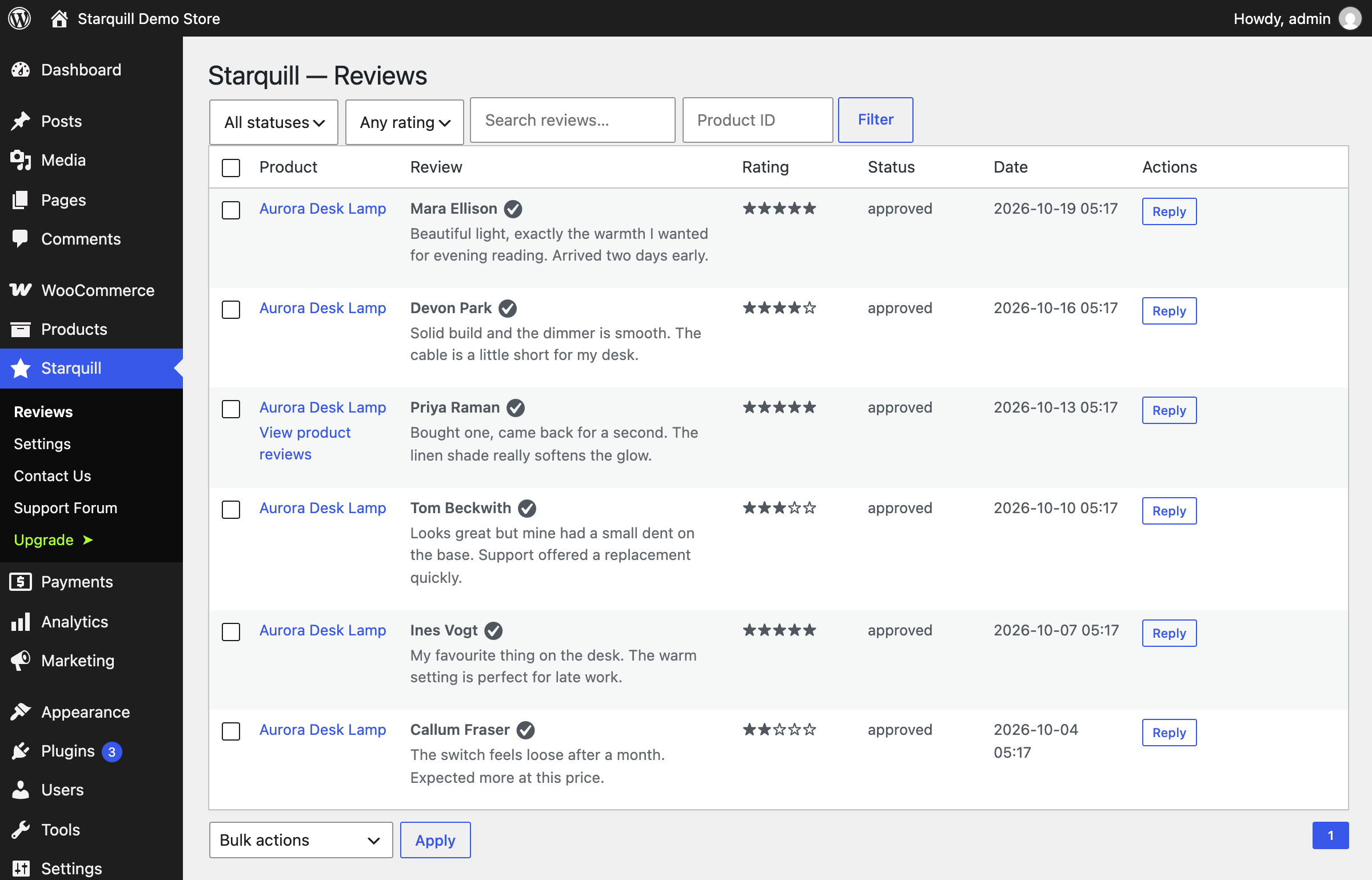
The Starquill reviews screen: filter by status, rating or product, see star ratings, and reply from one place.
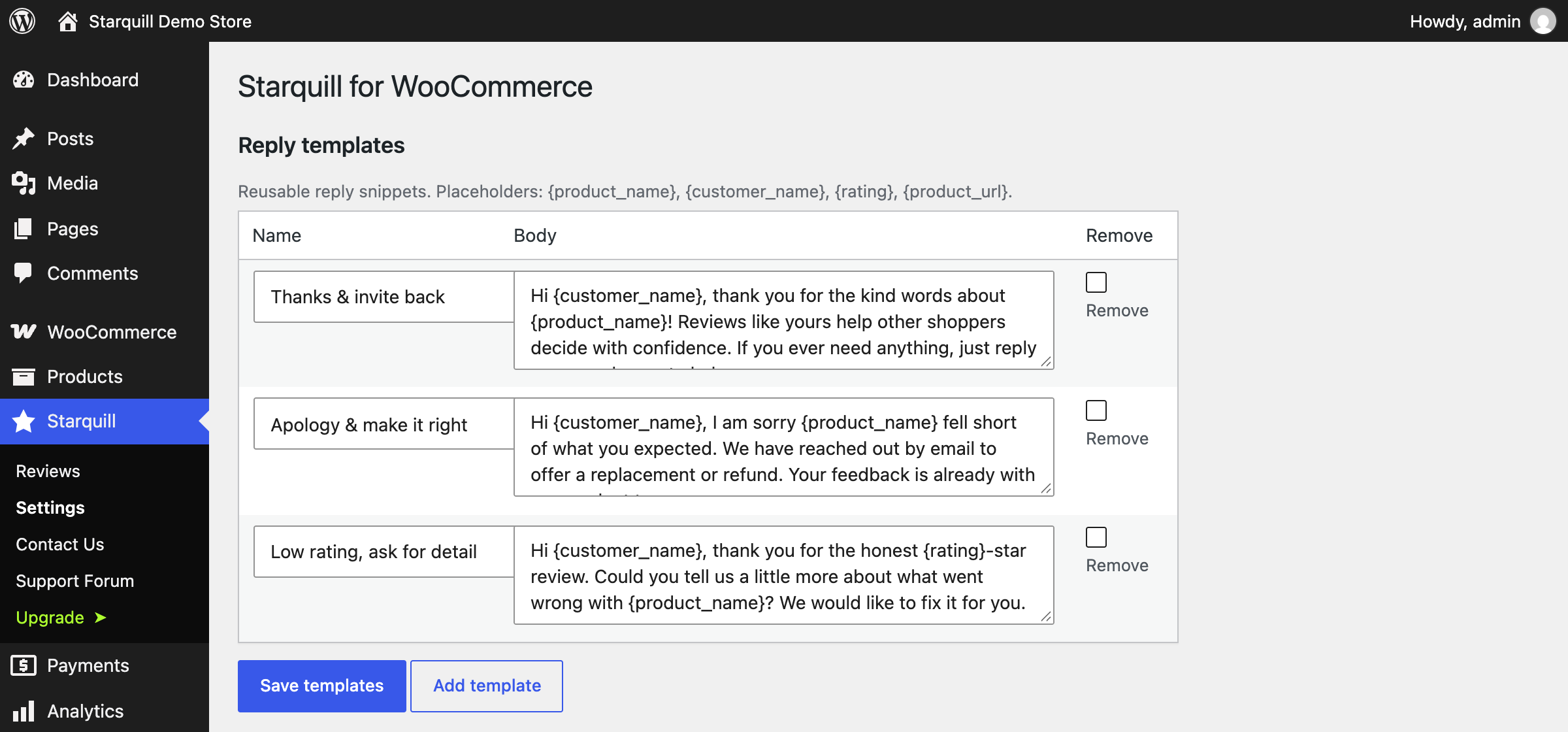
Reply templates with placeholders, so common answers are one click away.
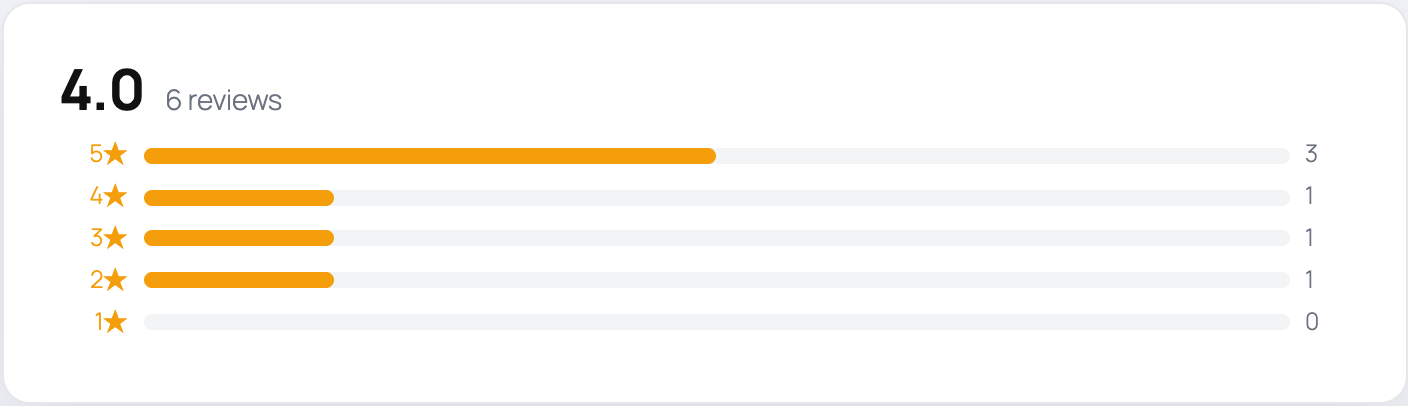
The storefront rating summary — average score plus a star-by-star breakdown.
Faq
A top-level “Starquill” menu is added to the admin. It lists product reviews only, so ordinary blog comments stay where they are.
Yes. {product_name}, {customer_name} and {rating} are filled in when you insert a template into a reply.
Any product id (product="123"), or product="auto" to use the product currently being viewed.
product (id or “auto”).
Reviews
Changelog
0.1.1
- The product filter field now shows its placeholder instead of a literal 0 when no product is selected.
0.1.0
- Initial release: review moderation dashboard, bulk actions, reply templates with placeholders, and the star-rating summary widget.