Sticky Ads Lightweight
Sticky Ads Lightweight
Description
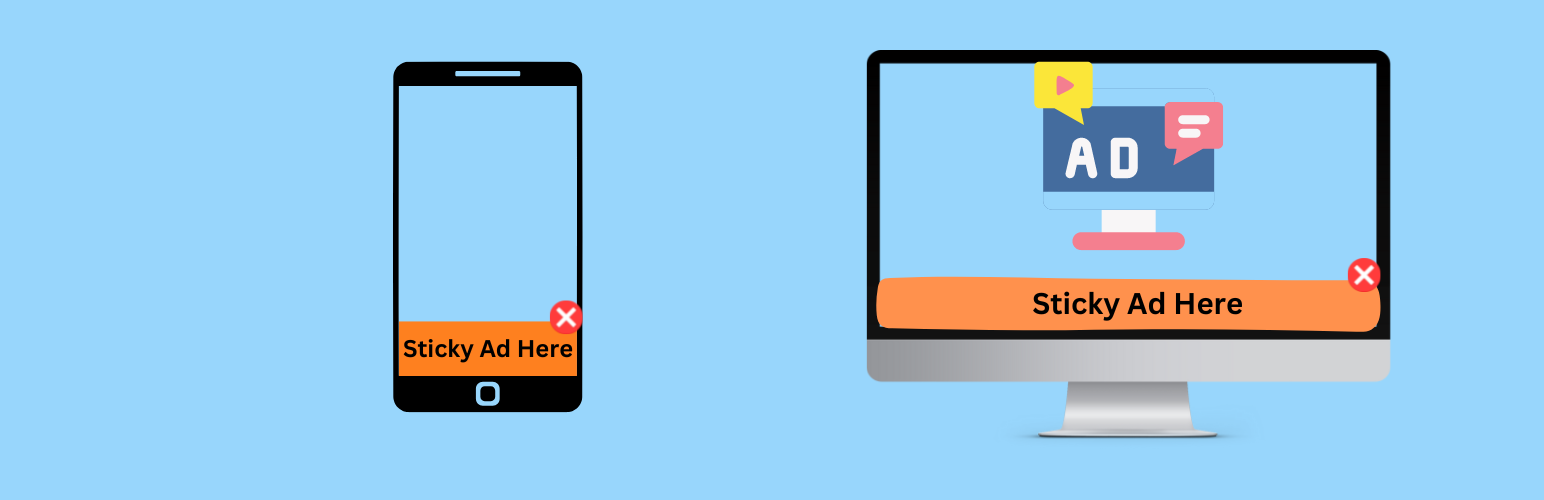
Start earning more with Sticky Ads using our lightweight, highly configurable WordPress plugin. Sticky Ad Lightweight lets you easily input your AD Code and customize the display of your sticky ads. Once installed, simply go to Settings > Sticky Ads Lightweight and input your AD Code.
Features:
-
Separate Top and Bottom Creatives:
Use different ad codes for each placement, or leave the placement fields empty to reuse the shared Ad Code. -
Page Exclusions:
Exclude specific post/page IDs, category IDs, post types, or the homepage/blog. Exclusions apply to automatic placements, shortcodes, widgets, and the editor block. -
Visitor Experience:
Delay initial display, remember dismissal for this page, the current browser tab session, or 1–720 hours, and choose separate desktop/mobile heights. Dismissal is stored in the visitor’s browser for each placement and resets when its saved ad code changes. Auto-hide begins after the display delay. -
Block Editor Support:
Insert the Sticky Ad block and choose top or bottom in its sidebar. The editor uses a safe placeholder; live ad scripts run on the frontend. -
Optional Google Analytics 4 Events:
Track visible ad impressions and visitor closes through your existing Google tag. Customize both event names, the ad reporting label, and an optional Measurement ID destination. The question-mark guide explains Google tag setup, Realtime/DebugView checks, and custom dimensions. Tracking is off by default and follows your existing tag’s consent configuration. -
Global Output Control:
Display your sticky ad automatically on every page at the top or bottom (or both) of your site. Simply enable “Display on Top” and/or “Display on Bottom” in the settings. -
Shortcode Support:
Display an ad only on selected posts or pages with[sticky_ad_lightweight]. Use[sticky_ad_lightweight position="top"]for a top placement. Shortcode output automatically replaces global output on that page. -
Device Targeting:
Easily toggle on Desktop/Mobile to render your sticky ads -
Scheduling & Auto-Hide:
Set a start and end time for your ad to display. Optionally, set an auto-hide delay for a smooth fade-out transition, similar to Google anchor ads. -
Customizable Close Button:
Choose from three close button types: -
Text: Simple text that can be customized.
- Image: Upload or enter an image URL.
-
SVG: Paste your SVG code directly.
This allows you to match the close button to your site’s design. -
Background Color Adjustment:
Control the ad container’s background color directly from the settings. The inline background style will override the default CSS, ensuring your chosen color is applied. -
Flexible Ad Code Input:
The plugin supports HTML ad code and shortcodes from other plugins. Users with WordPress’s unfiltered_html permission can also save scripts for AdSense or other ad networks. WordPress HTML filtering applies to other users. Do not place the plugin’s own sticky ad shortcode inside the Ad Code field.
Installation
- Upload
sticky-ads-lightweightfolder to the/wp-content/plugins/directory - Activate the plugin through the ‘Plugins’ menu in WordPress
- Go to Settings > Sticky Ads LightWeight to configure.
Screenshots
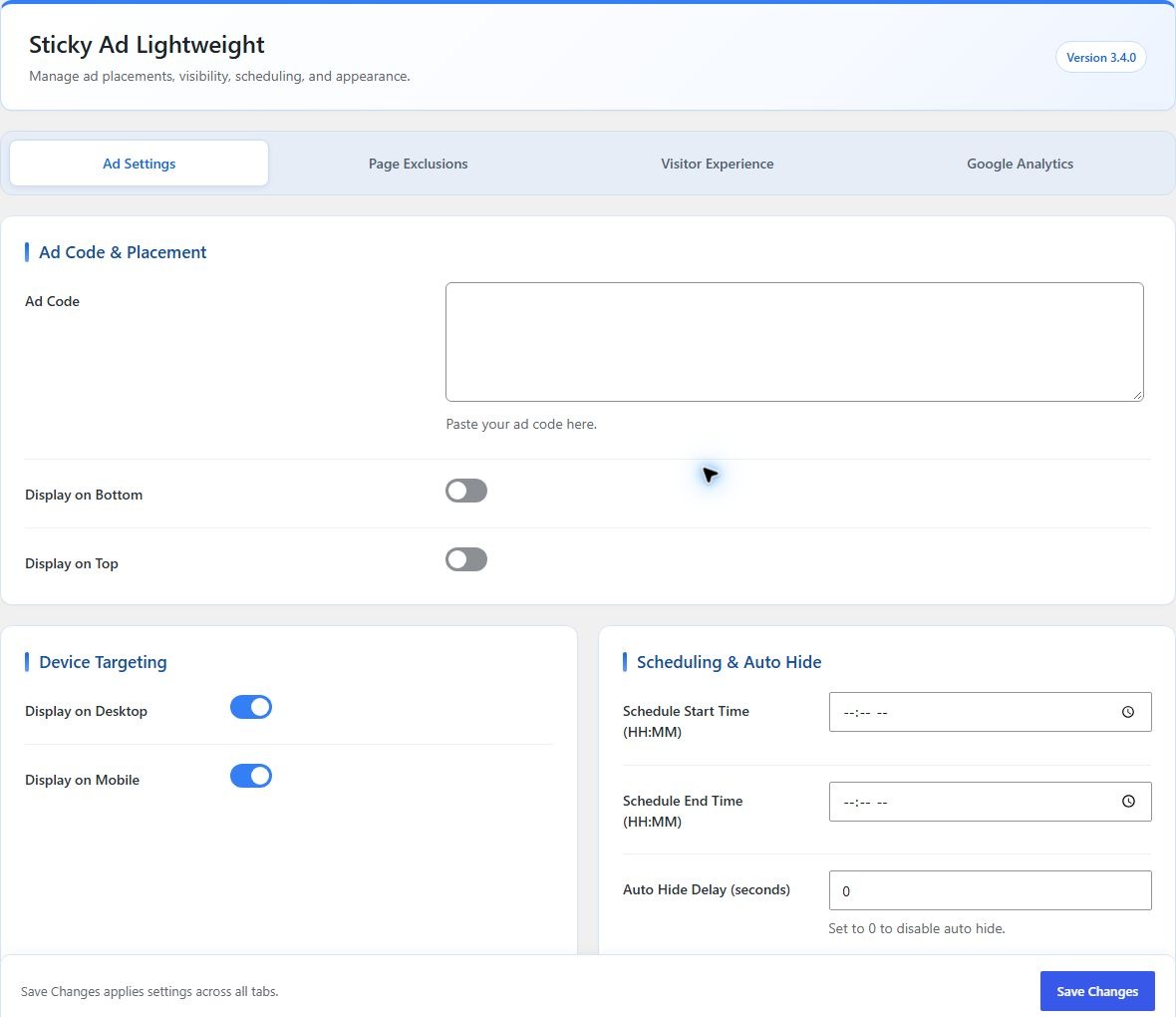
Updated dashboard with instant tabs, shared ad code, placement toggles, device targeting, and scheduling.
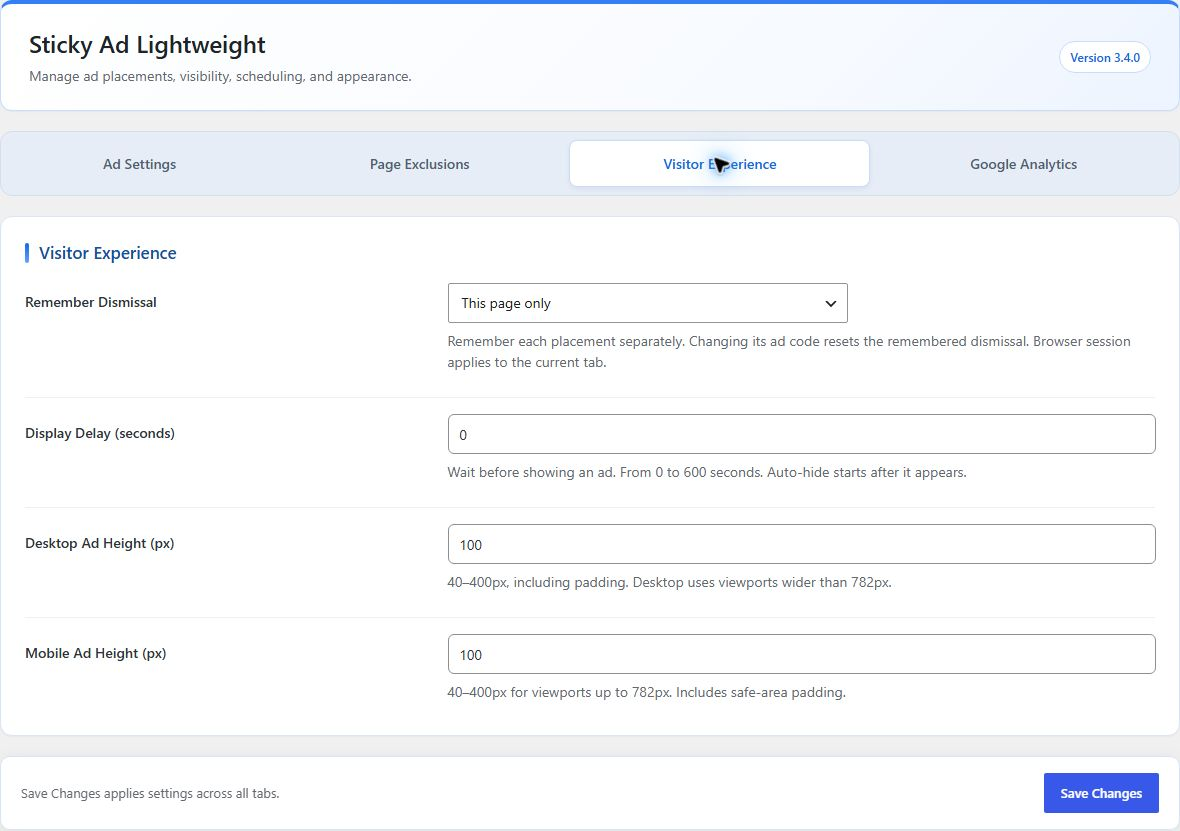
Visitor Experience tab with display delay, remembered dismissal, and responsive ad heights.
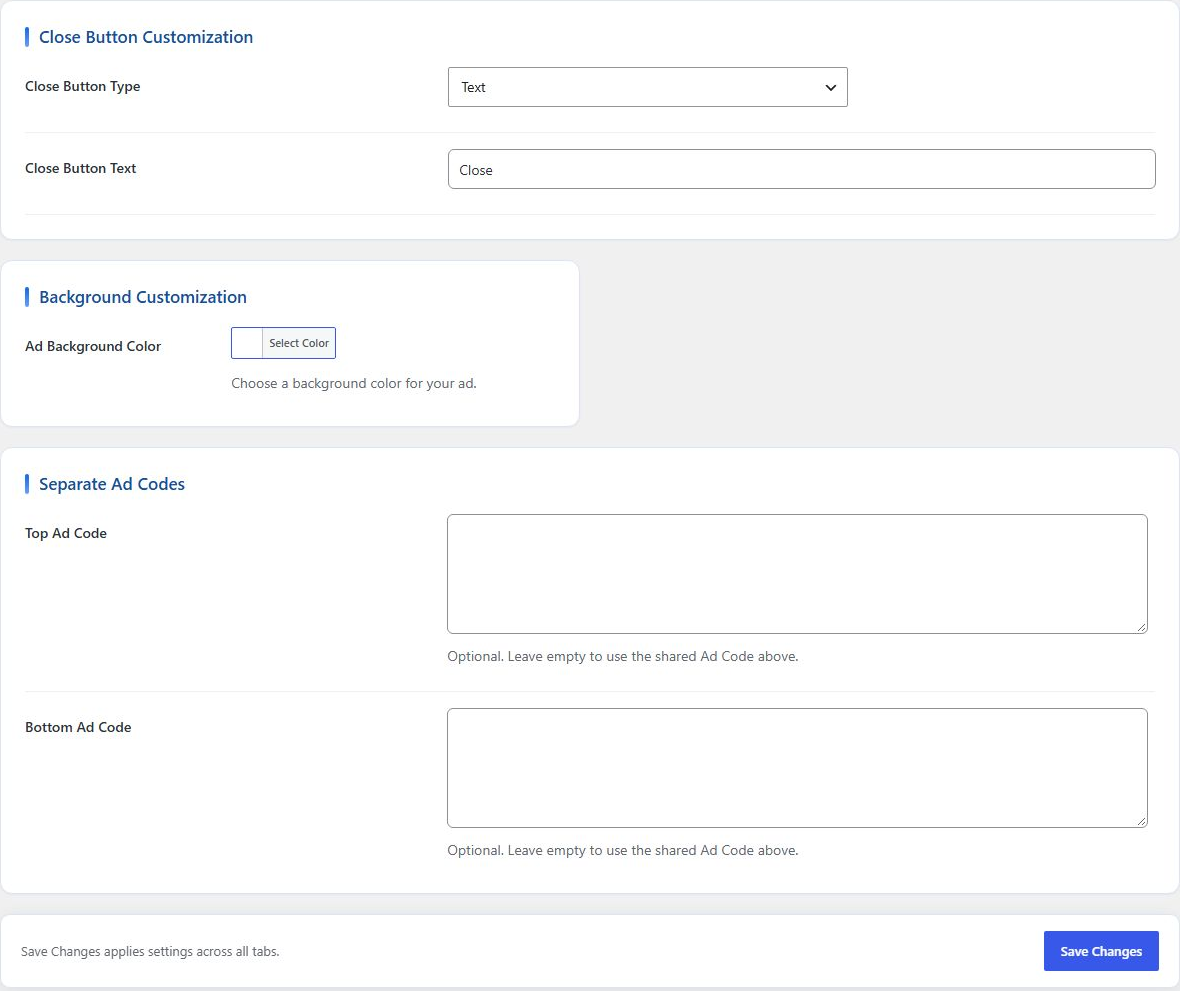
Customize the close button and background, and set separate top and bottom ad codes.
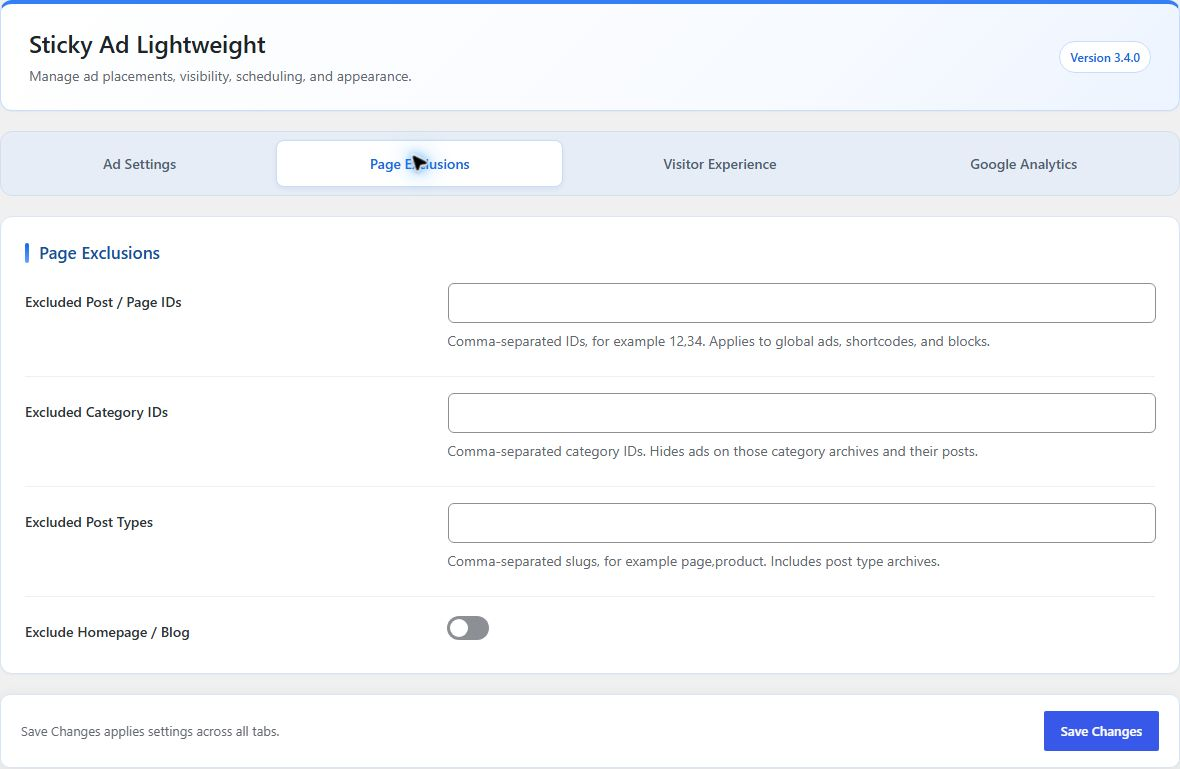
Page Exclusions tab for post/page IDs, categories, post types, and homepage visibility.
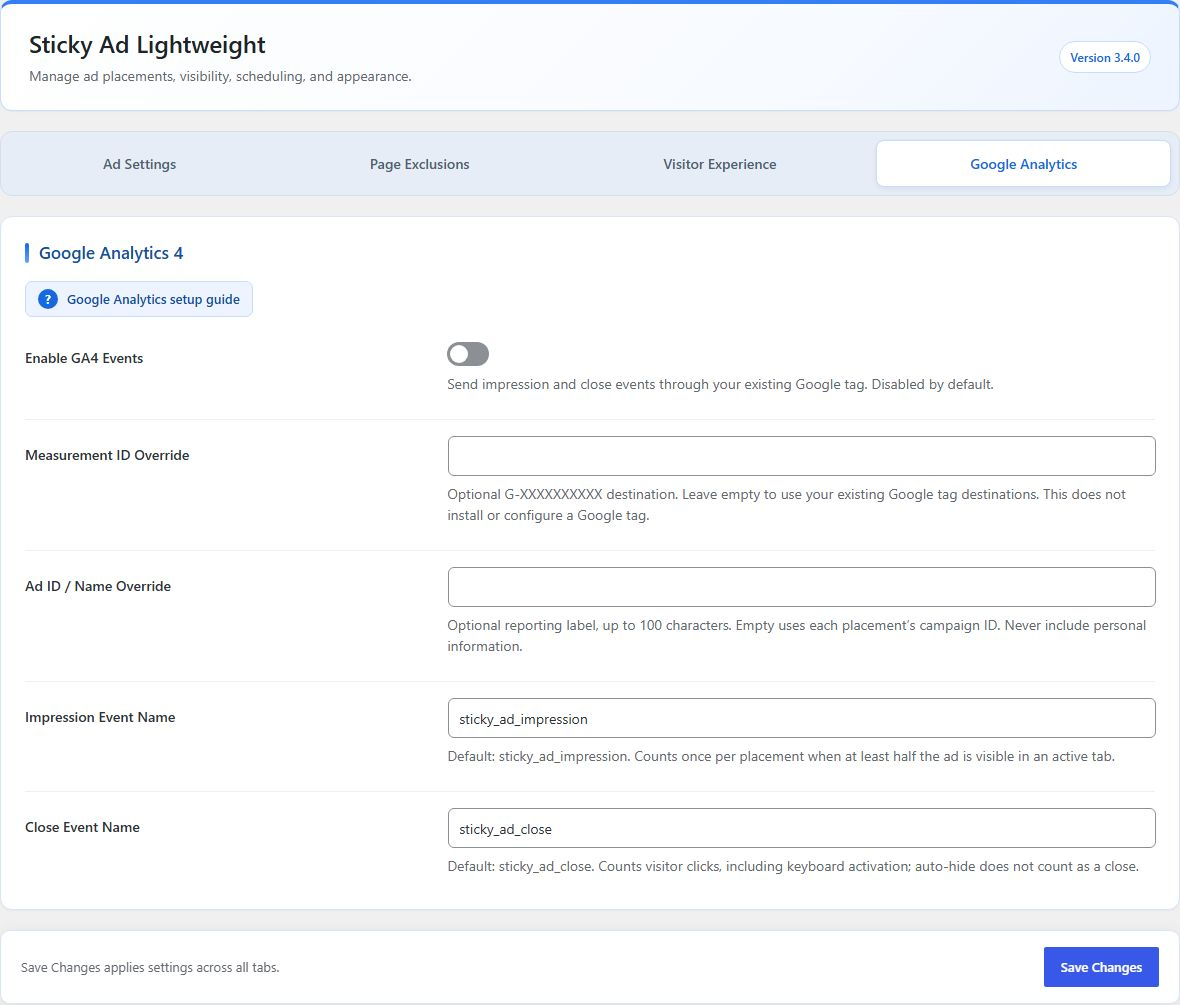
Google Analytics tab with impression/close event names, overrides, and a setup guide.
Faq
Disable both global placement options and add [sticky_ad_lightweight] to the desired content. The shortcode defaults to the bottom position. Use [sticky_ad_lightweight position="top"] for the top position.
The shortcode takes priority on that page, and the global output is suppressed to prevent duplicate ads.
Scheduling uses the timezone configured under Settings > General in WordPress. Schedules that cross midnight, such as 22:00 to 06:00, are supported.
Yes. You can choose text, an image URL, or sanitized SVG markup in the plugin settings.
Yes. Exclusions, device targeting, and scheduling apply to every rendering method. Only one shortcode/block placement is rendered on a page, and it replaces automatic placements.
The current-tab option uses sessionStorage; timed dismissal uses localStorage with an expiry. No dismissal data is sent to a server. If browser storage is blocked, the close button still works for the current page. Auto-hide does not record a visitor dismissal.
Scheduling and device visibility are checked while WordPress generates the page. Configure separate mobile caches where needed and clear cached pages when changing schedules or exclusions. Remembered dismissal and responsive heights work in the browser. Remembered dismissal hides the container; it does not prevent third-party ad code from loading or replace a consent integration.
Install and configure your GA4 Google tag first. Enable GA4 Events in the plugin and open the question-mark setup guide. Default events are sticky_ad_impression and sticky_ad_close. An impression counts once per placement per page when at least half the container is visible in an active tab; a close counts a visitor click or keyboard activation, not auto-hide. These are container events, not confirmed ad-network impressions. The plugin does not install Google tracking scripts or use the Measurement Protocol. Missing/blocked tracking never prevents ad dismissal. Register event-scoped custom dimensions for ad_position and ad_id if you want those breakdowns in reports.
Reviews
Smooth
By 
Lightweight with no bugs!
Very good!
By 
Easy to use. Maybe If the customization of the X button could be added, it would be perfect. Thank you!
needs modifications
By 
The plugin needs modifications. I do not show ads on the desktop, but they do
Also, it is better when ads do not appear, the ad space disappears or shrinks
Adsense ads not appearing
Changelog
3.5.1
- Bundled 20 language translations for PHP settings, frontend labels, the media picker, and the editor block.
- Included compiled MO and JavaScript JSON catalogs in release packages.
- Translations are AI-generated and welcome native-speaker corrections.
3.5.0
- Completed translation support for PHP, the editor block, and the media picker.
- Added a translation template and documented community/custom translation workflows.
- Made the default close label translatable while preserving custom labels and saved settings.
- Improved settings layout and keyboard tab navigation for right-to-left languages.
- Prepared animated blue directory icons in standard and Retina sizes.
- Added a WordPress.org Live Preview blueprint with demo ad content and a settings landing page.
3.4.0
- Redesigned settings with instant tabs for exclusions, visitor experience, and Google Analytics, keyboard navigation, and one save action for all tabs.
- Fixed setup-guide question-mark alignment and improved responsive dashboard spacing.
- Added separate top and bottom ad codes with shared-code fallback.
- Added exclusions by post/page ID, category, post type, and homepage/blog.
- Added display delay and page, current-tab, or timed visitor dismissal.
- Added configurable desktop/mobile ad heights and mobile safe-area padding.
- Added a native Sticky Ad editor block with a safe placement preview.
- Added optional asynchronous GA4 impression/close events, destination and name overrides, and a question-mark setup guide.
- Clarified that Classic Monks is an independent third-party recommendation.
- Replaced WARP Performance artwork with an optimized, uncropped product image.
- Added coordinated blue plugin directory icons and banners.
- Tested compatibility with WordPress 7.1.3 using WordPress Playground.
- Fixed shortcodes inside saved ad code and prevented recursive sticky ad rendering.
- Respected WordPress unfiltered_html permissions when saving ad scripts.
- Prevented PHP errors when malformed settings values are submitted.
- Initialized the background color picker and associated settings labels with their controls.
- Used keyboard-accessible buttons to dismiss advertisements.
- Fixed ad width, top alignment, and mobile WordPress toolbar clearance.
- Made close and auto-hide initialization work when scripts load after DOMContentLoaded or localized options are unavailable.
- Versioned plugin assets so updates invalidate browser caches.
3.3.0
- Redesigned the settings screen with a modern, responsive interface and WARP-inspired blue styling.
- Added contextual close button fields that only show the selected control type.
- Updated WordPress compatibility and plugin metadata.
- Fixed shortcode-only rendering and duplicate global output.
- Added unique container IDs for every rendered placement.
- Added top and bottom shortcode position support.
- Sanitized custom SVG close button markup.
- Added support for schedules that cross midnight.
- Added FAQ, screenshots, and upgrade guidance.
- Added a limited recommendations section to the plugin settings page.
3.2.0
- Added support for Desktop and Mobile rendering
3.1.0
- Improved Settings UI
3.0.0
- Added New Features
- Added Display Top/Bottom control
- Added Scheduling Start and End option
- Added Auto Hide option
- Added Close button customization (Text | Image | SVG Code)
- Added Background Customization
- Added Shortcode function (Disable display toggle and use shortcode to display sticky Ad on specific post/page)
2.0.0
- Fixed Adsense loading issues
- Added new controls for individual placements
- Added toggle switch to provide more control for Top and Bottom Placements
1.0.0
- First Release