Sticky Header Effects for Elementor
Sticky Header Effects for Elementor
Description
Create advanced Sticky Headers in Elementor Free or Pro with scroll effects, blur, shrink, hide on scroll & full responsive controls.
Sticky Header Effects for Elementor – Build Smart, Responsive Sticky Headers
Sticky headers are essential for improving navigation, branding visibility, and user experience on any modern website. With the Sticky Header Effects for Elementor plugin, you can now build sleek, customizable sticky headers that respond to user scroll behavior — all with Elementor Free or Pro.
From transparent overlays to animated shrinking effects, dynamic background changes, and blur visuals — this plugin gives you 10+ scroll-based effects that help your header adapt beautifully to your page design.
This plugin is perfect for developers, designers, bloggers, and agencies who want more control over header behavior without writing a single line of code.
This Plugin has been Acquired by POSIMYTH Innovations – Read Announcement Blog
🌐 Visit Website| 🖼️ Sticky Header Templates Demos | 📹 Video Tutorials | 📑 Documentations | 👥 Join Community | 🤝 Free Support
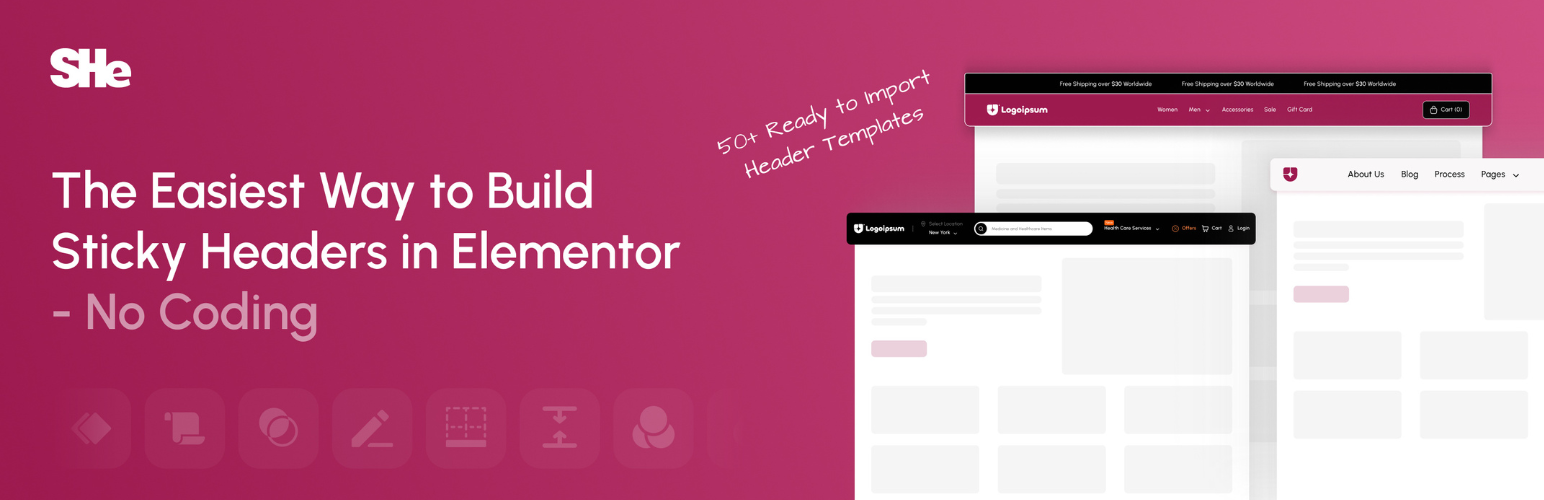
🔥 Comes with 50+ Ready to Import Templates for Elementor Headers with Sticky Header
👑 10+ Powerful Elementor Sticky Header Effects
1. Header Scroll Distance Effect
Set Scroll Trigger Threshold
Define how far the user scrolls before sticky effects activate. Perfect for precise control over header behavior.
👉 View Demo
2. Transparent Header Background Effect
Overlay with Elegance
Allow your header to overlay your hero or banner sections with full transparency. Ideal for modern homepage designs.
👉 View Demo
3. Dynamic Background Color Change
Auto Background Switching
Change your header’s background color on scroll to match different sections or maintain contrast.
👉 View Demo
4. Bottom Border Styling Effect
Subtle Section Separation
Add customizable borders below your sticky header for better definition and clean design.
👉 View Demo
5. Header Shrinking Effect
Reduce Header Height Dynamically
Shrink the entire header after scrolling to save space and focus attention on the page content.
👉 View Demo
6. Logo Shrinking Effect
Responsive Logo Transition
Shrink the logo proportionally during scroll, maintaining visual balance and brand presence.
👉 View Demo
7. Logo Color Change Effect
Switch Logo Color for Better Contrast
Automatically switch to a contrasting logo color on scroll based on background or user behavior.
👉 View Demo
8. Blur Background Effect
Add Modern Blur Transition
Enhance the visual flow by applying a subtle blur effect to the background of your sticky header.
👉 View Demo
9. Hide Header on Scroll Down Effect
Hide & Reappear on Scroll
Auto-hide the header when scrolling down and show it again on scroll up — great for content-heavy pages.
👉 View Demo
10. Above Header Section Effect
Sync Above Sections Seamlessly
Align your sticky effects with sections above the main header for unified motion and cleaner transitions.
👉 View Demo
🔍 Check our other Products
🥇 The Plus Addons for Elementor – Nexter Extension works seamlessly with The Plus Addons for Elementor. Get 120+ unique Elementor widgets, Elementor templates, and more. Includes Free Elementor Theme Builder.
🥇 Nexter Blocks – Nexter Theme works in sync with core Gutenberg. Add 90+ powerful, highly customizable blocks.
🥇 NexterWP Theme – Best & Lightest Starter Theme for WordPress & Elementor.
🥇 Nexter Extension – Power up your WordPress website with 20+ extensions for layout, performance, security & more.
🥇 UiChemy – Figma to Elementor Converter – Convert your Figma Templates into live Elementor websites using our Free Figma Plugin.
🥇 WDesignKit – 1000+ Templates, Elementor & Gutenberg Widget Builder, Cloud Storage, Widget to Block Converter & More.
Installation
☑️ How to Install Sticky Header Effects for Elementor in 3 Easy Steps
- Make sure Elementor (Free or Pro) is installed and activated.
- Install the Sticky Header Effects for Elementor plugin from the WordPress plugin repository.
- Open any page with Elementor Select a container or section Go to the Advanced Tab Enable Sticky Header Settings.
Screenshots
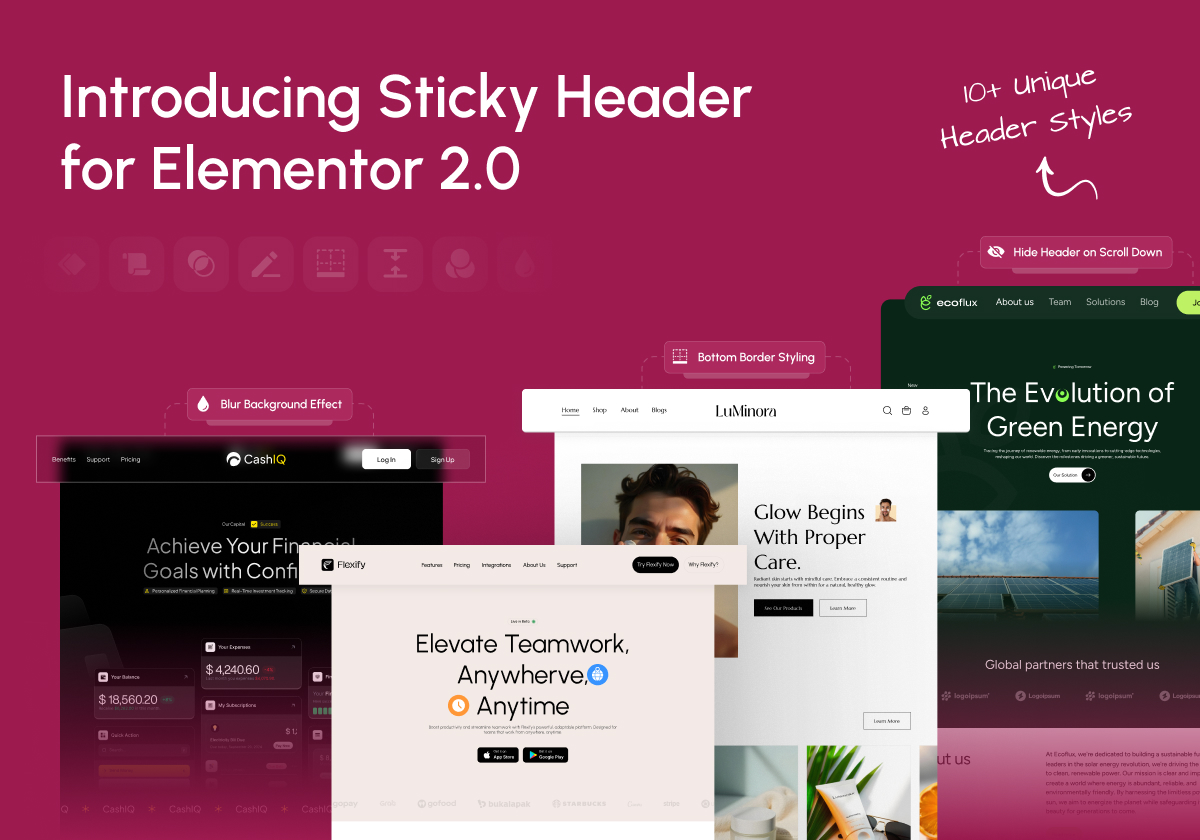
Introducing Sticky Header for Elementor – Overview of all key features and updates
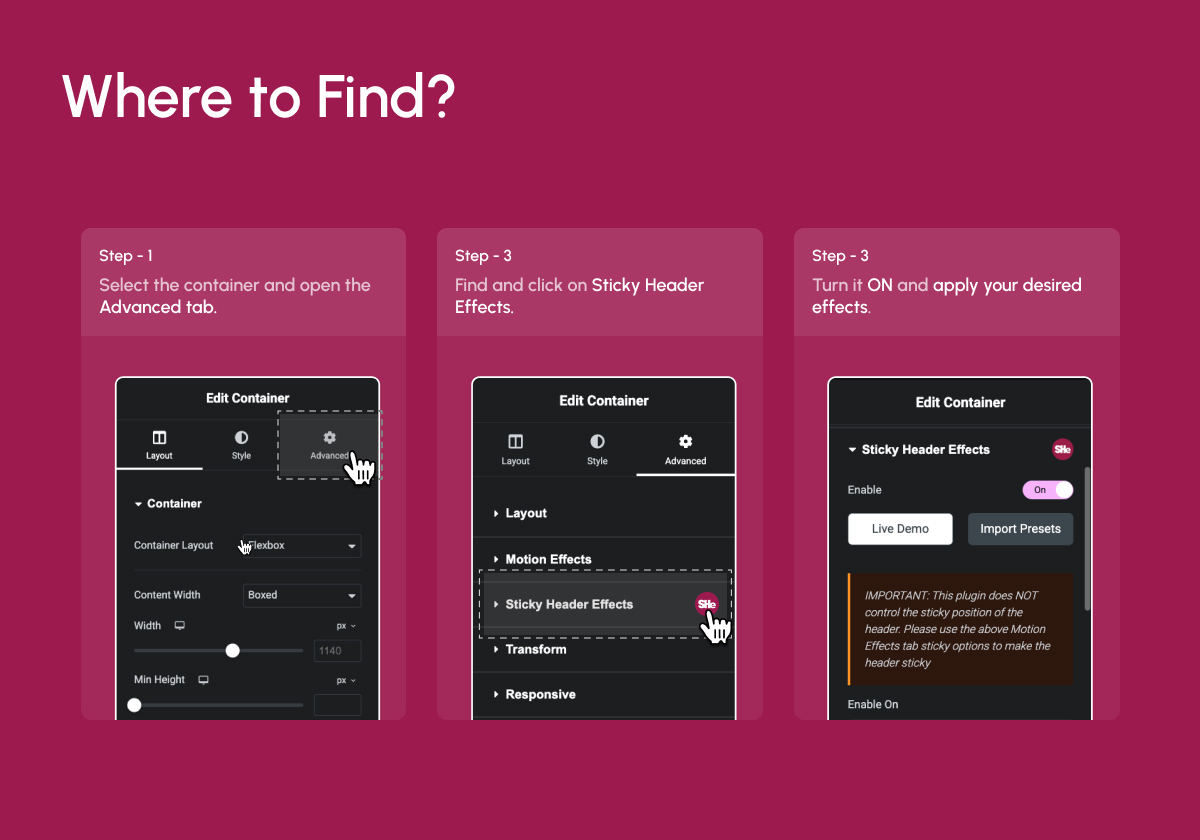
Find Sticky Header settings inside Elementor’s Advanced Tab
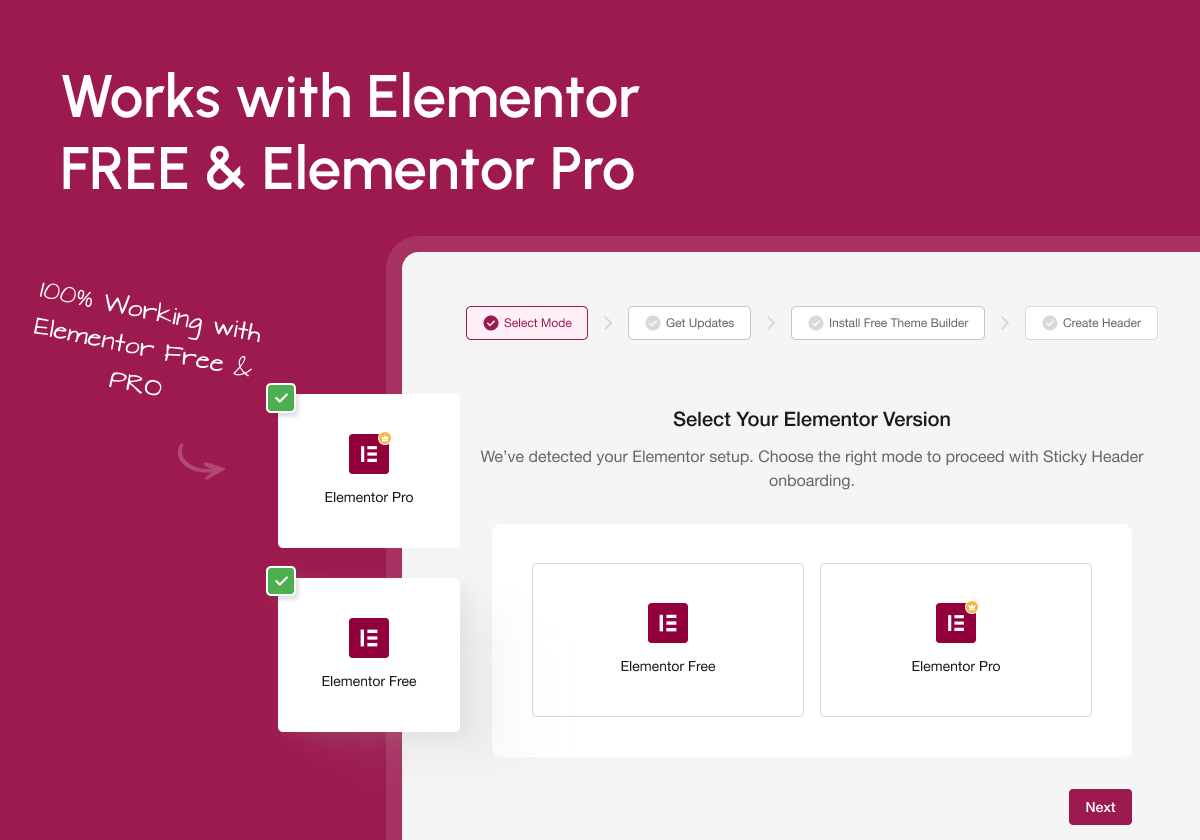
Works seamlessly with Elementor Free & Pro – No limitations
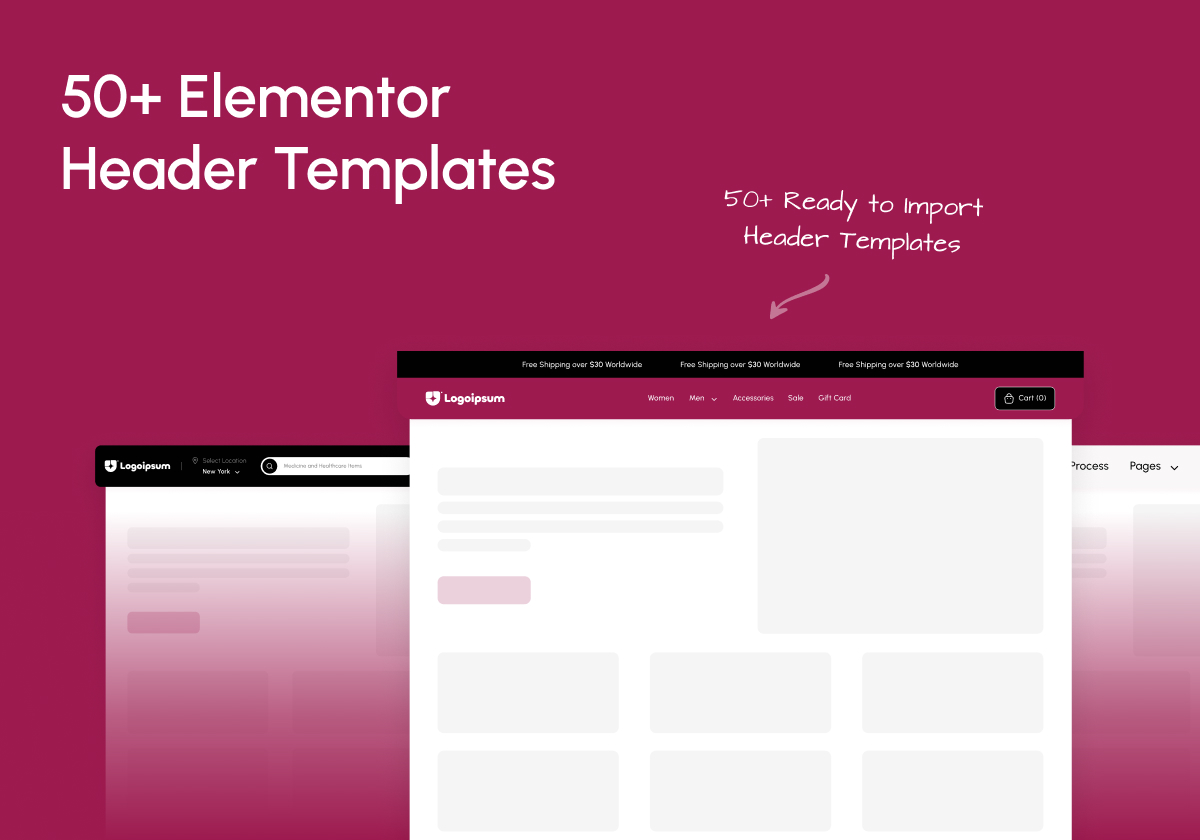
Includes 50+ Ready-to-use Elementor Header Templates
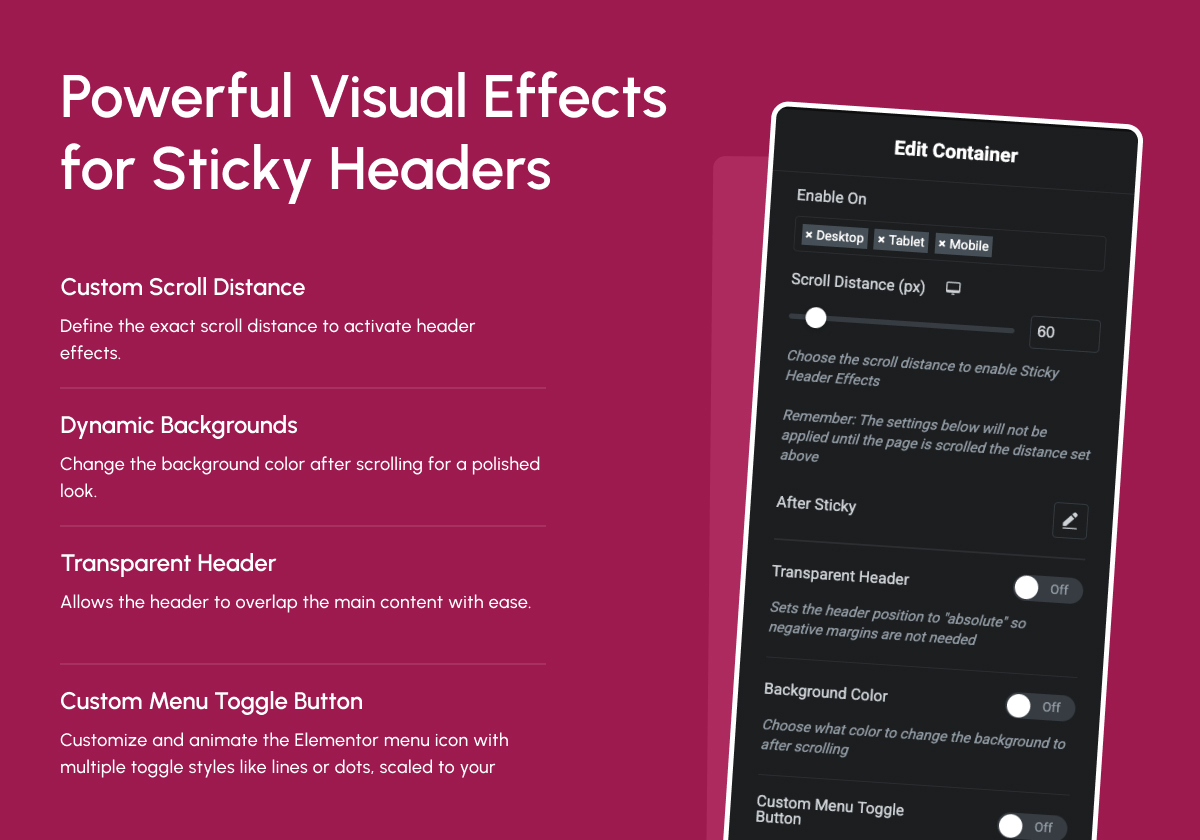
Powerful Scroll Effects – Shrink, Blur, Hide, Color Swap & More
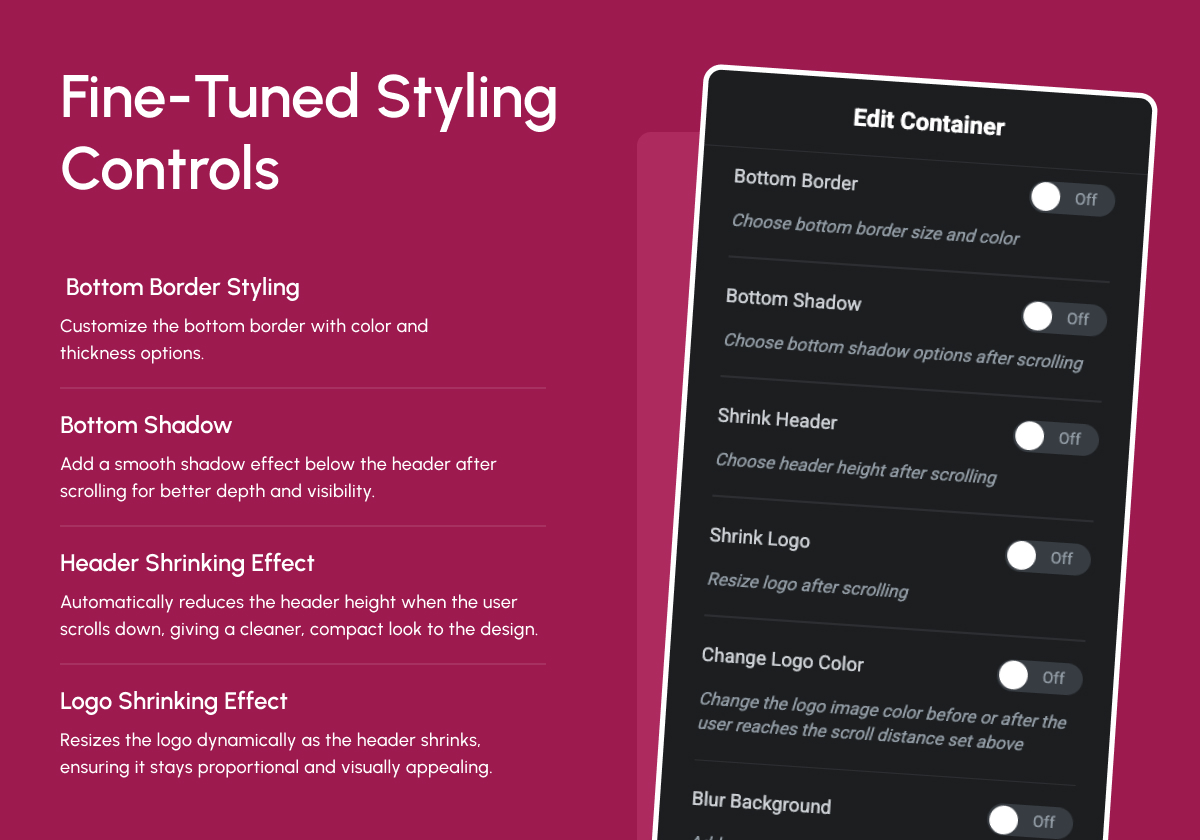
Fine-Tuned Styling Controls – Customize behavior for each device
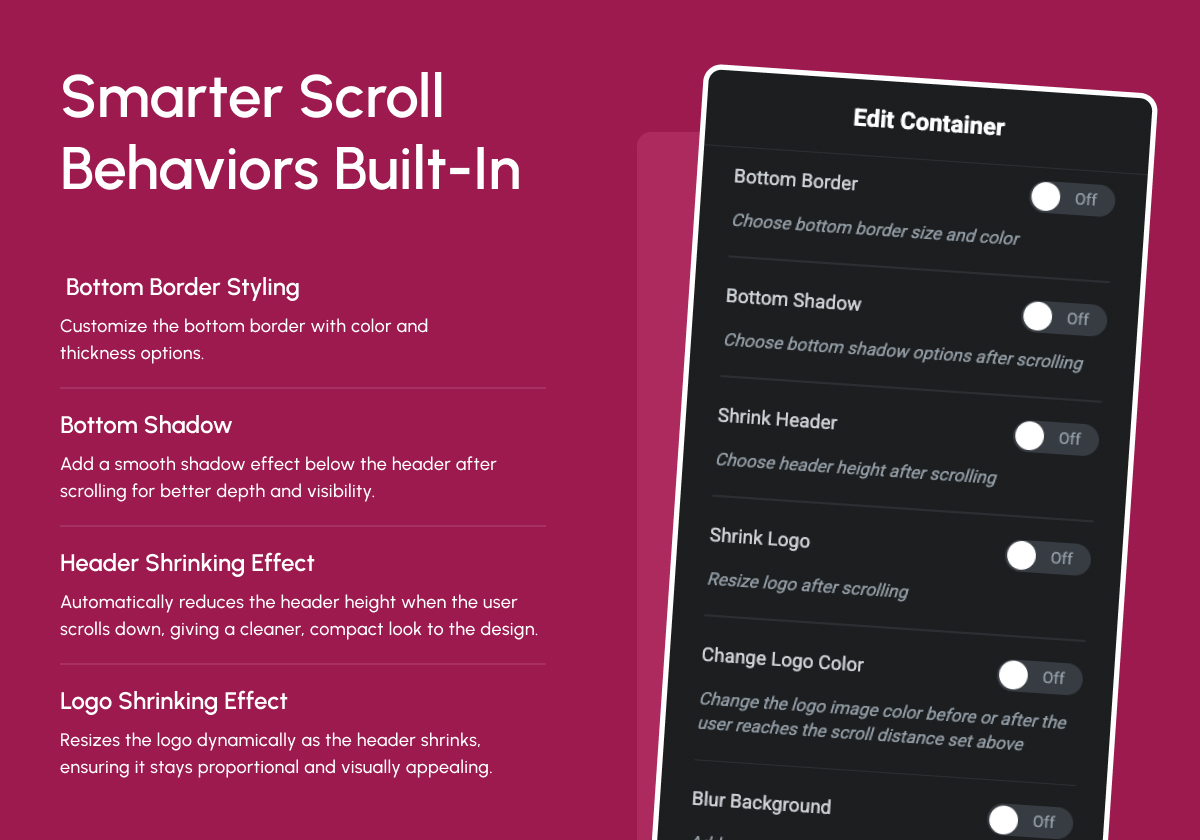
Advanced Branding & Logo Effects – Shrink, Color Swap, Responsive
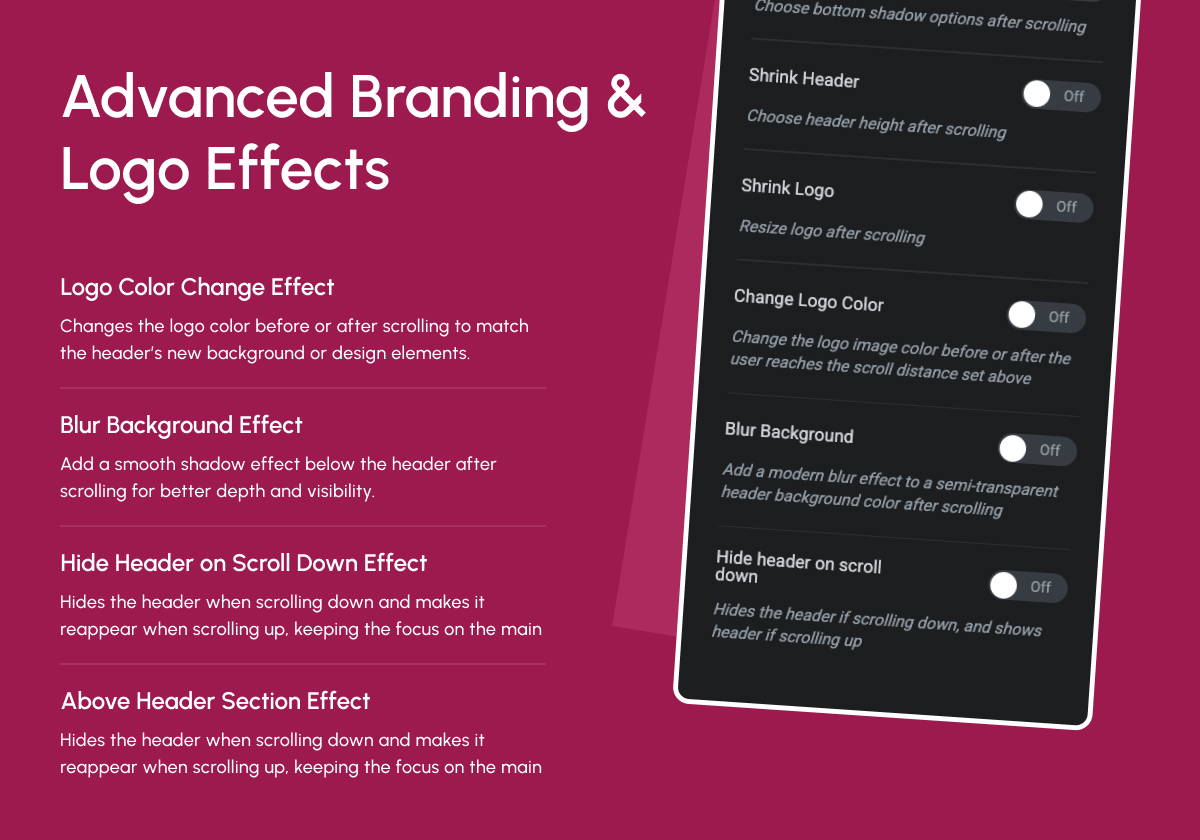
Smarter Scroll Behaviors – Transparent, Distance Control, Sticky Logic
Faq
The header cannot shrink smaller than the objects inside of it!
The “shrink” effect is restricted by the size of the content in the header section. Such as logos, images, menus, widgets, and also all of the padding and margins of those elements. This also inclused the padding and margins of the sections and columns themselves.
To get the best “shrink” effect use these settings:
* Set the top and bottom padding to 0px on your sticky header section, column, and elements inside of it.
* Set a custom logo and other image height(you can leave the width blank for “auto”).
* Set the header section height to “min height” and adjust it to your desired height.
Basically what happens is that the content of the header is “too tall” to shrink down anymore.
No, this plugin works perfectly with Elementor Free, If you are using Free Navigation Widget from The Plus Addons for Elementor. You’ll only need Elementor Pro if you’re using Pro Navigation widgets.
No, it requires Elementor Free or Pro. It extends Elementor’s functionality with new header scroll effects.
Inside Elementor Editor Select any container Go to Advanced Tab Scroll to Sticky Header Effects section.
Yes, it works seamlessly with most Elementor-optimized themes, including Hello, Nexter, Astra, and more.
Not at all. It’s highly optimized for performance and coded lightweight to ensure fast page loads. It’s lightest sticky header menu option with Google Page Speed optimized for top notch score.
You can report security bugs through the Patchstack Vulnerability Disclosure Program. The Patchstack team helps validate, triage and handle any security vulnerabilities. Report a security vulnerability.
Reviews
Highly recommend it
By 
This was my first time using this plugin, but I encountered a problem that the plugin couldn't solve. I checked their YouTube tutorials but couldn't find the solution I needed. On a whim, I left a message asking for help, and to my surprise, they replied very quickly, telling me to submit a support ticket. I did, and their technical support responded quickly and helped me solve my problem. The key point is that I hadn't used any of their Pro versions; they helped me resolve my issue for free. I'm very grateful and highly recommend it to everyone.
Fantastic Plugin! Helped Us Discover Even More Great Tools
By 
We have been using Sticky Header Effects for Elementor for a while now and it’s been a great help in our projects. The latest version has a few more ads, but overall the plugin works smoothly. It also helped us find Nexter Extension, which we now use on all our WordPress sites. We’ve shared some feedback in their survey and are looking forward to more awesome updates from the team. Highly recommended for anyone using Elementor.
Plugin was great, now it's bloatware!
By 
What a shame! This used to be a very useful, simple, and straightforward plugin. Once upon a time it didn't add any marketing features to your dashboard, didn't try and upsell you on PRO features or other plugins. The plugin developer either sold it to someone else or gave up its rights as of v2.1.0 it now it does exactly the opposite of that, I clicked 2-3 buttons that installed another plugin "WPDesignKit" and they're constantly trying to shove other plugins and upsells down your throat in the plugin's new dashboard and your WordPress dashboard. You can roll the plugin back to earlier versions, but then you're missing out on the alleged "Bug fixes and Improvements" in their updates and dealing with (1 Plugin needs to be updated) notices.... I am using it on version 1.7.8 - the last good version.
Incredibly useful
By 
The sticky panel feature is incredibly useful. I added it to a sidebar for important links, and it works flawlessly across all screen sizes. It keeps the user experience smooth and professional. Great plugin!
Ups and downs over time
By 
Ups and downs over time in development, also this tool mentions:
IMPORTANT: This plugin does NOT control the sticky position of the header. Please use the above Motion Effects tab sticky options to make the header sticky.
but the opposite is true, if you do activate Elementor's Sticky Menu option your menu will mess up and not return to full width upon window size changes. It took me some time to figure this out. I was about to ditch the plugin. Please devs, remove this mention.
Best
By 
I highly recommend this plugin for creating a sticky header in Elementor. However, it's challenging to add custom CSS after implementing the sticky header. It would be helpful to have the ability to add a "sticky-active" class to customize the header when it's sticky. Additionally, having the option to add a box-shadow would be beneficial.
Kind of Works
By 
The desktop options seem to work, but trying to integrate on the mobile side is a headache and creates more problems. Even when the sticky option is supposedly only enabled on the desktop, it carries over to my iphone still. If a transparent background is enabled, that works on the desktop, but again on the phone, the sticky header sits like a normal header but without the hero div appearing underneath it (though it works fine in desktop mode or when adjusting the desktop browser to a narrow view).
This seems only really reliable on a desktop view but forget about trying to design and then getting it all to work on the mobile side.
[Update] I'm going to add a star since I'm still in the middle of troubleshooting what the exact problem is here.
Best plugin after update
By 
Guys, really big big thanks for the update! After it, the plugin works even better than elementor pro header builder, really appreciate your job, keep it up!
Works great!
By 
Thank you for this shortcut / timesaver. Well done and it works perfect.
Great, with superb support
By 
A nice extension that takes a lot of coding out of your hands. It's easy to fix your header, but a lot of work to make it look good. Sticky Header Effects for Elementor does that for you.
What's even better is the support. I had several problems I couldn't solve. Within 48 hrs I got a reply. Not only was my problem solved, but some helpful suggestions to improve on it as well.
Highly recommend!
Changelog
2.1.8
- Maintenance: WordPress 6.9 compatibility update
2.1.7
- Improvement: UI Related Minor Bug Fixes
2.1.6
- Fixed: Minor Bug Fixes & Performance Improvements
2.1.5
- Fixed: Minor Bug Fixes & Performance Improvements
2.1.4
- Fixed: Minor Bug Fixes & Performance Improvements
2.1.3
- Fixed: Security Patch (Low Security)
2.1.2
- Improvement : WDesignKit 2.0 Compatibility
- Fixed: Minor Bug Fixes & Performance Improvements
2.1.1
- improvement: Header Template Import Process
- Fixed: Minor Bug Fixes & Performance Improvements
2.1.0
- Fixed: Header Resize Issue Fixed
- Fixed: Minor Bug Fixes & Performance Improvements
2.0
- New: Dashboard for better UI/UX
- New: Add Preset Option for the Ready Design
- New: Dashboard : Plugin Rollback Option
- Fixed: Minor Bug Fixes & Performance Improvements
1.7.8
- Fixed: Offset issues on the frontend
- Fixed: Minor Bug Fixes & Performance Improvements
1.7.7
- Fixed: Minor Bug Fixes & Performance Improvements
1.7.6
- Fixed: Offset issues on the frontend
- Fixed: Minor Bug Fixes & Performance Improvements
1.7.5
- Added: Offset Option for Sticky Elements to Control the Distance from the Top With Responsive Support.
- Added: Padding Option to Customize Spacing for Sticky Elements with Responsive Support.
- Added: Width Option to Define the Width of Sticky Elements Dynamically With Responsive Support.
- Fixed: Minor Bug Fixes & Performance Improvements
1.7.4
- Added: Compatibility with Elementor Containers
- Fixed: Minor Bug Fixes & Performance Improvements
1.7.3
- Maintenance: WordPress 6.7 compatibility update
1.7.2
- Fixed: Bugs
1.7.1
- Fixed: Improved method for not overriding elementor sticky settings.
1.7
- Maintenance: WordPress 6.5 compatibility update
- Notice: Plugin will only receive minimal support
- Added: Pro features that would have never been released(Disable Fully Transparent Background, Background Type, Custom Menu Toggle Button, Bottom Shadow, Blur Background settings)
1.6.11
- Maintenance: WordPress 6.5 compatibility update
1.6.10
- Maintenance: WordPress 6.4 compatibility update
1.6.9
Fixed: Javascript bug with sections
Fixed: Header width bug
Tweaked: Optimized CSS
1.6.8
Fixed: Shrink logo bug
Fixed: Shrink header bug
Fixed: Transparent header bug
Fixed: All CSS color and size transitions
Added: Compatibility with new elementor “mega” menu
Added: Ability to override logo color change on elements using class “not-logo”
Tweaked: Logo color change optimized so “full color” option no longer overwrites elementor css settings
1.6.7
- Fixed: Transparent header bug
1.6.6
- Fixed: Shrink header bug
- Fixed: Bottom border color and size transitions
- Added: Compatibility with new elementor “mega” menu
- Added: Ability to override logo color change on elements using class “not-logo”
- Tweaked: Logo color change optimized so “full color” option no longer overwrites elementor css settings
1.6.5
- Tweaked: Logo transition CSS for image widget
- Tweaked: Logo color CSS for image widget
- Maintenance: WordPress 6.2 compatibility update
1.6.4
- Fixed: Js bug
- Fixed: Logo color not changing on scroll
- Fixed: CSS for smooth transitions
- Konwn Bugs: Shrink logo/header
1.6.3
- Reverted to 1.5.5 only with container compatibility
1.6.2
- Fixed: Section height bug
1.6.1
- Fixed: Js bug
- Fixed: Container shrink bug
1.6
- Fixed: Shrinking Logo bug
- Fixed: Container support using Elementor free
- Fixed: Logo color change set to none doesn’t remove CSS filter settings
- Added: Disable/enable completely transparent header
- Tweak: Changed logo color settings to be more clear
- Maintenence: Optimized CSS for v2.0
- Maintenence: Optimized JavaScript for v2.0
- Maintenence: Optimized Elementor controls for v2.0
1.5.5
- Fixed: Shrinking Logo bug
- Fixed: Header section top position
- Maintenence: Optimized CSS code
1.5.4
- Fixed: Shrinking Logo bug
1.5.3
- Fixed: Gap above mobile header bug
1.5.2
- Fixed: Gap above header bug
1.5.1
- Fixed: WordPress admin bar bug
1.5
- Fixed: Gap above header bug
1.4.9
- Added: Compatibility with Elementor Containers
- Maintenance: WordPress 6.0 compatibility update
1.4.8
- Maintenance: WordPress 5.9 compatibility update
1.4.7
- Fixed: Misc Bugs
1.4.6
- Fixed: Hide header bug
1.4.5
- Fixed: WP admin bar bug
1.4.4
- Maintenance: WordPress 5.8 compatibility update
- Fixed: Header width bug
- Update: Better responsive Worspress admin bar handling
1.4.3
- Fixed: Full color logo after scroll bug
1.4.2
- Fixed: Bugs
1.4.1
- Fixed: Gap above header bug
1.4.0
- Added: WordPress 5.5 compatibility
- Added: Elementor 3 compatibility
- Added: Hide on scroll down feature
- Added: Blur background feature
- Added: Before and after scrolling logo color options
- Fixed: Opera browser hash links not activating scrolling effects
- Fixed: Editor handle bug
- Fixed: All labels and descriptions to help with user operation
- Fixed: Various code optimizations
- Fixed: Transparent on mobile bug
- Fixed: Stretched section broke transparent header
1.3.2
- Fixed: Transition CSS
1.3.1
- Fixed: Bugs
1.3.0
- Added: Shrink Logo feature
1.2.3
- Fixed: Hook on the new Elementor Pro 2.4.7 version
1.2.2
- Removed: Stretched section condition
1.2.1
- Added: Compatibility with the new Elementor 2.1.1 version
- Fixed: JavaScript error
1.2.0
- Removed: Sticky Header feature(Elementor fixed theirs)
- Added: Transparent header feature
- Added: Compatibility with the new Elementor 2.1 version
- Added: Change javascript to external file
- Fixed: Bugs
1.1.2
- Fixed: Bugs
1.1.1
- Fixed: Bug where section didn’t move to top of page
1.1.0
- Added: Sticky header feature
- Added: Bottom border feature
- Fixed: Bugs with tablet and mobile responsive modes
- Fixed: Padding issues when using the “shrink” effect
1.0.0
- Initial stable release