StoreLink for Minecraft by MrDino

StoreLink for Minecraft by MrDino
Description
StoreLink for Minecraft allows you to automatically deliver Minecraft items or execute commands after a WooCommerce purchase is completed.
Perfect for store owners who sell in-game items or ranks. This plugin connects your website to your Minecraft server securely, reliably, and easily.
Main Features:
- 🔗 Sync WooCommerce products with Minecraft items or commands.
- 🚀 Auto-delivery on order completion.
- 🔒 API token authentication for secure access.
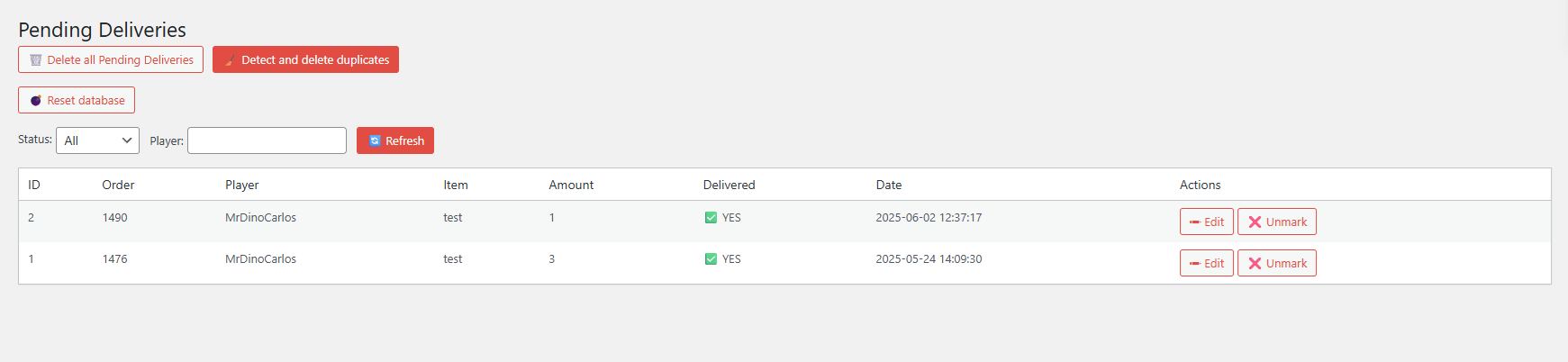
- 📦 Delivery queue management with a pending/delivered system.
- 🛠 Admin tools for rebuilding database, viewing table structure, and debugging.
- 🔧 Supports LiteSpeed / WP Rocket / caching plugins safely.
- 🌍 Full REST API support.
Debugging & Tools
The Settings page provides:
- 🧪 View current DB table structure.
- ♻️ Rebuild the
pending_deliveriestable. - 🔑 Regenerate API token.
- 🧹 Flush WordPress object cache.
- 🛠 Access recommendation for WP phpMyAdmin or Adminer for deeper inspection.
License
This plugin is open-source software licensed under the GPL v2 or later.
Installation
- Upload the plugin folder to
/wp-content/plugins/or install directly from the plugin repository. - Activate the plugin via the ‘Plugins’ screen in WordPress.
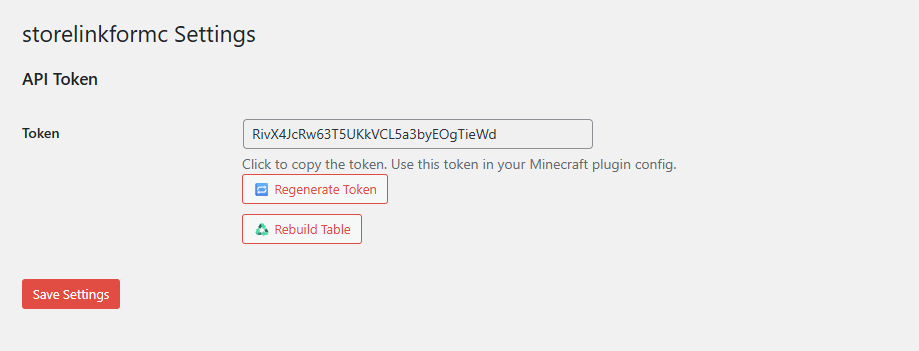
- Visit StoreLink for MC > Settings to generate your API token.
- Configure your Minecraft plugin to use that token and domain.
- Optional: Configure delivery products and commands in the
productssection of your Minecraft plugin config. - Done! Orders from WooCommerce will now sync with Minecraft.
Screenshots

Faq
No. It exposes a secure REST API endpoint that your Minecraft server connects to for fetching pending deliveries.
Yes. The free version supports up to 3 product mappings. The Pro version offers unlimited mappings and additional integrations.
Yes. You should exclude the API routes /wp-json/storelinkformc/v1/* from caching. This ensures fresh data is always returned.
Yes. Use the Deliveries admin page to edit, delete or reassign items per player.
Reviews
Changelog
Version 1.0.36
- Added WooCommerce Checkout Blocks compatibility for synced Minecraft carts while preserving the normal WooCommerce checkout for non-synced products.
- Added automatic fallback to the classic WooCommerce checkout when synced products are purchased from a Checkout Blocks page, keeping StoreLink checkout behavior reliable.
- Added Minecraft username and gift checkout handling for block-based checkout pages, including linked-player display and Minecraft head preview support.
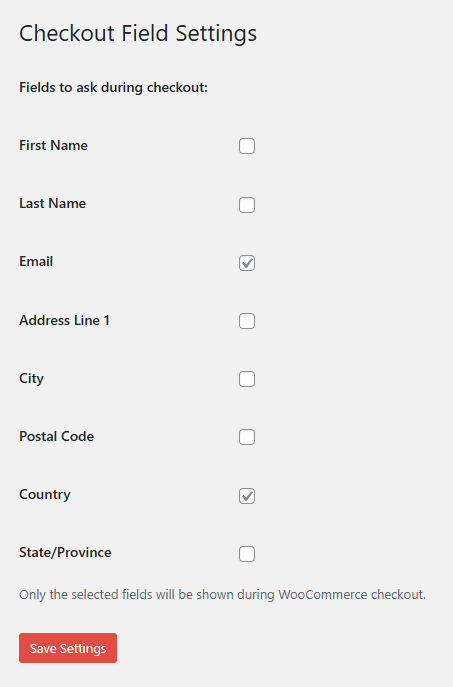
- Added improved checkout field visibility rules so reduced checkout fields only apply to carts containing synced StoreLink products.
- Added redesigned admin pages for Checkout Fields, Products, Sync Roles, and Pending Deliveries with cleaner panels, counters, tables, and responsive layouts.
- Added bulk actions to Pending Deliveries so multiple deliveries can be selected and marked delivered, marked undelivered, restored from expired, or deleted together.
- Added select-all delivery checkboxes and safer confirmation prompts for destructive delivery actions.
- Added automatic WooCommerce order completion checks after bulk delivery updates, matching the existing single-delivery workflow.
- Added clearer delivery status badges for pending, delivered, and expired delivery records.
- Fixed Checkout Blocks order submission issues caused by WooCommerce Blocks internal validation when custom reduced fields were shown for synced products.
- Fixed the Minecraft gift checkout flow so a valid recipient username can be entered and the linked username can also be used as a gift recipient.
- Fixed Minecraft avatar display in Checkout Blocks so the player head does not repeat as a background and no longer overlaps the username label.
- Fixed checkout field settings being applied too broadly by ensuring non-synced products keep the default WooCommerce checkout fields.
- Fixed classic checkout field registration so disabled StoreLink checkout fields are not reinserted after the settings filter runs.
- Improved admin usability for product selection, role mapping, checkout field selection, and delivery queue management.
Version 1.0.35
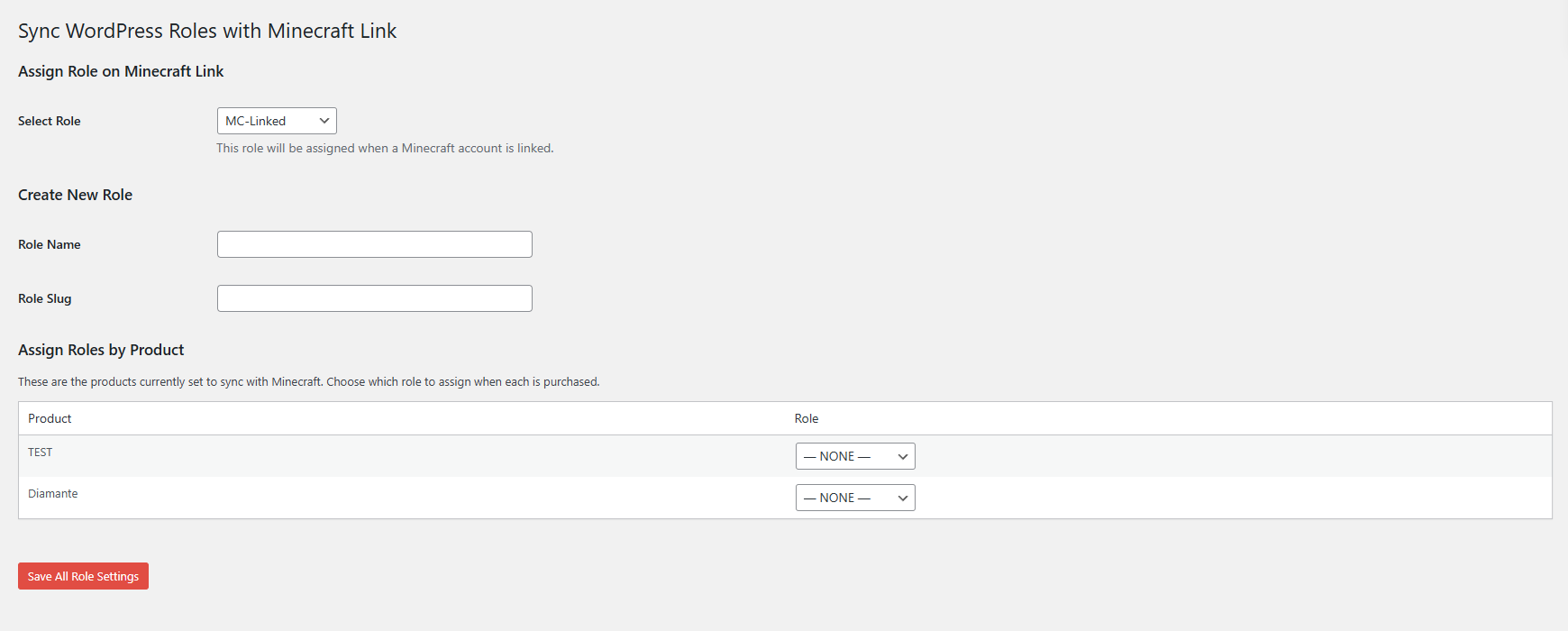
- Added WooCommerce product variation support, allowing synced deliveries and role mappings to target specific variations instead of requiring separate products.
- Added product and variation identifiers to pending deliveries so the Minecraft plugin can keep compatibility while receiving more precise delivery data.
- Added unclaimed delivery expiration settings, with a default of 30 days for products that have not been claimed.
- Added automatic expiration tracking for unclaimed pending deliveries through
expires_atandexpireddatabase fields. - Added database self-healing and update routines to create or update required delivery columns without requiring a full reinstall.
- Added safer admin handling for delivery management actions, product selection, role mapping, checkout fields, CDN/cache settings, and email templates.
- Added Cloudflare CDN/cache compatibility improvements for StoreLinkforMC REST endpoints.
- Fixed fatal errors caused by duplicate plugin loading by adding a defensive plugin load guard.
- Fixed fatal errors when WooCommerce functions such as
is_checkout()orwc_get_order()are unavailable. - Fixed the SMTP admin notice include path so the correct admin notice file is loaded.
- Fixed undefined Cloudflare settings variables before saving Zone ID and API Token values.
- Fixed PHP compatibility by allowing nullable array request bodies in the Cloudflare API helper.
- Fixed Mojang username checks to handle
WP_Errorresponses from failed remote requests. - Fixed duplicated AJAX unlink handlers by keeping a single account unlink handler.
- Fixed text-domain formatting and translation domain usage to comply with WordPress Plugin Check requirements.
- Fixed unsafe or noisy Plugin Check warnings around sanitized
$_GETand$_POSThandling. - Fixed direct database query warnings where the plugin needs to work with its custom pending deliveries table.
- Fixed delivery completion logic so WooCommerce order status updates remain guarded and compatible.
- Fixed legacy short expiration values so old 10-second settings are corrected back to the 30-day default.
- Removed the duplicate account unlink AJAX block from the main plugin file.
- Removed outdated unsafe input handling patterns that caused WordPress Plugin Check warnings.
- Removed the invalid uppercase text-domain value from the plugin header and translation calls.