Storepoint Store Locator
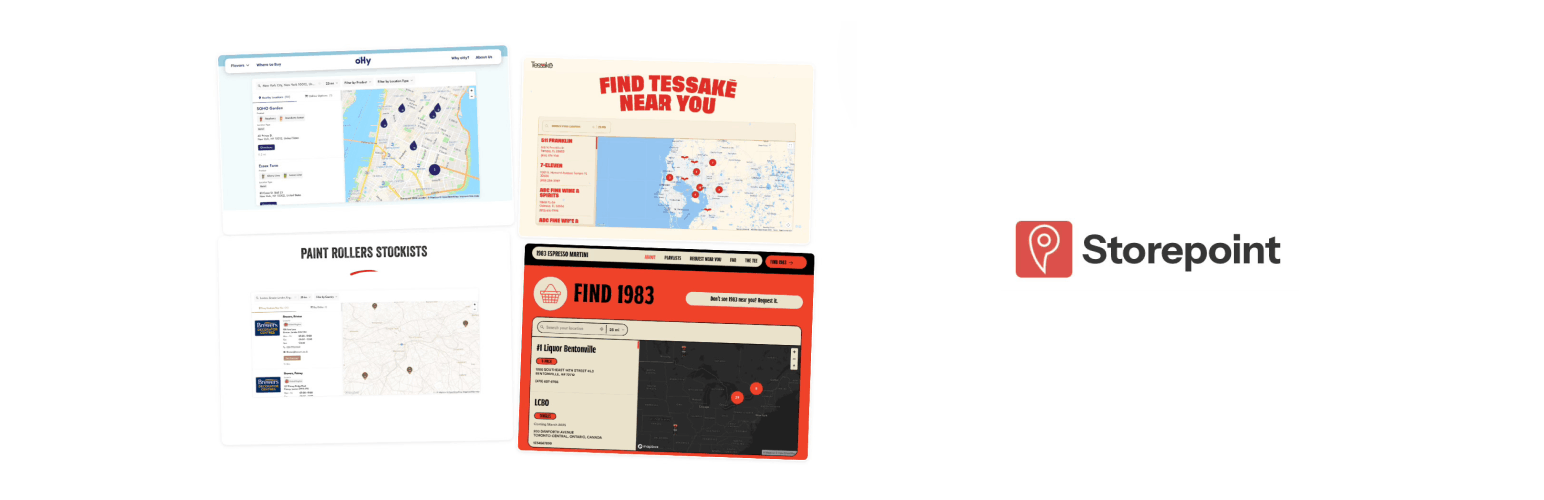
Storepoint Store Locator
Description
The official Storepoint Store Locator plugin for WordPress. Your customers search by zip code, city, or address, filter by category, and get directions. Your locator uses your brand colors, fonts, and style. Manage everything from one dashboard. Storepoint works on every website platform and this plugin brings the full experience to WordPress.
Your locator, your brand
Your locator matches your website. Set your brand colors, fonts, and map theme from the dashboard. Upload custom map markers. Write your own CSS for pixel-perfect control. Or let our team style it for you with free brand matching on every plan.
Bring your locations
Add locations one at a time from the dashboard. Drag in a CSV spreadsheet to bulk import hundreds at once. Or connect a Google Sheet so your locator updates automatically when the spreadsheet changes. Search analytics show you where customers are looking.
Search, filter, find
Visitors search by address, city, zip code, or postcode with autocomplete suggestions. Filter results by product, category, service, or any custom tag. View opening hours with live open/closed status. Tap for one-click directions. Responsive on every screen size and translatable to any language.
Built for any industry
Retail brands with store locators. CPG companies with “where to buy” pages. Manufacturers managing dealer and distributor networks. Service businesses helping customers find providers, installers, contractors, or sales reps. Franchise directories. Healthcare with clinic and pharmacy finders. Restaurants, salons, and any business with locations customers need to find.
Start simple. Scale when ready.
Most locators are live in minutes. As your needs grow, Storepoint grows with you:
- Territory management for dealer networks with catchment areas and service regions
- Spotlight promotions to boost priority partners in search results
- Online alternatives to show your website or online store when no nearby location exists
- Custom fields and buttons for booking links, menus, social profiles, or any extra detail
- Full CSS and JavaScript access for designers and developers
- Three APIs for location management, search queries, and widget events (developer docs)
Works with everything
- Gutenberg block with per-instance language, tag filter, and display settings
- Shortcode for Classic Editor, Elementor, Divi, and WPBakery
- Compatible with WPML and Polylang for multilingual WordPress sites
- Google Maps or Mapbox as your map provider
Getting started
- Create your Storepoint account (7-day free trial, plans from $25/month)
- Add your locations and configure your map provider (Mapbox or Google Maps)
- Install this plugin, paste your token, and add the Storepoint block to any page
Third-Party Services
This plugin relies on the Storepoint hosted service (widget.storepoint.co, api.storepoint.co) to display your store locator. A Storepoint account is required.
Depending on your map provider, the locator also loads resources from Mapbox (api.mapbox.com) or Google Maps (maps.googleapis.com).
Installation
- In your WordPress admin, go to Plugins > Add New
- Search for “Storepoint”
- Click Install Now, then Activate
- Go to Settings > Storepoint
- Paste your Public Locator Token (find it on your Embed page)
- Add the Storepoint Store Locator block to any page
Using the Shortcode
If you prefer shortcodes or use the Classic Editor:
[storepoint]
With options:
[storepoint tags="dealer,premium" language="auto" hide_filters="true"]
Screenshots

A store locator with search, filters, product tags, and an interactive map live on a website.

A stockist locator with branded markers, opening hours, and country filters embedded on a website.

The Storepoint Gutenberg block with language, tag filter, and display settings in the sidebar.

Plugin settings page with token setup, embed instructions for Gutenberg and shortcode, and resources.

Fully responsive mobile view with map, search, and location details.
Faq
The plugin is free to install. A Storepoint account is required to display your locator. Plans start at $25/month with a 7-day free trial. See pricing.
Yes. Choose Mapbox or Google Maps as your map provider in the Storepoint dashboard. Both offer free tiers that cover most locators.
Yes. Storepoint works as a store locator, dealer locator, stockist page, product locator, or any “where to buy” page. Add tags to your locations and use the pre-filter option to create category-specific locators on different pages.
Yes. Drag a CSV into the dashboard to bulk import. Or connect a Google Sheet for automatic sync. Changes in your spreadsheet update the locator automatically.
Yes. Set the language to “Auto-detect from WordPress” in the block settings and the locator matches the current page language.
Yes. Use the [storepoint] shortcode in any HTML or code element within your page builder.
Yes. Upload your own marker icons or use your brand colors. Show different markers for different location types or categories.
Log in to your Storepoint dashboard and find the Public Token on the Embed page.
Email hello@storepoint.co or post in the WordPress.org support forum. We typically respond within one business day. You can also browse our tutorials and documentation.
Reviews
Changelog
1.0.1
- Improved plugin packaging and readme documentation
1.0.0
- Initial release
- Gutenberg block with per-instance settings for language, tags, and filters
- Shortcode support for Classic Editor and page builders
- Automatic language detection for WPML and Polylang
- Smart token extraction from embed code snippets