Currency Switcher for WooCommerce – Multi Currency, Auto Rates & GeoIP
Currency Switcher for WooCommerce – Multi Currency, Auto Rates & GeoIP
Description
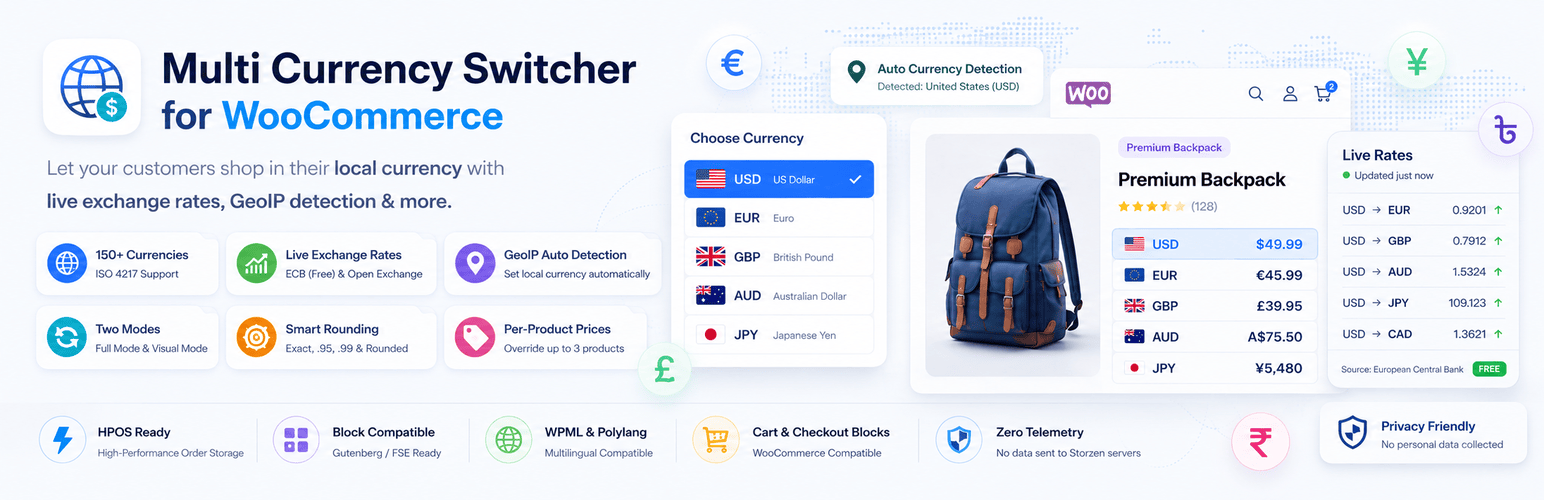
Multi Currency Switcher for WooCommerce lets your store display and process prices in multiple currencies — fast, clean, and conversion-focused. Built for modern WordPress stores without the bloat.
Sell globally with confidence. Visitors see prices in their local currency automatically, switch currencies with a single click, and checkout in the currency they trust.
🌍 Why Multi Currency Switcher?
Most multi-currency plugins are bloated, ship with telemetry SDKs, or lock core features behind a paywall. Multi Currency Switcher for WooCommerce is different:
- Lightweight — no unnecessary code, no jQuery dependency for the UI
- Zero telemetry — no data ever sent to our servers, no Appsero, no analytics SDKs
- Fully functional — every feature works out of the box, nothing locked
- Modern — built for WooCommerce HPOS, block Cart/Checkout, and FSE block themes
✅ Core Features
Multi-Currency Support
Display and process orders in 150+ ISO 4217 currencies. Enable as many currencies as your store needs from a searchable admin grid with flag emojis.
Auto Exchange Rates
Rates are fetched automatically from the European Central Bank (free, no API key required) or Open Exchange Rates. Cached in transients and a resilient database table — rates are always available even if the API is temporarily down.
GeoIP Auto-Detection
On a visitor’s first page load, the plugin detects their country and automatically sets their local currency. The result is stored in a 30-day cookie — zero repeat API calls, zero impact on performance.
Two Switcher Modes
– Full Mode — prices, cart, shipping, and checkout all process in the selected currency. Orders are saved with the customer’s currency.
– Visual Mode — display prices in any currency on the storefront but charge in your store’s base currency at checkout. Ideal for stores that cannot process multi-currency payments.
Per-Product Fixed Prices
Override the auto-converted price with an exact fixed amount for any product and any currency. Set a fixed USD price, a fixed EUR price, and a fixed BDT price independently — all from the product edit page.
Smart Price Rounding
Four rounding presets to make converted prices look natural:
– Exact — precise decimal conversion
– Round — round to nearest whole number
– Charm — always end in .95 (e.g. 29.95)
– .99 Pricing — always end in .99 (e.g. 29.99)
Currency Switcher — 2 Styles
– Dropdown — a compact dropdown button with the active currency, expands to list all options
– Button group — all currencies displayed as inline buttons
Both styles support flag emoji display, multiple label formats (symbol, code, symbol + code, full name), and are fully keyboard navigable with proper ARIA roles.
Shortcode
Place the switcher anywhere with [storzen_currency_switcher]. Supports style, show_flag, and class parameters.
Classic Widget
Drag the Multi Currency Switcher widget into any sidebar or footer area from Appearance Widgets.
Accessible & Keyboard-Friendly
– Full keyboard navigation (arrow keys, Enter, Escape, Tab)
– ARIA listbox and aria-pressed roles
– Focus management and roving tabindex
– Screen-reader labels on every interactive element
⚡ Performance
- Frontend CSS and JS only load when 2+ currencies are enabled
- Exchange rates cached in WordPress transients (configurable 1–48 hour interval)
- Database fallback table ensures rates are always available offline
- GeoIP result stored in a visitor cookie — no server-side per-IP storage
- WooCommerce variation price hash modified per currency — no stale cached prices served
🔒 Privacy & GDPR
- No personal data stored — the plugin does not log IPs or personal information
- GeoIP detection uses the visitor’s IP only to return a country code — the IP is not stored by the plugin
- Cookie set with
SameSite=Lax,Secureon HTTPS, andHttpOnlyfor the country detection cookie - Zero outbound data to Storzen servers
🧩 Compatibility
- ✅ WooCommerce 7.0+
- ✅ WordPress 6.5+
- ✅ HPOS (High-Performance Order Storage)
- ✅ WooCommerce Cart & Checkout Blocks
- ✅ Block themes & Full Site Editor (FSE)
- ✅ Classic themes
- ✅ WPML & Polylang
- ✅ Elementor, Divi, Bricks, Kadence, Astra
Setup (takes 2 minutes):
- Go to Currency Switcher in the WordPress left-hand menu
- On the General tab — select your mode (Full or Visual) and enable currencies
- On the Exchange Rates tab — choose your rate source (ECB is free, no key needed)
- Add the switcher using the shortcode, widget, or template tag
- Done ✓
Screenshots

Admin — General tab with mode selector, GeoIP toggle, and searchable currency grid

Admin — Display tab with live mock-storefront preview that updates instantly

Admin — Exchange Rates tab with source cards and manual refresh button

Admin — Usage tab with shortcode reference and copy buttons
Faq
Yes. The plugin is declared compatible with WooCommerce Cart and Checkout Blocks. In Full Mode, prices convert throughout the entire block-based checkout experience.
Yes — completely free. The ECB publishes daily exchange rates as a public XML feed. No registration, no API key, and no usage limits. Rates update every business day.
Visual Mode displays prices in the visitor’s selected currency throughout your store but processes the actual payment in your store’s base currency. It is ideal for stores that cannot process true multi-currency payments but want to show local currency prices to international customers.
No. The geolocation result is stored in a cookie for 30 days after the very first visit. No external API call is made on any subsequent page load. The initial detection call uses a 3-second timeout and has no impact on rendering performance.
Yes — and there is no limit. Open any product’s edit page, go to the Currency Prices tab, and enter a fixed price for each enabled currency. Leave it blank to use the auto-converted rate.
Yes. The plugin works alongside both multilingual plugins without conflicts. Currency settings are completely independent of language settings.
Three ways:
1. Shortcode — paste [storzen_currency_switcher] anywhere in a page, post, or template
2. Widget — go to Appearance Widgets and drag Multi Currency Switcher to any sidebar
3. PHP — <?php echo do_shortcode('[storzen_currency_switcher]'); ?>
Yes. The plugin modifies the WooCommerce variation price cache hash per currency, so the correct converted prices are always served for variable products.
Yes. The plugin is designed to work with any properly coded WordPress theme — block themes, classic themes, and page builder themes (Elementor, Divi, Bricks, Kadence, Astra, GeneratePress, and more).
No. Zero customer or store data is ever sent to Storzen servers. No analytics, no telemetry, and no third-party tracking SDKs are included in this plugin.
Reviews
Changelog
1.1.2
- New: Per-currency price format — set decimal separator, thousand separator, symbol position (left/right/spaced), and decimal places independently for each enabled currency. Configure from the new “Price Formats” admin tab.
- New: AJAX no-reload currency switch — switching currency on shop, archive, and product pages now instantly updates all prices in the DOM without a page reload. Cart and checkout pages still reload for accurate server-side WooCommerce totals.
- New: Live price preview in Price Formats tab — see a formatted example (e.g. ৳ 1,234) update instantly as you change separators and symbol position, with no server round-trip.
- New:
storzenCSCurrencyChangedcustom JS event — fires after every successful DOM price update, letting themes and other plugins hook into currency changes. - Improved:
ajax_switchAJAX response now includes rate, format, and mode data so the JS layer can convert and format prices client-side without a second request. - Improved:
data-base-priceattribute stamped on all WooCommerce price amount elements (.woocommerce-Price-amount.amount) by the PHP price filter — enables accurate client-side re-conversion at any rate.
1.1.1
- New: Plugin title updated to “Currency Switcher for WooCommerce – Multi Currency, Auto Rates & GeoIP” for better WordPress.org search visibility.
- New: Gutenberg block — insert the currency switcher anywhere in the Block Editor without a shortcode. Configure style and flag display from the block’s Inspector Controls panel. Works with Full Site Editing (FSE) themes.
- New: Navigation menu placement — add the Currency Switcher to any WordPress nav menu from Appearance Menus. A dedicated “Currency Switcher” panel appears in the menu editor.
- New: Theme auto-placement — enable one-click switcher placement in the header of Storefront, OceanWP, Astra, GeneratePress, and Kadence themes with zero code. Disabled by default to avoid conflicts.
- New: Rate freshness admin notice — a dismissible notice appears on WooCommerce and plugin admin pages when exchange rates are more than 48 hours old, with a one-click “Refresh now” button powered by the Fetch API.
- New: Mini-cart currency badge — a subtle badge inside the WooCommerce mini-cart shows the active currency. In Visual Mode, a note clarifies which currency will be charged at checkout.
- Improved: readme.txt — expanded Tags (14 tags) and FAQ sections for better WordPress.org search coverage.
1.1.0
- New: Developer filter hooks now fire on every price-conversion, switcher-render, and GeoIP-detection path. This lets add-ons and Pro extensions integrate cleanly without monkey-patching:
storzen_cs_rate/scs_pro_rate— modify the basetarget exchange rate (mirror-fired under both names for backward compatibility with existing Pro hooks).storzen_cs_convert_price/scs_pro_convert_price— adjust the final converted price.storzen_cs_enabled_currencies/scs_pro_enabled_currencies— restrict the visible currency list per visitor (role rules, country lock, etc.). Admin context is the callback’s responsibility to opt out of.storzen_cs_switcher_html/scs_pro_switcher_html— wrap or suppress the rendered switcher HTML.storzen_cs_geoip_country/scs_pro_geoip_country— override the detected country before currency mapping.
- Fixed: Plugin URI in the main file header had a typo (“ooCommerce” “woocommerce”).
- Improved: Plugin description now mentions the Elementor widget compatibility, matching the rest of the codebase.
1.0.0
- Initial release.