InboxMend – Submission Inbox & Email Log
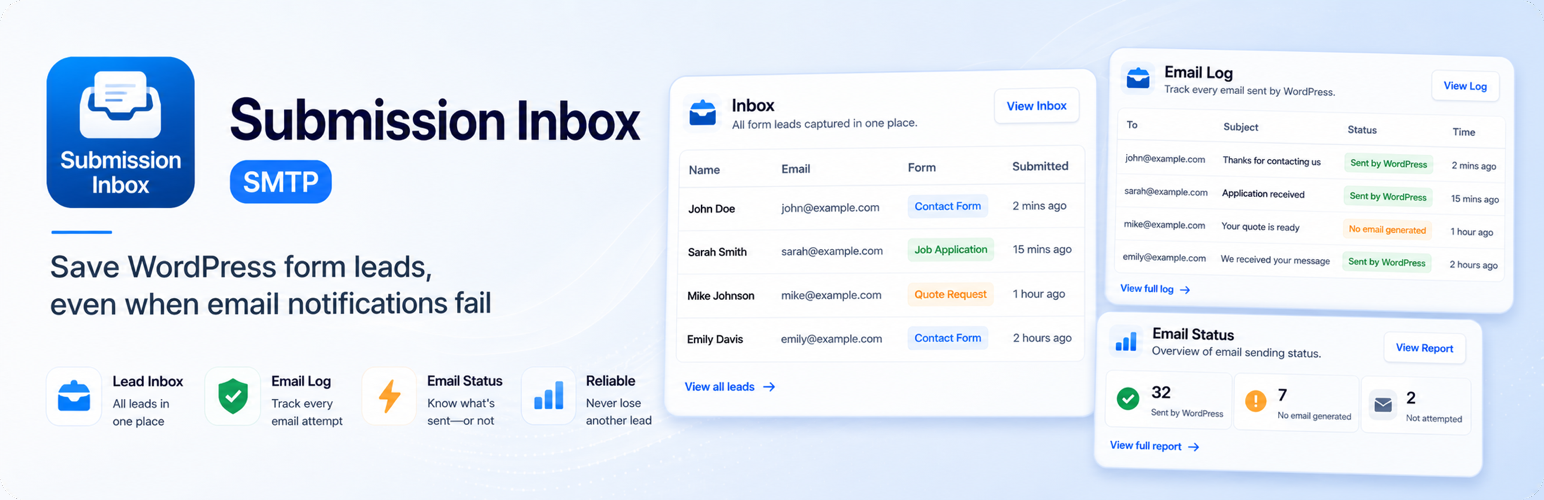
InboxMend – Submission Inbox & Email Log
Description
InboxMend is a local-first WordPress form submission inbox and Email Log plugin. It saves form entries inside your WordPress dashboard first, then helps you review related Email Health and Email Log events.
Many WordPress contact forms rely only on notification emails. If a notification email fails, is blocked, is misconfigured, or is never generated, the website owner may lose the enquiry without knowing it.
InboxMend reduces that risk by storing form submissions in WordPress before email delivery becomes a problem. You can manage saved leads, coordinate follow-up, build forms, investigate email problems, configure SMTP sending, send conditional visitor auto-replies, and optionally connect InboxMend Cloud for multi-site monitoring.
Use InboxMend with built-in lead forms, or keep using supported form plugins such as Contact Form 7, WPForms, Fluent Forms, Forminator and Ninja Forms.
Gravity Forms compatibility is planned.
Learn more at InboxMend.com.
Save form submissions before notification emails fail
A visitor can submit a contact form, but the notification email might not arrive.
This can happen because of SMTP issues, incorrect sender settings, hosting mail restrictions, plugin conflicts, spam filtering, or a form that did not generate an email event.
InboxMend is built around a simple idea: the form submission should be saved first, so the lead is not lost just because the email notification failed.
One workflow instead of separate plugins
Many WordPress sites use one plugin for forms, another plugin for saving entries, another plugin for SMTP, and another plugin for email logs.
InboxMend brings the form submission workflow together: save the lead first, review related email activity, manage basic follow-up, and keep everything visible inside WordPress.
What you can do with InboxMend
With InboxMend you can:
- Save WordPress form submissions in a local inbox.
- Capture entries from supported form plugins.
- Review leads, submitted fields, source forms, and lead details.
- Organize follow-up with work queues, workflow status, priority, assignee, due dates, internal notes, and bulk actions.
- Search, filter, and export saved submissions to CSV.
- Use Email Health to group active sending problems by cause and recommended action.
- Inspect exact WordPress email events, timelines, and related records in the Email Log.
- Configure SMTP sending for WordPress notification emails.
- Build and publish forms with Design Studio, conditional logic, previews, and shortcodes.
- Monitor form performance, readiness, placements, folders, and tags from the Forms workspace.
- Send visitor auto-replies with conditions, reusable designs, previews, and immediate or delayed delivery.
- Protect built-in forms with Google reCAPTCHA v3.
- Configure retention, privacy, and team access settings.
- Optionally connect InboxMend Cloud for multi-site visibility and monitoring.
Works with popular form plugins
You do not have to replace your existing form plugin.
InboxMend can capture submissions from supported form plugins and show them in one lead inbox.
Currently supported integrations include:
- Contact Form 7
- WPForms
- Fluent Forms
- Forminator
- Ninja Forms
Planned integration:
- Gravity Forms
When a supported integration is enabled and the related form plugin is active, InboxMend can store captured submissions and help you review related email activity.
Built-in lead forms
InboxMend includes built-in forms for common lead capture use cases.
Design Studio lets you arrange fields and blocks, edit content and appearance, add conditional show or hide rules, preview the result, save a draft, publish changes, and copy the shortcode. Submissions are saved in the Inbox, and related notification email activity can be reviewed from the Email Health and Email Log screens.
The Forms workspace also shows performance, inbox, delivery, and readiness signals. Forms can be searched, filtered, organized with folders and tags, and checked for known placements on the site.
Built-in forms are useful when you need a contact form, enquiry form, callback request, service request, or lead capture form without installing a separate form builder.
Lead workflow and follow-up
The Inbox groups saved submissions into practical queues such as Unseen, Awaiting action, Unassigned, My leads, Due today, Overdue, Delivery issues, and Archived.
Each lead can carry a workflow status, priority, assignee, follow-up time, and internal notes. Bulk actions help teams update several leads without opening them one by one.
Email Health and Email Log
InboxMend helps explain what happened after a form submission and what to do next.
The Email Health dashboard groups related email activity into clearer statuses, such as:
- Accepted by WordPress (delivery not verified)
- Failed
- No email generated
- Unknown
Email Health groups repeated problem attempts into active issues, explains the likely cause, and points to the relevant settings or event evidence. This makes it easier to find leads where the submission was saved, but the related notification email may not have worked as expected.
The Email Log helps site owners and admins review WordPress email events and sending attempts, including form notifications, visitor confirmations, WordPress system emails, and other events generated through WordPress. Event details show the recorded outcome, explanation, message data, timeline, and links to related leads, forms, rules, or saved designs when available.
SMTP sending settings
InboxMend includes SMTP settings for WordPress notification emails.
You can configure SMTP host, port, encryption, authentication, username, password, From email, and From name.
Using SMTP can help avoid common hosting mail issues where WordPress tries to send email through the default PHP mail function.
InboxMend logs WordPress email events and sending attempts, but it does not guarantee inbox delivery.
Visitor auto-replies
InboxMend includes visitor auto-reply designs and rules.
You can connect a rule to a form and visitor email field, add conditions based on submitted values, customize the subject and message, preview the result with sample values, and choose immediate or delayed delivery. Saved designs can be reused or copied into an independent message before editing.
This is useful when you want visitors to receive a confirmation email after submitting a form, while still keeping the original lead saved in your WordPress dashboard.
Google reCAPTCHA v3 for built-in forms
Built-in forms can be protected with Google reCAPTCHA v3.
This helps reduce automated spam submissions while keeping the form experience simple for real visitors.
Optional InboxMend Cloud sync
InboxMend can optionally connect to InboxMend Cloud at https://inboxmend.com/ when you want visibility across one or many connected WordPress sites.
Cloud sync is designed for agencies, freelancers, WordPress admins, and teams that need a wider operational view across sites. Depending on the selected sync mode, Cloud can help monitor connection health, polling freshness, saved submission activity, Email Health signals, Email Log status, and issue trends.
Cloud sync is optional. The plugin can still save submissions, review leads, and show Email Health inside WordPress without connecting to InboxMend Cloud.
Best for
InboxMend is useful for:
- Small business websites that rely on contact forms.
- Agencies managing client WordPress sites.
- Site owners who do not want to lose enquiries.
- WordPress admins who need saved form submissions.
- Freelancers who want a simple lead inbox for client sites.
- Websites that need basic form storage without a full CRM.
- Sites where email notification problems need to be easier to review.
Privacy and data control
InboxMend stores form submissions inside your WordPress database.
You control your own data from your WordPress admin area. The plugin also includes CSV export, retention, and privacy settings to help manage saved submissions responsibly.
External services
InboxMend Cloud
InboxMend can connect to InboxMend Cloud when Cloud Sync is enabled in the plugin settings.
Service URL: https://inboxmend.com/
Privacy Policy: https://inboxmend.com/privacy
Terms of Service: https://inboxmend.com/terms
Cloud Sync is used to connect this WordPress site to an InboxMend Cloud site record, check connection health, and synchronize selected operational data according to the configured sync mode.
Depending on the selected sync mode and consent settings, the plugin may send site identity, site URL, plugin version, WordPress version, PHP version, connection status, Email Health summaries, Email Log status, and lead summaries. Lead summary mode uses masked name and email previews plus site-keyed hashes instead of direct contact details. Only when Full lead data is explicitly enabled may the plugin additionally send names, email addresses, phone numbers, message text, source URLs, workflow status, notes, and submitted fields. Sensitive fields are redacted before Cloud sync.
Cloud Sync requests are sent to InboxMend Cloud API endpoints under https://inboxmend.com/api/v1/plugin. Protected requests use a site token issued during the connection flow.
Cloud Sync is optional and can be disconnected from the plugin settings.
Google reCAPTCHA v3
InboxMend can use Google reCAPTCHA v3 to score submissions made through built-in InboxMend forms. This integration is disabled by default and is used only after an administrator enables it and provides reCAPTCHA keys.
When enabled, the visitor’s browser loads the reCAPTCHA script from Google and requests a token. InboxMend sends that token and the configured Secret Key to Google’s verification endpoint. The visitor’s IP address is included in the server-side verification request only when the administrator separately enables the “Send the visitor IP address to Google” setting.
Service URL: https://www.google.com/recaptcha/
Privacy Policy: https://policies.google.com/privacy
Terms of Service: https://policies.google.com/terms
Administrator-configured SMTP service
InboxMend can send WordPress email through an SMTP server chosen and configured by the site administrator. This feature is disabled by default. When enabled, SMTP credentials, message recipients, sender details, headers, and email content are transmitted to that configured server as required to deliver the email. The applicable privacy policy and terms are those of the SMTP provider selected by the administrator.
What InboxMend does not do
InboxMend does not guarantee that an email reached the recipient’s inbox.
It also does not confirm whether a recipient opened or read an email.
The plugin logs WordPress email events and sending attempts, so you can see whether an email was generated, accepted by WordPress, failed, not generated, or ended without a reliable outcome. WordPress acceptance does not verify recipient delivery.
Installation
- Upload the plugin folder to
/wp-content/plugins/. - Activate InboxMend from the WordPress Plugins screen.
- Open InboxMend in the WordPress admin menu.
- Optional: configure Settings -> Sending if you want to use SMTP.
- Create a form, copy its shortcode, and publish it on a page, or enable one of the supported form plugin integrations.
Screenshots

Inbox work queue with saved leads, delivery assurance, filters, and bulk actions.

Lead detail with submitted fields, workflow, assignment, follow-up, notes, and related email status.

Forms workspace with performance, inbox, delivery, readiness, organization, and filters.

Design Studio with draggable fields, live canvas, element settings, conditional logic, preview, and publishing controls.

Auto-reply rules overview with form mapping, visitor recipients, reusable designs, readiness, and delivery status.

Email Health with active incidents grouped by cause, affected source, evidence, and recommended action.

Email Log event detail with failure explanation, related records, message data, and timeline.

Settings overview with configuration readiness and shortcuts for sending, storage, privacy, protection, integrations, Cloud, and team access.
Faq
Yes. InboxMend is built around saving form submissions in your WordPress dashboard, so leads can remain available even when a related notification email fails or is not generated.
Yes. InboxMend works locally by default. You can save submissions, review leads, use Email Health, and view the Email Log inside WordPress without connecting to InboxMend Cloud.
No. InboxMend logs WordPress email events and sending attempts, but it cannot guarantee inbox delivery, confirm that a recipient received an email, or confirm that a recipient opened or read an email.
Supported integrations include Contact Form 7, WPForms, Fluent Forms, Forminator and Ninja Forms. InboxMend also includes built-in lead forms.
Gravity Forms compatibility is planned, but it is not available in the current plugin build.
No. InboxMend can capture submissions from supported form plugins and show them in a lead inbox. You can keep using Contact Form 7, WPForms, Fluent Forms, Forminator or Ninja Forms when the related integration is enabled and the form plugin is active.
Submissions are stored in your WordPress database first. The local WordPress inbox remains available without Cloud. Cloud Sync is optional and sends selected operational data only when you enable it.
“Accepted by WordPress” means WordPress accepted the related email for sending. It does not prove inbox placement, recipient delivery, or that the email was opened or read.
Yes. InboxMend includes SMTP sending settings for WordPress notification emails, including host, port, encryption, authentication, from name, and from email.
Yes. Saved leads can be exported as CSV from InboxMend.
Only when Cloud Sync is enabled. Lead summary mode sends form and timestamp context, masked name and email previews, and site-keyed hashes rather than direct contact details. Only with explicit Full lead data consent may InboxMend additionally send direct lead details. Sensitive fields are redacted before Cloud sync.
Yes. You can create reusable visitor auto-reply templates and connect them to specific forms and visitor email fields with auto-reply rules.
The SMTP password is stored in the WordPress database as a non-autoloaded plugin setting so WordPress can authenticate to the configured mail server. InboxMend never prints the saved password back into the settings page and does not include it in Email Log or Email Health output. Protect WordPress database access and backups as credentials, and use the settings control to remove the saved password when it is no longer needed.
Yes. The plugin includes built-in lead forms that can be published with a shortcode.
Reviews
Changelog
1.3.0
- Redesigned Inbox and Lead Detail with work queues, workflow statuses, bulk actions, notes, and safer notification retries.
- Added conditional auto-reply rules, editable saved designs, previews, tests, delayed delivery, and Forms status integration.
- Rebuilt Email Health and Email Log around actionable incidents, explainable outcomes, verification, event details, filters, retention, and background export.
- Expanded Forms and Design Studio with analytics, organization, conditional logic, placement discovery, and safer publishing and deletion.
- Added bounded retention and anonymous-request rate limiting for form analytics events.
- Redesigned Settings with configuration readiness, responsive navigation, protected credentials, confirmations, and granular team permissions.
- Fixed form-scoped Email Log filters so pagination and export retain the selected form.
- Fixed deactivation cleanup so delayed notification jobs do not remain scheduled.
- Simplified the plugin repository layout and expanded security and regression coverage.
1.2.0
- Added verified, retryable database migrations with a schema readiness gate and multisite lifecycle support.
- Made lead and field persistence transactional so partial submissions are rolled back instead of reported as successful.
- Replaced transient notification delivery with an idempotent database queue using leases, retries, and exponential backoff.
- Added public form rate limiting and client submission IDs to prevent accidental duplicate leads and replayed requests.
- Added exact request correlation for WordPress mail events so concurrent form submissions cannot attach each other’s messages.
- Hardened Cloud Sync with lease/ACK delivery, opaque snapshot cursors, bulk loading, retry scheduling, and site-keyed hashes.
- Reduced Lead summary data to masked name/email previews; direct contact details remain limited to explicit Full lead data consent.
- Added bounded retention for leads, mail logs, Cloud events, notification jobs, and rate-limit records.
- Prevented concurrent settings writers from overwriting unrelated Cloud, SMTP, privacy, or retention values.
- Hardened CSV exports against spreadsheet formulas, stopped exposing saved reCAPTCHA secrets, and preserved honeypot values for server validation.
- Made built-in form field replacement, duplication, deletion, and ordering transactional to prevent partially applied admin changes.
- Fixed auto-reply retries so failed attempts can run again without duplicating messages that were already sent successfully.
- Added critical database indexes, conditional admin-only loading, and fewer summary count queries for large installations.
1.1.3
- Moved Auto-reply sending settings into the template editor so each template can manage its attached forms in one place.
- Improved the Auto-replies admin flow with clearer labels, menu highlighting, editor headers, and template usage details.
- Added plugin-owned admin notices for Auto-replies and settings messages so success and error feedback remains visible after redirects.
- Improved Auto-reply sending rule layout and validation behavior, including clearer visitor email field selection.
1.1.2
- Improved the Inbox and Lead detail screen layouts for a clearer review workflow.
- Fixed required field handling so form fields can become optional when required validation is disabled.
- Added editing and deleting support for Internal notes.
1.1.1
- Improved the form editor inspector so selected elements show their default element styles instead of empty controls.
- Automatically switches the right panel to Inspector when an element is selected.
- Improved Layout inspector sync after resize, including Width and individual margin controls.
1.1.0
- Rebranded the visible plugin identity to InboxMend while keeping the existing WordPress.org slug and text domain.
- Added InboxMend.com links, Plugin URI, Author URI, and Cloud Sync external service disclosure.
- Added optional InboxMend Cloud polling support for connected sites.
- Added Cloud sync payloads for lead snapshots, Email Log snapshots, Email Health summaries, and source breakdowns.
- Aligned the plugin Cloud connection check with the InboxMend Cloud API by using the existing heartbeat endpoint.
- Improved Cloud Sync settings with a clearer status overview, data sharing controls, diagnostics section, and persistent action notices.
- Improved Cloud connection security by requiring HTTPS for non-local Cloud endpoints and signed protected Cloud API requests.
- Hardened Cloud sync data handling by defaulting to Lead summary mode, redacting sensitive submitted fields, and masking technical error secrets before sync.
- Renamed Email Status surfaces to Email Health in the admin experience.
- Refined the lead detail screen layout by moving secondary source, notes, and activity information out of the long right sidebar.
- Updated WordPress.org assets, screenshots, banners, and readme content to match the InboxMend branding and product positioning.
- Kept Cloud Sync optional; local Inbox, Email Health, Email Log, forms, SMTP, auto-replies, export, retention, and privacy settings continue to work without Cloud.
1.0.0
- Improved the WordPress.org readme description and short description.
- Added WPForms lead capture compatibility.
- Added Fluent Forms lead capture compatibility.
- Added Forminator lead capture compatibility.
- Added Ninja Forms lead capture compatibility.
- Added auto-reply rules so templates can be assigned to specific supported forms and visitor email fields.
- Added Google reCAPTCHA v3 protection for built-in forms.
- Improved the Auto-replies admin experience, including rule validation, clearer field-level errors, and better form state preservation after validation errors.
- Improved admin screen styling by splitting page-specific CSS for Inbox, Forms, Email, Settings, and Auto-replies.
- Improved Email Log and Email Health handling for supported form integrations.
- Removed email open and click tracking endpoints because engagement tracking is not included in this release.
- Confirmed compatibility with WordPress 7.0.
0.1.0
- Initial release.
- Added built-in lead forms.
- Added Inbox for saved form submissions.
- Added SMTP sending settings.
- Added Email Log.
- Added Email Health dashboard.
- Added visitor auto-reply templates.
- Added Contact Form 7 compatibility.
- Added CSV export, retention, and privacy settings.