Sunshine Photo Cart: Free Client Photo Galleries for Photographers

Sunshine Photo Cart: Free Client Photo Galleries for Photographers
Description
Sunshine Photo Cart is a free client photo gallery plugin for WordPress that let’s you sell photos securely with professional features, no limits or commissions, and 100+ 5-star reviews. Quickly create galleries, sell photos to clients, and make more money than ever.
“I would say my sales went up at least 300% since installing Sunshine Photo Cart.”
– Edward Amos“Sunshine elevated my small photography business and I know it can elevate yours as well.”
– Kendra Heller
Sunshine Photo Cart is used by thousands of wedding photographers, portrait photographers, school/sports photographers, and fine art photographers around the world. Check out all our testimonials, detailed case studies, and example sites to see how Sunshine has helped other photographers just like you.
“Sunshine Photo Cart has allowed me to deliver proof galleries quickly, efficiently, and effortlessly. This plugin has really taken out the aggravation of setting up galleries, allowed me to work more efficiently, and gives my clients such an easy-to-use interface for viewing. I am grateful I found it and highly recommend it to other photographers!””
– Drew Johnston
This free version is fully functional and has the following features:
- Cart system for letting users choose photo, select product and add to cart for purchase
- Accept offline payments (check) or online payments (PayPal, Stripe*, Square*)
- Unlimited galleries, images, and products!
- Integrates directly into your theme automatically (or use one of our design layouts)
- Upload images via FTP or browser in WordPress admin
- Galleries can be password protected, require email, require user account or be completely private for specified users
- Gallery expiration dates – great for pressuring clients to buy and not wait forever without purchasing
- Sub galleries – organize your client photo galleries into a hierarchy, great for weddings or large events
- Favorites – Let users select their favorites, view any user’s favorites in the admin
- Social sharing – Get friends and family to see photos, increase exposure and possible sales!
- Watermarking – Automatically have a watermark added to all your images when uploaded to a gallery
- Multiple shipping methods (Flat rate, local delivery, pickup)
- Easy order management
- Printable invoices
- International ready – Works with all currencies and translated into German, French, Spanish, Dutch, Finnish, Portuguese, British English, Norwegian, and more! Learn more about translations
Upgrade for more features
The free, core plugin offers an amazing set of features but you can upgrade to take your client photo galleries to the next level by using many of our add-ons. Learn more about our pricing plans
Our full-list of available add-ons that are available individually or as part of our money-saving pricing plans:
- Digital downloads – Allow users to purchase digital download files at any size and have instant access to files securely
- Discount codes – Boost sales with flexible discount codes, enticing customers to purchase more
- Lightbox – Deliver a seamless browsing experience with user-friendly lightboxes and slideshows for your clients
- Advanced Analytics – Gain key insights from gallery analytics, best sellers, and precise profit figures to guide your sales approach
- Price Levels (price sheets) – Set unique prices for your products across your galleries giving you more control, flexibility, and profits
- Packages – Bundle products to offer clients more prints at a discounted price, encouraging larger purchases in a single transaction
- Product Options – Increase sales by empowering customers with customizable options for anything from frames to paper types
- Multi Image Products – Products, like picture boxes or albums, that let customers select many photos
- Sell Anything – Sell any type of product that does not require customers to select a photo from a gallery
- Exports – Simplify financial reporting and order fulfillment with effortless CSV exports of order data
- Automated Emails – Empower your outreach with automated emails, tailored to your clients’ gallery interactions for a personalized touch
- Client messaging – Simplify the task of inviting clients to galleries with message templates
- Minimum Order – Boost your sales by setting a minimum order requirement for checkout
- Quantity Discounts – Stimulate larger purchases with quantity-based discounts for your clients
- Price List – Effortlessly display product pricing on your page with our simple short code
- Advanced Shipping – Set more complex rules for when specific shipping options are available
- Exports – Simplify financial reporting and order fulfillment with effortless CSV exports of order data
- Light Blue – Integrate with this popular photography CRM
Also available are these additional payment gateways with no added fees!
- Stripe payment gateway (removes platform fees)
- Square payment gateway (removes platform fees)
- Authorize.net payment gateway
- Mollie (with iDEAL support) payment gateway
Integrate with these email newsletter platforms to grow your customer base
…and so many more to come! Feel free to request new features
Installation
- Activate the plugin
- Go to Sunshine > Settings and configure the options
- Create Products (example: 8×10)
- Create Galleries
- Make money selling to clients with no commission fees!
Screenshots
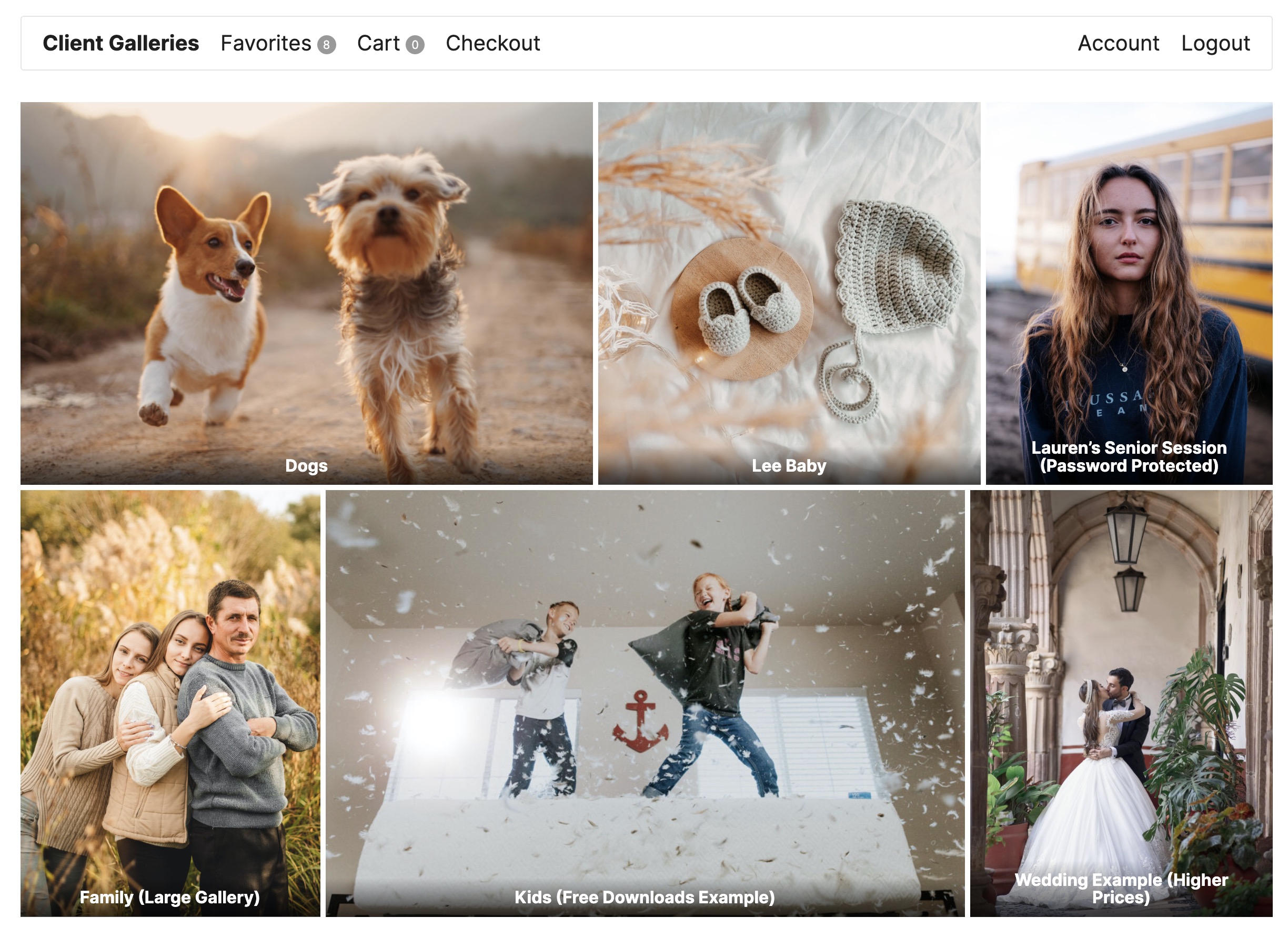
Main galleries view using Twenty Twenty One theme - Note: Private Galleries show only for logged in admin users or for users assigned to the gallery
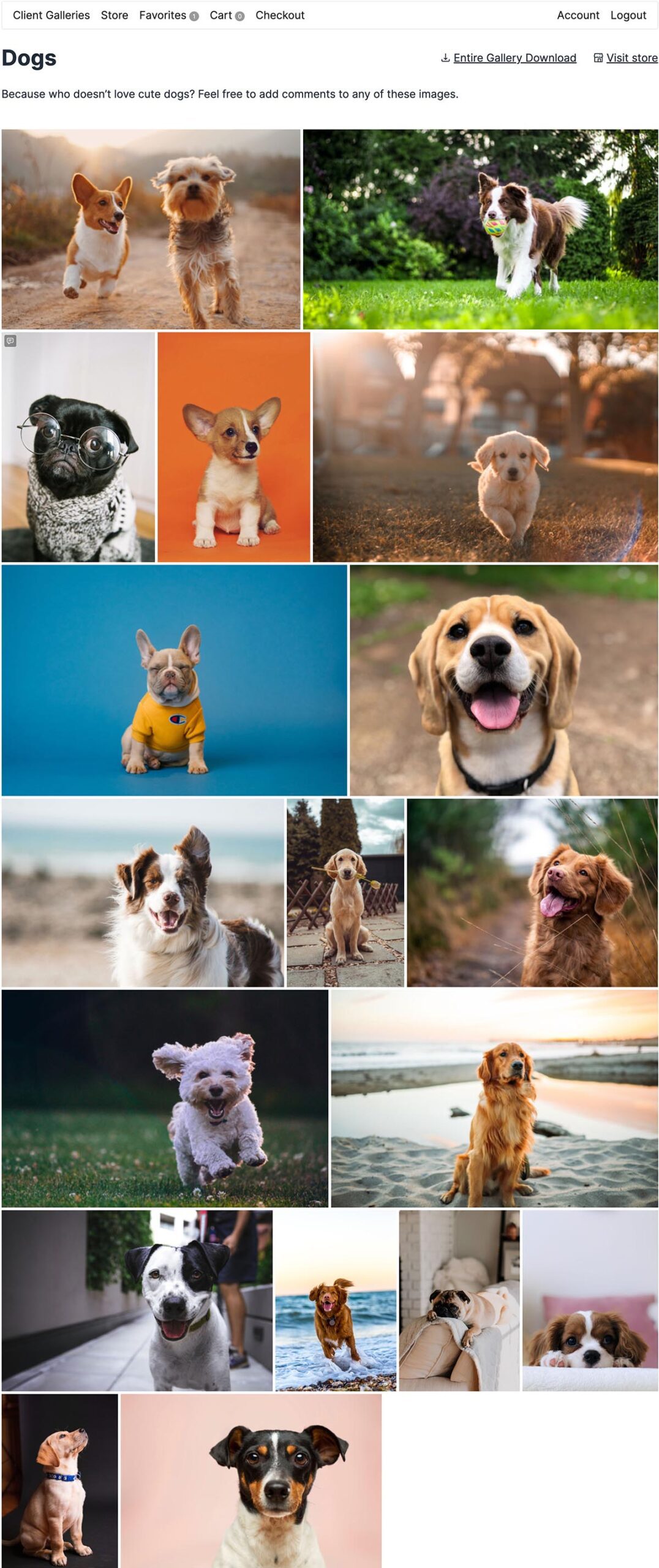
Single gallery view. Note the gallery expiration notice and watermarks!
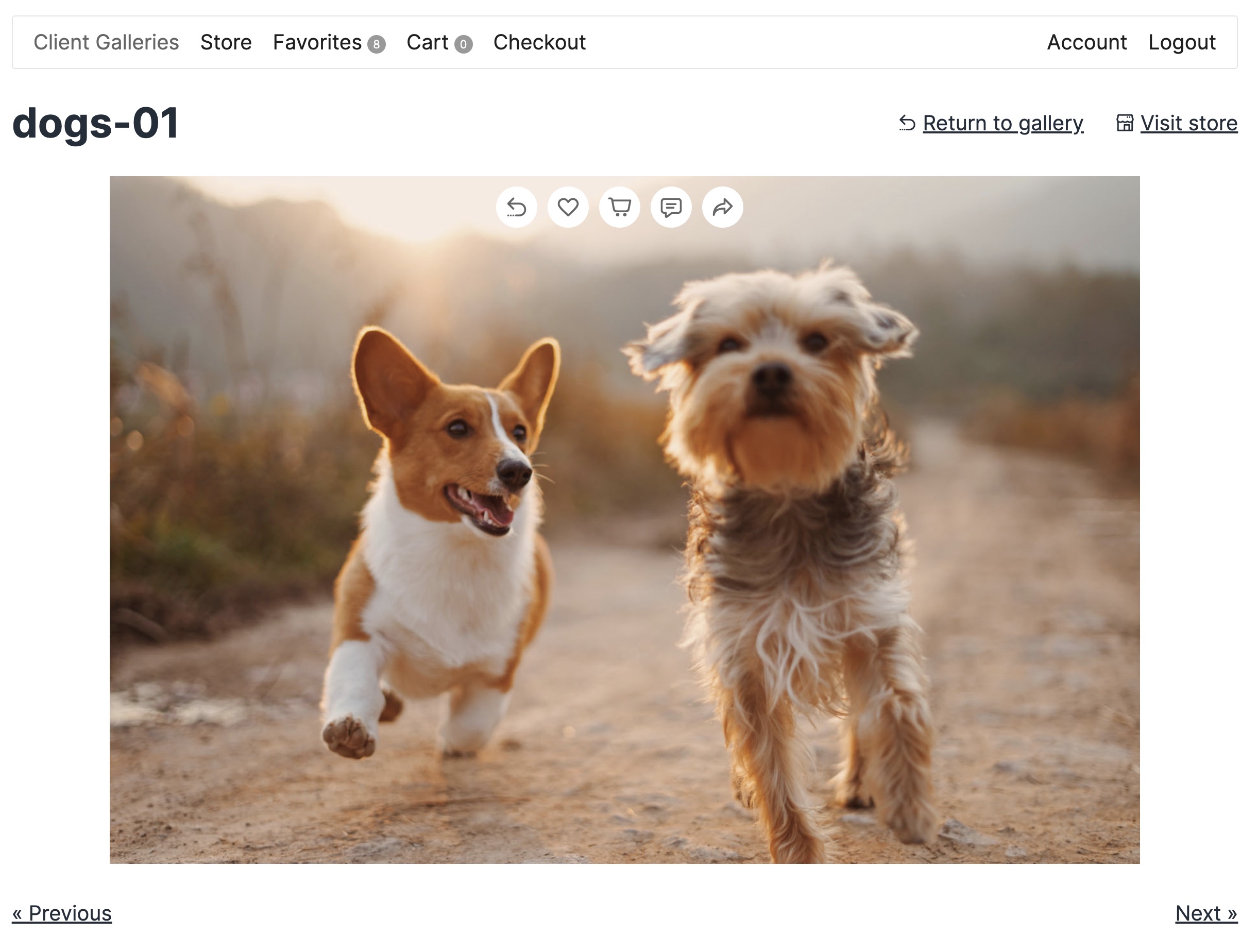
Single image view - Customers can add products to cart
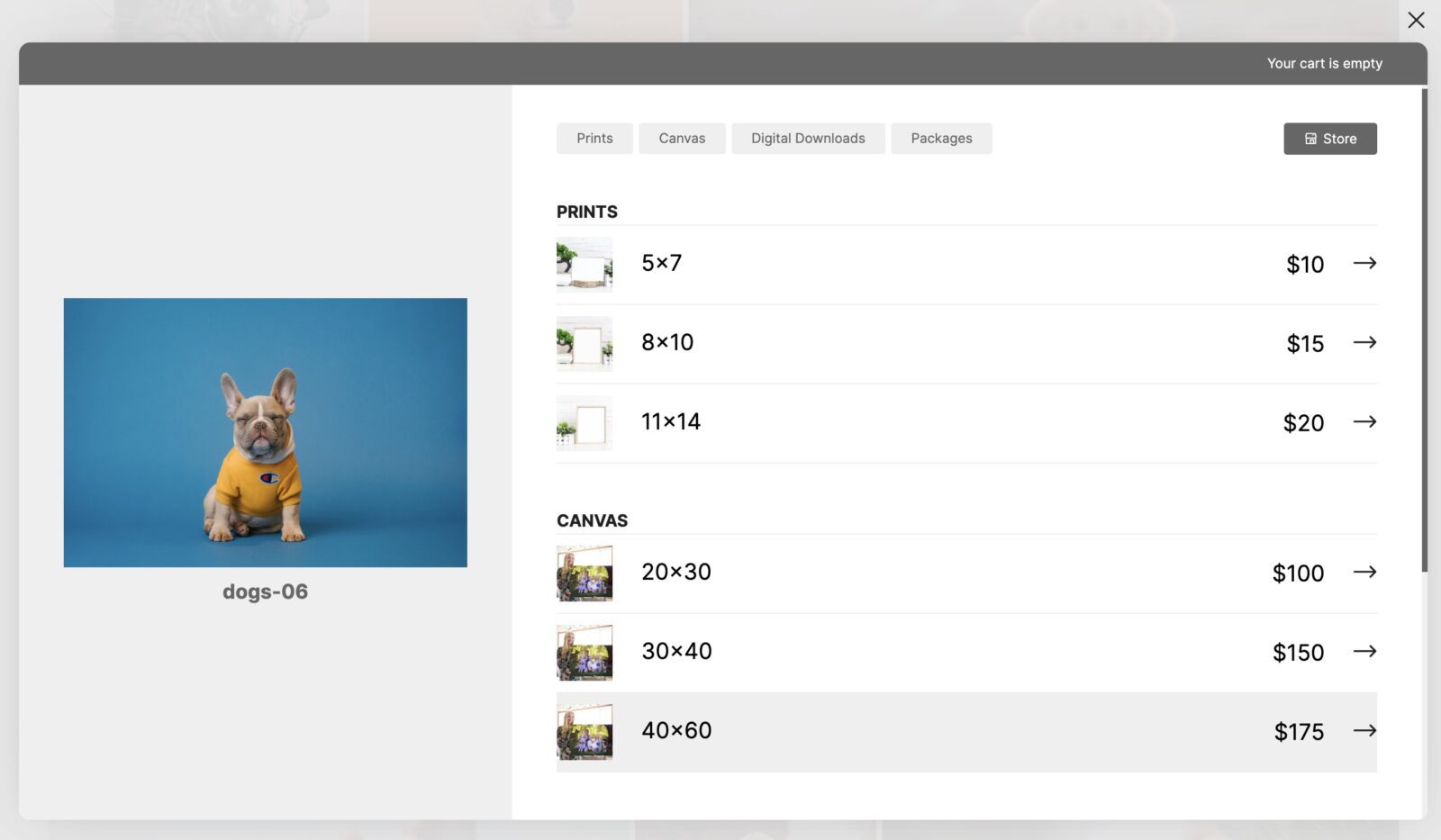
Add to cart screen

Store View - showing products first and allow customers to add multiple images to cart at once
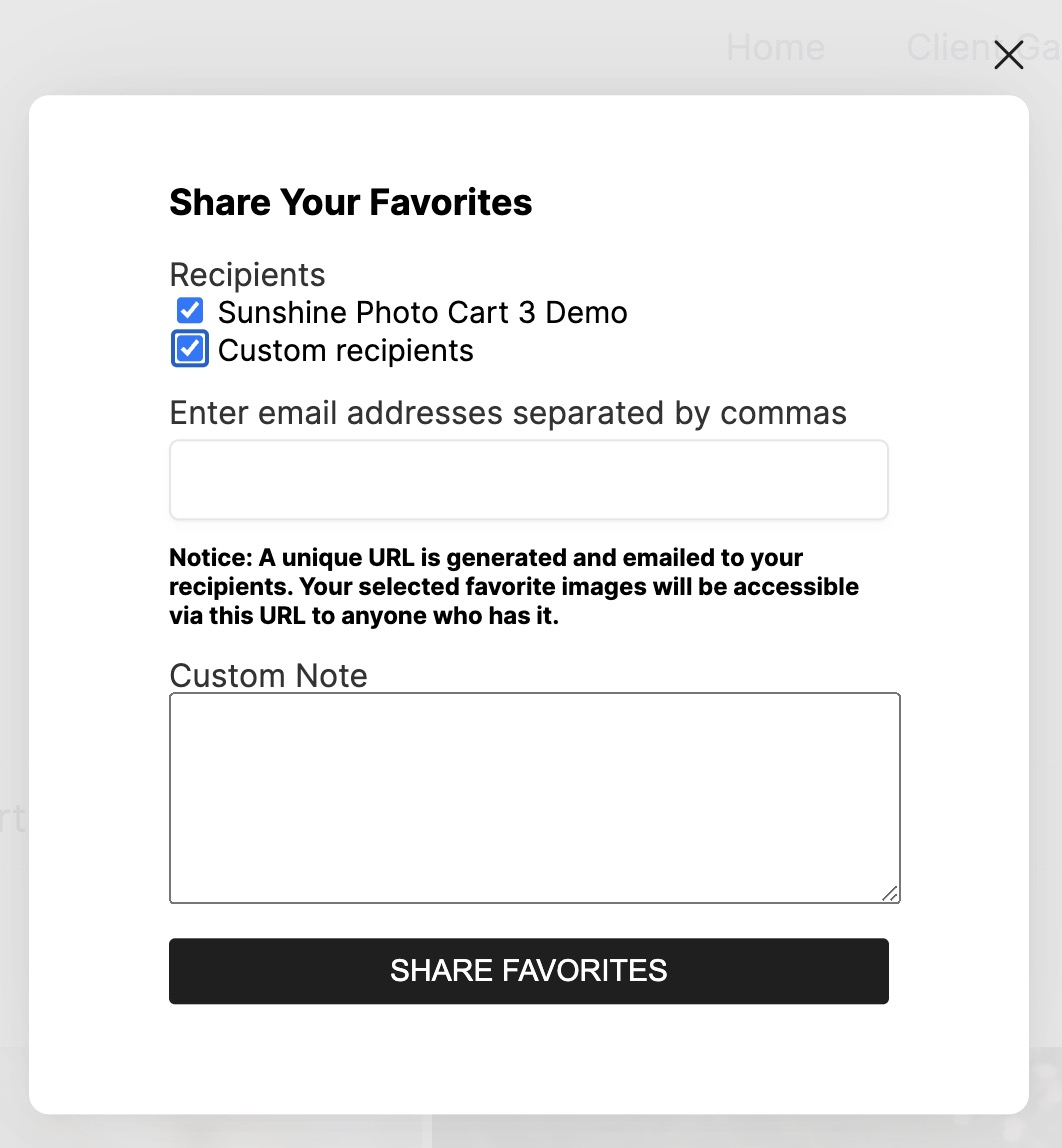
Sharing favorite images
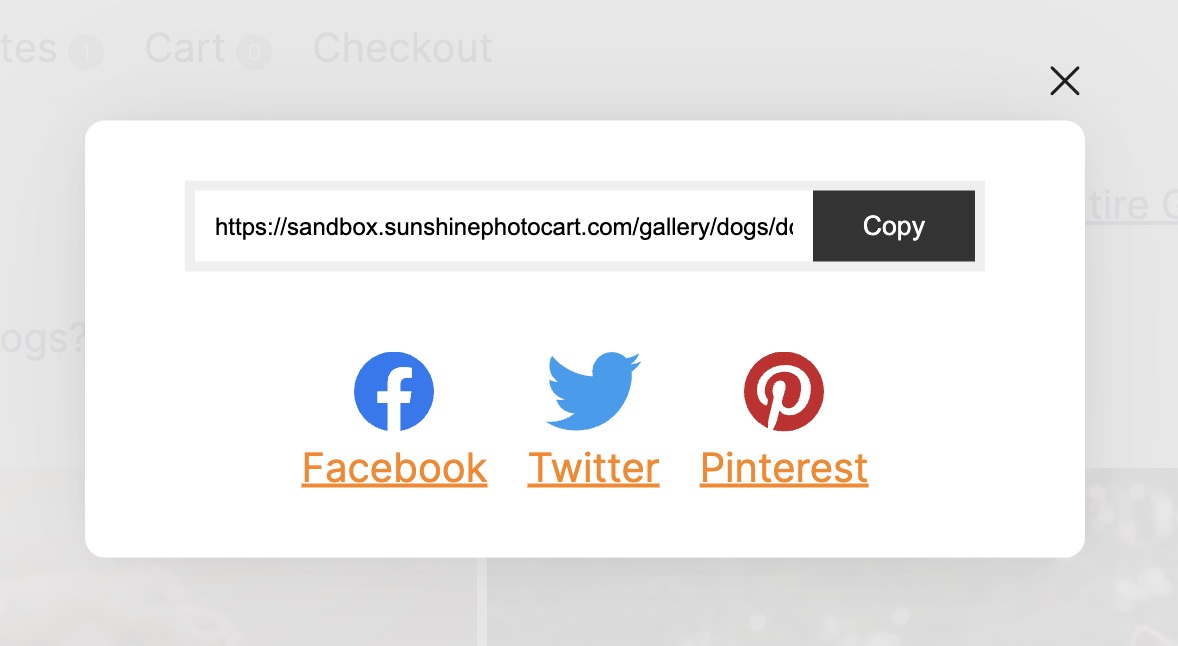
Social media sharing
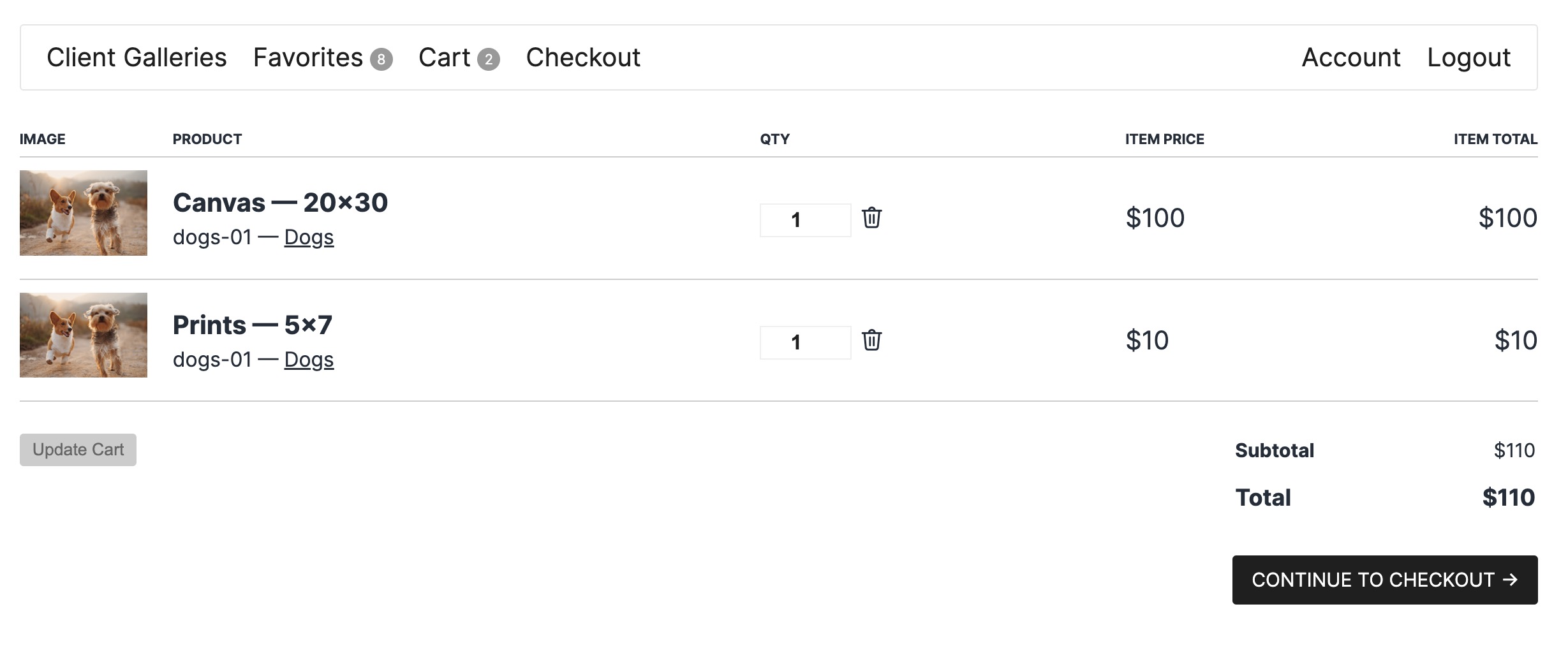
Cart - Manage items in cart
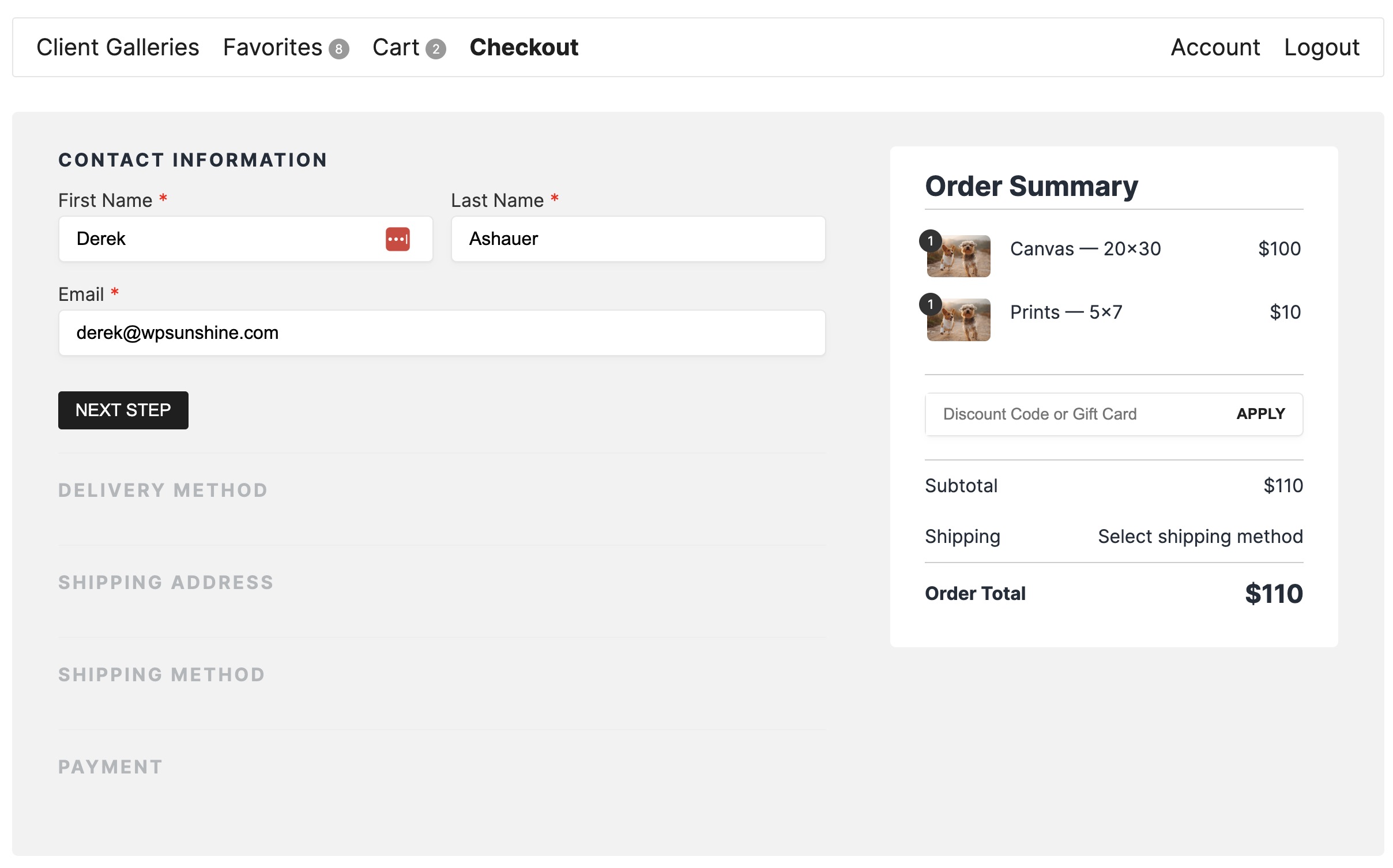
One page checkout - easy, quick process for your clients to pay for their order
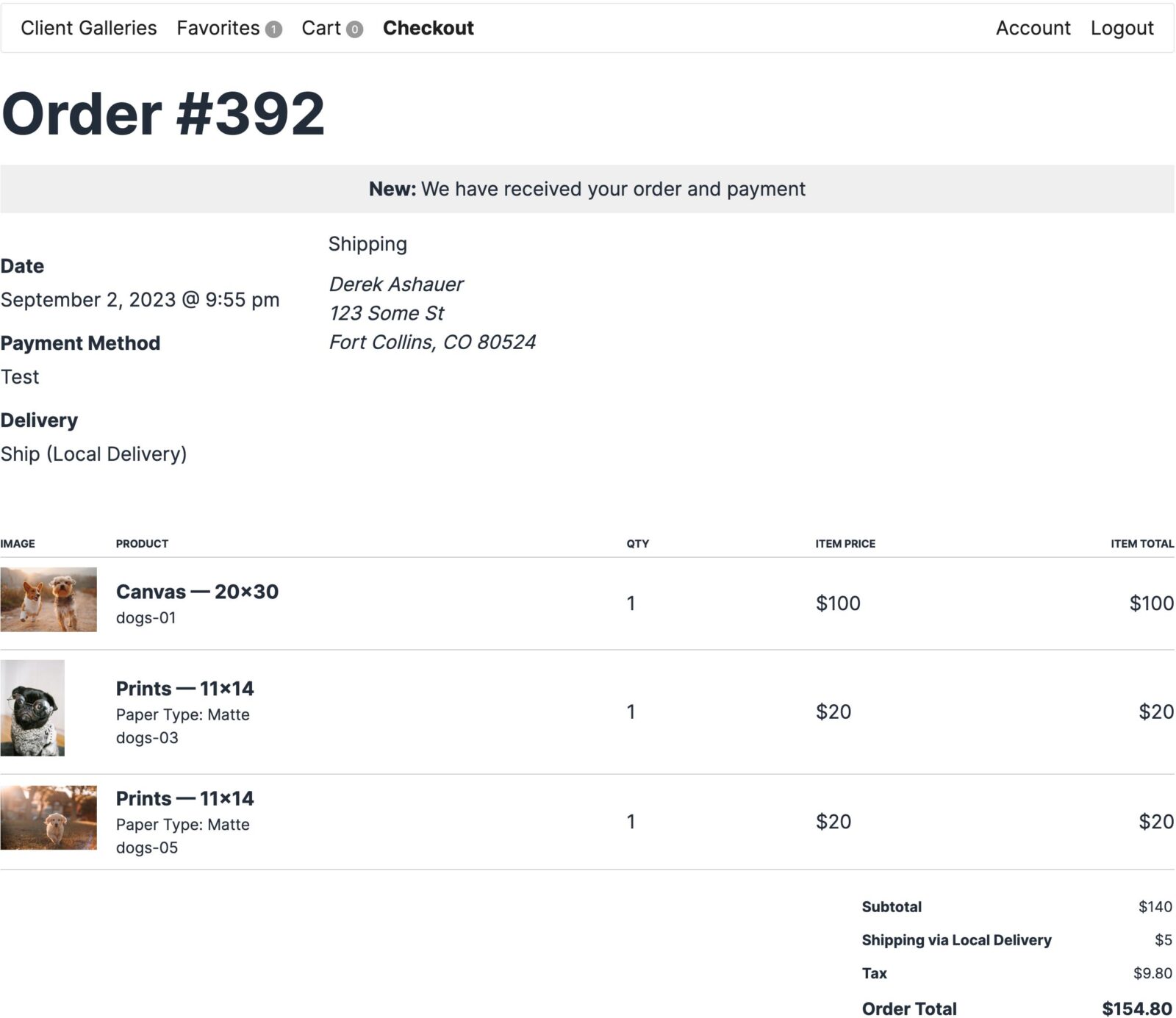
Order confirmation
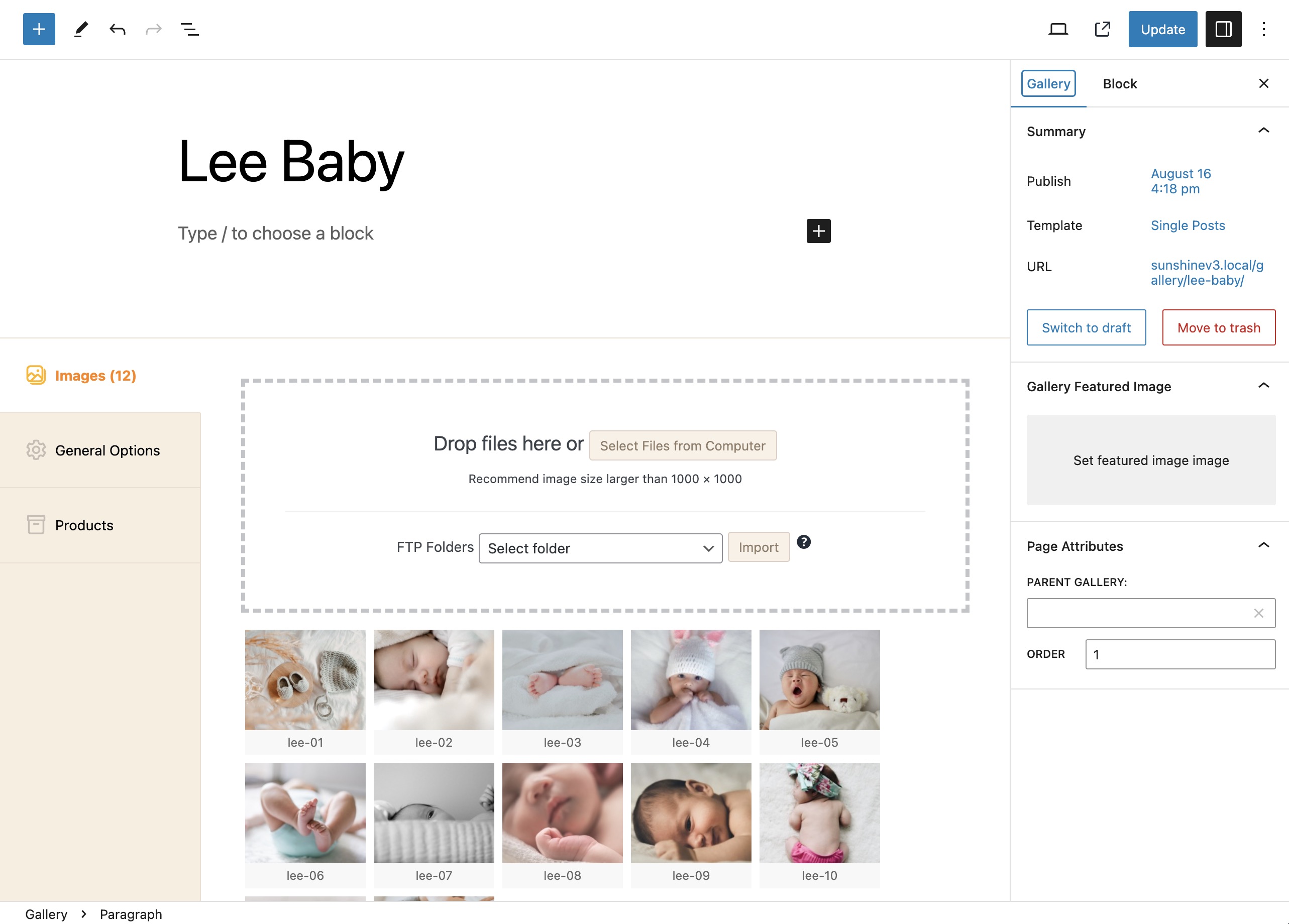
Admin: Create a gallery and add images
Faq
Use the support section on our website
Sunshine itself does not impose any limits on galleries, images, users, etc. You may want to check with your web host about your available file storage. There are many great web hosts which offer huge amounts of storage if you do have a host with small disk space limits. Otherwise, Sunshine does integrate with Amazon S3 for infinite file storage via the WP Offload S3 plugin.
Sunshine comes with PayPal, Stripe, and Square out-of-the-box. Stripe and Square are subject to 5% platform fees with the free version, upgrade to remove these platform fees. See all available payment gateways
Yes! You can fully demo Sunshine Photo Cart or create your own sandbox environment with full admin access.
Yes, we make all currencies available
Yes! Please see our translation site for a list of all active translations, help refine an existing translation, or start a new one.
Sunshine Photo Cart is primarily geared towards photographers selling to their clients such as weddings, portraits, events, schools/sports but also a great option for fine art photographers as well.
You can report security bugs through the Patchstack Vulnerability Disclosure Program. The Patchstack team help validate, triage and handle any security vulnerabilities. Report a security vulnerability.
Reviews
An Outstanding Photography Plugin
By 
This plugin is fantastic! I cover sporting events producing a large number of images, and Sunshine handles them with ease. Day to day issues have been non existent, and the few issues I've had during set up have been dealt with quickly and efficiently, without any issues. Derek's customer service is second to none! I would recommend this plugin to anyone, for it's flexibility, ease of use and customer care, outstanding! Richard
The best e-commerce photography plugin out there
By 
Sunshine Photo Cart is, quite simply, the best e-commerce solution for photographers.
I am a WordPress web developer as well as a photographer and photography based websites rank as being one of the most awkward to get right with all the required functionality if you are wishing to sell your work.
I have tried a large number of alternative plugins for showcasing and selling photography, but non of these alternatives provide the seamless workflow that Sunshine provides.
Those of you who are familiar with WooCommerce and other gallery plugins will know that creating individual products for all of your images is untenable. The payment gateways provided through Sunshine are also a breeze to set-up.
The magic behind Sunshine and the foresight of its creator Derek Ashauer is that once you have the plugin settings sorted, the task of uploading new images becomes effortless.
The admin is well thought out and great to work with. Once set up, products are created without any further faffing around and having your images ordered correctly by capture date is an invaluable feature that many people will appreciate - especially with large galleries which need to be chronological. I failed to find another gallery plugin that did this properly, if at all.
With some coding knowledge, one can make everything look as required to personal taste and there are some wonderful admin tools to clean-up and maintain the plugin.
If you are a photographer who wishes to both display and sell your work, there is no better solution and Derek’s support is fantastic.
This plugin is AWESOME
By 
After using an old depreciated plugin to sell photos, and hacking the code to do what I wanted, I stumbled across the Sunshine Photo Seller Plugin. I was completely blown away how robust and polished this software was. The integration it has with the different payment platforms is just insane. There are so many configuration options to make it look and feel exactly the way you want. Any issues I had with it were a result of how I had things set up on my server, which Derek was awesome at helping me track down. I recommend this plugin 1000% if you need to sell photos on your website.
Great Plugin
By 
As a pro photographer I've been looking around for a plugin like this for a long time and this guy does it! The biggest benefit for me was the stand alone style, do your own stuff, sell as much as you can without a commission. You pay your yearly licence and you're set. The plugin had a major update recently, gets regular tweaks often and the customer service and support is fast. I know it will get better and better. Thanks Derek.
Great so far
By 
I really like this plugin, it has a lot of features all in one place. Dev is super responsive and addresses issues right away. I like having everything done via my WordPress site as opposed to multiple external sites.
You won't regret this plugin
By 
With 5 star customer service paired with the integrity to put forth an amazing product, Derek at WP Sunshine has created, nothing short of a masterpiece. The workflow and options allow for a rather customized approach to your photography business, and with feedback and requests actually being listened to unlike some other plugins on the market. Sunshine elevated my small photography business and I know it can elevate yours as well.
Best support ever - Best plugin for Photographers
By 
I buyed Sunshine 3 because it seemed to be the best option. I was right. The support for implementation was the best i ever encountered in my +20 years since i use wordpress plugins. Derek is the best! He has more patience than anyone! Thank you Sunshine
Great Photography Plugin
By 
As a part-time headshot photographer this plugin has been super helpful. Uploading photos and making them available to clients quickly is a huge plus! It's very simple and easy to use too.
Photographer + WP + Sunshine = Heaven
By 
So far so good. I'm a new Sunshine user, old photographer, recent WP developer. Love the simple structure, display, and cart features. Derek replies to all support requests, and regular, ongoing support as well. Thank you Sir.
Great photosite plugin
By 
Derek has done great work with this free plugin. Ive already purchased premium and I'm looking forward to even more great things with v3.0
Changelog
3.5.7
- Add: Work with new text product option
- Add: New email template tag to show galleries in the purchase for admin orders
- Enhancement: FTP upload errors will show which image had an error while uploading
- Enhancement: Image assigned to gallery later in upload process to better ensure no processing errors happened first
- Enhancement: Regenerating images now prompts user on how to handle image watermarks before processing
- Fix: Dashboard stats calculations
- Fix: Option pricing added twice when showing order line items
- Fix: PayPal Legacy not properly including line item discounts
- Fix: PayPal Legacy not setting order status to new in webhook
3.5.6.2
- Fix: Overzealous escaping caused issues in various places, take 2
3.5.6.1
- Fix: Overzealous escaping caused issues in various places
3.5.6
- Fix: Address Autocomplete at checkout
- Fix: Not saving line item discount amount to database, so not showing in receipts/admin
- Fix: Tons of escaping functions and other changes to meet Plugin Check guidelines
- Fix: Fix saving customer notes during checkout to customer meta and clearing out customer notes from usermeta as it is unnecessary data
- Fix: Only run the update processes for the versions that are needed, also run if versions may have been skipped
- Update: Translations
3.5.5
- Fix: Further refinements to line item subtotal calculations
- Fix: FTP import existing image check to be case insensitive
- Enhancement: Stripe – Improved order recovery for users who refresh or do weird things while payment is processing that interrupts the normal flow
- Enhancement: Stripe – Improved indicator that payment fields are still loading to help with slow connections
- Add: Allow 3 character currency code to be displayed along with all prices
3.5.4.2
- Fix: Further refinements to line item subtotal calculations
- Fix: Square charge wrong total that go directly to payment section on Checkout
3.5.4.1
- Fix: Subtotal display not giving proper total when line item has discounts and no tax is set for current cart
3.5.4
- Enhancement: CSS updates in add to cart to improve buttons and mini cart
- Enhancement: CSS updates for general store product list items, entire product line clickable
- Enhancement: Show discounts in all cart/checkout/emails before/after tax based on settings
- Change: PayPal – disable inline card form, users can still pay with card within PayPal popup
- Fix: [sunshine_galleries] shortcode in page content returns true for is_sunshine()
- Fix: Require a valid order ID on init order to continue to payment processing
- Fix: Cart line item sub total display when discounts are applied
- Fix: Better organize prices internally when prices are entered with tax
- Security: Add nonce to Stripe disconnect process
3.5.3
- Add: Custom label/description for Pickup delivery method
- Fix: Stripe reusing customer ID during guest checkout
- Change: Stripe – set custom payment description
- Change: Adjust gallery search to also consider Access Type for parent galleries
- Enhancement: Justified gallery/image layout CSS
3.5.2
- Add: sunshine_favorites_file_names_separator to better customize how file names for favorites are displayed
- Change: Help ensure session garbage cleanup is run regularly
- Fix: Rounding errors when tax is included in price
- Fix: Showing proper subtotal when tax is included in price
- Fix: Tax + Discount calculations in set_tax for cart
- Fix: Conflict with Elementor for order filter by gallery
- Fix: Clean up translations
3.5.1
- Change: Minor tweak to checkout submit element to better work with add-on gateways
- Change: PayPal Legacy always clear cart on return
- Change: Remove logging of metadata during checkout flow
- Fix: Stripe – Don’t run on init_order when Stripe not selected
- Fix: private get_mode() for payment methods causing errors with outdated gateway add-ons
3.5
- Enhancement: Under the hood checkout flow process
- Enhancement: Improved search results to handle multiple keyword searches
- Enhancement: Translations updated
- Add: Orders can be filtered by gallery
- Add: Help link to Sunshine admin menu
- Add: Link to view all comments from a customer
- Add: Option to disable invoices with orders (Settings > Checkout > Orders)
- Add: Conditional needs_delivery() for all products so this section can be disabled at checkout if allowed based on cart items
- Add: Email receipt template tags for receipt/invoice link/url
- Add: Custom CSS for emails in Settings > Design > Customizations
- Add: More currencies
- Add: Check during gallery image upload that images meet the size requirements, shwo error if they do not
- Add: Gallery option to enable Open Graph data to be used for gallery/image pages (your SEO plugin may already be doing this though)
- Add: WhatsApp to gallery/image sharing options
- Change: In multi-image selector sources, only show galleries with images
- Change: Cover theme hides cover photo when in store view
- Change: Hide main galleries link also hides the return to parent gallery link
- Enhancement: JS passing more data for product show details event for add-ons to hook into
- Enhancement: Filters on discount data
- Enhancement: Admin order details page, add link from line item thumbnail to image details screen
- Enhancement: sunshine_get_gallery_descendant_ids optimized for query speed
- Enhancement: Improved Order Summary on checkout page for mobile
- Fix: Square gateway works with cards requiring SCA
- Fix: During image upload, do our own EXIF exploration to get the true created_timestamp and not rely entirely on WP
- Fix: Confirm data format for gallery emails before adding new one to prevent fatal error
- Fix: Discount calculation use subtotal when checking for minimum order amount
- Fix: Assigning/unassigning favorites and adjusting quantities in multi-image select view
- Fix: Custom email template check
- Fix: Show payment method fees on order details page
- Fix: Do not remove favorites when local image URL not found as they could be hosted at S3
- Fix: Shipping as Billing feature in checkout (currently only used with Square)
- Fix: Calculate tax on discounted amount for items
- Fix: PayPal refund in admin handle “pending” status when showing result message
- Fix: Include fees on order invoice template
- Fix: Tracking latest login time
- Fix: Restore order count to main admin menu
- Fix: Selecting images from other source galleries beyond original during store add to cart flow
- Fix: Mobile styling in store add to cart modal
3.4.12
- Fix: Security Fix: admin password could be reset via customer account password reset if admin user_login is known
3.4.11
- Add: Product minimum quantity (per cart line item)
- Fix: Discount variable typing for allowed galleries removed as caused slowness in rare instances
- Fix: Add error checking during watermark process to prevent fatal error when watermark PNG file is not valid
- Fix: Watermarking work with more file formats: jpg, gif, webp
- Fix: Security vulnerability around unused Stripe webhooks
3.4.10
- New shortcode: sunshine_cart_quantity
- New shortcode: sunshine_mini_cart
- Fix: Line item subtotal function in receipt emails
- Fix: Cart line item to properly show image file name when using “filename” image name setting
- Fix: Show all discount names in receipt emails when multiple discounts are applied
- Fix: Process price_level in add to cart via URL
- Fix: Remove existing items from cart if the product pricing has since been removed
- Fix: is_sunshine_page() special condition check for checkout to see if we are actually on receipt page
- Update: Add additional code for EWWWW compatibility so it does not affect watermarks from their recent updates
3.4.9.1
- Fix: Left debug line showing file shoot time instead of file name in gallery admin
- Fix: Discount allowed galleries force check for array value
3.4.9
- Add: New filter – sunshine_product_max_qty
- Add: New setting – disable random strings in image file names for security
- Fix: Improved check for when to increase qty vs add new line item
- Fix: Order log use selected timezone time
- Fix: Line item subtotals when prices enter with tax and shown with tax
3.4.8.1
- Fix: Rename hook back to “sunshine_checkout_create_order” to fix compatibility with various add-ons
3.4.8
- Add: Product category descriptions shown in image add to cart modal
- Add: Filter ‘sunshine_order_email_search_replace’ to allow custom checkout fields to order emails
- Add: Automatically ignore optimization in EWWW Image Optimizer plugin for all Sunshine gallery images to prevent issues
- Update: Prices in cart always use most recent product pricing instead of when added to cart
- Update: Include product photo in Store if exists
- Fix: Button styling dark on dark in packages modal
- Fix: Default watermark state to true so it applies in other add-ons/areas as expected after adding new optional watermark setting
- Fix: Image/folder deletion on FTP import when successful if option is set
- Fix: Don’t redefine DONOTCACHEPAGE if already set
- Fix: Apply masonry properly to all instances of a gallery list on a single page
3.4.7.1
- Fix: User search bugs introduced in last update
- Fix: Watermark toggle at gallery upload now works with FTP import
3.4.7
- Fix: Prevent duplicates in customer/user search in meta user fields
- Fix: Regenerate images follows watermark setting for individual image at upload, fallback to default if not set
3.4.6
- Add: Ability to disable watermarks during drag/drop image upload process
- Update: Delete custom Sunshine gallery image folders after all it’s images have been deleted
- Fix: Not showing password reset screen when disable signup is enabled
3.4.5
- Fix: 100% discounts not applying to tax due to recent change that has been reverted
- Updated: translations
- Fix: Obey “Disable Signup” at checkout by not showing/requiring a password and effectively allow guest checkout
- Add: More granular capabilities for access to various areas such as reports, tools, customers, add-ons
- Fix: Classic theme CSS styles on mobile for search/password forms in header
3.4.4
- Fix: Double Before Content with Classic theme
- Fix: Classic CSS menu/header styling for mobile devices
- Fix: Sunshine Manager capabilities to edit gallery images
- Fix: Issues with watermarks not being applied after recent new enhanced image security features
3.4.3
- Fix: Orders paid with credits not moved to “new” status
- Fix: Bug hiding password field at checkout
3.4.2
- Update: New user sign up without password, new account email includes link to set password
- Fix: Stripe creating many pending payments
- Fix: Stripe not charging proper amount when credit is applied
- Fix: Change “sunshine_set_discounts” timing so rule application can happen after any are auto added
3.4.1
- Fix: htaccess rules to allow loading thumbnail in emails
- Fix: Order status setting fixed for all gateways during checkout flow
- Fix: Offline payment instructions included in email
3.4
- Add: Enhanced image protection via htaccess rules + file naming conventions
- Fix: Square order email sent before order updated to “new” status
- Add: “notify” notice type styling
3.3
- New! Ability to set pricing on a per-image basis
- Fix: Wrong price level for imageless products when adding to cart from store
- Adjusted mobile modal styles
- Fix: Ajax powered galleries field to also include Direct URL access galleries
- Fix: Multi-image select only allows max qty 1 on digital products in store (and for packages)
- Fix: Handling async payment methods in Stripe
- Fix: Issues with action triggered emails sending to same person multiple times
- Fix: Do not send new account registration emails when admin is the one triggering it
- Fix: Add “products” as available settings field
- Fix: Classic theme CSS styles
- Enhancement: Better support for Yoast Open Graph images to use the sunshine-large size
3.2.11
- Fix issue with conflicting settings: disable account vs no guest checkout. No guest checkout takes precedence.
- Fix issues showing main galleries page content in Classic/Cover themes
- Slight CSS style adjustments to action menu
- Add customer notes to order invoice
- Use wp_safe_redirect to ensure no malicious redirects to external sites happen
- Do not set first shipping method to default for cart unless there is only 1
3.2.10
- New ajax powered Products meta field
- Secure ajax powered meta fields with nonces
- New gallery image sort new to old for image shoot time
- Include gallery hierarchy in admin order email for each line item
- Revert max quantity for a product to be per line item, not entire cart
- Fixed security around tools
- Fixed security around connecting to Square/Stripe
3.2.9
- Fix tracking count query which used hardcoded database table prefix
- Fix child gallery password form when parent gallery requires password
- Fix mobile styling for Account > Orders
- Add URL query arg after entering gallery password or access code to help bust cache
- Fix issues around available delivery methods during checkout based on items in cart
- Fix security issue found by Patchstack allowing access to add-on toggling by customers
- Updated translations
3.2.8
- Better display on product details when product has a max quantity
- Properly limit cart line item quantity based on product max quantity
- Sunshine Manager role can update Sunshine settings again
- Sunshine Manager role can access Discounts
- Cart items can now have metadata when adding to cart
- Fix showing shipping on all order total screens when it is free
- Fix admin Emails table styling
- Properly send order receipt when doing refund and option checked for Stripe/Square
- Include refunds on all order total screens
- Invoice show gallery hierarchy
3.2.7
- Remove tax basis setting, not used
- Install/update process adds permissions to access order statuses for Sunshine Manager
- Above miraculously fixes issue with Sunshine Manager not being able to access Orders :shrug:
- Sunshine 3 upgrade process deletes all user carts to ensure we do not have old Sunshine 2 cart data
- Fix Square API calls to get locations
- Fix Square order total so it never has decimals
- Fix call to function to make cover image when cover theme is active
3.2.6
- Sanitize session data differently to allow special characters
- Fix admin meta conditional javascript function name to allow multiple conditions
- Notes field moved above payment field at checkout
- Filter for default category when saving product in admin
- Prevent duplicate image IDs in galleries
- Products in cart can require a customer create an account at checkout
- Fix XSS vulnerability found by Le Ngoc Anh/Patchstack
3.2.5
- Add new Product Type filter in products admin table
- Hotfix – Not logged in multi-image selection fix
3.2.4
- Remove Stripe/Square SDKs, use native functions to massively reduce overall file size of plugin
- Fix mobile image select for gallery image upload in admin
- Filter sunshine gallery images to not use Jetpack/WordPress.com Image CDN to prevent watermark issues
- Fixed and improved discount validation check rules and applying discount per line item
- Fix get product max quantity check function (remove version without filter)
- Update icons used for better UI consistency
- Fix and improve the multi image selection JavaScript
- Set lang strings to be passed to sunshine.js so they can be translated
- Translations updated
3.2.3
- Show ID in admin table list for galleries and products
- Update add to cart to allow empty gallery ID for general products
3.2.2
- Prevent ability to favorite images from private galleries current user does not have access to
- Translations updated
3.2.1
- Fix allowing free shipping with discount code + restrictions
- Fix add to cart permission checks to allow Sell Anything products with no image
- Updated order access check function
- Fix getting cart total as proper float value
3.2
- New! Drag and drop to set the order of payment methods
- New! Add new Stripe option to configure layout: tabs vs accordion
- New! Add-on category filters to make finding add-ons easier
- Adjust the Checkout payment options so the payment fields are closer to the selected payment option
- Checkout will auto select the first payment option even if multiple are available
- Fix [sunshine_gallery show_main_menu=”false”] does not show main menu
- Adjustment to cart_total_formatted()
- Add filter to customer gallery query args
- Style adjustments to mobile checkout
- Adjust checkout shipping/payment selection to make it more clear they are selectable options, default to first if none yet selected
- Fix resending order receipt email so it does not send to the admin