Super Hide Post

Super Hide Post
Description
This plugin excels in giving you full control over the visibility of your a post. By default, any post you add to your WordPress blog will become the topmost post, and will show up immediately on the front page in the first position, and similarly in category/tag/archive pages.
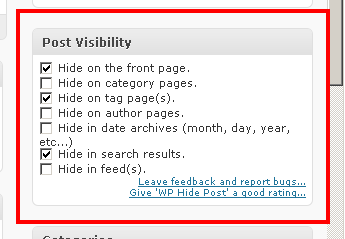
In particular, this plugin allows you to control the visibility of a post in various different views:
- The Front Page (Homepage, depending on your theme, this may not be relevant)
- The Category Page (listing the posts belonging to a category)
- The Tag Page (listing the posts tagged with a given tag)
- The Authors Page (listing the posts belonging to an author)
- The Archive Pages (listing the posts belonging to time period: month, week, day, etc..)
- The Search Results
- Feeds
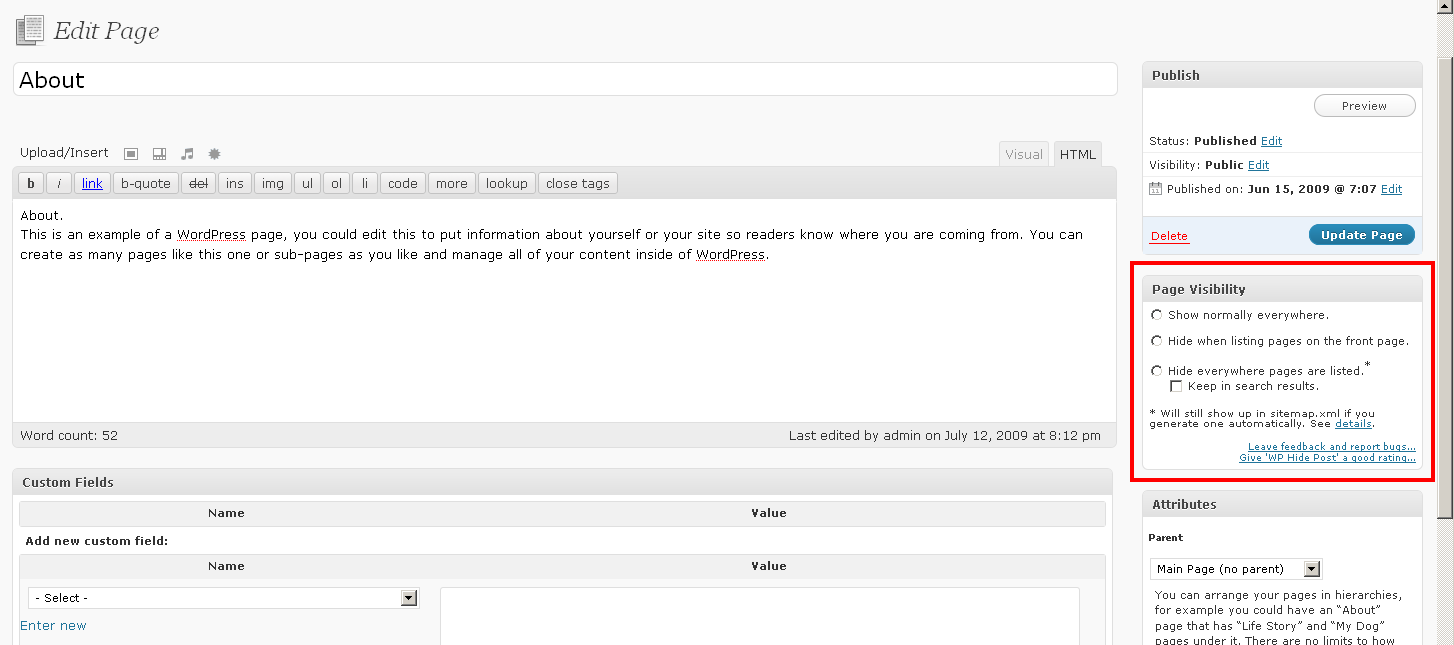
For a WordPress page, this plugin also allows you to control the visibility with two options:
- Hide a page on the front page (homepage) only.
- Hide a page everywhere in the blog (hiding the page in the search results is optional).
This means, technically, whenever pages are listed somewhere using the get_pages filter, this plugin will kick in and either filter it out or not according to the options you choose. The same rules apply regarding permalinks and sitemaps as they do for regular posts.
Please enjoy this plugin freely, comment and rate it profusely, and send me feedback and any ideas for new features.
Revision History
Installation
- Upload the
wp-hide-postfolder to the/wp-content/plugins/directory - Activate the plugin through the
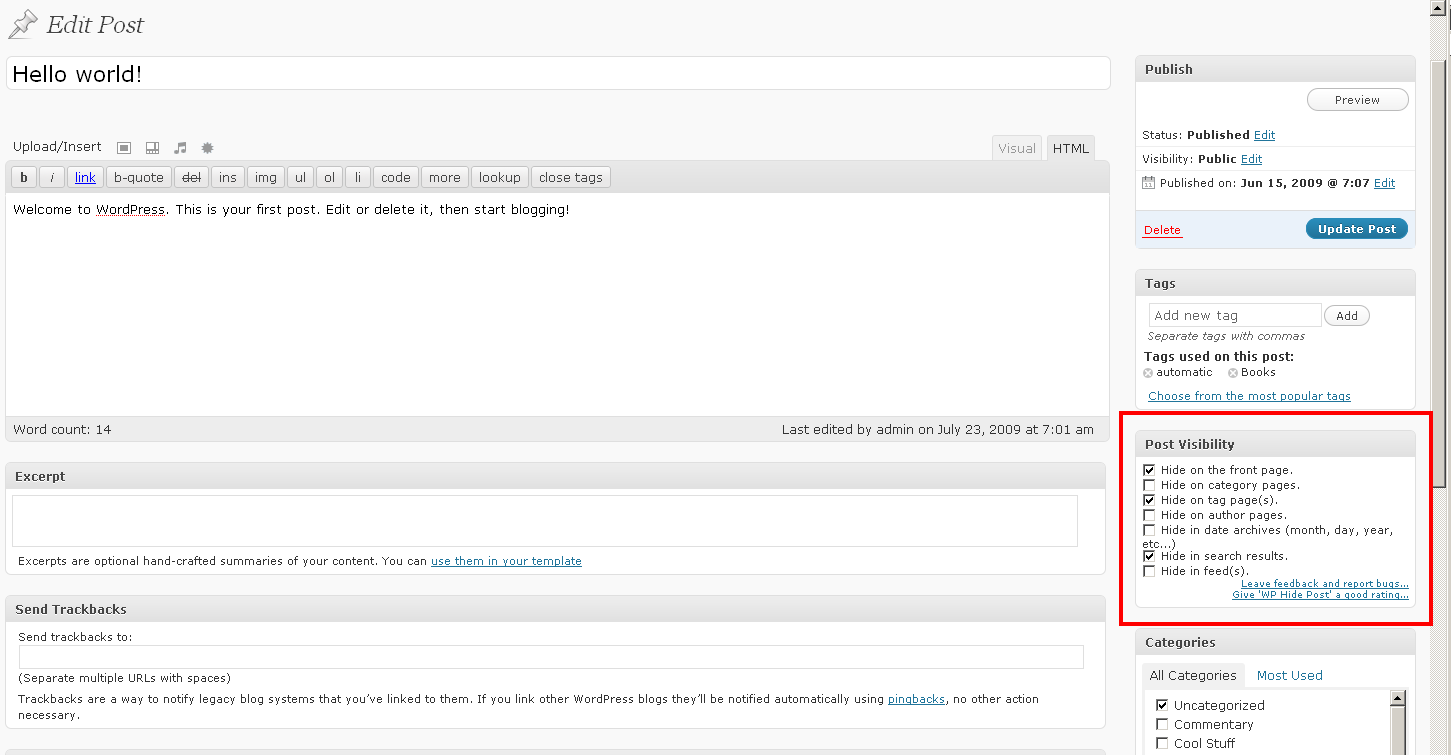
Pluginsmenu in WordPress - That’s it!! Now whenever you edit a post/page or create a new one, you will see a small panel on the bottom right of the screen that shows the applicable options.
Screenshots
screenshot-1.png
screenshot-2.png

screenshot-3.png
screenshot-4.png
Faq
Installation Instructions
- Upload the
wp-hide-postfolder to the/wp-content/plugins/directory - Activate the plugin through the
Pluginsmenu in WordPress - That’s it!! Now whenever you edit a post/page or create a new one, you will see a small panel on the bottom right of the screen that shows the applicable options.
What does this plugin do?
It enables you to create posts/pages that can be hidden (temporarily or permanently) from the homepage, feeds and/or other places. The post/page will remain accessible normally through other means, such as permalinks, archives, search, etc… and thus will remain visible to search engines.
How can I make a post or a page private so that no one can see it?
If you want to make a post/page completely private you don’t need this plugin. WordPress supports options such as private and/or password-protected posts/pages out of the box.
Can I make a post or a page *hidden* for a while, but then make it normal again?
Yes. The hidden flags are just another set of attributes of a post/page. They can be added or removed at any time, just like editing anything else about the post.
Reviews
Great plugin
By 
Easy to Use and Works
By 
Works great in WP 4.9.8
By 
A functioning alternative to WP Hide Post
By 
Thank you very much!
By 