Super Simple Events List

Super Simple Events List
Description
Create and customise a simple events (and past events) list. Display them on your page with a shortcode. The shortcodes can be customised to show only the things you need. All the elements have classes so styling is made easy.
In the WP admin it has the look and feel of WordPress.
Installation
- Upload the unpacked folder to the “/wp-content/plugins/” directory.
- Activate the plugin through the “Plugins” menu in WordPress.
Screenshots
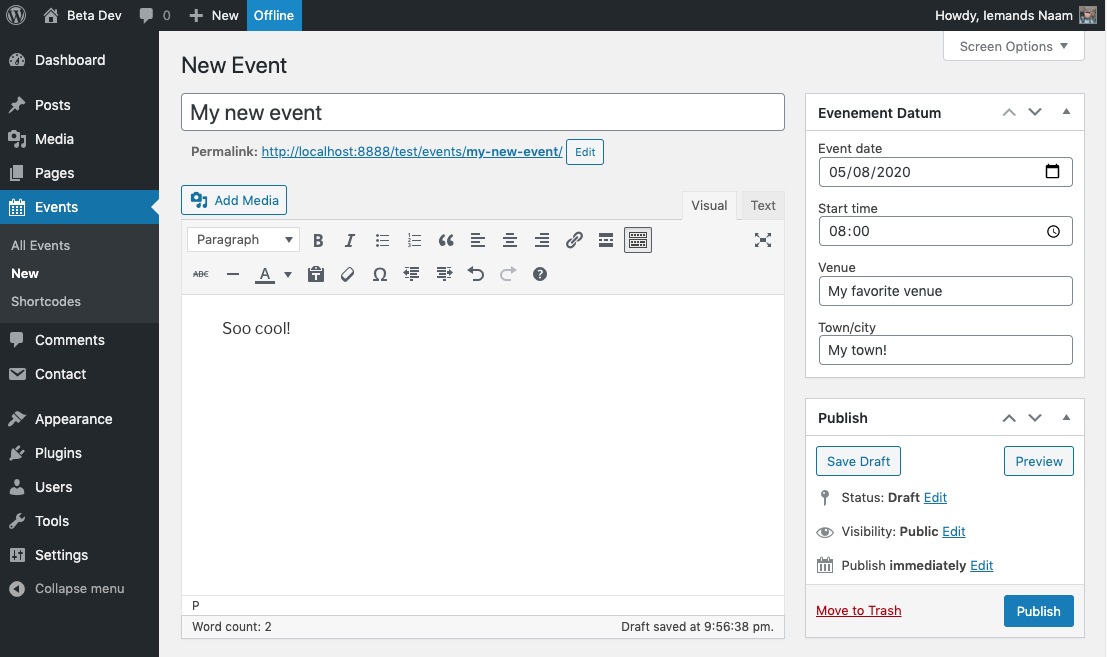
Create an event like any other post type. Just add a date, time, venue and location.

When published the event is visible and extra details are put above the the_content();.

There is also some help with the shortcodes if needed.

A list of your events in the WP-admin

The output of the shortcode, this is the list. Simple!
Faq
How simple is it?
Maybe a bit overly simple!
Does is make a fancy calendar?
No. Just a list and a single page.
Is that list paginated?
Yes, if you like to.
Is there also a list of past events?
Yes, there is a shortcode for that as well.
Can I attach posters or images to my event?
Yeah, why not?
Reviews
Changelog
0.9
- Fixed a bug where the html output was escaped.
0.8
- A version good enough to release!