WP Supra – Maintenance & Support Utilities
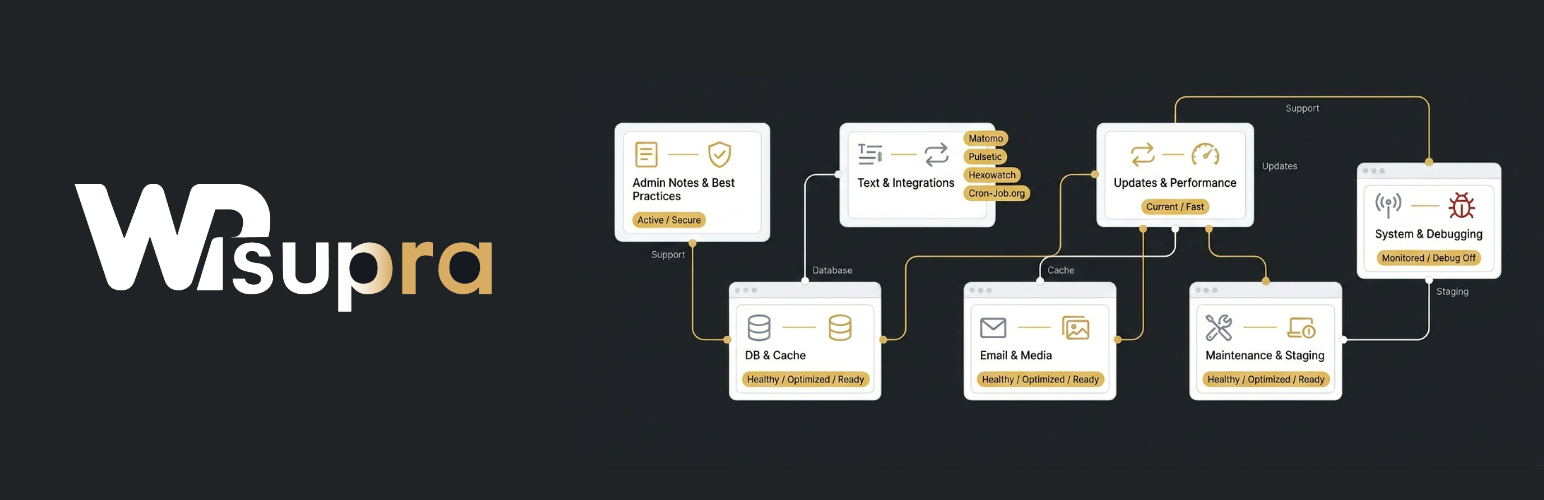
WP Supra – Maintenance & Support Utilities
Description
WP Supra is a modern WordPress management and maintenance tool designed for agencies, freelancers and advanced site owners.
The plugin serves two purposes:
- Connector to the WP Supra Management Panel for centralized multi-site administration
- Standalone maintenance toolkit with powerful utilities and optimizations
With WP Supra, you can manage multiple WordPress installations efficiently and maintain individual sites with advanced control.
WP Supra Management Platform
- Centralized inventory of connected websites
- Manage updates across multiple sites
- Monitoring integrations
- Cron job integrations
- Free for up to 20 websites
- Aforable price per additional site/month
Get Started
Take your WordPress maintenance to the next level with WP Supra.
🔍 Book an Audit or Consultation
Get expert insights into your WordPress setup and identify optimization potential:
https://wpsupra.com/get-started/
🧑💻 Create a WP Supra Account
Start managing multiple websites centrally:
https://wpsupra.com/sign-up/
Standalone Maintenance Features
🗒 Admin Notes
– Store important maintenance notes and instructions
– Example: “Do not install this plugin”
– Improve team collaboration and documentation
✅ Best Practices
– Built-in maintenance guidelines and recommendations
– Helps identify common configuration issues
– Encourages a consistent and professional maintenance workflow
✏️ Text Overrides
– Modify or replace text strings globally
– Not limited to translations
– No coding required
🔌 Integrations
– Matomo (self-hosted analytics, set up by WP Supra)
– Pulsetic (uptime monitoring, set up by WP Supra)
– Cloudflare (traffic and threat analytics, connected in WP Supra)
– Emailit (email delivery, read by WP Supra)
– All connected services on one statistics page (Dashboard Analytics & Reports)
🔄 Update Management
– Control automatic updates
– Disable WordPress core updates
– Disable individual plugin/theme updates
– Clear overview of update status
📧 Email Enhancements
– Change admin email without 2FA confirmation
– Forward selected support emails
– Disable password change notifications
– Pause outgoing emails
⚡ Cache & Performance Overview
– Quick cache insights for troubleshooting
– Identify unused performance optimization potential
– Detect areas where caching can be improved
🖼 Media Management
– Overview of registered thumbnail sizes
– Manage media trash
🗄 Database Tools
– Manage revisions
– Clean up transients
– Table overview with storage usage and entry counts
– Identify unused tables and optimization potential
🔍 Advanced Database Analysis
– Meta data analysis with index suggestions
– Autoload optimization recommendations
– Slow query detection
🚧 Maintenance & Staging
– Maintenance mode
– Staging actions
📊 System Status
– Maintenance-focused site health insights
– Simplified overview of critical system information
– Highlights relevant issues affecting maintenance and stability
🐞 Logging & Debugging
– Enable or disable WordPress debug mode
– Prevent excessive log file growth
If you are looking for regular WordPress maintenance, contact the team at WP Supra, WP Support or WP Support Schweiz. If you are looking for individual support, please contact the team at Support for WordPress and WooCommerce.
Installation
- Upload the plugin files to the
/wp-content/plugins/support-wpdirectory, or install the plugin through the WordPress plugins screen directly. - Activate the plugin through the ‘Plugins’ screen in WordPress
- Use the Settings > WP Supra screen to configure the plugin
Screenshots

Plugin Settings, Tab Query Analytics
Faq
Not by the plugin itself: WP Supra sets up the Matomo instance and delivers the core metrics shown in the dashboard. The plugin only prints the tracking code.
Not by the plugin itself: WP Supra sets up the Pulsetic monitor and delivers the monitoring data shown in the dashboard.
Not by the plugin itself: the Cloudflare API token is stored in WP Supra, which delivers the traffic figures shown in the dashboard. The plugin only knows the zone.
Only when the website is connected to WP Supra: the plugin then reads the monitoring and analytics figures from WP Supra and no longer calls the APIs of Matomo, Pulsetic, Cloudflare or Emailit itself. If Matomo is connected, the tracking code loads from the Matomo instance in the visitors’ browser. No data is transmitted without configuration by the administrator.
Reviews
Best Plugin 👍
By 
This plugin saves me a lot of time. Well Done
Changelog
- Version 127
- Added a hint showing XML RPC is needed by certain plugins
- Made the hint regarding incorrect URLs for Matomo or Pulsetic more robust
- Allow installation via API from selected sources
- Version 126
- Matomo, Pulsetic and Cloudflare are connected in WP Supra only, the plugin no longer stores any API token (existing tokens are removed)
- New Emailit integration: email delivery and DNS state of the sending domains on the statistics page
- New statistics page with the figures of all connected services (Dashboard Analytics & Reports and the Statistics tab)
- Removed the Cron-Job.org and Hexowatch integrations including their hints, stored data is deleted once
- Removed the Cloudflare attack check and its email notification
- The cron job settings have their own tab and refer to the WP Supra cron
- The JWT encryption key is added to wp-config.php automatically when connecting to WP Supra
- New API endpoints for the hosting provider (Pressable, WordPress.com) and the FluentSMTP mail setup
- Version 125
- Fixed redirect issues in API requests from www to non-www and vice versa
- Version 124
- Taking into account different hosting environments and providing appropriate hints
- Version 123
- Release the remaining routes from our namespace in case the rest have been completely disabled
- Version 122
- Fixed an error message in the hints for WP-Rocket
- Fixed an error message in the hints for users
- The Novamira connector was not fully activated
- Version 121
- The inventory reports whether the site is a multisite network
- Version 120
- The WP Supra panel can run the cron job and sets DISABLE_WP_CRON in wp-config.php
- Version 119
- Hints has been redesigned and now provides information to the inventory as an API endpoint
- Version 118
- Requests to a site without connection return the error code not_connected
- Version 117
- Send Defender findings and diagnostic data to the Supra Panel
Allow disconnecting and deleting Novamira connections directly from the Supra Panel
Display constants that need to be added to wp-config.php when the file is read-only, allowing manual configuration by the user
- Send Defender findings and diagnostic data to the Supra Panel
- Version 116
- Data minimization practices are applied
- Version 115
- Removed memory limit warnings for Pressable and WordPress.com sites.
- Fallback SMTP connection warnings are now displayed only when WooCommerce is installed.
- Improved the robustness and reliability of SSO authentication.
- Version 114
- Prevent 2FA from blocking SSO
- Version 113
- Novamira Endpoint for the remote installation of Novamira Pro
- Version 112
- Inventory API endpoint and dedicated endpoints for specific information
- Version 111
- New hint regarding WP Defender
- Language files updated
- Version 110
- Added file management functionality, including upload, edit, and delete capabilities
- Implemented security hardening and general security improvements
- Version 109
- Added support for creating, updating, and deleting database entries.
- Added a helpful hint when no email address is configured.
- Automatically generates FluentSMTP API keys upon plugin activation.
- Version 108
- Fixed Matomo.js data logging issues
- Enhanced batch cleanup for orphaned metadata with a progress bar
- Fixed KPI display issues in the Cloudflare widget
- Fixed Notice Hider to properly hide notices on WooCommerce pages
- Improved tab section ordering for better usability
- Added new translations and updated existing language files
- Version 107
- Added Temporary Login: create a dedicated, temporary administrator account with its own auto-login link (3/5/7/14 days validity, extendable, revocable, cleaned up automatically after expiry)
- Extended compact notes to additional areas and improved note display
- Improved update-related entries with direct note display and slug on hover
- Added API Analytics for tracking outgoing HTTP requests
- Added API Analytics for tracking internal REST API requests, including WooCommerce’s REST API
- Added detection of users hidden from the WordPress admin user list
- Added option to bulk delete cronjobs and database tables
- Added option to view content of database tables
- Added option to redirect attachment pages to their media files
- Added option to hide admin notices by matching their text (contains, begins with, or equals), optionally restricted to a specific admin page, with an additional network-wide option for Multisite
- Added option to disable author pages
- Added “Resolve” and “Hide” buttons to every hint, right-aligned like the Notes & Hints list; Hide opens the Add note modal with the matching suppress option pre-selected so any hint can now be muted
- Added tweak relevant search
- Added clean orphan data from database
- Added configurable Action Scheduler queue tuning (batch size, concurrent batches, time limit)
- Added a hint warning when the server lacks the PHP extensions needed for UpdraftPlus remote (S)FTP backups
- Added a debug.log analysis table that groups errors by type, file and message, with search, filter and sorting
- Added detection of edge/HTTP caches (Cloudflare, Kinsta, LiteSpeed Cache, SiteGround, Varnish, WP Engine, and a generic reverse-proxy fallback)
- Added CPU (model, core count, load average) and disk space information to the Info tab
- Added an automatic plugin file integrity check every 6 hours, with an optional email notification when a plugin is deactivated as a result
- Added an option to reassign a Temporary Login account’s content to its creator or another admin during cleanup
- Added Cloudflare integration: link a zone via API token, view traffic/threat analytics, and auto-calibrate the attack-detection threshold
- Added support for a comma-separated list of allowed IP addresses in Maintenance mode
- Added a “Plugins with unknown update status” overview flagging plugins that use their own update mechanism instead of WordPress.org
- Added detection of WordPress.com and Pressable hosting
- Added plugin snapshot: remembers the active/inactive state of all plugins so the plugins overview can flag anything that changed since it was taken
- Added option to disable all plugin updates or all theme updates at once
- Added option to reinstall a plugin: re-downloads the currently installed version from WordPress.org and overwrites its files (e.g. to fix missing or corrupted files)
- Reorganized the Cache overview into PHP-, shared-, WordPress-, HTTP- and plugin-level sections, with options to flush the object cache and reset OPcache
- Reorganized the settings menu: Maintenance Mode, Rewrite Rules Repair and Staging Detection moved from Tweaks into their own dedicated sections; added explanatory info texts to several settings tabs
- Fixed a conflict when the Matomo tracking code was integrated multiple times
- Version 106
- Display notes on the dashboard in a more compact, single-line format with hover icons for details
- Version 105
- Improved user experience by replacing full page reloads with inline AJAX modals for all settings dialogs and confirmation actions
- Added a new storage usage diagnostic
- Reorganized menu items and introduced dropdown navigation
- Fixed two potential SQL injection vulnerabilities.
- Added developer notes regarding a low-risk IP spoofing scenario
- Introduced the Major Plugins feature
- Added new hints in the “Notes & Hints” section for major plugins, disabled plugin updates, and disabled theme updates.
- Added new api endpoints
- Version 104
- Monitoring system rewritten to centralize all connections through the WordPress plugin, preventing multiple instances and improving stability.
- Version 103
- update endpoints and remove unused code
- Version 102
- More robust connection handling for the WP Supra Panel, improving overall stability and reliability.
- Enhanced error handling and automatic reconnection mechanisms to better recover from temporary connection issues.
- Version 101
- Added a notice when WP Defender Audit Log is disabled.
- Version 100
- Fixed incorrect WooCommerce memory limit recommendations being displayed
- Added support for Multisite notes and hint suppression
- Version 99
- Fixed WPMU DEV Hub SSO status detection for installations storing the setting as a boolean instead of an integer.
- Added a notice when WP Defender Login Protection is disabled.
- Added a notice when WP Defender 404 Lockout is disabled.
- Version 1-98
- Corrections and Enhancements