Swell AI Image Block
Swell AI Image Block
Description
Swell AI Image Block uses artificial intelligence to analyze your post content and automatically find the most relevant royalty-free stock photo for each location in your article. Simply add the block and let AI do the rest. A built-in AI Featured Image finder also searches for a featured image based on your post title — no more hunting for the right photo before you hit publish.
Features:
- Automatic Image Selection – AI analyzes the content around the block and selects the best matching stock photo
- AI Featured Image Finder – Find and set a featured image based on your post title directly from the Document sidebar
- Multiple Sources – Searches Unsplash, Pexels, and Wikimedia Commons for free, high-quality images
- Smart Caching – Results are cached locally to speed up the editor
- Shuffle – One-click button to cycle through alternative image options
- Manual Search – Override the AI selection with your own keyword search
- Proper Attribution – Automatically adds photographer credit as required by image licenses
- Premium Suggestions – Optional premium image recommendations from iStock
- Responsive – Images adapt to all screen sizes
Free Plan (Managed Service):
- 10 AI-powered image selections per month via our managed service
- All free image sources (Unsplash, Pexels, Wikimedia Commons)
- Shuffle and manual search included
- Full attribution support
Bring Your Own API Keys (Free, Unlimited):
- Enter your own OpenAI, Unsplash, and Pexels API keys at Settings Swell AI Image Block
- Unlimited AI-powered image selections at no cost
- Full control — the plugin calls the APIs directly on your behalf
Pro Plan (Upgrade):
- Unlimited AI-powered image selections via our managed service
- No API key setup required
- Priority support
Third-Party Services
This plugin can connect to external services in two ways:
Option 1 — Managed Service (default, no setup required)
By default, this plugin routes requests through our secure API server for AI-powered content analysis and image matching. Content is processed in real-time and is not stored permanently.
- Service URL: https://smart-image-block-production.up.railway.app
- Privacy Policy: https://swellapps.ai/privacy-policy/
Option 2 — Your Own API Keys (Settings Swell AI Image Block)
You may instead enter your own API keys. In this case, your WordPress site calls the APIs directly and no data passes through our server.
Our managed server and the direct-key mode both communicate with:
OpenAI – Used for analyzing post content and generating relevant image search keywords.
* Website: https://openai.com
* Privacy Policy: https://openai.com/privacy
* Terms: https://openai.com/terms
Unsplash – Free stock photo source.
* Website: https://unsplash.com
* Privacy Policy: https://unsplash.com/privacy
* API Terms: https://unsplash.com/api-terms
Pexels – Free stock photo source.
* Website: https://www.pexels.com
* Privacy Policy: https://www.pexels.com/privacy-policy/
* API Terms: https://www.pexels.com/api/documentation/#guidelines
Wikimedia Commons – Free media repository.
* Website: https://commons.wikimedia.org
* Privacy Policy: https://foundation.wikimedia.org/wiki/Privacy_policy
Installation
- Upload the
swell-ai-image-blockfolder to/wp-content/plugins/ - Activate the plugin through the ‘Plugins’ menu in WordPress
- Add the “Swell AI Image” block to any post or page
- Write content around the block and it will automatically find a relevant image
No configuration is required to get started. To use your own API keys instead of our managed service, go to Settings Swell AI Image Block after activation.
Screenshots
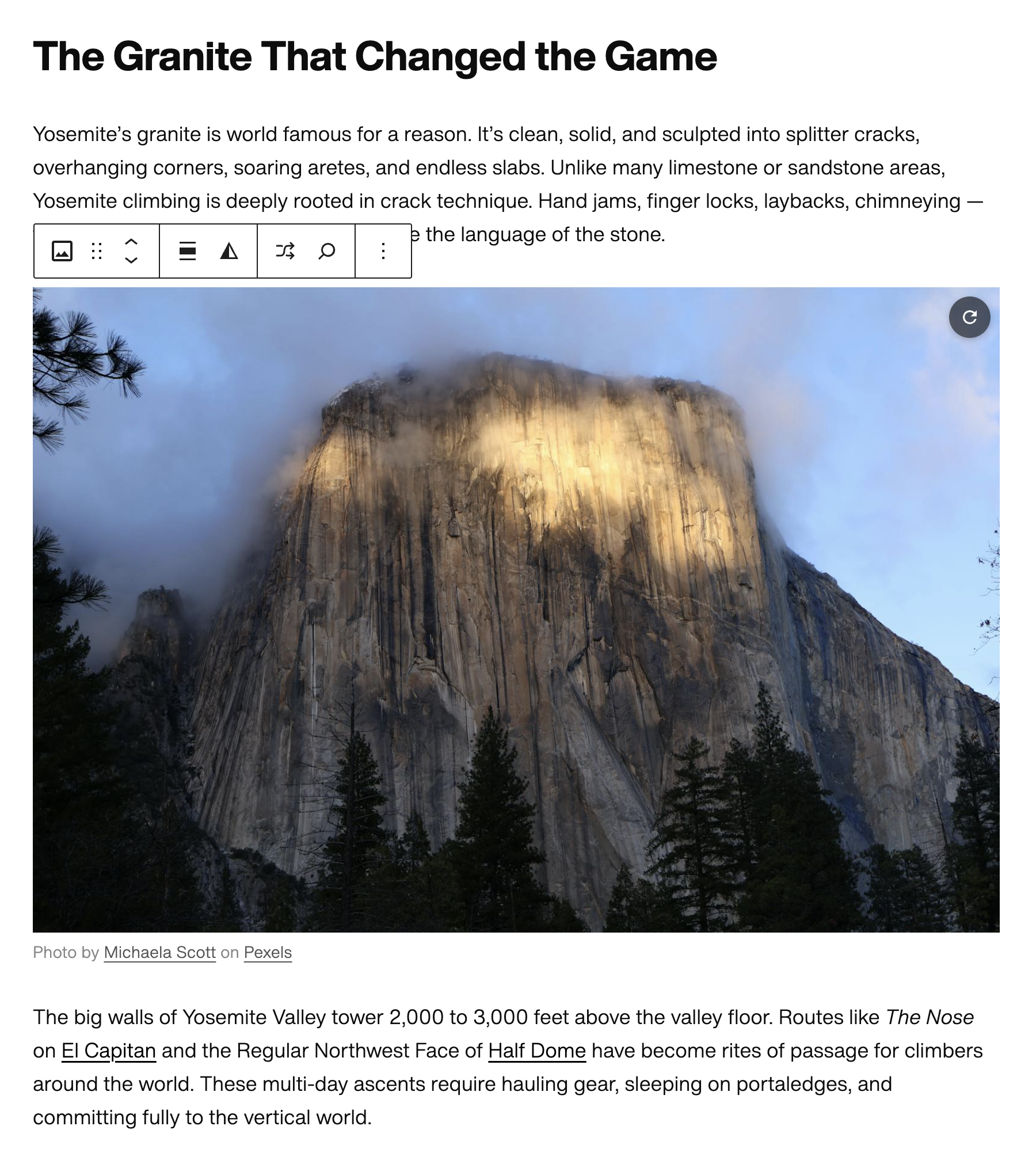
Swell AI Image Block automatically selects a relevant image based on surrounding content.
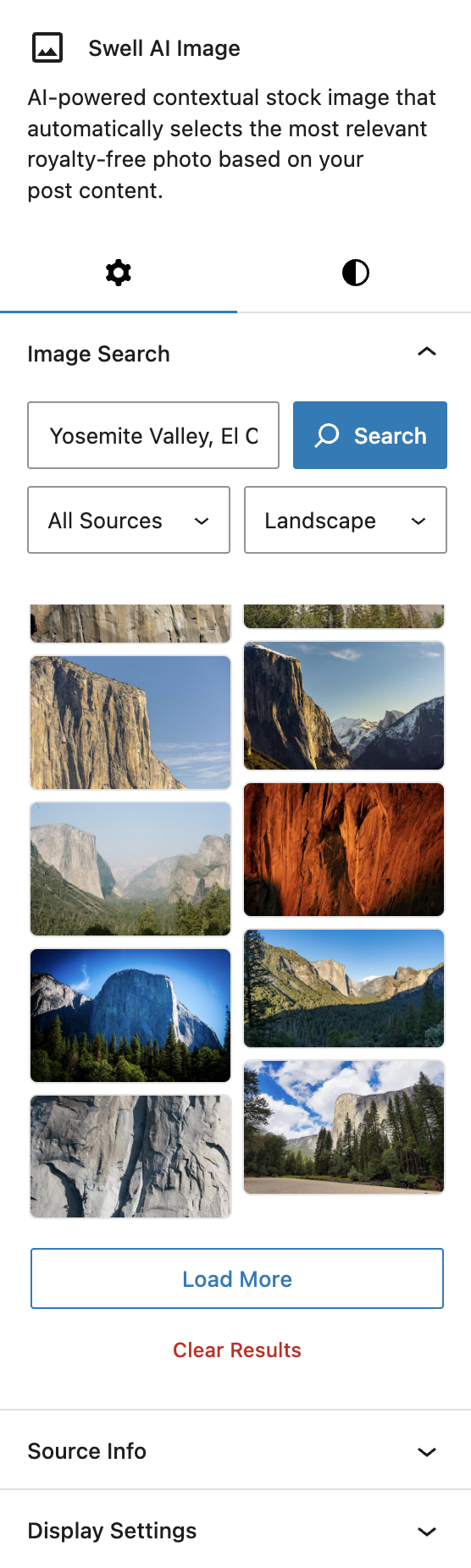
Select from several additional image options directly in block settings.
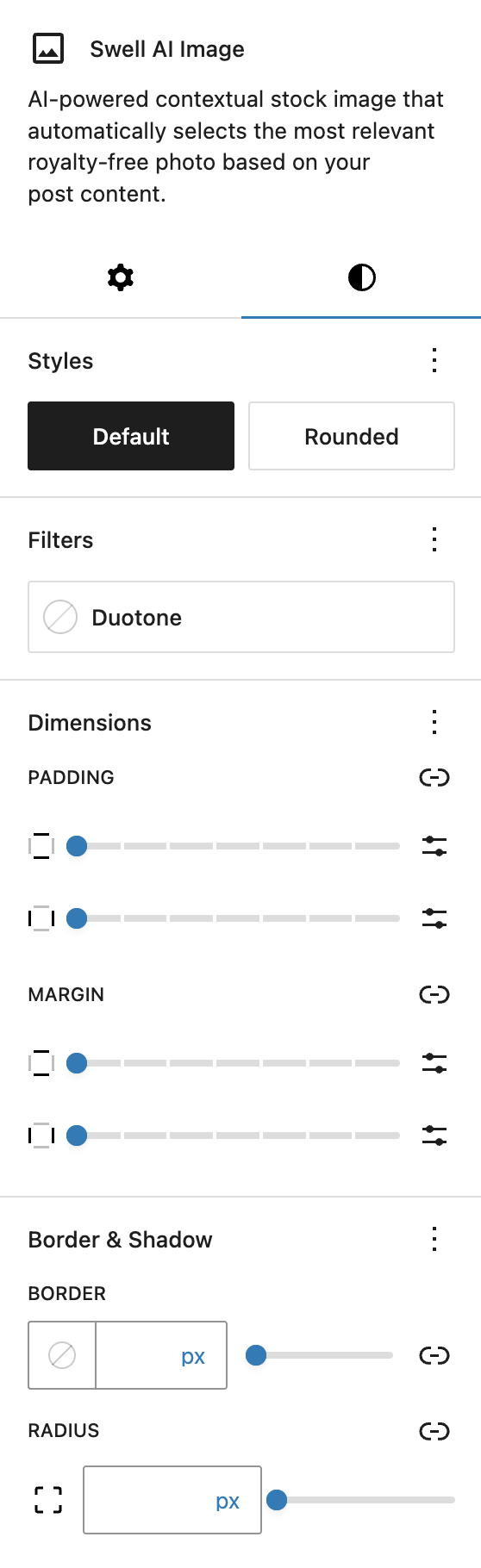
Includes several style options for changing the width and appearance of the image.
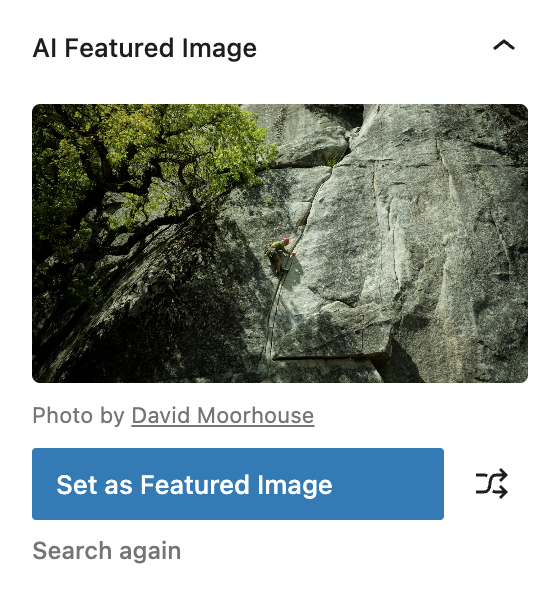
AI Featured Image finder in the Document sidebar — find and set a featured image based on your post title.
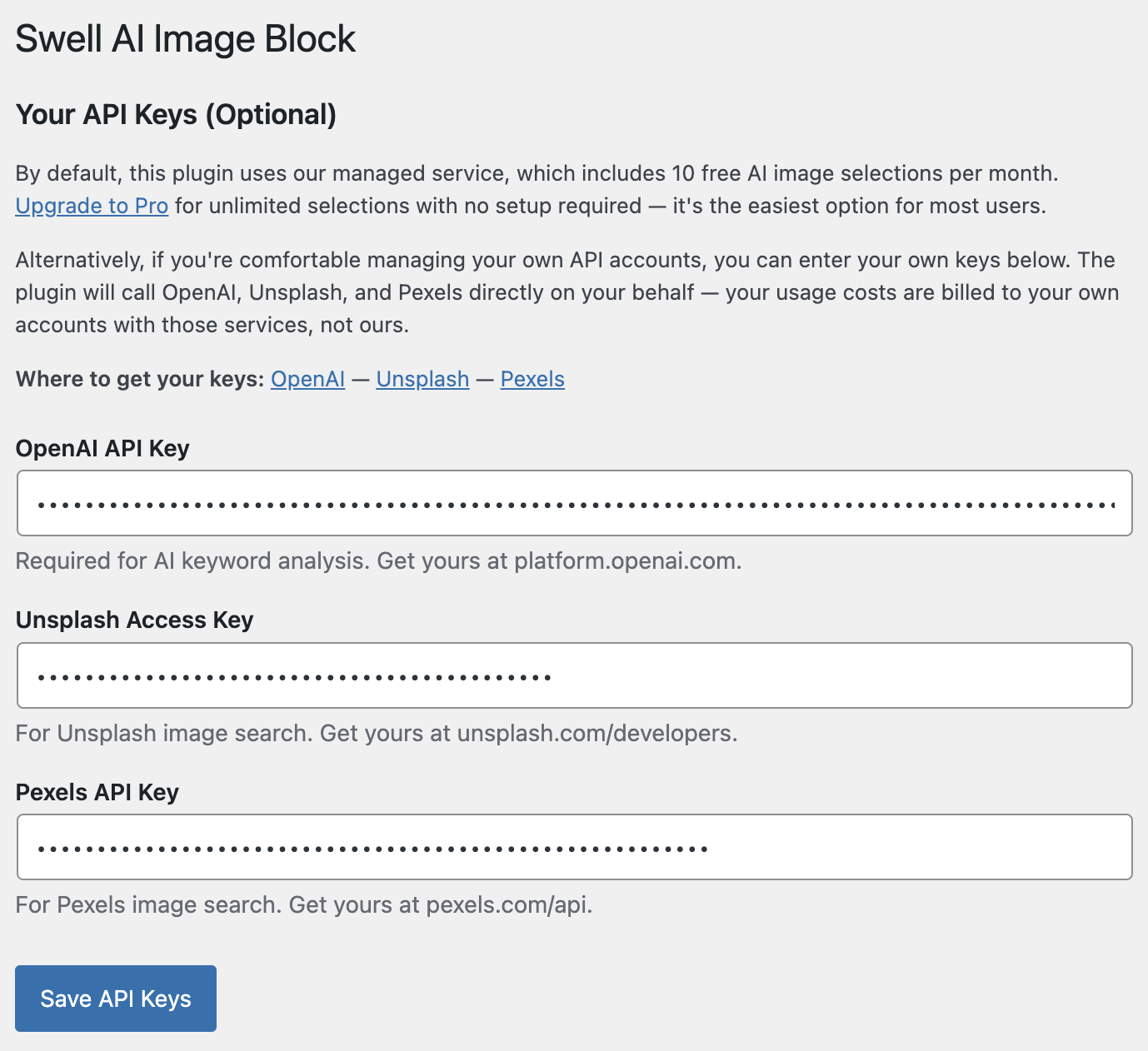
Add your own API keys for unlimited usage.
Faq
No configuration is required. The plugin works out of the box using our managed service (10 free AI selections/month). If you prefer unlimited free usage, you can enter your own OpenAI, Unsplash, and Pexels API keys at Settings Swell AI Image Block.
The block will show a prompt with two options: upgrade to Pro for unlimited managed-service access, or enter your own API keys for free unlimited access. The plugin never stops working — you always have the own-key path available.
Yes. Images from Unsplash, Pexels, and Wikimedia Commons are free to use with proper attribution, which the block handles automatically.
Only short excerpts of text content surrounding the block (2–3 paragraphs) are sent for AI analysis. Content is processed in real-time and is not stored permanently. See our Privacy Policy for full details. If you use your own API keys, no data passes through our server at all.
When editing a post or page, open the Post sidebar (the document settings panel on the right). You’ll see an “AI Featured Image” panel. Click “Find Featured Image” and the plugin will search for a relevant image based on your post title. You can shuffle through options with the shuffle icon and click “Set as Featured Image” to sideload the chosen photo into your media library and apply it automatically.
Yes. The featured image search uses the same managed service as the block, so it counts toward your monthly free limit. If you’ve added your own API keys, it’s unlimited at no extra cost.
Premium images from iStock are optional recommendations that require purchase. They appear with a small crown icon to distinguish them from free options.
Reviews
Changelog
1.0.7
- New: AI Featured Image panel in the Document sidebar — finds and sets a featured image based on your post title, with shuffle support
- Fix: AI Featured Image panel now correctly renders on WordPress 6.6+ (updated to use @wordpress/editor package)
1.0.4
- New: Settings page (Settings Swell AI Image Block) for entering own API keys — enables free unlimited usage without the managed service
- New: Upgrade prompt now shows both the Pro upgrade path and the own-key free path
- Fix: Plugin renamed to Swell AI Image Block with new slug for WordPress.org compliance
- Fix: PHP prefix updated to SWIB_ (4+ characters per WP guidelines)
- Fix: Freemius files excluded from WordPress.org build
1.0.6
- Fix: Hide Photo Credits toggle is now available to all users (WP.org Guideline 5 compliance)
1.0.5
- Fix: Own API keys now correctly bypass stale quota state — searching and analysis work immediately after entering keys, even if the free limit was previously hit
- Fix: Undefined constant linter errors for SWIB_OPENAI_API_KEY, SWIB_UNSPLASH_ACCESS_KEY, SWIB_PEXELS_API_KEY, and SWIB_PROXY_URL
1.0.4
- Fix: Tested up to set to WordPress 6.7
1.0.3
- Fix: Auto-analysis no longer replaces an existing image when nearby content is edited
- Fix: Undefined constant warnings for SWIB_DEV_MODE and WP_FS__DEV_MODE
- Fix: Fallback upgrade URL for WordPress.org installs without Freemius
1.0.2
- WordPress.org submission build improvements
1.0.1
- Updated tested WordPress version to 6.9
- Improved build script to exclude development files from distribution
1.0.0
- Initial release
- AI-powered content analysis and keyword generation
- Unsplash, Pexels, and Wikimedia Commons integration
- Shuffle and manual search features
- Responsive image display with attribution
- iStock affiliate integration (premium suggestions)