SyncBridge – Multi Target Sync

SyncBridge – Multi Target Sync
Description
SyncBridge lets you publish or update content across multiple independent WordPress installations without requiring Multisite.
Use it for:
- Multi-brand publishing
- Multi-region or multi-language websites
- Distributing posts across partner sites
- Maintaining synchronized content libraries
- Centralized editorial management
Key Features
- Sync Posts, Pages, and Custom Post Types
- Sync Featured Image, categories, tags, and metadata
- Sync to multiple remote WordPress sites
- Bulk sync with a dropdown checkbox selector
- Per-row Sync button for individual posts
- Auto-sync on post update (optional)
- Works with all CPTs supporting the REST API (
show_in_rest) - Secure authentication using Application Passwords
- WPCS-compliant, clean architecture, admin-friendly UI
Security
- Authentication via WordPress Application Passwords
- Nonces and sanitization throughout
- No external services — sync happens site-to-site only
Installation
- Upload the plugin folder
syncbridgeto/wp-content/plugins/ - Activate the plugin via Plugins Installed Plugins
- Go to SyncBridge Settings
- Add remote sync targets:
- Site URL
- Username
- Application Password
- Save settings and start syncing your content.
Screenshots
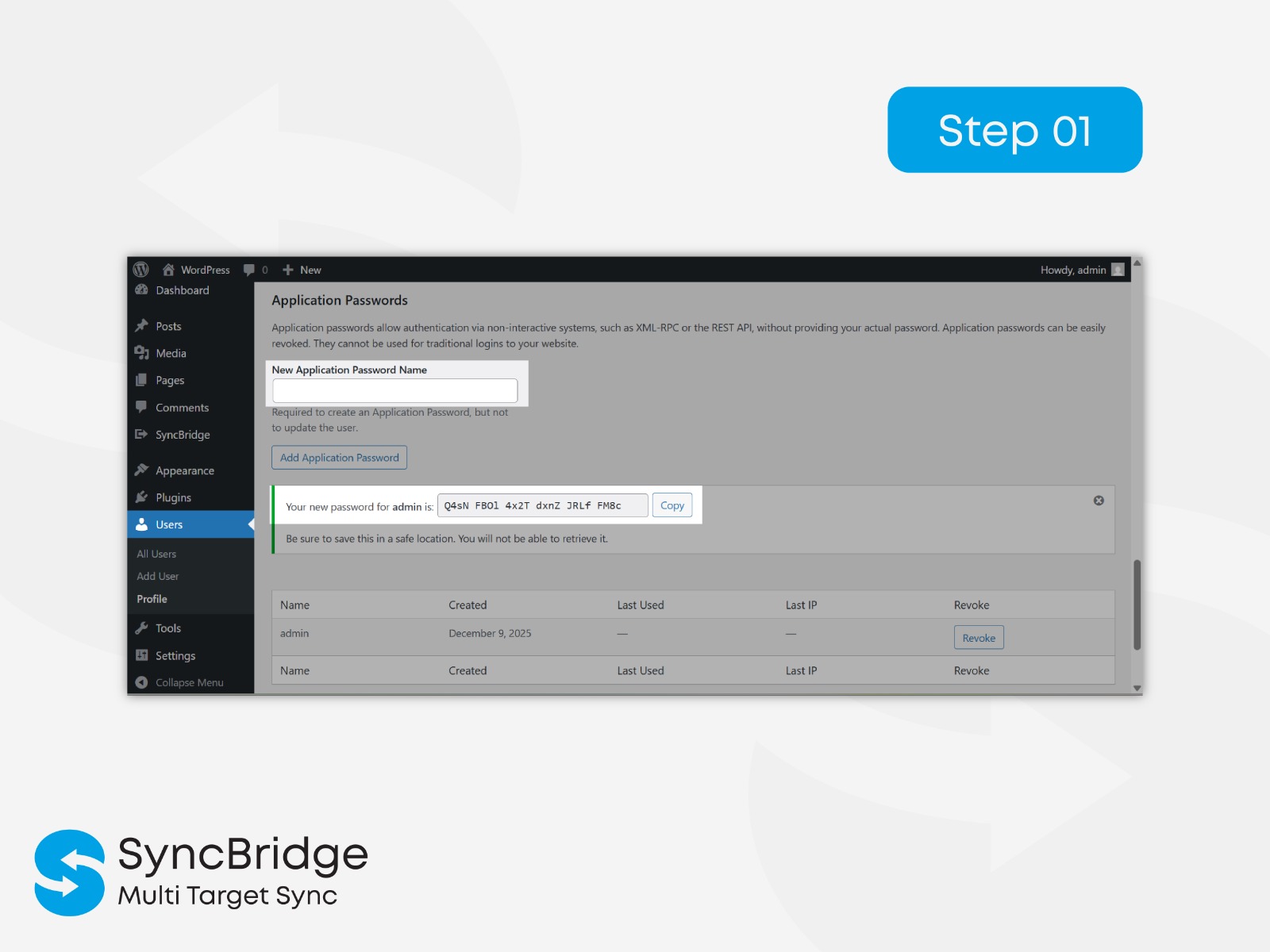
User Application Password generation
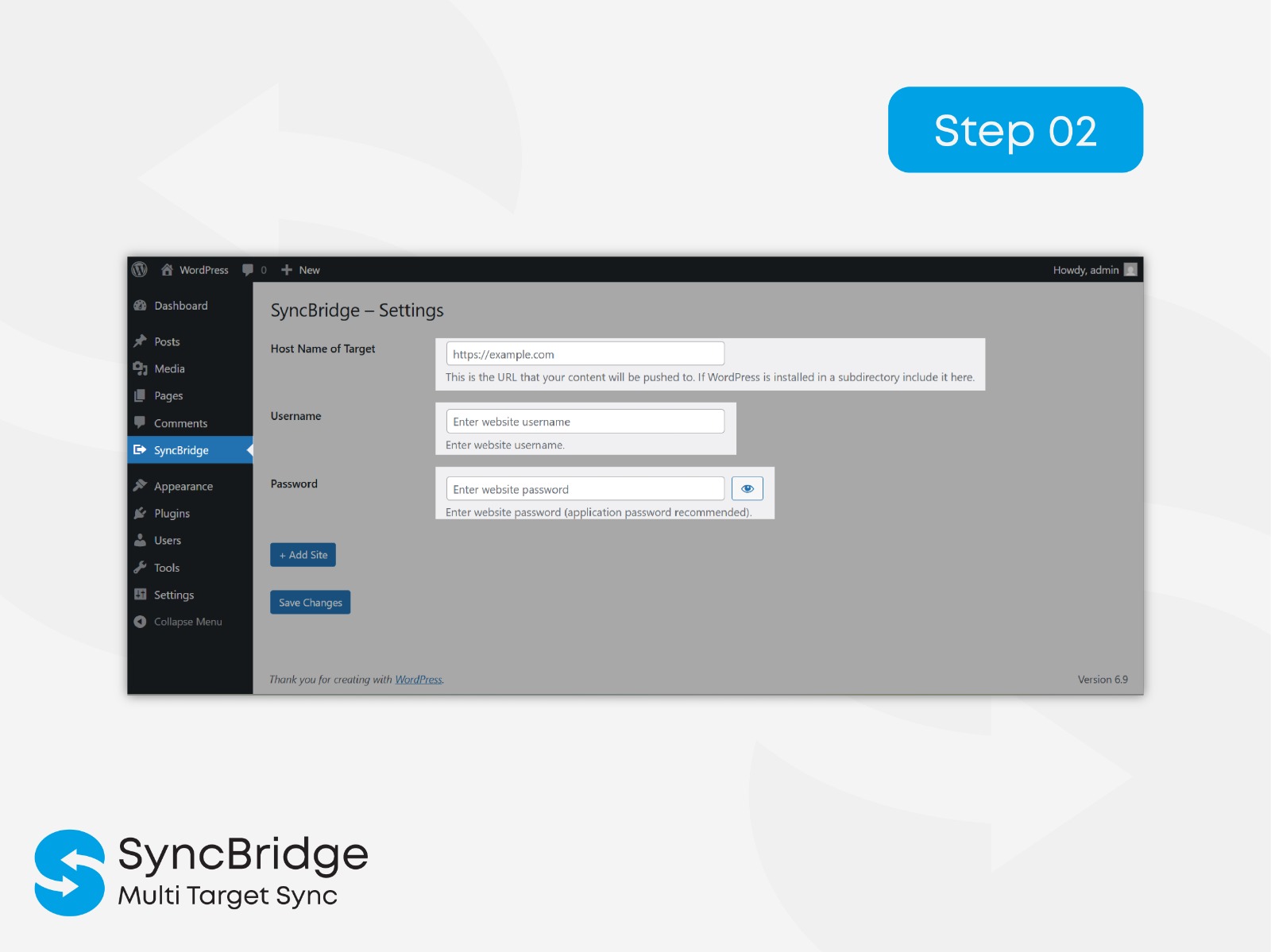
SyncBridge – Settings page
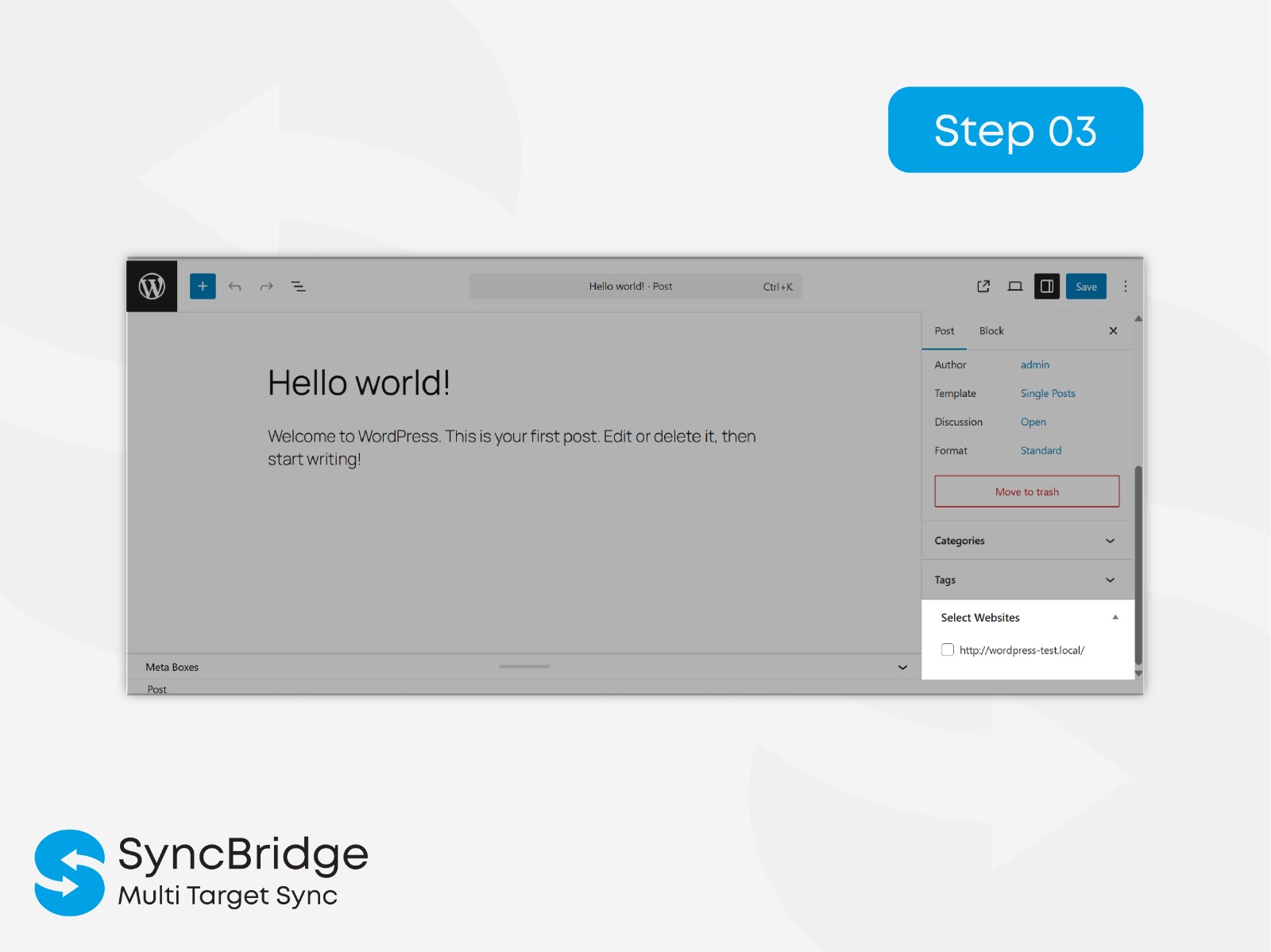
Post editor metabox: Select target websites
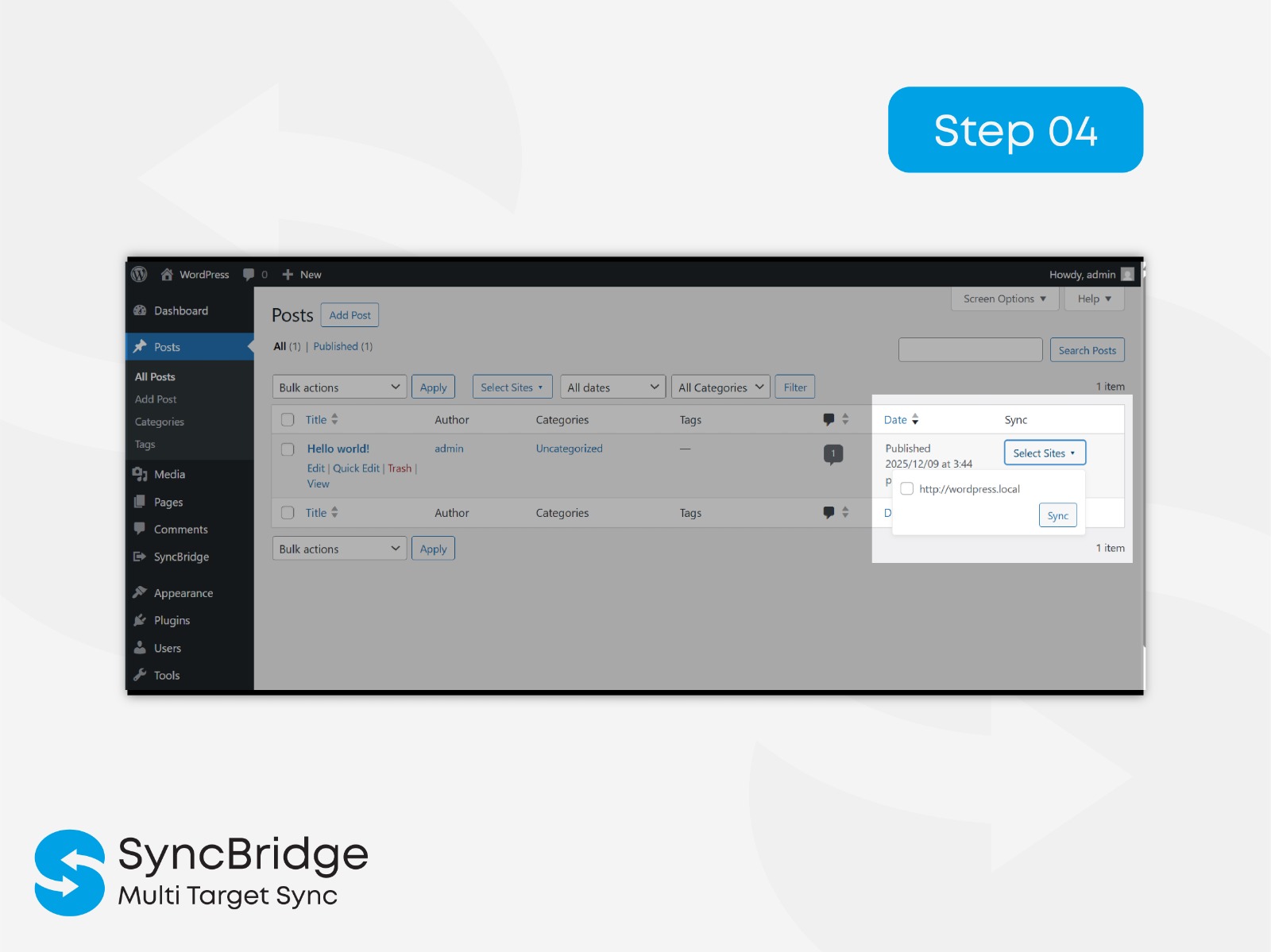
Per-row Sync button in posts table
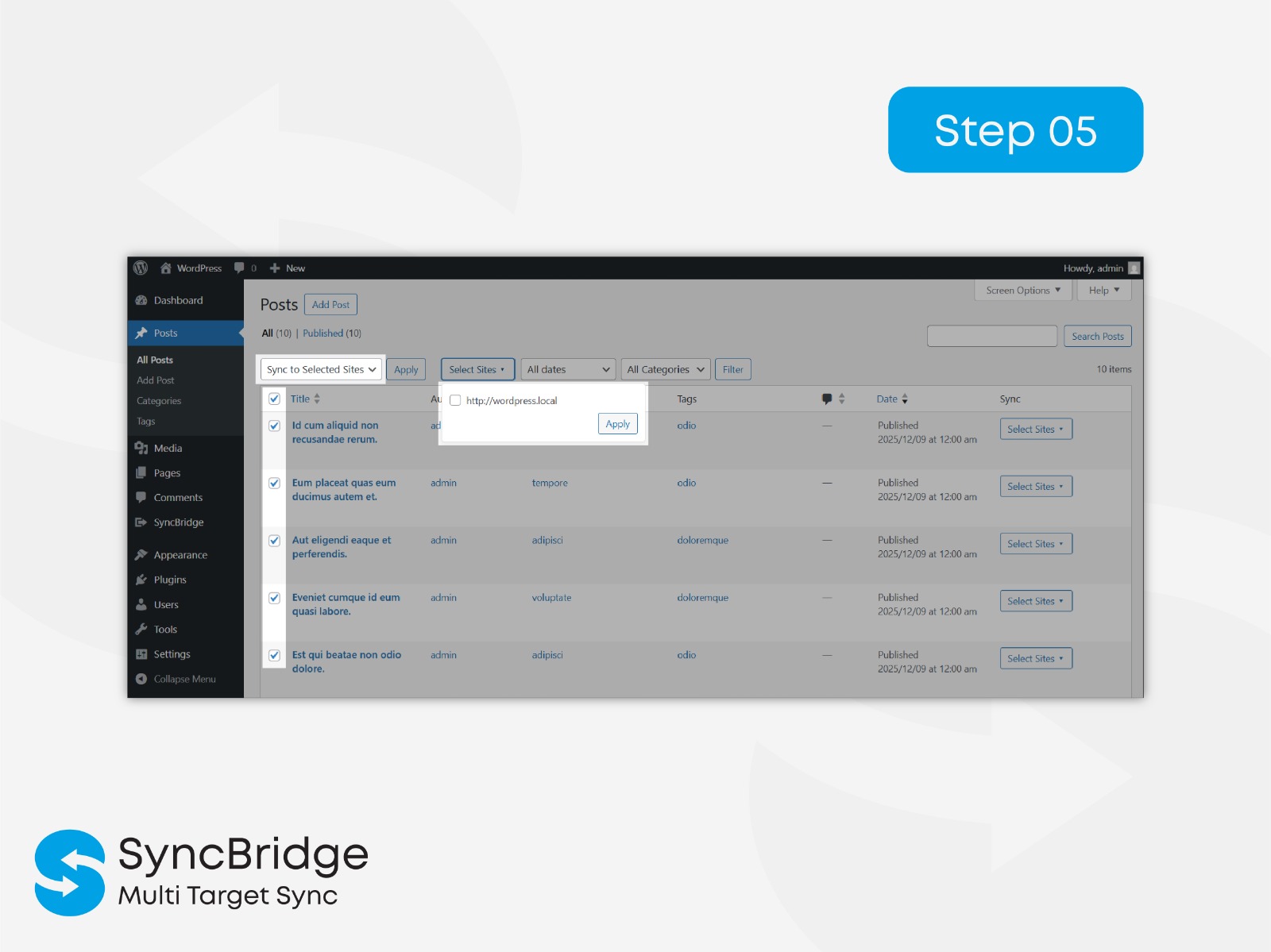
Bulk sync dropdown with multi-site selector
Faq
No. SyncBridge works between completely separate WordPress sites.
Yes, any CPT with show_in_rest => true.
We check via slug.
If found the remote post is updated.
If not found a new post is created.
Yes. Featured images are automatically uploaded to remote sites.
SyncBridge performs one-way sync from the main site to remote sites.
SyncBridge is optimized to sync:
– 10–20 posts at a time comfortably on standard hosting.
– Higher counts are possible, but may depend on:
– server memory,
– PHP max_execution_time,
– remote site performance,
– image sizes.
Recommended safe batch size: up to 20 posts per request.
Users can repeat the process for more posts.
Reviews
Changelog
1.1.0
- Tested compatibility with WordPress 7.1.
- Fixed compatibility issues.
- Improved synchronization reliability.
1.0.0
- Full rewrite to modular architecture.
- Added multi-site dropdown checkbox popover.
- Improved Bulk Sync validation.
- UI upgrades to Sync column.
- Added Pages & CPT sync support.
- Added plugin “Settings” link in Plugins list.
- Added password visibility toggle using Dashicons.
- WPCS compliance across all files.
- Initial release.