Tablentor – Smart Table Builder for Elementor

Tablentor – Smart Table Builder for Elementor
Description
Tablentor is the ultimate table builder addon for Elementor that empowers you to create stunning, responsive tables with ease. Whether you need to build tables manually or import data from CSV files, Tablentor provides all the tools you need to create professional-looking tables that perfectly match your website’s design.
🚀 Key Features
- Two Powerful Widgets: Basic Table Builder and CSV Table Import
- Manual Table Creation: Build tables row by row with unlimited customization
- CSV Data Import: Import tables directly from CSV files or paste CSV data
- Advanced Search Functionality: Enable live search within your tables
- Responsive Design: Tables automatically adapt to all screen sizes
- Rich Styling Options: Complete control over colors, typography, borders, and spacing
- DataTables Integration: Advanced features like pagination, sorting, and filtering
- Up to 20 Columns: Support for complex data structures
- Unlimited Rows: No restrictions on table size
- Image Support: Include images in your table cells with height controls
- Professional Typography: Full typography controls for headers and content
🎯 Perfect For
- Data Presentation: Display product comparisons, pricing tables, specifications
- CSV Data Visualization: Import and display data from spreadsheets
- Business Reports: Create professional reports and dashboards
- Educational Content: Present structured information clearly
- E-commerce: Product comparison tables and feature lists
- Portfolio Showcases: Organize project details and specifications
💡 Why Choose Tablentor?
- User-Friendly Interface: Intuitive controls that integrate seamlessly with Elementor
- Performance Optimized: Lightweight code that doesn’t slow down your website
- Mobile-First Design: Tables look great on all devices
- Regular Updates: Continuous improvements and new features
- Excellent Support: Dedicated support for all users
- WordPress Standards: Built following WordPress coding standards and best practices
🔧 Technical Features
- Elementor Integration: Native Elementor widgets with full editor support
- Cache Compatible: Works perfectly with Elementor’s caching system
- Translation Ready: Fully translatable with included text domain
- Clean Code: Well-structured, documented code following WordPress standards
- No External Dependencies: Works without requiring additional plugins (except Elementor)
Transform your data presentation with Tablentor and create tables that engage your audience and enhance your content’s effectiveness.
Support
For support, feature requests, or bug reports, please visit:
* Plugin Support: WordPress.org Support Forum
* Developer Contact: Jakaria Istauk Profile
Contributing
Tablentor is open to contributions! If you’re a developer interested in improving the plugin, please feel free to submit pull requests or report issues.
Privacy
Tablentor does not collect any personal data from your website visitors. All table data is stored locally in your WordPress database and is not transmitted to external servers.
Installation
Automatic Installation
- Log in to your WordPress admin dashboard
- Navigate to Plugins > Add New
- Search for “Tablentor”
- Click Install Now and then Activate
- The Tablentor widgets will appear in your Elementor editor under the Basic category
Manual Installation
- Download the Tablentor plugin zip file
- Log in to your WordPress admin dashboard
- Navigate to Plugins > Add New > Upload Plugin
- Choose the downloaded zip file and click Install Now
- Activate the plugin through the Plugins menu
- Start using Tablentor widgets in your Elementor editor
After Installation
- Edit any page/post with Elementor
- Search for “Basic Table” or “Table CSV” in the widget panel
- Drag and drop the widget to your desired location
- Configure your table settings and content
- Publish your page to see your beautiful table in action
Screenshots
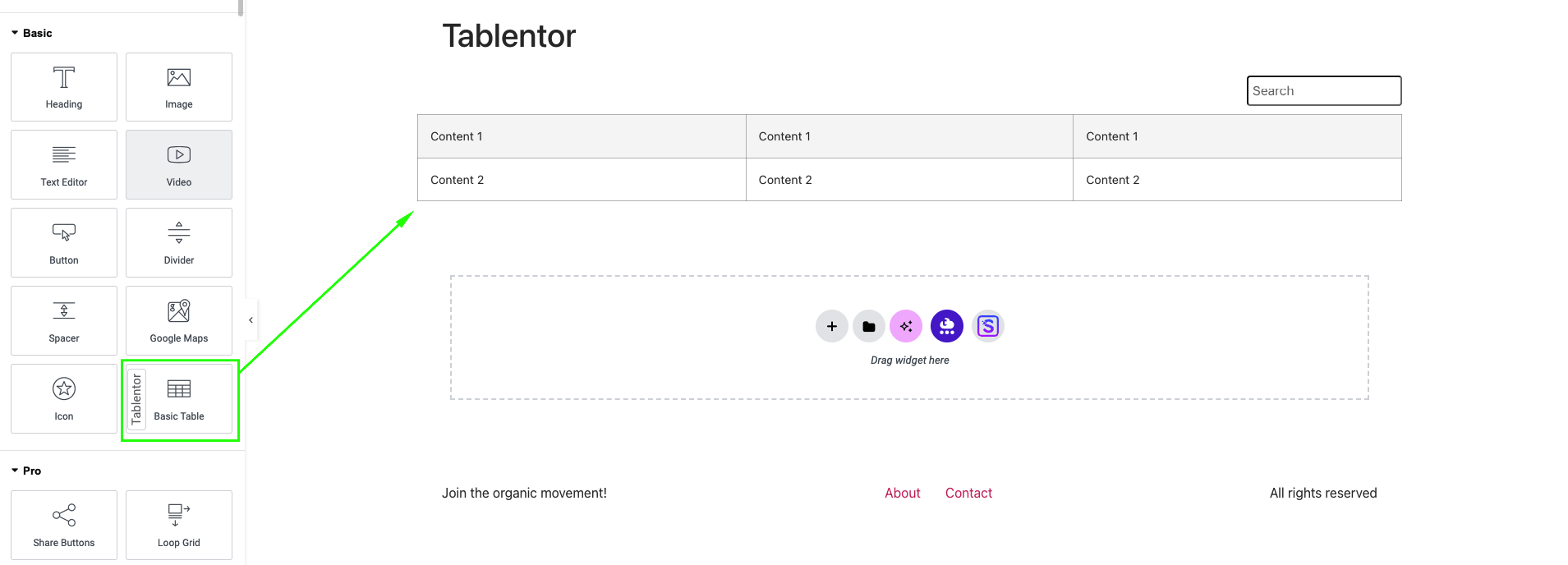
Basic Table Widget - Create tables manually with intuitive row and column controls
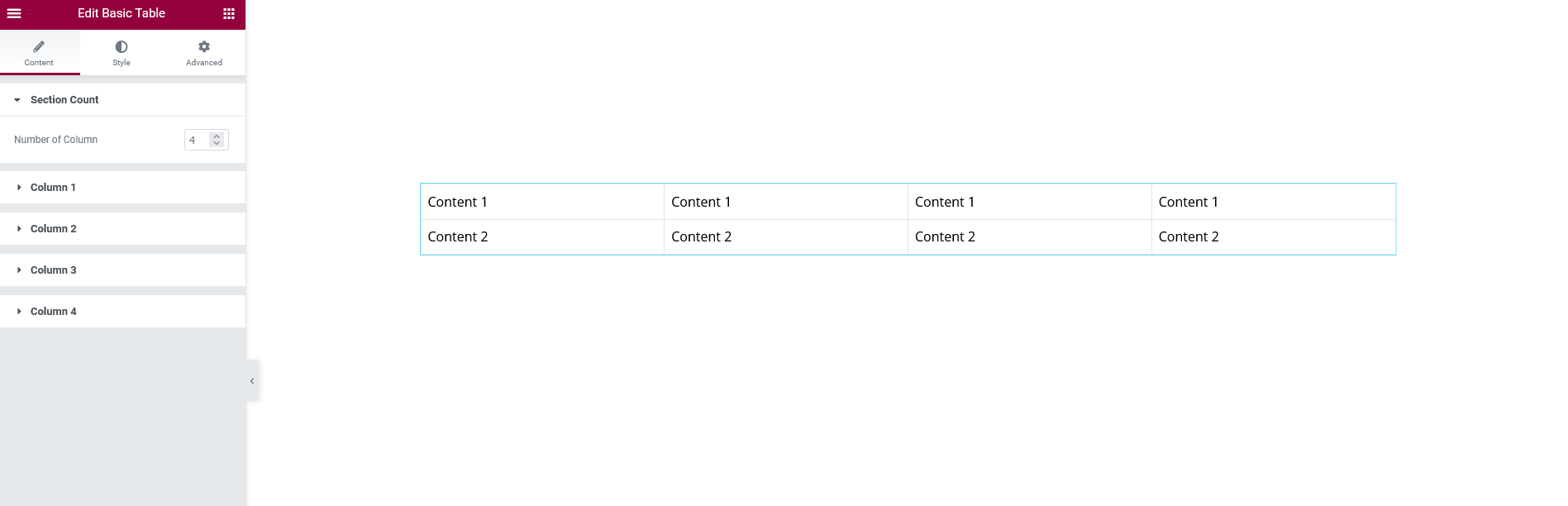
CSV Table Widget - Import data from CSV files or paste CSV content directly
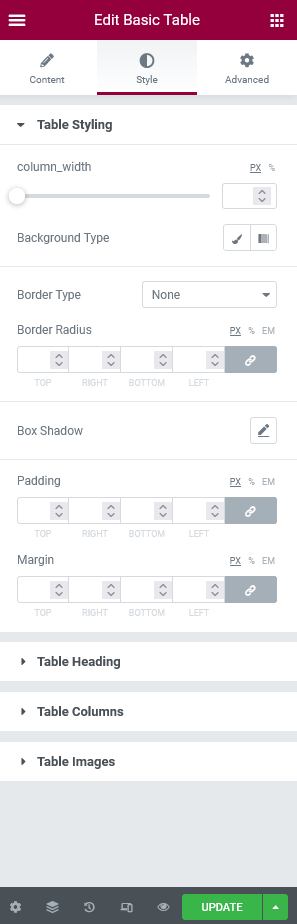
Styling Controls - Comprehensive design options for headers, content, and borders
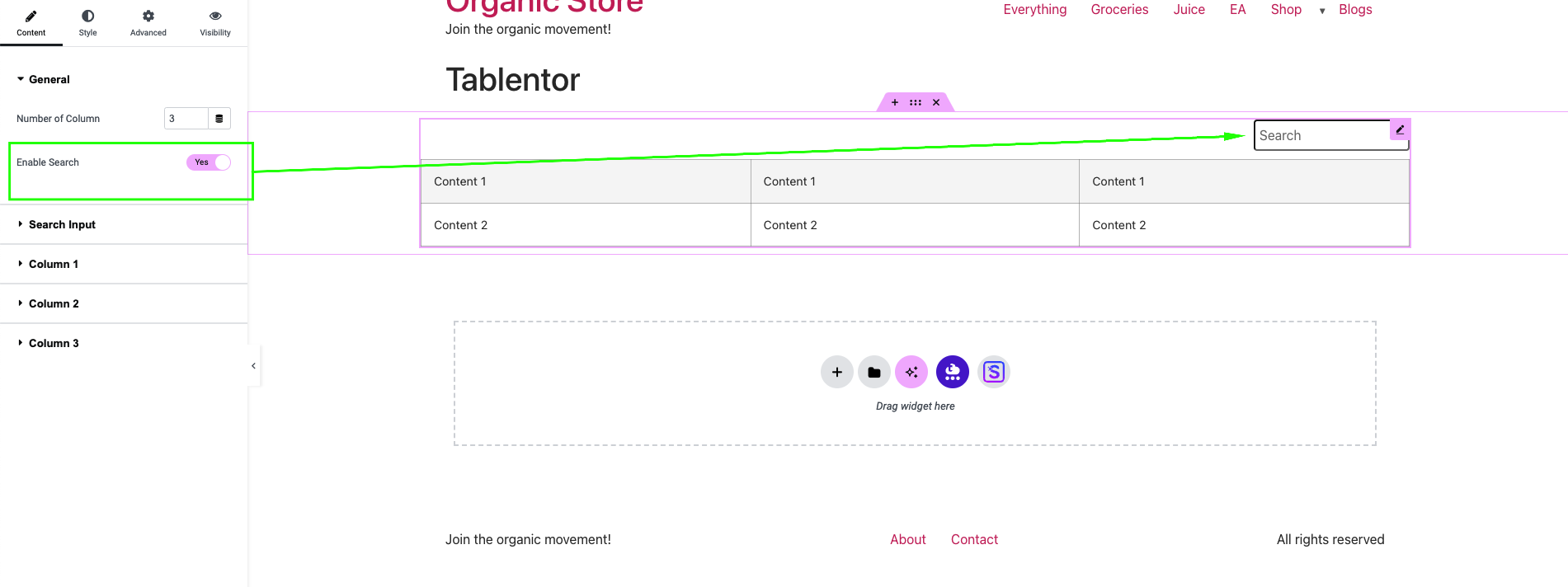
Search Functionality - Enable live search to help users find specific table content
Faq
Yes, Tablentor is specifically designed as an Elementor addon and requires Elementor (free version) to be installed and activated.
Absolutely! Tablentor works seamlessly with both free Elementor and Elementor Pro versions.
No additional plugins are required. Tablentor works independently with just Elementor installed.
You can create up to 20 columns in your tables. This limit ensures optimal performance while accommodating most use cases.
No, you can add unlimited rows to your tables. The plugin is optimized to handle large datasets efficiently.
Currently, Tablentor supports CSV file imports. You can easily convert Excel files to CSV format and import them into your tables.
Yes! All tables created with Tablentor are fully responsive and automatically adapt to different screen sizes and devices.
Absolutely! Tablentor provides extensive styling options including colors, typography, borders, spacing, and more to match your website’s design.
Yes, you can enable live search functionality that allows visitors to search through table content in real-time.
Yes, Tablentor is fully translation ready and includes proper text domains for easy localization.
Yes, you can include images in your table cells with full control over image dimensions and styling.
Yes, Tablentor is compatible with popular caching plugins and Elementor’s built-in caching system.
Reviews
Cannot load any more into Elementor, broke pages
By 
Seemed like a good plugin, but recently updates, elementor cannot register it, has broken to many pages.
For those that are using it, need to go into Elementor Settings and turn it on.
Awesome !!!
By 
Changelog
v3.0.0 – 2024-09-14
- Added new CSV Table widget for dynamic data import
- Enhanced table responsiveness across all devices
- Improved compatibility with WordPress 6.7
- Added DataTables integration for advanced table features
- Performance optimizations and bug fixes
- Updated styling controls with more customization options
v2.2.1 – 2024-09-14
- Added compatibility with Elementor cache system
- Improved performance for large tables
- Fixed minor styling issues
- Enhanced WordPress 6.6 compatibility
- Code optimization and security improvements
v2.2.0 – 2024-03-28
- Introduced live search functionality for tables
- Added unique widget identifiers for better targeting
- Improved table rendering performance
- Enhanced mobile responsiveness
- Fixed various styling inconsistencies
- Updated translation strings
v2.1.0 – 2024-01-17
- Fixed installation errors on some server configurations
- Improved plugin activation process
- Enhanced error handling and debugging
- Performance optimizations
- Updated documentation
v2.0.0 – 2023-07-30
- Resolved image rendering issues in table cells
- Added image height control options
- Improved table cell content handling
- Enhanced styling flexibility
- Performance improvements and bug fixes
v1.1.0 – 2021-12-24
- Increased maximum column limit to 20
- Fixed various display issues
- Improved overall plugin performance
- Enhanced compatibility with latest Elementor versions
v1.0.0 – 2021-11-20
- Initial release of Tablentor
- Basic table creation functionality
- Elementor integration
- Core styling options