TablePress – Tables in WordPress made easy

TablePress – Tables in WordPress made easy
Description
Boost your website with feature-rich tables that your visitors will love!
TablePress is the most popular and highest-rated WordPress table plugin.
- Easily create, edit, and manage beautiful and modern data tables, from simple price lists to searchable directories, product and model tables, inventories, schedules, and research datasets.
- Add live sorting, pagination, searching, and other interactive features that help visitors find what they’re looking for on any device.
- Use any type of data and enrich your tables with images, links, and even math formulas.
- Import and export tables from/to Excel, CSV, HTML, and JSON files or URLs, including spreadsheet data from Google Sheets, Excel Online, and files stored on Dropbox or OneDrive.
- Embed tables into posts, pages, or other site areas using the block editor, an Elementor widget, or Shortcodes.
- All with no coding knowledge needed!
Even more great features for you and your site’s visitors and priority email support are available with a Premium license plan of TablePress. Go check them out!
Common use cases
TablePress will handle a wide range of tables, from simple price lists to searchable directories and large datasets. Popular examples include:
- Product and model tables
- Service and price lists
- Directories and listings
- Schedules and timetables
- Participant and member lists
- Inventories and collections
- Comparison tables
- Research and statistical data
Accessible and SEO-friendly tables
TablePress creates accessible HTML tables whose content can be searched by visitors, WordPress search, and search engines alike. Interactive features like sorting, filtering, and pagination include accessibility enhancements for screen readers and other assistive technologies.
This makes it easy for visitors to find relevant information, whether they are browsing a large directory, searching a product table, or using your site’s search function.
More information
Visit tablepress.org for more information, take a look at example tables, or try TablePress on a free test site. For latest news, follow @TablePress on Twitter/X or subscribe to the TablePress Newsletter.
How to use TablePress
After installing the plugin, you can create and manage tables on the “TablePress” screen in the WordPress Dashboard.
To insert a table into a post or page, add a “TablePress table” block in the block editor or a widget in the Elementor page builder and select the desired table or use Shortcodes with other page builders.
Beginner-friendly step-by-step tutorials, guides, and how-tos show how to achieve common and popular tasks with TablePress.
You can find examples for common styling changes via “Custom CSS” code on the TablePress FAQ page.
You may also add features like sorting, pagination, searching, filtering, alternating row colors, row highlighting, and more by enabling the corresponding options on a table’s “Edit” screen.
Premium features
Need additional functionality for larger tables or advanced use cases? Premium license plans for TablePress add features such as:
- Options for responsive tables
- Advanced filtering and search
- Fixed table headers and columns
- Automatic periodic imports
- Custom styling options
- And much more
Priority email support is also included. Check out the details on the TablePress website.
Installation
The easiest way to install TablePress is via your WordPress Dashboard:
- Go to the “Plugins” screen, click “Add Plugin”, and search for “TablePress” in the WordPress Plugin Directory.
- Click “Install Now” and after that’s complete, click “Activate”.
- Create and manage tables by going to the “TablePress” screen in the admin menu.
- To insert a table into a post or page, add a “TablePress table” block in the block editor or a widget in the Elementor page builder and select the desired table or use Shortcodes with other page builders.
Manual installation works just as for other WordPress plugins:
- Download the TablePress ZIP file.
- Go to the “Plugins” screen on your site and upload it by clicking “Add Plugin” “Upload Plugin”.
- Or, extract the ZIP file and move the folder “tablepress” to the “wp-content/plugins/” directory of your WordPress installation, e.g. via FTP.
- Activate “TablePress” on the “Plugins” screen of your WordPress Dashboard.
- Create and manage tables by going to the “TablePress” screen in the admin menu.
- To insert a table into a post or page, add a “TablePress table” block in the block editor or a widget in the Elementor page builder and select the desired table or use Shortcodes with other page builders.
Screenshots
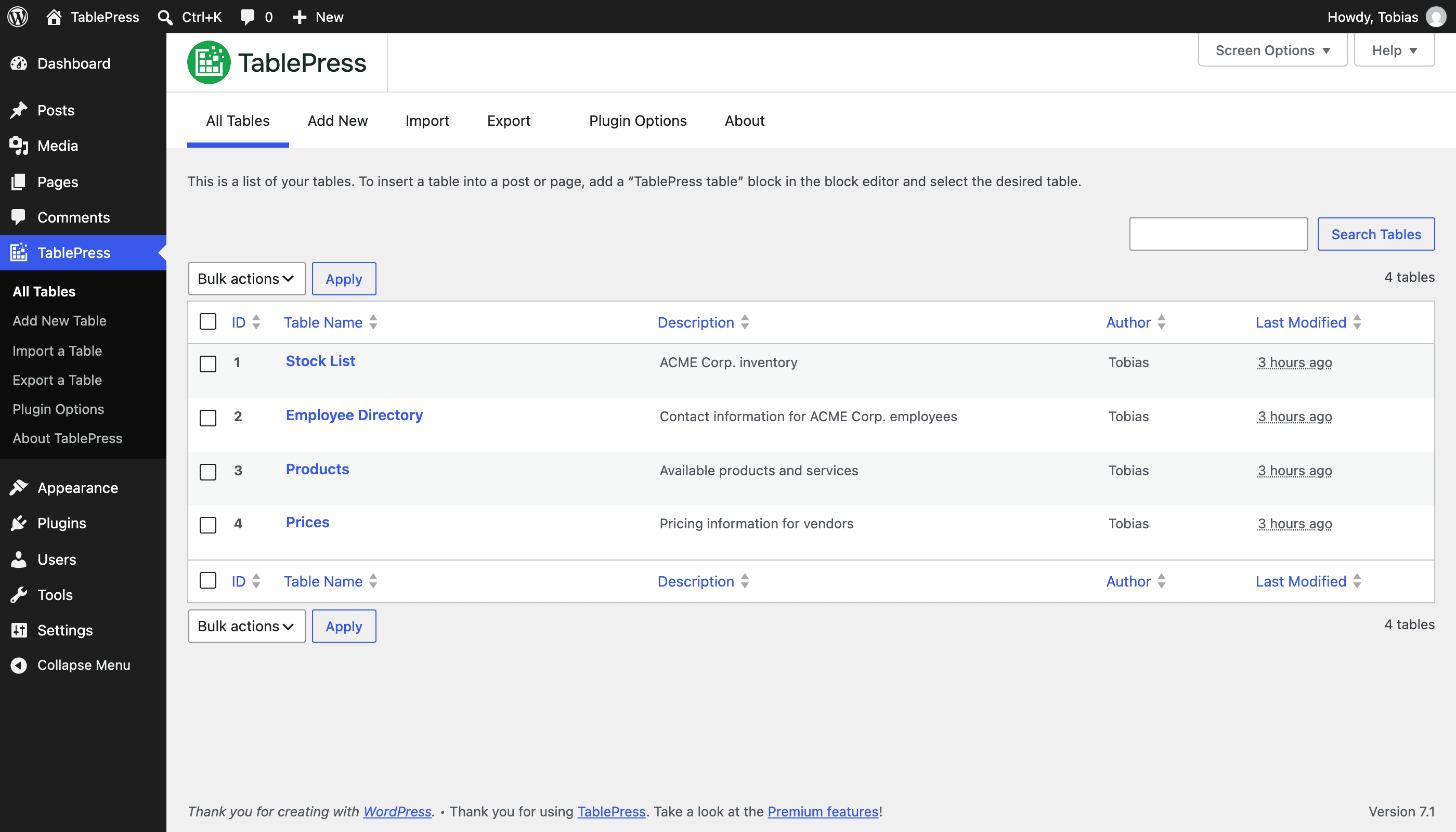
"All Tables" screen

"Edit" screen
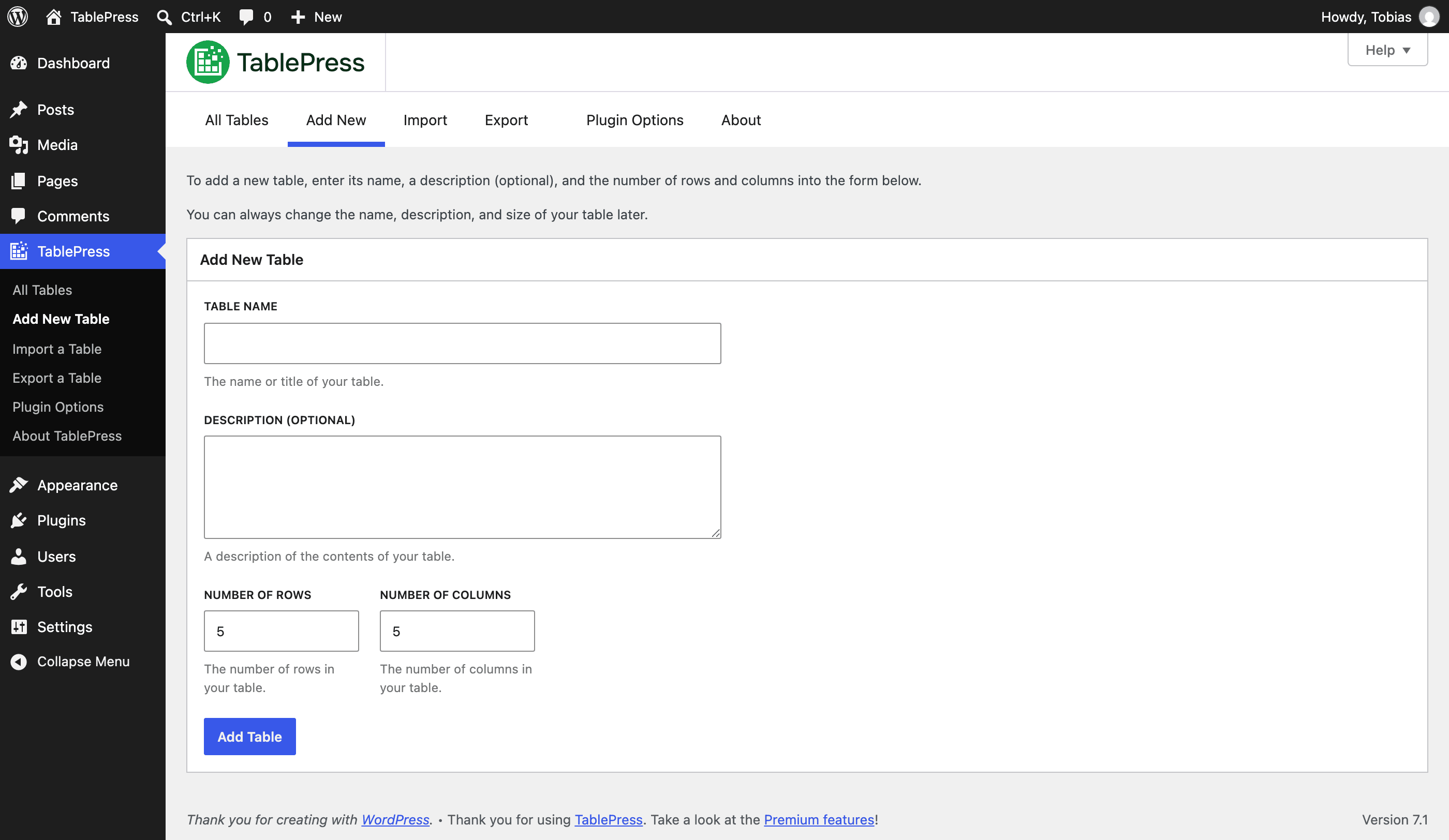
"Add new Table" screen
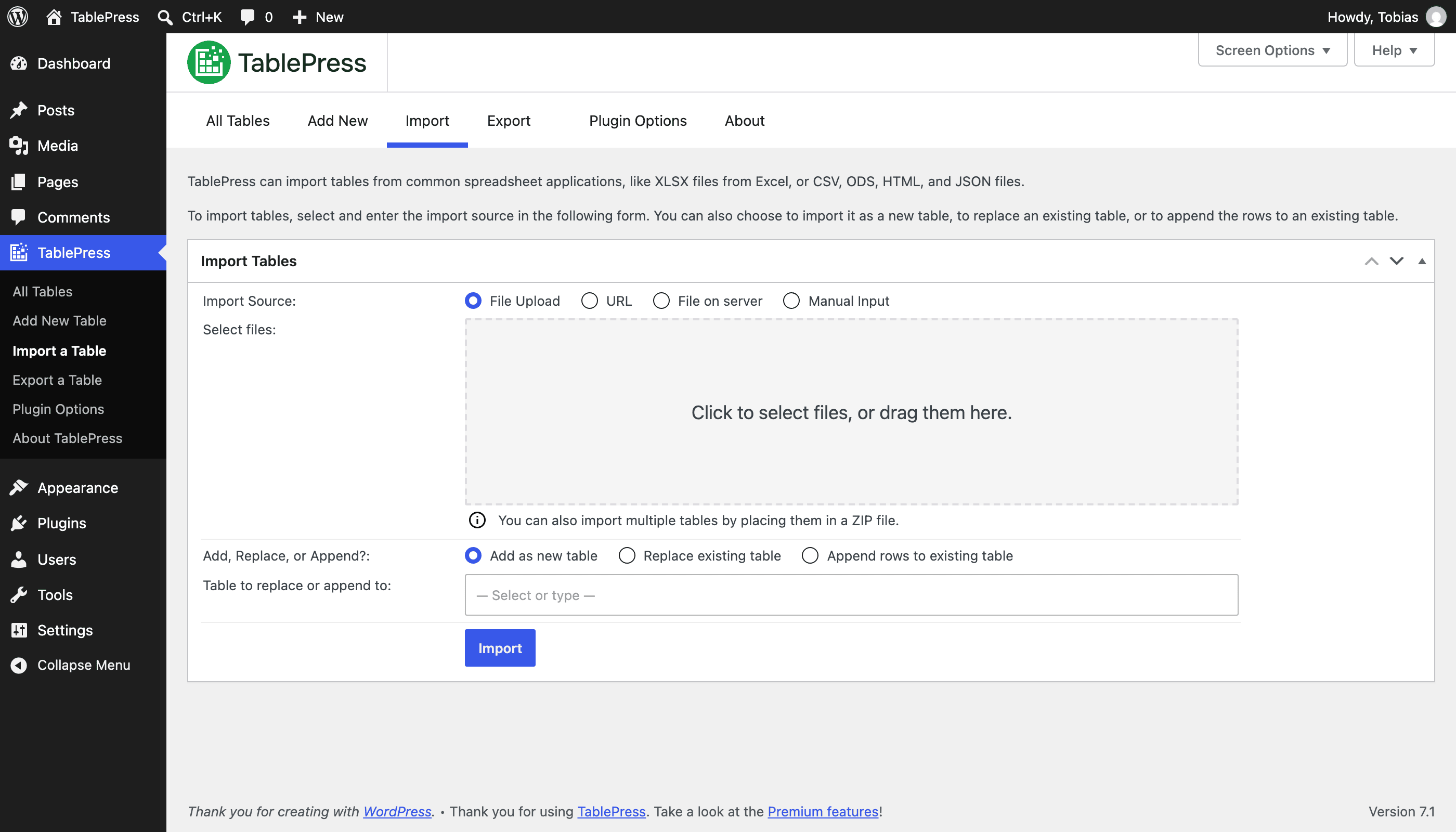
"Import" screen
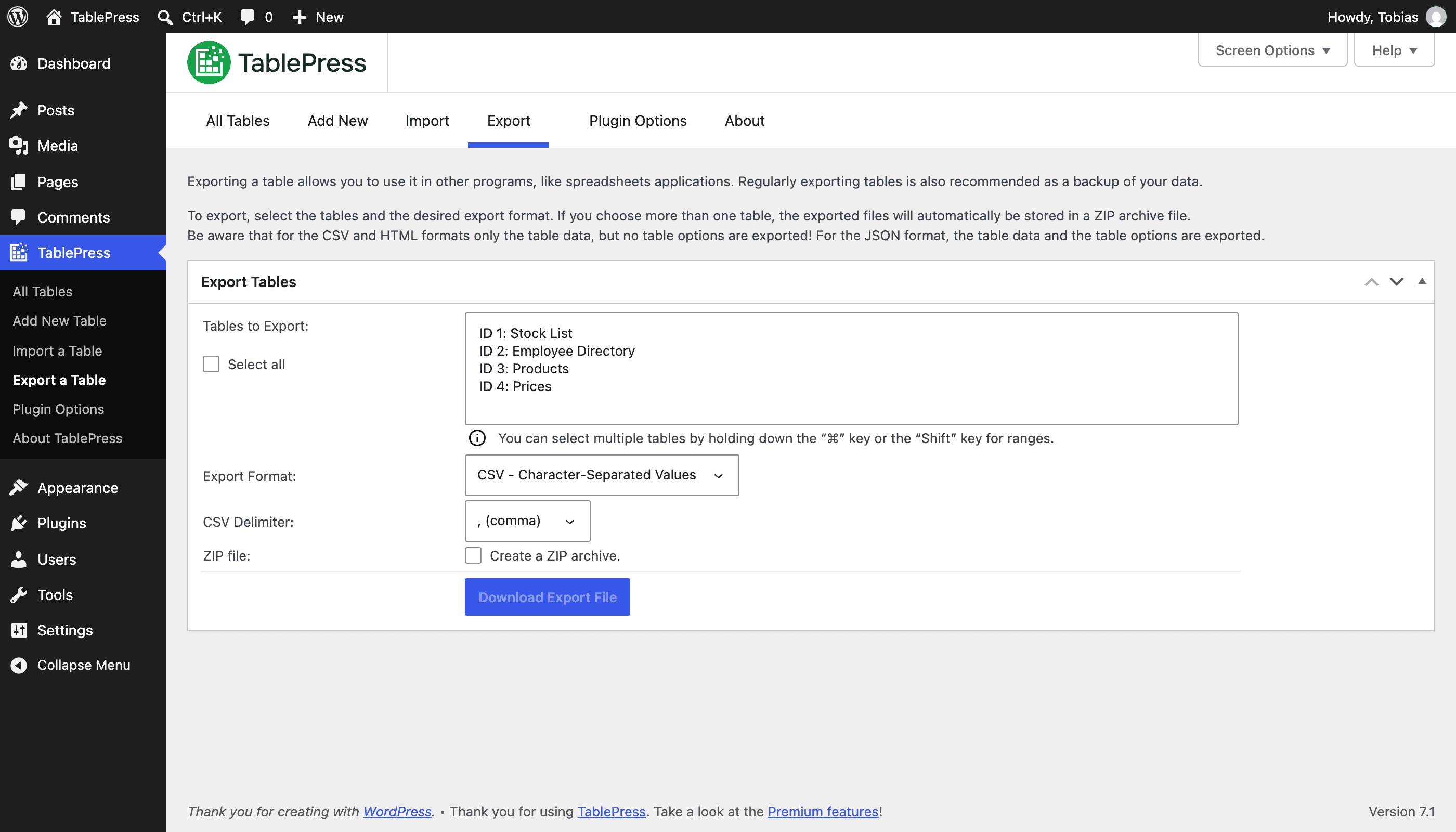
"Export" screen
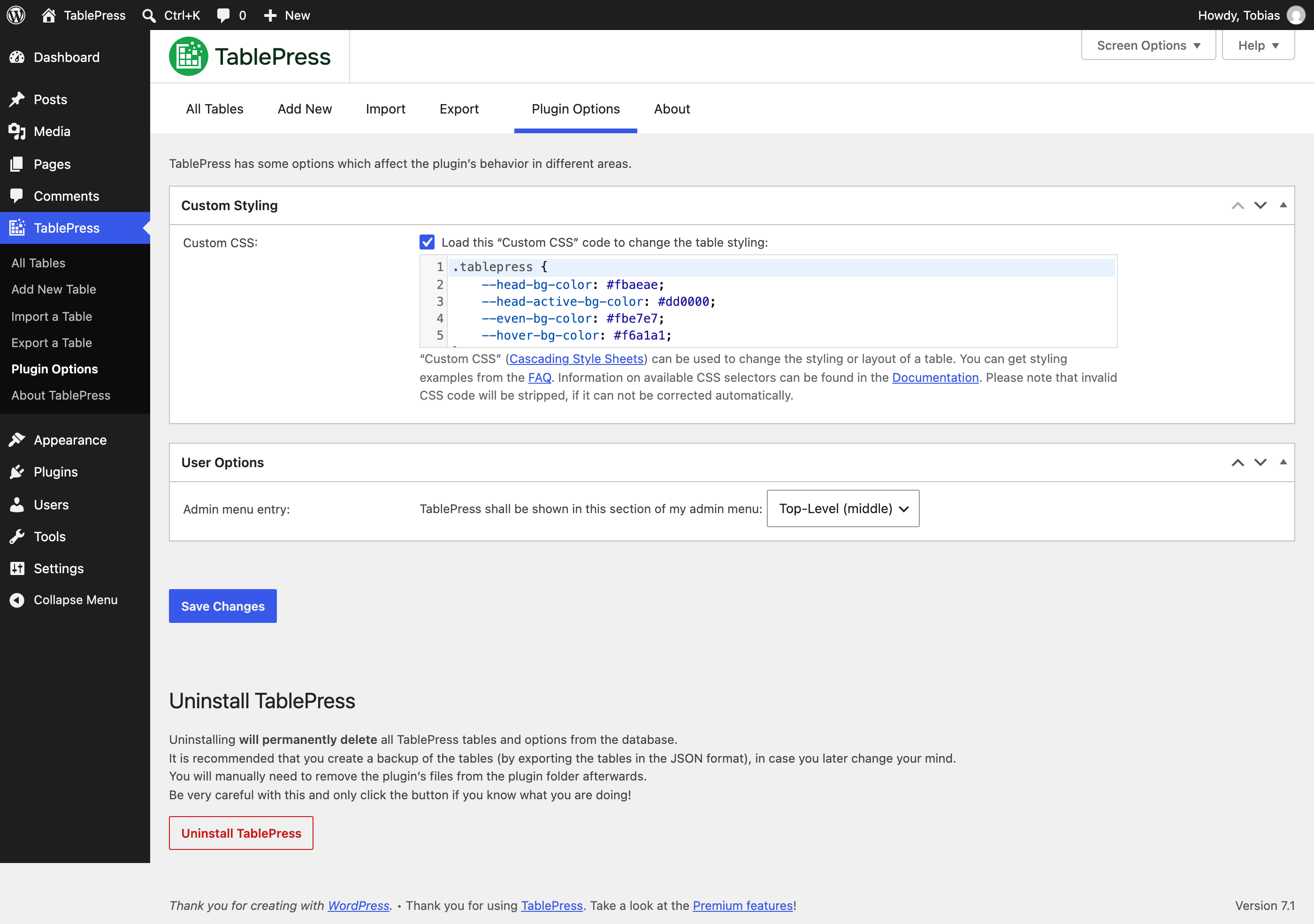
"Plugin Options" screen

"About" screen
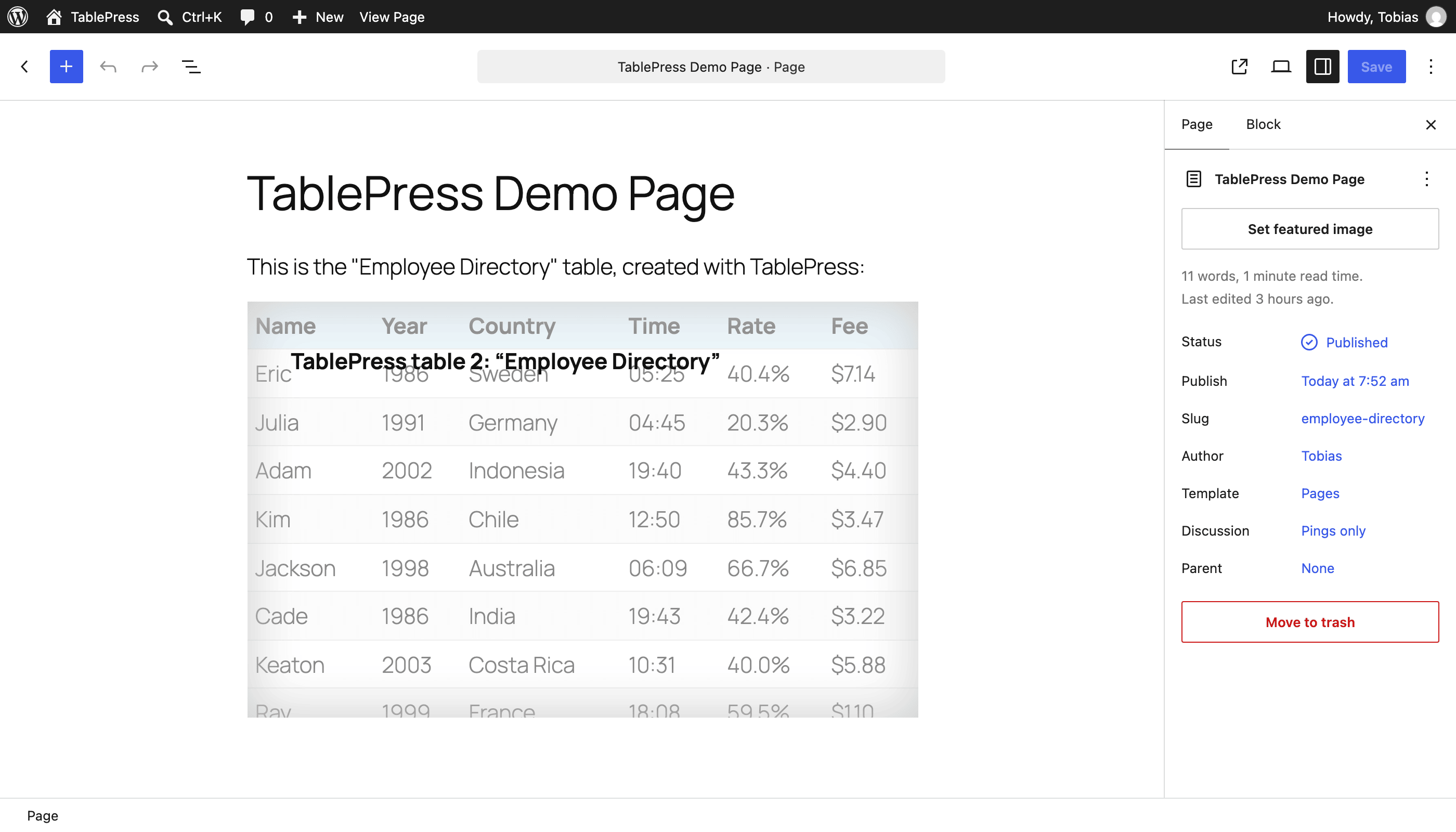
The “TablePress table” block in the block editor
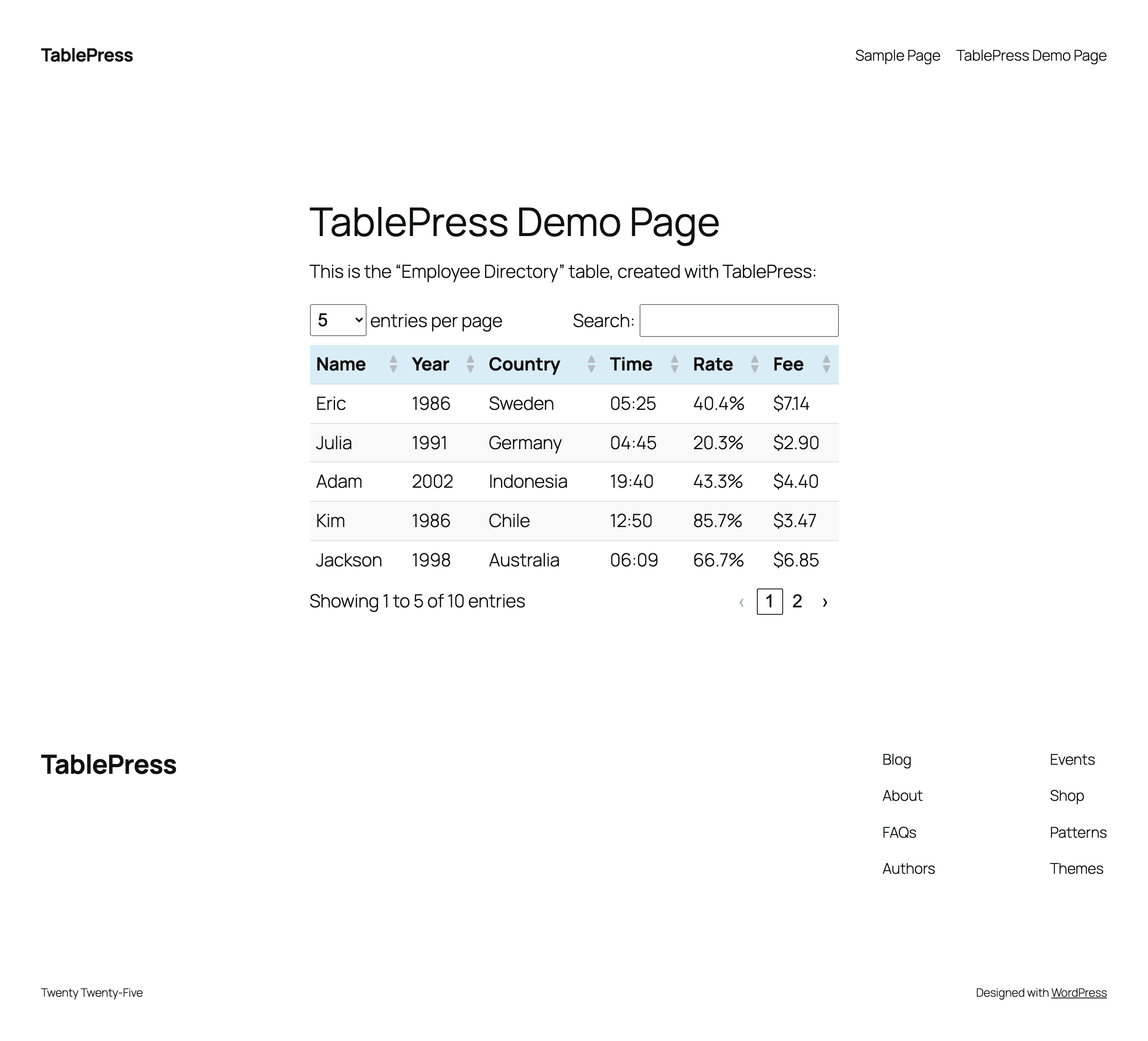
An example table as shown on a frontend page
Faq
Many questions, regarding different features or styling, have been answered on the FAQ page and in the extensive TablePress plugin documentation on the TablePress website.
Premium Support
Users with an active TablePress Premium license plan are eligible for Priority Email Support, directly from the plugin developer! Find out more!
Community Support for users of the Free version
For support questions, bug reports, or feature requests, please use the WordPress Support Forums. Please search through the forums first, and only create a new topic if you don’t find an existing answer. Thank you!
In short: WordPress 6.7 or higher, while the latest version of WordPress is always recommended. In addition, the server must be running PHP 7.4 or newer.
TablePress uses the “Translate WordPress” platform. Please see the sidebar on the TablePress page in the WordPress Plugin Directory for available translations.
To make TablePress available in your language, go to the TablePress translations page, log in with a free wordpress.org account and start translating.
You can follow the development of TablePress more closely in its official GitHub repository.
Please report security issues and bugs found in the source code of TablePress through the Patchstack Vulnerability Disclosure Program.
The Patchstack team will assist you with verification, CVE assignment, and notify the TablePress developer.
Visit the plugin website at tablepress.org for the latest news on TablePress, follow @TablePress on Twitter/X, or subscribe to the TablePress Newsletter.
Reviews
Very good
By 
I like it!
TablePress - Easy to use and very powerful
By 
We have been using TablePress for more than 10+ years. It's very easy to use yet very powerful.
For a recent post with over 14k data records: "Index of Family Names taken from Barbados Maps between 1657 and 1847" we used server-side processing and it works wonderfully....
Without server-side processing it crashed our site!
The support from Tobias is pretty amazing too.
TablePress is an easy to use, very powerful table tool. The addition of server side processing makes it awesome.
Leicht zu benutzendes Plugin, Import möglich
By 
Ein hilfreiches, leicht zu bedienendes Plugin. Sehr schön ist, dass man bestehende, "frei Hand" erstellte Tabellen relativ leicht importieren kann. Man muss seine Tabellen also beim Wechsel auf TablePress mit etwas Glück nicht komplett neu erstellen.
Still the best!
By 
This plugin does exactly what it promises, and Tobias provides stellar support!
great plugin, many options, great support
By 
I've been using this to import Excel sheets. It's worked really well and provides a lot of options. The one time I couldn't get it to work, support identified the issue very quickly, which turned out to be a hidden problem in the spreadsheet I wanted to import. I will 100% turn to this plugin whenever I have tabular data to display.
Perfect!
By 
This plugin does exactly what I needed - clean tables that work well on mobile. Plus the customer support is A+!
Such an upgrade to online tables!
By 
We purchased this mainly so we can link an excel doc directly to a table on our site, and it has surpassed our expectations. Non-web people can make updates to the spreadsheets and have them immediately updated on the site. Users can then view those tables on their phones easily, filtering down to exactly what they need, without fighting the dreaded spreadsheet formatting. Plus, the support is top notch. I had a few questions that I emailed in and the response was quick, detailed and so helpful. I highly recommend to anyone that needs to display data on their websites!
Tablepress is highly adaptable
By 
Extremely flexible and the support is excellent. Highly recommended!
TablePress Plugin
By 
Support is 1000%, they helped me get the TablePress plugin working perfectly. If your having problems with tables not showing check with you Hosting Co. There may be a block on some of the files that TablePress relies on. Only negative (well to me) is that you can't build a form to update the table. But it lets you import and append so you can Construct the record in a text file with commas for delimiter. The go to the Import and chose the Table you want to append to, Done Basically easier than a form! Also make sure you pay attention to quotes double quotes Basically any malformed HTML will cause some really strange behavior. A Great Plugin with great support.
Great Plugin, Kind Support
By 
I've been using this plugin since like forever, and it fulfills everything you could ever ask for from a table plugin. Strongly recommended!
In case you do have a question or other assorted trouble, the support is quick to respond and very kind. Had a pleasant experience.
Thank you for all the work and the functionality that even the free version provides 🙂
Changelog
Changes in recent versions are shown below. For earlier changes, please see the changelog history.
Version 3.4.1 (October 12, 2026)
- Bugfix: Table data in the wrong internal data format is properly recognized and handled again.
- Bugfix: Saving “Custom CSS” code no longer returns an unexpected error message.
- Bugfix: An incompatibility where other plugins pass wrong data types to TablePress was solved.
- Bugfix: The “[table-info]” Shortcode now properly returns the number of rows or columns without an error message again.
- Bugfix: The position of the “Insert Link” dialog on the “Edit” screen is correct again, even when other plugins interfere.
- Bugfix: The TablePress integration into the WordPress Export functionality now works correctly when the WP-CLI tool is used.
- Bugfix: TablePress now protects against the Elementor page builder sometimes not loading all necessary files for the integration in its editor.
- Various code modernizations, removal of outdated legacy code, and optimizations for better performance and improved security.
- Several minor bugs and inconsistencies have been fixed and improved!
- Cleaned up and simplified code, for easier future maintenance, to follow WordPress Coding Standards, and to offer helpful inline documentation.
- Several external code libraries and build tools have been updated to benefit from enhancements and bug fixes.
Version 3.4 (September 30, 2026)
TablePress 3.4 is a feature, stability, maintenance, and compatibility update. Here are the highlights:
New Table Editor Toolbar on the “Edit” Screen
The new Table Editor Toolbar makes all editing features available right where you need them. Your mouse’s scroll wheel can rest easy now: Gone are the days of going back and forth between the Table Content and Table Manipulation sections. We already can’t imagine living without it.
- The toolbar will stick to the top of the screen so that it’s always available when your table is in view.
- It also offers quick access to operations like Undo/Redo or Cut/Copy/Paste that have previously only been available through the right-click context menu.
- Hovering over a button shows its name and keyboard shortcut for even quicker editing!
Behind the scenes
- Various code modernizations, removal of outdated legacy code, and optimizations for better performance.
- Several minor bugs and inconsistencies have been fixed and improved!
- Cleaned up and simplified code, for easier future maintenance, to follow WordPress Coding Standards, and to offer helpful inline documentation.
- Several external code libraries and build tools have been updated to benefit from enhancements and bug fixes.
Premium versions
- Even more great features for you and your site’s visitors and priority email support are available with a Premium license plan of TablePress. Go check them out!