Taboola Pixel for WooCommerce

Taboola Pixel for WooCommerce
Description
Taboola Pixel for WooCommerce enables you to track user interactions on your WooCommerce store and integrate seamlessly with Realize’s advertising platform. This plugin provides a one-click, no-fuss solution to implement the Taboola Pixel on your store.
Implement the Taboola Pixel to use automated bidding, simplify retargeting, and optimize your ROAS (Return on Ad Spend).
The plugin provides:
- Easy setup: Just log in with your Realize account.
- Fully automatic implementation: No manual work needed.
- Smart Algorithms: Unlock Taboola’s algorithms with conversion data and audiences.
- Performance Safe: Doesn’t impact your website performance or SEO ranking.
- WooCommerce Integration: Seamless integration for e-commerce tracking.
Features
- Simple Setup: Connect your Realize account with just a few clicks.
- Automatic Event Tracking: Automatic tracking of e-commerce events including product views, add to cart, checkout, and purchases.
- Data-Driven Decisions: Make data-driven decisions with Taboola’s visualizations and reporting tools.
- Secure: Follows security best practices.
Support
For support, please visit our Dev Center or contact support@taboola.com.
Privacy Policy
This plugin sends data to Realize’s servers for analytics and advertising purposes. Please review Realize’s privacy policy at https://www.taboola.com/privacy-policy and ensure you have proper user consent mechanisms in place.
Installation
- Upload the plugin files to the
/wp-content/plugins/taboola-pixel-for-woocommercedirectory, or install the plugin through the WordPress plugins screen directly. - Activate the plugin through the ‘Plugins’ screen in WordPress.
- Navigate to the Taboola Pixel menu in your WordPress admin.
- Click “Connect Realize Account” to link your Realize account.
- Follow the guided setup to install the pixel.
Screenshots
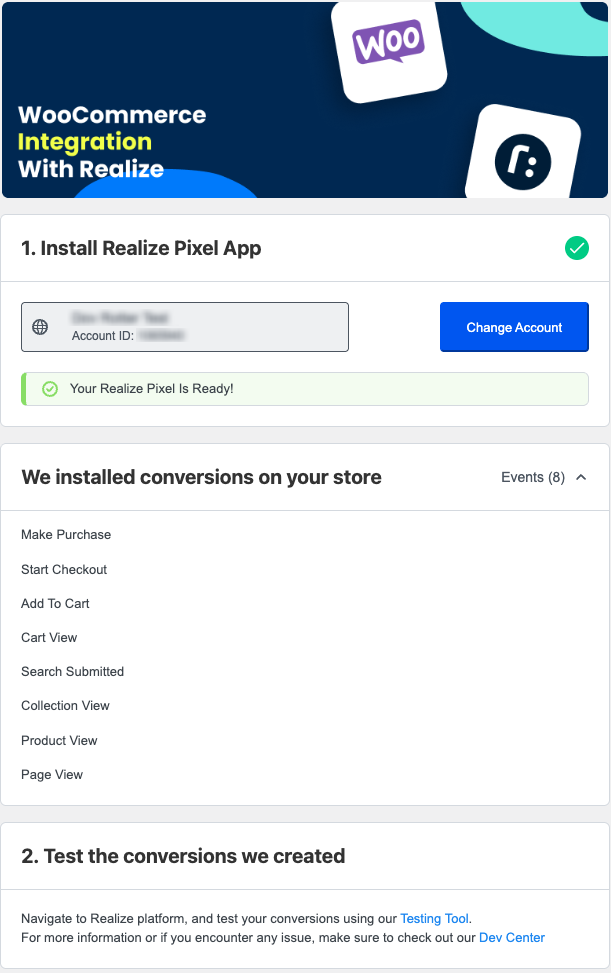
Integration With Realize: Connect your account easily.
Faq
Yes, you need a Realize account to use this plugin. You can sign up at https://signup.taboola.com/join
The plugin automatically tracks standard e-commerce events. For custom event tracking it’s best to use our Codeless solution or manually modify the code. Read more in our Dev Center
Use our Testing Tool, available in the Realize platform, to verify that your setup is good.
The plugin respects user privacy settings. Please ensure you have proper consent mechanisms in place according to your local privacy laws.
Yes! The plugin automatically integrates with WooCommerce to track e-commerce events, including: product views, add to cart actions, checkout initiation, and completed purchases.
No, this plugin does not currently support Elementor or other page builders. It is designed to work with the standard WooCommerce plugin.
You can report security bugs through the Patchstack Vulnerability Disclosure Program. The Patchstack team helps validate, triage and handle any security vulnerabilities. Report a security vulnerability.
Reviews
Changelog
1.1.0
- Added WooCommerce integration
- Automatic tracking of e-commerce events (product views, add to cart, checkout, purchases)
- Enhanced event tracking for online stores
1.0.0
- Initial release
- Taboola pixel integration
- Guided onboarding flow
- Account connection via popup
- Automatic pixel installation
- Event tracking for page views