TaxiWebBooker

TaxiWebBooker
Description
TaxiWebBooker transforms your WordPress site into a complete booking and dispatch platform built specifically for taxi and chauffeur businesses.
Start with our free-forever plan and scale as your business grows. No manual maintenance, no technical headaches, just bookings flowing from your website straight to your drivers’ phones.
What You Get
• Mobile-responsive booking forms that integrate seamlessly with any WordPress theme
• Pricing based on Google Maps routes, locations, hourly rates or metered pricing
• Built-in driver dispatch system to assign jobs and send notifications instantly
• Automated workflows with confirmations, updates and receipts sent automatically
• Cloud-hosted solution where new features and updates deploy automatically
• Complete automation from initial booking through driver dispatch to post-ride follow-up
What Makes TaxiWebBooker So Powerful
Smart, Automated Pricing
Dynamic fare calculation based on Google Maps routes, custom zones or time-based rates. Configure your pricing rules once and let the system handle all calculations automatically.
Flexible Integration Options
Choose what fits your site best: floating pop-up widget, inline embedded form or custom text links. All options are mobile-responsive and fully customizable to match your branding. See example of the different integration options by clicking here.
Professional Customer Experience
• Google Maps address autocomplete for fast, accurate bookings
• Instant PDF confirmation emails with complete booking details
• Customer portal for viewing ride history and managing accounts
• Mobile-optimized interface that works flawlessly on any device
Complete Operational Control
• Centralized dispatch panel for managing all bookings in one place
• Define service areas and set availability schedules with precision
• Automated operator notifications for every new reservation
• Real-time job tracking and status updates
• Google Calendar sync for seamless schedule management
Payment & Invoicing Made Simple
• Multiple payment gateway integrations for customer convenience
• Customizable rate plans for different vehicle types and services
• Automated PDF invoice generation and delivery
• PCI-compliant secure transaction processing
Integrated Driver Dispatch App
Send bookings directly to your fleet with a dedicated mobile app. Drivers receive instant notifications, route guidance and job management, all connected to your WordPress booking system.
Why Taxi & Chauffeur Companies Choose TaxiWebBooker
Every feature is designed specifically for ride-based businesses, from Google Maps fare calculation to driver dispatch to automated passenger communications.
Check out other taxi and chauffeur companies that are already using TaxiWebBooker.
Setup Process
Install this WordPress plugin, connect your TaxiWebBooker account and embed your booking form in about 10 minutes. Customize emails, pricing and service areas at your own pace as you grow.
Technical Requirements
This plugin connects to the TaxiWebBooker hosted platform to provide booking and dispatch functionality. The hosted solution ensures you always have access to the latest features, security updates and the mobile driver app without manual updates.
Create your free TaxiWebBooker account to get started.
External services
This plugin connects to the TaxiWebBooker platform to authenticate an account, retrieve available Web Bookers, render booking widgets, and provide support on the plugin settings page.
The plugin connects to https://portal.taxiwebbooker.com for OAuth login when an administrator chooses to connect a TaxiWebBooker account.
The plugin connects to https://api.dispatchapi.io to exchange OAuth tokens, retrieve account details, retrieve available Web Bookers, and disconnect an account. The plugin sends the OAuth token or access token required for these account-management actions, plus a shared plugin secret used to identify authorized WordPress plugin requests.
The plugin dynamically loads JavaScript and CSS files from https://yourwebbooker.com/popup-widget/ and https://yourwebbooker.com/inline-webbooker/ when the matching widget type is enabled. These files are hosted externally to support dynamic updates, account-specific styling, layout updates, and user-specific configurations. They are essential to the plugin’s service functionality. Without them, the booking interface cannot be rendered correctly.
The plugin loads the Intercom messenger from https://widget.intercom.io on the plugin settings page to provide support. When an account is connected, the plugin may pass the connected user’s email address, user ID, and Intercom identity hash to Intercom so support conversations can be linked to the account.
Service terms and privacy policies:
- TaxiWebBooker: https://taxiwebbooker.com/terms
- TaxiWebBooker privacy policy: https://taxiwebbooker.com/privacy
- Intercom terms: https://www.intercom.com/legal/terms-and-policies
- Intercom privacy policy: https://www.intercom.com/legal/privacy
What data is sent?
For account connection, the plugin sends authentication tokens needed to connect or disconnect the TaxiWebBooker account. For booking widgets, no personal booking data is sent unless a visitor interacts with the widget and submits a form. For support, connected account identity details may be sent to Intercom as described above.
Why is this needed?
The service is required to provide a live booking interface tied to the user’s Taxiwebbooker account. The external script supports dynamic updates and configuration management on the provider’s platform.
Source Code
The plugin includes its WordPress admin and frontend helper CSS/JavaScript in the includes/assets/ directory. The booking interface itself is rendered and styled by the external TaxiWebBooker JavaScript and CSS files described above.
The original, human-readable plugin source files are included in the plugin folder.
Installation
- Upload the plugin folder to the
/wp-content/plugins/directory. - Activate the plugin through the ‘Plugins’ menu in WordPress.
- Go to Settings > Taxiwebbooker to configure the widget options.
Screenshots
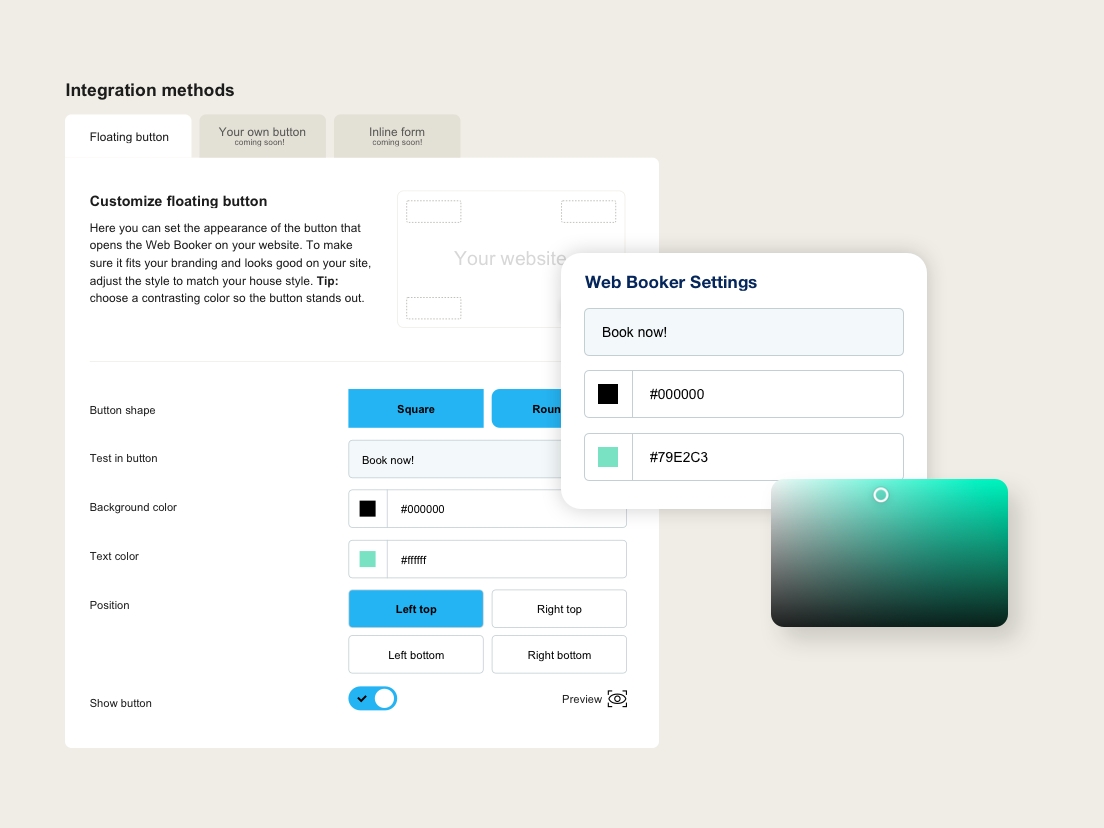
WordPress settings page
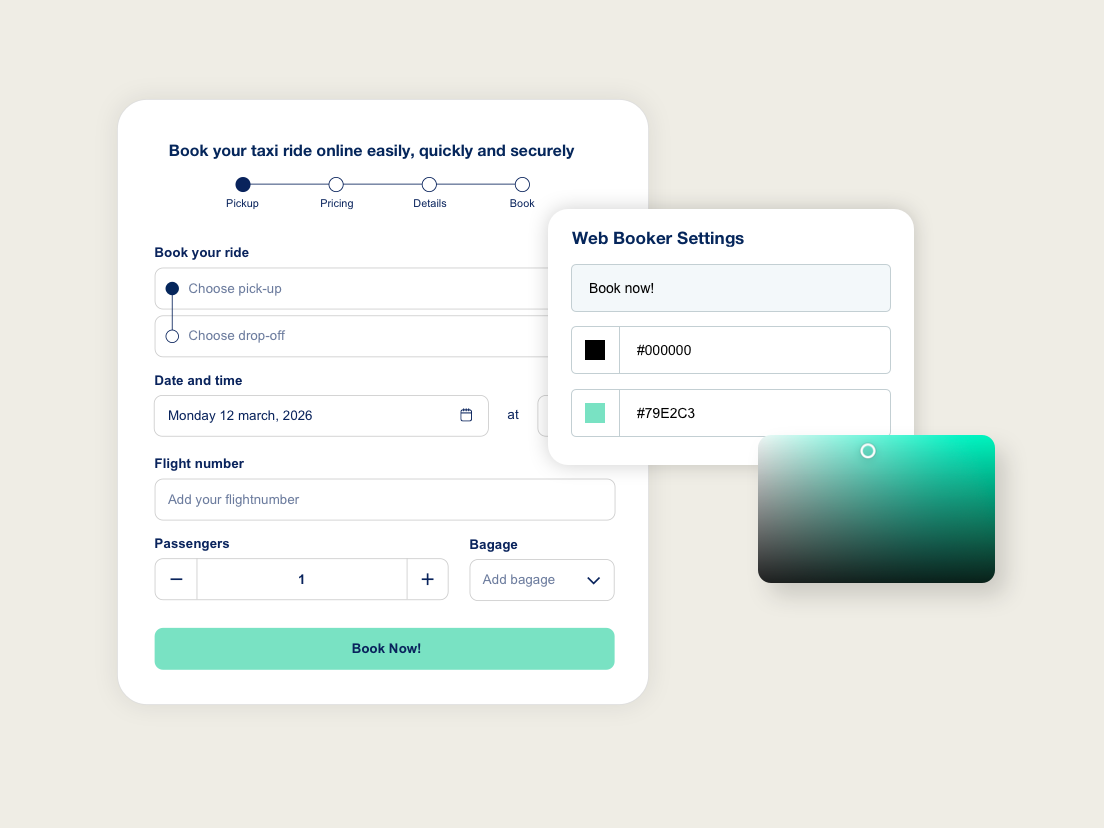
TaxiWebBooker form example
Reviews
Changelog
2.3
- Easy account connection for a faster TaxiWebBooker setup.
- Automatically connects your website to the right Web Booker from your account.
- Improved setup screen with clearer integration options and connected account details.
- Improved support experience from the plugin settings page.
- Setup video added to help new users get started.
2.2.3
- Updated plugin name to TaxiWebBooker
- Added plugin screenshots
- Documentation improvements
2.2.2
- Enhanced form ID validation
- Improved support posibilities
- Several bug fixes and optimizations
- Edited and updated documentation
2.2.1
- Fixed button style issue in floating and inline buttons.
- Updated several internal and external URLs.
2.2
- Added new integration options for enhanced customization.
2.0.1
- Small text changes
2.0
- New method to create inline forms and buttons using shortcodes and anchor links.
1.0
- Initial release