Taxonomy Terms List Block

Taxonomy Terms List Block
Description
Show a list of terms assigned to the current post in the specified taxonomy. It also works in the new Query block.
Installation
- Visit Plugins > Add New
- Search for ‘Taxonomy Terms List Block’
- Activate Taxonomy Terms List Block from your Plugins page.
- Open your block editor. Now you can add a new Taxonomy Terms List block.
Screenshots
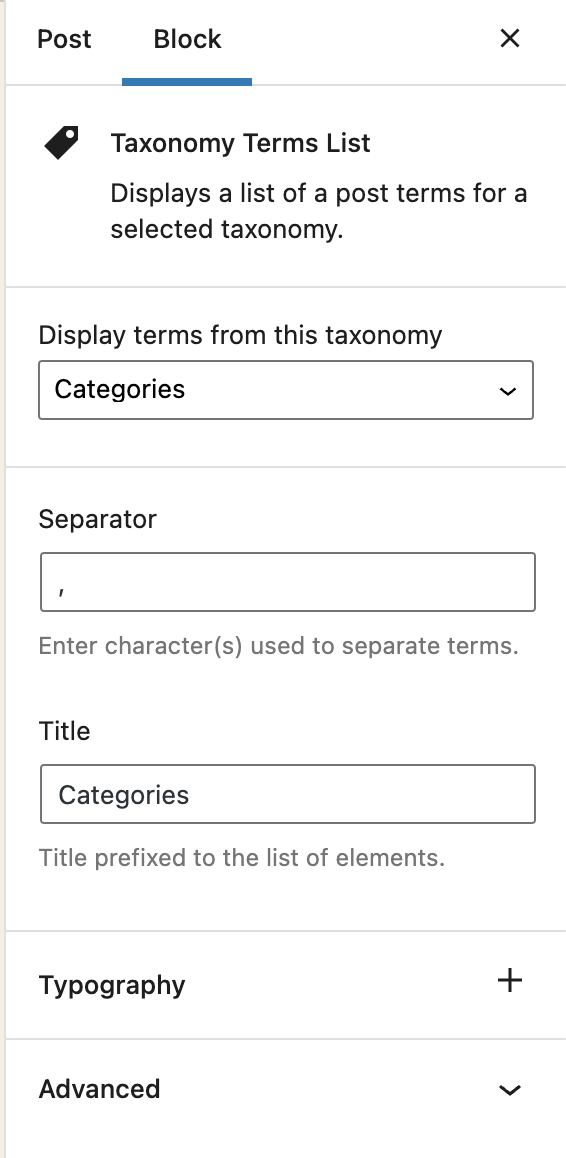
Block options

Block content
Reviews
Does what it promises.
By 
Everything is working fine.
Thank you!
🙂
The only thing I could not manage yet is to make the tags unclickable, so they are no links to their archive… I will dig a little deeper now…
Changelog
1.1.2
Fix: The previous version did not properly include the translated strings. Props again to Christoph Herbst.
1.1.1
Fix: Some of the strings were not translatable. Props to Christoph Herbst.
1.1.0
Enhancement: Support custom background and text color.
Enhancement: Support custom spacing (margin/padding)
Some other UX improvements.
1.0.2
Fix: Taxonomy terms previsualization was not working in the block editor.
1.0.1
Allow to select any taxonomy if the current post has no taxonomies linked.
1.0
First release