Team Showcase – Responsive Team Members Grid, Slider & Carousel Plugin

Team Showcase – Responsive Team Members Grid, Slider & Carousel Plugin
Description
Team Showcase is a lightweight yet powerful WordPress plugin that helps you display your team members, staff, employees, board members, or speakers in a clean and professional way.
Create stunning team sections using grid, slider, list, popup, and carousel layouts — no coding required.
The plugin works with any WordPress theme and gives you full control over layout, style, and content.
Useful Links
Installation Tutorial & Demonstration
Why Choose Team Showcase?
Most team plugins only show names and images.
Team Showcase goes further.
✔ 25+ professionally designed team layouts
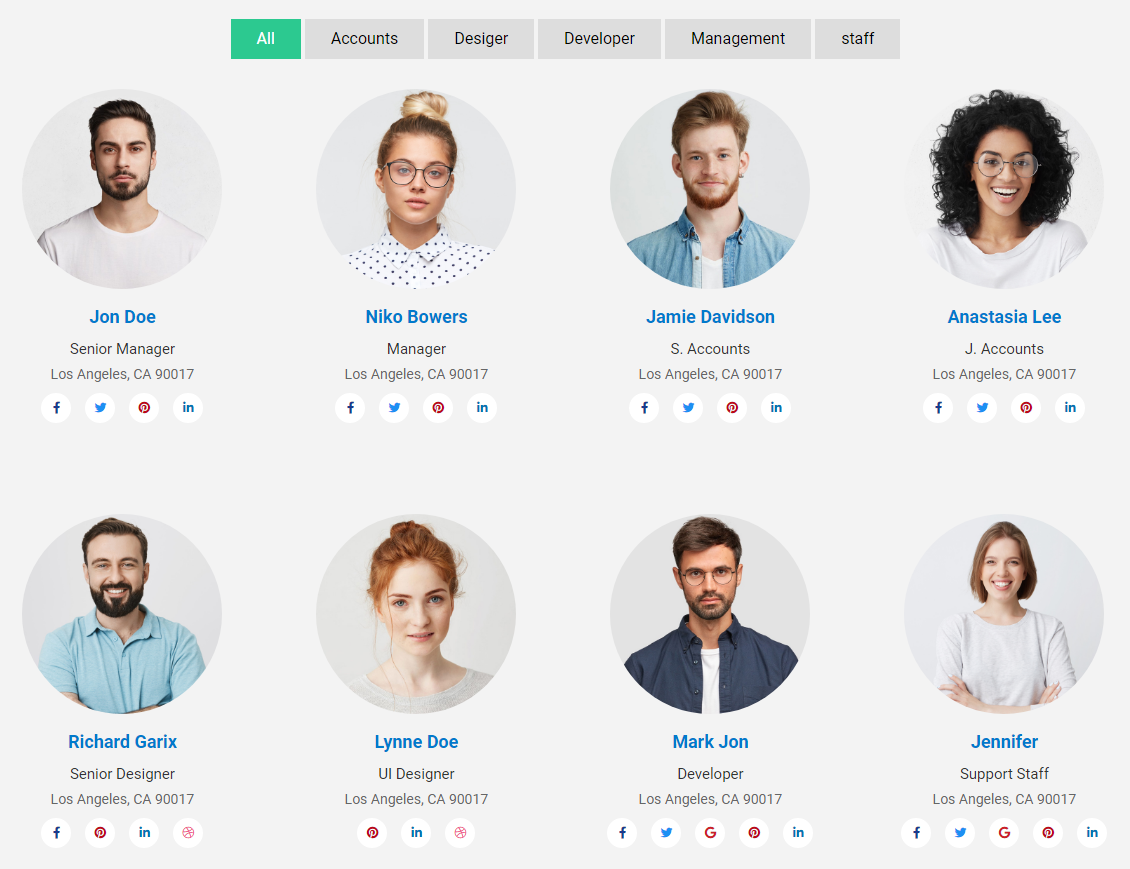
✔ Grid, slider, list & filterable layouts
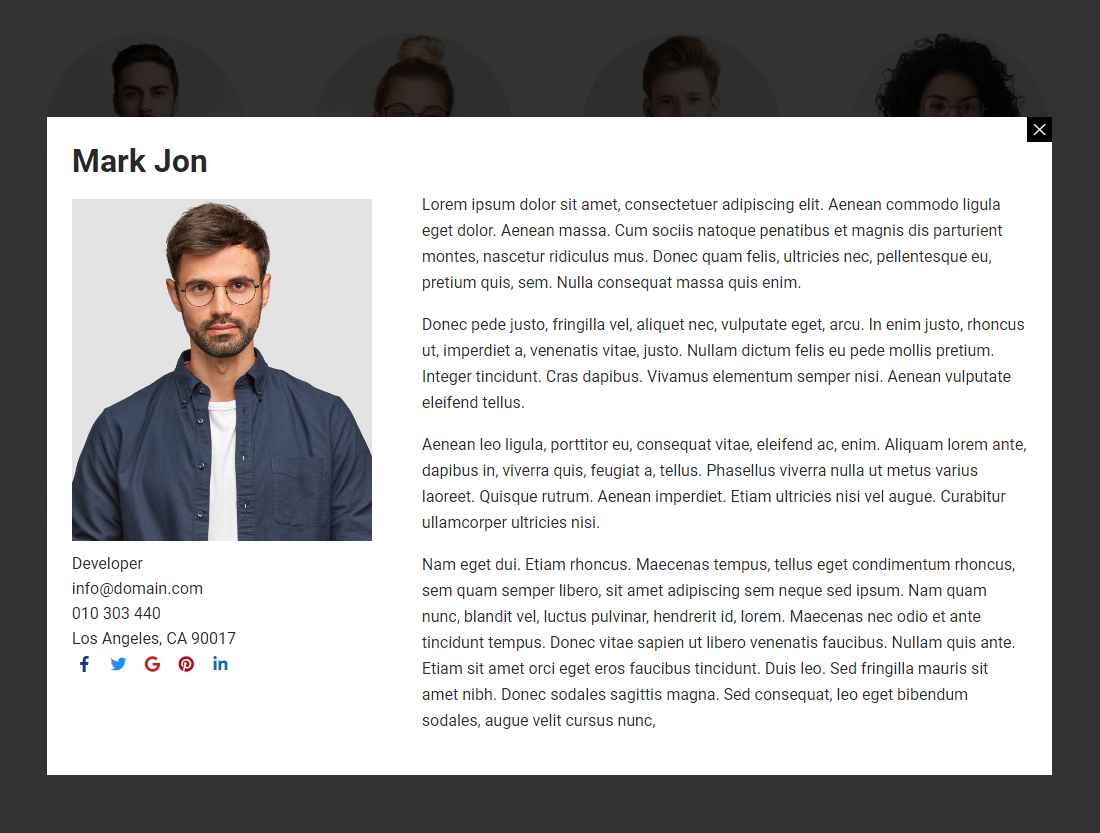
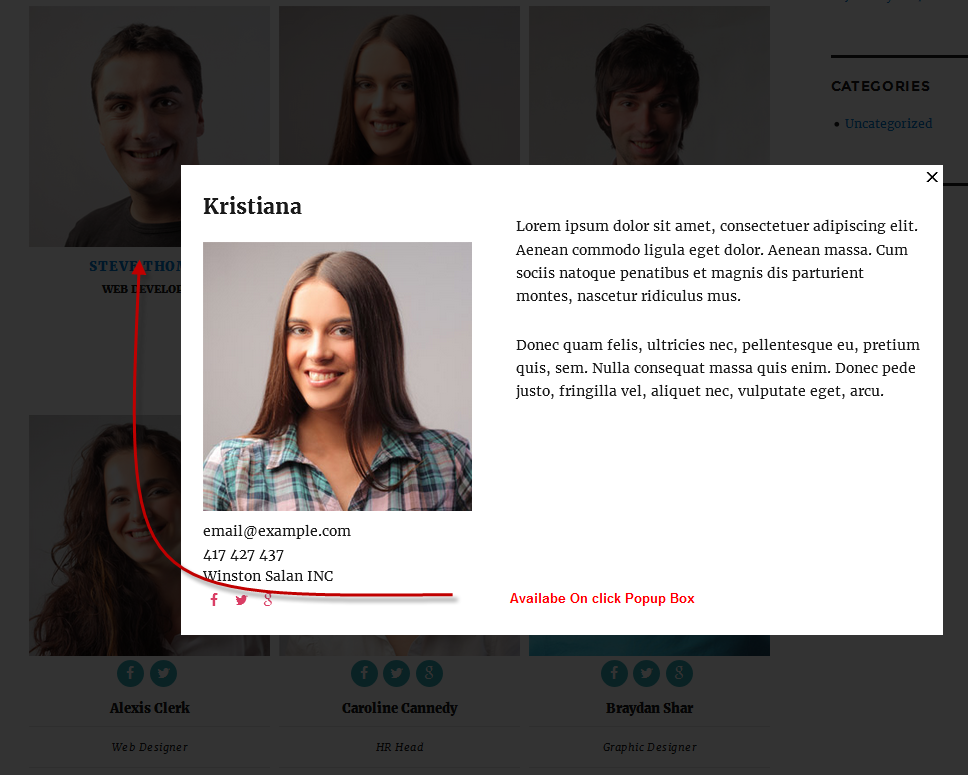
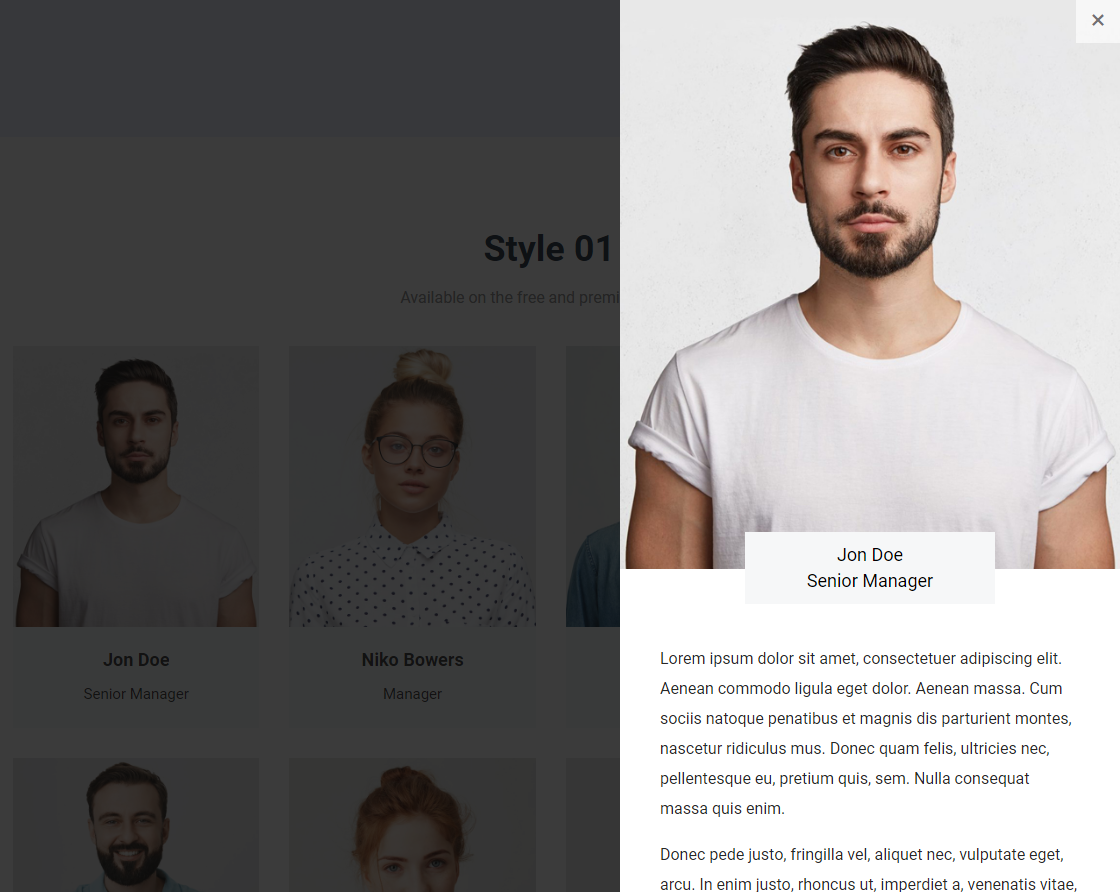
✔ Popup member profile with full details
✔ Easy shortcode & Gutenberg support
✔ Lightweight, fast & SEO-friendly
✔ Works with any WordPress theme
Whether you need a simple team grid or an advanced interactive team section, Team Showcase gives you full control.
Key Features – Free Version
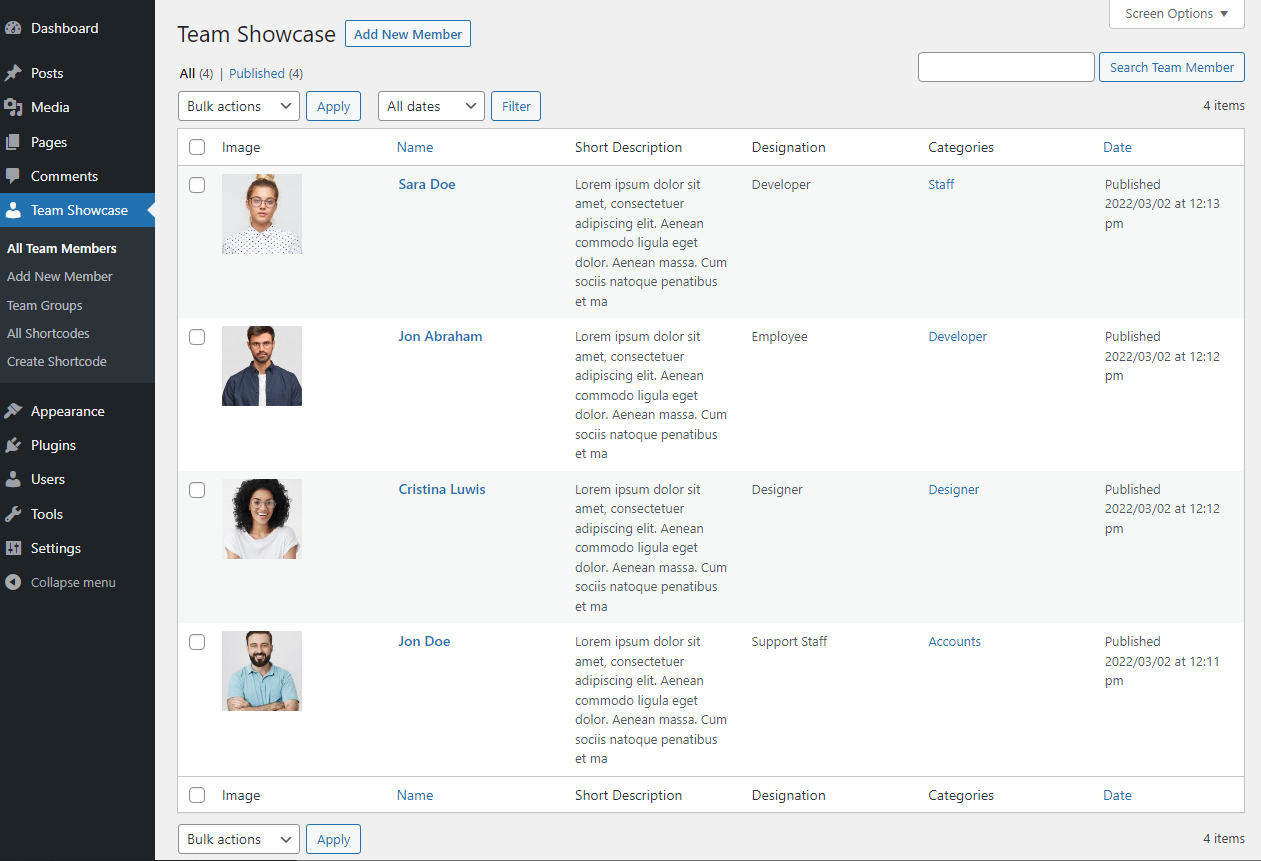
✔ Create unlimited team members
✔ Responsive grid, slider & list layouts
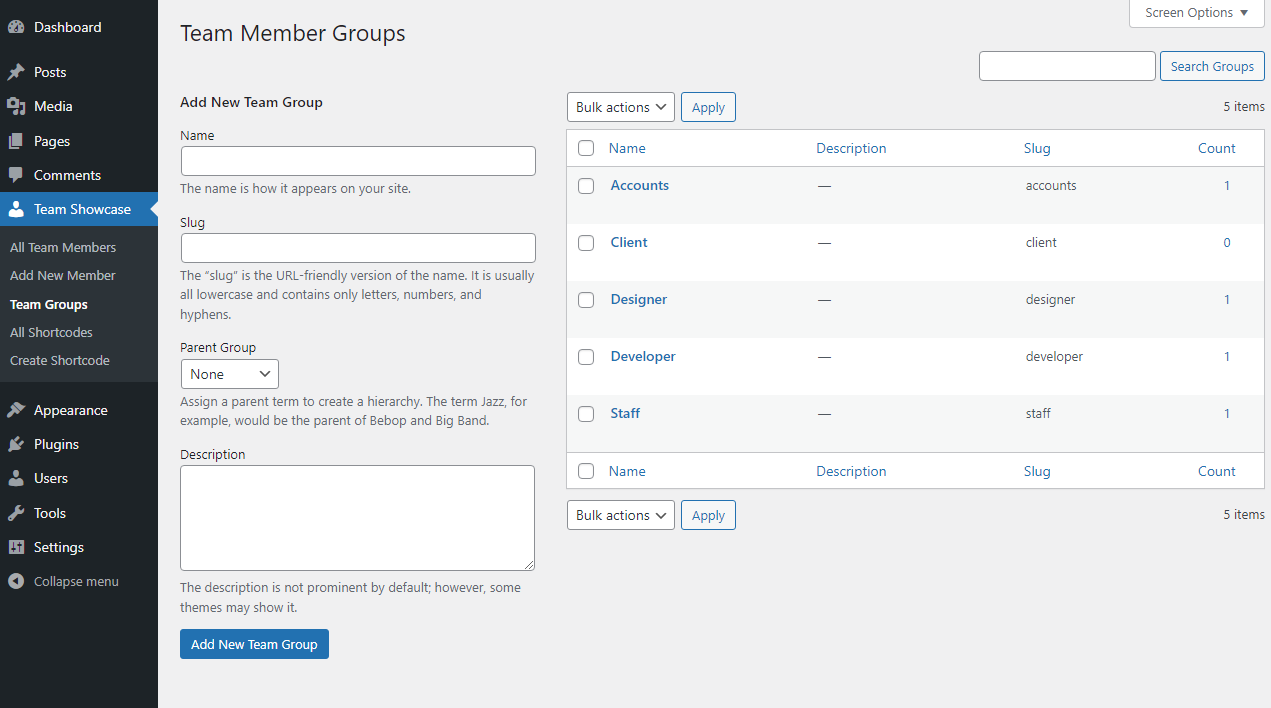
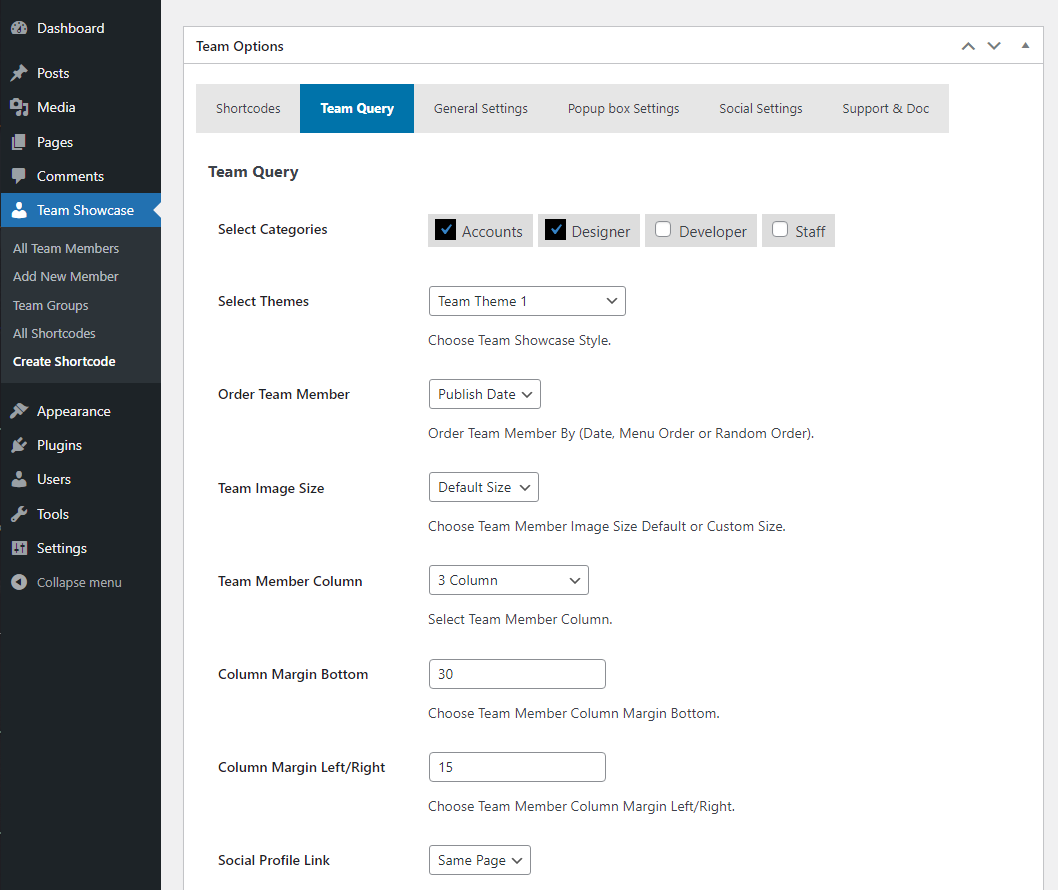
✔ Select team members by categories
✔ Control ordering (ASC / DESC / Custom)
✔ Popup member details (basic layout)
✔ Easy shortcode support
✔ Clean, lightweight & fast
✔ SEO-friendly HTML markup
✔ Translation ready
✔ Works with any theme
Team Member Fields
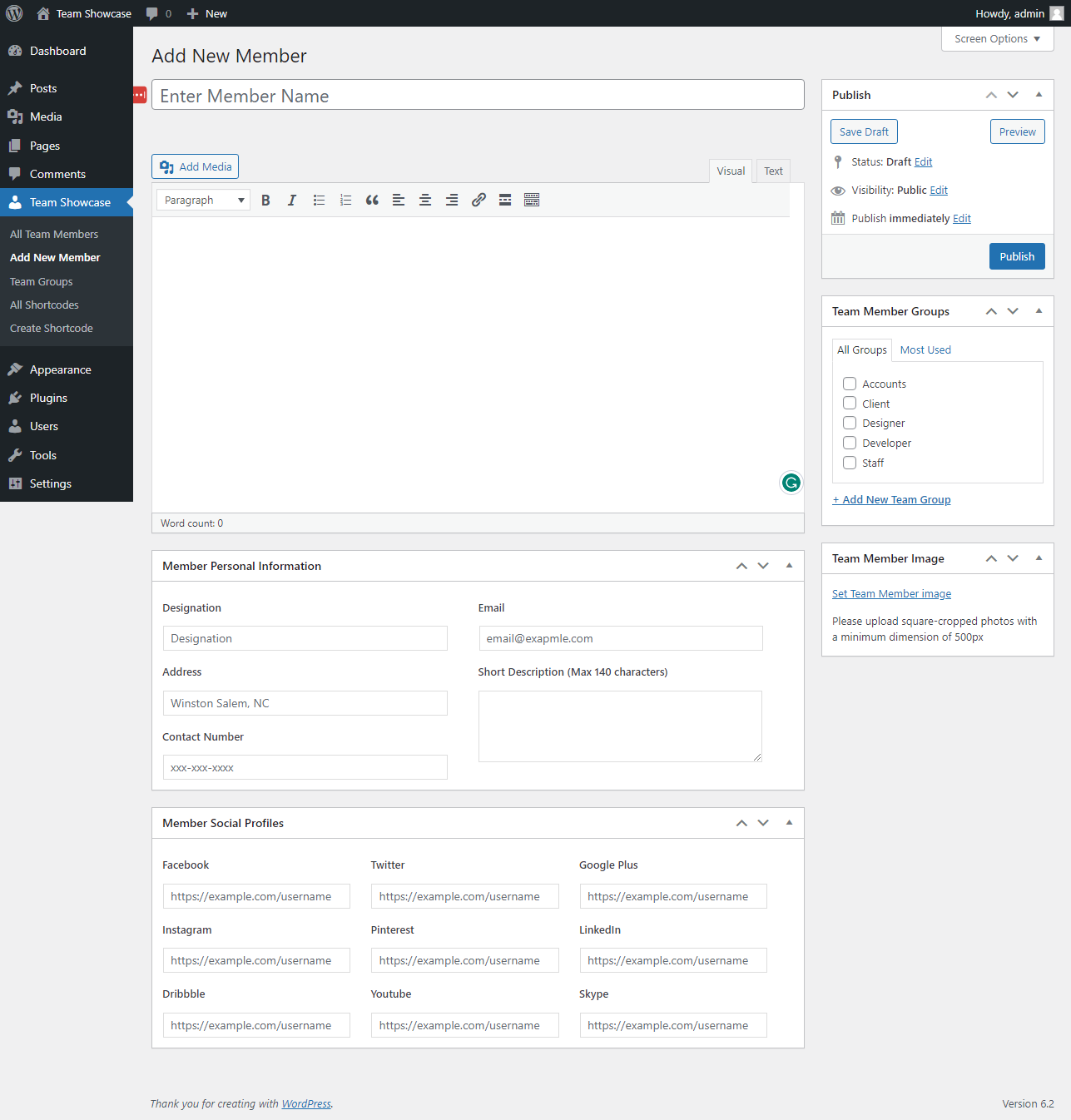
- Member Name
- Designation
- Location
- Contact Number
- Website
- Short Description
- Team Member Image
- Social Media Profiles
- Categories
- Team Member Skills
Advanced Team Member Popup
Display detailed information in a modern popup:
✔ Full description
✔ Member Information
✔ Social media links
✔ Smooth animations
✔ Member Skills
👉 Advanced popup layouts and animations are available in Pro version »
Flexible Layout Options
Choose how your team appears:
✔ Grid layout
✔ Slider / carousel layout
✔ List layout
✔ Responsive for desktop, tablet & mobile
✔ Custom column control
👉 More layouts, animations, and filters available in Pro
Team Showcase Pro – Unlock Full Power 🚀
Upgrade to Team Showcase Pro to build premium, conversion-focused team sections.
Pro Features
🔥 25+ premium team styles
🔥 Filterable team layouts
🔥 Advanced popup templates
🔥 Team member skills with progress bars
🔥 Additional slider controls & animations
🔥 Priority support
👉 Ideal for agencies, businesses & professional websites
Who Is This Plugin For?
✔ Companies & startups
✔ Agencies & freelancers
✔ Schools & universities
✔ Corporate teams
✔ NGOs & organizations
✔ Event speakers & staff
✔ Board members & advisors
If your website needs to build trust with real people, Team Showcase is for you.
Easy to Use – No Coding Required
- Install & activate the plugin
- Add team members
- Choose a layout style
- Insert shortcode
- Done 🎉
Performance & Compatibility
✔ Lightweight & optimized
✔ Mobile-friendly layouts
✔ Compatible with all modern themes
✔ Regular updates
✔ Follows WordPress coding standards
Support & Documentation
We actively maintain this plugin and listen to user feedback.
- Documentation included
- Community support via WordPress.org
- Priority support available in Pro
👉 Upgrade to Pro for advanced features & faster support
Installation
- Upload the plugin files to
/wp-content/plugins/team-showcase/ - Activate the plugin through the “Plugins” screen in WordPress
- Go to Team Showcase menu
- Add your team members
- Display using shortcode
Screenshots

screenshot-1
screenshot-2

screenshot-3
screenshot-4
screenshot-5
screenshot-6
screenshot-7
screenshot-8
screenshot-9
screenshot-10
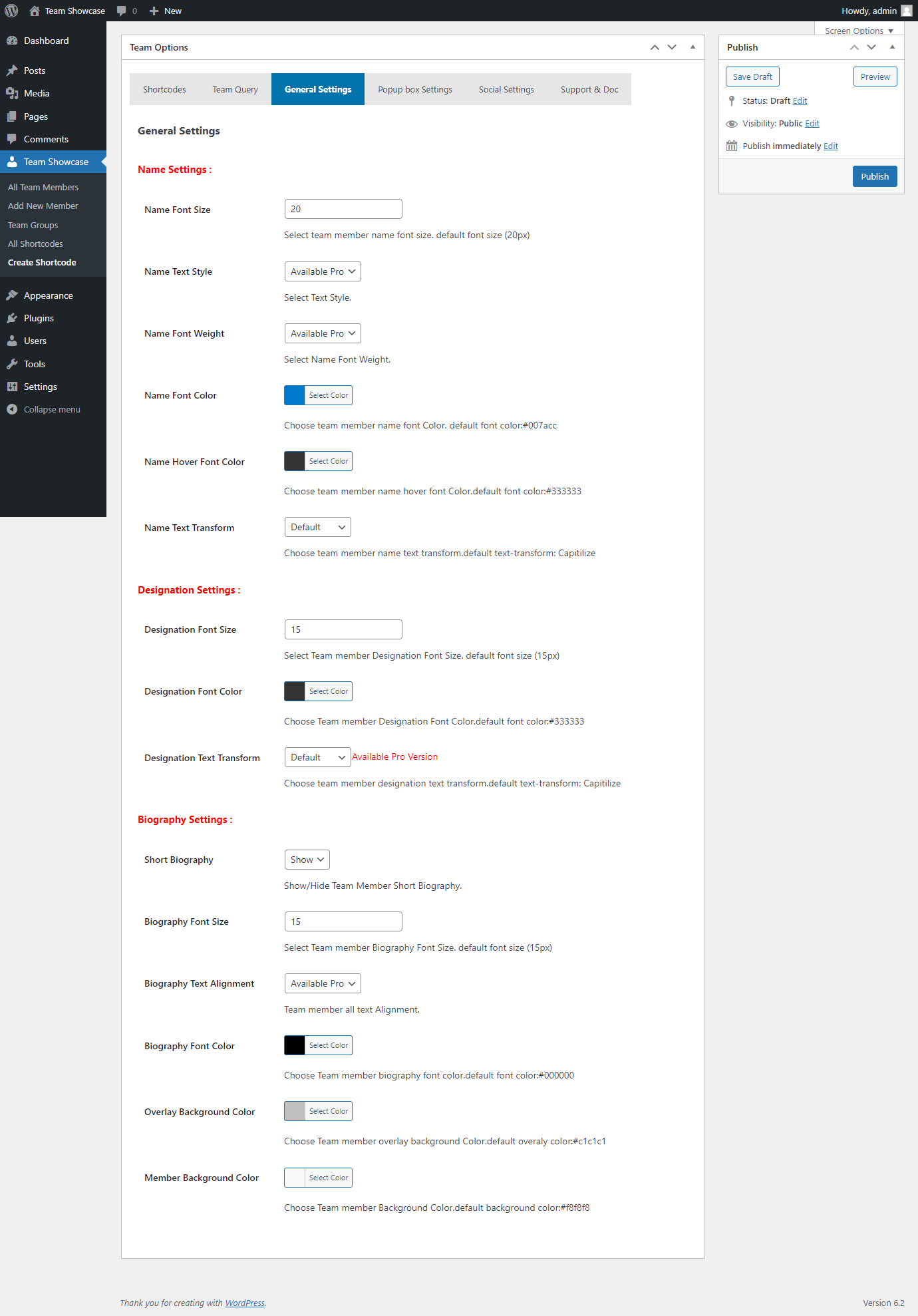
screenshot-11
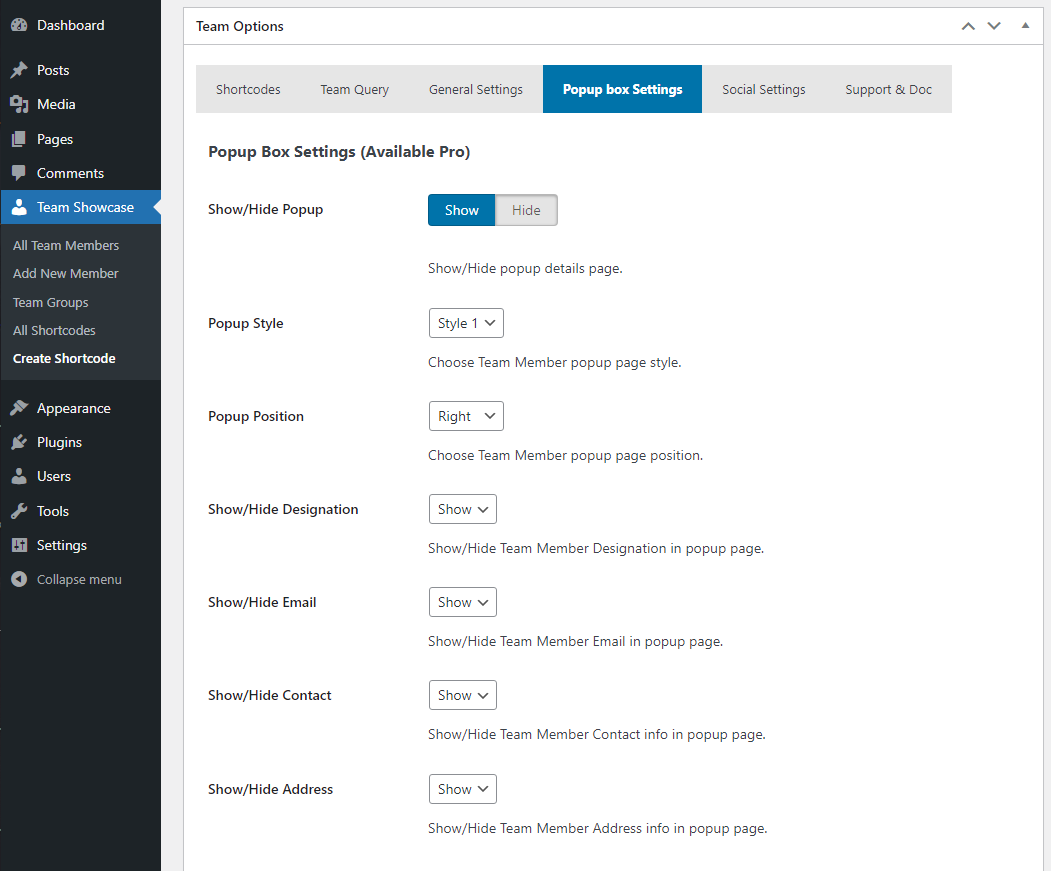
screenshot-12
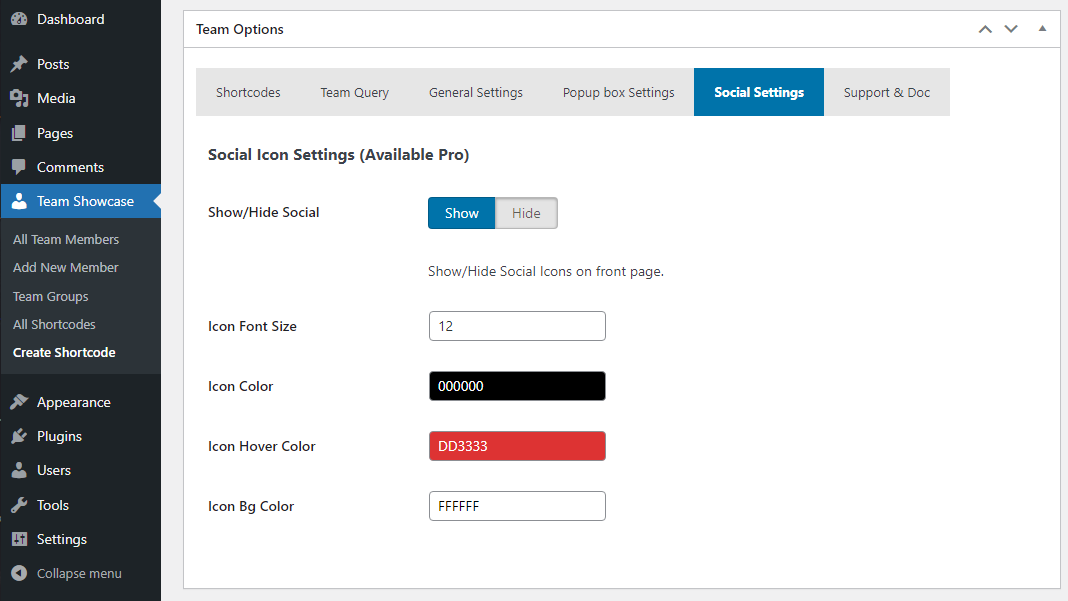
screenshot-13
Faq
Yes, Team Showcase works with all WordPress themes.
No, everything works via UI and shortcodes.
Yes, all layouts are fully responsive.
Yes, grid, slider, list, and carousel layouts are supported.
Yes, clicking a team member opens a popup with detailed information.
Yes, You can create unlimited showcases.
Yes, Team Showcase Pro includes premium styles, filter layouts, advanced popups, skills, and priority support.
Reviews
user friendly... I like that
By 
thank for your apps
FAST support
By 
When the plugin caused an issue with the font awesome icons on our site, I sent a request to support. I was surprised to get a prompt response and they got us a new version that solved the problem within a day. Impressive support.
Just what I needed
By 
Works as expected and just what I needed for our charity website. Thanks.
Cannot be updated
By 
Do not purchase this plugin. it has been broken for awhile now. You can't upgrade from version 2.0.3. It will break your site. And the support team is unresponsive in helping to fix it.
They changed the custom post type they use
By 
Lots of people are saying there data is gone but it's not entirely true. They change the name of the custom post type from from tshowcase to team_mf and did not make it backwards compatible. So the entries are still in your database but the custom post type is no longer being registered or accessed.
Should be an easy fix for them.
Data GONE!
By 
Like others - this plug-in automatically updated and then proceeded to not transfer any of the data that was connected to the old plugin. Lots of work to do to fix this....
All data lost after updating to new version 2.3.
By 
Worst plugin I have seen ever, after updating to 2.3 version I have lost all my data. I have around 1000 entries before updating and lost everything, even categories also lost and name of short-code is also changed which this plugin provides.
After updating this plugin to new version this plugin is completely changed, the author of this plugin and url all things are changed. Even when I rollback this plugin to old version then, previous version 2.2.6 is completely removed from there. This is the main culprit, the plugin should maintain last version so that if users have problem in new version then they can rollback the version.
This is worst user experience they should at-least notify to admins via email about new version if all things is going to be changed.
I believe many user lost there data due to this.
After 2.3 update, all Teams data gone
By 
Just like the person in Dec. 2023, this latest 2.3 update deactivated the plugin and deleted ALL of our teams data. Why have you failed to resolve this problem?! I assume we now have to start it again from scratch - unless there's a fix?
After Update All gone
By 
Wow, after updating to the newest version everything is gone ... no team members here, nothing ...
How to fix this??
After update 1.6 to 2.1 category select not working
By 
After updating Elementor Pro the shortcodes no longer work and are ignored. All team-members show up not the selected by category. Not very reliable. Troubleshooting / debugging is not possible.
Warning: Attempt to read property "post_type" on null in D:\Projekte\Kunden\IG Schmiede\htdocs\wp-includes\post.php on line 7557

Warning: Attempt to read property "post_type" on null in D:\Projekte\Kunden\IG Schmiede\htdocs\wp-includes\post.php on line 7558

Warning: Attempt to read property "ID" on null in D:\Projekte\Kunden\IG Schmiede\htdocs\wp-includes\post.php on line 7562

Warning: Attempt to read property "post_type" on null in D:\Projekte\Kunden\IG Schmiede\htdocs\wp-includes\post.php on line 7843

Warning: Attempt to read property "post_type" on null in D:\Projekte\Kunden\IG Schmiede\htdocs\wp-includes\theme.php on line 3538

Warning: Attempt to read property "ID" on null in D:\Projekte\Kunden\IG Schmiede\htdocs\wp-content\plugins\elementor\modules\usage\module.php on line 208

Warning: Attempt to read property "post_type" on null in D:\Projekte\Kunden\IG Schmiede\htdocs\wp-content\plugins\elementor-pro\modules\assets-manager\asset-types\icons\custom-icons.php on line 469

Warning: Attempt to read property "post_type" on null in D:\Projekte\Kunden\IG Schmiede\htdocs\wp-includes\theme.php on line 3763

Warning: Attempt to read property "post_type" on null in D:\Projekte\Kunden\IG Schmiede\htdocs\wp-includes\post.php on line 5403

Warning: Attempt to read property "ID" on null in D:\Projekte\Kunden\IG Schmiede\htdocs\wp-includes\post.php on line 5403

Warning: Attempt to read property "post_type" on null in D:\Projekte\Kunden\IG Schmiede\htdocs\wp-includes\post.php on line 4704

Fatal error: Uncaught TypeError: Elementor\TemplateLibrary\Source_Local::on_save_post(): Argument #2 ($post) must be of type WP_Post, null given, called in D:\Projekte\Kunden\IG Schmiede\htdocs\wp-includes\class-wp-hook.php on line 310 and defined in D:\Projekte\Kunden\IG Schmiede\htdocs\wp-content\plugins\elementor\includes\template-library\sources\local.php:1080 Stack trace: #0 D:\Projekte\Kunden\IG Schmiede\htdocs\wp-includes\class-wp-hook.php(310): Elementor\TemplateLibrary\Source_Local->on_save_post(0, NULL) #1 D:\Projekte\Kunden\IG Schmiede\htdocs\wp-includes\class-wp-hook.php(332): WP_Hook->apply_filters(NULL, Array) #2 D:\Projekte\Kunden\IG Schmiede\htdocs\wp-includes\plugin.php(517): WP_Hook->do_action(Array) #3 D:\Projekte\Kunden\IG Schmiede\htdocs\wp-includes\post.php(4715): do_action('save_post', 0, NULL, false) #4 D:\Projekte\Kunden\IG Schmiede\htdocs\wp-admin\includes\post.php(720): wp_insert_post(Array, false, false) #5 D:\Projekte\Kunden\IG Schmiede\htdocs\wp-admin\post-new.php(66): get_default_post_to_edit('team_mf_team', true) #6 {main} thrown in D:\Projekte\Kunden\IG Schmiede\htdocs\wp-content\plugins\elementor\includes\template-library\sources\local.php on line 1080
Also the the existing short codes no longer work. They ignore the catergory filter set on the existing short code
Changelog
3.0.1
- Fix Security Issue.
- Added New Options.
- Update Options Page.
- Add Filter Menu Dropdown Style.
- Added Two Different Filter Menu Style.
- Update Backend Categorie Select Options.
- Added Admin Visual Style.
- Add member count beside category option.
3.0.0
- Fix Security Issue.
- Added New Options.
- Added New CSS.
2.9
- Fix Escaping Issue.
- Added New Options.
- Update Options Page UI.
2.8
- Fix Icon Conflict Issue.
- Fix CSS Issues.
2.7
- Check Latest Version Compatibility Issue.
- Fix CSS Issues.
- Fix Responsive Issues.
2.6
- Check Latest Version Compatibility Issue.
- Fix sanitize metabox field issue.
- Update Options page.
2.5
- Check Latest Version Compatibility Issue.
- Update Options page.
2.4
- Fix Escaping Issue.
- Added New Social Icon.
- Added Column Option for different responsive devices.
- Added More Order By Options.
- Added New Social Icon.
- Update Twitter icon to X.
- Update Options Page UI.
- Update Fontawesome latest version.
2.3
- Fix Escaping Issue.
- Added New Options.
- Update Options Page UI.
2.2
- Fix Escaping Issue.
- Update Options page.
- Update Admin Interface.
2.1
- Check Latest Version Compatibility Issue.
- Update Options page.
- Update Admin Interface.
- Added New Options.
- Added New Style.
- Update CSS.
2.0
- Added New Options.
- Fix Error Issue.
1.9
- Added New Options.
- Update Options page.
- Fix CSS Issue.
1.8
- Test with latest Version.
- Update Options page.
- Fix backend issue.
- Added New Options.
1.7
- Test with latest Version.
1.6
- Test with latest Version.
1.5
- Fix CSS Issues.
- Fix Responsive Issues.
- Update Options Page.
1.4
- Added Member Background Color Options.
- Added Social Icons.
- Added Image Size Options (Custom or Default).
- Added Menu Order Options (Date, Munu Order, Random).
- Added New Options Page.
- Added Shortcode in options page.
- Added Team Column Margin Bottom Options.
- Added Team Column Margin Left/Right Options.
- Added Team Member Name Text Transform Options.
- Added Team Member Designation Text Transform Options.
- Added Social & Popup Box Options.
- Added Help & Support Tab Options.
- Update Team Member page css.
- Update Backend Css.
- Update Options Page UI.
- Fix Menu Style Two Popup Box issues.
- Fix Responsive Issues.
- Fix Team Member default color Issues.
- Fix Team Member column height Issues.
- Fix Popup box Responsive Issues.
1.3
- Fix Css Issues.
- Update Backend UI.
- Update Team Option Page.
1.2
- Fix Css Issues.
- Update Backend UI.
- Update Team Option Page.
- Added Image Height Options.
- Fix Responsive Issues.
- remove unnecessary code.
1.1
- Fix Css Issues.
- Update Core files.
- Update Team Option Page.
- Update Admin Interface.
- Fix Responsive Issues.
- Added New Themes etc.
1.0
- Initial release