TeamJUH Smart Chatbot with ChatGPT and Claude

TeamJUH Smart Chatbot with ChatGPT and Claude
Description
TeamJUH Smart Chatbot with ChatGPT and Claude is a powerful WordPress plugin that brings intelligent conversational AI to your website. Engage visitors 24/7 with an AI-powered chatbot that can answer questions, capture leads, and seamlessly transfer to live agents when needed.
Free Features
- Dual AI Provider Support – Choose between OpenAI’s ChatGPT (GPT-4o Mini, GPT-3.5 Turbo) or Anthropic’s Claude (Claude 3.5 Haiku)
- Website Training – Automatically train the AI on your posts and pages for accurate, contextual responses
- Lead Capture – Collect visitor information (name, email, phone) before or during chat
- Live Agent Handoff – Seamless transfer from AI to human agents with email notifications
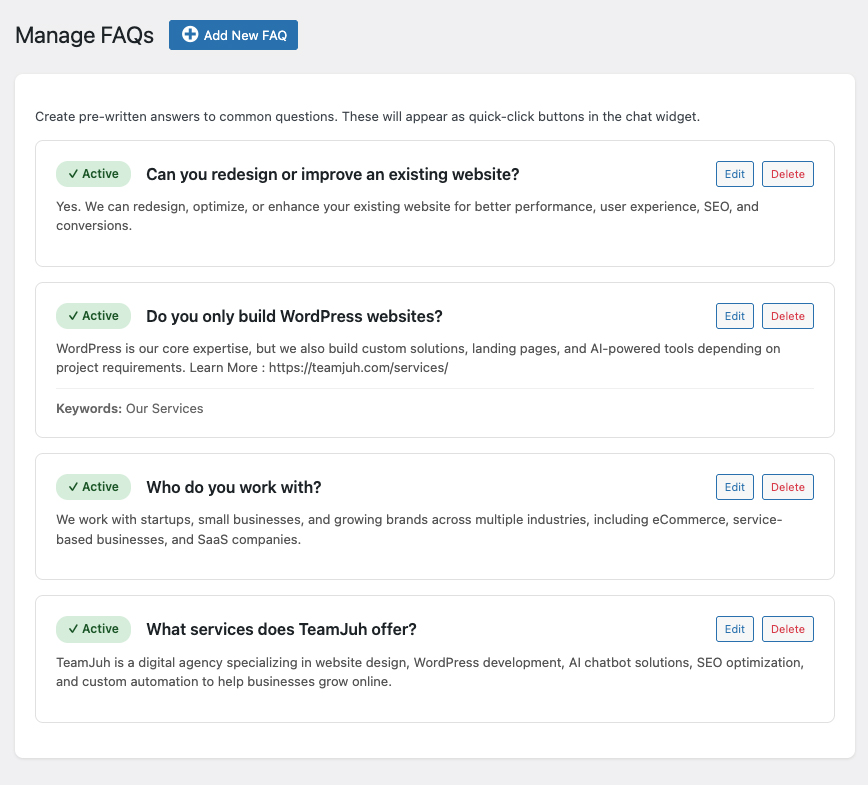
- FAQ Management – Create up to 4 quick-access FAQ buttons for common questions
- Customizable Widget – Multiple themes, animations, colors, and custom branding options
- Sound Notifications – Optional audio alerts for new messages
- Chat Schedule – Set business hours with timezone support and offline behavior
- AI Notice Bar – Customizable notice bar with auto-hide on agent connect
- Agent Notifications – Email alerts when visitors request live agent
- Mobile Responsive – Works perfectly on all devices
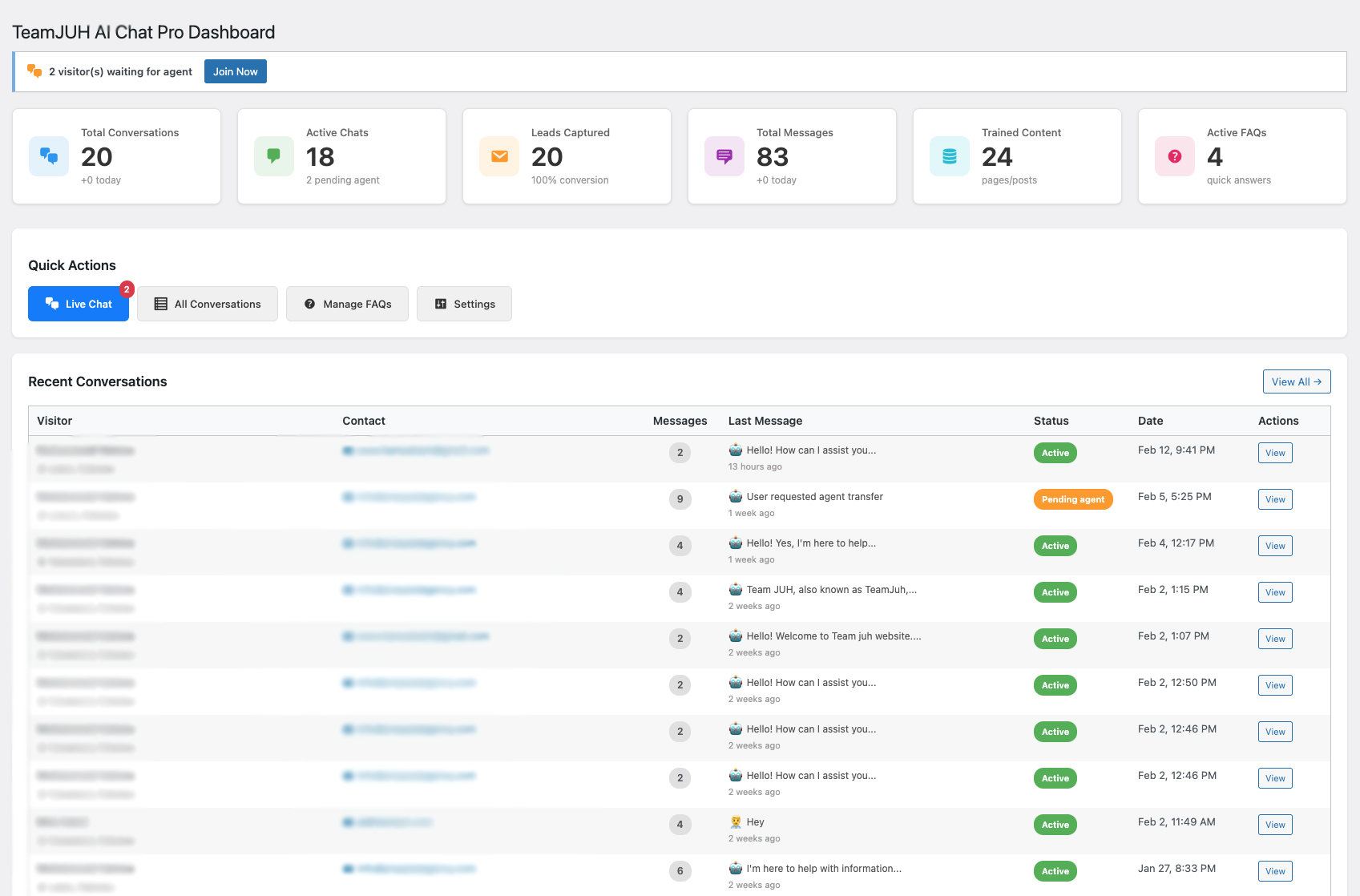
- View up to 5 Recent Conversations – Monitor your latest chats
- Live Chat Dashboard – View and respond to up to 5 active conversations
Pro Features (License Required)
- All Free Features plus:
- Unlimited FAQ Buttons – No limit on the number of FAQs
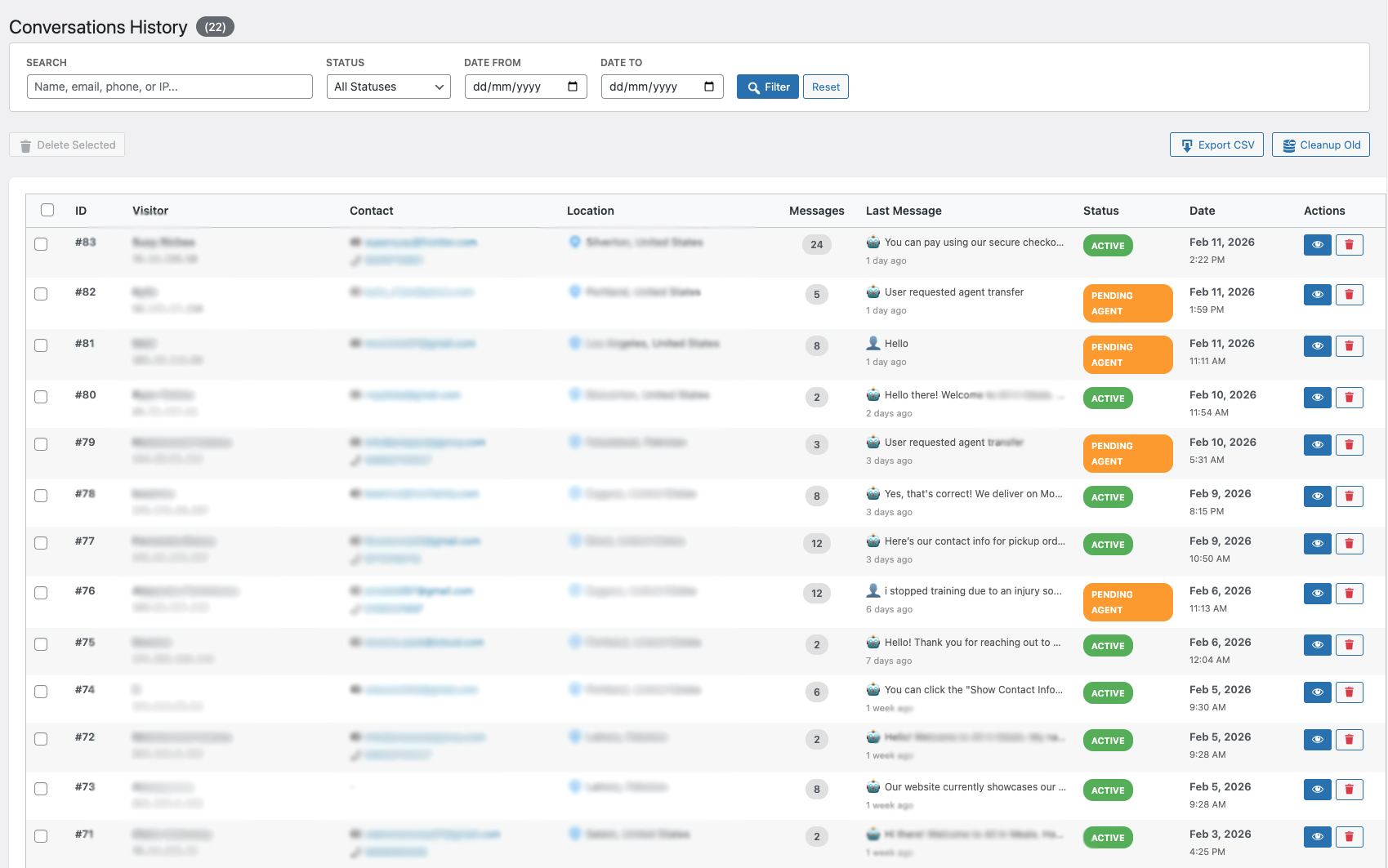
- Unlimited Conversation History – View and manage all conversations
- Unlimited Live Chat Conversations – Full access to all live chats
- Advanced AI Models – Access to GPT-4o, GPT-4, GPT-4 Turbo, o1, o3-mini, Claude 3.5 Sonnet, Claude 3 Opus
- Priority Support – Get help faster with premium support
Perfect For
- eCommerce stores providing 24/7 customer support
- Service businesses capturing leads
- Websites looking to reduce support ticket volume
- Companies wanting to scale customer engagement
- Anyone who wants intelligent automated assistance
How It Works
- Install & Activate – Quick setup in minutes
- Add API Key – Connect your ChatGPT or Claude API
- Train AI – Let the AI learn from your website content
- Customize – Match your brand with themes and colors
- Go Live – Chat widget appears automatically on your site
Privacy & Data Collection
This plugin collects and stores:
* Visitor IP addresses for location tracking
* Conversation messages for chat history
* Lead information (name, email, phone) when provided
* Chat session data for analytics
External Services Used:
* OpenAI API (api.openai.com) – If using ChatGPT provider. Privacy Policy
* Anthropic API (api.anthropic.com) – If using Claude provider. Privacy Policy
* IP Geolocation API (ip-api.com) – For visitor location tracking. Free service, no API key required.
* TeamJUH License Server (teamjuh.com) – For Pro license key validation only. No user data is sent. Privacy Policy
All chat data is stored in your WordPress database. No conversation data is sent to TeamJUH servers.
Requirements
- PHP 7.4 or higher
- WordPress 5.8 or higher
- OpenAI API key (for ChatGPT) OR Anthropic API key (for Claude)
- HTTPS recommended for security
Documentation & Support
Privacy Policy
TeamJUH Smart Chatbot with ChatGPT and Claude collects and processes data to provide chat functionality:
Data Collected:
* Visitor IP addresses (for location tracking)
* Chat messages and conversation history
* Lead information (name, email, phone) when provided by visitors
* Session data and timestamps
Data Storage:
* All data is stored locally in your WordPress database
* No conversation data is sent to TeamJUH servers
* License key validation connects to teamjuh.com (no user data transmitted)
* You have full control over data retention and deletion
Third-Party Services:
* OpenAI – If using ChatGPT, messages are sent to OpenAI’s API for processing
* Anthropic – If using Claude, messages are sent to Anthropic’s API for processing
* ip-api.com – Free IP geolocation service for visitor location
* teamjuh.com – License key validation only (Pro users)
Your Responsibilities:
* Inform visitors about data collection (add to privacy policy)
* Comply with GDPR, CCPA, and local privacy laws
* Provide data access and deletion on request
* Obtain necessary consents for AI processing
Data Deletion:
* Conversations can be deleted individually or in bulk
* Old conversations can be auto-deleted after specified days
* Uninstalling the plugin does not automatically delete data
For more information, visit our Privacy Policy.
Third-Party Services
This plugin relies on the following third-party services:
1. OpenAI API (api.openai.com)
* Used when ChatGPT provider is selected
* Sends chat messages for AI processing
* OpenAI Terms of Service
* OpenAI Privacy Policy
2. Anthropic API (api.anthropic.com)
* Used when Claude provider is selected
* Sends chat messages for AI processing
* Anthropic Terms of Service
* Anthropic Privacy Policy
3. IP-API (ip-api.com)
* Free IP geolocation service
* Used to determine visitor location
* No API key required
* IP-API Terms
4. TeamJUH License Server (teamjuh.com)
* Used for Pro license key activation and validation
* Only license key and site URL are transmitted
* No visitor or conversation data is sent
* TeamJUH Privacy Policy
Note: By using this plugin, you agree to the terms and privacy policies of these third-party services.
Support
Need help? We’re here for you!
- Documentation: teamjuh.com/teamjuh-smart-chatbot/
- Support Forum: wordpress.org/support/plugin/teamjuh-smart-chatbot/
- Email: support@teamjuh.com
- Website: teamjuh.com
- Upgrade to Pro: teamjuh.com/teamjuh-smart-chatbot/
Credits
Developed by TeamJUH
This plugin integrates with:
* OpenAI ChatGPT API
* Anthropic Claude API
* IP-API geolocation service
Additional Info
- Author: TeamJUH
- Author URI: https://teamjuh.com/
- Plugin URI: https://teamjuh.com/teamjuh-smart-chatbot/
- License: GPLv2 or later
- License URI: https://www.gnu.org/licenses/gpl-2.0.html
Installation
Automatic Installation
- Log in to your WordPress admin panel
- Navigate to Plugins > Add New
- Search for “TeamJUH Smart Chatbot with ChatGPT and Claude”
- Click “Install Now” and then “Activate”
Manual Installation
- Download the plugin ZIP file
- Log in to your WordPress admin panel
- Navigate to Plugins > Add New > Upload Plugin
- Choose the ZIP file and click “Install Now”
- Activate the plugin
After Installation
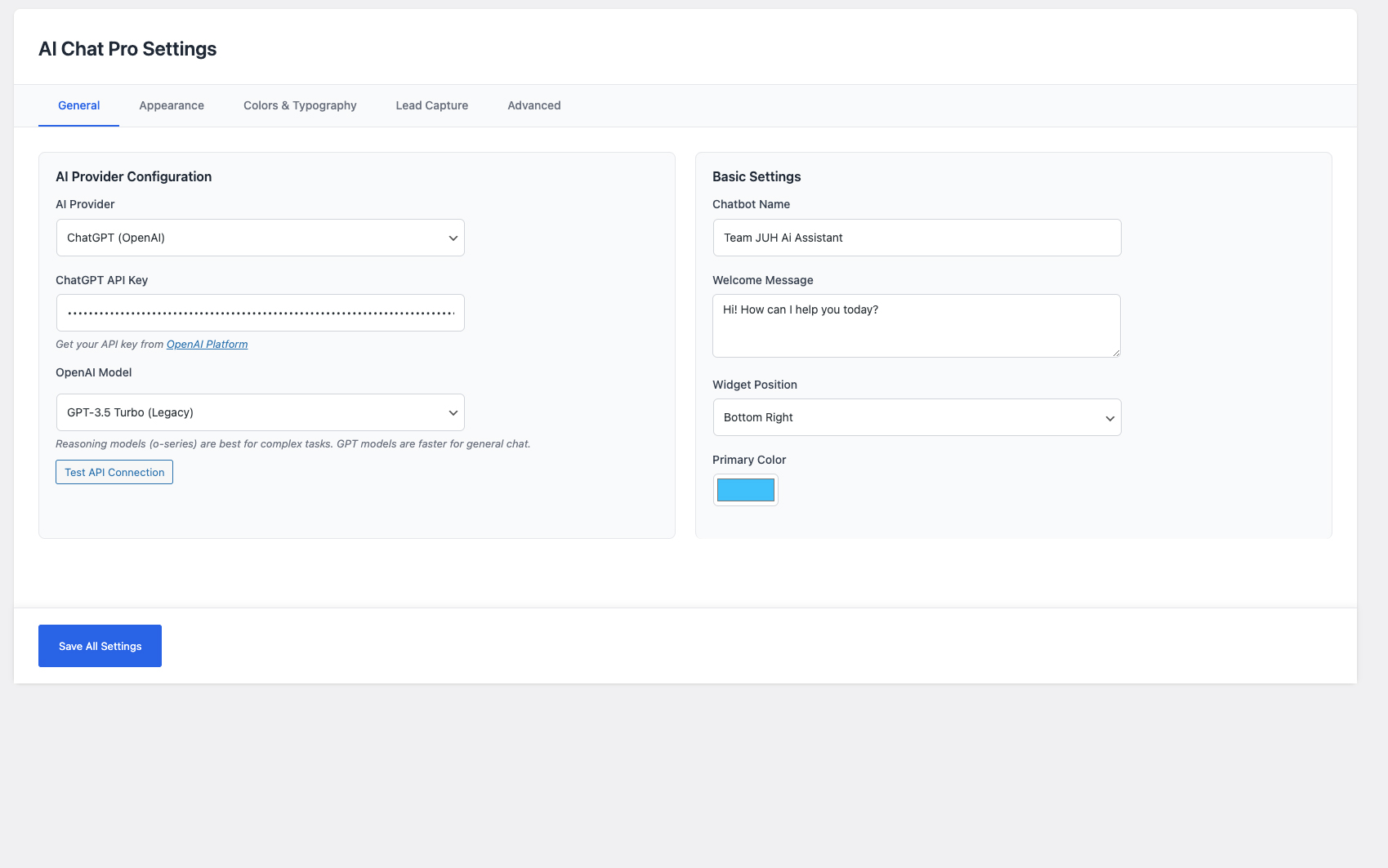
- Go to AI Chat > Settings
- Choose your AI provider (ChatGPT or Claude)
- Enter your API key
- Customize the chatbot name, welcome message, and colors
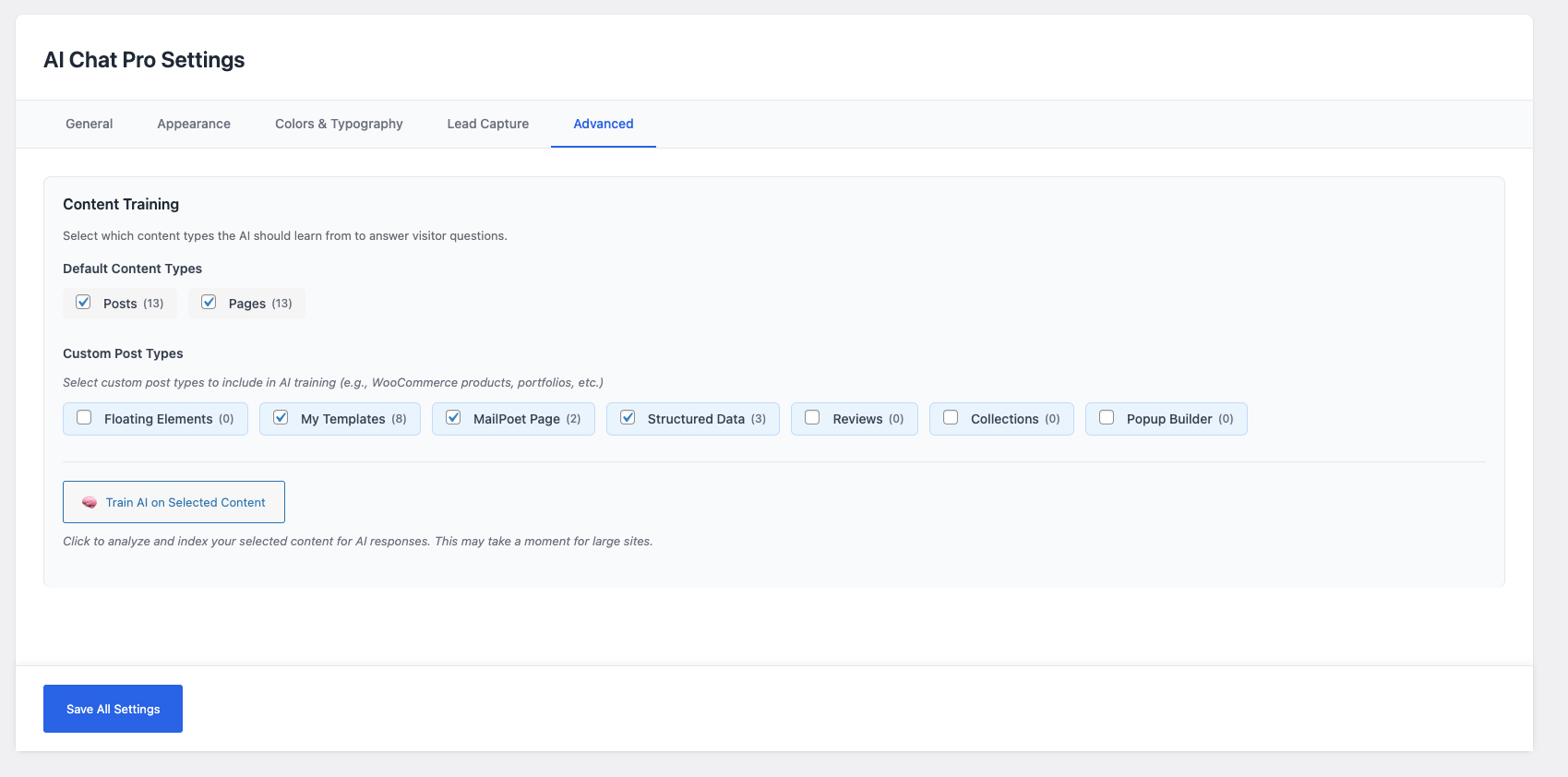
- Navigate to AI Chat > Settings > Content Training
- Click “Train AI on Website Content”
- Your chatbot is now live!
Upgrading to Pro
- Purchase a license key at teamjuh.com/teamjuh-smart-chatbot/
- Go to AI Chat > Settings > License tab
- Enter your license key and click Activate
- All Pro features are instantly unlocked
Screenshots
Chat Widget - Beautiful, modern chat interface on your website
Admin Dashboard - Overview of conversations and statistics
Live Chat - Real-time agent interface for customer support
Conversations List - Manage all chat conversations with visitor details
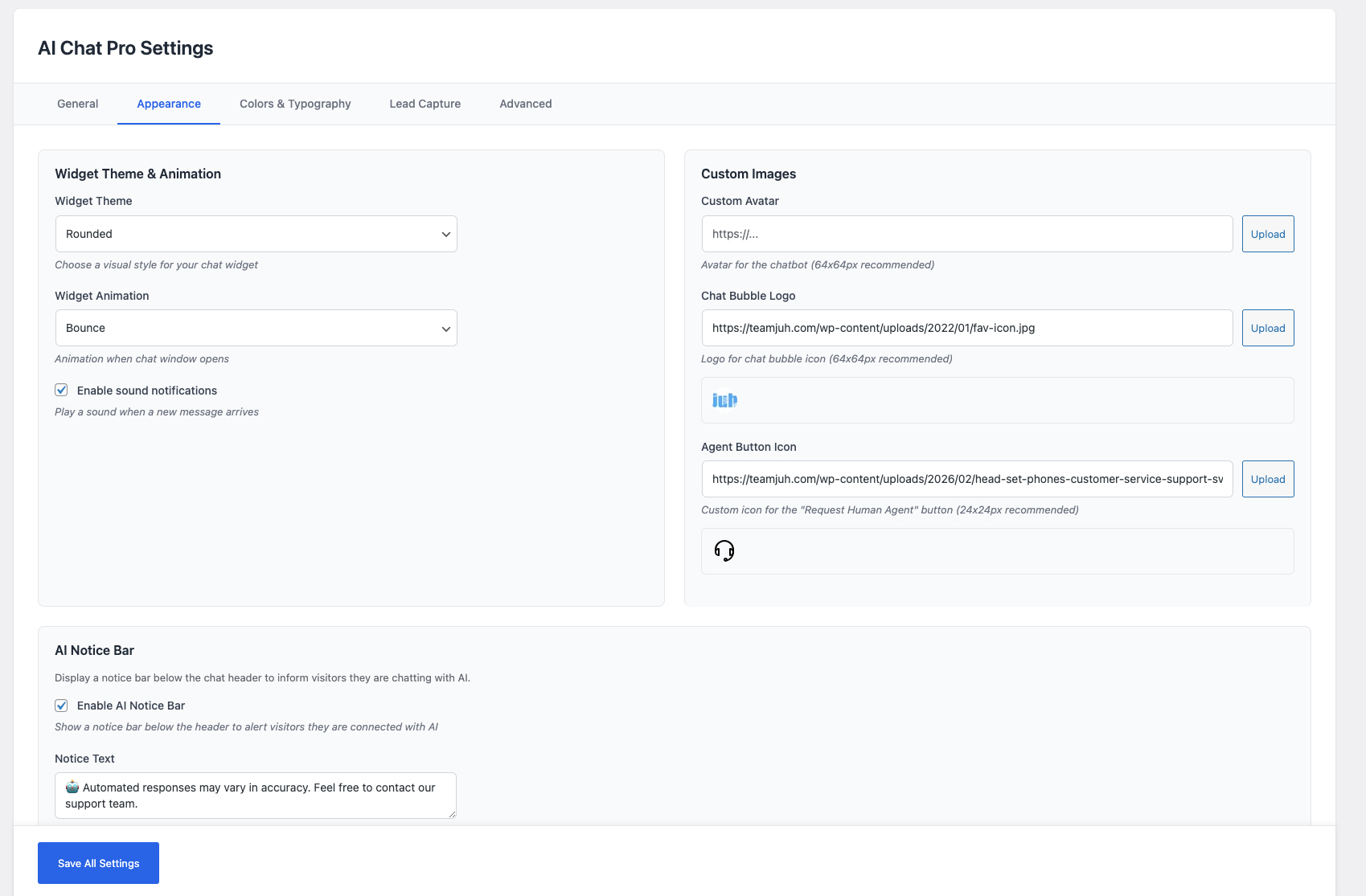
Settings Page - Easy configuration and customization options
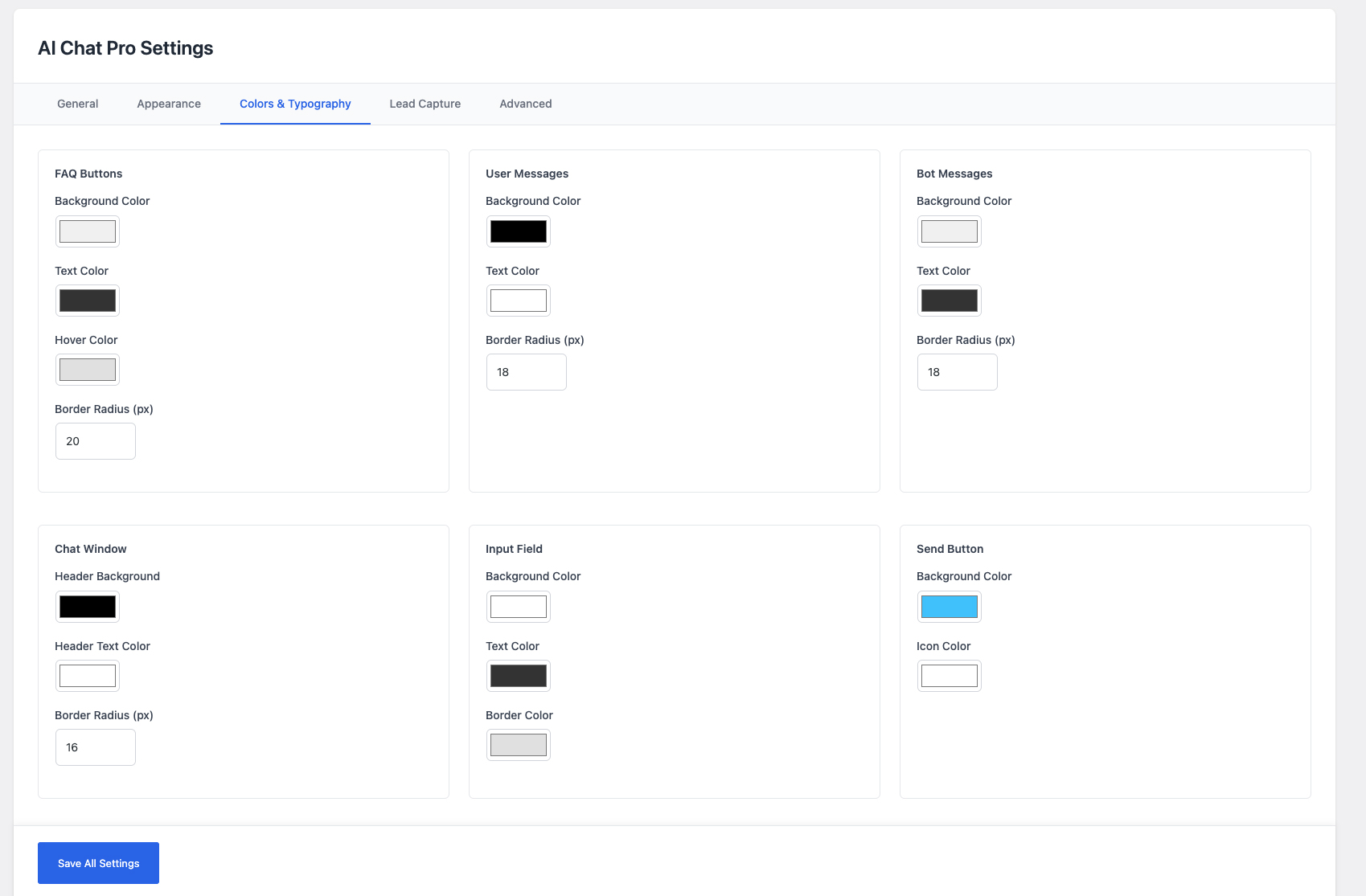
FAQ Management - Create quick-access FAQ buttons
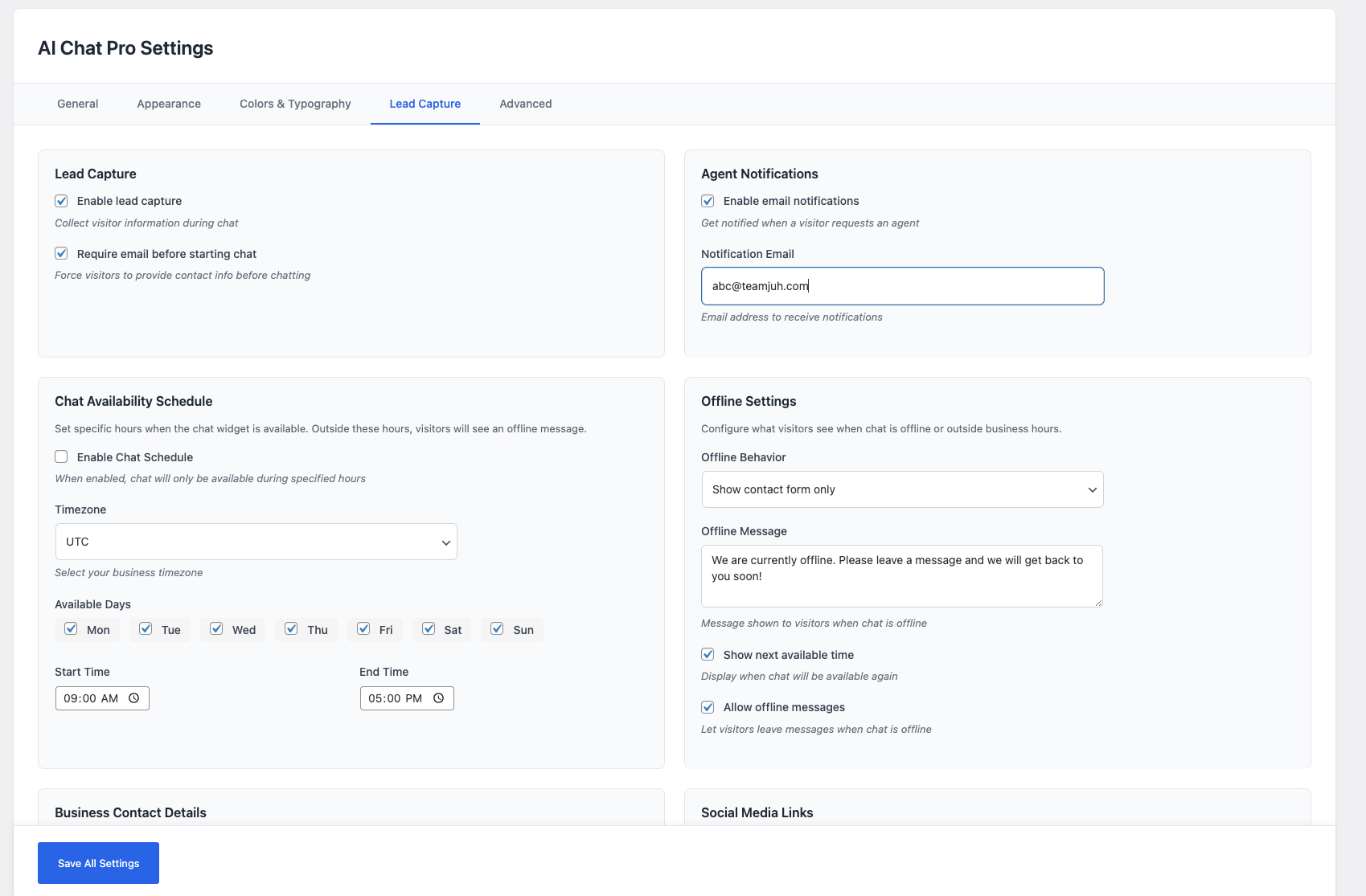
Mobile View - Fully responsive on all devices
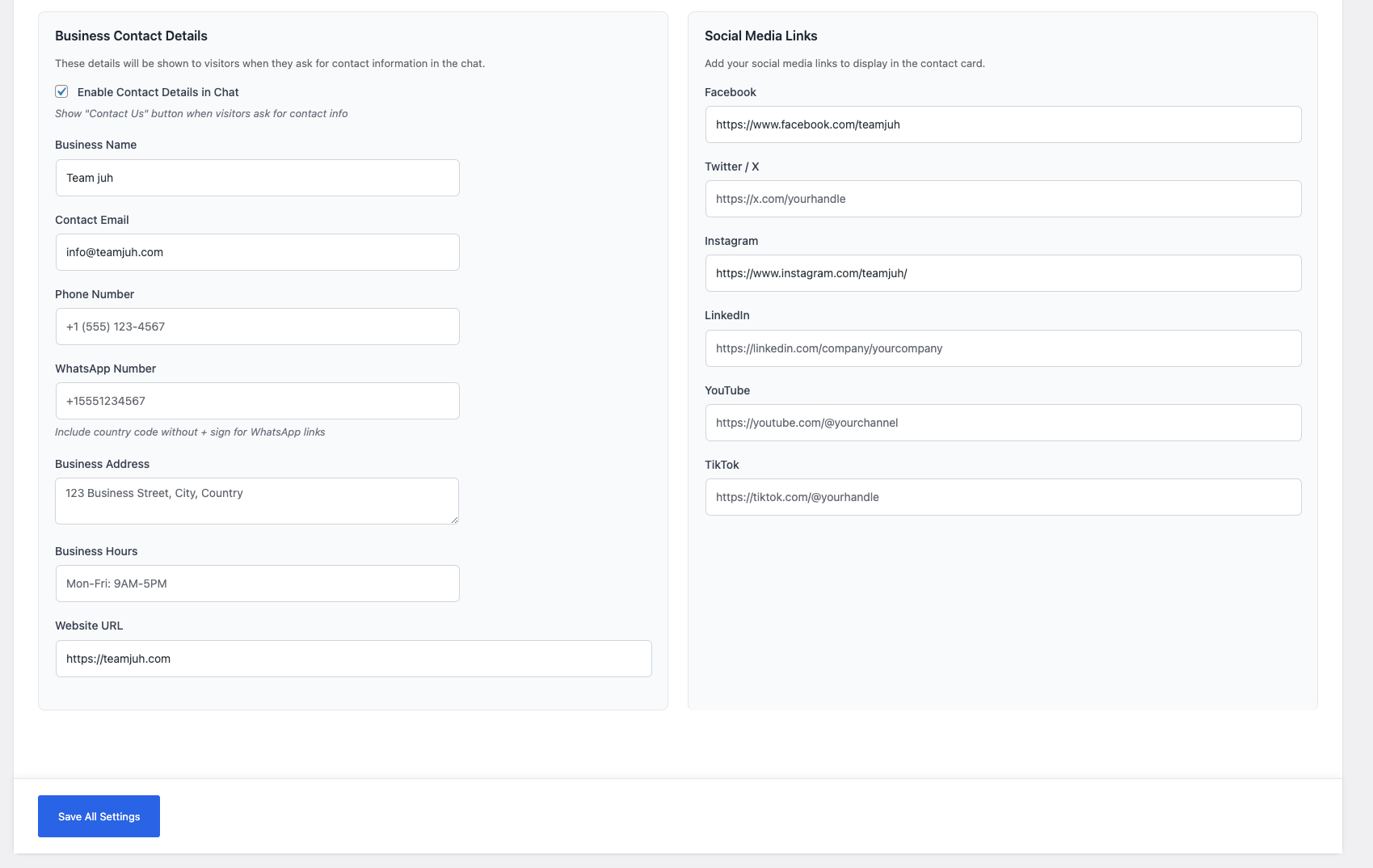
License Activation - Simple one-click Pro upgrade
Faq
Yes, you need either an OpenAI API key (for ChatGPT) or an Anthropic API key (for Claude). Both require creating an account and may have associated costs based on usage.
API costs vary by provider:
* OpenAI: Pay-as-you-go, typically $0.002-0.03 per 1K tokens
* Anthropic: Pay-as-you-go, pricing varies by model
Both providers offer free trial credits for new users.
The free version includes all core features: AI chat with GPT-4o Mini or Claude Haiku, website training, lead capture, live agent handoff, up to 4 FAQs, and up to 5 viewable conversations. Pro unlocks unlimited FAQs, unlimited conversations, unlimited live chats, and access to advanced AI models (GPT-4o, GPT-4, o1, o3-mini, Claude Sonnet, Claude Opus).
Purchase a license key from teamjuh.com/teamjuh-smart-chatbot/, then enter the key in AI Chat > Settings > License tab and click Activate. All features are unlocked instantly – no separate plugin needed.
Yes! You can customize:
* Widget position (bottom-right or bottom-left)
* Primary color
* Widget themes (modern, minimal, rounded, compact)
* Animations (slide, fade, bounce, none)
* Custom avatar and bubble logo
* Custom CSS for advanced styling
You can enable lead capture in two ways:
1. Optional – Collect info during the conversation
2. Required – Force visitors to provide email before chatting
All leads are stored in your WordPress database and visible in the Conversations page.
Visitors can click the “Transfer to Agent” button to request human assistance. You’ll receive an email notification with conversation history. Agents can then respond via the Live Chat dashboard.
Yes! The chat widget is designed to work with any WordPress theme. It uses absolute positioning and doesn’t interfere with your site’s layout.
The plugin provides the tools, but GDPR compliance depends on your implementation:
* Add a privacy notice about data collection
* Inform users about AI processing
* Provide opt-in for lead capture
* Include data access and deletion options
Each WordPress installation requires its own plugin installation and API key. Pro license keys have an activation limit – check your license terms for how many sites are included.
- Check the documentation
- Visit the support forum
- For premium support, contact us at support@teamjuh.com
Reviews
Changelog
1.1.8
- Added dynamic System Prompt field in Settings > General
- Users can now customize AI behavior and persona without editing code
- Use {site_name} placeholder for dynamic site name injection
- Both ChatGPT and Claude use the custom system prompt
1.1.7
- Fixed Claude API test button (was returning “coming soon”)
- Added Claude Sonnet 4.5 as a free model
- Fixed invalid default Claude model ID
1.1.6
- Switched to custom license server (no EDD dependency)
- Freemium model: all core features free, Pro unlocks advanced models and unlimited limits
- Added upgrade CTAs with blurred preview on limited content
- Live agent chat available for all users (5 conversation limit for free)
- Transfer to agent button available for all users
- Improved locked content styling with blur effect
- Updated readme for freemium model
1.1.5
- Freemium conversion: unlocked core features for free users
- Added FAQ limit (4 max for free, unlimited for Pro)
- Added conversation view limit (5 for free, unlimited for Pro)
- Added Pro badge indicators on locked settings
- Added license key activation/deactivation system
- Server-side enforcement of feature limits
- Bug fixes and cache busting improvements
1.1.4
- Fixed plugin slug consistency across all files
- Improved nonce security for conversation filters
- Removed custom CSS injection for WordPress.org compliance
- Updated support forum URLs to match plugin slug
1.1.2
- Added session persistence for chat across page navigation
- Chat state now survives page refreshes and navigation
- Sessions are valid for 24 hours
- Improved user experience with persistent conversations
1.1.1
- Added AI notice bar with customizable styling
- Added close button for AI notice bar
- Auto-hide AI notice when connecting to human agent
- Added clickable links in FAQ answers and AI responses
- Added customizable agent button icon option
- Various UI improvements and bug fixes
1.1.0
- Added chat schedule functionality with timezone support
- Added offline behavior options (show message, hide widget)
- Improved widget customization options
- Enhanced appearance settings
1.0.0
- Initial release
- ChatGPT and Claude AI integration
- Website content training
- Lead capture functionality
- Live agent handoff with email notifications
- Customizable chat widget with multiple themes
- FAQ management system
- Visitor tracking with geolocation
- Sound notifications
- Mobile responsive design