TechnicalHimanshu ChatConnect
TechnicalHimanshu ChatConnect
Description
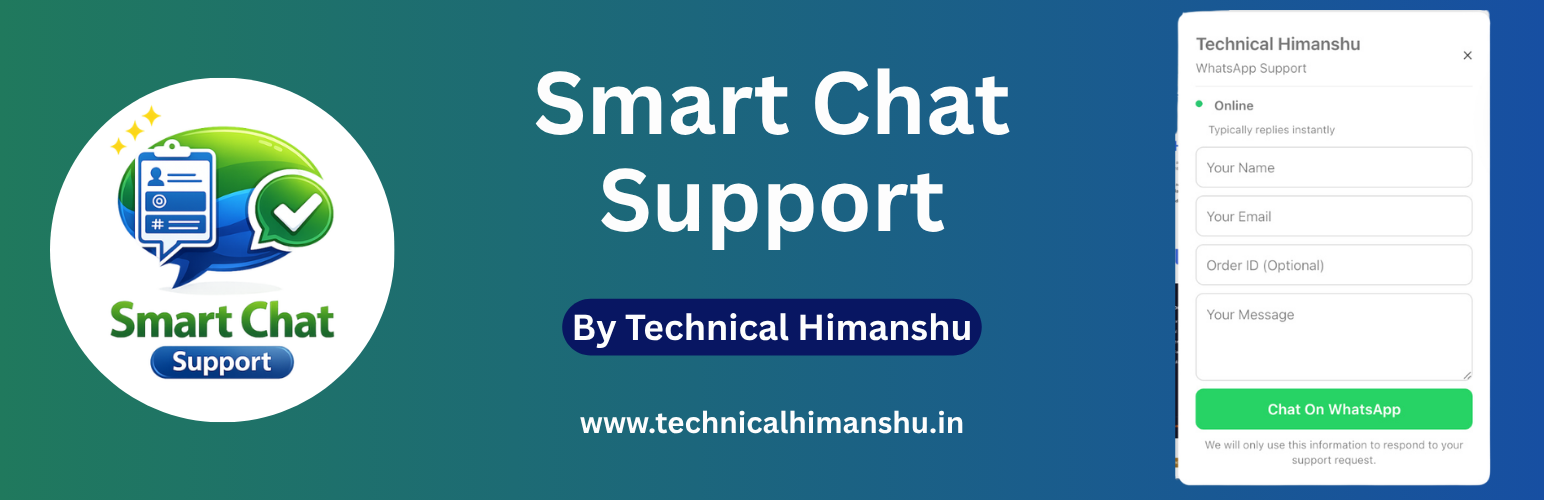
TechnicalHimanshu ChatConnect is a lightweight WhatsApp chat plugin for WordPress that adds a floating chat button with a customizable popup form and smart message builder. It allows visitors to contact you instantly via WhatsApp with structured messages including name, email, order ID, message, and page URL.
It allows users to send structured messages directly to WhatsApp with dynamic fields such as name, email, order ID, message, and page URL.
The plugin also includes an optional automated welcome message that appears after a configurable delay and can be displayed according to the selected frequency.
The plugin focuses on simplicity, clean UI, smart message formatting, and responsive interaction. It automatically removes empty fields from generated messages and maintains proper formatting before opening WhatsApp.
It is ideal for customer support, sales inquiries, lead generation, and fast communication without requiring any external API.
No external API, no third-party tracking, and no data collection.
Why TechnicalHimanshu ChatConnect?
Unlike other chat plugins, ChatConnect focuses on clean UI, smart message formatting, lightweight performance, and zero API dependency. It provides flexible control over chat behavior, welcome messages, business hours, form fields, and message formatting.
Features
- Floating WhatsApp chat button with customizable popup form
- Direct WhatsApp click-to-chat integration using wa.me
- Smart message builder with dynamic placeholders
- Automatically removes empty fields for clean messages
- Optional automated welcome message
- Configurable welcome message display delay from 1 to 60 seconds
- Welcome message frequency control
- Every page load, once per session, once per day, or once every 7 days
- Welcome message can be clicked to open the chat popup
- Continuous WhatsApp icon attention animation while the welcome message is displayed
- Business hours with online/offline status indicator
- Timezone-aware chat availability with accurate local time
- Support for overnight and cross-midnight business hours
- Mobile and desktop button customization options
- Left or right chat button positioning
- Custom chat icon support
- Page-level display control
- Homepage, posts, pages, and products display rules
- Customizable form fields
- Name, email, order ID, and message fields
- Smart message inclusion controls
- Optional page URL inclusion in WhatsApp messages
- ESC key support to close the popup
- Click outside the popup to close
- Keyboard support for opening and closing the chat
- Responsive popup design for mobile and desktop
- Lightweight, fast, and optimized performance
- CSS isolation to reduce theme and plugin conflicts
- No WhatsApp API or external service dependency
Welcome Message
ChatConnect can display an optional welcome message above the floating WhatsApp button to encourage visitors to start a conversation.
The welcome message can be enabled or disabled from the ChatConnect admin settings.
You can configure:
- Welcome message text
- Display delay from 1 to 60 seconds
- Display frequency
- Every page load
- Once per browser session
- Once per day
- Once every 7 days
When the welcome message is displayed, the WhatsApp icon can use a subtle attention animation to attract the visitor’s attention.
Clicking the welcome message opens the WhatsApp chat popup.
The welcome message does not include a dismiss button. Visitors can simply click the message to open the chat popup or continue browsing.
Message Template Variables
You can use the following variables in your message template:
- {name}
- {email}
- {order_id}
- {message}
- {page_url}
Example Template
Hello Support Team
Name: {name}
Email: {email}
Order ID: {order_id}
Message:
{message}
Page URL:
{page_url}
Use Cases
- Customer support via WhatsApp
- WooCommerce order queries
- Lead generation and quick contact
- Sales and inquiry handling
- Product-related support
- Direct communication without forms
- Quick visitor-to-WhatsApp communication
Installation
- Upload the plugin files to the
/wp-content/plugins/technicalhimanshu-chatconnectdirectory, or install via the WordPress plugin screen. - Activate the plugin through the ‘Plugins’ screen in WordPress.
- Go to ChatConnect menu in the WordPress admin.
- Enter your WhatsApp number and configure the chat settings.
- Configure the welcome message, business hours, form fields, and message template as required.
- Save changes.
- Visit your website and test the floating WhatsApp button and popup.
Screenshots

Floating chat button and welcome message on frontend

WhatsApp chat popup and online support form

WhatsApp chat popup and offline support form

ChatConnect admin settings panel

General Settings

Display Rules Settings

Welcome Message Settings

Form Fields Settings

Message Settings

Business Hours and Timezone Settings

Desktop Button Settings

Mobile Button Settings

Message Template Customization and live Preview
Faq
No. ChatConnect uses the WhatsApp click-to-chat feature through wa.me. No WhatsApp API or external API account is required.
Yes. You can fully customize the WhatsApp message template using placeholders such as {name}, {email}, {order_id}, {message}, and {page_url}.
Yes. You can enable or disable the welcome message from the ChatConnect settings.
Yes. You can configure the welcome message delay from 1 to 60 seconds and choose how frequently it can appear.
Available frequency options are every page load, once per browser session, once per day, or once every 7 days.
No. The welcome message does not include a dismiss button. Visitors can click the welcome message to open the chat popup.
Yes. Clicking the welcome message opens the ChatConnect popup.
Yes. ChatConnect is responsive and includes separate mobile customization options for the floating button.
Yes. You can position the floating button on either the left or right side and configure its size, bottom spacing, and side spacing.
Yes. Business hours can be enabled to show an online or away status based on the configured start time, end time, and timezone.
Yes. ChatConnect supports business hours that cross midnight, such as 10:00 PM to 6:00 AM.
Yes. You can upload or select a custom chat icon using the WordPress Media Library.
ChatConnect is designed to be lightweight and loads its frontend assets only when the plugin is enabled and the configured display rules allow the chat to appear.
No. ChatConnect does not use third-party tracking, does not require an external API, and does not collect visitor information on an external server.
Reviews
Changelog
1.1.3
- Added configurable welcome message display frequency.
- Added welcome message frequency options: every page load, once per session, once per day, and once every 7 days.
- Added configurable welcome message display delay from 1 to 60 seconds.
- Added optional automated welcome message to encourage visitor engagement.
- Added continuous WhatsApp icon attention animation while the welcome message is displayed.
- Improved welcome message positioning for left and right chat button layouts.
- Improved welcome message behavior when opening the chat popup.
- Removed the welcome message dismiss button and related dismiss functionality.
- Improved popup accessibility with keyboard interaction support.
- Improved business hours status handling and timezone-aware calculations.
- Improved WhatsApp number validation and click-to-chat URL generation.
- Improved frontend popup interaction and stability.
- Minor frontend UI, UX, and performance improvements.
- Verified compatibility with WordPress 7.1.
1.1.2
- Tested compatibility with WordPress 7.0.
- Verified compatibility using Plugin Check.
- Minor stability and maintenance improvements.
1.1.1
- Added ESC key support to close popup quickly.
- Added click outside popup to close functionality.
- Improved popup interaction and animation smoothness.
- Updated plugin icon, banner, and branding assets.
- Minor UI and UX refinements.
1.1.0
- Added full CSS isolation wrapper to prevent theme and plugin conflicts.
- Improved timezone handling with accurate local time display based on selected timezone.
- Replaced fixed IST display with dynamic GMT offset (e.g., GMT+3, GMT+5:30).
- Improved business hours logic including overnight (cross-midnight) support.
- Enhanced WhatsApp number validation and input handling.
- Optimized frontend performance with DOM caching and reduced reflows.
- Improved popup UI/UX and mobile responsiveness.
- Added smooth scrolling inside popup for better user experience.
- Added Settings quick link in plugin action row.
- Added Support link in plugin meta row.
- Strengthened input sanitization and overall security.
- Minor UI and layout refinements.
1.0.0
- Initial release.
- Floating chat button with popup form.
- WhatsApp integration.
- Smart message builder.
- Business hours feature.
- Mobile and desktop customization.