TechWizard Catalog Feeds for WooCommerce

TechWizard Catalog Feeds for WooCommerce
Description
TechWizard Catalog Feeds for WooCommerce creates one consistent product catalog in four machine-readable formats: XML, CSV, JSON, and tab-delimited TXT.
Use it when you need a simple, predictable product export for a custom integration, spreadsheet workflow, catalog archive, or another system that can consume structured product data. There are no product-count, file-count, or generation-count limits.
Four formats from one catalog
- XML for systems and integrations that expect a structured document.
- CSV for spreadsheet tools, imports, and data processing workflows.
- JSON for applications, scripts, and custom integrations.
- Tab-delimited TXT for lightweight data exchange.
All four files are created from the same eligible WooCommerce products and variations, so their contents stay consistent across formats.
A clear six-field schema
Every format contains the same fields in the same order:
id– WooCommerce product or variation ID.name– Product or variation name.price– Current store price without a currency symbol.currency– Store currency as an ISO 4217 code, such as HUF or EUR.brand– Native WooCommerceproduct_brandvalue.url– Public product or variation URL.
The fixed schema removes mapping guesswork and makes repeated imports easier to maintain.
Reliable manual generation
A store administrator starts each refresh manually. WooCommerce Action Scheduler then processes resumable background batches, which keeps the workflow practical for larger catalogs.
The four files are published together only after a successful run. If a later refresh fails, the last successfully generated feeds remain available at their stable public URLs.
Privacy and control
The Free plugin does not send product, customer, store, or usage data to TechWizard or another external service. It contains no telemetry, custom updater, recurring automatic generation, or hidden Pro implementation.
Pro version
The Free plugin is a strong fit for general-purpose product exports. Choose the separately distributed Pro version when you need channel-ready catalog feeds instead of a simple fixed schema.
Catalog Feeds Pro adds:
- Google Merchant Center product feeds.
- Meta catalog feeds for Facebook and Instagram use cases.
- Channel-specific fields, values, and product-data mapping.
- Clearer feedback about missing or unsuitable source data.
- Separate workflows designed around Google and Meta catalog requirements.
The Pro version helps reduce manual feed preparation and makes it easier to identify product-data issues before submitting a catalog. Channel approval still depends on the store, products, destination account, and the platform’s current policies.
Explore Catalog Feeds Pro features and pricing
Free and Pro are separate products. The WordPress.org plugin remains fully usable without purchasing Pro and contains no locked Pro code, license client, or custom updater.
Installation
- Install and activate WooCommerce 9.6 or newer.
- Upload and activate this plugin.
- Open TechWizard > Catalog Feeds.
- Select Generate feeds and wait for the background job to finish.
- Copy the public URL for the format you need.
Screenshots
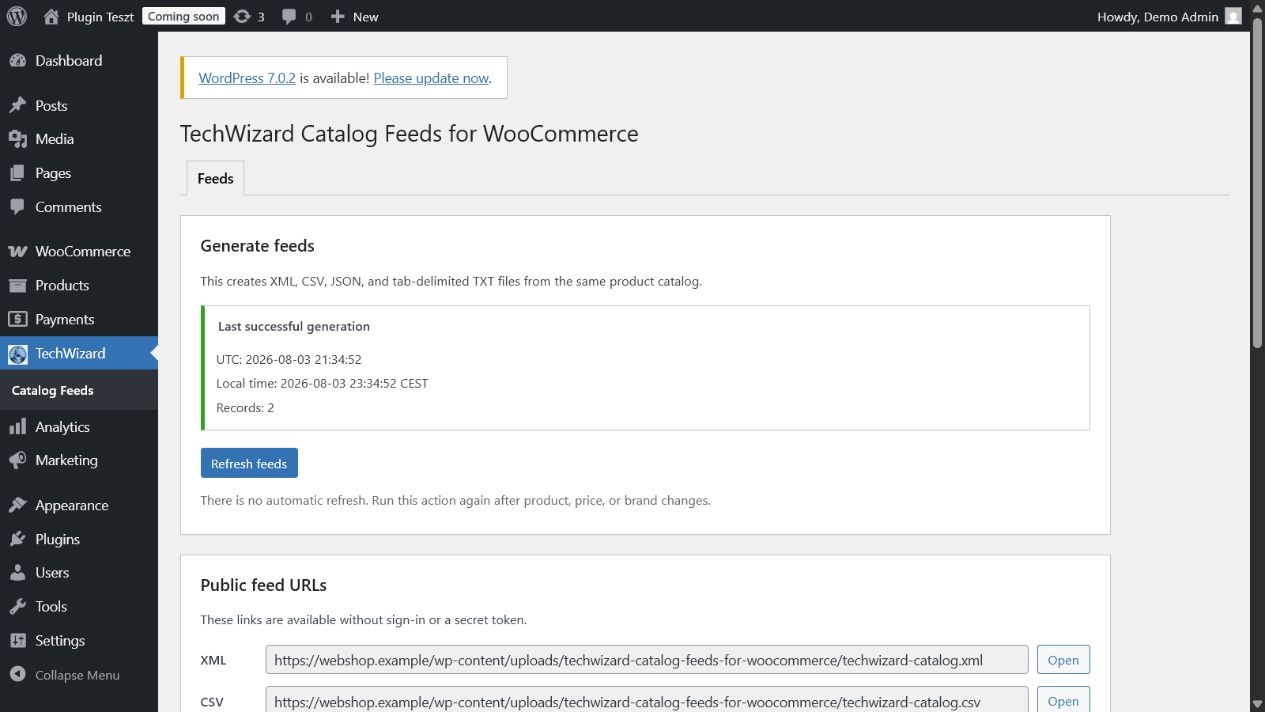
Manual background generation and the latest successful feed status.
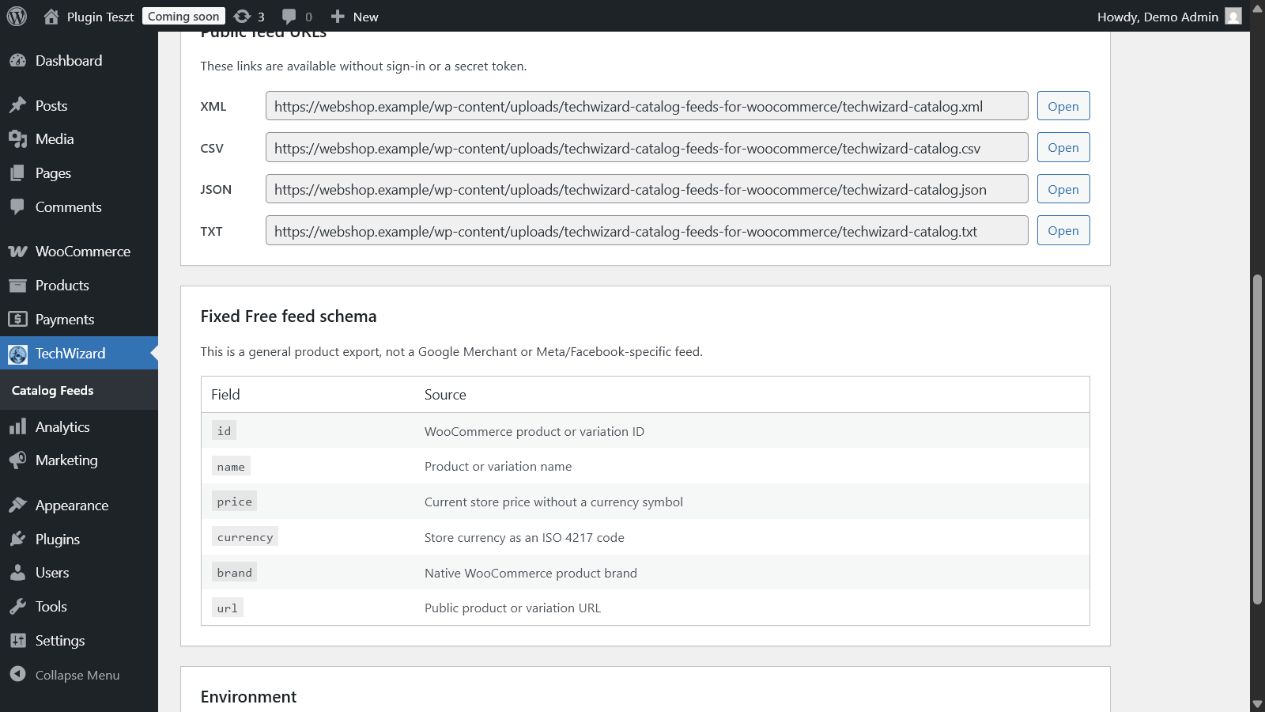
Stable public XML, CSV, JSON, and TXT URLs generated from one WooCommerce catalog.
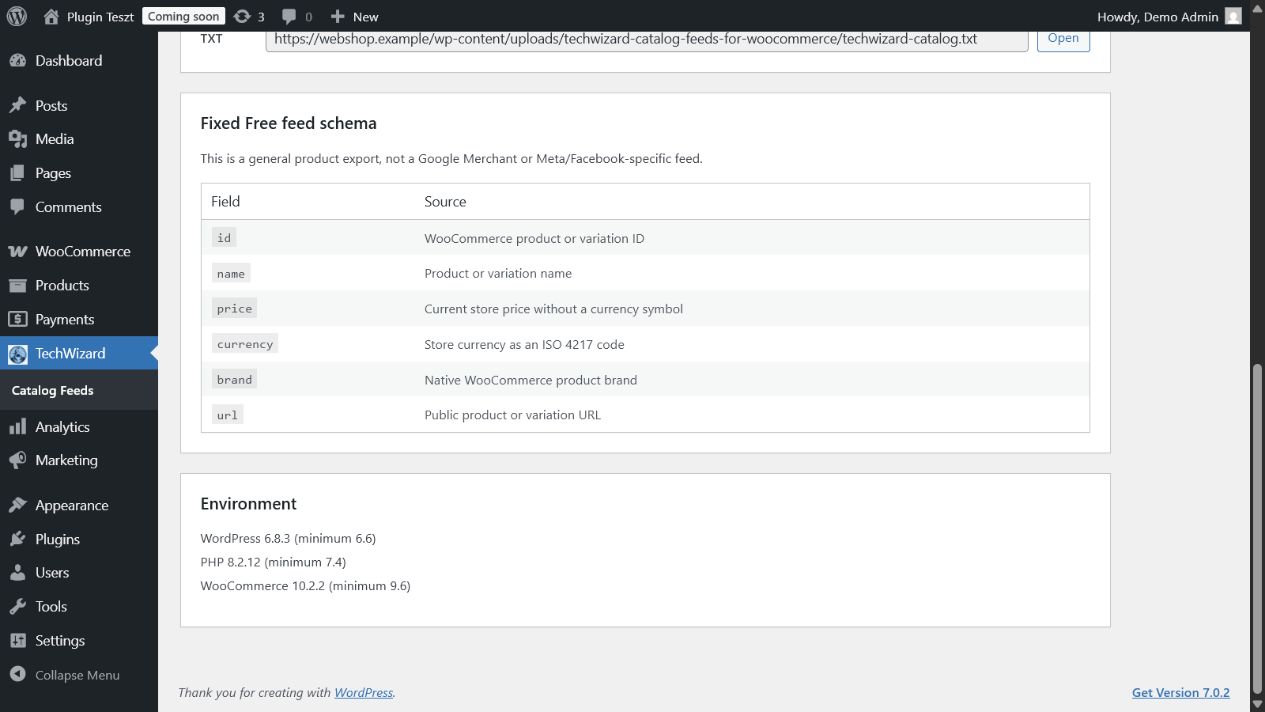
The fixed six-field Free schema and compatibility information.
Faq
No. The Free plugin provides general-purpose fixed-schema exports. Catalog Feeds Pro adds separate, channel-specific Google Merchant Center and Meta catalog feeds.
It is designed for stores that need a dependable, general-purpose catalog export for spreadsheets, custom integrations, archives, internal workflows, or another system that accepts XML, CSV, JSON, or TXT data.
No. A store administrator starts each refresh manually.
No. All eligible simple products and variations are processed without a product-count or generation-count limit.
After an administrator starts generation, WooCommerce Action Scheduler processes resumable background batches. The administration page shows the current status and the latest successful result.
Every format contains the same six fields: id, name, price, currency, brand, and url. The brand comes from the native WooCommerce product_brand taxonomy.
Deactivation cancels pending background actions but keeps the last successful feeds. By default, uninstall removes all plugin settings, status, locks, temporary jobs, and generated feed files. An explicit data retention setting can preserve configuration settings, but generated feeds and runtime artifacts are always removed.
No. The Free plugin does not send store, product, customer, or usage data to TechWizard or another external service. Public feed URLs are accessed only by services to which the store administrator submits them.
No. The Free plugin is independently useful, has no usage quota, and does not require a license. Pro is an optional, separately distributed product for Google and Meta channel-specific feed requirements.
Catalog Feeds Pro adds Google Merchant Center and Meta/Facebook catalog feeds, channel-specific data mapping, and clearer feedback about missing or unsuitable source data.
See the complete Pro feature overview and pricing
No. The Pro plugin helps create and review the technical feed, but approval also depends on the store, products, destination account, landing pages, and the platform’s current policies.
Reviews
Changelog
1.0.5
- Use WordPress.org language packs exclusively and exclude bundled locale translation files from the release package.