TG Live Chat
TG Live Chat
Description
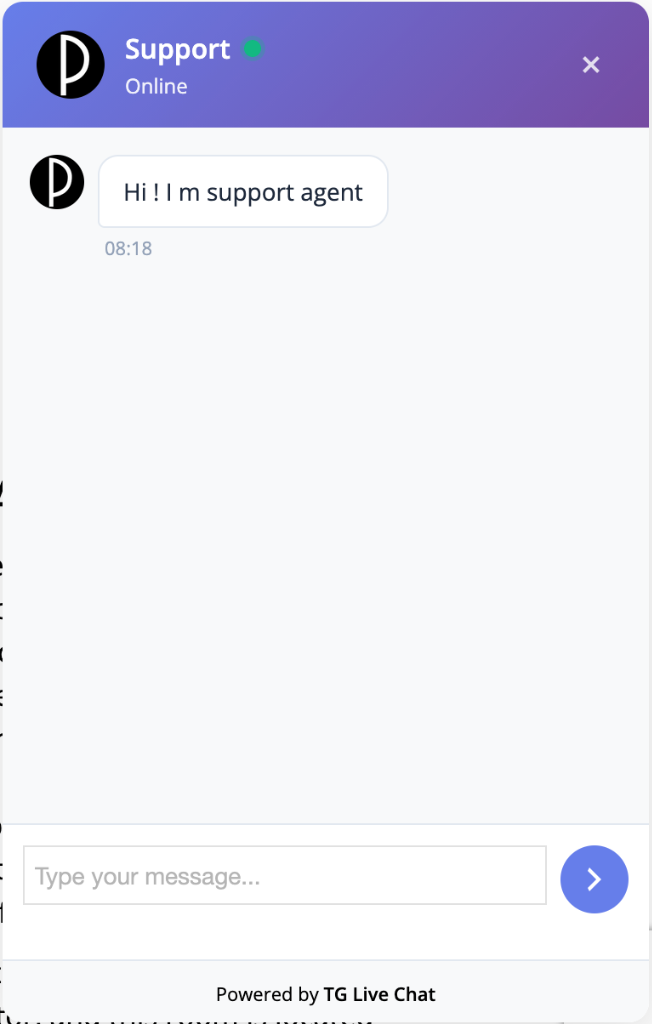
TG Live Chat is a powerful WordPress plugin that enables real-time communication between your website visitors and support team through messaging service. Customers can chat directly on your website without leaving the page, while you reply from the comfort of your messaging app.
Key Features
💬 Real-time Chat
* Customers chat directly on your website
* Messages delivered instantly to your messaging app
* Reply from messaging app – no need to open WordPress admin
* Multiple admin support (comma-separated chat IDs)
🔒 Privacy Protection
* Your messaging ID stays private
* Customer identity protected
* Optional customer data storage
* Auto-delete customer data after X days
🎨 Customizable Widget
* 3 beautiful skin options (Default, Dark, Light)
* Custom support representative name and avatar
* Auto-pop after configurable delay
* Exclude specific pages from showing widget
⚙️ Flexible Configuration
* Easy messaging bot setup
* Multiple admin chat IDs support
* Page exclusion settings
* Data retention controls
📱 Seamless Integration
* Works with any messaging bot
* Simple webhook setup
* No external services required
* Lightweight and fast
How It Works
- Customer starts chat: Visitor fills in name, email, and phone on your website
- Message to messaging app: Customer messages are sent to your messaging app via bot
- You reply: Reply directly from messaging app (click button or reply to message)
- Customer receives: Your reply appears instantly in the website chat widget
Use Cases
- Customer Support: Provide instant support to website visitors
- Lead Generation: Capture customer information before chat
- Sales Assistance: Help customers with purchases in real-time
- FAQ Support: Answer questions quickly without leaving messaging app
- Privacy-Conscious Support: Keep your personal messaging ID private
Privacy & Data
- Customer data storage is optional
- Auto-delete customer data after configurable days
- No tracking without explicit configuration
- All data stored locally in your WordPress database
- GDPR-friendly with data retention controls
Support
For support, feature requests, or bug reports:
* Website: https://nandann.com
* Subject: WordPress Development Help Request
Professional WordPress development and troubleshooting services available. Expert solutions for complex WordPress challenges including custom development, site migrations, security audits, and performance optimization.
Privacy
This plugin respects user privacy:
- Customer data storage is optional (admin can disable)
- Auto-delete customer data after configurable days
- No tracking without explicit admin configuration
- All data stored locally in WordPress database
- Customer information only sent to configured messaging chat IDs
The plugin collects and stores the following information (if enabled):
– Customer name, email, phone
– Chat messages
– Conversation timestamps
This data is used solely for customer support purposes. You can configure automatic deletion of old data in the settings.
External Services
This plugin connects to external services to provide its functionality. Below is detailed information about each service.
Telegram Bot API
This plugin connects to the Telegram Bot API (api.telegram.org) to enable real-time communication between your website visitors and your Telegram app.
What the service is and what it is used for:
The Telegram Bot API is used to:
* Send customer messages from your website to your Telegram app
* Receive your replies from Telegram and deliver them to customers on your website
* Manage webhook configuration for real-time message delivery
What data is sent and when:
- When a customer sends a message: The plugin sends the customer’s message, name, email, phone number (if provided), and page URL to the Telegram Bot API. This occurs only when a customer submits a message through the chat widget.
- When you reply from Telegram: Your reply is sent from Telegram to the plugin’s webhook endpoint. This occurs only when you send a reply from your Telegram app.
- Webhook management: The plugin sends webhook configuration requests (setWebhook, getWebhookInfo, deleteWebhook) when settings are saved or webhook connection is verified.
Service Provider: Telegram Messenger Inc.
* Terms of Service: https://telegram.org/tos
* Privacy Policy: https://telegram.org/privacy
Data Transmission:
No data is transmitted to external services during normal website browsing. Data is only sent when:
1. A customer initiates a chat or sends a message on your website
2. You reply to a customer message from your Telegram app
3. The plugin needs to configure or verify the webhook connection
About the Developer
Prakhar Bhatia is a professional WordPress developer and troubleshooter with extensive experience in:
- WordPress Troubleshooting: Expert diagnosis and resolution of complex WordPress issues, performance optimization, and security hardening
- Custom Development: Bespoke WordPress plugins, themes, and custom functionality tailored to specific business needs
- Site Migration & Hosting: Seamless website migrations, hosting optimization, and server configuration for peak performance
- Security & Maintenance: Comprehensive security audits, malware removal, and ongoing maintenance to keep sites secure
Nandann Creative Agency specializes in WordPress development solutions for businesses of all sizes.
Website: https://nandann.com
Installation
- Upload the
tg-live-chatfolder to the/wp-content/plugins/directory - Activate the plugin through the ‘Plugins’ menu in WordPress
- Go to TG Live Chat in the admin menu
- Configure your messaging bot:
- Get bot API key from @BotFather
- Get your chat ID from @userinfobot
- Enter both in the settings
- Customize widget appearance and settings
- Start chatting!
Screenshots
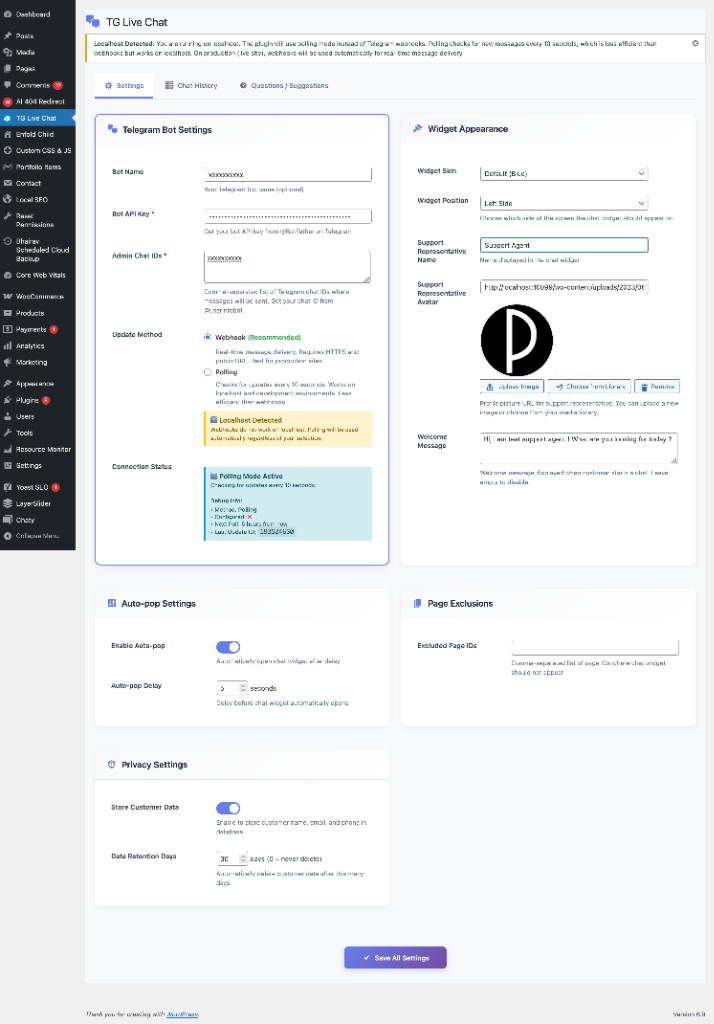
Settings page with Telegram bot configuration, widget appearance, auto-pop settings, and privacy controls
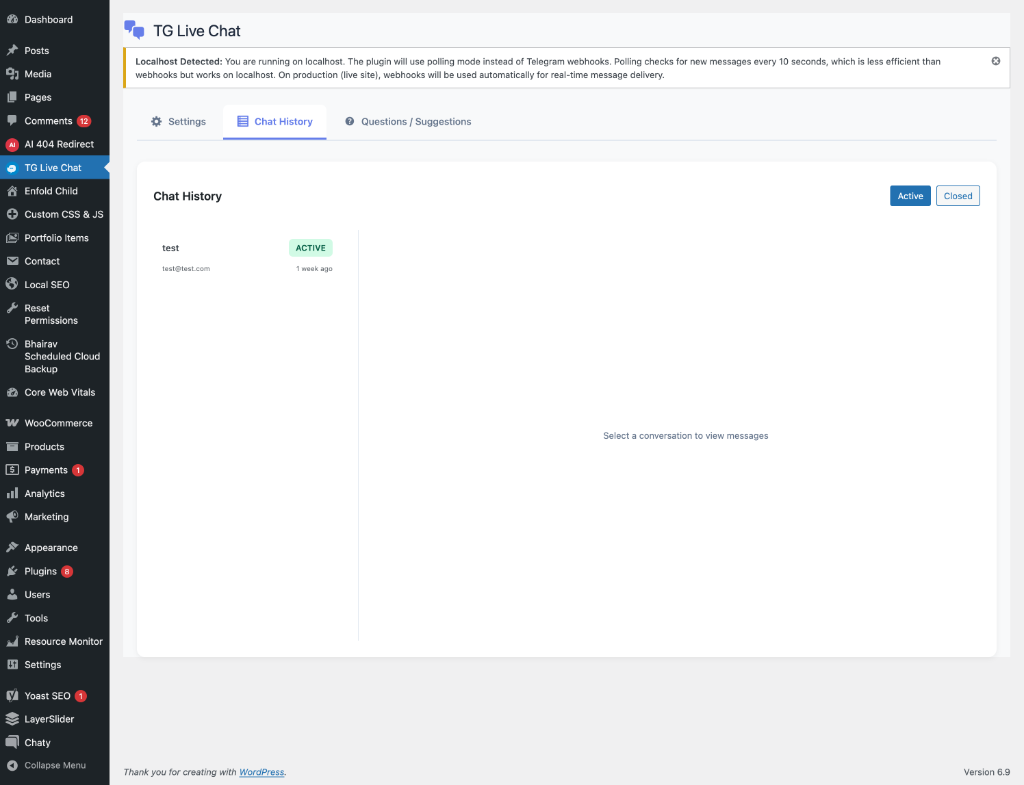
Chat History tab showing active and closed conversations
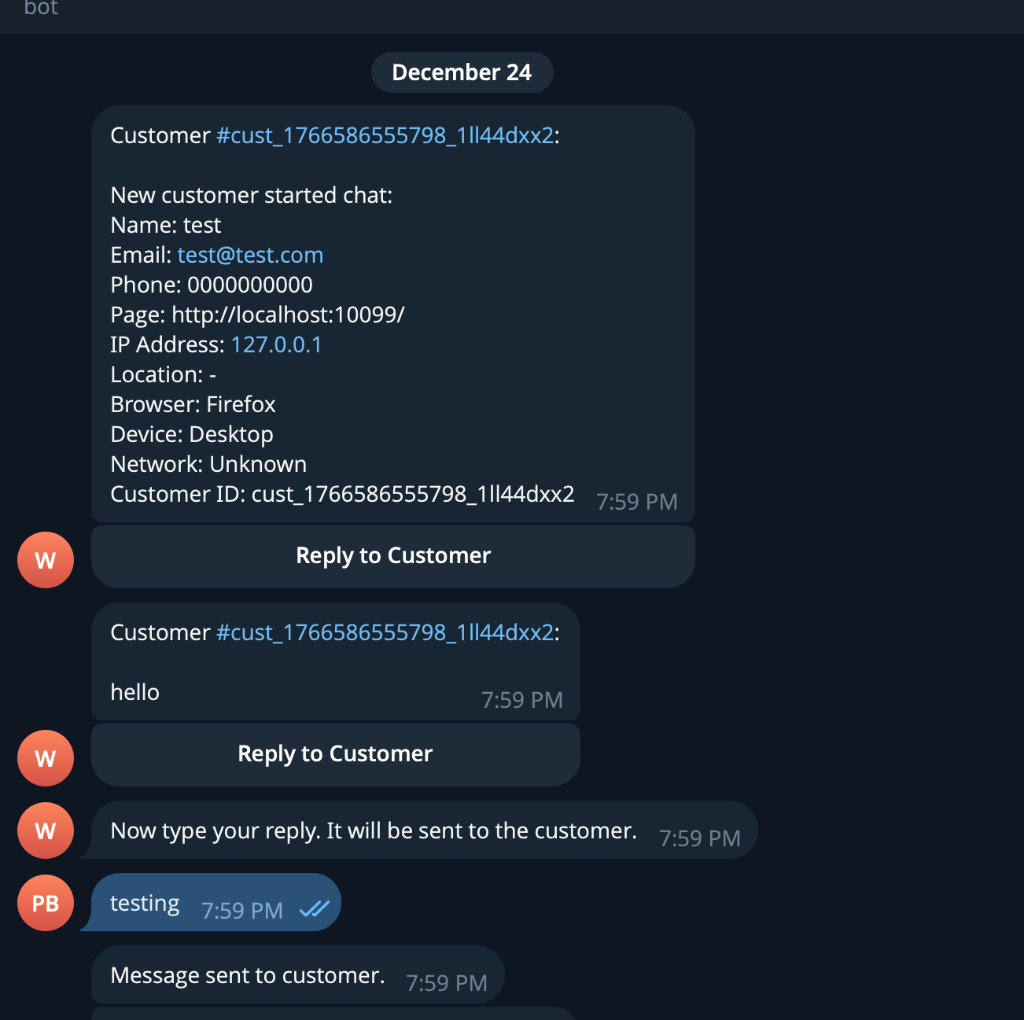
Telegram app showing customer messages with reply button
Faq
- Open your messaging app and search for @BotFather
- Send /newbot command
- Follow instructions to create your bot
- Copy the API token provided
- Paste it in the plugin settings
- Open your messaging app and search for @userinfobot
- Start a conversation with the bot
- It will reply with your chat ID
- Copy the number and paste it in plugin settings
Yes! Enter multiple chat IDs separated by commas in the “Admin Chat IDs” field. All admins will receive customer messages.
Simply reply to the bot’s message in your messaging app, or click the “Reply to Customer” button. Your reply will be sent to the customer automatically.
No! Your messaging ID is completely private. Customers only see your support representative name and avatar (if configured).
Yes! In the Privacy Settings, you can disable customer data storage entirely. Customer information will only be sent to your messaging app, not stored in the database.
If enabled, customer data will be automatically deleted after the number of days you specify. Set to 0 to never delete automatically.
Yes! Enter page IDs (comma-separated) in the “Excluded Page IDs” field. The chat widget will not appear on those pages.
Reviews
Changelog
1.0.4
- Security: Fixed SQL injection vulnerabilities using wpdb::prepare() with %i placeholder
- Fixed: Replaced dirname(FILE, 2) with proper WordPress plugin_dir_url() constant
- Updated: Minimum WordPress version requirement to 6.2
1.0.1
- Security improvements: Added nonce verification for all REST API endpoints
- Enhanced security documentation for external services
- Improved REST API permission_callback documentation
- Code quality improvements and WordPress.org compliance updates
1.0.0
- Initial release
- Real-time chat widget
- Messaging bot integration
- Multiple admin support
- Customizable widget appearance
- Page exclusion settings
- Privacy controls (optional data storage)
- Auto-delete customer data
- Chat history viewer
- 3 widget skin options