Thumbnail Manager
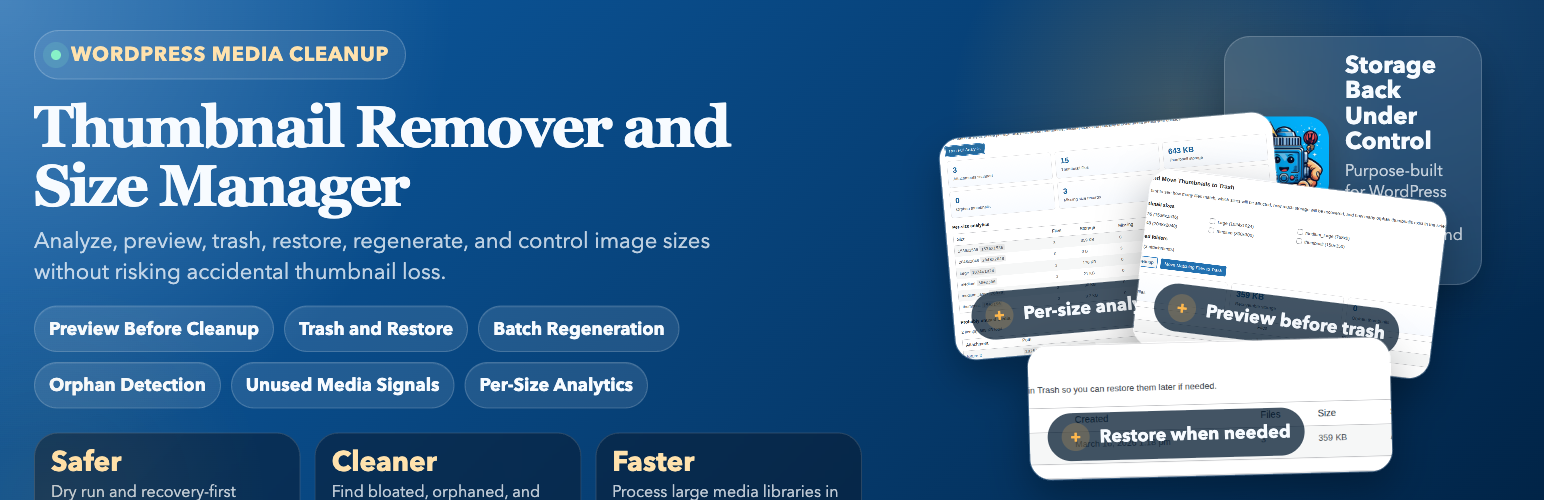
Thumbnail Manager
Description
Thumbnail Manager is a safer and more complete media-maintenance workflow for WordPress.
Instead of deleting thumbnails blindly, the plugin now helps you:
- Preview cleanup results before removing files
- Work from focused WordPress-style tabs for Analysis, Sizes, Cleanup, Optimize, Backup, Reports, and Pro previews
- Move thumbnails to plugin Trash instead of deleting permanently
- Create a zip backup of the exact matching thumbnails before moving them to Trash
- Restore trashed thumbnails later if needed
- Process large libraries in batches with visible progress
- Detect orphan thumbnails left behind on disk
- Detect probably unused media items across post content, featured images, and common builder data
- Regenerate missing image sizes in batches
- Review per-size analytics including file counts, storage usage, missing sizes, and orphan counts
- Review recent activity logs and reporting summaries for cleanup, restore, backup, and regeneration workflows
- Disable selected image sizes for future uploads
- Create zip backups for all uploads or a specific year/month folder
- Schedule recurring cleanup runs with configurable frequency, size scope, and folder scope
This release is built for site owners, developers, agencies, and anyone trying to reduce thumbnail bloat without risking accidental data loss.
Features
- Dry run / preview before cleanup
- WordPress-style tabbed admin screen with persistent support and ad sidebar
- Trash and Restore workflow for safer deletion
- Optional zip backup before moving matching thumbnails to Trash
- Batch processing with real progress for scan, cleanup, and regeneration
- Unused media detection
- Orphan thumbnail detection
- Regenerate missing sizes
- Per-size analytics dashboard
- Reporting and recent activity logs
- Advanced filters for image format, usage status, and orphan-only cleanup
- WebP variant generation for JPEG and PNG uploads
- Media Library thumbnail summary column with per-image quick actions
- Custom image size manager with visual previews
- Bulk image optimization with TinyPNG-compatible API support
- Size usage analysis based on content and stored meta references
- Image size disable controls for future uploads
- Media backup export to zip
- Scheduled cleanup powered by WP-Cron
Custom Size Manager
Create, update, and remove custom image sizes directly from the plugin screen. The manager includes a simple visual preview so you can sanity-check new dimensions before you save them for future uploads.
Tabbed Admin Screen
The Thumbnail Manager screen is organized into focused tabs for Analysis, Sizes, Cleanup, Optimize, Backup, Reports, and Pro previews. The support and ad sidebar remains visible while moving between tabs.
External Services
The free version of Thumbnail Manager displays a Google AdSense support ad in its WordPress admin screen sidebar.
The admin screen loads Google’s AdSense script from https://pagead2.googlesyndication.com/pagead/js/adsbygoogle.js with the publisher client ca-pub-9076174896803444 and ad slot 9828772606. Google may process ad requests, impressions, browser data, cookies, and related signals according to its own policies.
Google AdSense is provided by Google LLC.
Terms: https://policies.google.com/terms
Privacy Policy: https://policies.google.com/privacy
AdSense policies: https://support.google.com/adsense/answer/48182
Installation
- Upload the plugin files to the
/wp-content/plugins/thumbnail-removerdirectory, or install the plugin through the WordPress plugins screen directly. - Activate the plugin through the
Pluginsscreen in WordPress. - Go to
Tools > Thumbnail Manager. - Use the Analysis tab before your first cleanup so you can review thumbnail usage, orphan counts, and unused media signals.
- Configure scheduled cleanup from the Cleanup tab if you want recurring maintenance.
Screenshots

Analysis tab with per-size analytics and unused media results

Sizes tab with thumbnail size controls, custom sizes, and visual preview

Cleanup tab with scheduled cleanup, dry run preview, and Trash restore workflow

Optimize tab batch regeneration of missing image sizes

Backup tab for creating upload archive backups

Reports tab with activity summary and logs

Pro tab with advanced kit preview and plan comparison
Faq
Not during cleanup. Thumbnail Manager moves matching thumbnail files into plugin Trash first so they can be restored later. To free disk space permanently, use Delete Permanently for one trash batch or Empty Trash for all batches in the Trash and Restore table.
Preview performs a dry run and shows how many files match your current selection, which sizes are involved, how much space can be recovered, and how many orphan thumbnails were found.
Orphan thumbnails are files such as image-300x300.jpg that still exist on disk but are no longer tracked in WordPress attachment metadata.
The plugin scans image attachments and checks for usage in featured images, parent attachments, post content, and stored builder/meta content. The results are best treated as “probably unused” so you can review them manually.
Yes. The size-disable settings prevent selected image sizes from being generated for future uploads only. Existing thumbnails are not removed unless you explicitly preview and move them to Trash.
Yes. Use the Regenerate Missing Sizes section to rebuild missing image sizes in batches, switch to a full rebuild mode when needed, or use Media Library bulk actions for selected images.
Yes. The advanced filters can narrow analysis, cleanup, and regeneration jobs by image format, attachment usage status, and whether the thumbnail files are metadata-tracked or orphaned.
Yes. The WebP generation tool can create .webp copies for JPEG and PNG originals plus their registered thumbnail sizes when your WordPress image editor supports WebP output.
Yes. You can connect a TinyPNG API key and run bulk optimization against original uploads, generated thumbnails, or both while keeping the files in place.
Yes. Analysis, cleanup, and regeneration are processed in batches with visible progress to reduce timeout problems on larger WordPress sites.
Yes. You can create a zip backup for all uploads or for a selected year/month folder, and cleanup can also create a zip backup of the exact matching thumbnails before they are moved to plugin Trash.
Yes. Each cleanup run creates its own Trash batch, so you can restore a specific batch independently.
Use Empty Trash in the Trash and Restore table to remove every batch, or use Delete Permanently for a single batch. This deletes the stored trash files and any backup stored with those batches, and it cannot be undone.
No. Scheduled cleanup uses the same plugin Trash flow as manual cleanup, so matching thumbnails can still be restored later.
The reporting section shows recent analysis, preview, cleanup, restore, regeneration, backup, and scheduled cleanup activity along with summary totals for recovered storage and other media operations.
Yes. That is exactly what orphan thumbnail detection is for. These files are included in analysis and preview results so you can decide whether to move them to Trash.
No. The plugin marks items as probably unused based on several WordPress relationships and content checks, but you should still review those results manually before broader media cleanup decisions.
Reviews
Changelog
2.3.2
- Fixed Plugin Check annotations for WordPress 5.0 compatibility, nonce handling, translator comments, and prepared SQL checks
- Added a cache-safe version to the AdSense admin script enqueue
- Updated the GitHub Pages workflow to publish all seven tab screenshots
2.3.1
- Refreshed the admin screen with WordPress-style tabs across Analysis, Sizes, Cleanup, Optimize, Backup, Reports, and Pro
- Updated all plugin screenshots so each admin tab has its own WordPress.org screenshot
- Added the free-version Google AdSense support ad placement in the admin sidebar
- Updated plugin docs, readme copy, and release tooling for the new tabbed screenshot set
2.3.0
- Confirmed compatibility metadata for WordPress 7.0 while keeping the PHP requirement at 7.4 or newer.
- Added a Media Library column showing thumbnail totals, storage, orphan counts, and missing-size hints per image
- Added Media Library quick actions to move one image’s thumbnails to Trash or regenerate missing sizes
- Added a custom size manager for registering, editing, and removing custom image sizes with visual previews
- Added TinyPNG-compatible bulk optimization for originals and generated thumbnails
- Added size-usage analysis so the analytics table reports which thumbnail sizes appear in content and meta references
- Expanded thumbnail regeneration with missing-only vs full rebuild modes and Media Library bulk actions
- Added batch WebP generation for JPEG and PNG originals plus registered thumbnail sizes
- Added WebP generation controls for include-original and overwrite-existing behavior
- Logged WebP generation runs in the Reporting and Logs section
- Added permanent delete actions for individual Trash batches and for emptying all plugin Trash.
- Added optional zip backups for matching thumbnails before they are moved to plugin Trash
- Stored cleanup backup links with Trash batches so previous cleanup backups remain downloadable from the Trash and Restore table
- Organized the admin screen into WordPress-style tabs while keeping the support and ad sidebar visible
- Added advanced filters for image format, attachment usage, and orphan-only versus tracked cleanup
- Reused the new filters across analysis, preview cleanup, and regeneration workflows
- Updated the admin UI and documentation to explain the extra filtering controls
2.2.0
- Added a Reporting and Logs section with recent activity history
- Added summary cards for recovered storage, restored files, regenerated sizes, and backup runs
- Logged manual operations and scheduled cleanup events in a bounded admin-visible activity history
2.1.0
- Added WP-Cron scheduled cleanup with daily, weekly, and monthly frequency options
- Added scheduled cleanup scope controls for image sizes and upload folders
- Added scheduled cleanup status, next-run visibility, and last-result summaries in the admin UI
- Kept scheduled cleanup on the same Trash and Restore workflow as manual cleanup
2.0.0
- Added dry-run preview before cleanup
- Added Trash and Restore workflow for thumbnail removal
- Added batch processing with progress for analysis, cleanup, and regeneration
- Added orphan thumbnail detection
- Added probably unused media detection
- Added missing-size regeneration workflow
- Added per-size analytics dashboard
- Refreshed admin UI for the safer cleanup workflow
- Updated plugin description and documentation
1.1.5
- Fixed a fatal error when disabling thumbnail sizes on PHP 8.x
- Hardened settings and AJAX input handling for string-based values
- Updated compatibility metadata for the latest WordPress release
1.1.4
- Added new feature: Media file backup functionality
- Improved user interface for backup options
- Bug fixes and performance improvements