Tidy Images – Used & Unused Image Cleaner

Tidy Images – Used & Unused Image Cleaner
Description
Tidy Images is a lightweight WordPress media cleanup plugin that helps you identify used and unused images in your Media Library.
Instead of simply marking an image as used, Tidy Images also shows where the image is being used. This helps you understand your media usage before permanently deleting unnecessary files.
The plugin is designed to be simple, transparent, and easy to manage without adding unnecessary features.
Used and Unused Image Detection
Tidy Images scans your Media Library and separates images into two clear sections:
- Used Images
- Unused Images
This makes it easier to review your media files and identify images that may no longer be needed.
See Where Images Are Used
For each used image, the plugin displays where the image was detected.
Usage information can include:
- Posts
- Pages
- Custom post types
- Featured images
- Post content
- Custom image fields
- Gutenberg content
- Elementor content
- WooCommerce products
If the same image is used in multiple locations, Tidy Images displays the different usage locations.
WordPress Content Support
Tidy Images can detect images used in:
- Posts
- Pages
- Public custom post types
- Featured images
- Post content
- Custom fields
- Gutenberg blocks
- Elementor content
WooCommerce Support
When WooCommerce is active, Tidy Images can detect and protect images used as:
- Product featured images
- Product gallery images
- Product variation images
- WooCommerce placeholder images
The WooCommerce placeholder image is treated as a used image to help prevent accidental deletion.
Important Image Protection
Tidy Images protects important WordPress images from being marked as unused, including:
- Site Icon
- Custom Logo
- WooCommerce Placeholder Image
Safe Review Before Deletion
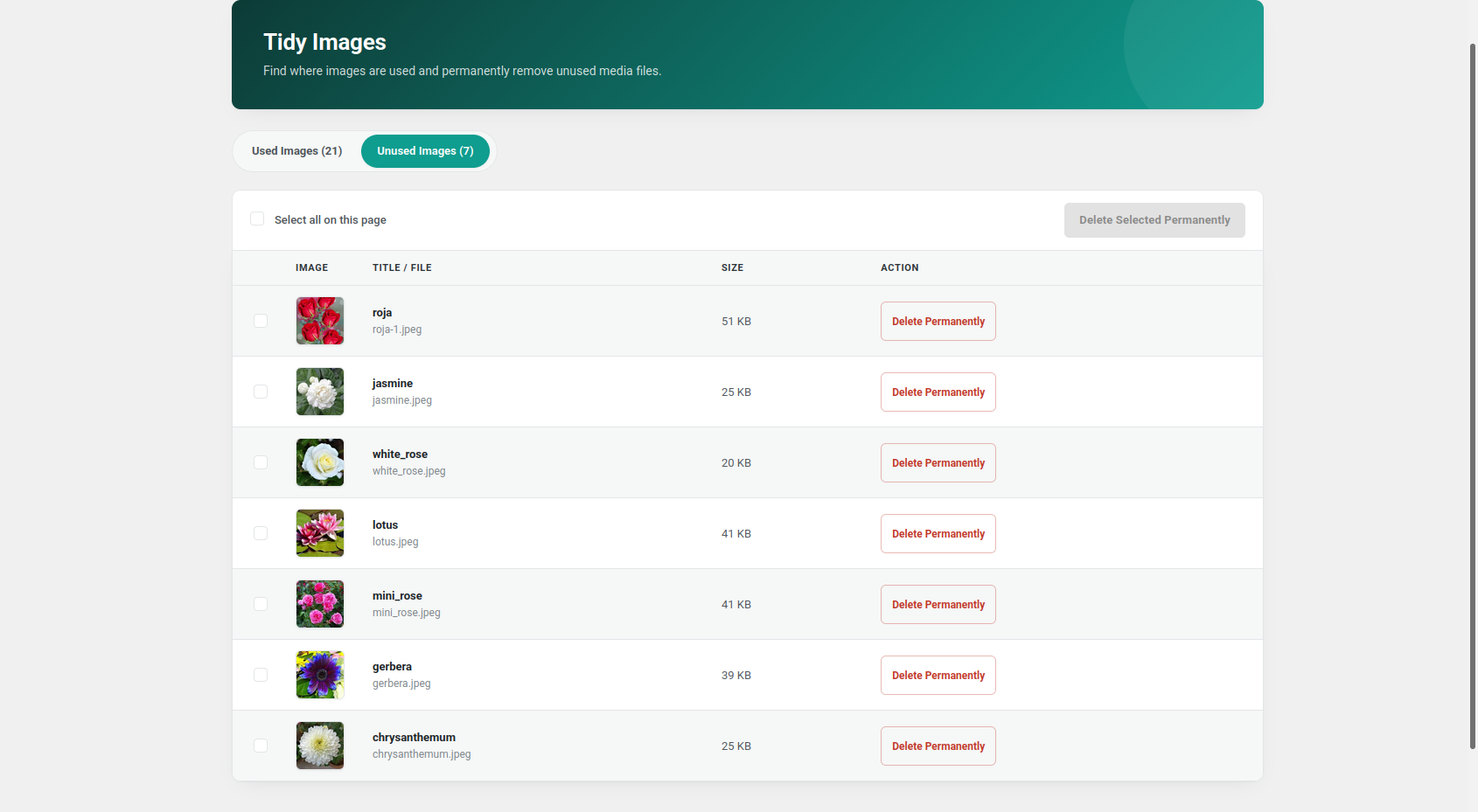
Unused images are displayed separately so you can review them before deletion.
You can:
- Delete a single unused image
- Select multiple unused images
- Select all unused images on the current page
- Permanently delete selected images
A confirmation message is shown before permanent deletion.
Pagination
Used and unused images are displayed with separate pagination.
This makes larger Media Libraries easier to browse and manage.
Lightweight and Focused
Tidy Images focuses on one main purpose: helping you understand which images are used and which images may be safely reviewed for cleanup.
The plugin does not try to replace image optimization, compression, or CDN plugins.
Installation
- Upload the
tidy-imagesfolder to the/wp-content/plugins/directory, or install the plugin through the WordPress Plugins screen. - Activate Tidy Images through the Plugins screen in WordPress.
- Open
Tidy Imagesfrom the WordPress admin menu. - Review the Used Images and Unused Images sections.
- Check image usage information before permanently deleting any image.
Screenshots
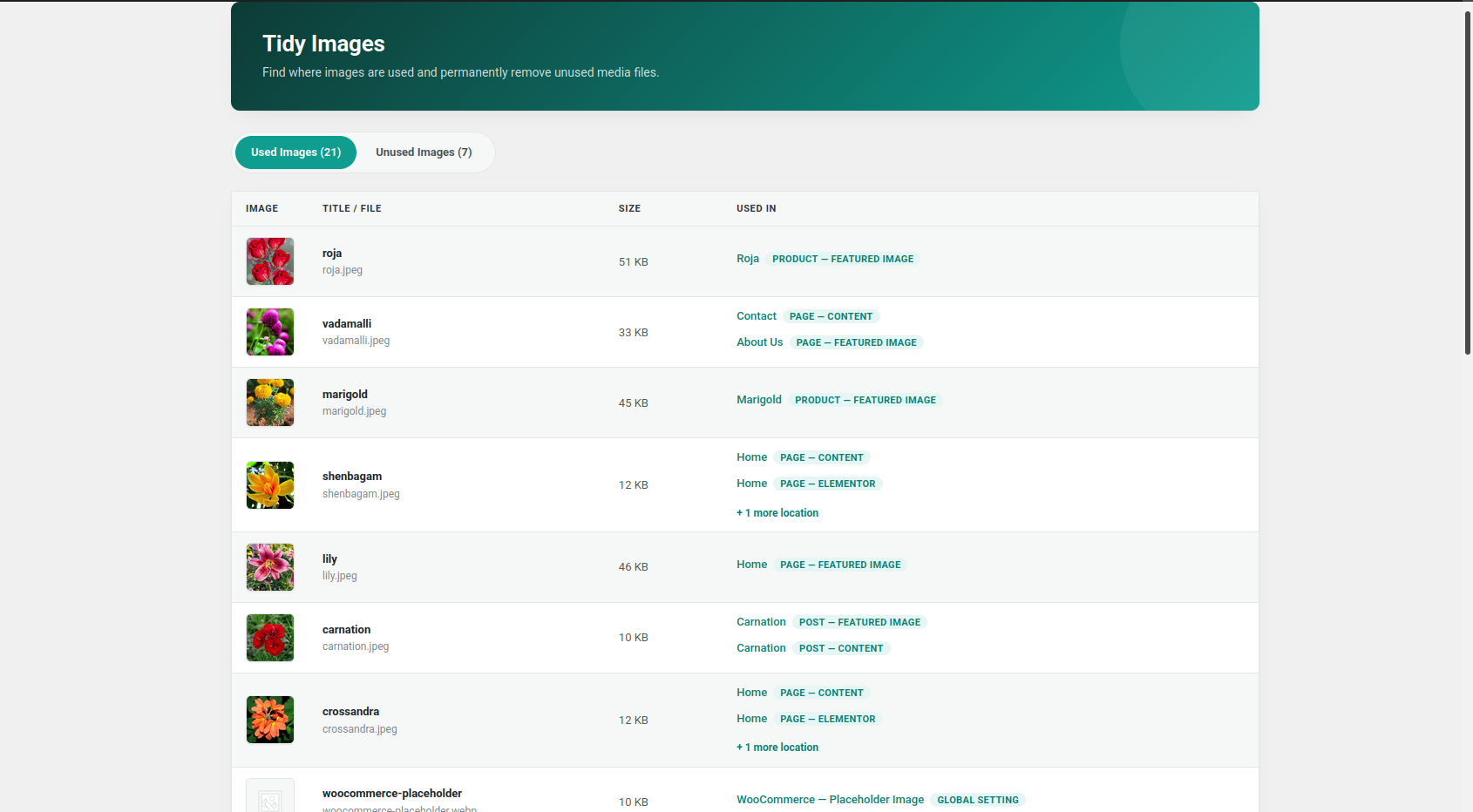
Tidy Images admin screen with Used Images and Unused Images sections.
Used Images section showing where images are being used.
Faq
No. Tidy Images does not automatically delete images.
You must manually review and confirm images before permanent deletion.
Yes. Used images display the detected usage location, such as a post, page, custom post type, featured image, content area, custom field, or supported WooCommerce location.
Yes. Tidy Images scans public custom post types and can detect featured images, content images, and supported custom image field values.
Yes. Tidy Images can detect images used in supported Gutenberg content.
Yes. Tidy Images can detect supported image references stored in Elementor content.
Yes. When WooCommerce is active, the plugin can detect product featured images, gallery images, variation images, and the WooCommerce placeholder image.
Yes. The WordPress Site Icon and Custom Logo are treated as used images.
The original image and its generated image sizes are permanently removed using WordPress attachment deletion functionality.
Permanent deletion cannot be undone. Always review images before deleting them and keep a recent website backup.
Yes. The Unused Images section supports selecting multiple images and permanently deleting the selected files after confirmation.
An image may still be referenced by content, a custom field, a page builder, a draft or private post, a WooCommerce product, or another supported location.
Review the usage information before deleting any image.
No image cleanup plugin can guarantee detection of every possible dynamically generated or custom-coded image reference.
Themes, plugins, custom code, external storage, CSS files, JavaScript, and unsupported data structures may reference images in ways that are not detectable by Tidy Images.
Always review unused images and keep a recent backup before permanent deletion.
Reviews
Changelog
1.0.0
- Initial release.
- Added used and unused image detection.
- Added image usage location tracking.
- Added support for posts and pages.
- Added support for public custom post types.
- Added featured image detection.
- Added content image detection.
- Added custom image field detection.
- Added Gutenberg content detection.
- Added Elementor content detection.
- Added WooCommerce product image detection.
- Added WooCommerce gallery image detection.
- Added WooCommerce variation image detection.
- Added WooCommerce placeholder image protection.
- Added WordPress Site Icon protection.
- Added WordPress Custom Logo protection.
- Added separate pagination for used and unused images.
- Added single permanent image deletion.
- Added bulk permanent image deletion.
- Added confirmation before permanent deletion.
- Added nonce verification and user capability checks.