Timelinex AI Stories For Elementor (Vertical, Horizontal and carousel Timeline)
Timelinex AI Stories For Elementor (Vertical, Horizontal and carousel Timeline)
Description
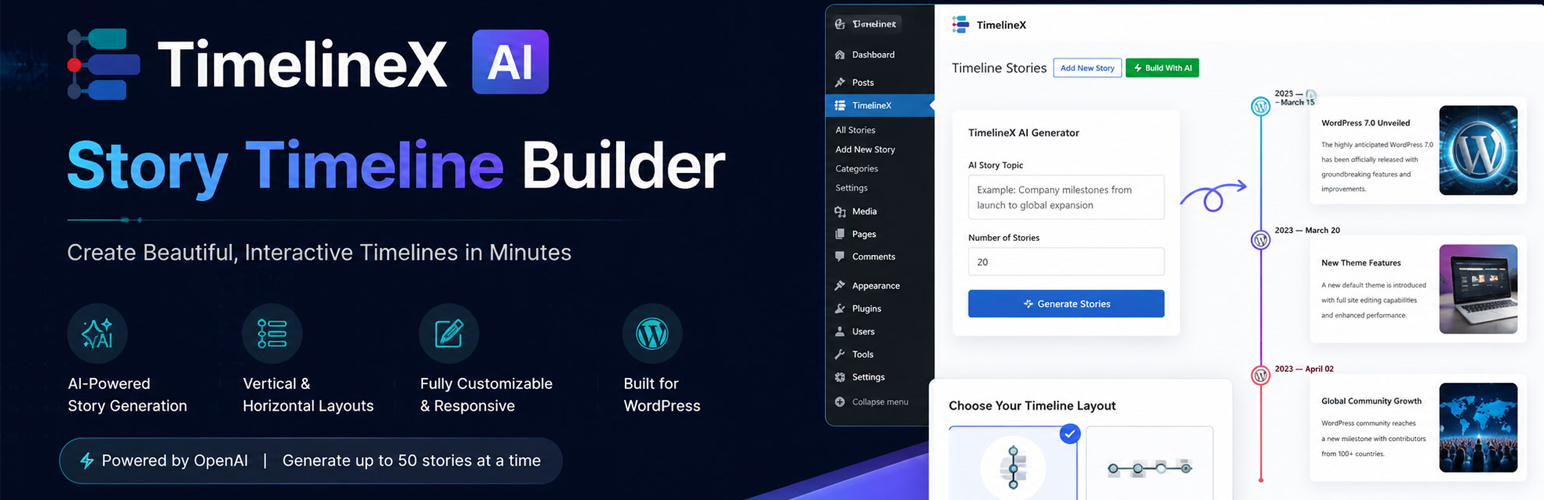
TimelineX is the most powerful AI WordPress timeline plugin for Elementor — type your topic, click generate, and get a complete structured timeline in seconds. No other Elementor timeline plugin includes a built-in AI Story Generator.
Whether you’re building a company history, startup journey, product roadmap, personal milestones, or educational timeline — TimelineX creates it faster and smarter than any other WordPress timeline plugin.
🔗 View Pro Demos | Get Pro Version
Why Choose TimelineX?
Most WordPress timeline plugins make you write everything manually. TimelineX is different — its built-in AI Story Generator automatically creates timeline titles, descriptions, and chronological flow so you can build professional timelines in minutes, not hours.
Perfect for agencies, bloggers, businesses, and educators who want to present content in a modern, engaging way directly inside Elementor.
✅ Key Features (Free Version)
- 🤖 AI Story Generator — Automatically generate complete timeline stories using AI. Just type your topic and click generate.
- ⚡ Elementor Timeline Widget — Native drag-and-drop Elementor widget. No shortcode needed.
- 📐 Vertical Timeline Layout — Clean, structured vertical timeline format for any content.
- 📅 Date & Label Support — Show dates, years, or custom labels for each timeline item.
- 🖼️ Image & Media Support — Add images to visually enhance your timeline stories.
- 🎯 Font Awesome Icons — Assign icons to each timeline step from the built-in icon library.
- ♾️ Unlimited Timeline Items — Add as many entries as your project needs.
- 🎨 Fully Customizable — Control colors, typography, spacing, and layout inside Elementor.
- 📱 Fully Responsive — Looks perfect on desktop, tablet, and mobile.
- 🚀 Lightweight & Fast — Optimized code for speed and performance.
- 🌐 Works With All WordPress Themes — Compatible with Astra, GeneratePress, OceanWP, Kadence, Hello Elementor, and more.
🎯 Use Cases
- Company History Timeline — Show your business journey from start to present.
- Startup Milestone Timeline — Highlight key growth stages and achievements.
- Product Roadmap — Present development phases and future plans visually.
- Personal Journey / Portfolio — Share career growth or personal achievements.
- Historical Events Timeline — Display important events in chronological order.
- Educational Timeline — Show learning paths or academic progress.
- Project Timeline — Track project phases and deadlines visually.
- Event Schedule — Display event agendas in a structured timeline format.
🚀 How to Use
- Install and activate TimelineX plugin.
- Open any page in Elementor editor.
- Search for “AI Story Timeline” in the widget panel.
- Drag and drop the widget onto your page.
- Use AI to generate content or add manually (text, dates, images, icons).
- Customize colors, layout, and typography.
- Publish your page — done!
🔓 Upgrade to Pro — Unlock Full Power
TimelineX Pro is the most complete WordPress timeline plugin available — with AI generation, 7 layout styles, and full support for Elementor, Gutenberg, and Shortcodes.
🤖 AI Story Generator (Pro)
Generate entire company histories, product roadmaps, or event timelines instantly using advanced AI.
🎨 7 Professional Timeline Layouts
* Vertical Timeline
* Horizontal Timeline
* Both-Sided Timeline
* One-Sided Timeline
* Compact Timeline
* Modern Card Layout
* Minimal Timeline Design
⚡ Elementor Widget Support
* Dedicated TimelineX Elementor widgets
* Fully responsive visual controls
* Style everything live — works with Elementor Free & Pro
🧱 Gutenberg Block Support
* Build timelines directly inside the WordPress block editor
* Easy drag & drop editing
* Live block preview
* Fast and lightweight performance
🔗 Shortcode Builder
Display timelines anywhere — pages, posts, widgets, tabs, popups, and theme templates.
🎬 Advanced Media & Design
* Video support in timeline items
* Image & Slideshow support
* Carousel / Slider Timeline view
* 15+ Animation Effects (fade-in, flip-up, zoom, and more)
* Premium Skins & Pre-built Templates
* Custom colors per story item
* Advanced typography controls
📥 Data Management
* Import & Export Timeline Data
* Ajax Load More for large timelines
* Post Timeline — display blog posts as a timeline
* Product Timeline — display WooCommerce products as a timeline
🌐 Works With Any Theme
Compatible with Elementor, Gutenberg, WooCommerce themes, Block themes, and Classic themes.
🔗 View Pro Demos | Get Pro Now
TimelineX — The AI-powered WordPress timeline plugin built for Elementor.
AI Generator Notes
- AI generation works inside Elementor editor controls.
- You can provide your OpenAI API key directly in the widget controls.
- You can generate any number of stories per request.
External Services
This plugin connects to OpenAI API services to generate AI-powered timelines and images.
It sends:
– User prompts
– Timeline generation requests
– Image generation prompts
Data is sent only when the user generates AI content.
Service Provider:
OpenAI
Terms of Service:
https://openai.com/policies/terms-of-use/
Privacy Policy:
https://openai.com/policies/privacy-policy/
Installation
- Upload the plugin folder to
/wp-content/plugins/, or install it via the WordPress Plugins screen. - Activate Timelinex AI Stories For Elementor through the Plugins screen.
- Make sure Elementor is installed and activated.
- Open any page with Elementor and search for the timeline widget.
- Add timeline stories manually, or use the AI Generator section to auto-generate stories.
Screenshots

Timeline widget controls in Elementor editor

Vertical timeline layout

Horizontal timeline layout

AI Generator controls for story creation

Styled timeline cards with media and icons


Faq
Yes. Elementor must be installed and active for this plugin to work.
Yes. The free Elementor plugin is sufficient.
Inside the timeline widget controls in Elementor, under the AI Generator section.
Yes. You can switch layouts in the widget settings.
The plugin includes WPML translation integration hooks.
Reviews
Excellent AI Feature
By 
Excellent timeline plugin! The AI story generation feature is unique and genuinely useful. Easy to use, responsive, lightweight, and works smoothly with Elementor. The developers are actively improving the plugin, which gives me confidence in using it. Highly recommended! ⭐⭐⭐⭐⭐
Changelog
1.1.5
- Fixed Timeline Stories icon issue
1.1.4
- CSS Updated
- Welcome page Content Updated
1.1.3
- Tags Updated
1.1.2
- Tags Updated
1.1.1
- Welcome page Content Updated
- Fixed Some CSS Issue
1.0.9
- description Updated
1.0.8
- Screenshots Updated
1.0.7
- Improved WordPress.org Plugin Check compliance.
- Standardized plugin prefix usage across admin menus, hooks, AJAX actions, and template variables.
- Replaced legacy Timeline-x identifiers with txaist-prefixed slugs, classes, and callbacks.
- Removed the admin review notice feature.
- Added languages directory for the Domain Path header.
- Fixed readme.txt plugin name and tag count to match plugin header requirements.
- Fixed missing translators comment for the Elementor dependency notice.
- Prefixed global variables in horizontal and vertical timeline frontend templates.
1.0.6
– Security & Compliance Update
– Fixed XSS vulnerability by properly escaping output using wp_kses_post() and esc_* functions
– Improved code security by applying late escaping standards
– Updated all functions, classes, and options to use unique plugin prefix (txaist_)
– Improved compatibility with WordPress Plugin Directory coding standards
– General code quality improvements and minor bug fixes
1.0.5
- Improved WordPress.org plugin review compliance.
- Refactored generic function, class, constant, option, and namespace names with unique plugin prefixes.
- Updated admin menu slugs and callback naming conventions.
- Removed unnecessary function_exists() wrappers.
- Improved overall code consistency and conflict prevention.
1.0.4
- Adding the appropriate “Requires Plugins” header
- Escaping all output properly using functions such as esc_html(), esc_attr(), wp_kses_post(), and wp_json_encode()
- Updating generic function, AJAX action, option, and constant names with more unique plugin-specific prefixes
- Reviewing all reported files and resolving the related warnings
1.0.3
- All prefixes Updated
- AJAX Action Prefix Updated
- Class Name Updated
- if ( ! function_exists() ) Issue Fixed
1.0.2
- OpenAI Stories Generate issue Fixed
1.0.1
- Initial release.