TopBar Buddy – Announcement Bar, Notification Bar and Sticky Alert Bar
TopBar Buddy – Announcement Bar, Notification Bar and Sticky Alert Bar
Description
TopBar Buddy adds a notification bar to the top or bottom of your WordPress site. Use it to show sale announcements, important notices, alerts, or any message you want every visitor to see.
No coding needed. Just type your message, pick your colors, and hit save. A live preview shows exactly how the banner will look before it goes live.
Key Features
- Visual editor for banner text with bold, italic, links, and lists
- Live preview that updates as you type
- Schedule banners with start and end dates so they appear and disappear automatically
- Hide the banner on specific pages, posts, or URL paths
- Place the banner at the top or bottom of the page with six position modes
- Closable banner with a cookie so dismissed visitors are not bothered again
- Full color controls for background, text, links, and close button
- Custom CSS fields for advanced styling
- Automatic cache clearing for all major caching plugins on every save
- Clean uninstall that removes all data from the database
Perfect For
- Sale and promotion announcements
- Site-wide notices and alerts
- Maintenance or downtime warnings
- Holiday and seasonal messages
- Cookie or consent notices
- Newsletter and signup call-to-actions
Installation
- Upload the topbar-buddy folder to /wp-content/plugins/, or install through Plugins > Add New in the WordPress admin.
- Activate the plugin on the Plugins screen.
- Navigate to TopBar Buddy in the admin menu (look for the megaphone icon).
- Enter your banner text, pick colors and options, then click Save Changes.
Screenshots
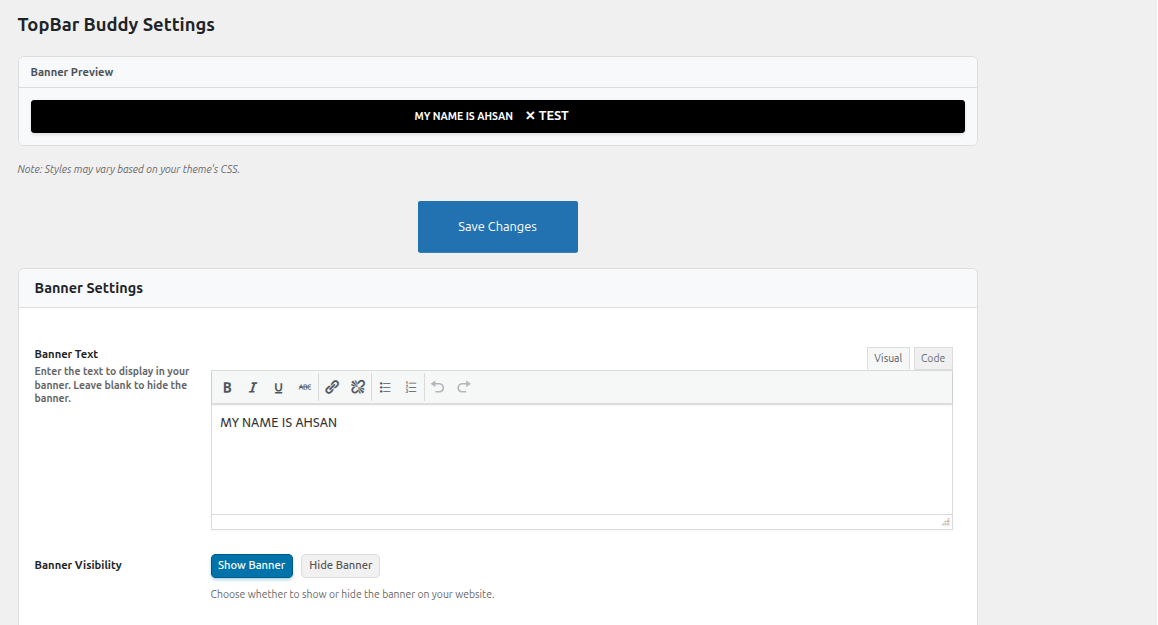
Banner settings page with live preview — configure text, colors, and options with a real-time preview.
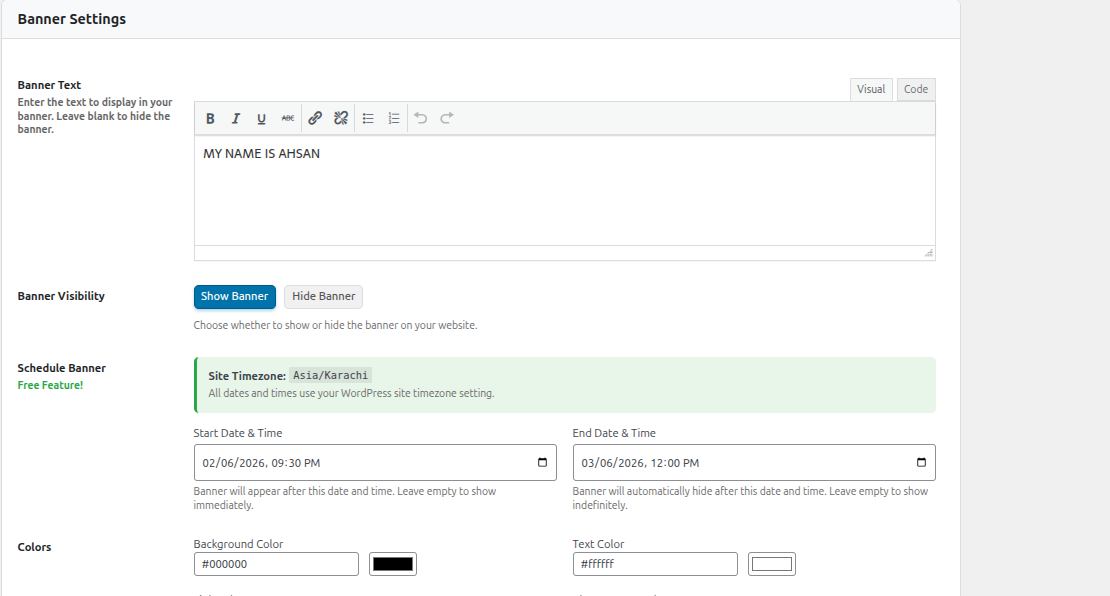
Schedule banners with start and end dates using your WordPress site timezone.
Hide the banner on specific pages, posts, or URL paths with wildcard support.
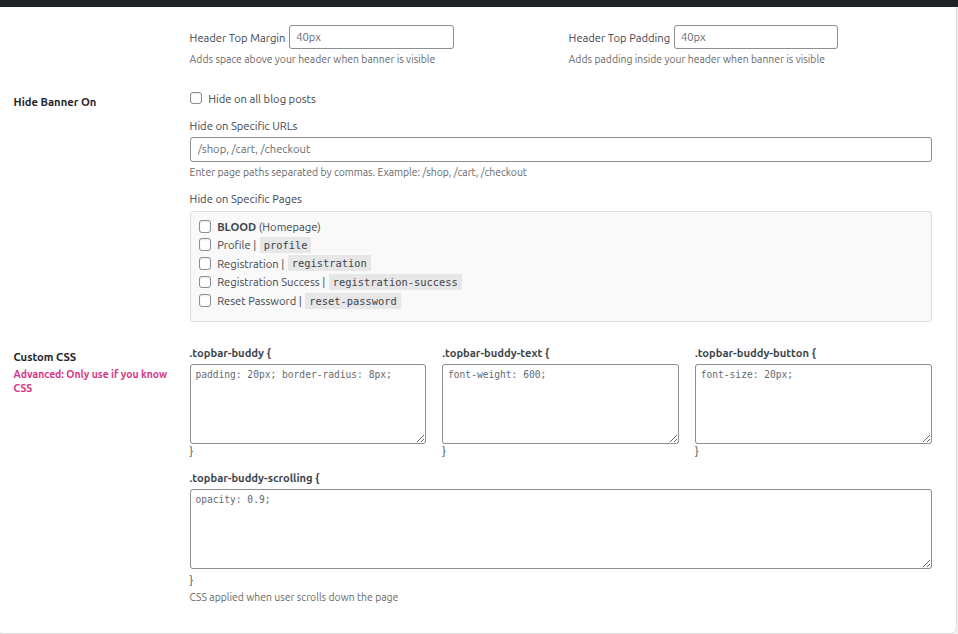
Custom CSS editors and advanced styling options for full design control.
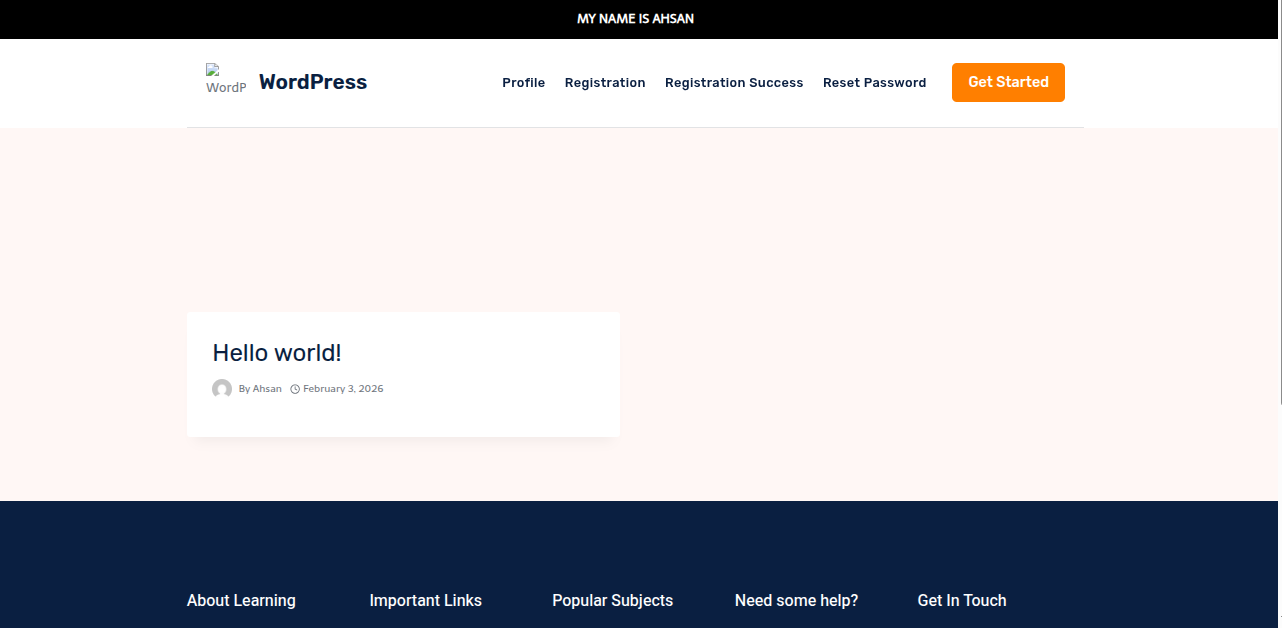
Frontend banner displayed on a live WordPress site.
Faq
Go to TopBar Buddy in the admin sidebar. Type your message in the editor, choose your settings, and click Save Changes. Your banner will appear on the front end immediately.
In the Schedule Banner section, pick a Start Date and Time and/or End Date and Time. The plugin uses your WordPress site timezone (displayed next to the fields). Leave a field empty to skip that limit. For example, set only an end date to show the banner right away and auto-hide it later.
Yes. Under Hide Banner On you can:
- Check Hide on all blog posts to remove it from every post.
- Check individual pages in the page list.
- Enter comma-separated URL paths (wildcards supported): /shop, /cart, /checkout, /products/*.
Use the Visual tab of the editor for bold, italic, links, and lists. Switch to the Text tab if you want to write raw HTML.
Six options: Relative, Static, Absolute, Fixed (stays while scrolling), Sticky (sticks when you scroll past it), and Footer (pinned at the bottom of the screen).
Yes. The cookie used is classified as strictly necessary (it only remembers that the visitor dismissed the banner). No consent banner is required for it. You control the cookie duration. Enter days (e.g. 14) or leave empty for session-only.
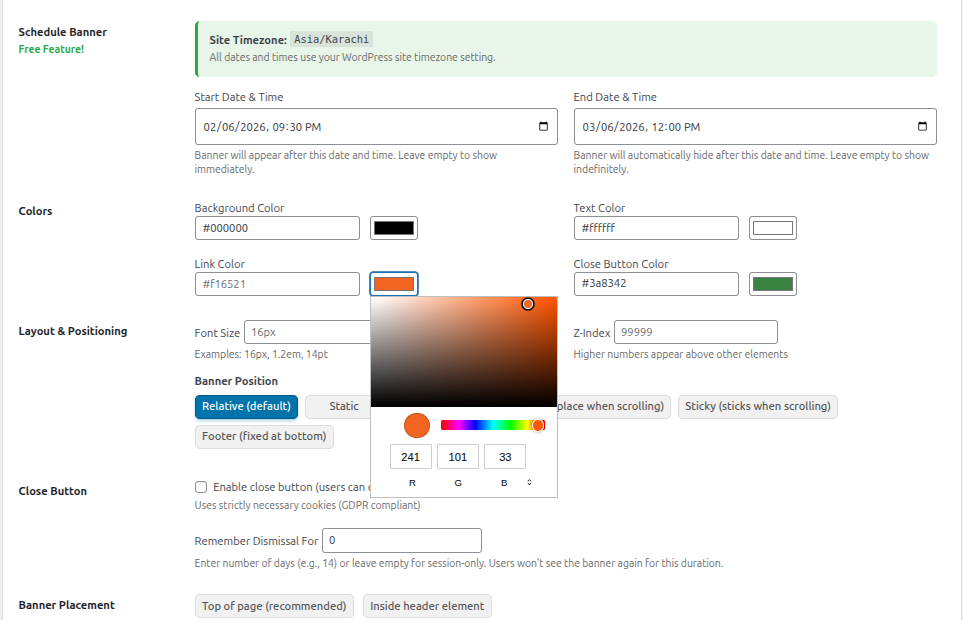
Yes. Each color (background, text, link, close button) has a color picker and a hex-code input. Font size accepts any CSS value like 16px, 1.2em, or 14pt.
Yes. There are four CSS editors, one each for the banner container, the text, the close button, and a scroll-state style that applies when the visitor scrolls down the page.
Check these common causes:
- Banner Visibility is set to Hide Banner.
- A Start Date is in the future, or an End Date has already passed.
- The current page is excluded (check Hide Banner On settings).
- You previously dismissed the banner and the cookie is still active. Clear your browser cookies or wait for it to expire.
- Your caching plugin is serving a stale page. Go to TopBar Buddy and re-save to auto-clear caches.
Yes. On every save, the plugin automatically flushes W3 Total Cache, WP Super Cache, WP Engine, WP Fastest Cache, WP Rocket, Autoptimize, LiteSpeed Cache, and Hummingbird.
Yes. The banner is fully responsive. The admin settings page is also mobile-friendly.
Yes. The CSS loads at priority 999 so it applies after theme and builder styles. A compatibility guard in the footer prevents CSS optimization plugins from stripping the banner stylesheet.
Reviews
Changelog
1.0.0
- Initial release of TopBar Buddy
- WYSIWYG Editor – Rich text editor (TinyMCE) for banner content with bold, italic, links, and lists
- Live Preview – Real-time banner preview in admin that updates as you type and change settings
- Free Date Scheduling – Schedule banners with start and end dates using WordPress site timezone with server-side checks for consistent display
- Page and Post Exclusions – Hide the banner on specific pages, all blog posts, or custom URL paths with wildcard support
- Six Position Modes – Relative, static, absolute, fixed, sticky, or footer (fixed at bottom)
- Full Color Controls – Background, text, link, and close button color pickers with hex input
- Close Button – GDPR-compliant dismiss with configurable cookie expiration (days or session)
- Custom CSS – Four CSS editors for banner wrapper, text, button, and scroll state
- Banner Placement – Insert at top of body or inside header element, with header margin and padding controls
- Automatic Cache Clearing – Clears W3 Total Cache, WP Super Cache, WP Engine, WP Fastest Cache, WP Rocket, Autoptimize, LiteSpeed Cache, and Hummingbird on save
- No Flash of Unstyled Content – Server-side rendering via wp_body_open with CSS at priority 999 for maximum compatibility
- Clean Uninstall – All options removed from the database when the plugin is deleted
- Translation Ready – Fully internationalized with topbar-buddy text domain
- WordPress 6.9 Compatible
- PHP 7.4 to 8.3 Compatible