Total Social Counter

Total Social Counter
Description
This widget combines the number of your RSS readers, twitter followers, and fans of your facebook fan page, to give an estimate of your social popularity.
TipTip jQuery plugin is used to show nice looking tooltips with count for every particular social network. Credit goes to Martin Angelov from Tutorialzine.com
Feedback
http://www.webdev3000.com/total-social-counter-widget/
Installation
To install:
-
Drop the ‘total-social-counter’ folder into your ‘wp-content/plugins’ folder
-
Go to your Administration: Plugins page and activate the “Total Social Counter” widget
To configure:
- Go to Appearance: Widgets
- Move (drag and drop) the widget to your desired location in the active sidebar.
- Enter Full Facebook URL, Twitter ID and Full Feedburner URL and save changes.
Screenshots
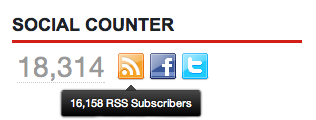
Widget appearance
Faq
No questions
Reviews
Changelog
0.8.0
- initial release