TP Product Description in Loop for WooCommerce
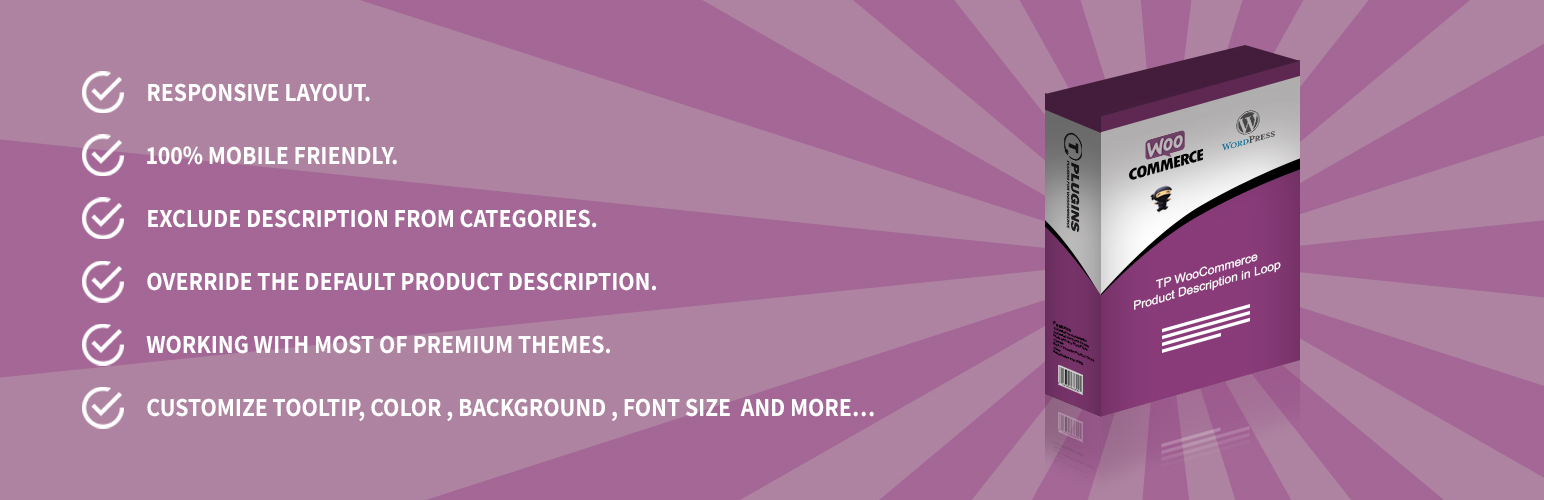
TP Product Description in Loop for WooCommerce
Description
TP Product Description in Loop for WooCommerce is a plugin designed for WooCommerce that adds product descriptions to your Shop, Category, and Archive pages. It allows you to display the short or full product description, custom descriptions, CSS customization, and more.
Learn more about TP Product Description in Loop for WooCommerce Plugin features:
Learn more: https://www.tplugins.com/product/tp-product-description-in-loop-for-woocommerce/
Demo:
Click here for the demo: https://www.tplugins.com/demos/ex2/product-category/tp-product-description-in-loop/?reff=TPPDIL
Pro Version:
Click here to get the Pro version: https://www.tplugins.com/product/tp-product-description-in-loop-for-woocommerce/
Free Plugin Features
- Fully responsive layout, adapting to any device.
- Option to enable/disable on mobile devices.
- Option to enable/disable on all product pages.
- Display full or short product description.
- Customize colors, background, font sizes, and more.
- Select description position within the product loop.
- RTL (Right to Left) language support.
- Full PHP 8 support.
- Compatible with HPOS (High-Performance Order Storage).
- SEO-friendly.
- Compatible with most premium WordPress themes.
Pro Plugin Features
- Fully responsive layout for any device.
- Option to enable/disable on mobile devices.
- Option to enable/disable on Shop page, Related Products, and Up-Sells.
- Display full or short product description.
- Custom description: override the default product description.
- Limit description length.
- Show more content in a sleek tooltip.
- Customize tooltip’s color, background, font size, and more.
- Exclude description from specific categories.
- Exclude description from specific tags.
- Disable description for specific products.
- Select description position within the product loop.
- Custom CSS.
- RTL (Right to Left) language support.
- SEO-friendly.
- Compatible with most premium WordPress themes.
You May Also Like
Installation
- Extract the downloaded ZIP file.
- Upload the plugin folder to the wp-content/plugins/ directory of your WordPress site.
- Activate “TP Product Description in Loop for WooCommerce” via the ‘Plugins’ menu in WordPress.
After activation, a new menu item called “TP Product Description in Loop” will appear in your WordPress menu. Here, you can configure all the plugin settings.
Screenshots

Shop page (1/4)

Settings page (2/4)

Settings page (3/4)

Settings page (4/4)
Faq
Yes, this plugin is designed to work with WooCommerce, so you’ll need a WooCommerce store on your site.
TP Product Description in Loop is fully responsive and tested on all devices and screen resolutions. You can also disable the description on mobile devices from the settings page.
No problem! Contact us via our Contact Page and let us know what you need. Our team will be happy to assist you.
Yes, you can. Go to the plugin settings to change colors, backgrounds, icons, and more.
Yes, this plugin works perfectly with Elementor.
The plugin hooks into the standard WooCommerce loop hooks. If your theme replaces the loop markup completely, the selected position may not exist. The plugin includes built-in support for the Astra theme (including Astra child themes).
Reviews
Excellent plugin and support
By 
It does nothing
By 
just amazing, I highly recommend !!!
By 
great and simple
By 
Changelog
1.1.0 – Update
- Update – WordPress 7.1 compatibility
- Update – WooCommerce 11.0.1 compatibility
- Fix – Fatal error on PHP 8 when a loop hook runs without a product in context
- Fix – “Undefined variable” notice on every product when no description type is selected
- Fix – Fatal TypeError on PHP 8 in the category and tag exclusion lists
- Fix – The generated CSS is now attached to the plugin stylesheet instead of being printed on every page of the site, and no longer emits invalid empty declarations
- Fix – An empty or unknown description position no longer makes the plugin silently do nothing
- Fix – Astra child themes are now detected, so the Astra hook positions work for them too
- Fix – Corrected the text domain on the admin strings, which prevented them from ever being translated
- Fix – The plugin no longer loads an empty script file that forced jQuery onto every page of the site
- Fix – Admin styles and scripts now load only on the plugin settings screen and the product edit screen
- Fix – uninstall.php now removes all of the plugin options
- Tweak – Full PHP 8 support, output escaping and settings sanitization throughout
- Tweak – The settings page is now fully translatable, and a complete translation template is included
- Tweak – Now requires PHP 7.4 and WordPress 6.0 or later
1.0.9 – Update
- Update – WordPress 6.9.4 compatibility
- Update – WooCommerce 10.6.2 compatibility
1.0.8 – Update
- Update – WordPress 6.4.3 compatibility
- Update – WooCommerce 10.2.1 compatibility
1.0.7 – Update
- Update – WordPress 6.4.2 compatibility
- Update – WooCommerce 10.1.0 compatibility
1.0.6 – Update
- Fix – HPOS (High-Performance Order Storage) compatibility
- Fix – Astra theme compatibility
1.0.5 – Update
- Update – WordPress 6.3.1 compatibility
- Update – WooCommerce 9.8.1 compatibility
1.0.4 – Update
- Update – WordPress 6.2 compatibility
- Update – WooCommerce 9.7.0 compatibility
1.0.3 – Update
- Fix – Variation options bug in the admin area
- Update – WordPress 5.9.3 compatibility
- Update – WooCommerce 6.3.1 compatibility
1.0.2 – Update
- Update – WordPress 5.8.2 compatibility
- Update – WooCommerce 6.0.0 compatibility
1.0.1 – Set Default
- Set default short description
1.0.0 – Released on June 10, 2021
- Initial release