Track Geolocation Of Users Using Contact Form 7

Track Geolocation Of Users Using Contact Form 7
Description
Track Geolocation Of Users Using Contact Form 7 allows you to get geolocation information with their form submission. This will help you know better from where the visitor has submitted the form.
Features of Track Geolocation Of Users Using Contact Form 7
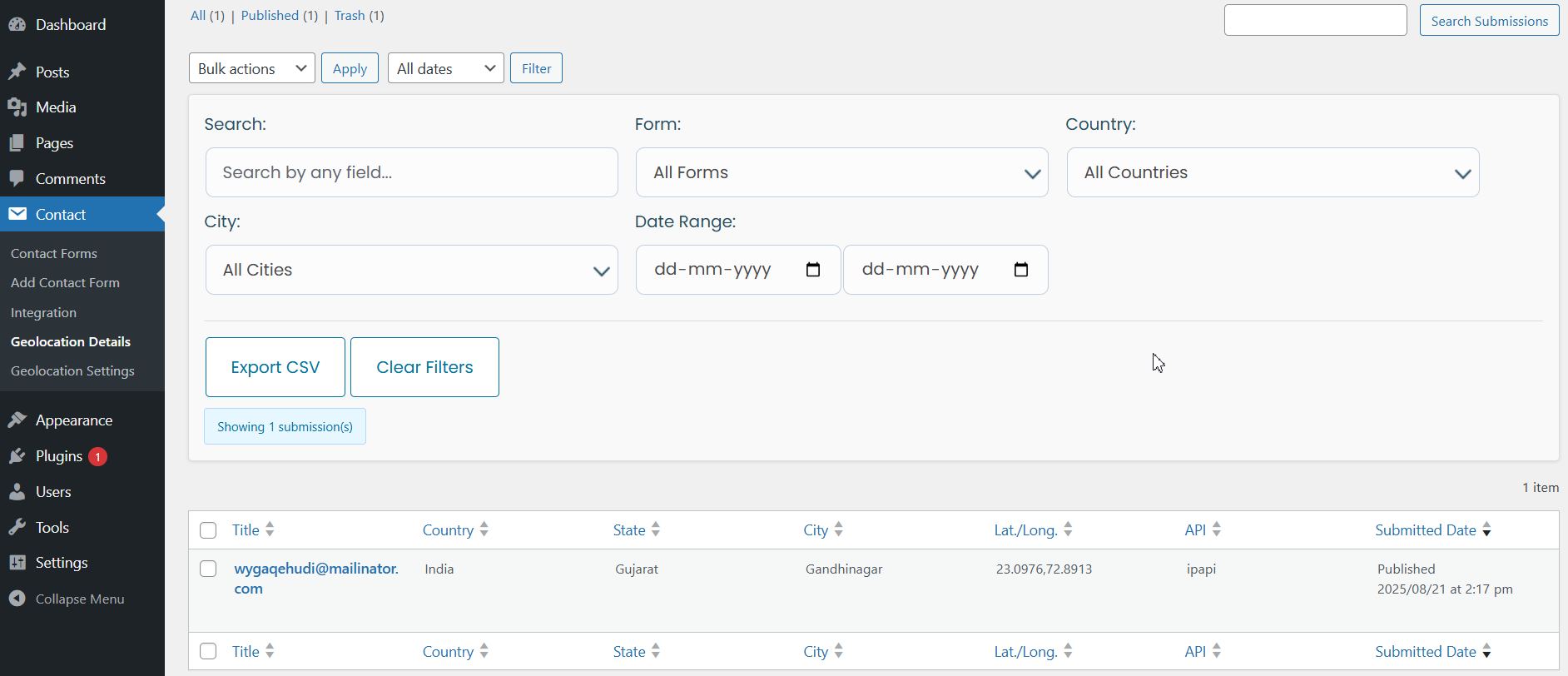
- Advanced Filtering & Search – Quickly locate form submissions with filters for Country, City, and Submission Date.
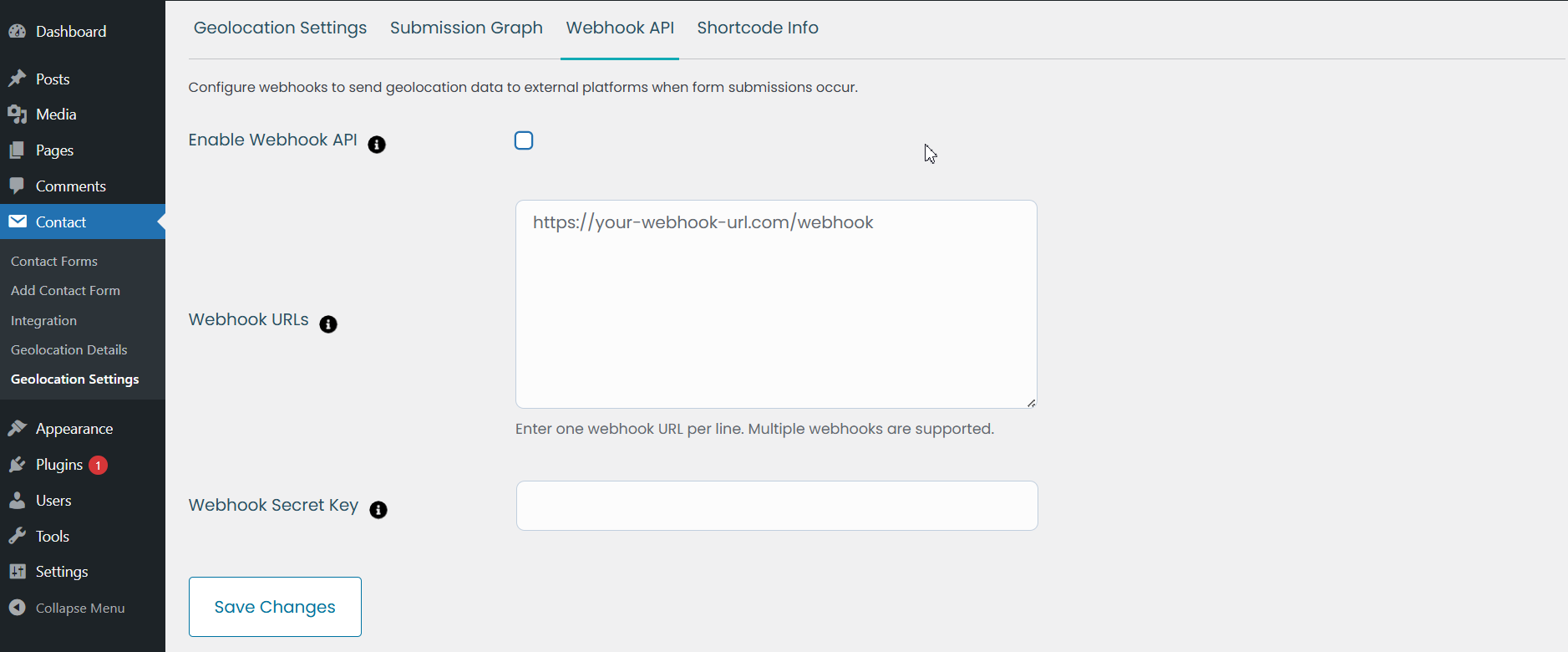
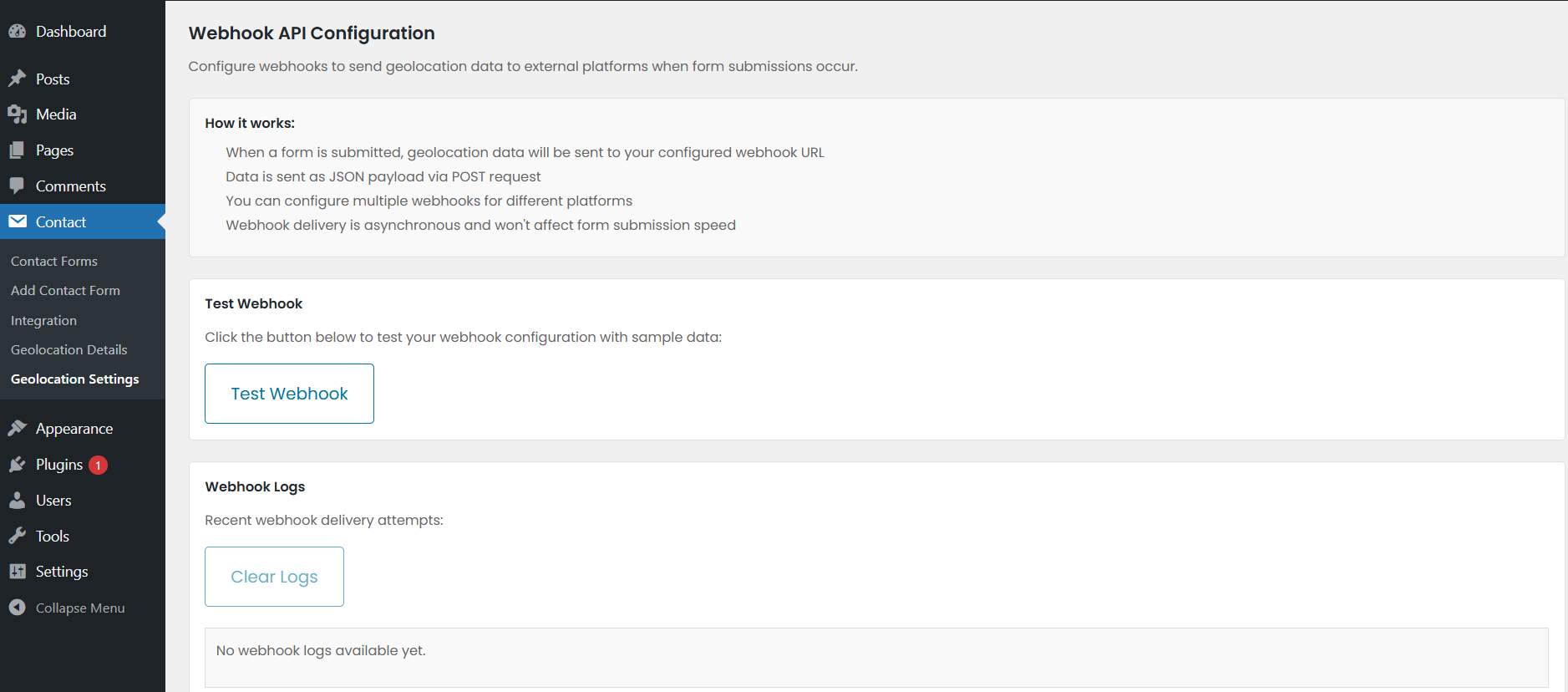
- Custom Webhook Integrations – Automate workflows by sending geolocation data to external platforms.
- Multi-Language Compatibility – The plugin automatically translates data.
- Get Geolocation details including city,state,country,zipcode,latitude/longitude.
- Send all this information including a static google map image in the mail with a simple shortcode.
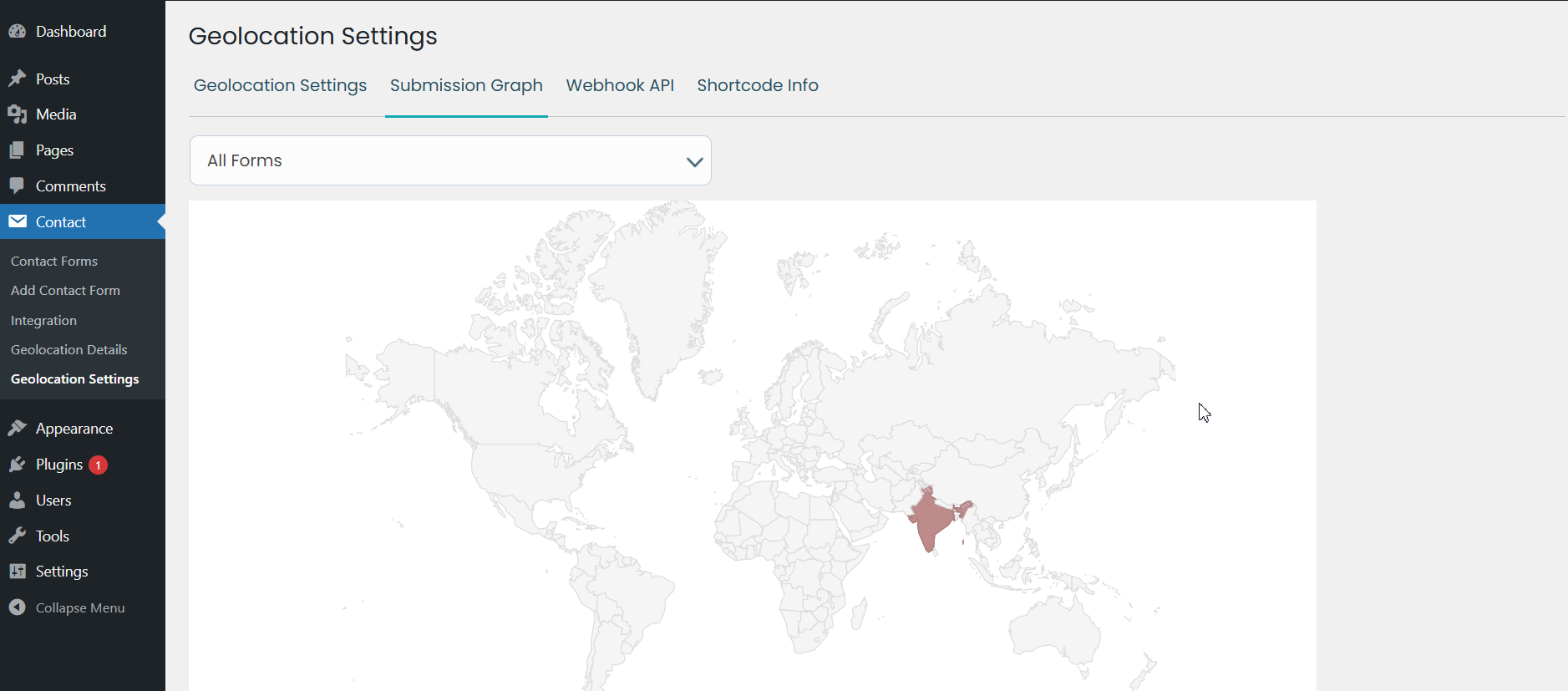
- Form Specific Visual chart to get to know from where the Visitors become more.
- We have used 2 Types of API here one is with access token key named ipstack and another is without access token which is free named ipapi & KeyCDN. So if you do not enter access token key in plugin setting then it will fetch data with the help of free API keys.
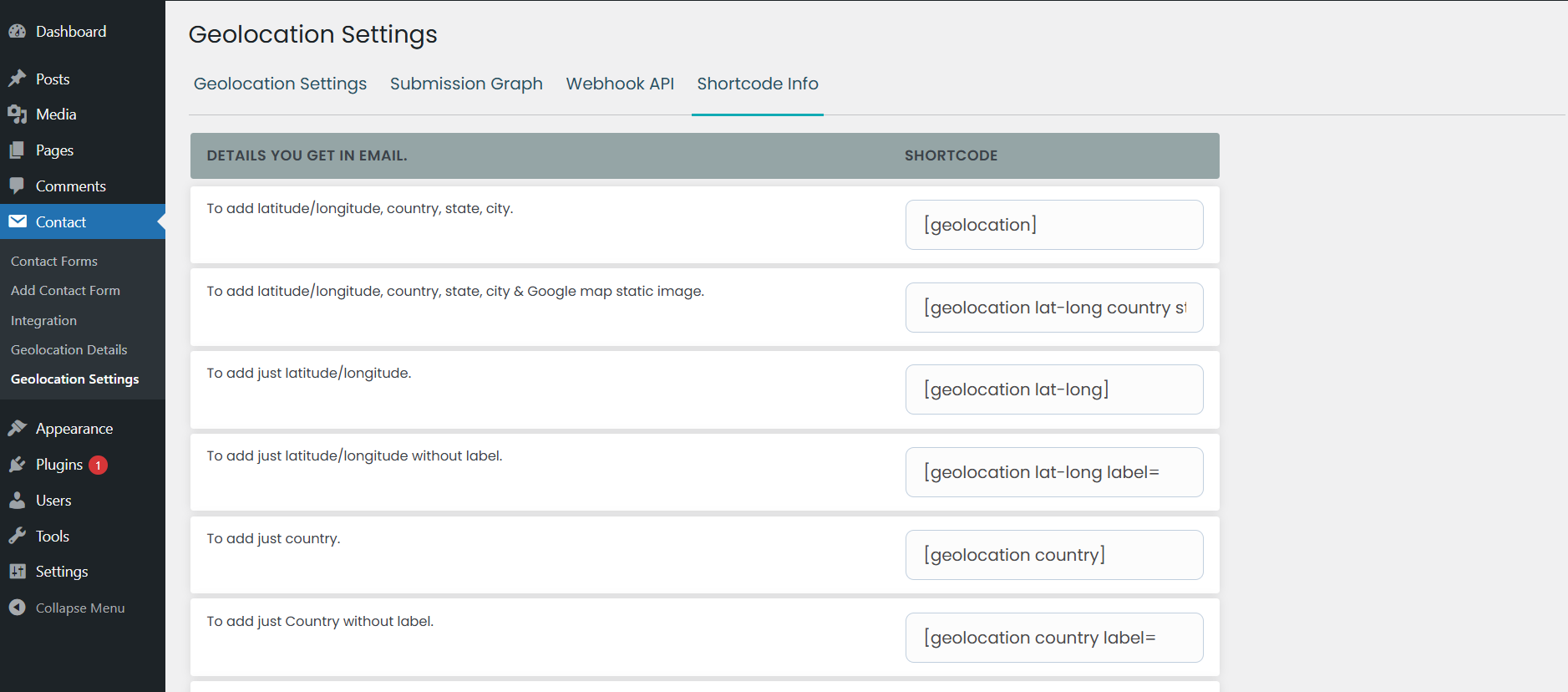
- To add latitude/longitude, country, state, city in mail – [geolocation]
- To add latitude/longitude, country, state, city & Google map static image in the mail – [geolocation lat-long country state city gmap]
- To add only latitude/longitude in mail – [geolocation lat-long]
- To add only the country in the mail- [geolocation country]
- To add only the state in the mail – [geolocation state]
- To add only the city in the mail – [geolocation city]
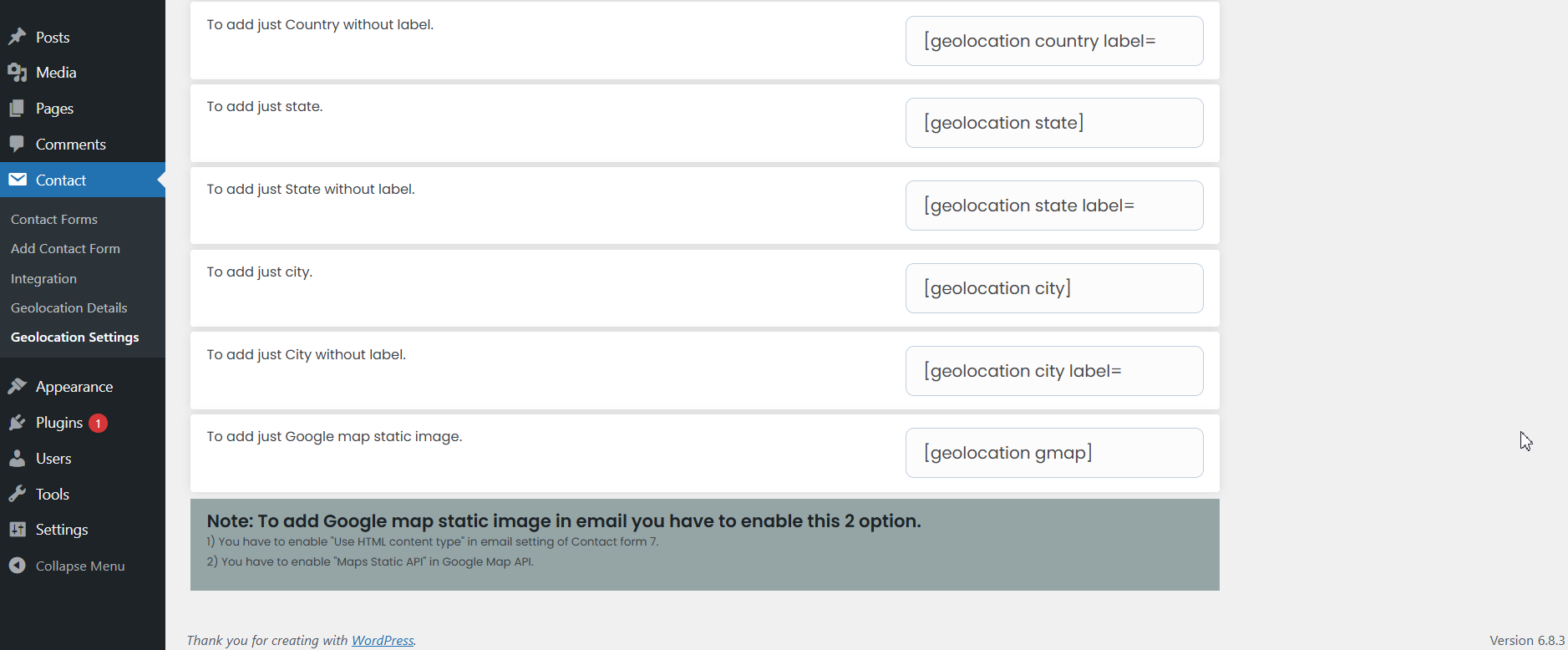
- To add only Google map static image in the mail- [geolocation gmap]
Demo for Track Geolocation Of Users Using Contact Form 7
Note: To add Google map static image in the mail you have to enable this 2 option
1. You have to enable Use HTML content-type in the Mail setting of Contact form 7.
2. You have to enable Maps Static API in Google Map API.
OUR OTHER PLUGINS
- Abandoned Contact Form 7 Pro
- Accept 2 Checkout Payments Using Contact Form 7 Pro
- Accept Authorize.NET Payments Using Contact Form 7 Pro
- Accept Elavon Payments Using Contact Form 7 Pro
- Accept PayPal Payments Using Contact Form 7 Pro
- Accept Sagepay(Opayo) Payments Using Contact Form 7 Pro
- Accept Stripe Payments Using Contact Form 7 Pro
- Custom Product Options WooCommerce Pro
- Generate PDF Using Contact Form 7 Pro
- Smart Appointment & Booking Pro
- Smart Showcase for Google Reviews Pro
- User Registration Using Contact Form 7 Pro
Installation
Installing the plugin is easy. Just follow these steps:
- From the dashboard of your site, navigate to Plugins –> Add New.
- Select the Upload option and hit “Choose File.”
- When the popup appears select the track-geolocation-of-users-using-contact-form-7.zip file from your desktop.
- Follow the on-screen instructions and wait till the upload completes.
- When it’s finished, activate the plugin via the prompt. A message will display confirming activation was successful.
Screenshots
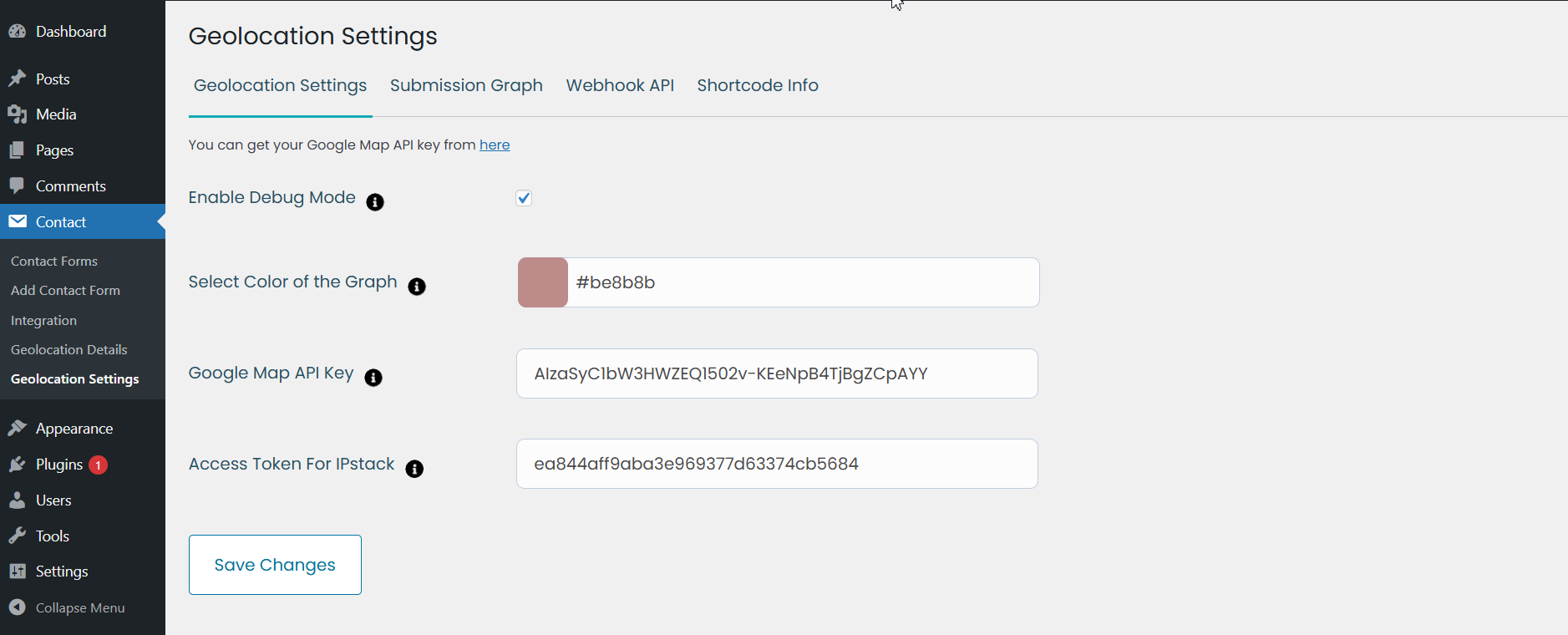
Screenshot 'screenshot-1.png' shows all the possible options available for this plugin.
Screenshot 'screenshot-2.png' shows setting option to be enabled to get Google Map static image in the email.
Screenshot 'screenshot-3.png' This area shows a detailed graph on the basis of submitted forms.
Reviews
Great Enhancement of CF7
By 
Nice plugin! Annoying title for OCD people though! 🙂
Good plugin!
By 
Good plugin!
Perfect For CF7
By 
It works good, but make conflict with other plugins
By 
Changelog
2.9
- Advanced Filtering & Search – Quickly locate form submissions with filters for Country, City, and Submission Date.
- Custom Webhook Integrations – Automate workflows by sending geolocation data to external platforms.
- Multi-Language Compatibility – The plugin automatically translates data.
2.8
- Minor changes – Doc update.
2.7
- Minor changes – Doc update.
2.6
- Fixed PHP warnings.
2.5
- Remove label in mail tags.
- Fixed PHP warnings.
2.4
- Two Mail issues fixed.
2.3
- Mail issue fixed.
- Document link added.
2.2
- Backend issue resolved.
2.1
- escaping added
2.0
- The issues on both the frontend and backend have been resolved.
1.4
- Fix Export CSV bug issue solved.
1.3
- Compatibility with new cf7 version
1.2
- WordPress 5.6 compatibility
1.1
- Fix – Document Link
1.0
Initial Release