Appointment Booking and Scheduler Plugin – Truebooker

Appointment Booking and Scheduler Plugin – Truebooker
Description
Truebooker is a powerful yet easy-to-use appointment scheduling system.
Looking for an online booking plugin with a professional design, quick setup, and smooth schedule management? Truebooker has you covered! Perfect for both individuals and businesses of any size, it makes managing appointments simple and efficient.
With the Truebooker WordPress plugin, site administrators can easily handle all appointment requests — approving or canceling them in just a few clicks.
🔗 Useful Links
Official Page || Truebooker Demos || Documentation
Truebooker is Ideal For 👇
-
🌺 Health & Wellness Professionals — Doctors, Nutritionists, Denstist (Free), Homeopaths, Aromatherapists, Therapists, Life Coach (Free), Personal Coaches, Cardiology, Eye Specialists(Free), and any other healthcare experts who need a smooth appointment booking system.
-
💇 Beauty & Salon Services — Hair Stylists (Free), Cosmetologists, Beauty Professionals, Nail Technicians, Spas and Wellness Centers (Pro).
-
🏋️ Fitness & Gyms — Personal Trainers, Yoga (Pro), Dance Teachers, and Fitness Coaches.
-
🥗 Health & Nutrition Experts — Dietitians, Wellness Coaches (Pro), and Nutrition Consultants.
-
🚗 Maintenance & Repair Services — Mechanics (Pro), Electricians, Plumbers, and other service-based professionals (Free) who work by appointment.
🚀 Upgrade to PRO & Explore the Truebooker Roadmap 🗺️
We’re continuously enhancing TrueBooker to make it the most powerful and user-friendly appointment booking plugin for WordPress. 🚀
The PRO version is now live — packed with advanced features designed to take your booking experience to the next level!
🎨 Backend & Frontend Enhancements
- Premium dashboard UI design (Admin & Frontend)
- New module integration for extended control
- Custom brand settings (Company logo & business details)
🚀 What’s New in Truebooker ( Updated version )
We continuously enhance Truebooker to deliver a smoother and more powerful appointment scheduling experience. Here’s what’s new in the latest update:
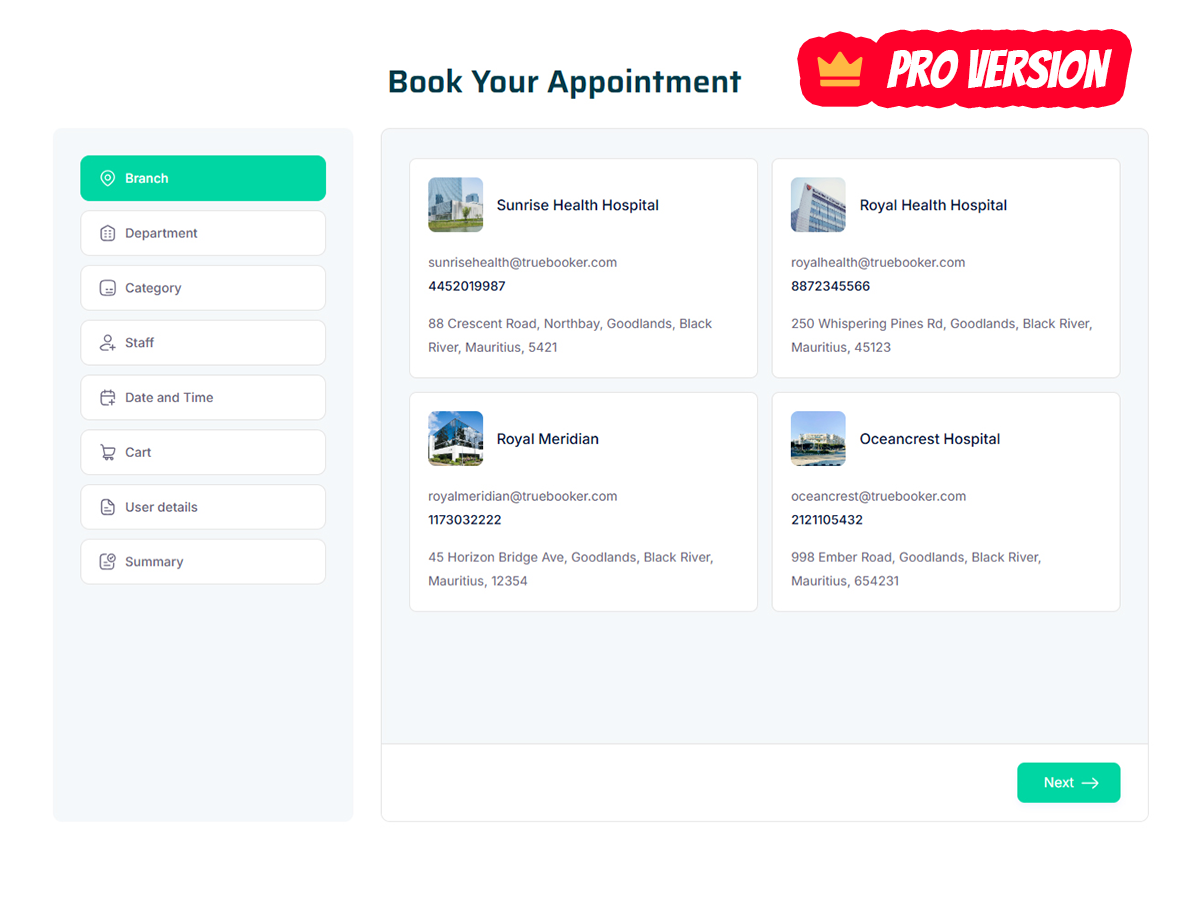
- Branch Management & Handler: Manage multiple branches with their own staff, services, and schedules. Assign branch managers to handle bookings and staff, ensuring smooth and accountable operations.
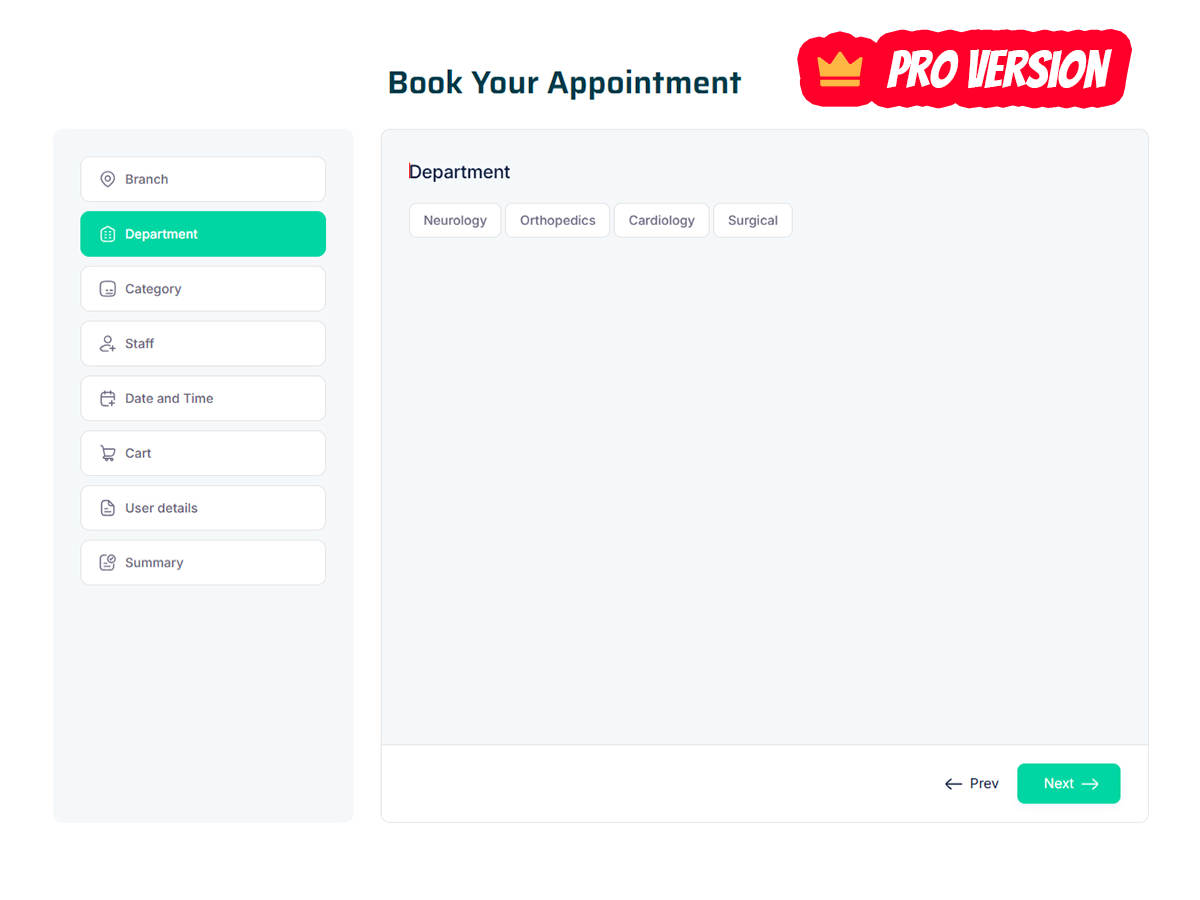
- Department Management & Handler: Organize services into departments and assign handlers to oversee appointments, staff, and operations for each department.
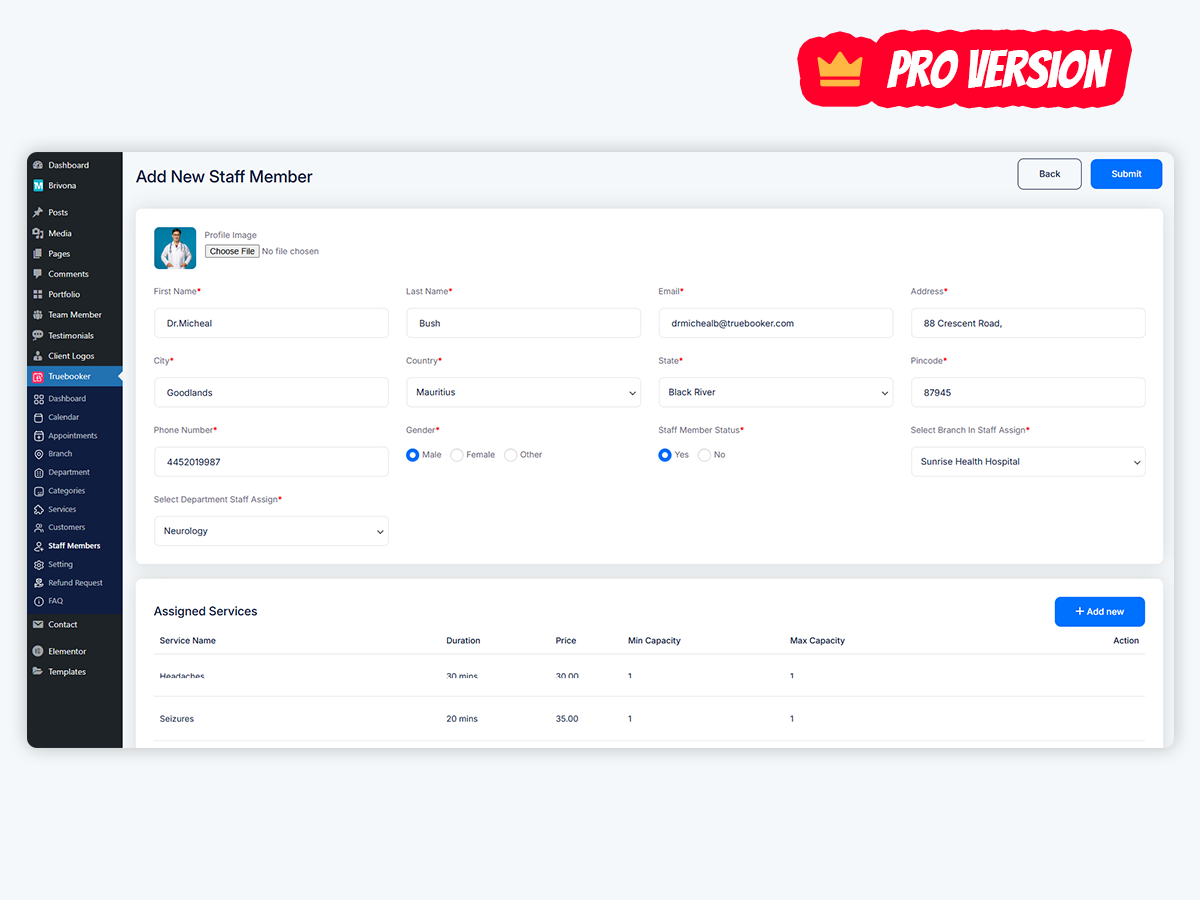
- Staff Dashboard: Give staff their own dashboard to manage personal details, assigned services, and schedules for better organization and efficiency.
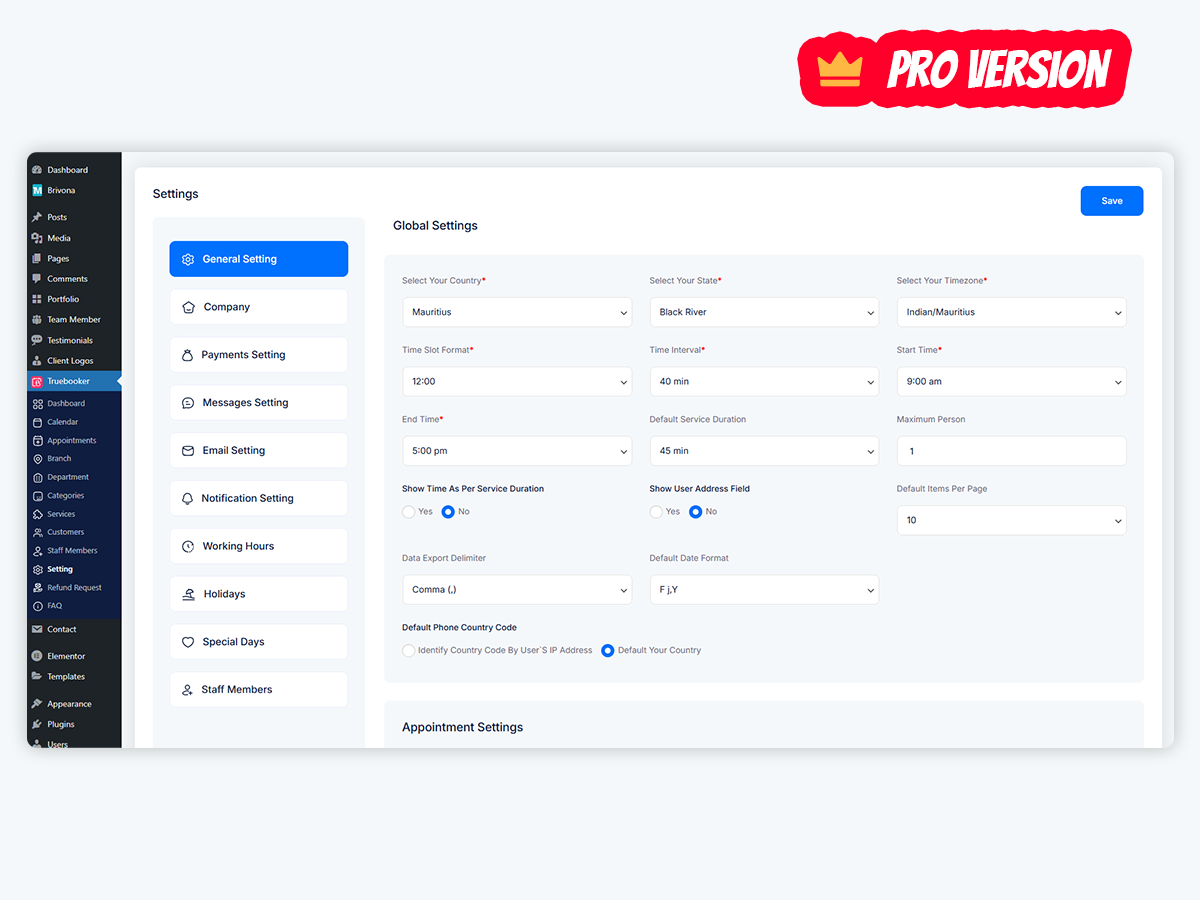
- Service Timing & Holidays: Set specific working hours, holidays, and special day-offs for flexible scheduling.
- Refund Policy & Eligibility: Configure refund rules and eligibility within the plugin.
- Reschedule & Cancel Appointments: Allow customers and admins to easily modify or cancel bookings.
- Admin Rescheduling: Enable admins to reschedule appointments directly from the backend.
- Individual Staff Hours: Define custom working hours and breaks for each staff member.
- Appointment Filters: Quickly sort and manage appointments using backend filter dropdowns.
- Dynamic Pricing: Automatically adjust service prices based on duration, rules, or other criteria.
- Custom Scheduling Status: Create and assign custom status tags (e.g., Pending, Approved, Completed, Cancelled) for clear appointment tracking and management.
- Secure Payment Methods: Centrally manage currencies, deposits, and tax settings. Support for Local, PayPal, Stripe, and Mollie payments ensures smooth, transparent transactions.
- Custom Thank-You Page Redirection: Redirect customers to a custom thank-you or confirmation page after booking completion.
Make Online Bookings Easy with Truebooker
- Shortcode Powered & Easy to Use: No coding needed — easily integrate and manage all your bookings with an intuitive interface.
- Powerful Scheduling Tools: Set your working hours, breaks, and special days with full control over availability.
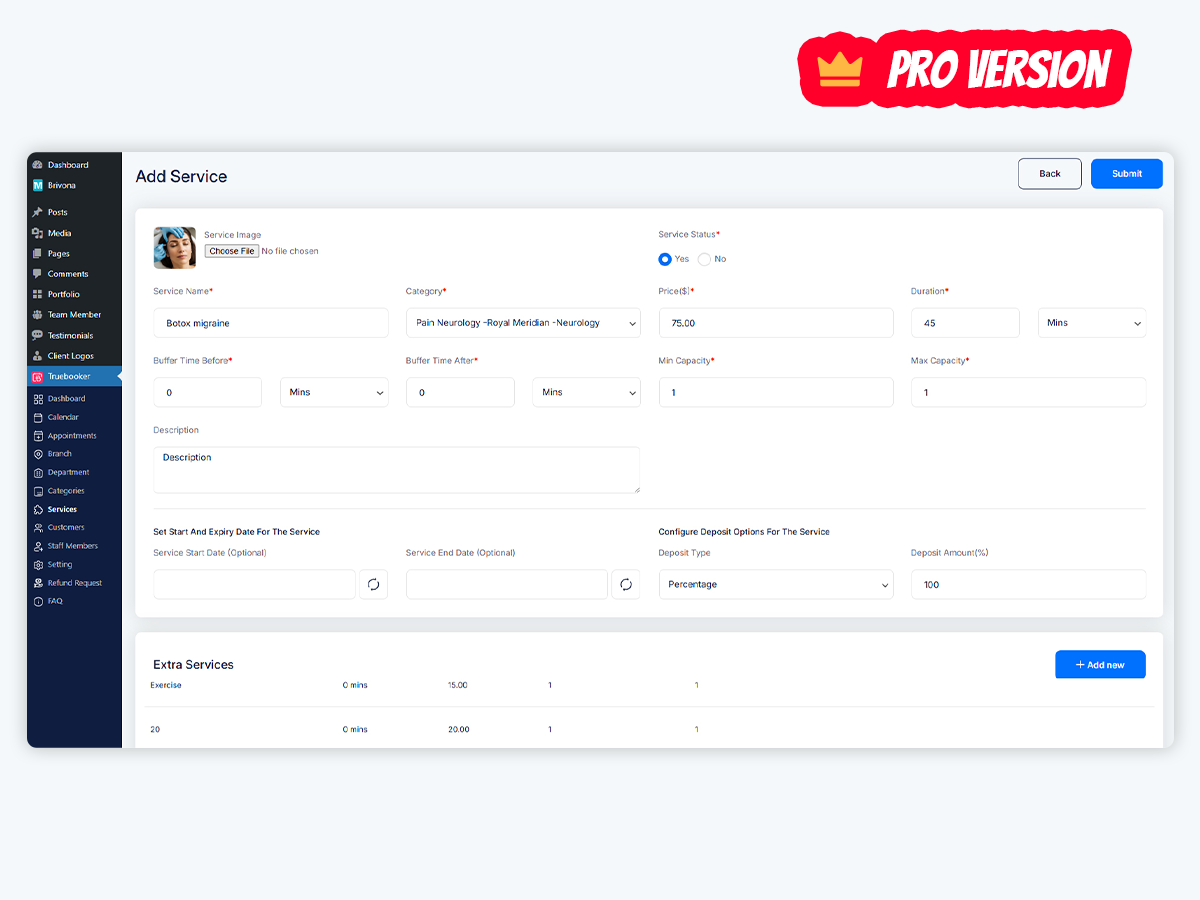
- Unlimited Services: Add and categorize as many services and sub-services as you like for customer convenience.
- Responsive & Customizable Design: Mobile- and desktop-friendly booking forms that you can style to match your brand.
- Seamless Website Integration: Embed Truebooker effortlessly and let customers book through an interactive booking wizard.
Core Functionality (For Pro version)
Truebooker offers essential tools to manage appointments, staff, services, and notifications, providing a seamless scheduling experience for any business.
- Tax: Automatically calculate taxes during appointment scheduling.
- Invoice: Create and send invoices for booked appointments.
- Cart: Treat appointments like cart items for an easy checkout process.
- Deposit Payment: Allow down payments to confirm bookings.
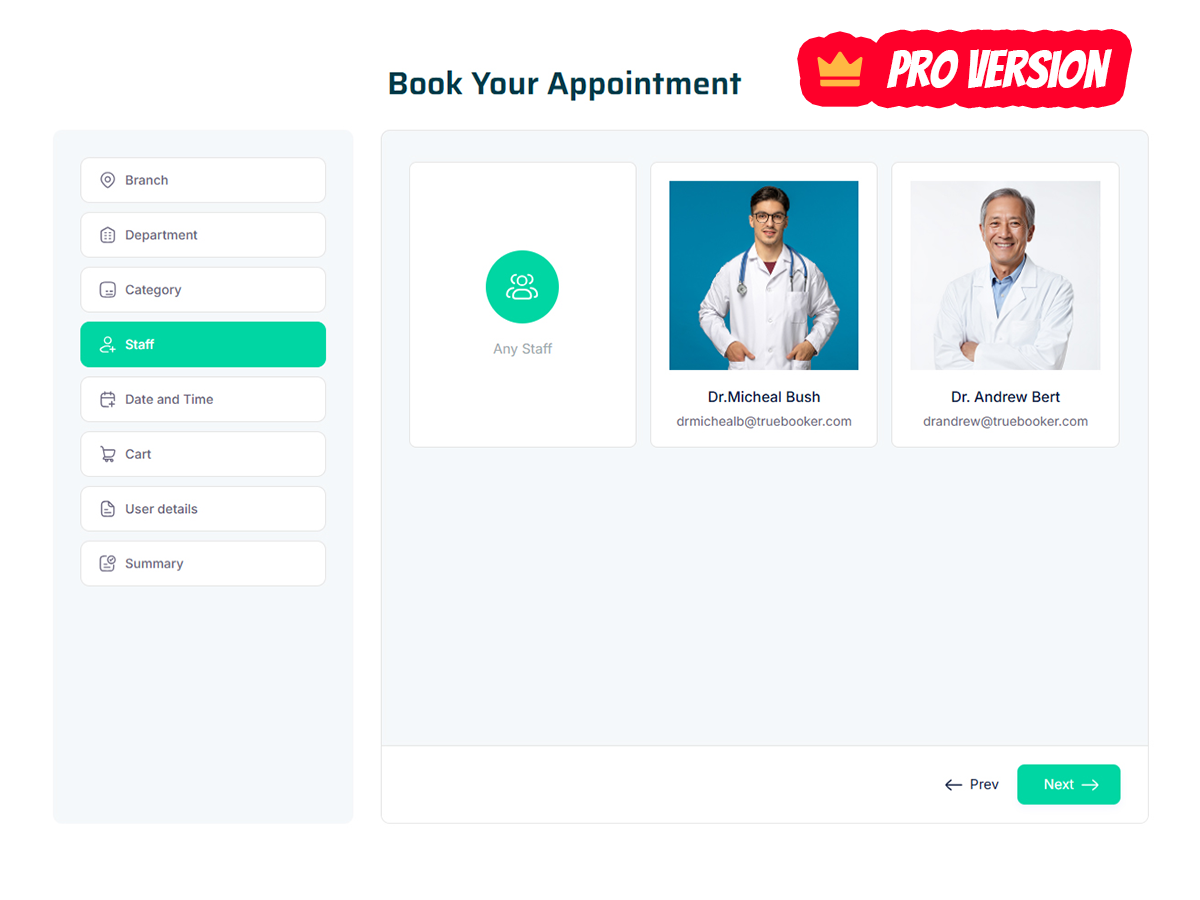
- Staff Member Selection: Let customers choose their preferred staff.
- Extra Services: Bundle multiple services into one booking.
- Multi-Booking: Schedule multiple appointments in one session.
- Holiday Setting: Block specific days/holidays to avoid bookings.
- Special Day Pricing: Set custom pricing for holidays or special events.
- Custom Service Duration: Adjust service length and pricing as needed.
- Custom Scheduling Status: Add custom tags/statuses to appointments.
- Rescheduling: Allow customers to change appointment date/time.
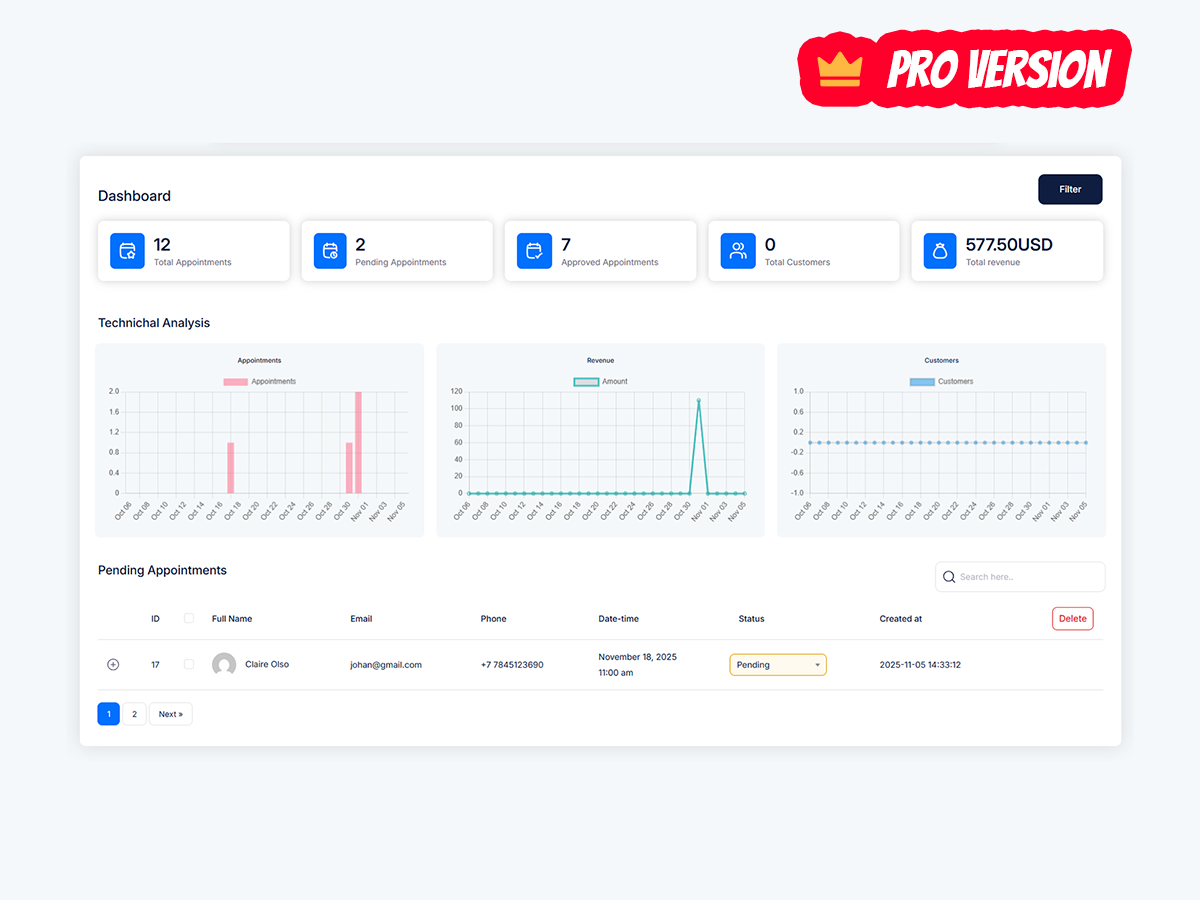
- Appointment Analytics: Track and analyze booking trends and performance.
- Payment Gateways: Support secure online payments through multiple gateways.
And much more…
Unlock PRO features with Truebooker Booking PRO.
Explore the full list of Truebooker Booking features.
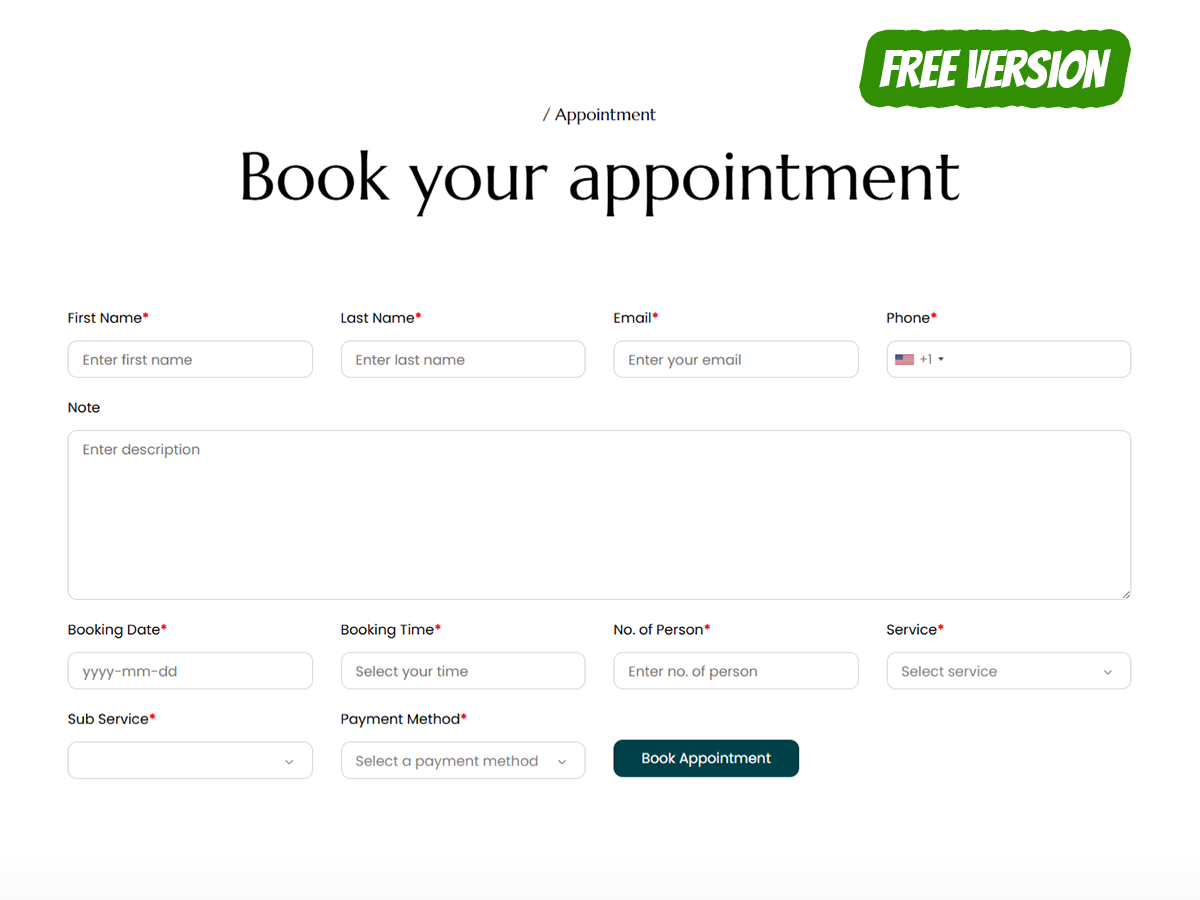
To display the search form
[booking_form]
Key Benefits
Truebooker Booking makes appointment scheduling and online bookings easy and painless for both business owners and their customers.
- Flexible Scheduling: Fully customizable scheduling options with unlimited services, sub services, business hours.
- Simple Administration: Straightforward but feature-filled administration in the backend.
- Easy set-up and configuration: Booking form integration with shortcodes easily integrated with popular page builders like Elementor, WPBakery, or Gutenberg blocks
- No coding required: No need to touch a single line of code. Everything can be done from the backend.
- Professional Design: Clean and modern & responsive design that looks great on all devices.
- Extensive Documentation: detailed documentation to guide your trough the setup and all the features.
- Free version available: Most features are available in the free version of plugin. The Premium version is a great upgrade if you need more some more features and flexibility.
- Great support: Quick and helpful support if you should ever need it.
Installation
How to install the Truebooker Plugin
Please follow the steps for installation:🎯 Install Truebooker in Minutes
Whether you prefer an automatic or manual method, getting started with Truebooker is simple and fast. Choose the method that suits you best:
⚡ Automatic Installation via WordPress Plugin Directory
The easiest and fastest way to install Truebooker — no file uploads required.
- Log in to your WordPress admin panel.
- Go to Plugins Add New.
- In the search bar, type Truebooker and press Enter.
- Find the Truebooker plugin in the results and click Install Now.
- Once installed, click Activate.
- ✅ You’re all set! You’ll now see the Truebooker menu in your WordPress dashboard.
📥 Manual Installation
Prefer to upload the plugin yourself? No problem! Just follow these steps:
- Download the Truebooker plugin ZIP file.
- Log in to your WordPress admin dashboard.
- Navigate to Plugins Add New.
- Click the Upload Plugin button at the top.
- Choose the downloaded ZIP file and click Install Now.
- After installation, click Activate Plugin.
- ✅ Done! The Truebooker menu will now appear in your dashboard.
Screenshots

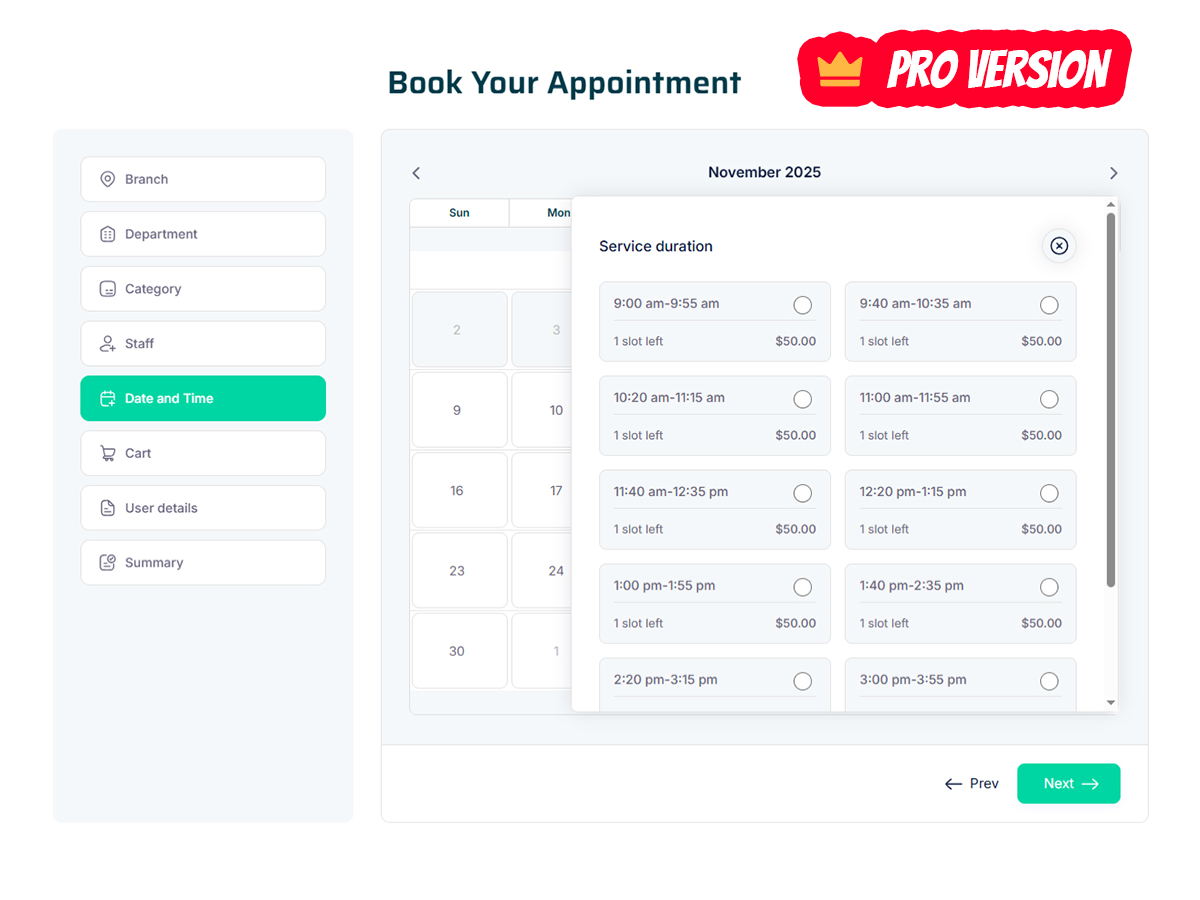
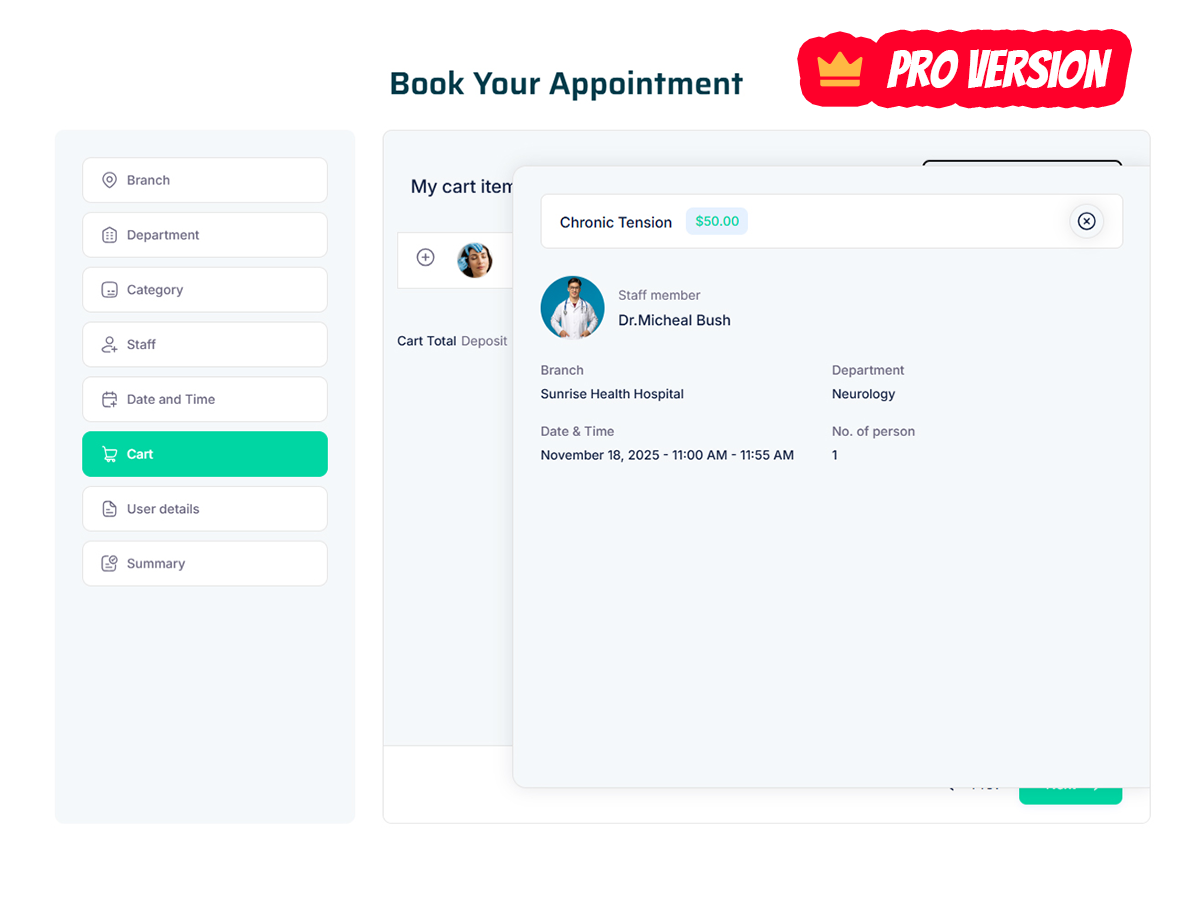
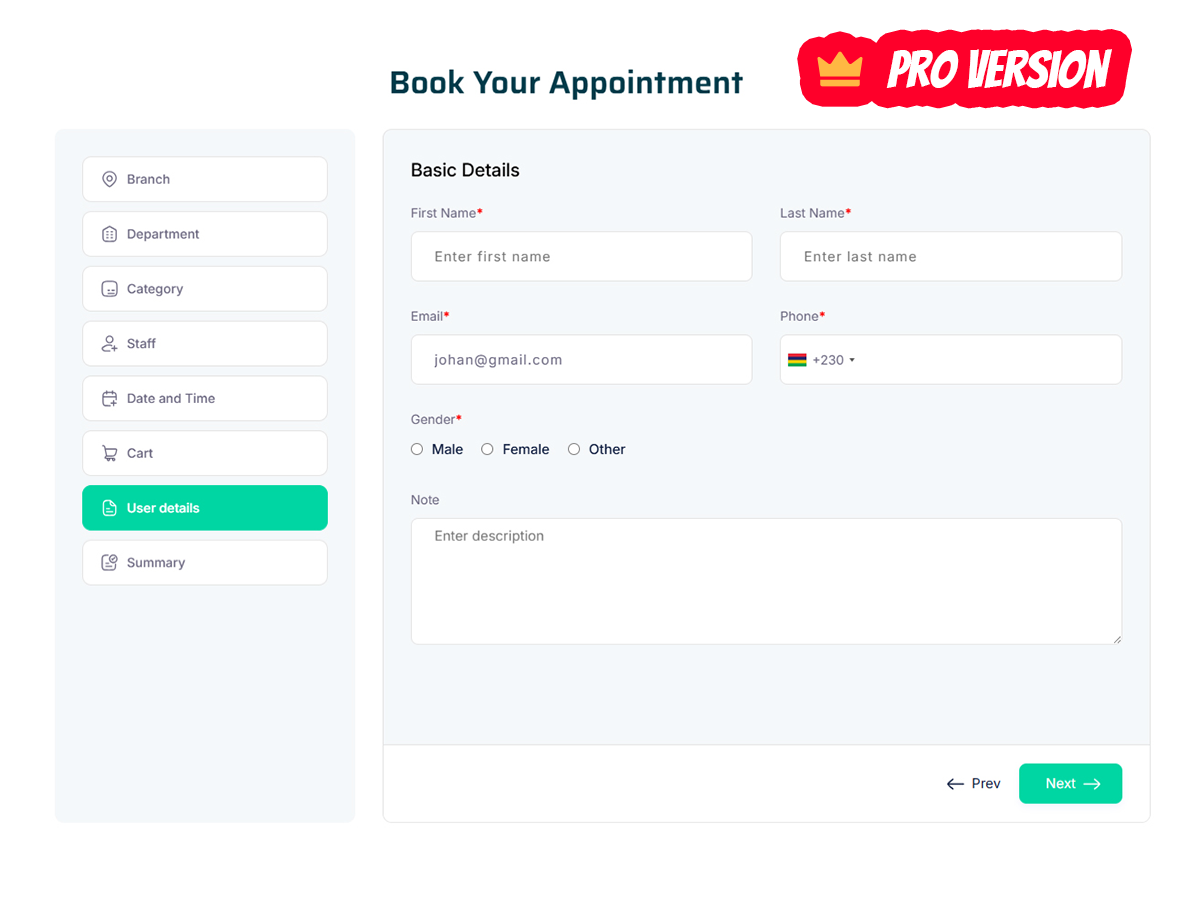
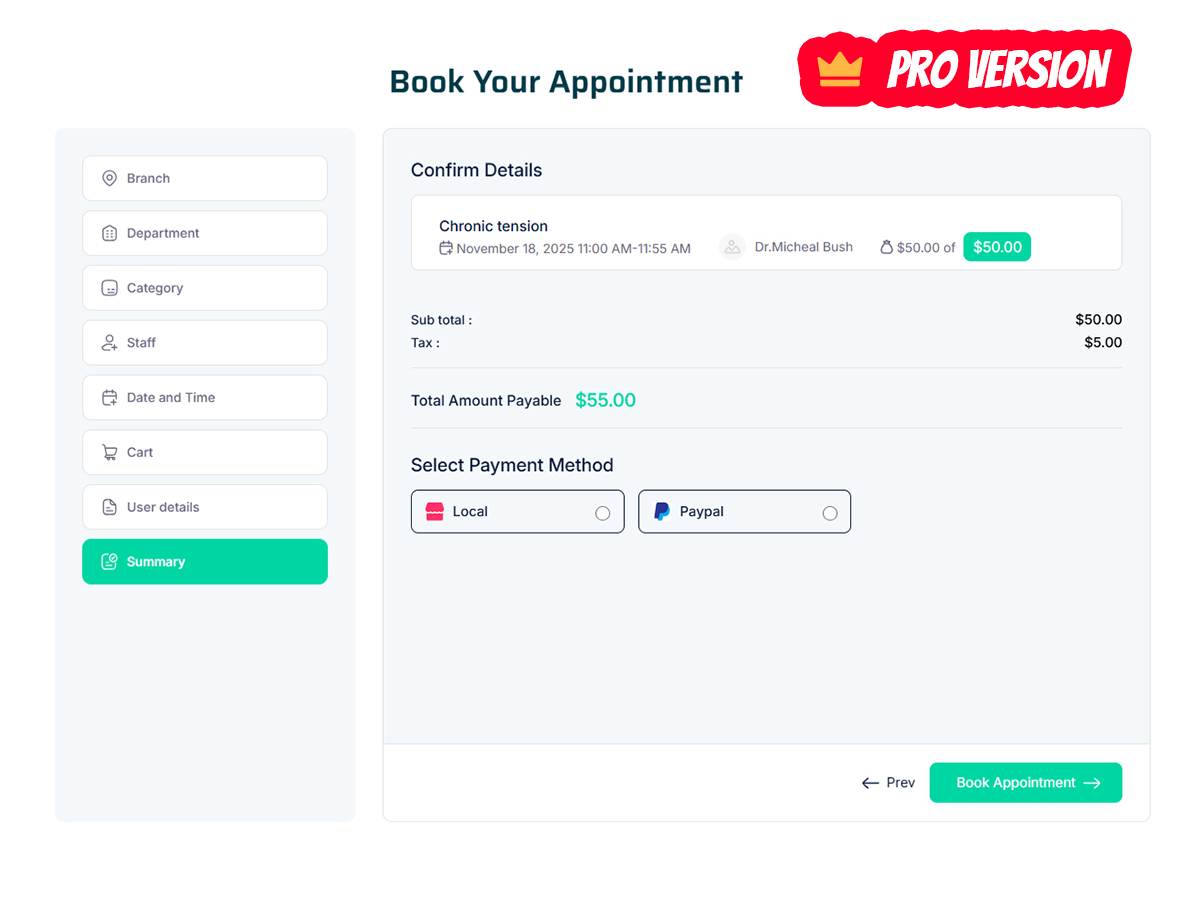


Faq
It is ridiculously easy to set up the Truebooker plugin.
1) Go to your WordPress’ admin page, open Truebooker -> Services, and add categories and services.
2) Add [booking_form] shortcode to one of your posts or pages.
3) Save it and Voila! Now customers can book appointments from your site’s front-end using Truebooker!
Simply deactivate and delete the plugin.
You can publish appointment booking forms on pages and posts. The shortcode [booking_form] can be also placed into the template.
Truebooker has dedicated blocks for following Page Builders
1) Classic Editor of WordPress
2) Gutenberg page builder of WordPress
3) Elementor Website Builder
4) WPBakery Page Builder
There is no need to learn any coding skills for operating Truebooker Plugin
Offline & Online payment available. The PRO version of the plugin supports several online payment methods. Among them PayPal and Stripe.
Visit our official support site at support forum. Our team will be happy to answer any of your questions!
You can purchase Premium version of Truebooker plugin via our official website. Check out the guide Here.
Reviews
Powerful Appointment Plugin with Pro-Level Features
By 
Truebooker offers a superbly designed, intuitive interface that streamlined my client scheduling process effortlessly. Top-notch UI and setup simplicity.
Excellent multi-branch and staff management features provide total control over complex scheduling needs. A truly comprehensive, scalable booking solution.
A feature-rich plugin with crucial buffer time and holiday settings. The granular control over staff availability prevents all my double-bookings efficiently.
Its strong point is detailed customizability for services and duration, paired with quick, helpful support. The all-in-one dashboard simplifies everything.
Highly recommend!
Thoughtfully crafted and flawlessly executed booking tool
By 
I’ve been working closely with the TrueBooker team, and it’s great to see how much thought goes into every feature. The plugin is simple to use, yet it offers all the essentials for real business needs — easy setup, clean UI, fast performance, and reliable booking flow.
It’s always nice to test something that just works right out of the box. Proud to be part of the team behind such a solid and user-friendly product.
Easy and Fast Appointment Booking
By 
Truebooker is a powerful WordPress plugin that simplifies appointment scheduling, offering customizable booking forms, automated reminders, secure payments, and a seamless, user-friendly experience for any service business.
Utility Plugin offering Multiple Solutions to Business Needs
By 
Utility Plugin offering Multiple Solutions to Business Needs
A Perfect Assistant to Business Executives in booking appointments and scheduling tasks,
Great Plugin for Appointment Bookings on Websites
By 
Excellent plugin that makes appointment booking effortless. Easy setup, flexibility, and excellent customer support. It's made our website more professional. Would definitely recommend!
Awesome Appointment Booking Plugin
By 
Plugin is very simple to integrate and setup and it has lots of functions and could be adjusted precisely to my needs.
I had a problem with some translation, and support helped me quickly and efficiently, even though I am using the free version. Very pleased.
Truly transformed the way we manage appointments
By 
This is a great lightweight booking plugin for your WordPress website. I’ve used several booking plugins and this is one of best. Making it easy for clients to schedule appointments seamlessly.
"Excellent Plugin with Outstanding Features – Pro, Here I Come!"
By 
Super easy to use and set up! The flexibility and support are amazing, and our website now looks much more professional. Definitely recommend this plugin to anyone managing bookings online!
Efficient and User-Friendly Booking Plugin. Highly recommended!
By 
TrueBooker is the best and easiest to use, feature-rich, and works seamlessly. I find it extremely useful because it is incredibly easy to integrate with WordPress. and customization options are excellent .The support team is really extraordinary and helpful, making it easy to resolve any issues. Highly recommended for anyone looking for a reliable booking solution!
"The Perfect Booking Solution – Can’t Wait for Pro!"
By 
"TrueBooker is The Perfect Booking Solution" is a powerful and intuitive tool to simplify scheduling and reservations for businesses and customers as like. Designed with user-friendly features, it offers seamless integration, customizable options, and a hassle-free booking experience. further more, managing appointments to handling reservations, it ensures efficiency and reliability. Perfect for businesses of any size, it’s the ultimate solution to streamline operations and improve customer satisfaction.
Changelog
1.0
- Initial release
1.0.2
- [Solved] State not display for selected country bug solved
- [Added] Added loader for Category, Services
- [Solved] Some code issue solved
1.0.3
- [Solved] Solve some security related issue with code
1.0.4
- [Solved] Solve some code security related bugs in some files
- [Solved] Solve some CSS design issue
1.0.5
- [Solved] Solve some code security related bugs in some files
- [Solved] Solve some CSS design issue
1.0.6
- Improved performance by preventing unnecessary CSS from loading across the entire WordPress admin panel.
- Fixed unintended styling conflicts on other plugins’ admin pages caused by global CSS inclusion.
- [Added] New logic to load css file only on the Truebooker plugin pages, preventing unnecessary CSS from affecting other admin pages.
- [Changed] Updated
admin_enqueue_scriptshook to check the current screen ID before loading styles. - [Fixed] Resolved an issue where
bootstrap.csswas loading across all admin pages instead of just the Truebooker plugin pages.
1.0.7
- [Solved] Solve some minor code issue
1.0.8
- Fixed CSRF Security patches.
1.0.9
- Updated translation file *.pot
- Added WordPress compatibility support 6.8.1
1.1.0
- Updated translation file *.pot
- [Solved] Solve some minor css issue
- Added WordPress compatibility support 6.8.3
1.1.1
- [fixed] Fixed an issue where the booking form was not submitting properly.
- [fixed] Fixed a nonce validation vulnerability in AJAX requests to prevent unauthorized access.
- Minor code clean-ups and optimizations.
- Added WordPress compatibility support 6.9