Trusona for WordPress

Plugin Banner

Trusona for WordPress

by Trusona

Download
Description

Trusona provides the most popular passwordless 2FA login for FREE. Just point your phone to the secure QR code and voila – you are in.

Top Features

  • FREE passwordless MFA including support
  • Hide username and password from login form
  • Login without typing or remembering passwords
  • NEW: Trusona ONLY Mode – get rid of the password fields FOREVER!
  • Dynamic QR code displayed at login
  • No SMS or OTP (one-time passwords)
  • Patented anti-replay for added security
  • One-click installation

What is the Cost?

Trusona’s passwordless 2FA is completely FREE – just download it today and start using it with one-click install. Support is included. We really mean it – it is totally FREE.

How do I know it is secure?

73% of WordPress sites are vulnerable to attack – and passwords are most likely to blame. Trusona’s passwordless 2FA for WordPress is based on the most secure technology you will ever use. And now you can experience this level of true security for your WordPress accounts, too. In this version we added a Trusona ONLY mode in settings. This feature does not allow to show the user name and password fields. Setting this page to this mode is the most secure approach. Only recommended to advanced users.

Please note:

Once you download the Trusona WordPress Plugin you need to download the Trusona app. To download for iOS, visit the App Store. For Android devices, visit Google Play.

Quick Start

Getting started with Trusona’s passwordless 2FA plugin is easy. Check-out our step-by-step getting started video.

If downloading from a browser:

  1. Download and install the Trusona WordPress plugin. Click Activate.

  2. On the top header, you will see the email address that you should enter when you register in the Trusona app.

  3. Download and install the Trusona app. To download for iOS, visit the App Store. For Android devices, visit Google Play.

  4. Follow the prompts to register within the Trusona app. Make sure to register with the same email address shown in step 2.

  5. Return to your WordPress account and logout. When you log back in, you will see the “Login With Trusona” button.

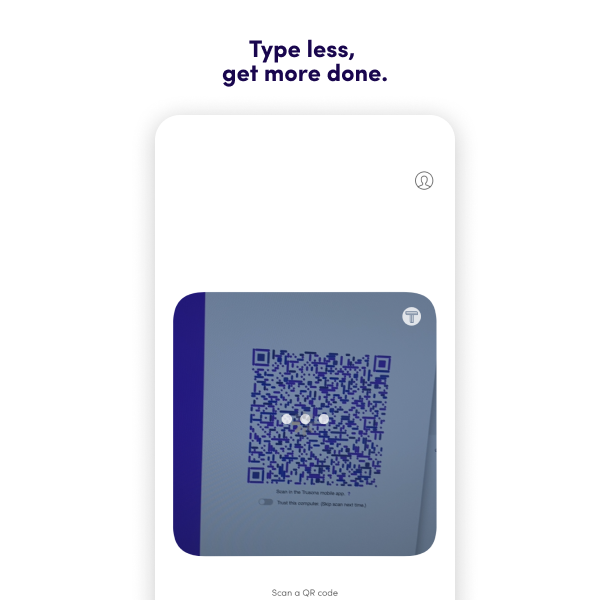
  6. Click “Login With Trusona” and the secure QR code will appear. Open the Trusona app on your mobile device and scan the QR code that is displayed.

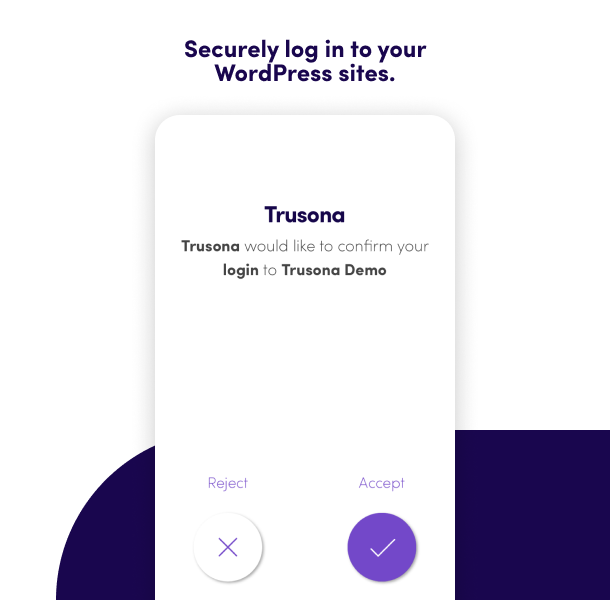
  7. Click “Accept” in the Trusona app.

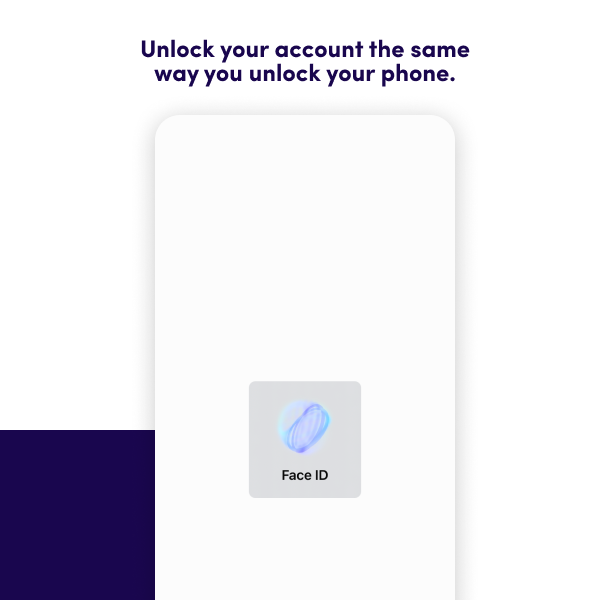
  8. Use your OS security (Face ID, Biometric or Device Lock) to confirm your True Persona.

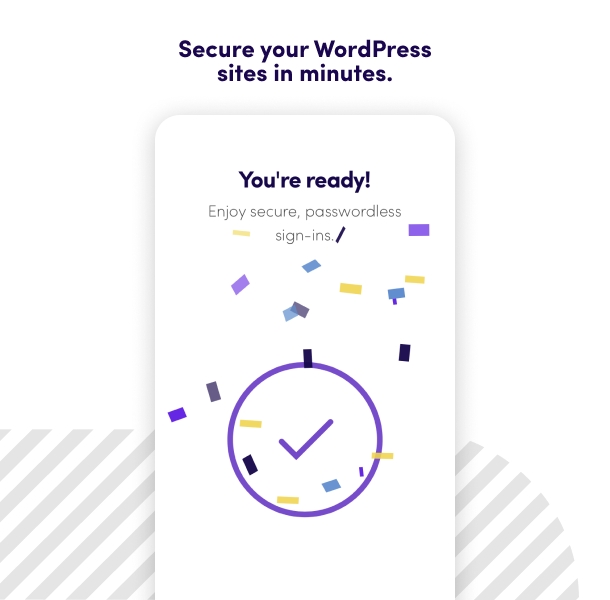
  9. And voila! You logged in to your WordPress admin account without needing a password!

  10. Optional: in settings, set to Trusona ONLY mode.

What does it cost?

Nothing. Trusona’s WordPress plugin is 100% FREE and can be used on all of your WordPress sites.

Is support included?

Yes, support is included. Please visit support.trusona.com

Where can I find more information on Trusona?

Visit our website at www.trusona.com

Does this plugin work with the WordPress REST API?

No, at this moment, the plugin will not work with the WordPress REST API.

  1. Separate factors from friction. More security doesn’t mean more UX hoops.
    Separate factors from friction. More security doesn’t mean more UX hoops.

  2. A people-ready user experience.

    A people-ready user experience.

  3. End session replay attacks with the world's first patented Anti-Replay Technology.
    End session replay attacks with the world's first patented Anti-Replay Technology.

  4. Go beyond the security of password-dependent MFA.
    Go beyond the security of password-dependent MFA.

  5. Security that works is security that people don’t work around.

    Security that works is security that people don’t work around.

Really nice, really simple

By glenstewart on December 4, 2022

I love the ability to shut down the WordPress login page, fully replacing it with Trusona. I do see that WordPress doesn't update last-login times for users who come in via Trusona...that would be really helpful for login event audits. Thanks so much for making this plugin available!!!

It`s magic

By lordhelmchen on November 25, 2021

I really love this amazing Plugin! It looks like Magic, when you LogIn in your WordPress Site with just scanning the QR-Code.

Awesome passwordless plugin

By SuperGraham on March 27, 2021

Trusona just works. It makes WordPress logins truly passwordless. I have no idea how I have only just found Trusona. There are a few other plugin options out there but they all require extra setup, but with Trusona you just install the plugin and away you go. You need to install the Trusona app on your mobile device and link the email address you use with your WordPress account, this is the link between WordPress account and the app. If you manage several WordPress sites and each account on each website has a different email address, then you'll need to add each of these unique email addresses to the Trusona app. Once you've done that logging in is simply a case of approving the login on your phone. Well done Trusona, I haven't been this impressed with how easy a plugin works in a long time.

Works like a charm 😊 🙌 ✨

By ZenBen on August 8, 2020

I actually was looking for a 2FA plugin for a easier login method. Trusona came up - read all the awesome reviews, tried it 10 seconds later and I've gotta say » it works like a charm 😊 🙌 ✨ Even with multiple email-addresses there is no need to switch accounts on the app. Its all automatic. And the UX is so nice, you just wanna log out and log in again and again… 😄 I will definitely recommend this to all my clients, so they don't have the trouble of remembering, resetting and typing passwords any longer. It's one of those thing WordPress should've came up with years ago. THANK YOU Trusona for this awesome tool! ⭐️⭐️⭐️⭐️⭐️

Frank Abagnale Approves

By Andrew Schultz (tabboy) on September 11, 2019

Watched an interview with Frank Abagnale who mentioned this company. Did a bit of googling and noticed they had a plugin which I installed immediately. What can I say, works seamlessly and I love it! Will be rolling this out to all my sites.

Definitely five stars!

By totalwebmedia on December 3, 2017

It works as they say it works, great job!

Awesome Plugin

By mehedi7 on September 10, 2017

Love it so much 🙂

Excellent replacement for Clef

By jimkane on July 13, 2017

I needed a replacement for Clef and did a lot of research to find something which would perform in the same way and be secure. Trusona is excellent and has proved extremely effective and their support has been outstanding. I was having an issue with the Classic Login facility and dropped them an email. They responded immediately and provided a fix the following morning. You really cannot ask more than that! I have added Trusona to all my sites now and I can thoroughly recommend it.

Fantastic CLEF Replacement!

By Jay (tfx1) on June 24, 2017

I am very impressed with this so far and can't understand why I haven't heard more about it! I found this plugin while searching for CLEF alternatives after wasting the best part of a week trying to get Updraft Keyy to work (Read my review on their plugin page if you want specifics!) on 13 sites with no success. Unlike Keyy, Trusona works as advertised and is extremely easy to install and quite "slick" too. There's just a couple of things missing that would really make this perfect for me:
  1. Allow users to change the image (A guy in a suite) shown during the login process.
  2. Option to "log out". At the moment you have to remember to log out manually, unless I've missed something.
  3. More admin options. I can only find one option that lets you choose if you want Trusona as the only login option or if you want Trusona and passwords.
The fact that this is totally free and includes support baffles me as I would be happy to pay for this! Thanks Trusona!

Highly recommending Trusona

By brujmeister on June 19, 2017

Just stopping by to give a shout out to the Trusona team for doing such a great job with their product. I come from a tech support background with companies such as Hewlett Packard and Microsoft which have developed the habit in me to assure I'm always secured with anything I do on the web. I started using Trusona for the first time until this weekend and was able to register and get it working in around a minute or so. I tried it out at home with my WordPress website and it worked great. Here's a few tips you might want to know if you haven't started using it yet. I have a Samsung Galaxy phone and didn't have the screen password protected. So, when I installed the Trusona app for Android and opened it up. I got a message saying that in order to use it, I had to setup a password protected screen. I went ahead and setup an alphanumeric password on my phone and was finally able to carry on with finishing the setup of my Trusona app and connection with my WordPress website. However, today I decided to switch my phone's screen alphanumeric password to a pattern password instead. After I did this, Trusona stoppped working for me. Nevertheless, I didn't panic. I figured that me changing from a alphanumeric password to a pattern password probably had something to do with the problem and indeed that was the issue. I wasn't really sure on how to look up a support article for this particular problem since the wording for a search was rather complicated to slim down to just a few words. So, I called Truson'as free support line (1-888-Trusona) and explained the issue to see what next. They answered the phone on around the third ring which actually surprised me since I'm used to having to wait a long time on hold for people to simply pick up. I then followed the rep's instructions and was finally able to restore the QR code authentication feature again within no time. These guys are super friendly which was a total breath of fresh air. The person I spoke to was by far the most patient and easy going person I may have ever spoken to over the phone for troubleshooting guidance. I also noticed that on the official website, a small banner message came up confirming that Microsoft has now partnered up with Trusona as an investor for their operations. So, that news only makes it more comforting for me to know that I'm using the Trusona plugin for my WordPress site since Microsoft is a strong fortress within the security field. I originally planned to install the CLEF plugin in order to manage authentications to my website but after I found out that they would be retiring their product for good this year. I started looking for a reliable alternative solution and I found several bloggers talking about other security plugins which didn't seem bad but I saw several comments from random website visitors putting in a good word for Trusona. So, I decided to try it out and so far it's been working great and the best part of it all is the fact that it's free as well. In conclusion, you can't go wrong if you choose these guys to secure your website. So there you have it, an in depth end user experience reassuring you won't be disappointed with Trusona.

= 2.0.0
* Major security update – Fixed multiple XSS vulnerabilities
* Added CSRF protection with WordPress nonces
* Improved input sanitization throughout the plugin
* Full PHP 8.1, 8.2, and 8.3 compatibility
* Updated minimum PHP requirement to 8.1
* Updated minimum WordPress requirement to 6.0
* Tested and verified with WordPress 6.8.2
* Removed deprecated WordPress functions
* Modernized JavaScript implementation
* Fixed JWT validation security issues
* Enhanced error handling for PHP 8 compatibility
* Improved secret storage security

= 1.6.3
* Verifies functionality on WordPress 6.3

= 1.6.0
* Verifies functionality on WordPress 6.0

= 1.5.5
* Verifies functionality on WordPress 5.8

= 1.5.4
* Verifies functionality on WordPress 5.7

= 1.5.3
* Verifies functionality on WordPress 5.5
* Fixes bug introduced in WordPress 5.5 by explicitly enabling the password field when it is visible.

= 1.5.2
* Verifies functionality on WordPress 5.4.2

= 1.5.1
* Changed buttons to mention “Login With Trusona”
* Added Trusona ONLY mode
* Improve searchability based on “passwordless”

= 1.5.0
* Verifies received JWT tokens – fails authentication otherwise
* Verifies functionality on WordPress 5.3.2

= 1.4.6
* Tested upto WordPress version 5.2.2

= 1.4.5
* Updating message shown to user if they are not registered in WP site.

= 1.4.4
* Tested upto WordPress version 5.1

1.4.3

  • Bug fixing

1.4.2

  • Verifying functionality with WordPress 5.0.x

1.4.1

  • Bug fixing

1.4.0

  • Adding self-service onboarding feature

1.3.1

  • Bug fixing

1.3.0

  • Bug fixing

1.2.4

  • Updating readme text

1.2.3

  • Verifying functionality on latest WordPress version 4.9.7
  • Updating image resources

1.2.2

  • Adding PHP and WordPress versions on settings view for debugging purposes.

1.2.1

  • Verifying support for WordPress version 4.9

1.2.0

  • Updated login button to use new Trusona logo and colors

1.1.8

  • No longer loading jQuery hosted by Google; instead using the version enqueued by WordPress.

1.1.7

  • Add portability between testing and production environments with dynamic registration when a change is detected.

1.1.6

  • Add filters to modify locked down form variables

1.1.5

  • Readme updates

1.1.4

  • Version update

1.1.3

  • Fixing login CSS

1.1.2

  • Bug fix

1.1.1

  • Bug fix

1.1.0

  • Added Settings link. Implemented single setting for Trusona-ONLY Mode, which is off by default.

1.0.16

  • Fixing bug that affects PHP 5.3.29

1.0.15

  • Update to readme regarding highest supported version of WP

1.0.14

  • Update to readme regarding availability of Trusona for Android

1.0.13

  • Fixing possible race condition when a Trusona user’s email addresses are registered with several account types on a WP site.

1.0.12

  • Fixed links within readme file

1.0.11

  • Updated the plugin’s readme file

1.0.10

  • Updated ‘login with trusona’ button CSS

1.0.9

  • More CSS cleanup

1.0.8

  • Fixing CSS bug related to display of buttons
  • CSS cleanup

1.0.7

  • Update to verbiage within activation notice

1.0.6

  • Now showing notice, on activation, of email address to use in Trusona app
  • Updated readme

1.0.5

  • No longer enqueing jquery

1.0.4

  • Removing unused filter

1.0.3

  • Removed dead code; renamed custom function

1.0.2

  • Fixed login form bug

1.0.1

  • Added support for legacy PHP versions down to 5.3.2

1.0

  • Initial release. Join the #NoPasswords revolution.
Back to top