Tryonixs Virtual Try-On for Eyewear Stores

Tryonixs Virtual Try-On for Eyewear Stores
Description
Tryonixs Virtual Try-On for Eyewear Stores
Online shoppers cannot walk into a store and try on frames. That uncertainty leads to hesitation, abandoned carts, and higher return rates for eyewear brands.
Tryonixs brings AI-powered AR shopping to your online store. Customers open their camera, try glasses and sunglasses virtually, and buy with confidence — all without leaving your product page.
This plugin connects online eyewear stores with Tryonixs AI Virtual Try-On technology. A Tryonixs account is required to activate the service.
Features
AI Eyewear Virtual Try-On
Customers can instantly try glasses and sunglasses using their device camera with realistic AR placement.
Online Store Integration
Works directly on product pages, shop archives, and shortcode placements.
Product-Level Control
Enable or disable try-on per product. Optionally set a Tryonixs product ID, transparent frame PNG, and frame measurements.
Mobile Optimized
Designed for mobile browsers where most eyewear shoppers browse and convert.
Easy Setup
Connect your Tryonixs account with a public API key — no custom coding required.
Conversion Optimization
Help customers visualize fit before purchase and reduce returns caused by “it doesn’t look right on me.”
How It Works
Step 1 — Create a Tryonixs Account
Visit https://tryonixs.com and create your account.
Step 2 — Copy Your Public API Key
Copy your public key in the format pk_live_xxxxxxxxx.
Step 3 — Connect Your Store
Paste the API key in Tryonixs Dashboard.
Step 4 — Enable Virtual Try-On
Enable try-on on your eyewear products and publish. Customers will see a premium Try Virtual Try-On button near Add to Cart.
Shortcode
[eyewvitr_button id="123"]
Replace 123 with the WooCommerce product ID. Useful for page builders and custom layouts.
Requirements
- WordPress 5.8 or higher
- WooCommerce (active)
- A Tryonixs account with a public API key
- Eyewear products with a featured image (or custom transparent frame PNG)
Installation
- Upload the plugin folder to
/wp-content/plugins/, or install the ZIP via Plugins Add New Upload Plugin. - Activate the plugin.
- Complete the welcome setup (or go to Tryonixs Dashboard).
- Enter your Public API Key from tryonixs.com.
- Open a WooCommerce eyewear product with a featured image and confirm the try-on button appears.
Screenshots
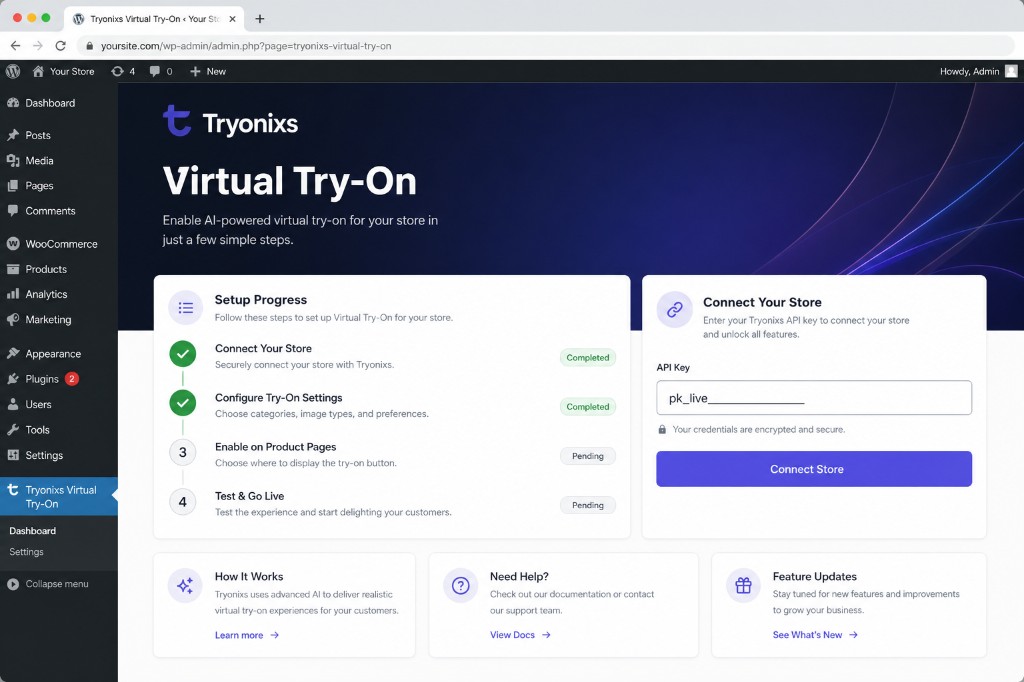
Tryonixs dashboard — connect your store and track setup progress
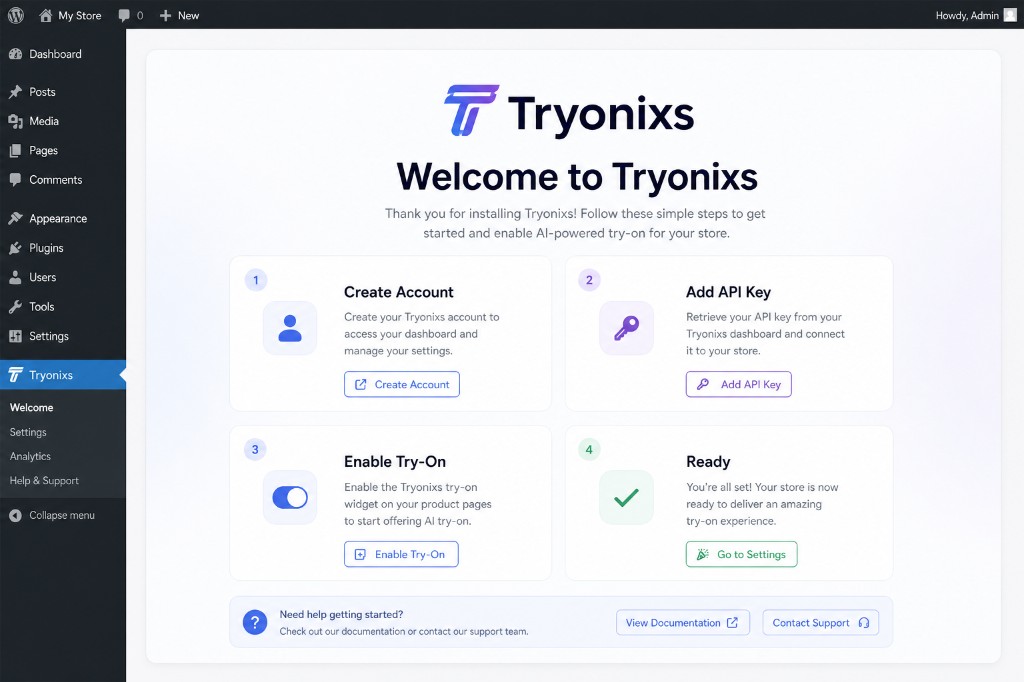
Guided onboarding welcome screen
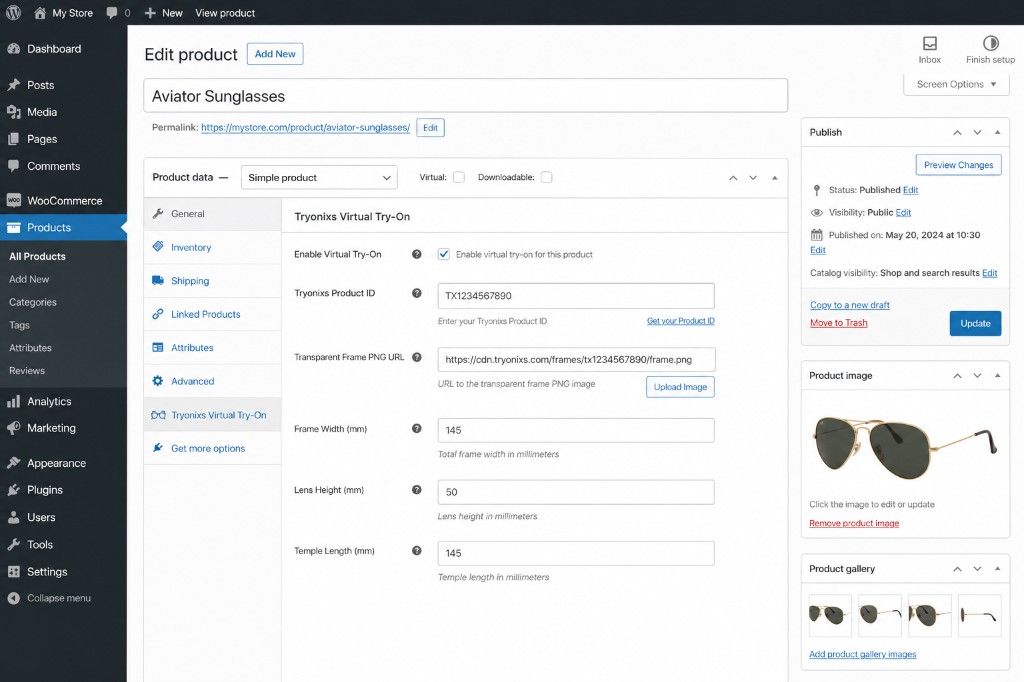
WooCommerce product settings for Virtual Try-On
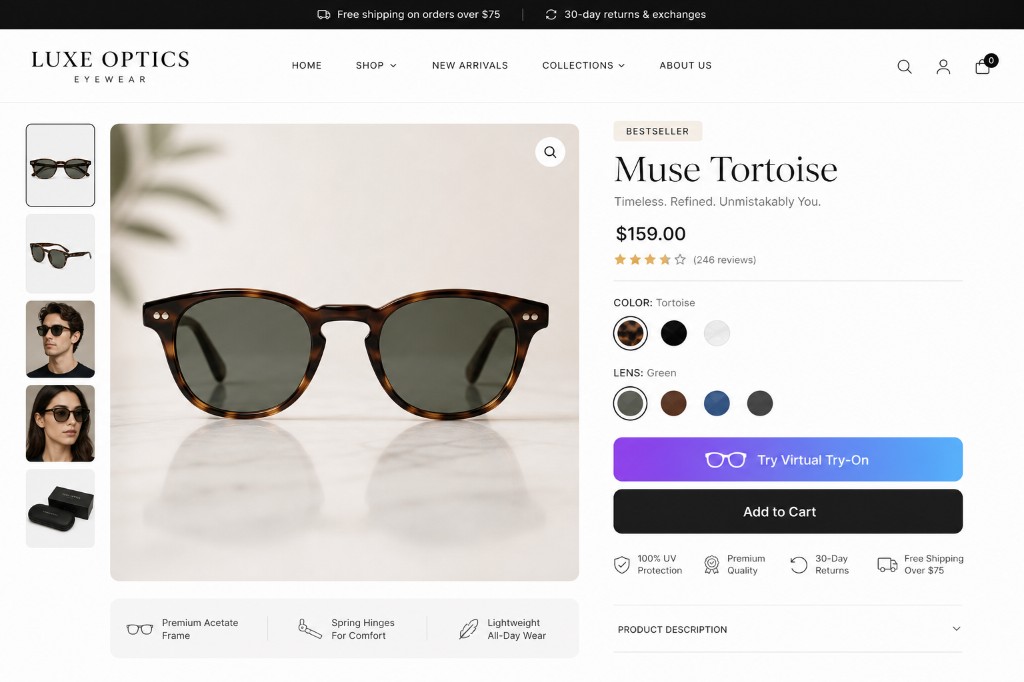
Premium try-on button next to Add to Cart
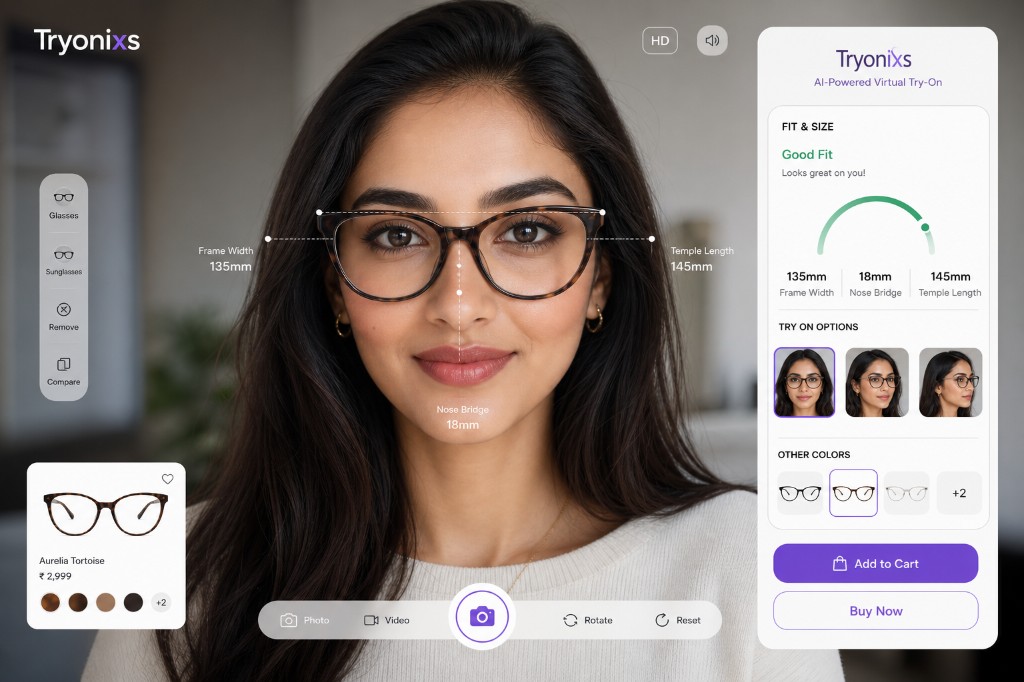
Customer AR try-on experience in the browser
Faq
Yes. This plugin connects WooCommerce to the Tryonixs AI Virtual Try-On service. Create an account at tryonixs.com.
- API key saved under Tryonixs Dashboard
- WooCommerce is active
- Product is published with a featured image (or custom frame PNG)
- Virtual Try-On is enabled on the product
- For page builders, use
[eyewvitr_button id="PRODUCT_ID"]
No. Virtual try-on runs in the browser. Camera permission is requested when the session starts.
Yes. Use the Tryonixs Virtual Try-On panel on each product to enable/disable try-on, set a product ID, frame image, and optional frame measurements.
Reviews
Changelog
1.3.8
- Removed WordPress.org directory assets from plugin package (upload via SVN after approval)
- Plugin URI now points to the live https://tryonixs.com/wordpress-plugin page
1.3.7
- Updated Tested up to WordPress 7.0
- Aligned text domain and main plugin file with slug tryonixs-virtual-try-on-for-eyewear-stores
1.3.6
- Separated Plugin URI and Author URI in plugin headers for WordPress.org compliance
1.3.5
- Renamed plugin for WordPress.org trademark compliance (removed restricted term from display name)
- Updated readme title and short description for professional branding
1.3.4
- Premium SaaS admin dashboard with setup progress and connection status
- Guided onboarding welcome experience after activation
- Redesigned frontend try-on button
- Expanded product panel with frame measurement fields
- Ethical review request for happy merchants
- SEO-optimized readme, metadata, and WordPress.org tags
- Stable tag and version alignment for SVN release
1.3.3
- Updated plugin branding to Tryonixs
- Updated default service URLs to tryonixs.com
1.3.2
- Prefixed identifiers with
eyewvitr_for WordPress.org naming guidelines
1.3.1
- SEO-friendly rename and text domain updates
1.3.0
- Trademark-safe naming and third-party integration clarity
1.2.2
- Fixed late SDK load click handling
1.2.0
- Per-product image URLs and shop/category buttons
1.0.0
- Initial release